 CODEerts
Project app for Odoo
Service Desk & SLA for Project
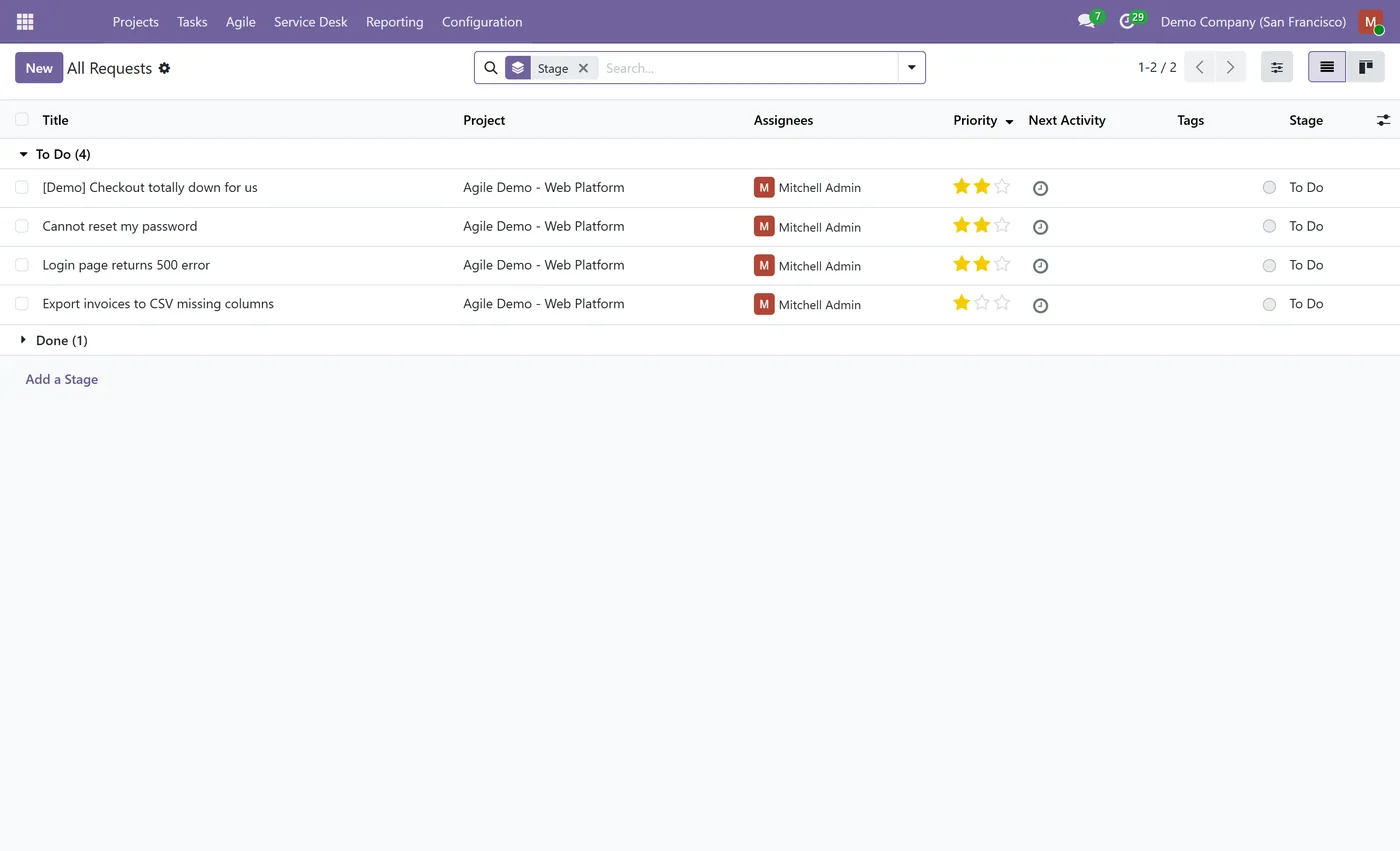
Turn Odoo Project into a service desk with SLA policies on working-hours timers, response and resolution deadlines, breach tracking, request types, a public intake form and a customer portal where clients track their tickets.
Overview
Service Desk & SLA for Project.
Service Desk & SLA turns the standard Odoo Project app into a help desk. Define SLA policies that set a response and a resolution deadline based on your working calendar, so timers pause outside business hours. Every ticket shows its SLA policy, its deadlines and a live status (in progress, met or breached), and an hourly job flags breaches automatically. Tickets carry a request type (question, incident, change or problem), a public form at /servicedesk lets anyone raise a request, and a customer portal at /my/servicedesk lets logged-in clients track their own tickets, see the SLA status and follow the conversation. It builds on standard Project and needs no Enterprise edition.
New to Odoo Project? Read our practical guide to how it works
How it works
Built around what you actually do.
Every screen below is the module running in Odoo, not a mockup.
01
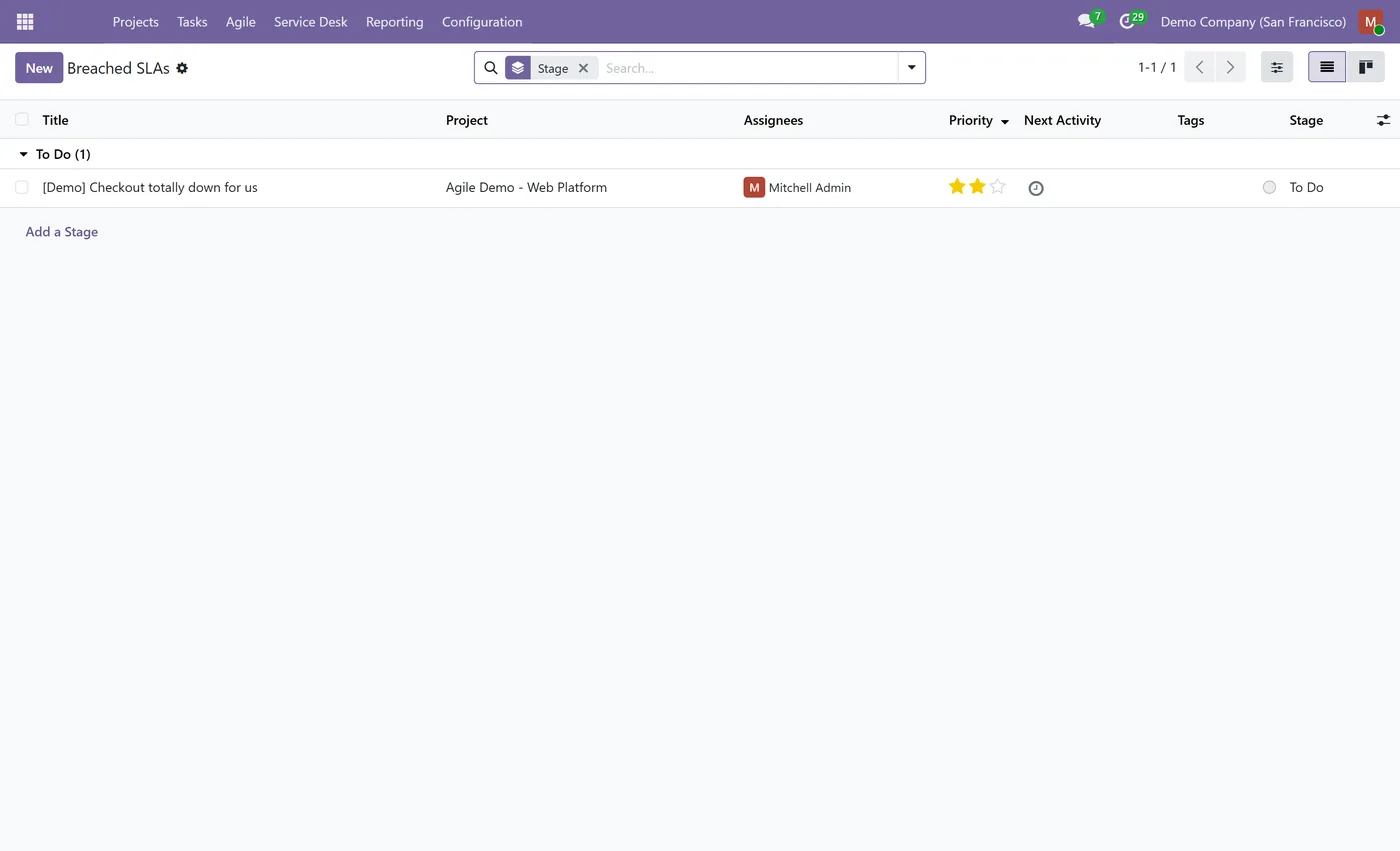
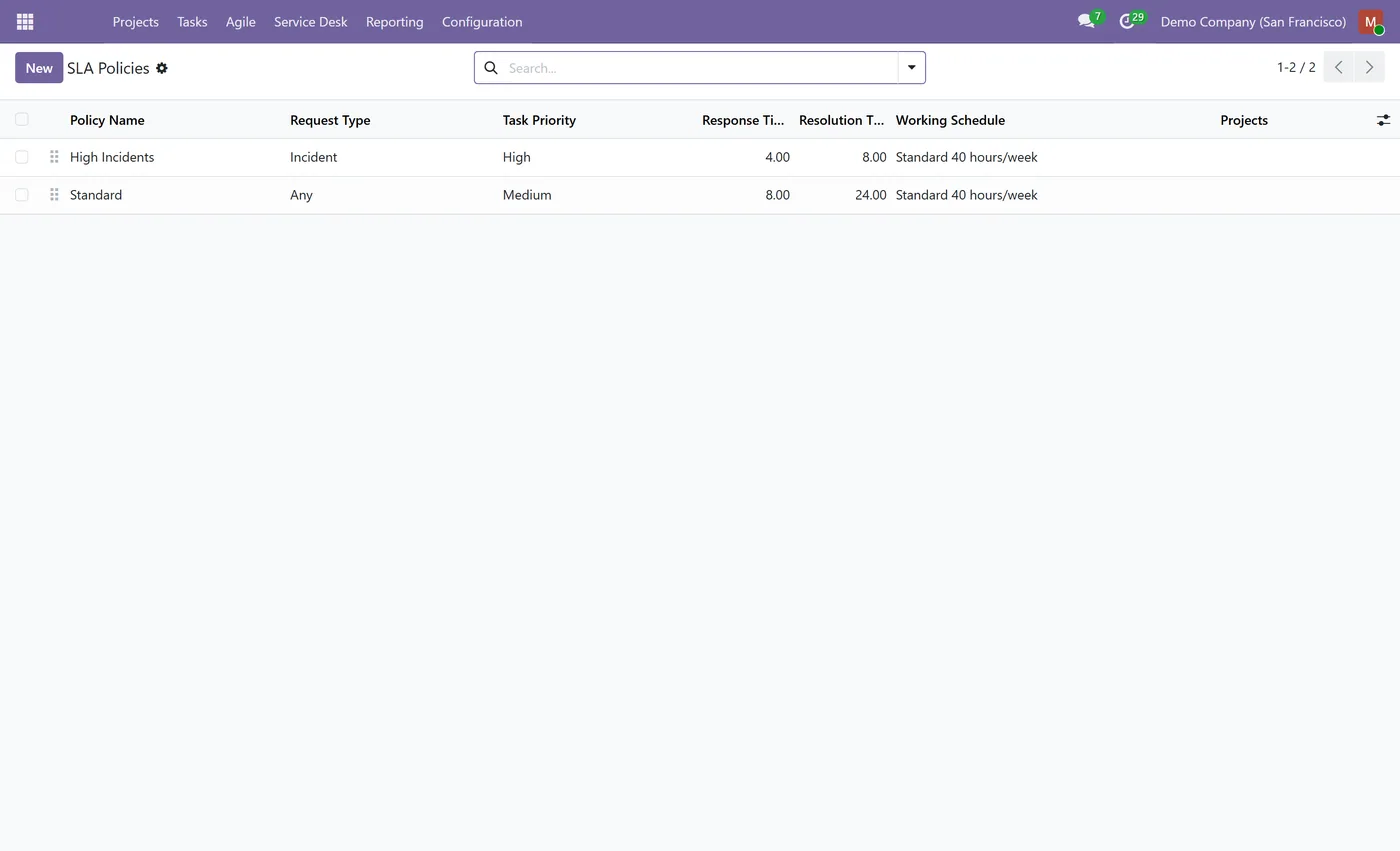
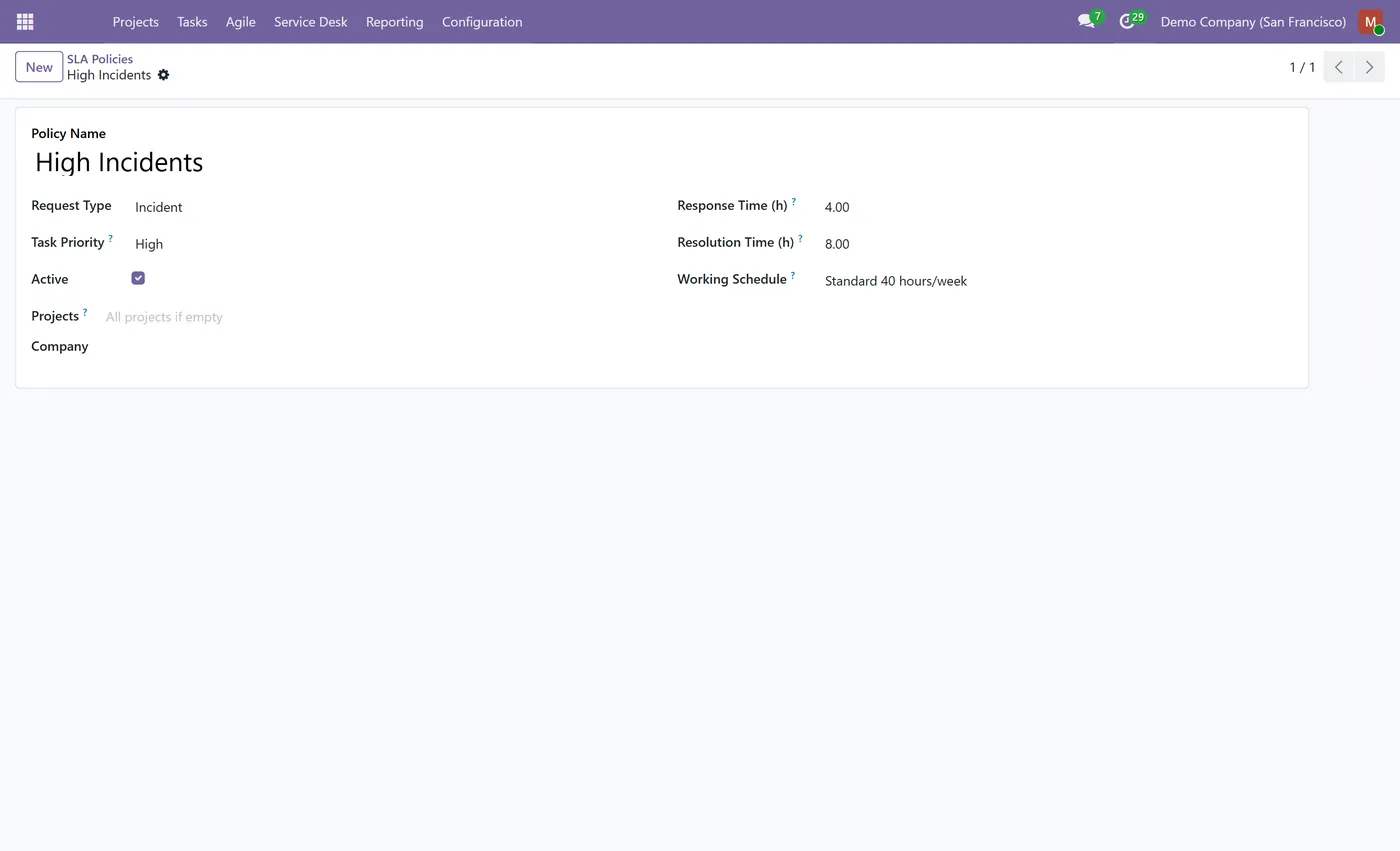
SLA policies with a response deadline and a resolution deadline
- Working-calendar aware timers that pause outside business hours
- Live SLA status per ticket (in progress, met, breached) with an hourly breach check
02
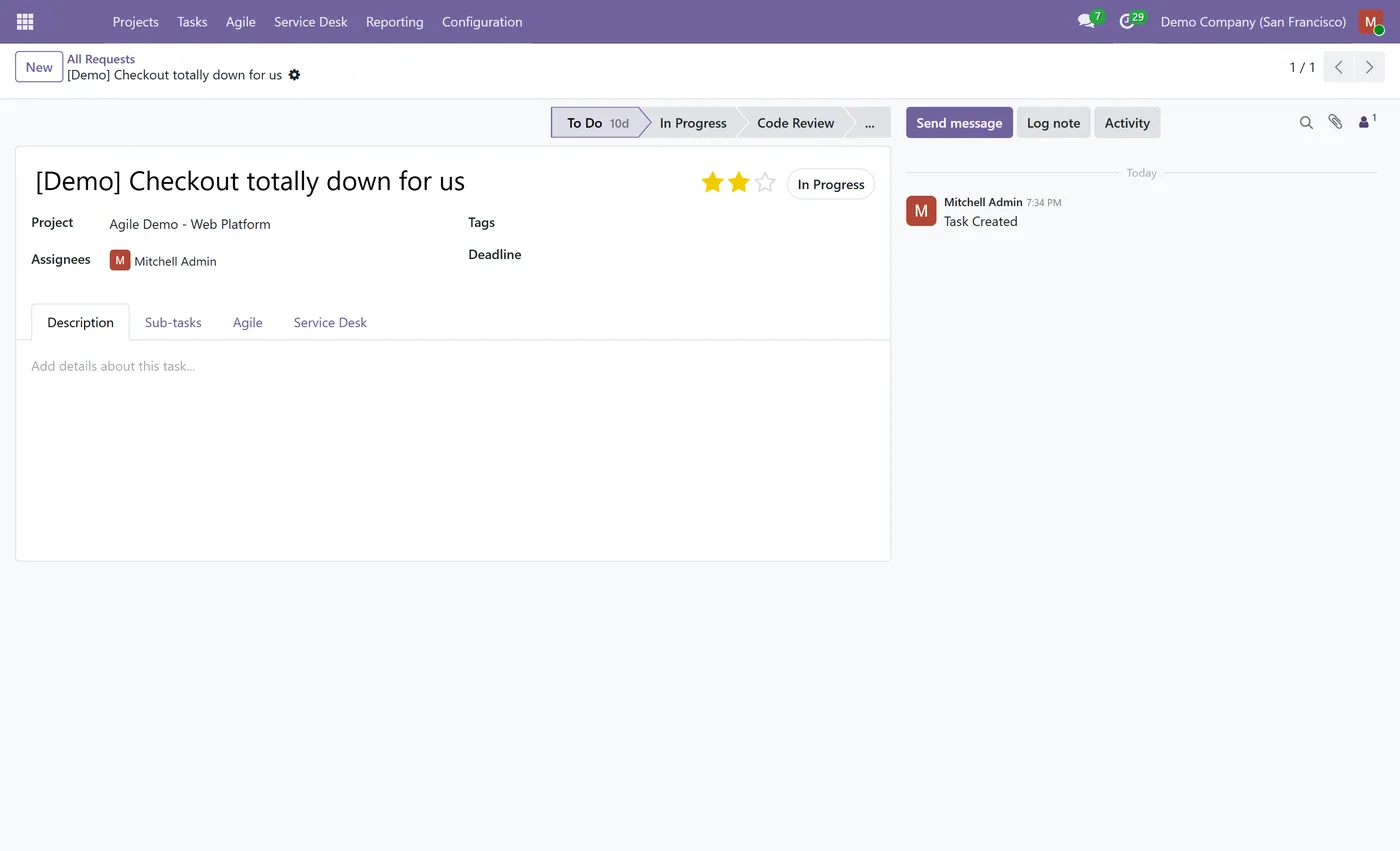
Request types (question, incident, change, problem) matched to the right SLA
- Priority-aware matching: each SLA policy applies to one task priority and request type
- Public intake form at /servicedesk for anyone to raise a request
03
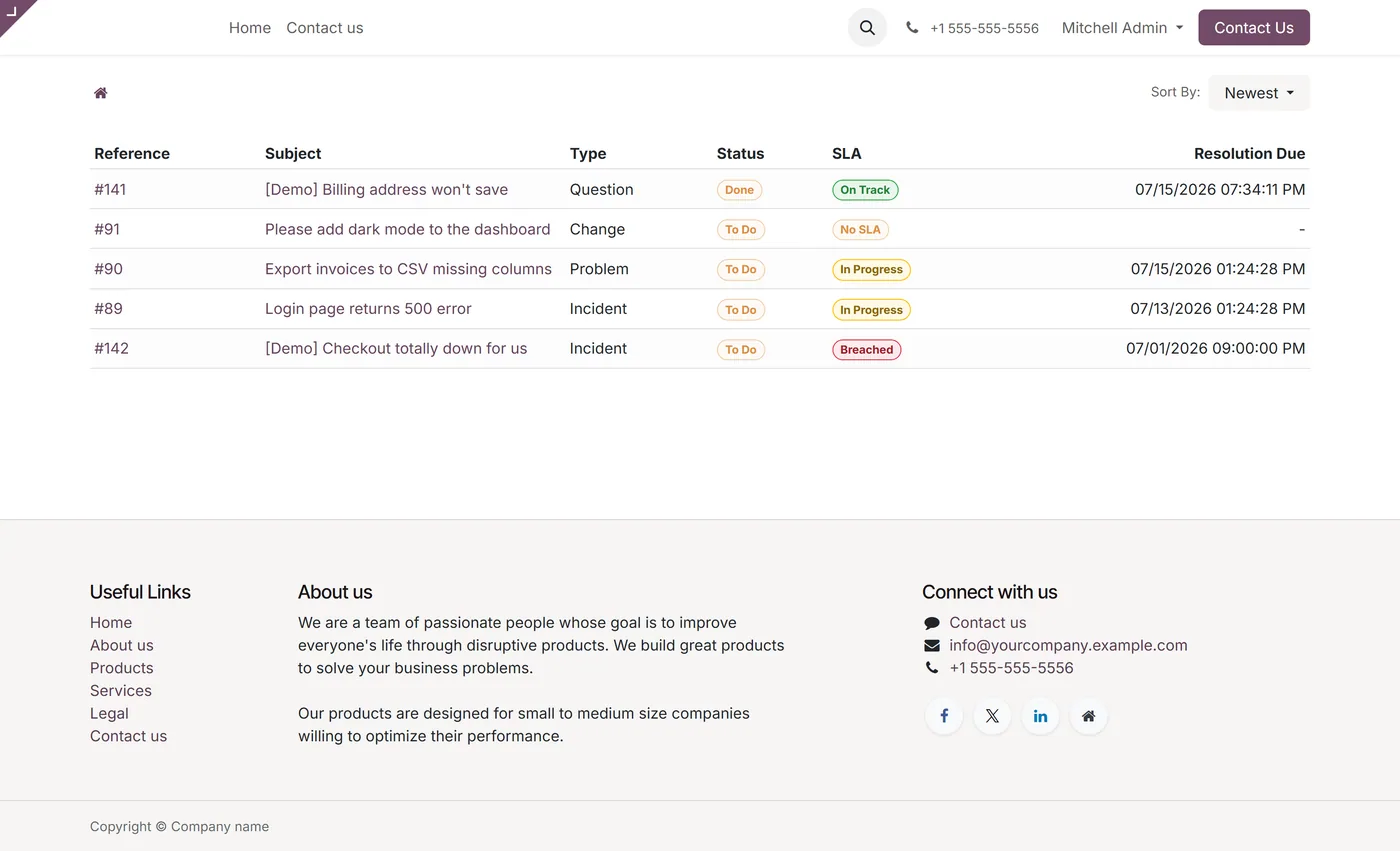
Customer portal at /my/servicedesk to track tickets, SLA status and due dates
- Ticket detail page with a conversation thread so customers can follow up
- Builds on standard Project, Community friendly, no Enterprise dependency
Every screen
The whole module, screen by screen.
The captures the walkthrough above did not use, in the order you meet them in the product.
What it does
Service Desk & SLA makes Odoo Project work like a help desk. Raise tickets from a public form, match them to SLA policies with working-hours response and resolution timers, and let customers track their own tickets from the portal, all on standard Community Project.
Who it's for
Support, IT and operations teams who want ITSM-style ticketing with SLAs and a customer portal inside Odoo Project, without a separate help desk product.
Questions
About Service Desk & SLA for Project.
How do I add SLA policies to Odoo Project?
The module adds an SLA Policy model. Set a response and a resolution time, pick the priority and request type it applies to and a working calendar. Each matching ticket then shows its deadlines and a live SLA status. Each policy applies to one task priority, so higher-priority tickets can get tighter targets than routine ones.
Do the SLA timers respect working hours?
Yes. Each policy points to a working calendar, so the response and resolution deadlines are calculated on business hours and pause overnight and at weekends, giving realistic due times.
Can customers submit and track their own tickets?
Yes. A public form at /servicedesk lets anyone raise a request, and logged-in customers get a portal at /my/servicedesk that lists their tickets with status, SLA badge and due date, plus a detail page with a message thread to follow up.
What happens when an SLA is breached?
Each ticket computes an SLA status of in progress, met or breached from its deadlines, and an hourly scheduled job re-checks open tickets so a breach is flagged as soon as the deadline passes.
Which Odoo versions and editions are supported?
Use the version selector at the top of this page to pick your Odoo release. The module builds on the standard Project app and runs on Community as well as Enterprise.
On the Odoo Store
Get Service Desk & SLA for Project on the Odoo Store.
Pick your Odoo version and install it in a click, with free updates and real support behind it.
Get it on the Odoo StoreReady to make Odoo work the way your business does?
Book a free call CODEerts
CODEerts is a team of certified Odoo partners and full-stack engineers. We implement, customise and support Odoo ERP, then build the software around it.

