CODEerts
Productivity
AI Document OCR and Data Extraction
Read invoices, bills and any document, then create the matching Odoo record automatically. A free template engine for repeat layouts plus an optional bring-your-own-key AI engine that reads scans and photos and maps fields for you.
Overview
AI Document OCR and Data Extraction.
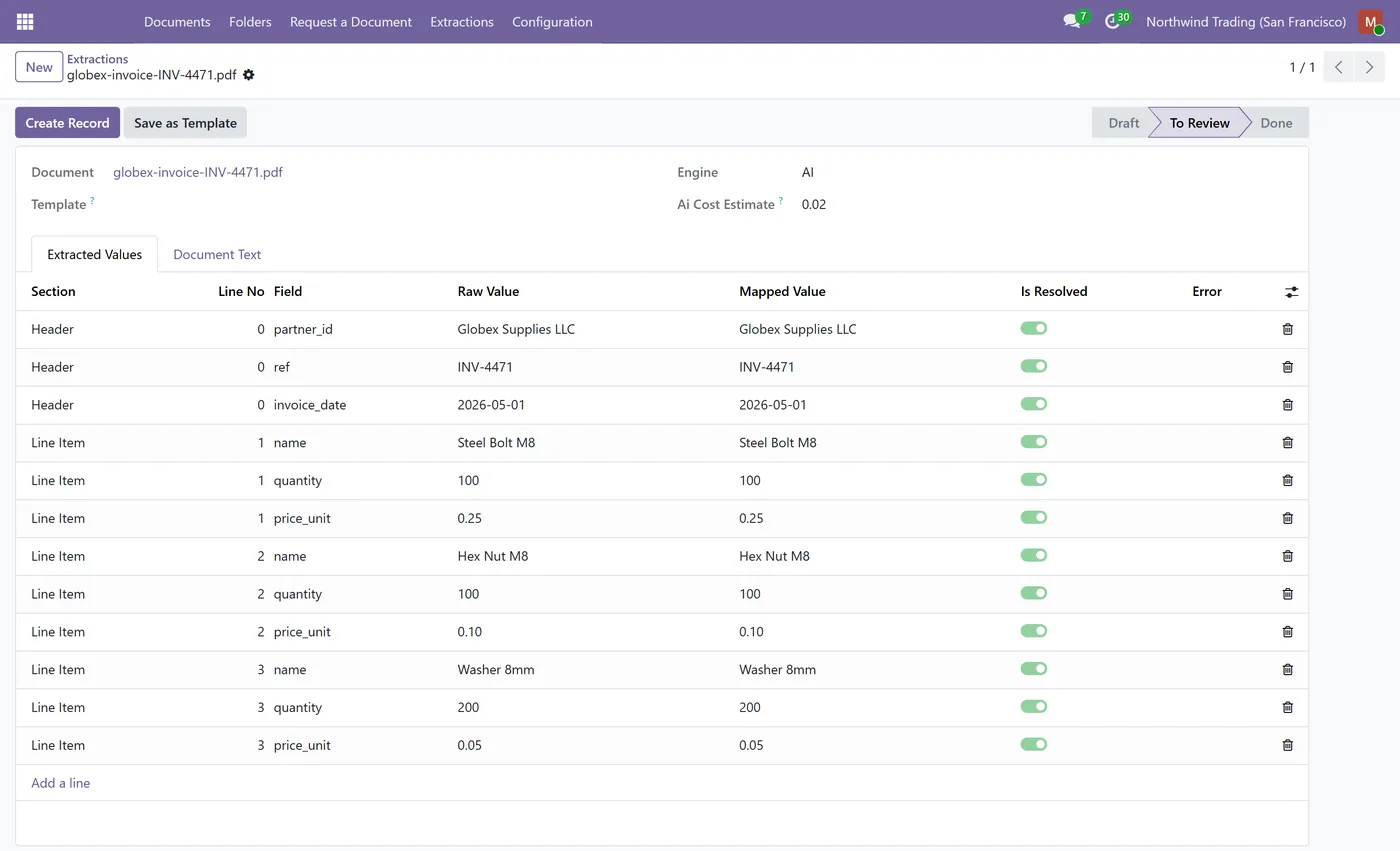
Add OCR and AI data extraction to your Odoo documents. Point a folder at any target model, drop in a PDF, scan or photo, and get the fields read out and mapped to the record ready for one-click creation. A free local template engine replays known layouts at no cost, while an optional AI engine (bring your own Anthropic or OpenAI key) reads documents with no text layer and maps fields automatically. Extract header and line items, review before creating, learn a reusable template from a single AI result, and let emailed documents parse themselves. Requires the CODEerts Document Management System app, sold separately.
Screenshots
AI Document OCR and Data Extraction in Odoo.
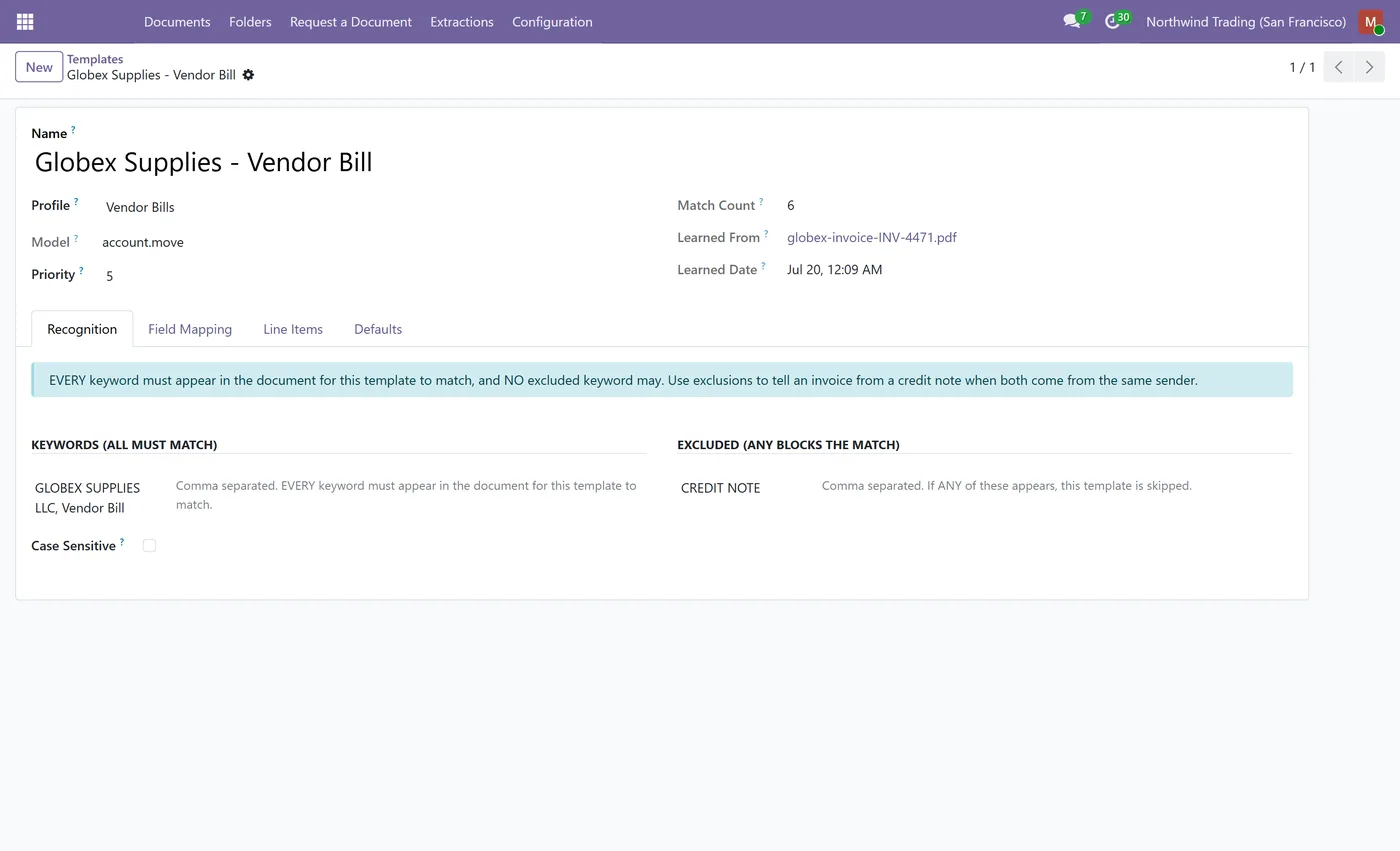
Real captures from the module running in Odoo, not mockups.
What's included
Key features.
What it does
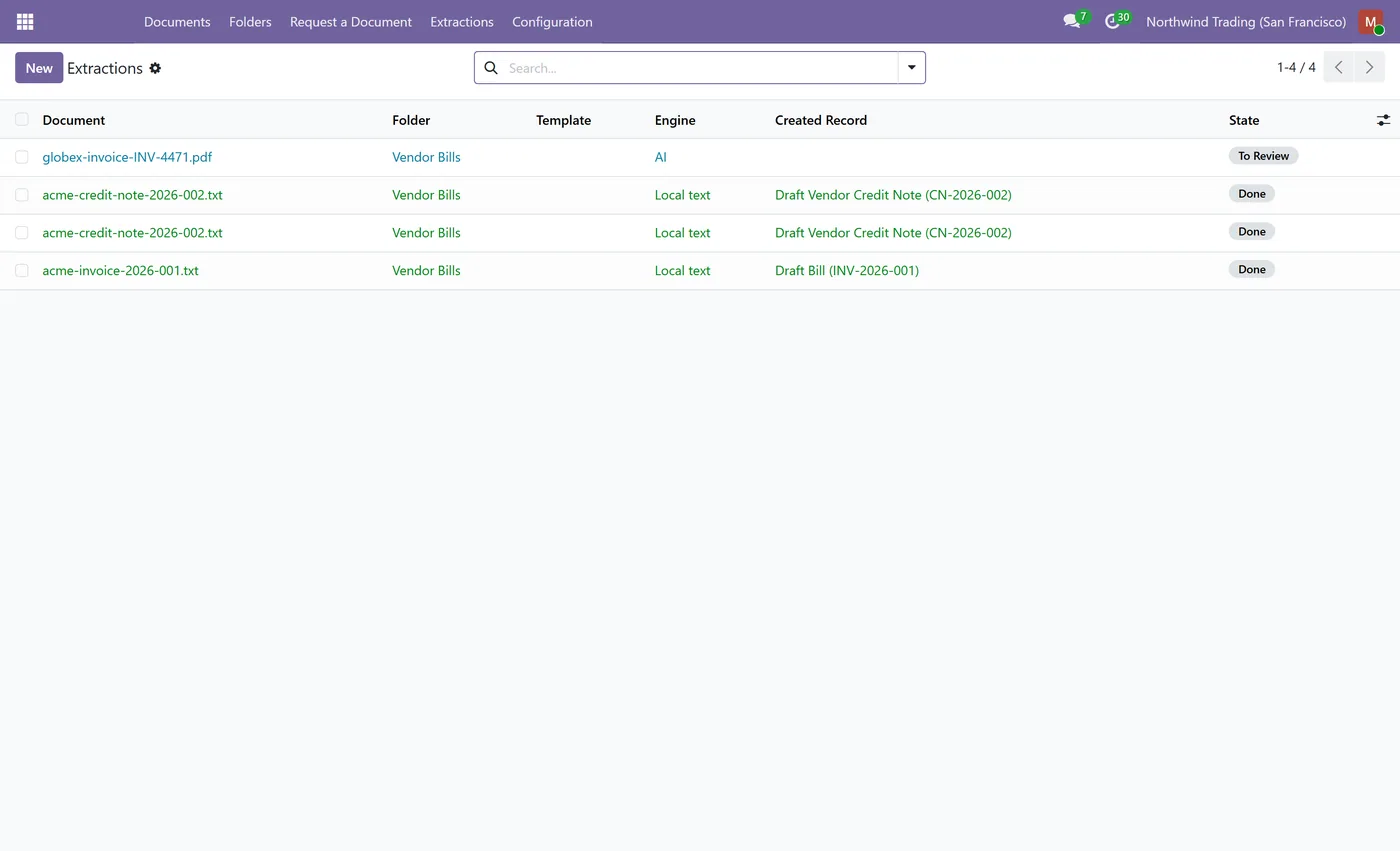
AI Document OCR and Data Extraction reads your documents and turns them into Odoo records. Point a folder at any target model, drop in a PDF, scan or photo, and the module reads the fields and maps them onto the record, ready for one-click creation after a quick review. Two engines work together: a free local template engine that recognises a known layout by its keywords and pulls values with anchor or regex rules at no per-document cost, and an optional AI engine that uses your own Anthropic or OpenAI key to read documents with no text layer and map their fields automatically. It extracts both header values and line items, so an invoice comes through with its lines intact, and it never creates anything without showing you the values first.
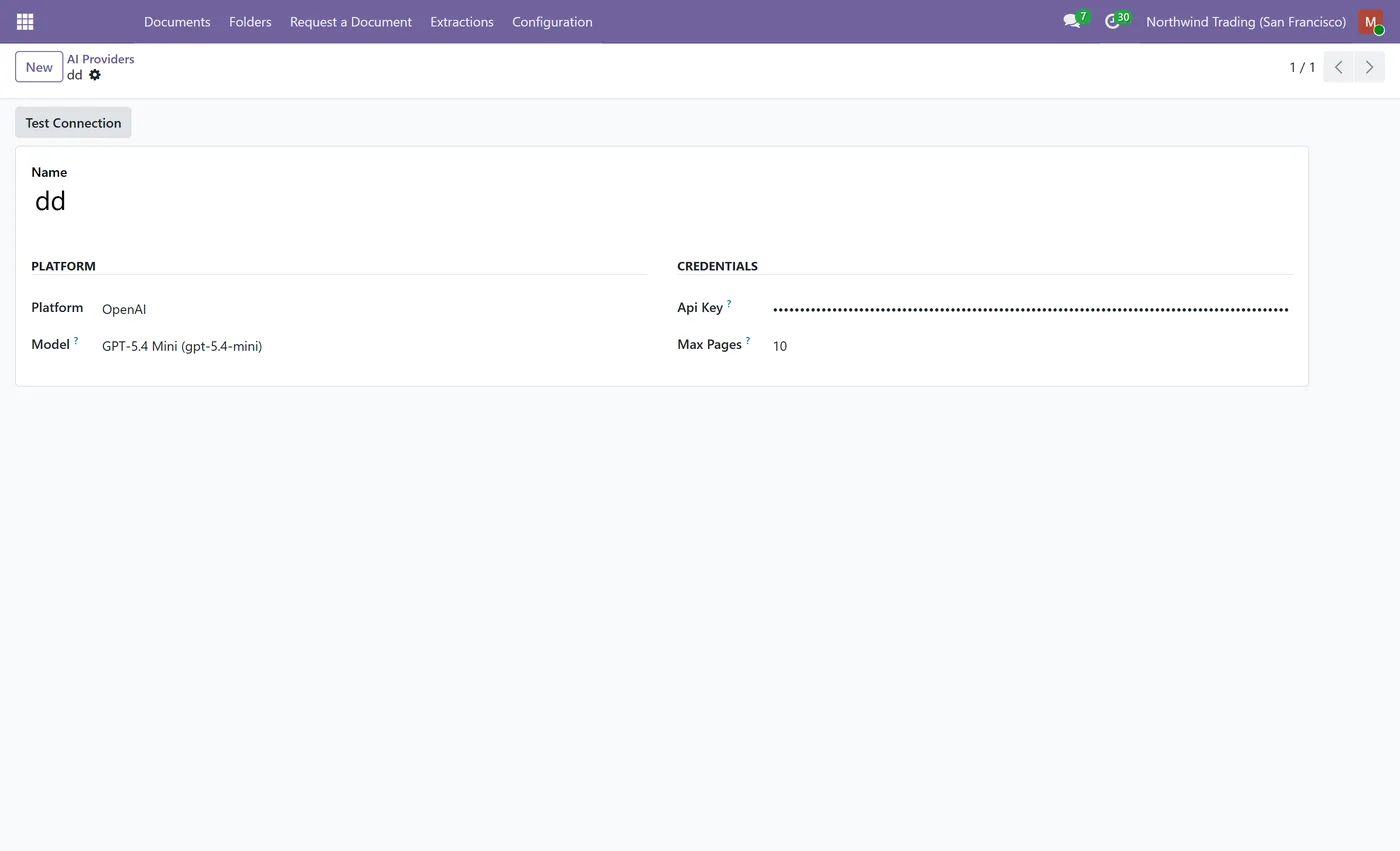
Folder-by-folder extraction profiles targeting any Odoo model, a free local template engine with keyword matching and anchor or regex field rules, an optional bring-your-own-key AI engine with vision for scans and photos, automatic field mapping guided to the model's own writable fields, an optional per-folder field allowlist, header and line-item extraction, a review screen before any record is created, Save as Template to learn a reusable free template from a single AI result including line-item column rules, auto-extract on upload, email-to-folder parsing, guarded automatic record creation that respects access control, a per-call cost estimate, a maximum-pages cost guard, a Test Connection button, and an API key kept on your own database.
Who it's for
Finance and operations teams that retype the same documents into Odoo every day: accounts payable keying vendor bills and invoices, purchasing turning order confirmations into records, and any team that receives forms, receipts or statements as PDFs, scans or photos. If you want the repeat layouts read for free and the awkward ones handled by an AI you control, with every value reviewed before it becomes a record, this add-on is for you. It builds on CODEerts Advanced Document Management System, so your documents, folders and access control stay in one place.
Questions
About AI Document OCR and Data Extraction.
How do I extract data from invoices and PDFs into Odoo records?
Set an extraction profile on a folder, choose the target model, and drop in a document. The module reads the fields and maps them to the record, then shows a review screen where you confirm and create it. Repeat layouts can be learned as a free local template so future documents are read at no cost.
Do I need another app for this to work?
Yes. This app extends the CODEerts Document Management System, which provides the folders, documents and access control it reads from. Install that app first. It is sold separately, and Odoo asks for it automatically when you install this one.
Do I need a paid OCR service or IAP credits?
No. The local template engine reads documents that have a text layer for free, with no external service. For scans, photos or unknown layouts you can turn on the AI engine using your own Anthropic or OpenAI key, so you pay your provider directly and nothing goes through a middleman.
Can it read scanned documents and photos, not just text PDFs?
Yes. When a document has no text layer, the AI engine reads it as an image, so scans and phone photos of invoices and forms are extracted too.
Do I have to map every field by hand?
No. The AI engine is guided to the target model's own writable fields, so mapping is automatic. If you prefer control, you can list exactly which fields it should fill, folder by folder.
How does it avoid paying the AI for the same supplier every time?
After the AI reads a document you can save it as a template. The module learns the keywords, the field anchors and the line-item column rules, so the next document with that layout is read by the free local engine instead of the AI.
Is it safe to let emailed documents create records automatically?
Yes. Emailed documents are always staged for review, and automatic record creation only runs for a real signed-in user who holds create rights on the target model, so an anonymous email can never bypass your access control.
Which AI providers are supported?
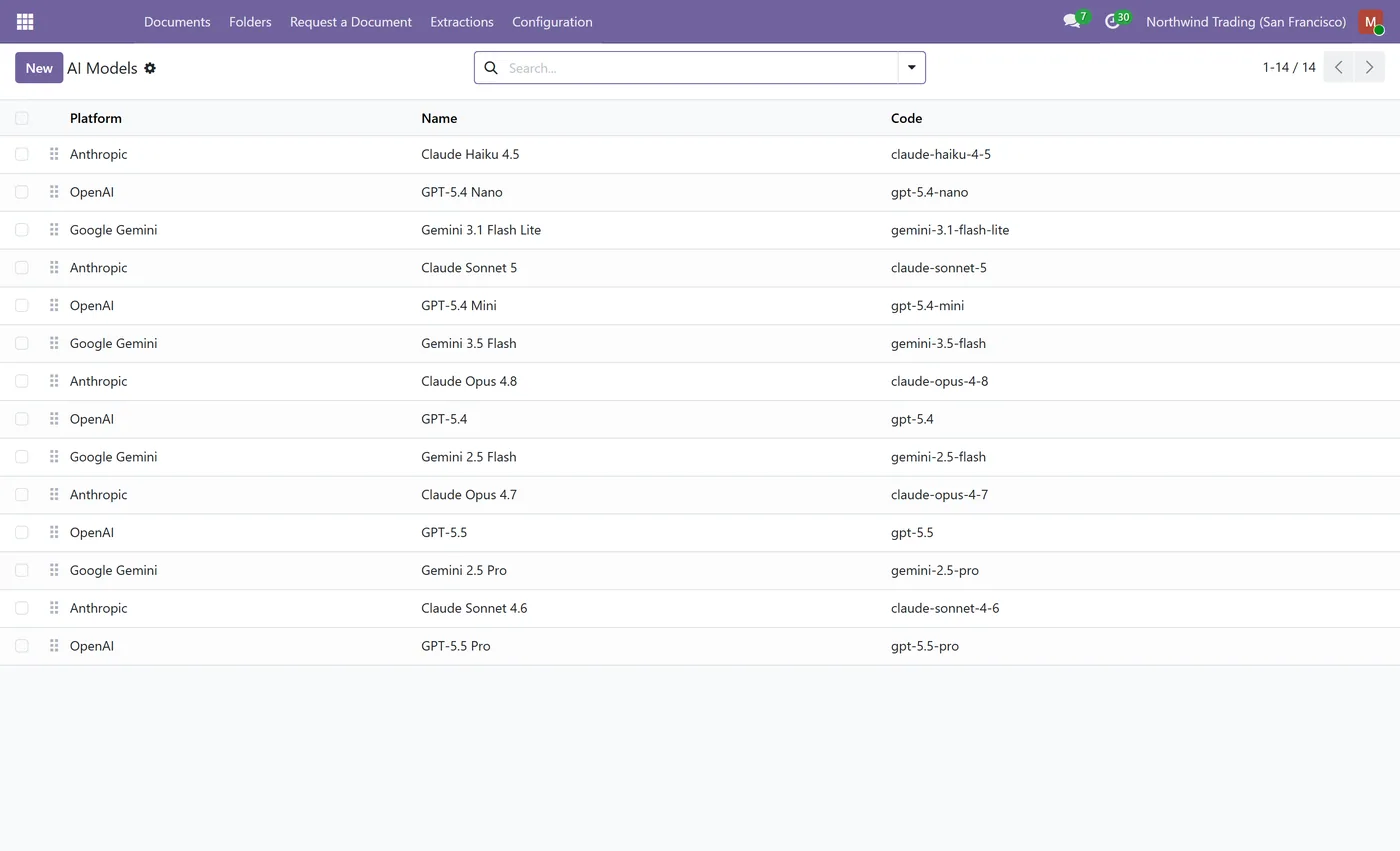
Anthropic and OpenAI are ready out of the box, and the provider layer is pluggable for Google Gemini, Azure OpenAI and self-hosted Ollama. You bring your own key and pick the model.
Which Odoo versions and editions are supported?
It is maintained for current major Odoo versions and works on both Community and Enterprise. Each Odoo Apps Store listing shows the exact version it supports.
On the Odoo Store
Get AI Document OCR and Data Extraction on the Odoo Store.
Pick your Odoo version and install it in a click, with free updates and real support behind it.
View on the Odoo StoreKeep exploring
More CODEerts apps.
All 93 of our published modules are open to browse, on the Odoo Store and in our app browser.
Ready to make Odoo work the way your business does?
Book a free call CODEerts
CODEerts is a team of certified Odoo experts and full-stack engineers. We implement, customise and support Odoo ERP, then build the software around it.