 CODEerts
Extra Tools app for Odoo
Access Rights Manager Pro
Restrict users per model, record, field, menu, report, action and chatter, enforced by the server, with an effective access preview and a denial log.
Overview
Access Rights Manager Pro.
Build access policies for users, groups and companies in Odoo. Deny create, write, delete, duplicate, archive, import, export and print per model, limit records with domains, lock fields, and hide menus, buttons, tabs, views, reports and chatter features. Data restrictions are refused by the server on every entry point, and refusals are logged.
How it works
Built around what you actually do.
Every screen below is the module running in Odoo, not a mockup.
01
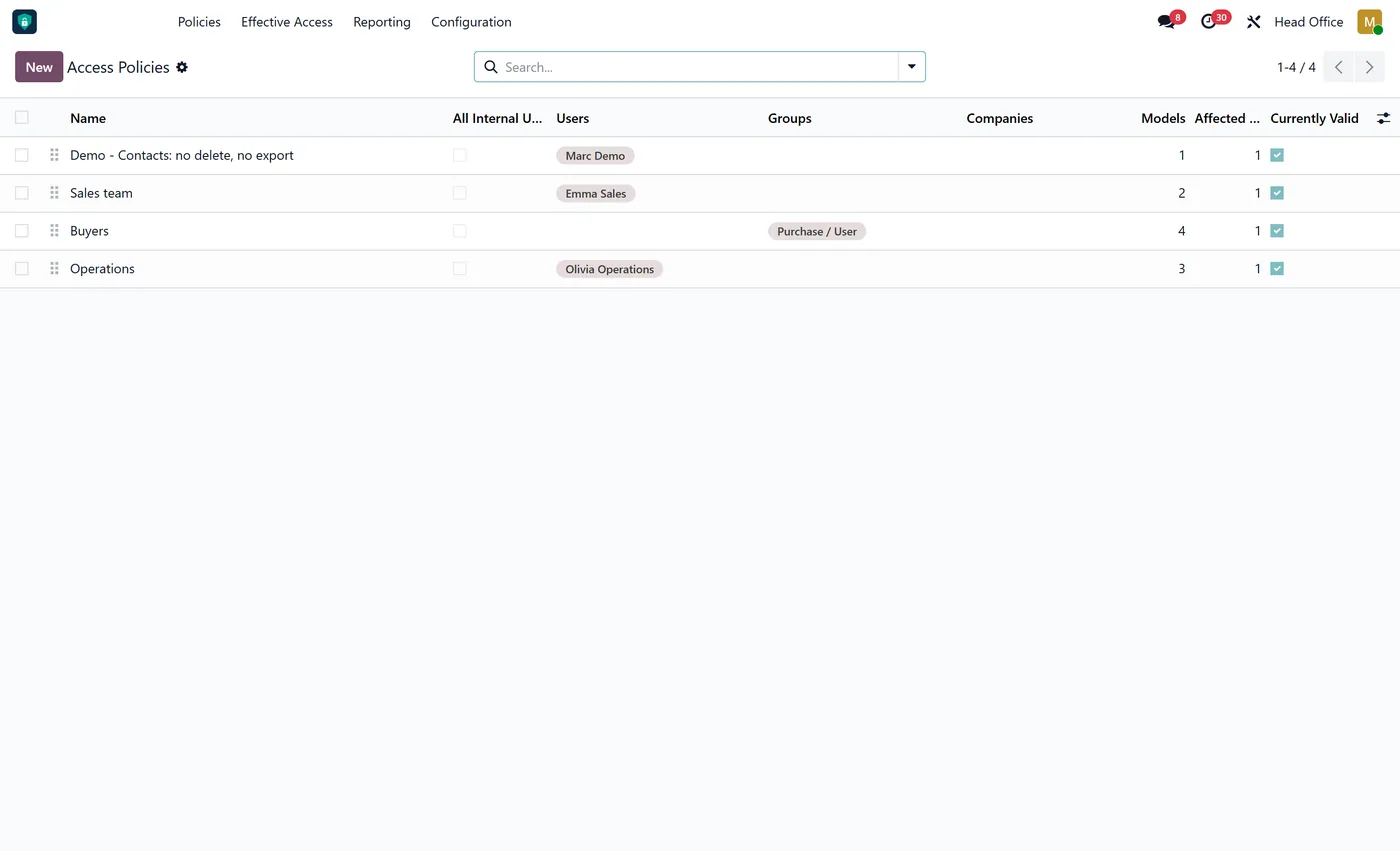
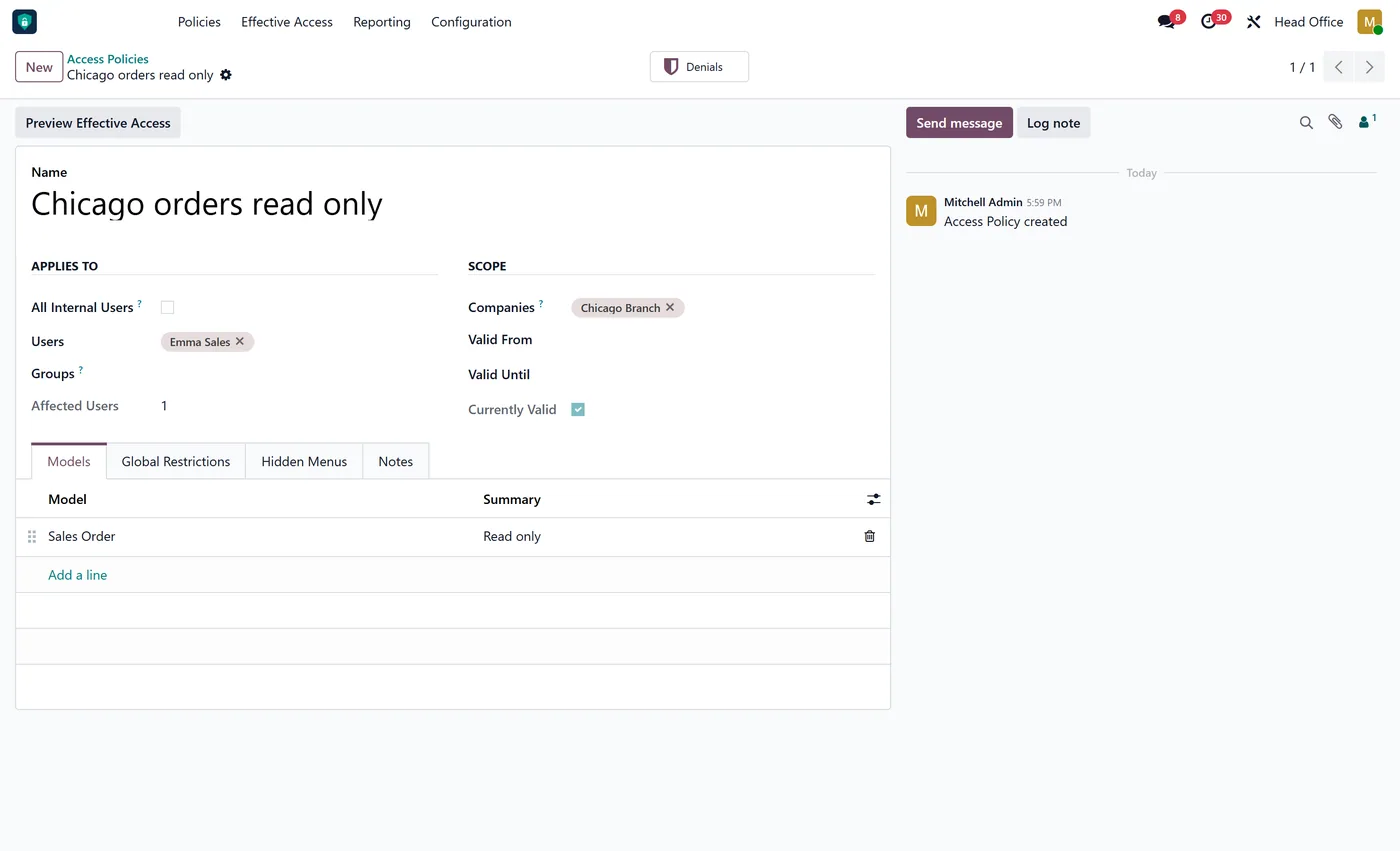
Policies for selected users, groups or all internal users, with optional company scope and validity dates
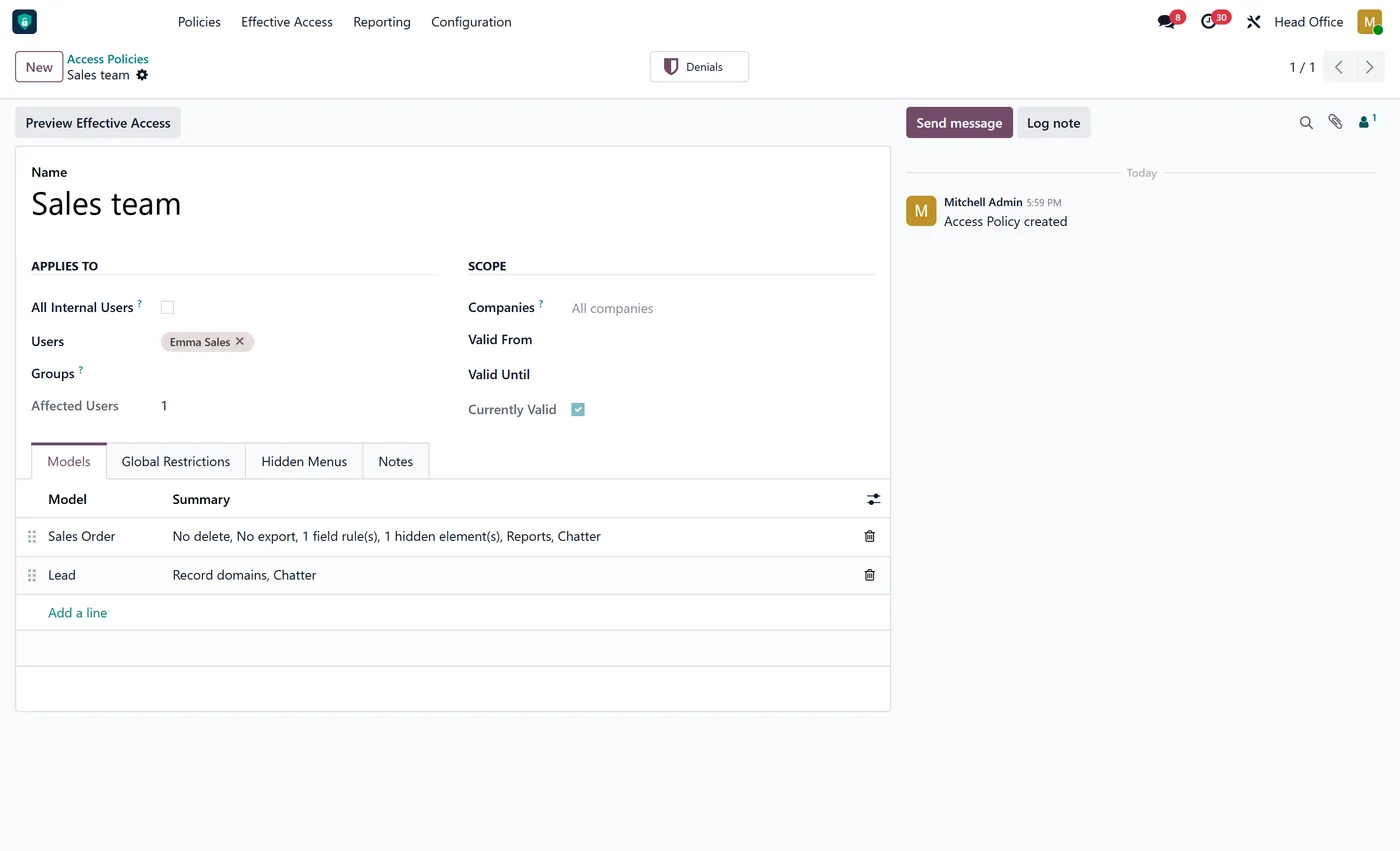
- Deny read, create, write, delete, duplicate, archive, unarchive, import, export and print per model
- Record domains for read, write and delete, with the current user and company available
- Model read only and global read only for auditors and viewers
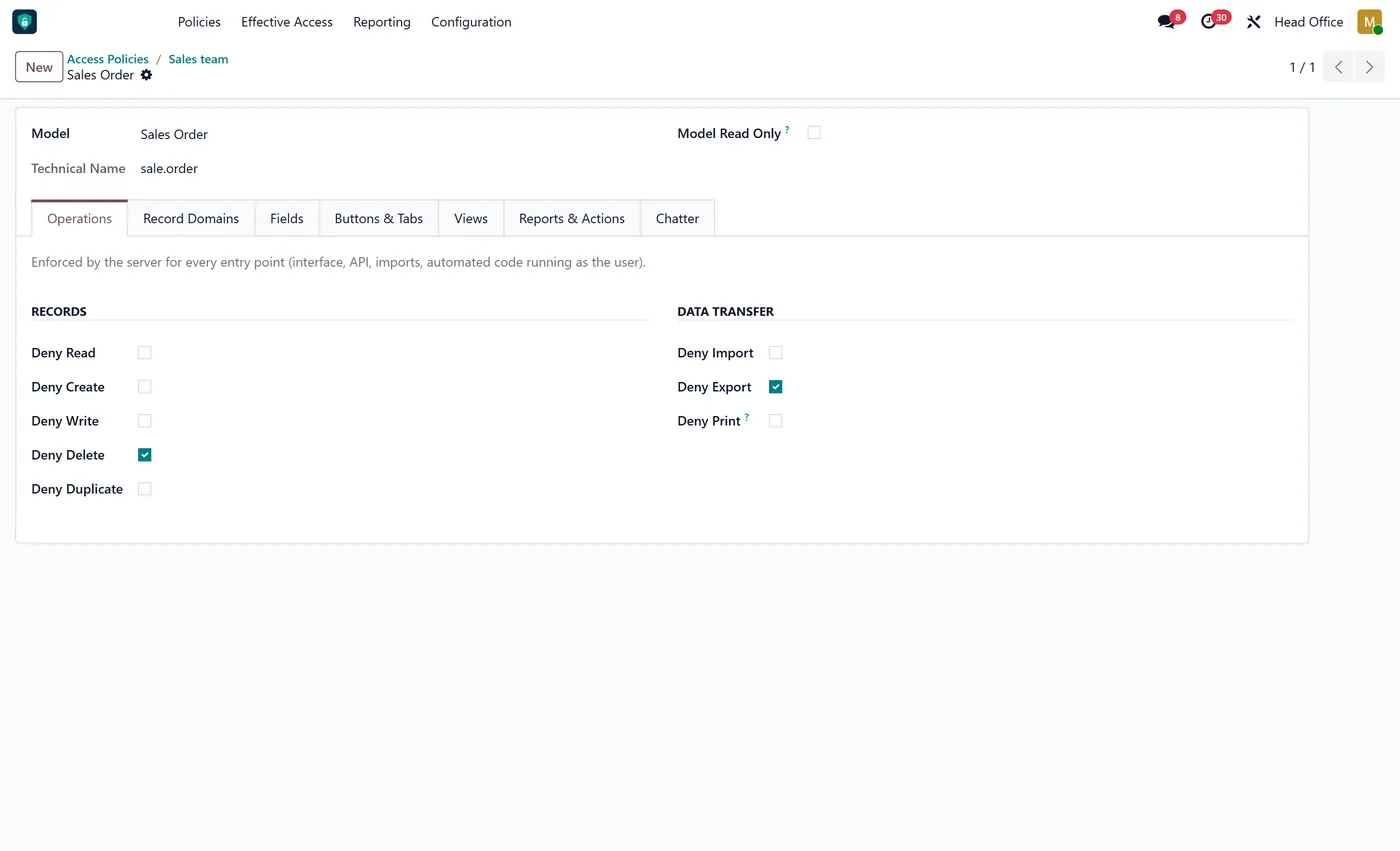
- Field rules: invisible, interface read only, enforced read only, required, no link, no export
02
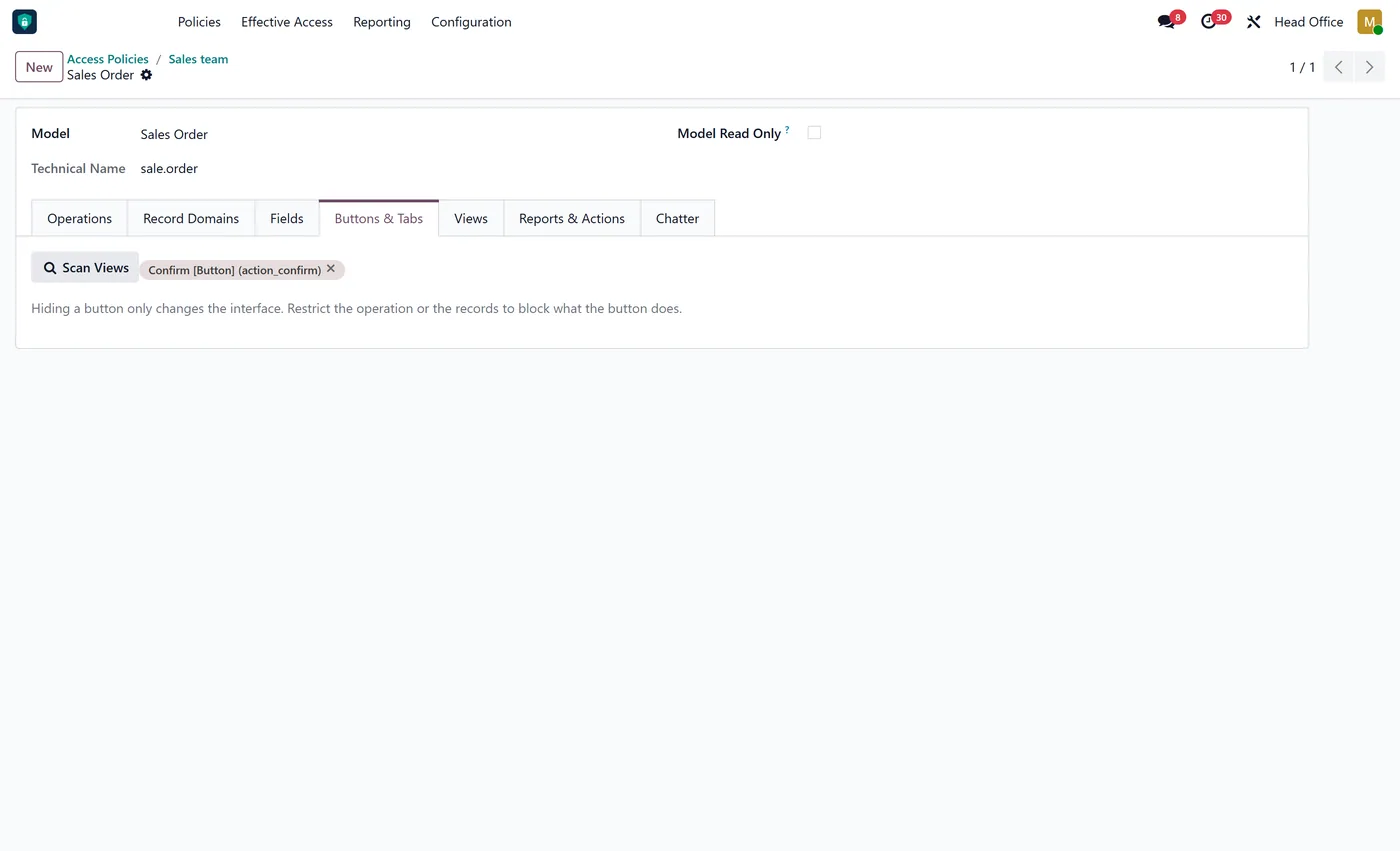
Hide menus, buttons, notebook tabs and view types, discovered by scanning the model's views
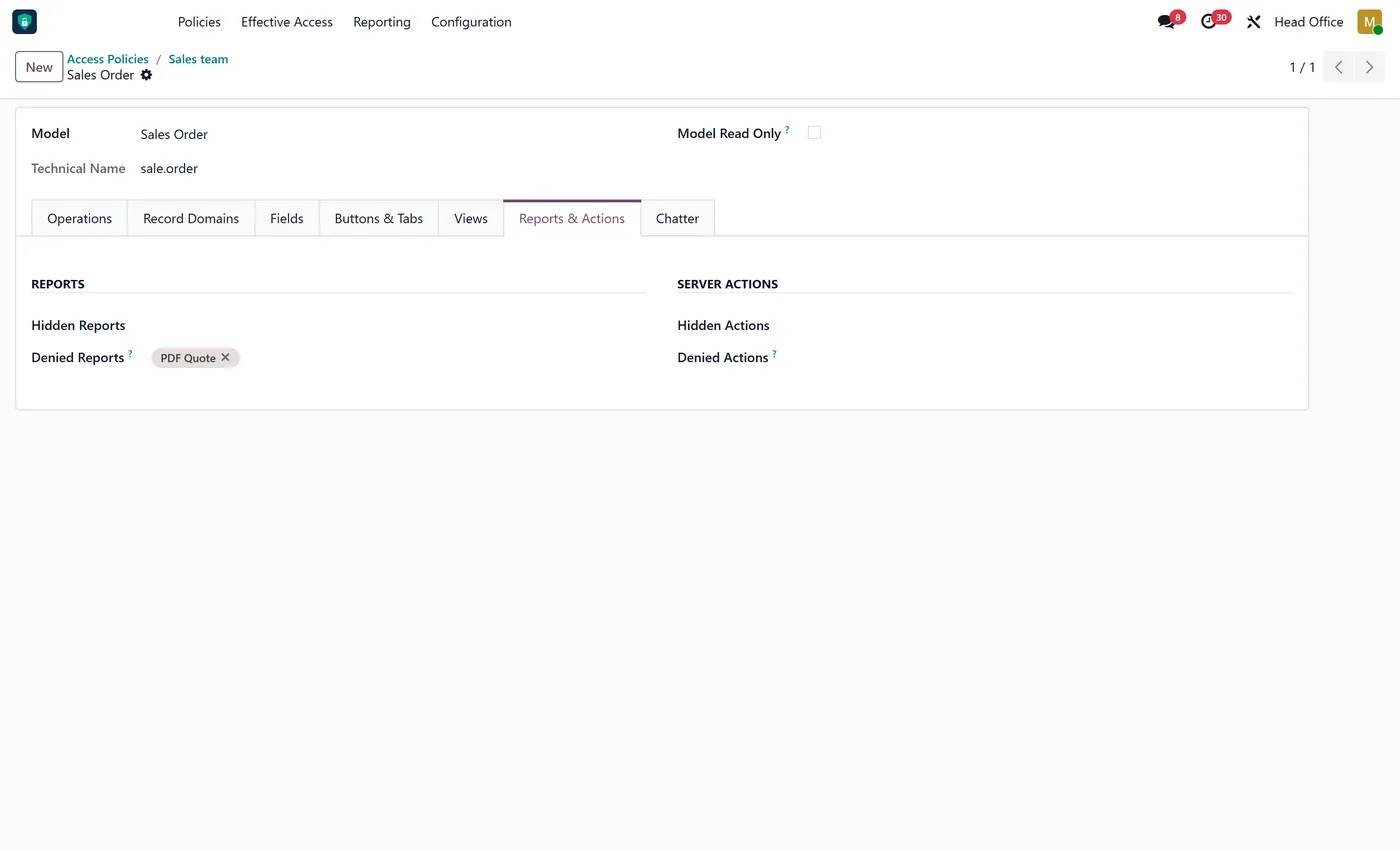
- Deny or hide reports and server actions per model
- Chatter controls: hide chatter, block messages, notes, followers, activities and uploads
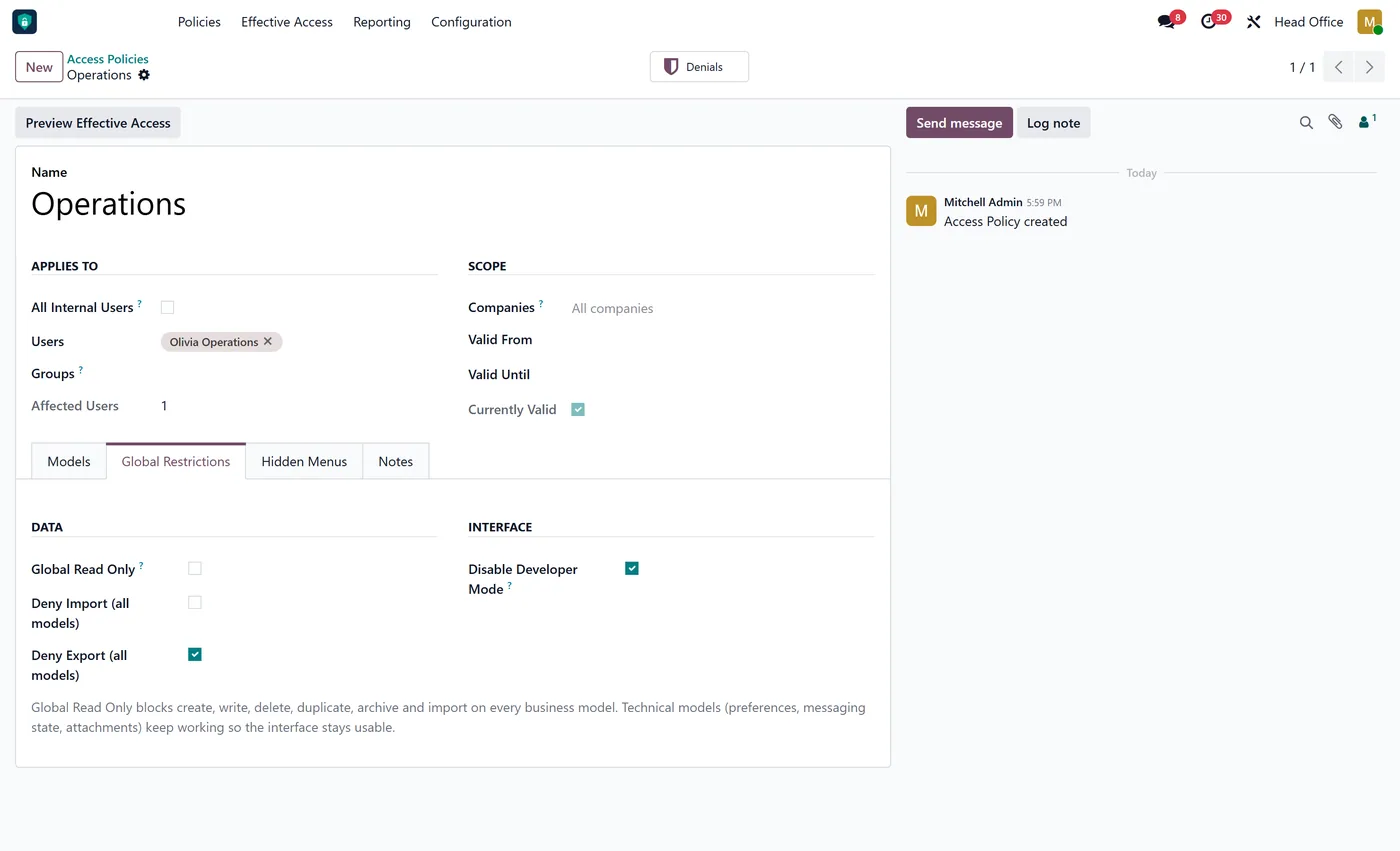
- Disable developer mode and deny import or export on every model
- Company-limited policies follow each record's company, on the server and in forms and lists
03
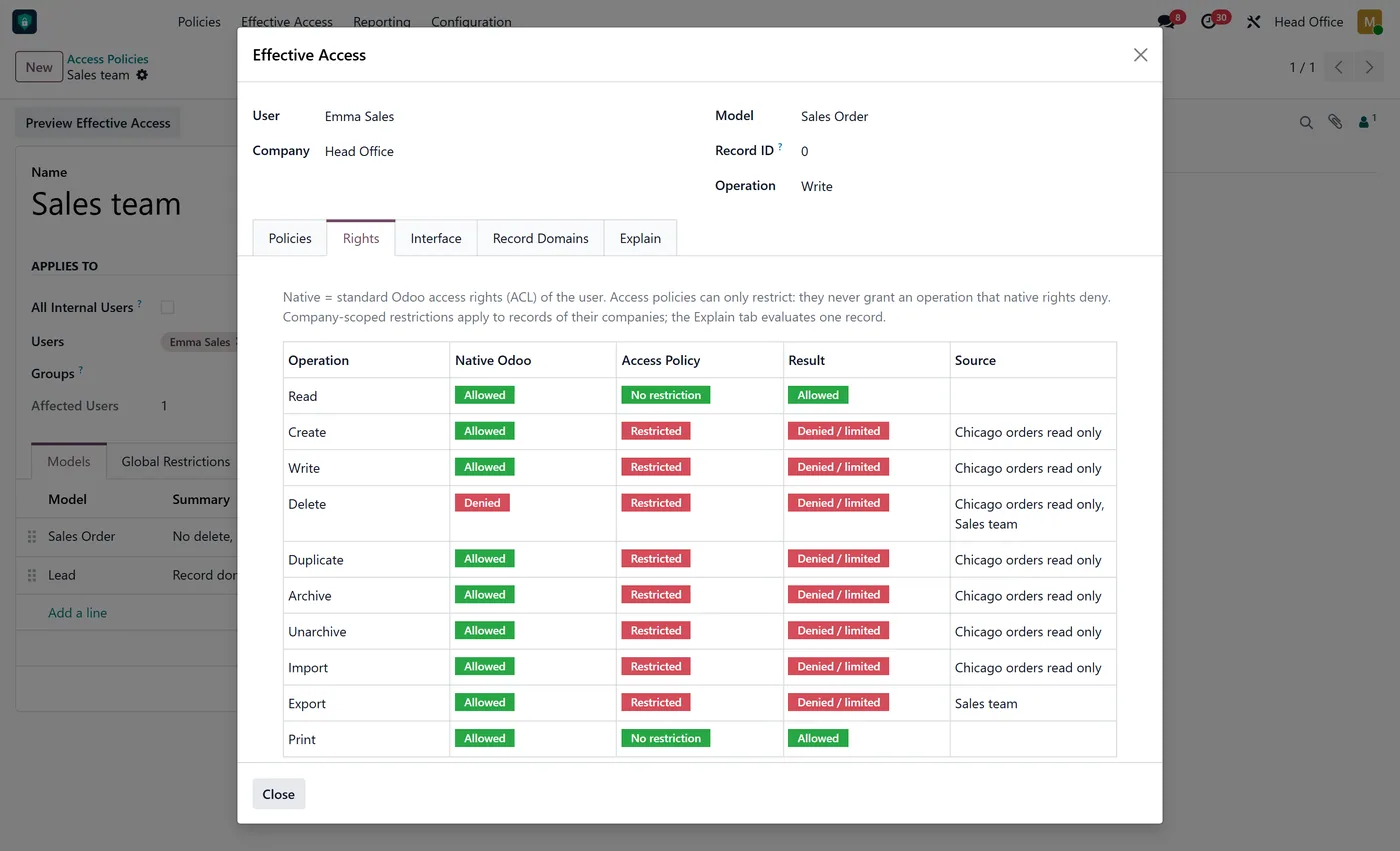
Effective Access preview: native rights, policy result and the policy responsible, per operation
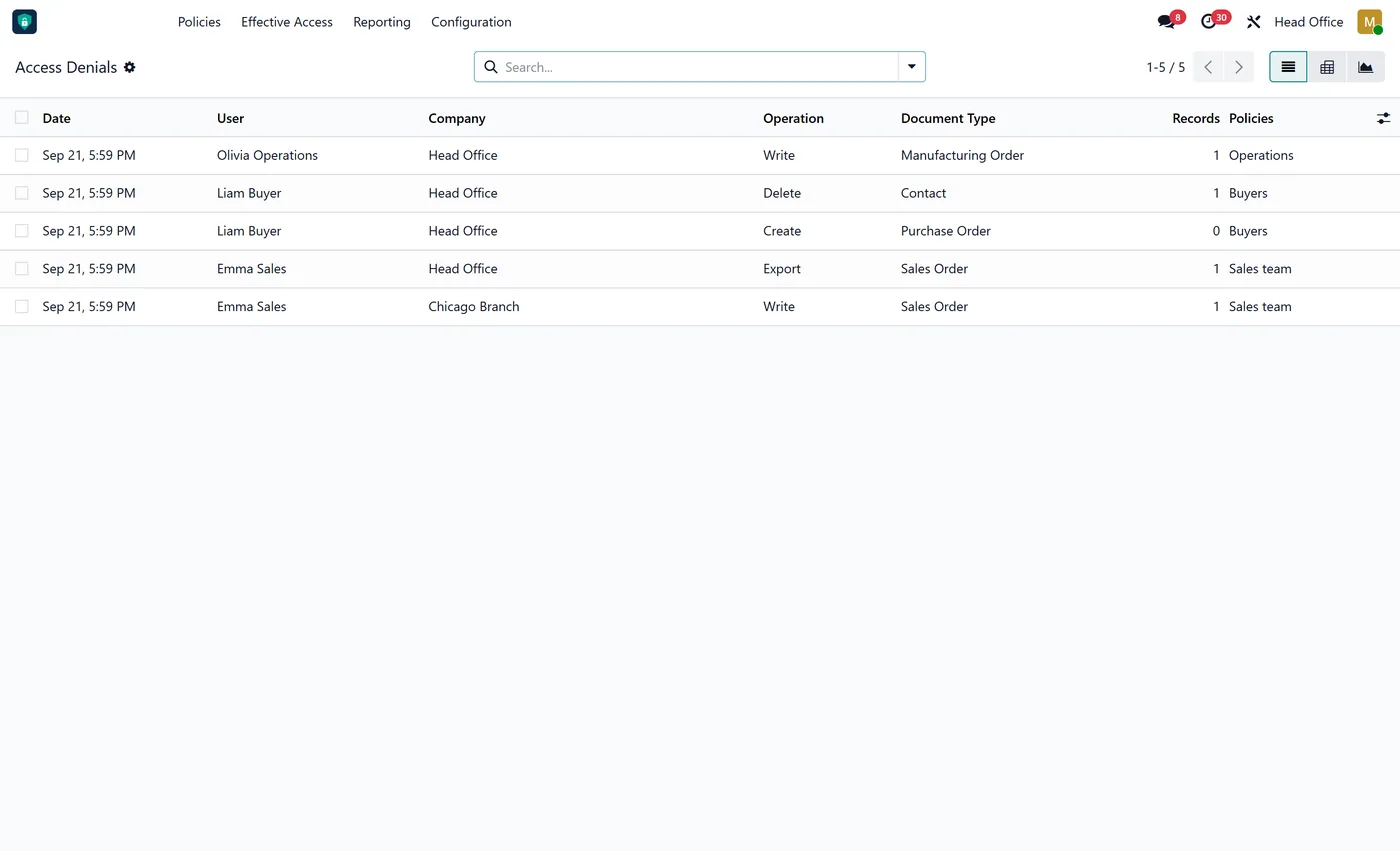
- Denial log with user, company, operation, document type and policy, with configurable retention
- Policies only restrict: standard Odoo access rights stay authoritative
Every screen
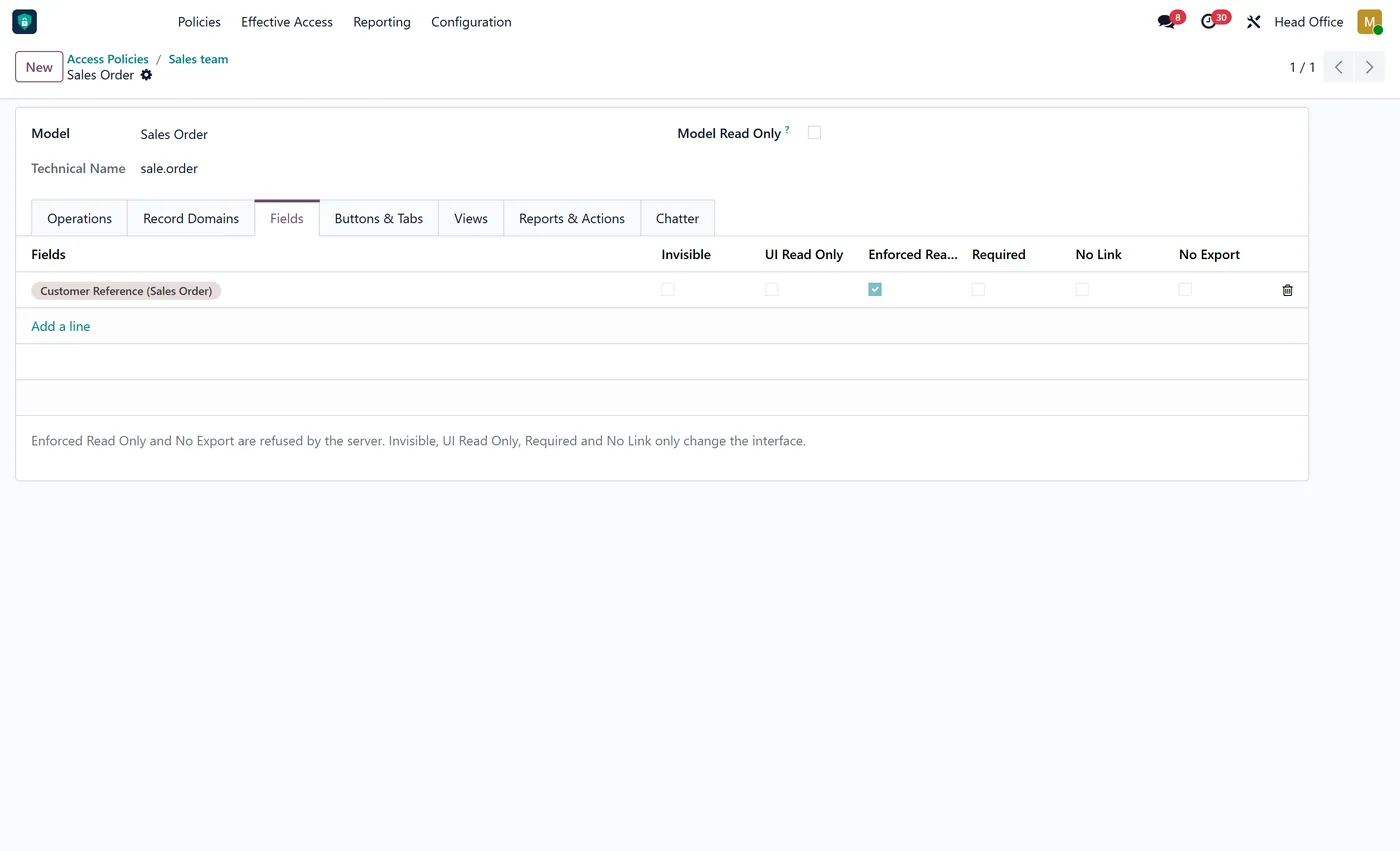
The whole module, screen by screen.
The captures the walkthrough above did not use, in the order you meet them in the product.
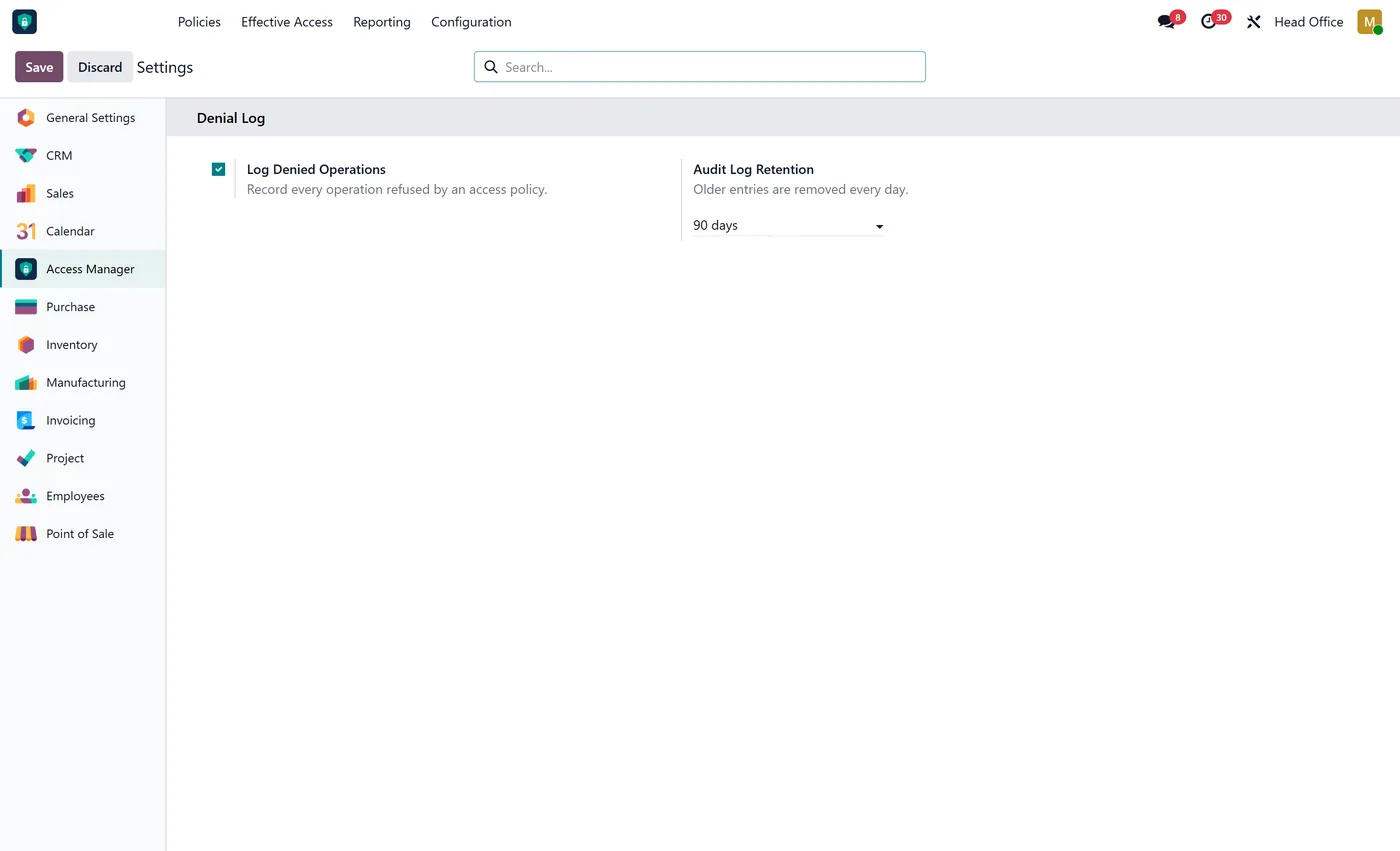
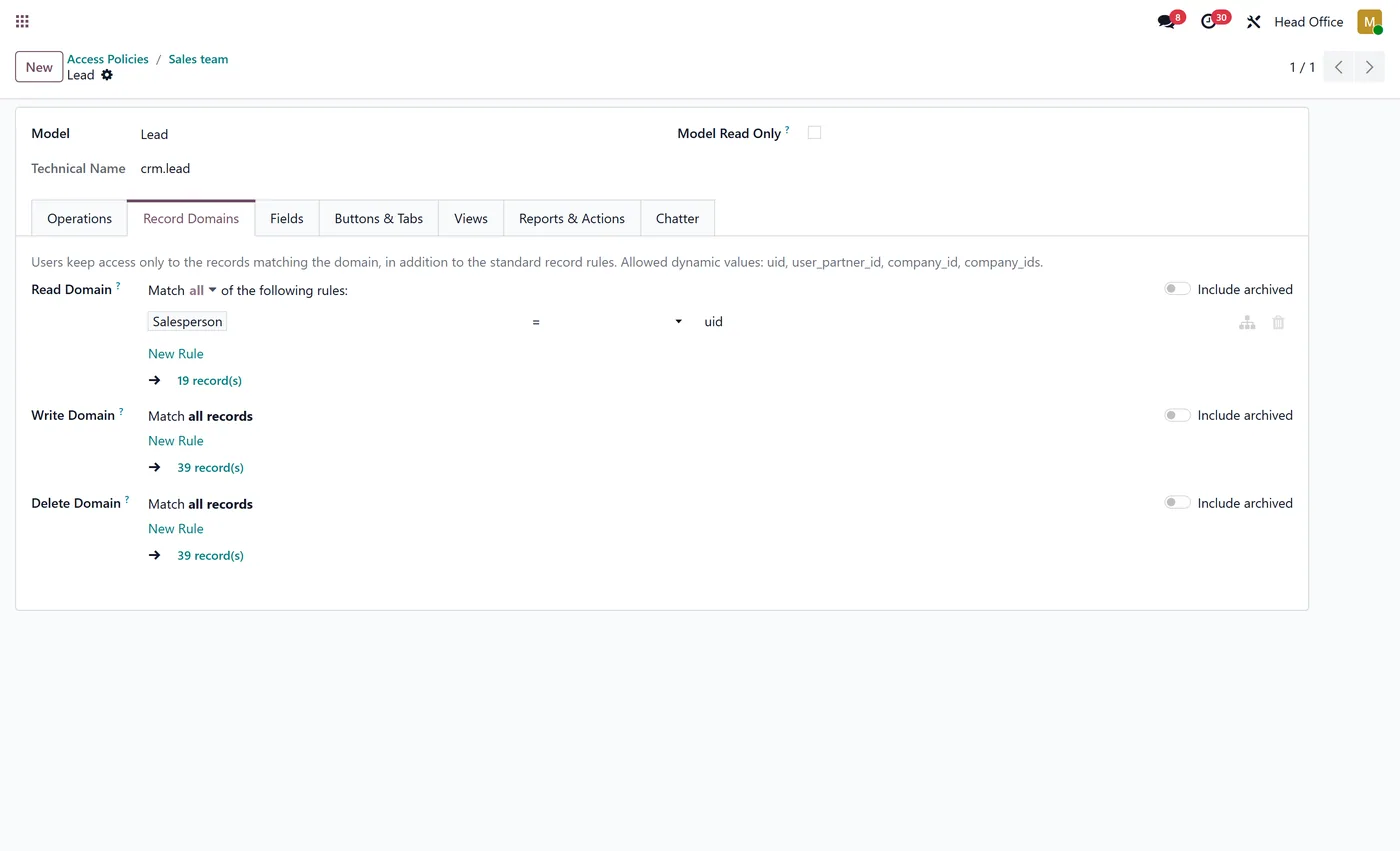
What it does
Access Rights Manager Pro lets you decide, per user, group and company, what people can do with each kind of document in Odoo. A policy can refuse operations such as delete, export or print, limit which records a user can read or change, lock individual fields, and tidy the interface by hiding menus, buttons, tabs, views, reports and chatter features. Data restrictions are enforced by the server, so they hold for the web client, the API and imports alike. Interface options are labelled as interface only, so it is always clear what is security and what is presentation.
Who it's for
Companies that need tighter access control than Odoo groups give out of the box: sales teams that must not delete or export orders, buyers who should not see product costs, branch staff limited to their own company's documents, and auditors who need to read everything and change nothing.
Questions
About Access Rights Manager Pro.
Are the restrictions real security or just hidden in the interface?
Both kinds exist and each option says which it is. Operation denials, record domains, enforced read-only fields, export, import and print denials are refused by the server for every entry point, including the API and imports. Hiding a menu, button, tab or field only changes the interface; to block what a hidden button does, also deny the operation or restrict the records.
Can a policy give a user more access than Odoo's own access rights?
No. Policies only restrict. A user never gets an operation that their standard Odoo access rights deny, and the Effective Access preview shows the native right next to the policy result.
Can I make a user read only in one company and editable in another?
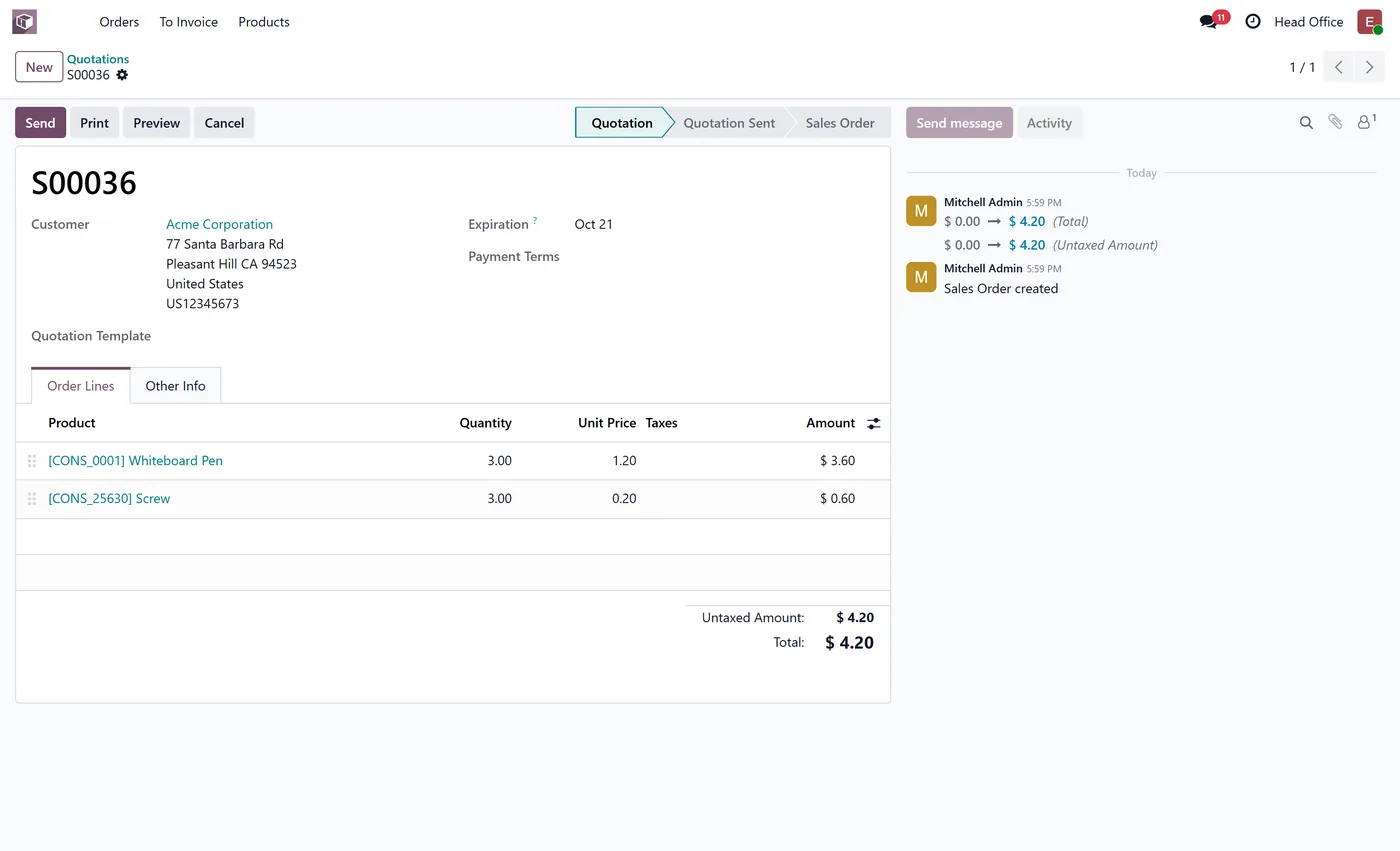
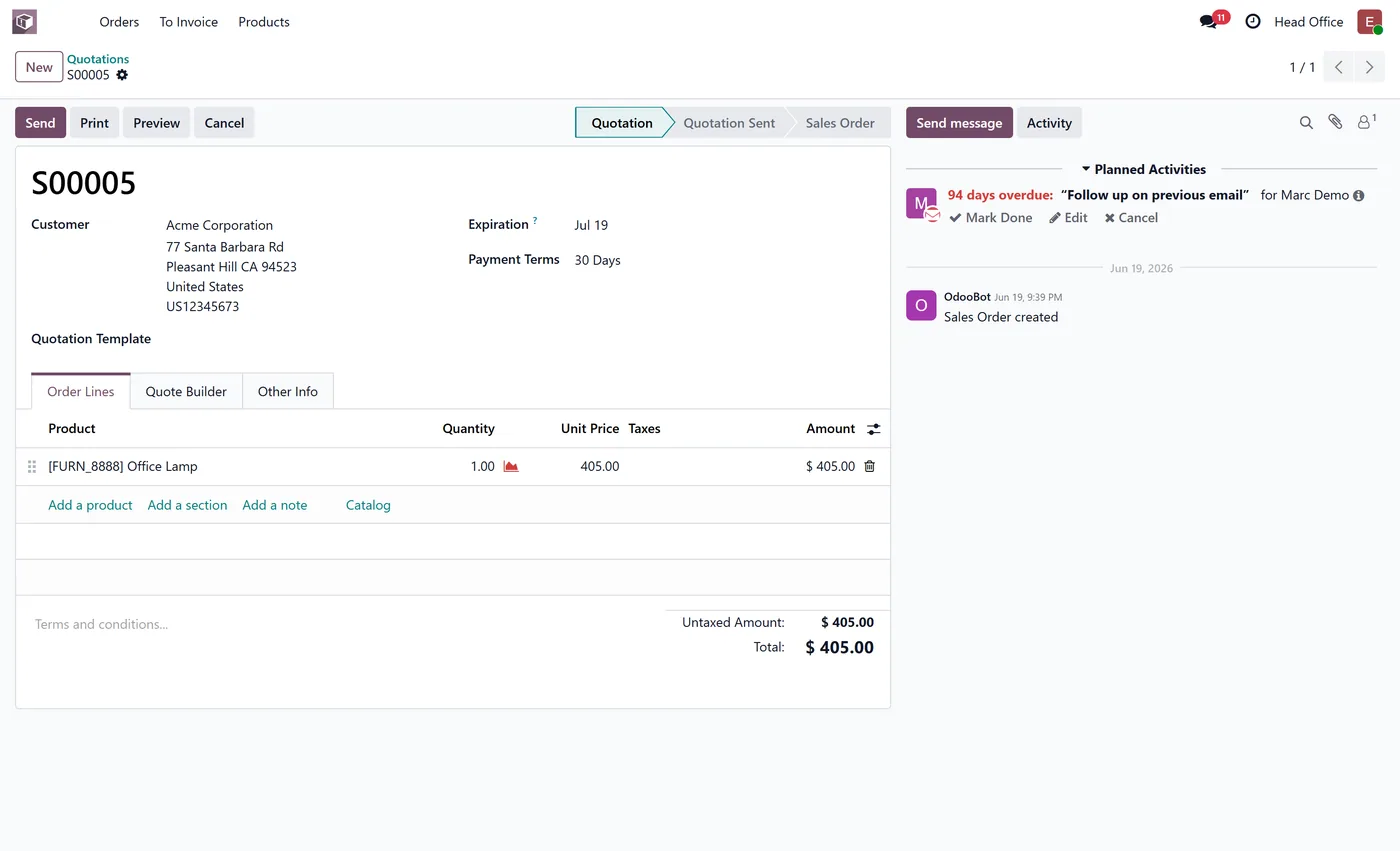
Yes. Limit the policy to a company. The server applies it to that company's records, and forms and lists make those records read only while records of the user's other companies stay editable.
How do I know why a user is blocked?
Open Effective Access, pick the user and a model, and it lists each operation with the native right, the policy result and the policy responsible. Refused operations are also written to the Access Denials log while denial logging is on (the default).
Can I hide a single button such as Confirm on a sales order?
Yes. Scan the model's views from the policy, pick the button and it disappears for that user. If the action must be impossible rather than hidden, also deny the operation or the records it changes.
Does it restrict administrators or portal users?
Settings administrators and superuser operations are not restricted, so an administrator cannot lock themselves out. Portal and public users are not covered by this version; policies target internal users.
Which Odoo versions and editions are supported?
It works on both Community and Enterprise. Each Odoo Apps Store listing shows the exact version it supports.
On the Odoo Store
Get Access Rights Manager Pro on the Odoo Store.
Pick your Odoo version and install it in a click, with free updates and real support behind it.
Get it on the Odoo StoreReady to make Odoo work the way your business does?
Book a free call CODEerts
CODEerts is a team of certified Odoo partners and full-stack engineers. We implement, customise and support Odoo ERP, then build the software around it.

