CODEerts
Accounting app for Odoo
Advance Payment Management
Record customer and vendor advance payments as proper balance-sheet liabilities and assets, then apply them to invoices with native reconciliation.
Overview
Advance Payment Management.
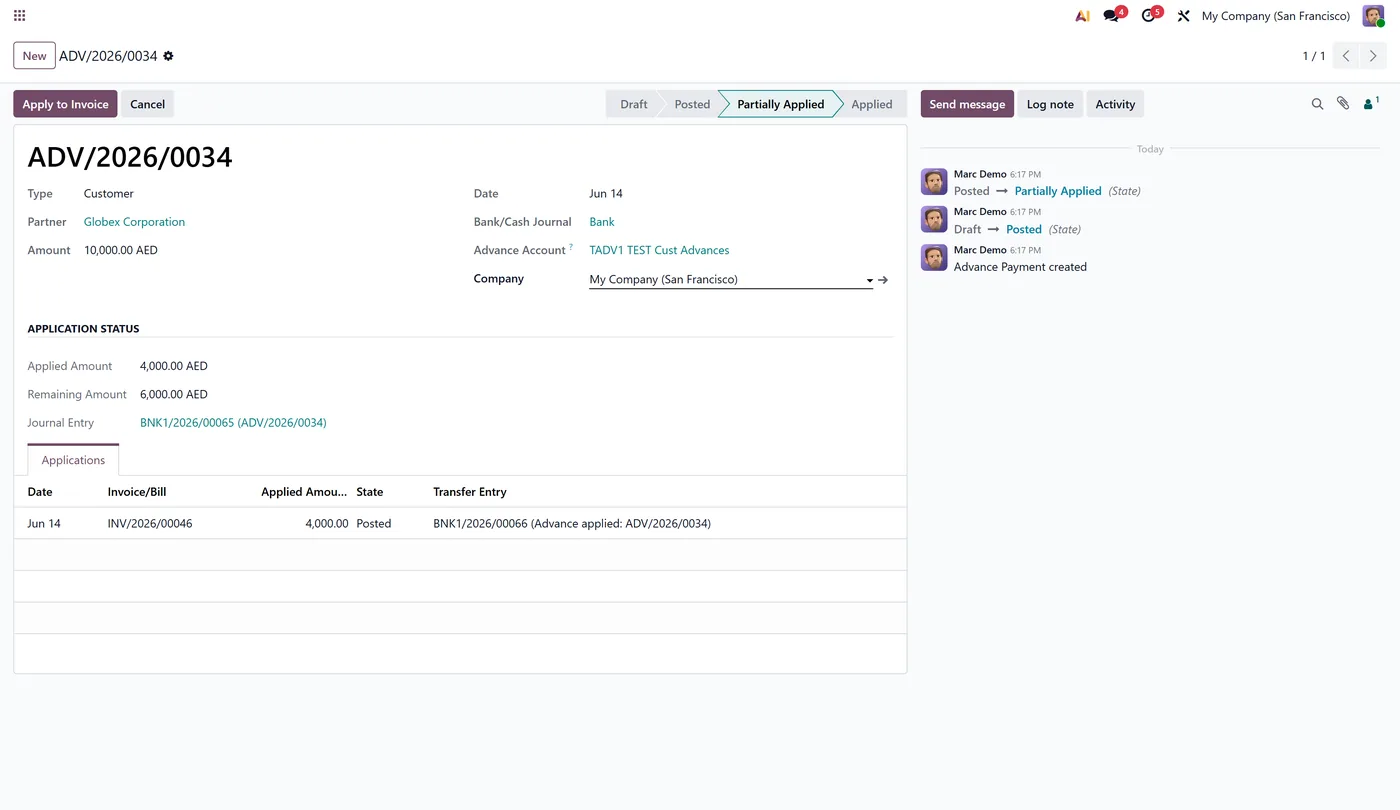
Advance Payment Management adds a dedicated Advance Payment document for money received from customers or paid to vendors before invoicing. Customer advances post to a current-liability account and vendor advances to a current-asset account, so the balance sheet is always correct. Apply an advance to one or many invoices from a wizard on the invoice itself, with full partial and running-balance tracking through Odoo's native reconciliation and partner ledger. Refund any unused advance back to the partner in one click with a clean reversing entry.
New to Odoo Accounting? Read our practical guide to how it works
How it works
Built around what you actually do.
Every screen below is the module running in Odoo, not a mockup.
01
Dedicated Advance Payment document for customers and vendors
- Customer advances post to a current-liability account, vendor advances to a current-asset account
02
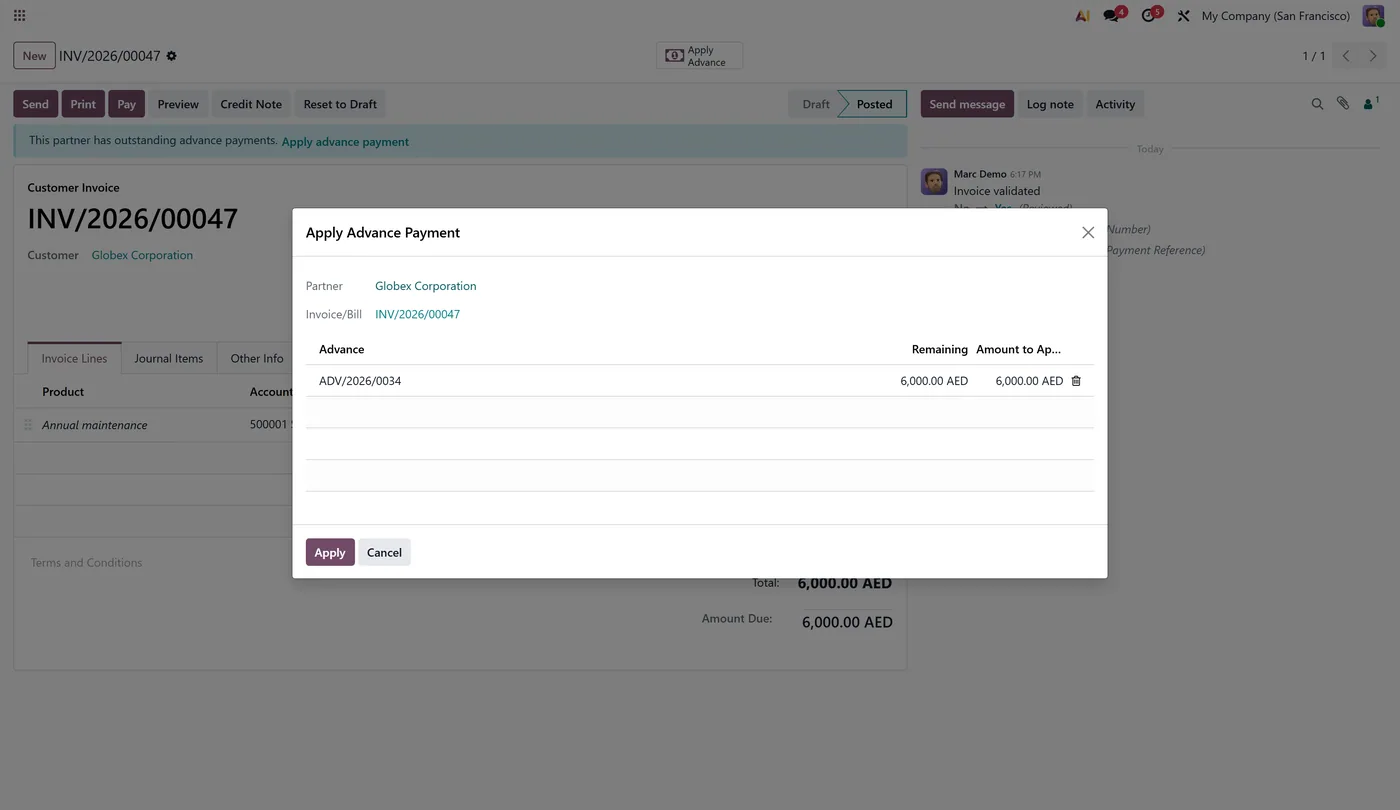
Apply an advance to one or many invoices from a wizard on the invoice
- Partial and many-to-many application with a running remaining balance
03
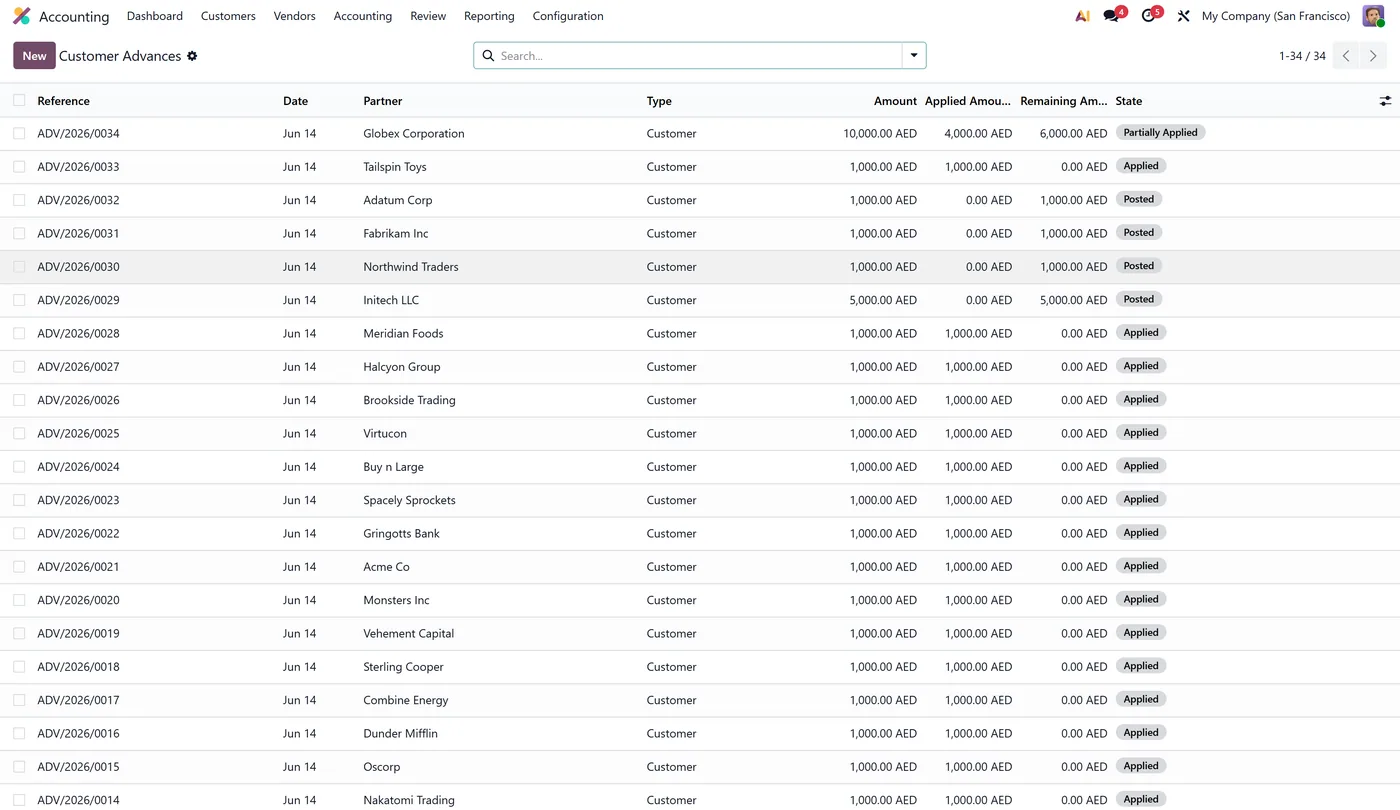
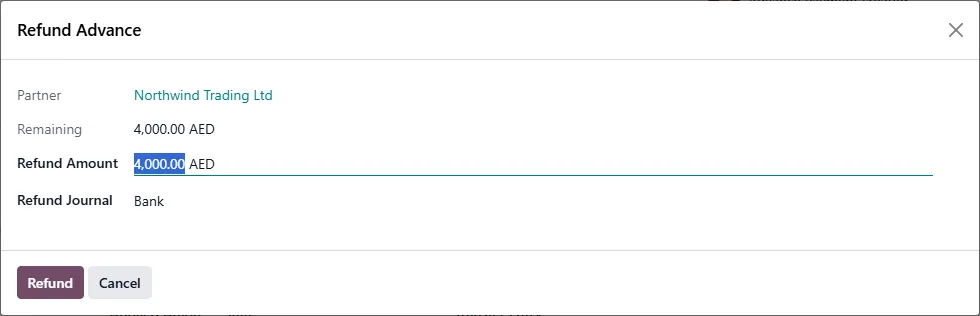
Refund an unused advance back to the partner with a one-click reversing entry
- Native reconciliation and partner ledger, plus a link back to the advance from the journal entry
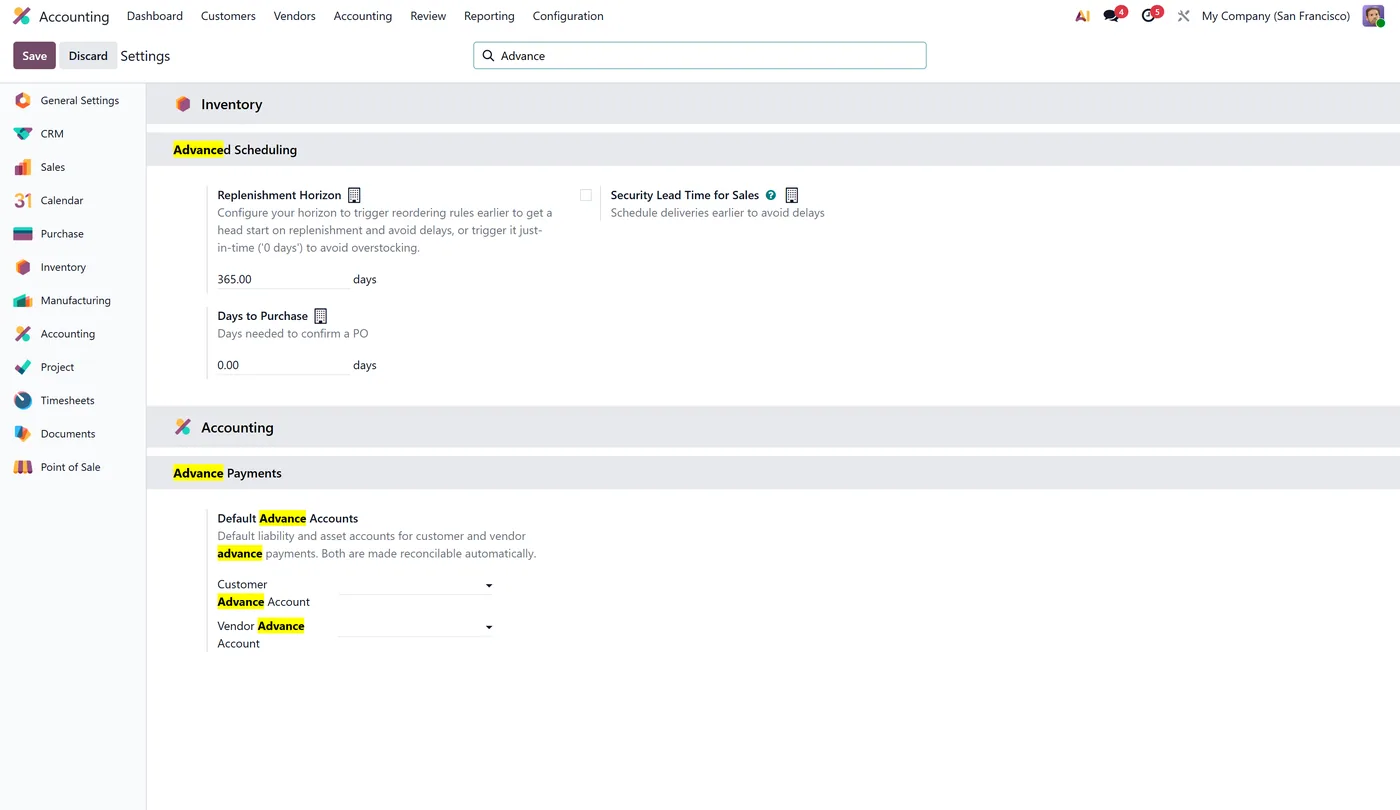
Every screen
The whole module, screen by screen.
The captures the walkthrough above did not use, in the order you meet them in the product.
Advance Payment Management gives you a dedicated Advance Payment document for money that changes hands before invoicing, so customer prepayments sit on your balance sheet as a real liability and vendor prepayments as a real asset, then apply cleanly to invoices and bills through Odoo's own reconciliation.
What it does
When a customer pays you in advance, you create an Advance Payment of type Customer. The module posts the money to a current-liability advance account instead of leaving it on an outstanding or receivable account, so the prepayment is presented correctly on the balance sheet until it is earned. Vendor advances work in reverse, posting to a current-asset account. When the real invoice or bill arrives, you click Apply Advance on it, choose how much of which advance to apply, and the module posts a transfer entry and reconciles it against the document using Odoo's native reconciliation. A small banner on the invoice tells you when the partner has outstanding advances, and every journal entry created by the module links straight back to its Advance Payment.
Who it's for
Finance teams that take deposits or prepayments from customers, or pay suppliers ahead of delivery, and need those advances to appear correctly on the balance sheet while still applying to invoices through the standard Odoo accounting flow.
Questions
About Advance Payment Management.
How do I record a customer advance payment as a liability in Odoo?
Create an Advance Payment of type Customer. The module debits your bank or outstanding receipts account and credits a current-liability advance account, so the prepayment shows as a real liability on the balance sheet until you apply it to an invoice.
How do I apply an advance payment to an invoice in Odoo?
Open the invoice and click Apply Advance. A wizard lists the partner's outstanding advances, you enter how much to apply, and the module posts a transfer entry and reconciles it against the invoice through Odoo's native reconciliation.
Can one advance be applied to several invoices in Odoo?
Yes. An advance can be applied partially and across multiple invoices, and an invoice can receive amounts from multiple advances. Each advance tracks a running remaining balance automatically.
How are vendor advance payments handled in Odoo?
A vendor Advance Payment debits a current-asset advance account and credits your bank or outstanding payments account, then applies against vendor bills the same way customer advances apply to invoices.
How do I refund an unused advance payment in Odoo?
Open the advance and click Refund. You enter how much of the remaining balance to return, and the module posts a reversing bank entry, reconciles the advance account, and marks the advance as refunded. Partial refunds are supported and the remaining balance updates automatically.
Does it work in Odoo Community and Enterprise?
Yes, it runs on both Community and Enterprise and depends only on Accounting. Each Odoo Apps Store listing shows the exact version it supports.
On the Odoo Store
Get Advance Payment Management on the Odoo Store.
Pick your Odoo version and install it in a click, with free updates and real support behind it.
Get it on the Odoo StoreReady to make Odoo work the way your business does?
Book a free call CODEerts
CODEerts is a team of certified Odoo partners and full-stack engineers. We implement, customise and support Odoo ERP, then build the software around it.