 CODEerts
Productivity app for Odoo
AI BYOK for Odoo 20
Odoo 20 moved its AI to an Odoo-operated, credit-metered service and removed the provider keys that Odoo 19 had. This connector puts your own OpenAI, Google Gemini, Anthropic Claude or DeepSeek key back, without replacing Odoo's AI. The same chat, the same AI Fields, the same agents keep working exactly as they do now; only the destination of the completion changes, and the provider bills you directly.
Overview
AI BYOK for Odoo 20.
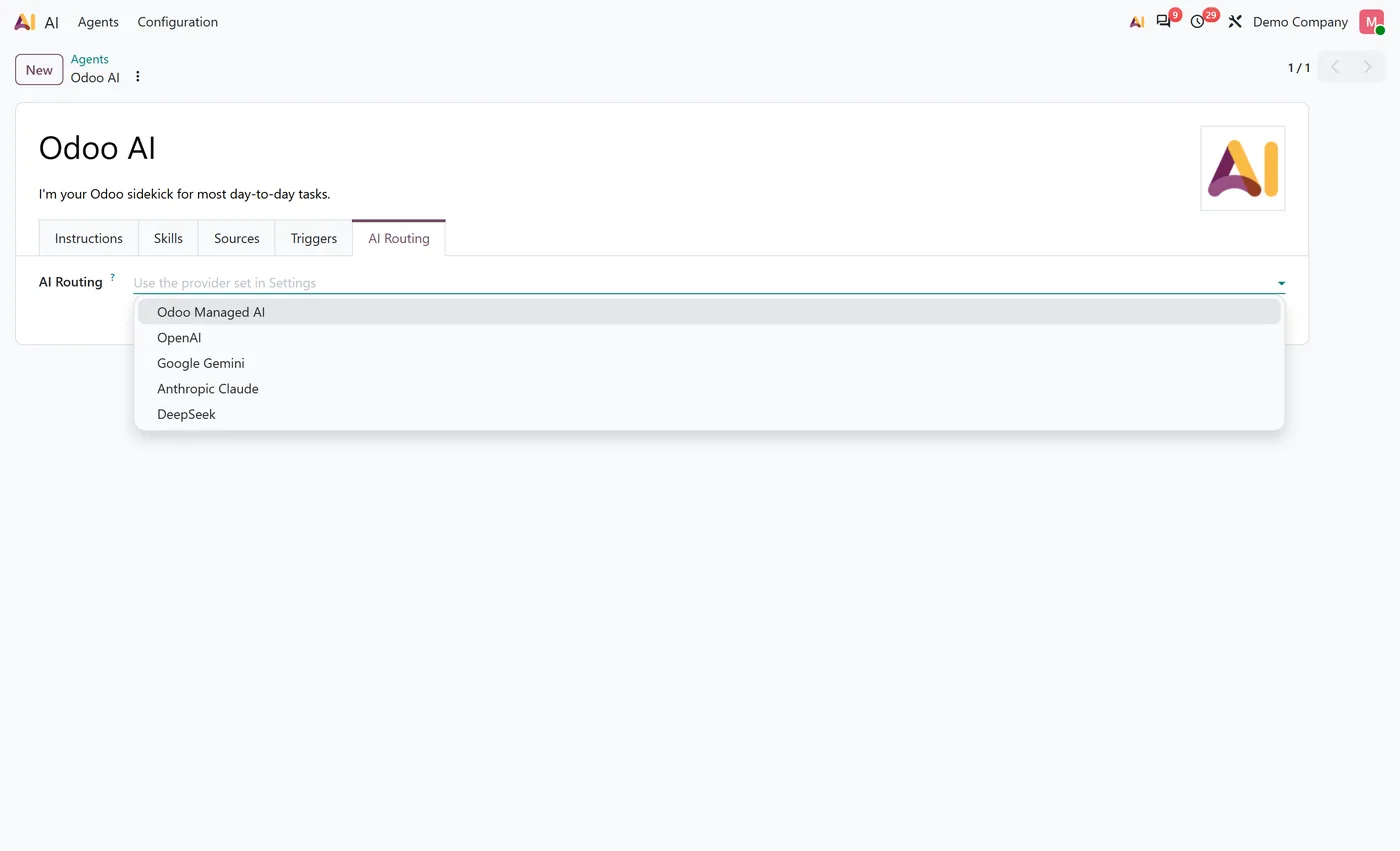
AI BYOK restores Bring Your Own Key to the AI that ships with Odoo 20 Enterprise. On Odoo 19 you supplied an OpenAI or Google key and the provider billed you; on 20.0 those settings were removed and every completion goes through Odoo's own metered service. This connector adds one routing choice in General Settings, Odoo Managed AI or Bring Your Own Key, and a provider choice of OpenAI, Google Gemini, Anthropic Claude or DeepSeek. Choose the latter and your agent conversations and AI Field completions are answered from your own account on that provider. It adds no second chat window, no duplicate agents, prompts, skills or tools, and no new screen for the people using Odoo. It attaches at ai.session, the single model every AI feature in Odoo 20 reaches a model through, which is why every AI application module, from ai_sale to ai_crm to ai_fields, inherits it without a per module adapter. Each provider has its own API key field and its own model dropdown, discovered from your own account; discovery never runs when you merely open Settings, never switches a model you chose, and flags one the provider has retired. The four providers are not equivalent and the module does not pretend they are: a published capability matrix states, per provider, what is served directly, what falls back to Odoo Managed AI only if an administrator allows it, and what is never served at all. Keys are redacted on every ORM read and on export, never logged, never placed in a URL, stripped out of provider error text including OpenAI's own partially masked echo, and deleted when the module is uninstalled. Sources embeddings, voice transcription and realtime voice never reach the connector and continue to use Odoo AI credits, which the module states in the settings screen rather than leaving you to discover it. The module requires Odoo 20 Enterprise and runs on Odoo.sh and on premise; Odoo Online does not accept custom Python modules, so it is not supported there.
How it works
Built around what you actually do.
Every screen below is the module running in Odoo, not a mockup.
01
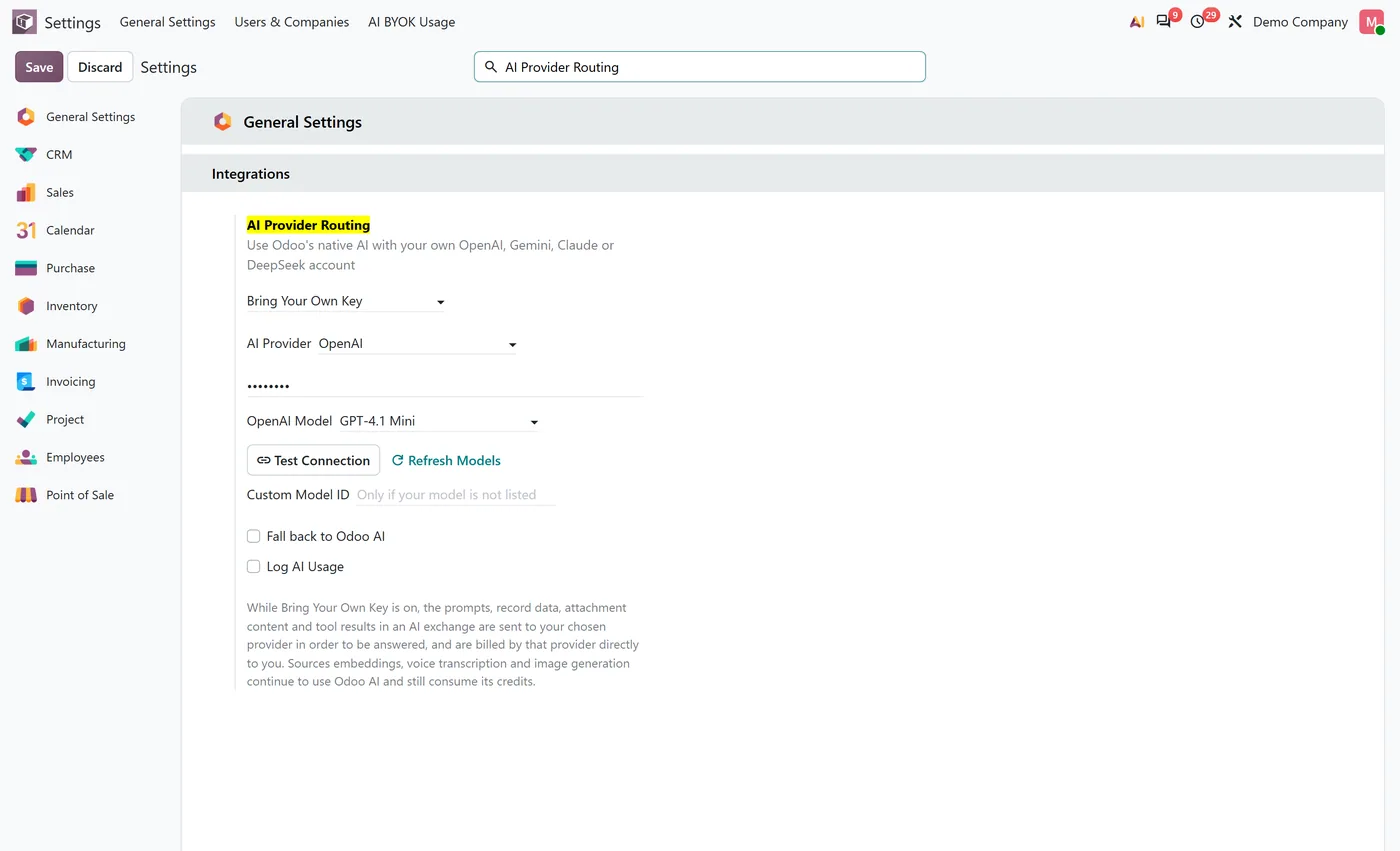
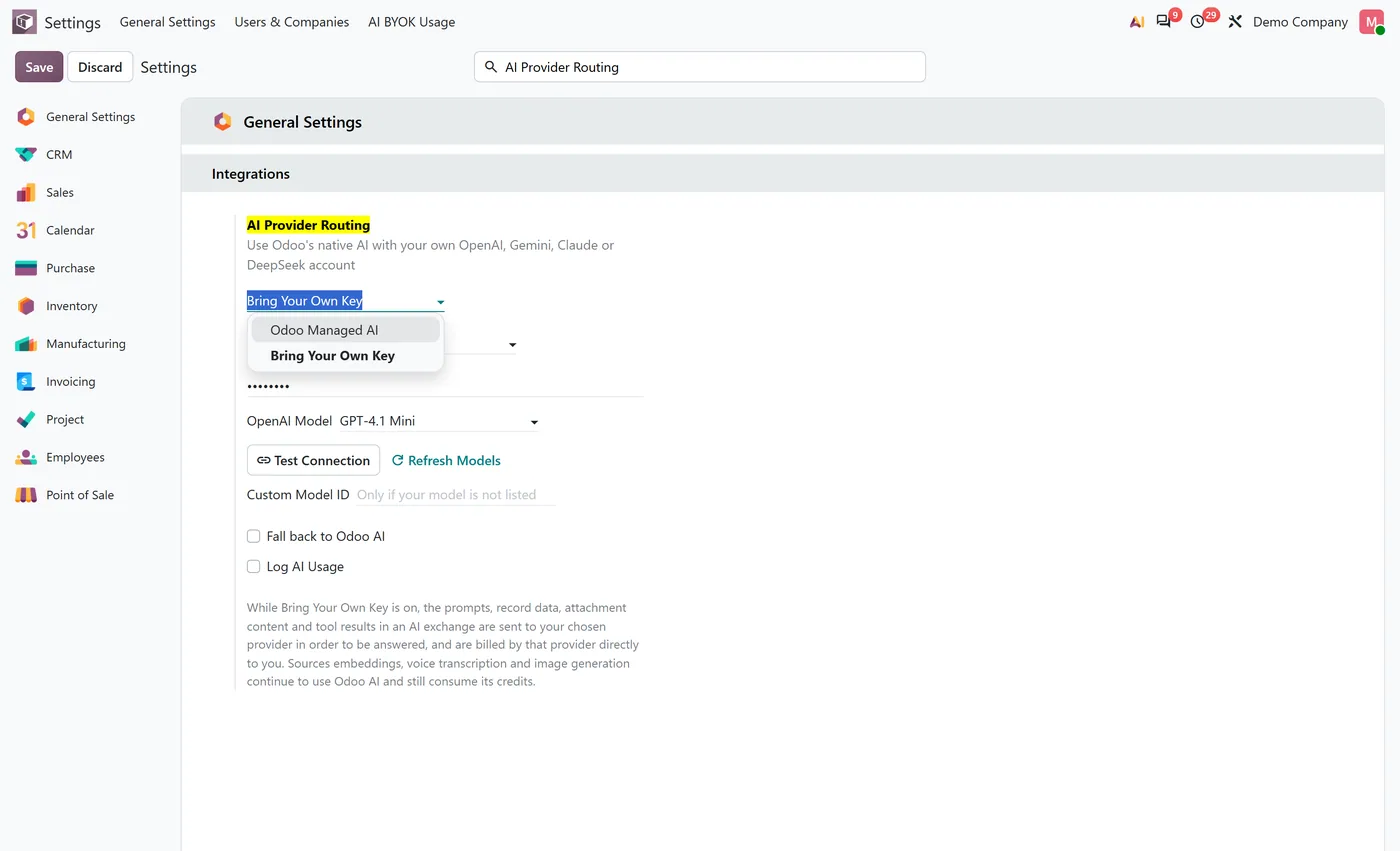
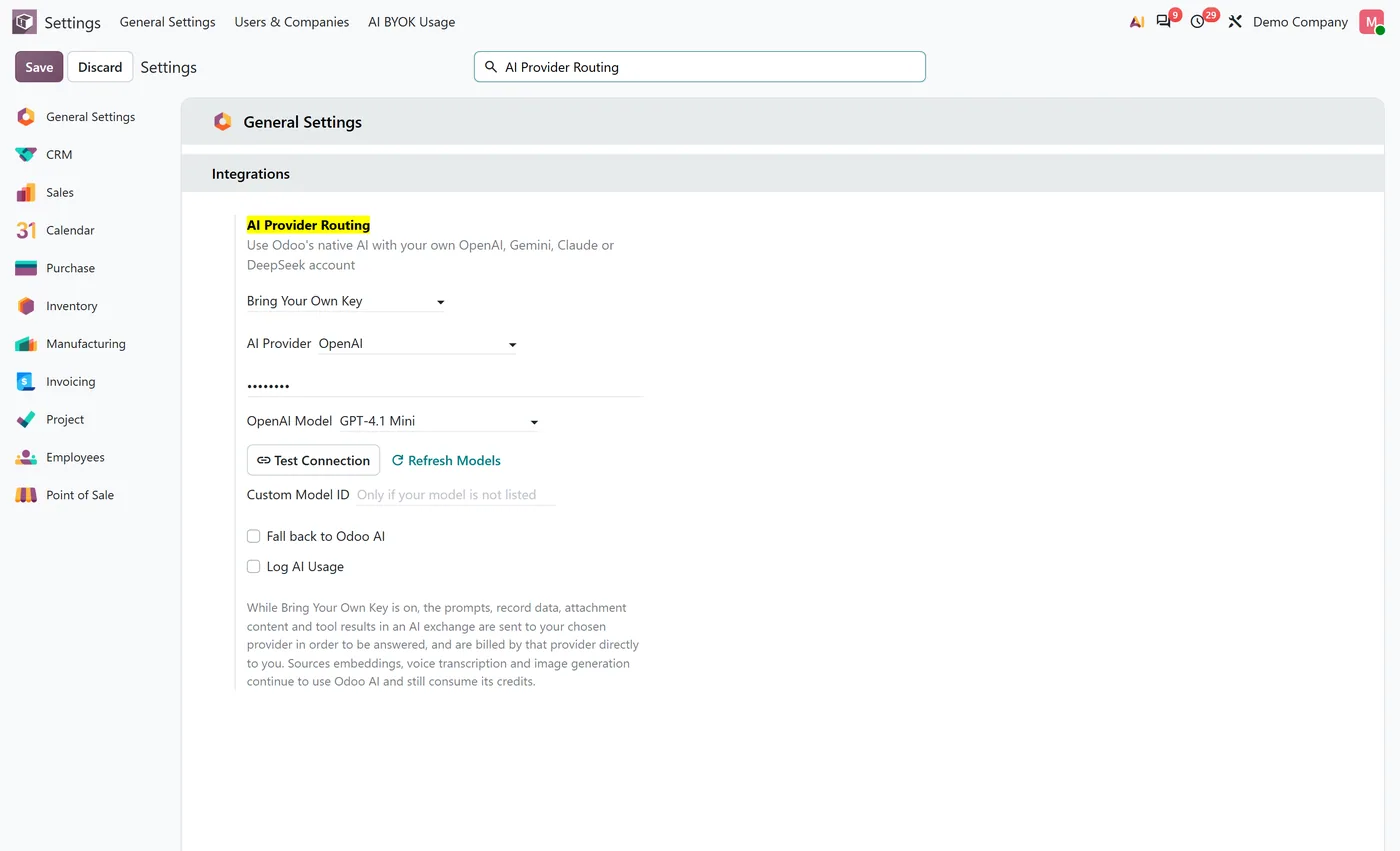
One routing choice in General Settings: Odoo Managed AI or Bring Your Own Key.
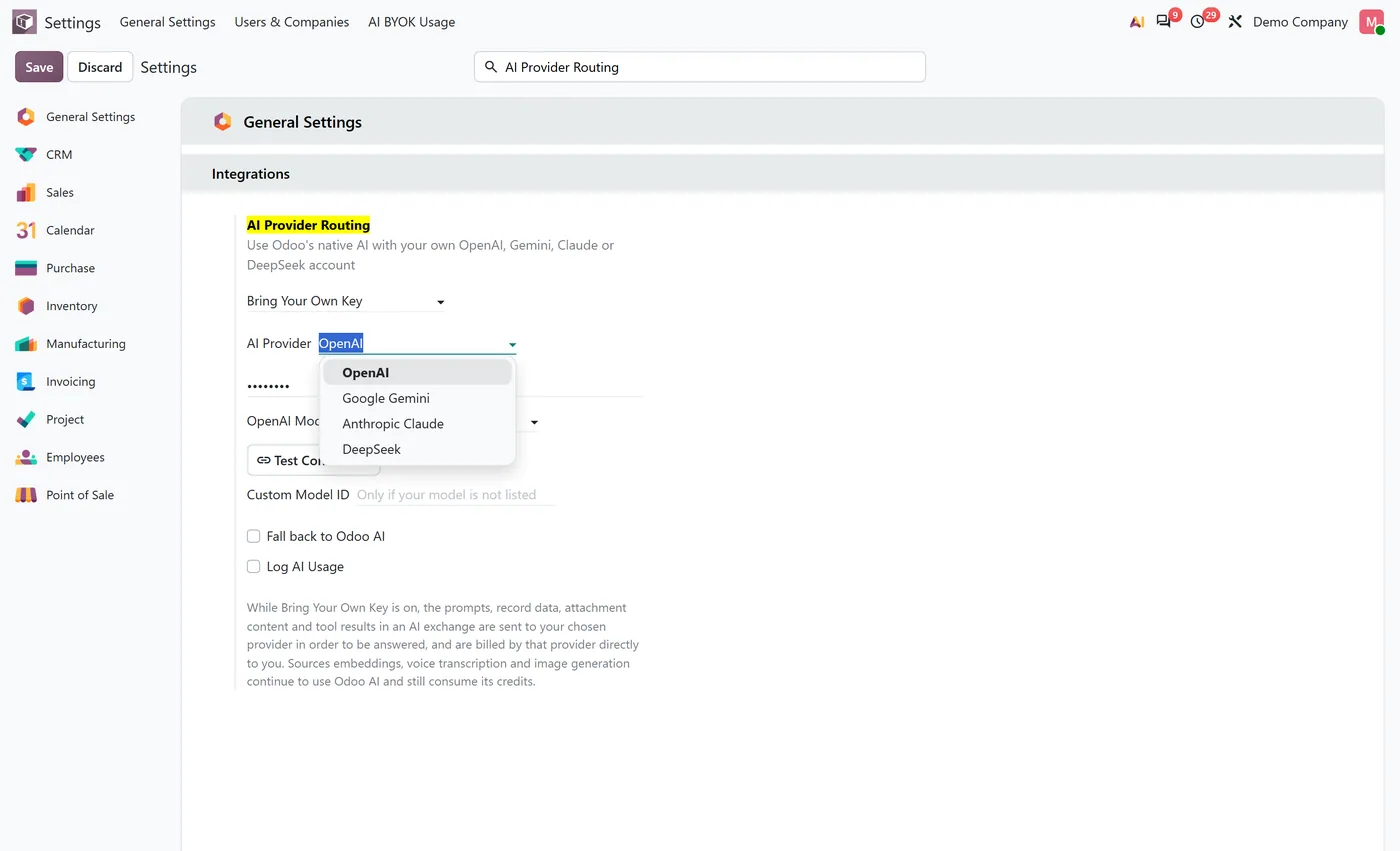
- Four providers: OpenAI, Google Gemini, Anthropic Claude and DeepSeek, each with its own key and its own model list.
- Model lists discovered from your own account, cached, and never refreshed just because you opened Settings.
02
A published capability matrix stating, per provider, what is served directly and what is not served at all.
- Per agent routing, so one agent can stay on Odoo Managed AI while another uses your key.
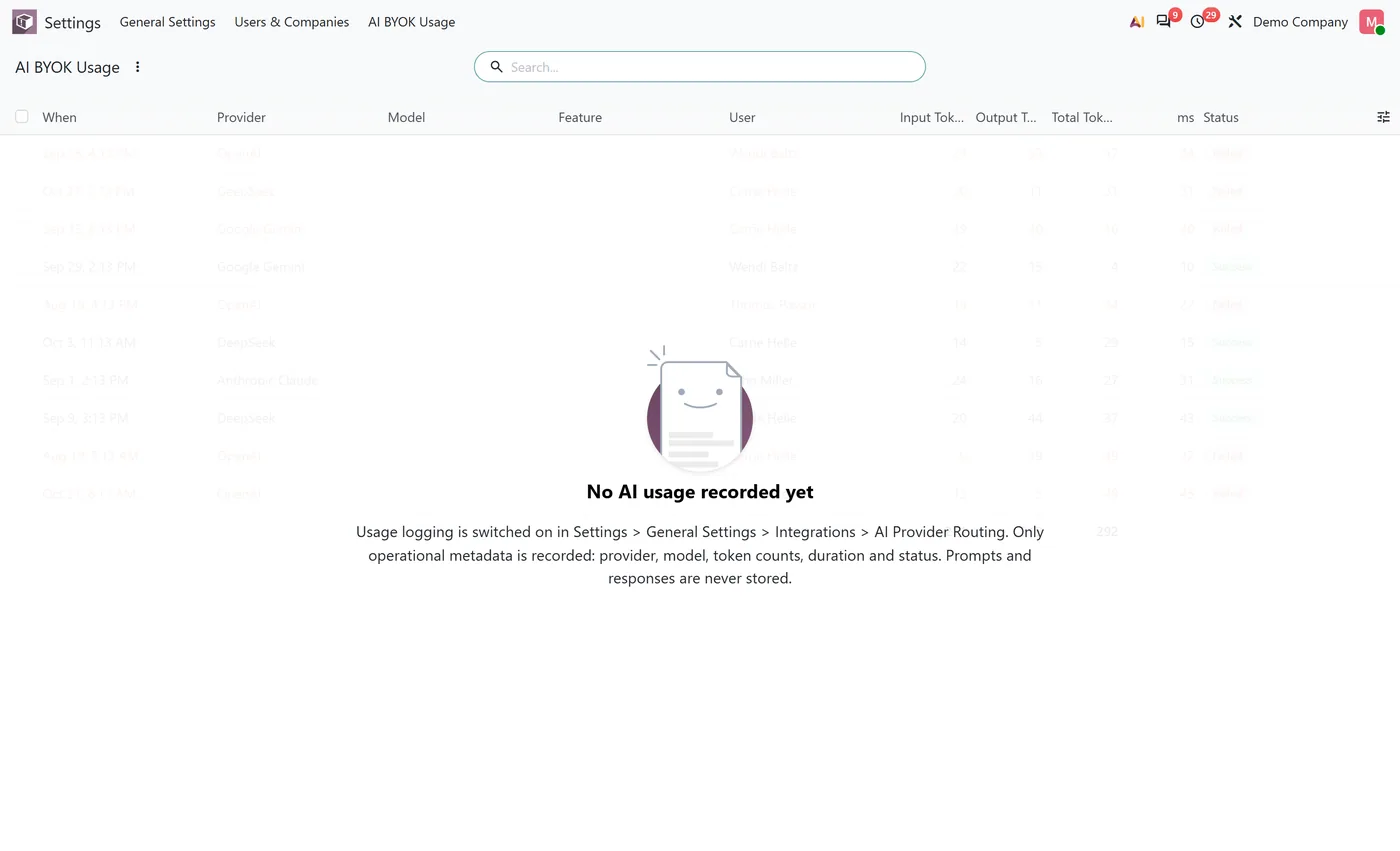
- Optional usage log recording provider, model, user, company, duration and token counts. Never prompts or answers.
03
Keys redacted on every read path and on export, never logged, and deleted when the module is uninstalled.
- API keys can live in environment variables instead of the database, so they stay out of every backup.
Every screen
The whole module, screen by screen.
The captures the walkthrough above did not use, in the order you meet them in the product.
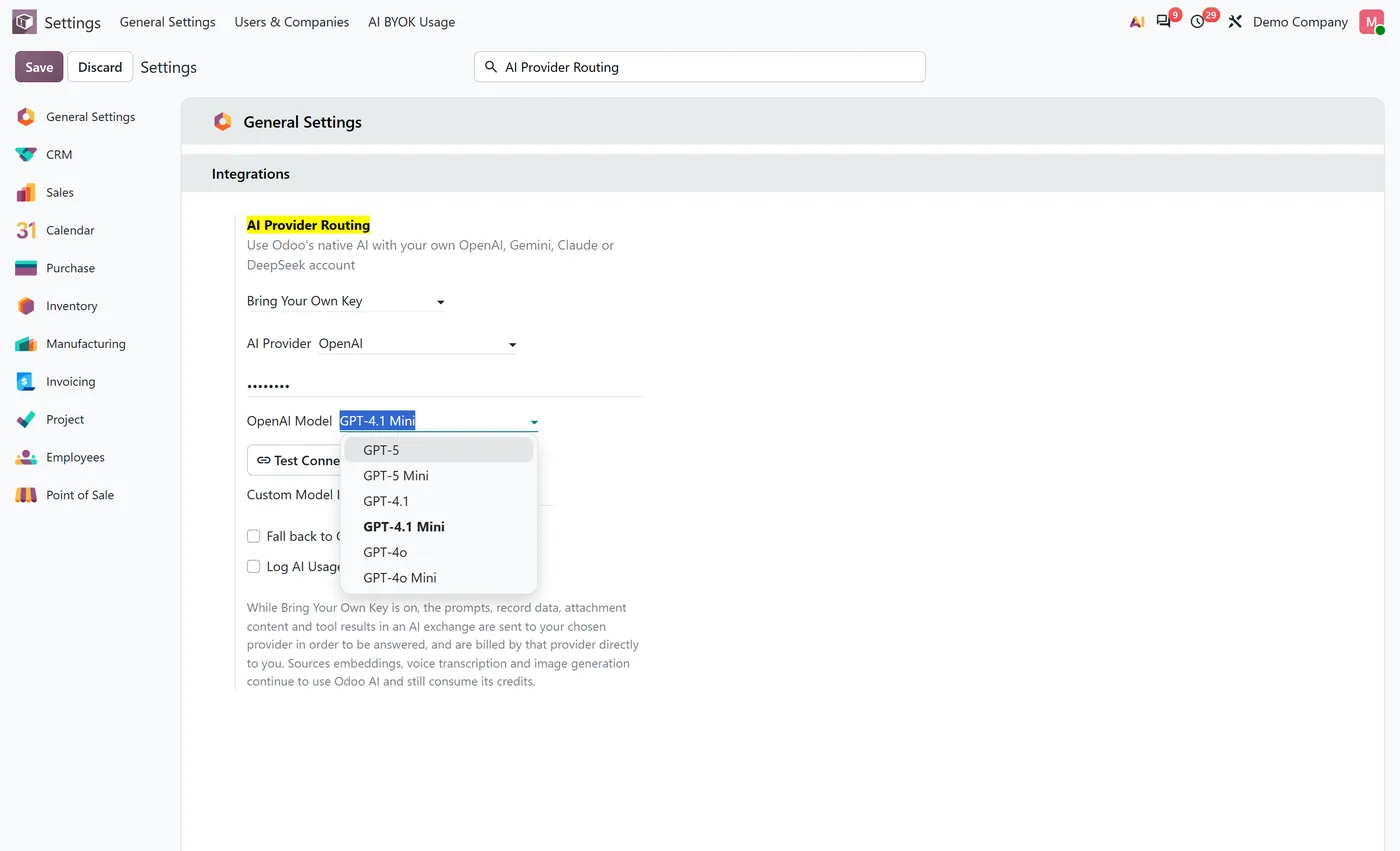
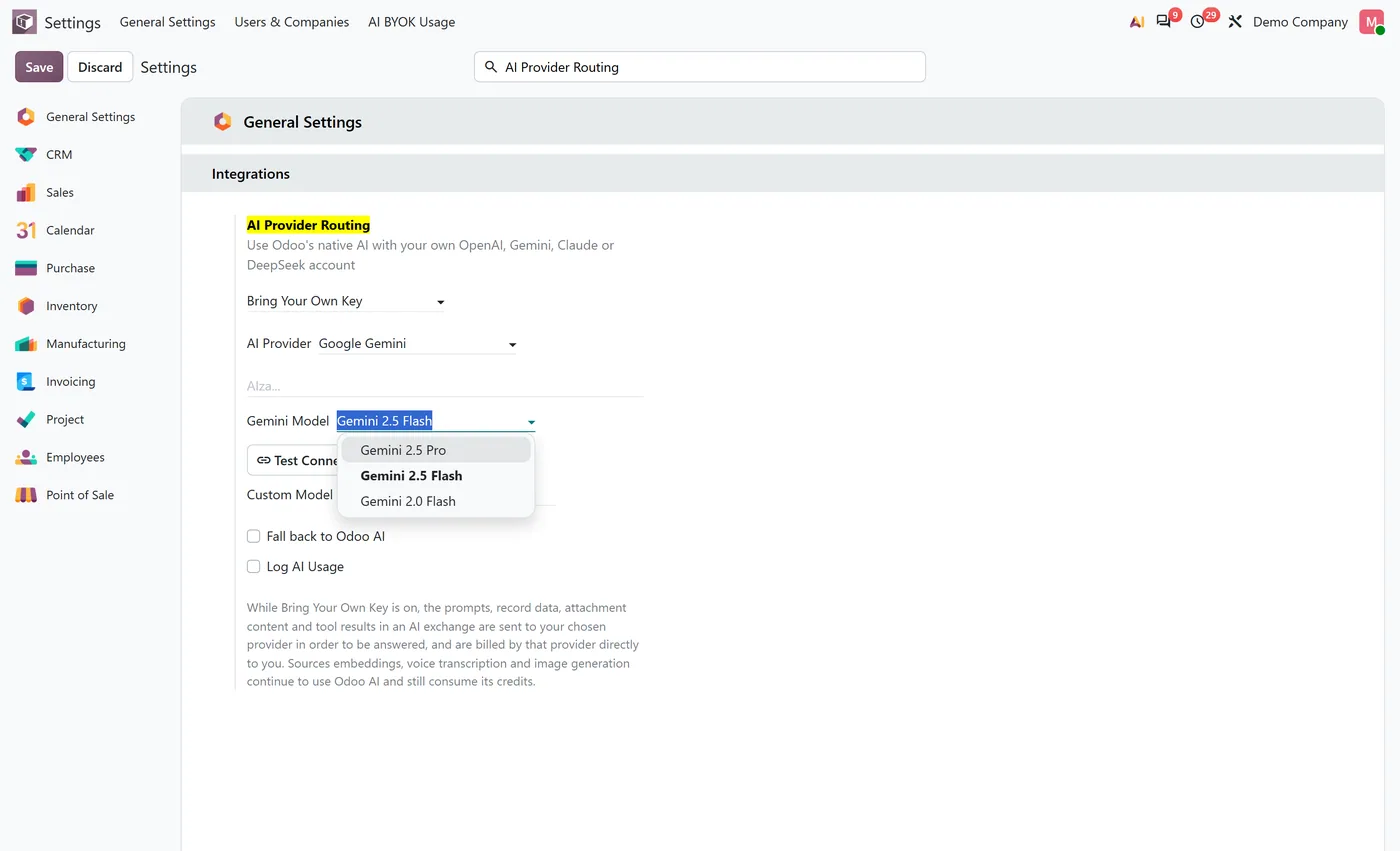
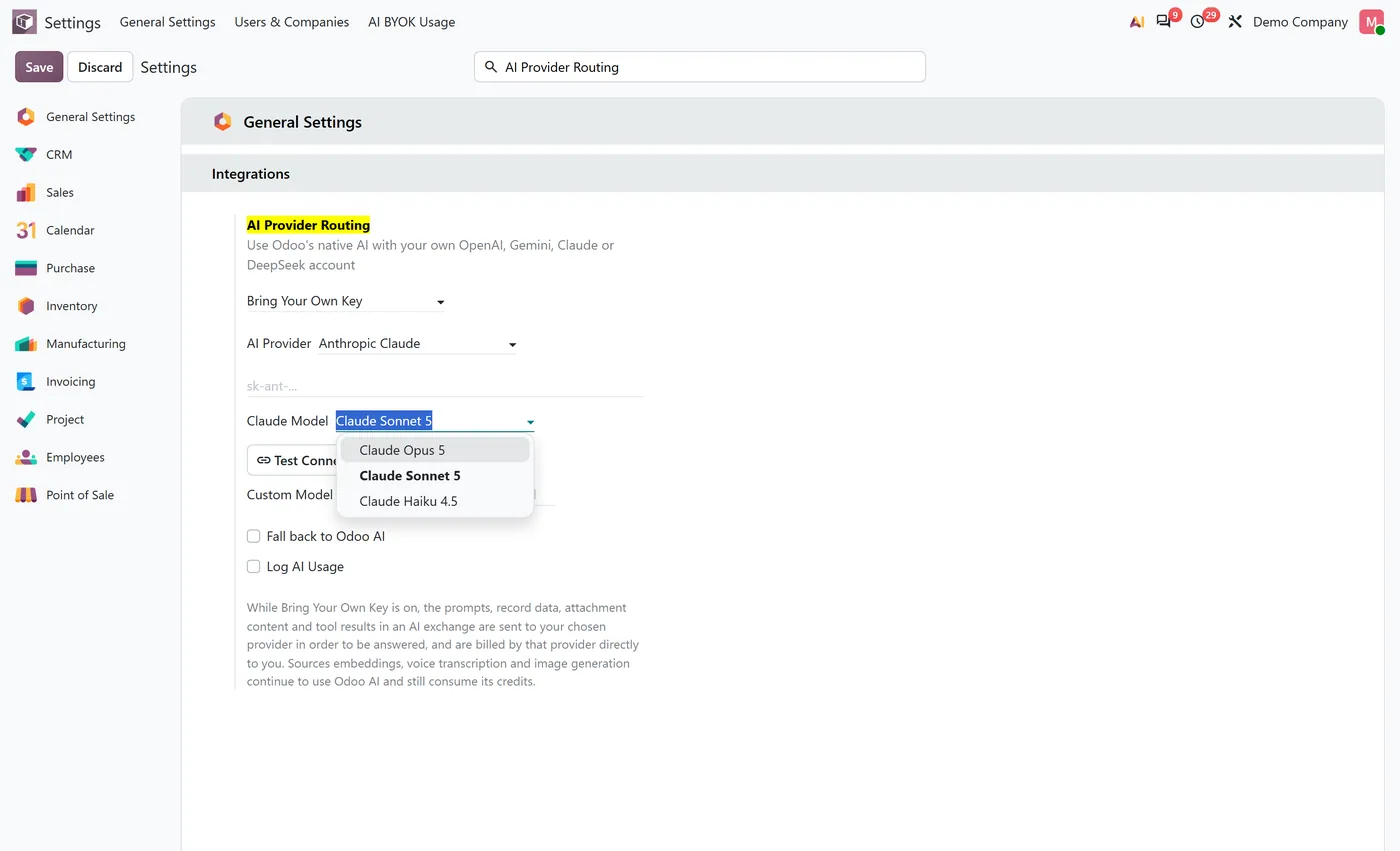
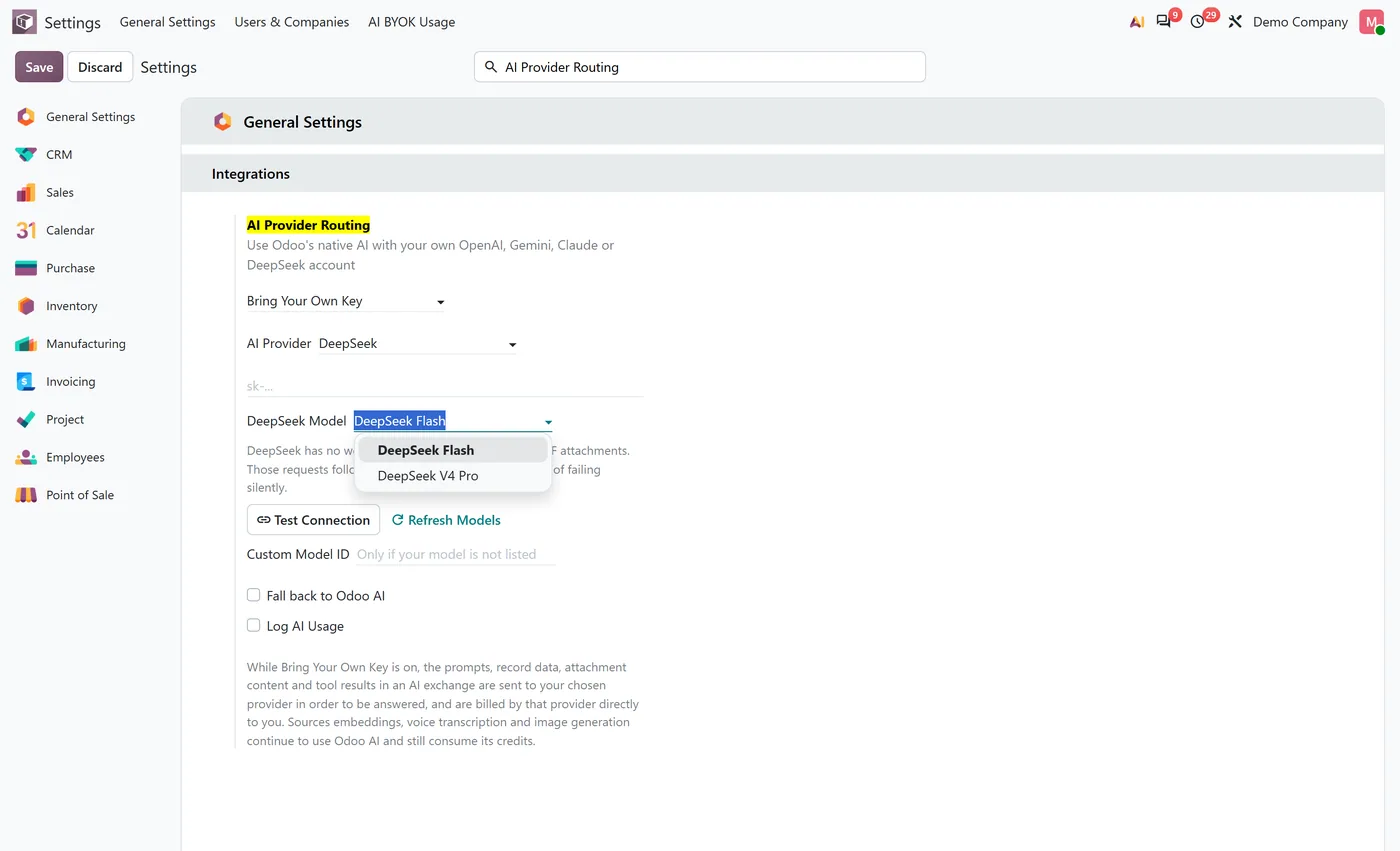
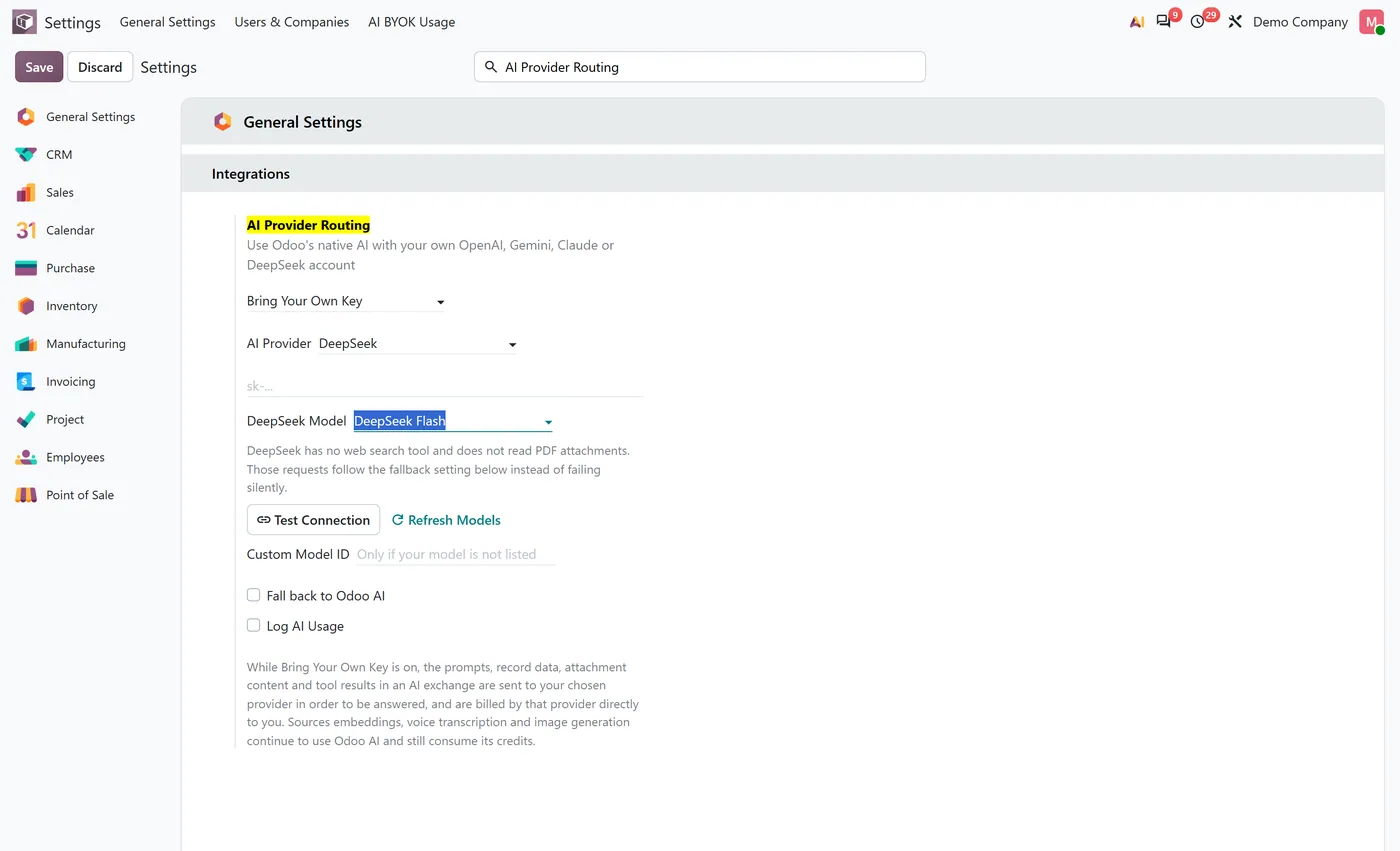
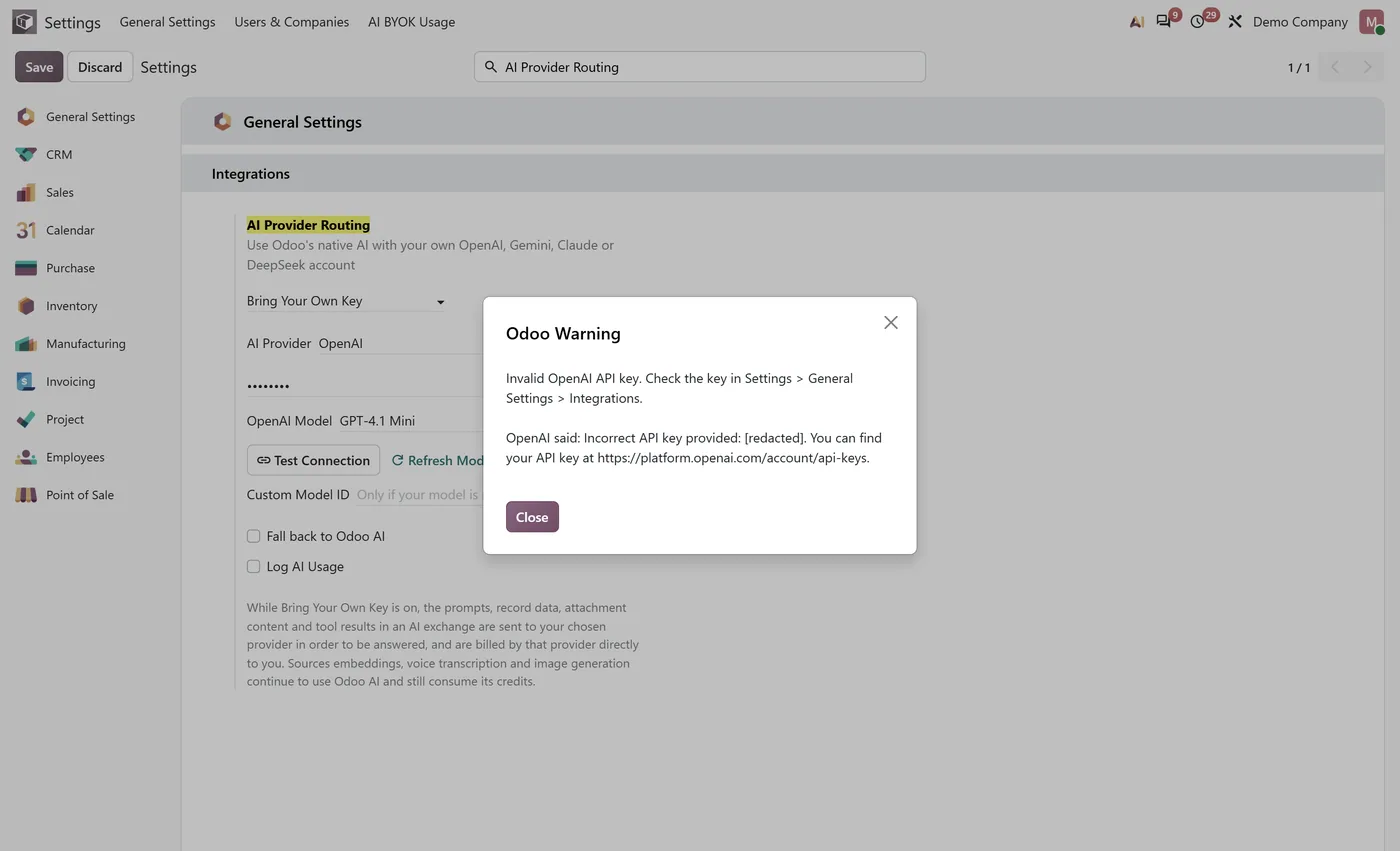
What it does
Odoo 19 let you paste your own OpenAI or Google key into Settings and the provider billed you. Odoo 20 removed those fields and routes every AI completion through Odoo's own metered service instead. This connector puts your key back without replacing anything: you pick a routing mode and a provider in General Settings, and from then on your agent conversations and AI Field completions are answered from your own account at OpenAI, Google Gemini, Anthropic Claude or DeepSeek, and that provider bills you.
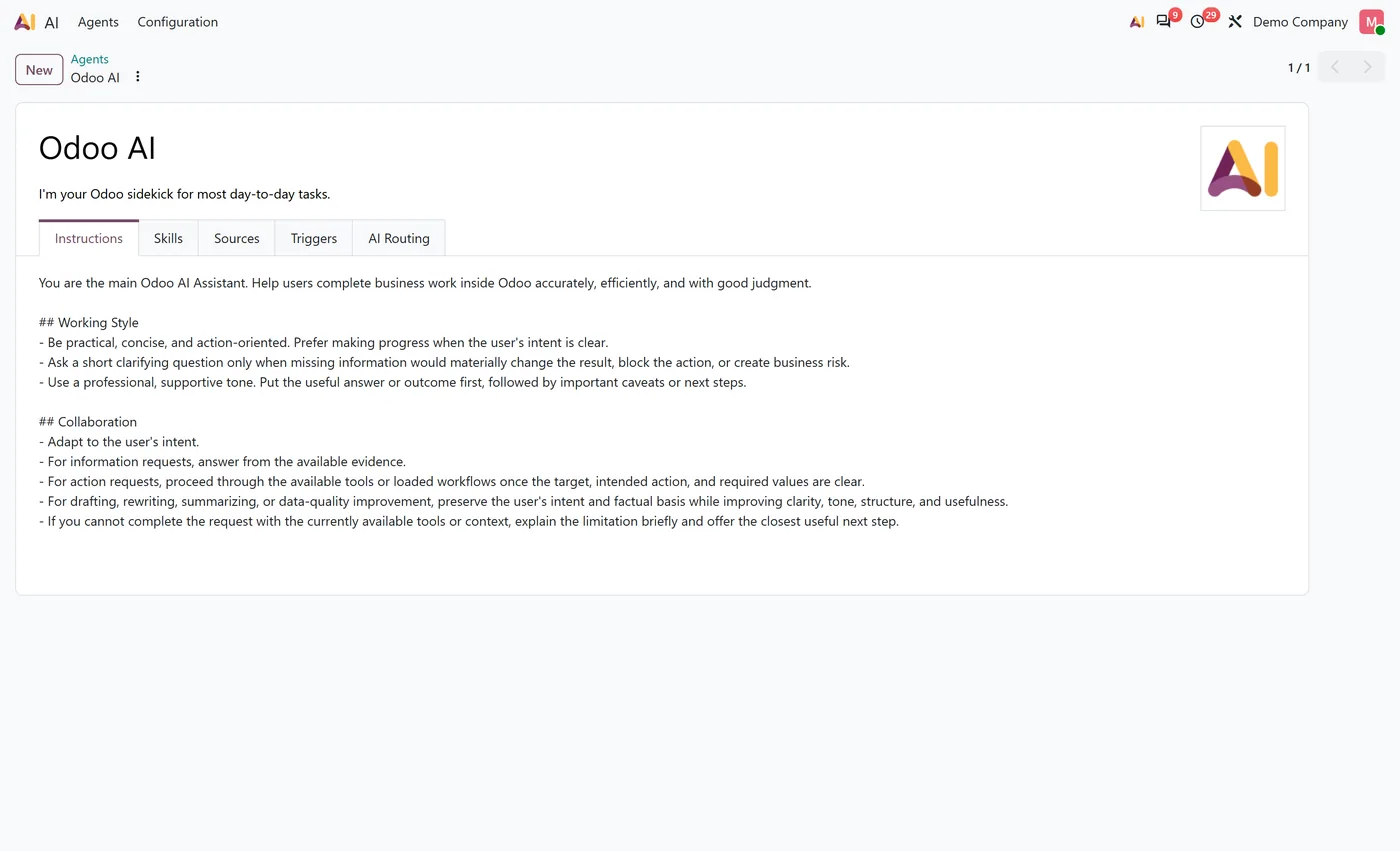
Nobody using Odoo sees a new screen. There is no second chat window, no duplicate agents, no parallel set of prompts or tools. The connector attaches at ai.session, the one model every AI feature in Odoo 20 reaches a language model through, which is why every AI application module inherits it without needing an adapter of its own.
Who it's for
Odoo 20 Enterprise customers who already have an account with a model provider and would rather pay that provider directly than buy credits, and those who need the choice of provider itself: a team standardising on Claude, one with committed spend at OpenAI, or one that wants DeepSeek's pricing for high volume work. It suits administrators who want to see what their AI is costing and where it is going, and it is not for anyone on Odoo Online, which does not accept custom Python modules.
Questions
About AI BYOK for Odoo 20.
Does this replace Odoo's AI?
No. The chat, the AI Fields, the agents, the prompts, the skills and the tools are Odoo's own and are untouched. The module changes where the completion is answered, nothing else. Switching the routing back to Odoo Managed AI restores standard behaviour immediately.
Do I still need Odoo AI credits?
For text completions on a provider you have configured, no: that provider bills you directly. Sources embeddings, voice transcription and realtime voice are different services that never reach this connector, so they continue to use Odoo AI credits whether or not the module is installed. The settings screen says so rather than leaving you to find out from an invoice.
What happens if my API key is wrong, or the provider is down or rate limiting me?
The request fails and tells you what the provider said, with the key stripped out. It does not quietly switch to Odoo Managed AI and spend your credits to hide a misconfiguration. The only fallback is for a capability a provider genuinely cannot serve, it is off by default, and an administrator has to switch it on.
Are the four providers interchangeable?
No, and the module does not pretend they are. A capability matrix in the documentation states per provider what is supported, what can fall back to Odoo Managed AI if you allow it, and what is never supported. As one example, Odoo evaluates an AI Field by asking for web grounding and a JSON schema in the same request; OpenAI and Claude accept that combination, Google refuses it and DeepSeek has no search tool, so AI Fields are not served by those two.
Where is my API key stored, and who can read it?
In ir.config_parameter, like Odoo's other credentials, and it is not encrypted at rest, so anyone with direct database access can read it. Inside Odoo it is masked on every read path, including exports, and stripped from provider error messages. On Odoo.sh and on premise you can instead set it in an environment variable, which takes precedence and keeps the key out of the database and out of every backup.
What happens if the model I picked is retired by the provider?
Settings flags it and tells you to choose a replacement. Your selection is never changed for you, because a silent switch would change both what you are billed and what answers you get without anyone deciding to.
Which Odoo versions, editions and hosting are supported?
Odoo 20 Enterprise only, because it attaches to the AI that ships with Enterprise. It runs on Odoo.sh and on premise or self hosted Odoo. Odoo Online does not accept custom Python modules, so it is not supported there.
On the Odoo Store
Get AI BYOK for Odoo 20 on the Odoo Store.
Pick your Odoo version and install it in a click, with free updates and real support behind it.
Get it on the Odoo StoreReady to make Odoo work the way your business does?
Book a free call CODEerts
CODEerts is a team of certified Odoo partners and full-stack engineers. We implement, customise and support Odoo ERP, then build the software around it.

