 CODEerts
Productivity app for Odoo
AI Governance and Control Center
Puts an administrator in control of what Odoo's own AI agents are allowed to do. Write policies that allow, monitor, hold for approval or refuse an AI action, and they are enforced server side at the two points Odoo actually runs AI work, not suggested to the model in a prompt. Every decision lands in an append only audit trail, held actions wait in an approval queue, and token spend is costed per agent.
Overview
AI Governance and Control Center.
The AI Governance and Control Center wraps Odoo 19 Enterprise's native AI with the controls a compliance function asks for before AI is allowed near live data. It is not another chatbot, connector or prompt manager: it governs the AI you already have. Policies are written in ordinary business terms, which agent, which tool, which model, which users, which records, and above what amount, and each one resolves to allow, monitor, require approval or deny. Enforcement happens deterministically on the server at the only two places Odoo runs AI work: ir.actions.server._ai_tool_run, through which every AI agent tool and AI server action passes, and the AI computed field path on base, which the ai_fields scheduled job drives with no server action involved at all. Because the decision is made before the tool body executes, a refused action never touches your data and never spends a provider call. Nothing here relies on instructing the model to behave. Every decision, permitted ones included if you want them, is written to an append only trail that no group in the module can edit or delete, on its own database cursor so that evidence survives a failed AI turn. Actions held for approval become real approval records routed to an approver group, released by a one shot token that pins the exact tool, record and arguments that were approved, and replayed with the original requester's own access rights so approving can never escalate privilege. Argument logging is redacted by default, because prompts and tool arguments carry customer data. A risk dashboard grades every AI reachable action in the database, flags agents pointed at an unapproved LLM, and costs token usage per agent against rates you control.
How it works
Built around what you actually do.
Every screen below is the module running in Odoo, not a mockup.
01
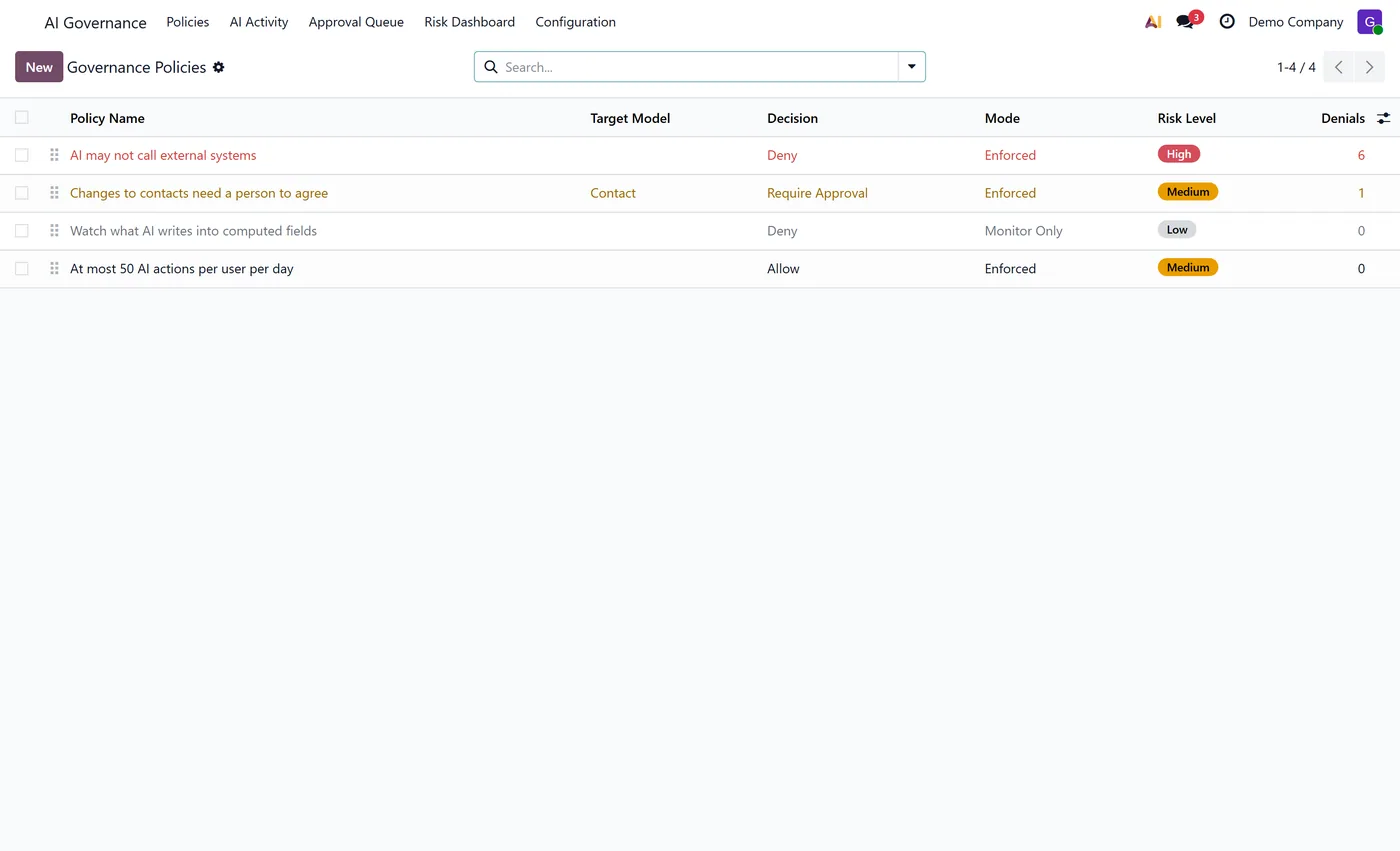
Governance policies that allow, monitor, hold for approval or deny an AI action, evaluated server side before anything runs
- Enforced at the two places Odoo actually executes AI work, the AI tool runner and the AI computed field path, so an AI action cannot route around it
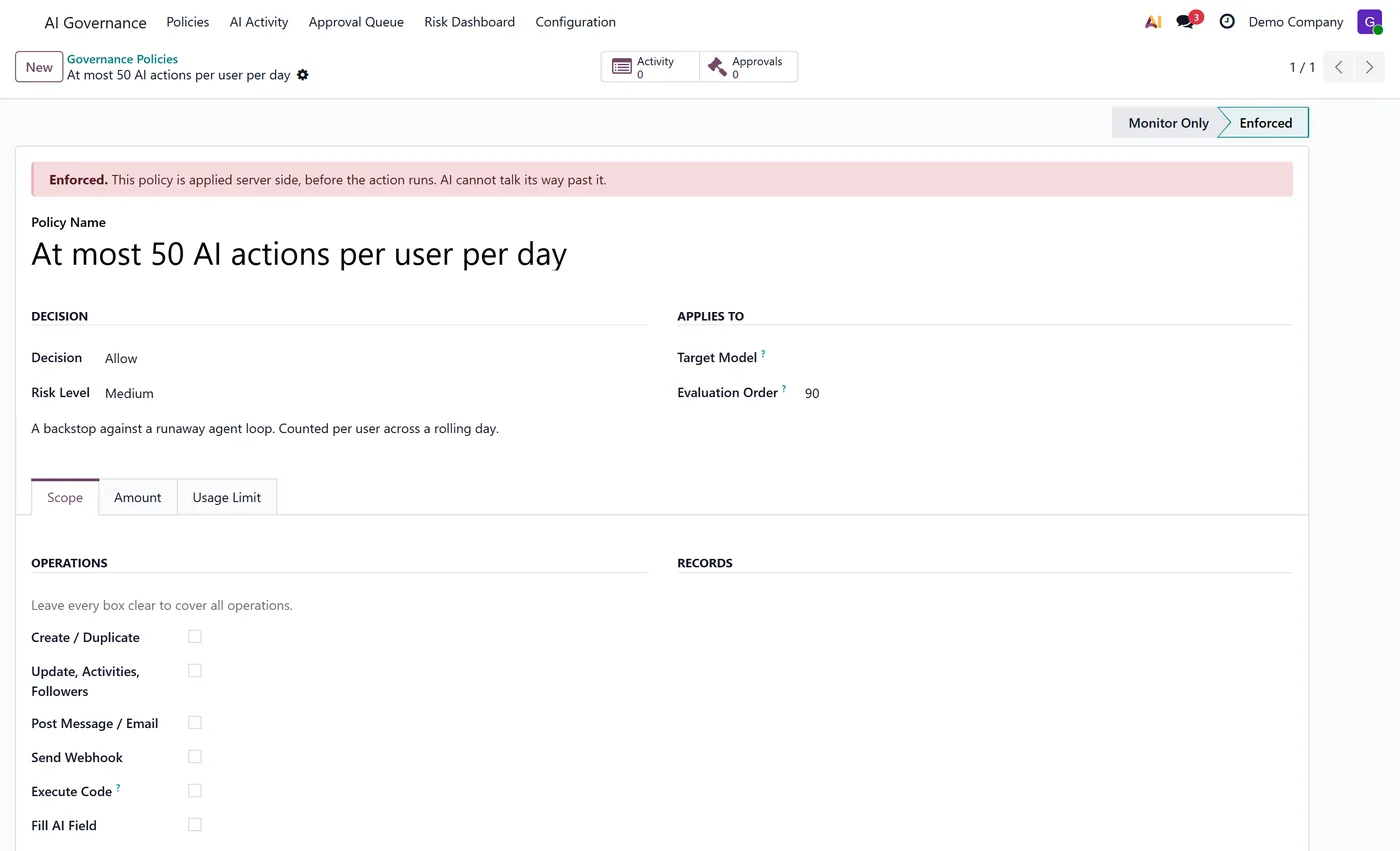
- Scope a policy by agent, tool, model, user, group, company, a record filter or a monetary threshold read off the target record
- Monitor mode that records exactly what a policy would have blocked, so you can measure a rule before you switch it on
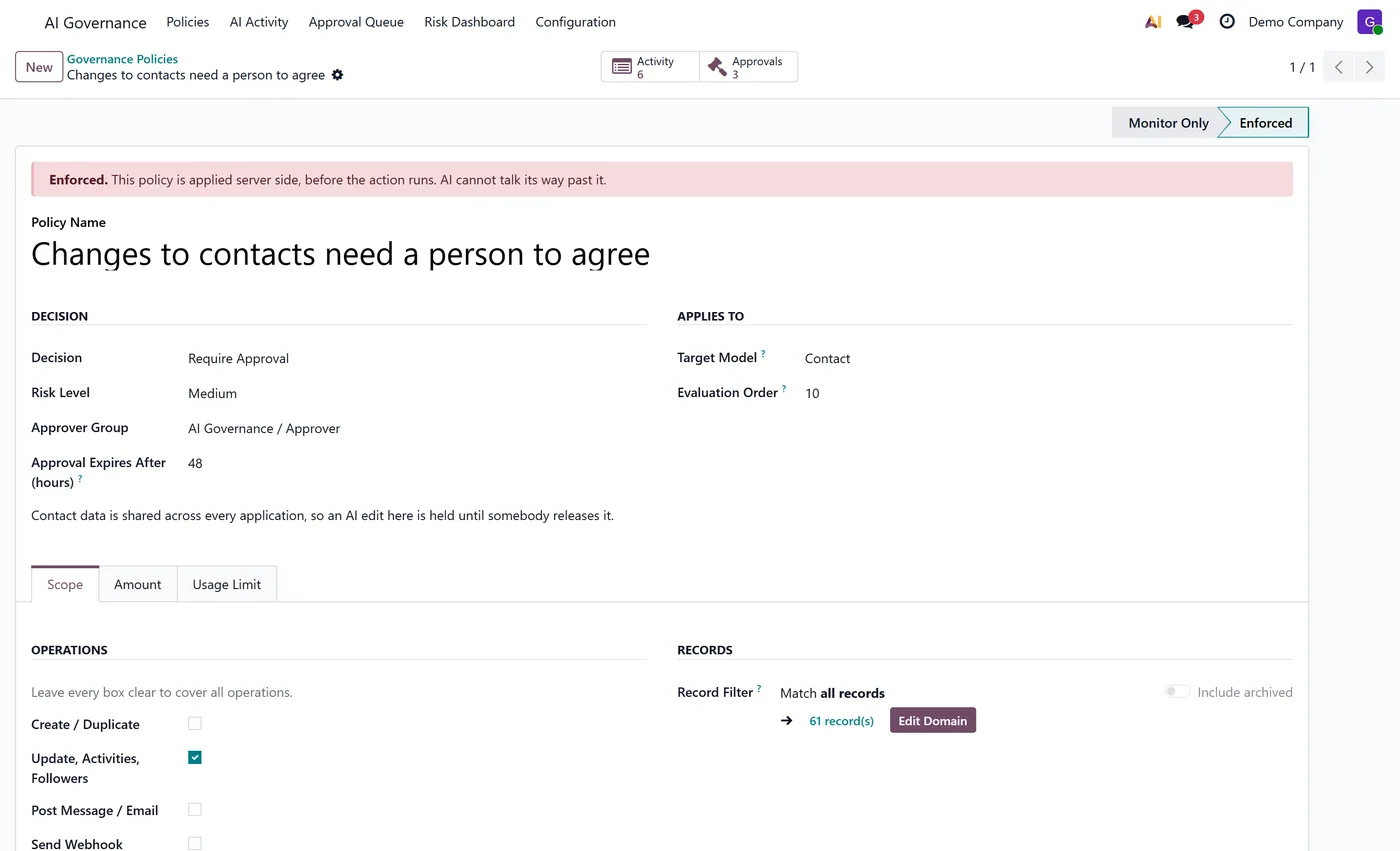
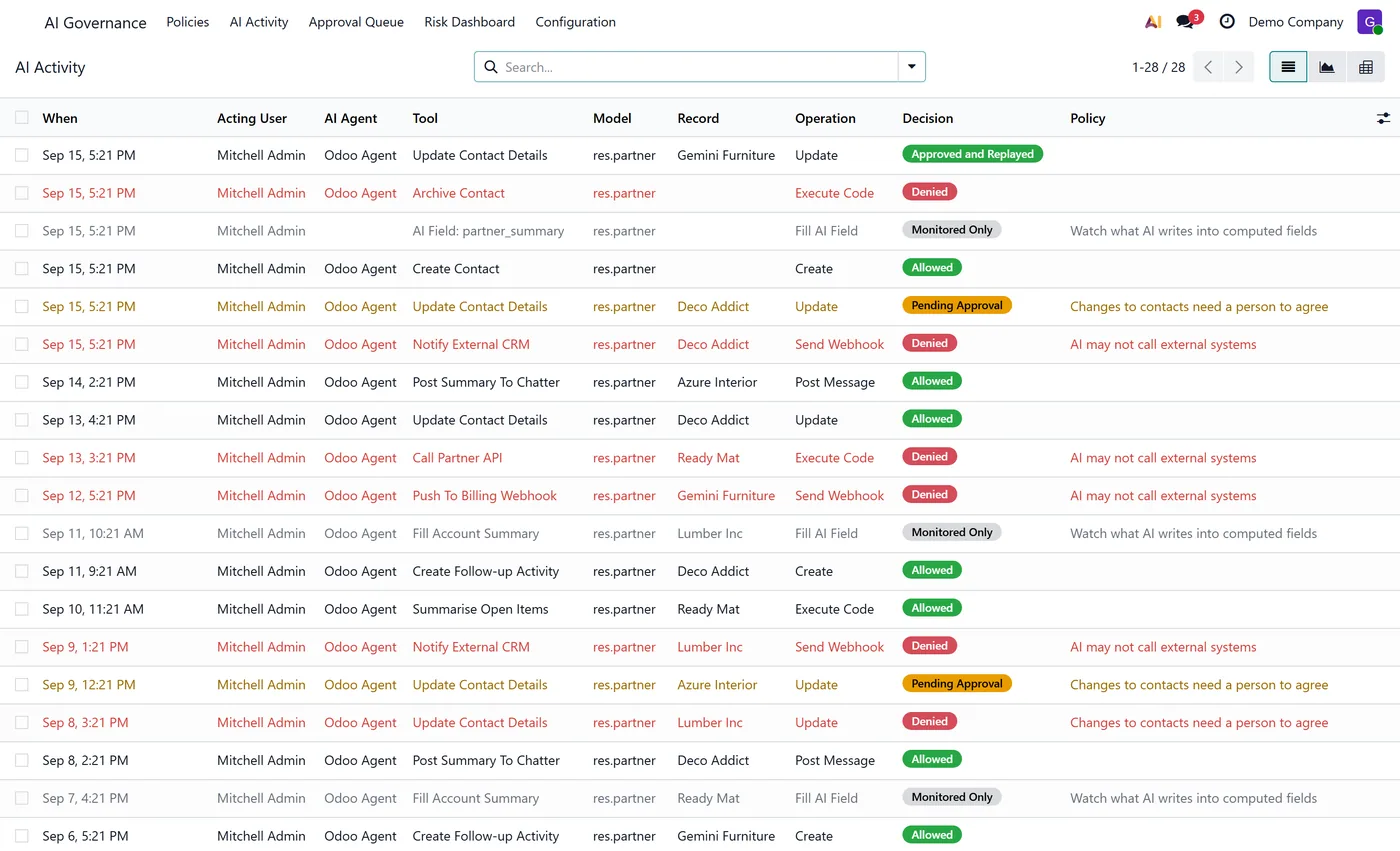
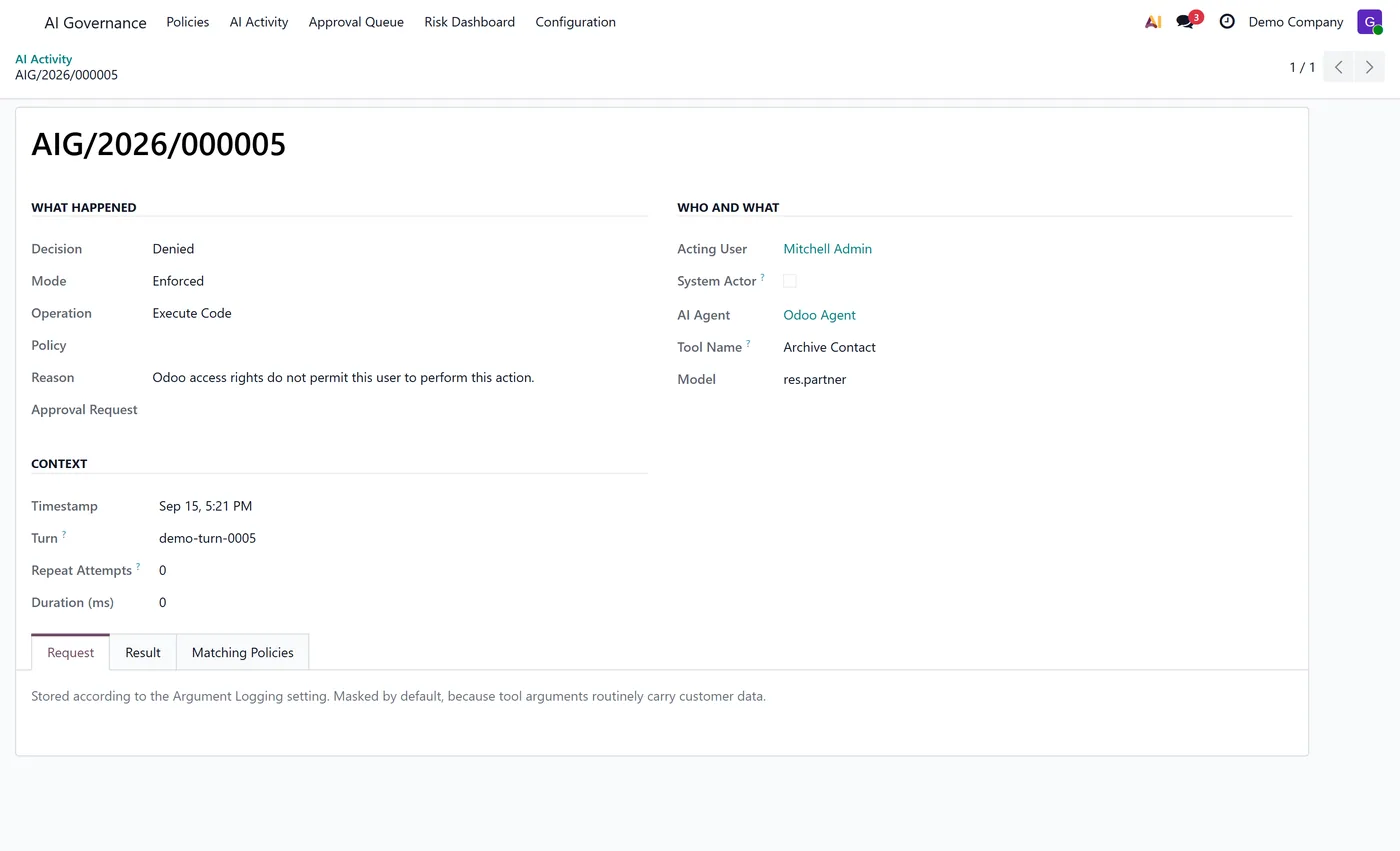
- Append only audit trail with no write or delete access for any group in the module, written on its own cursor so evidence survives a failed AI turn
02
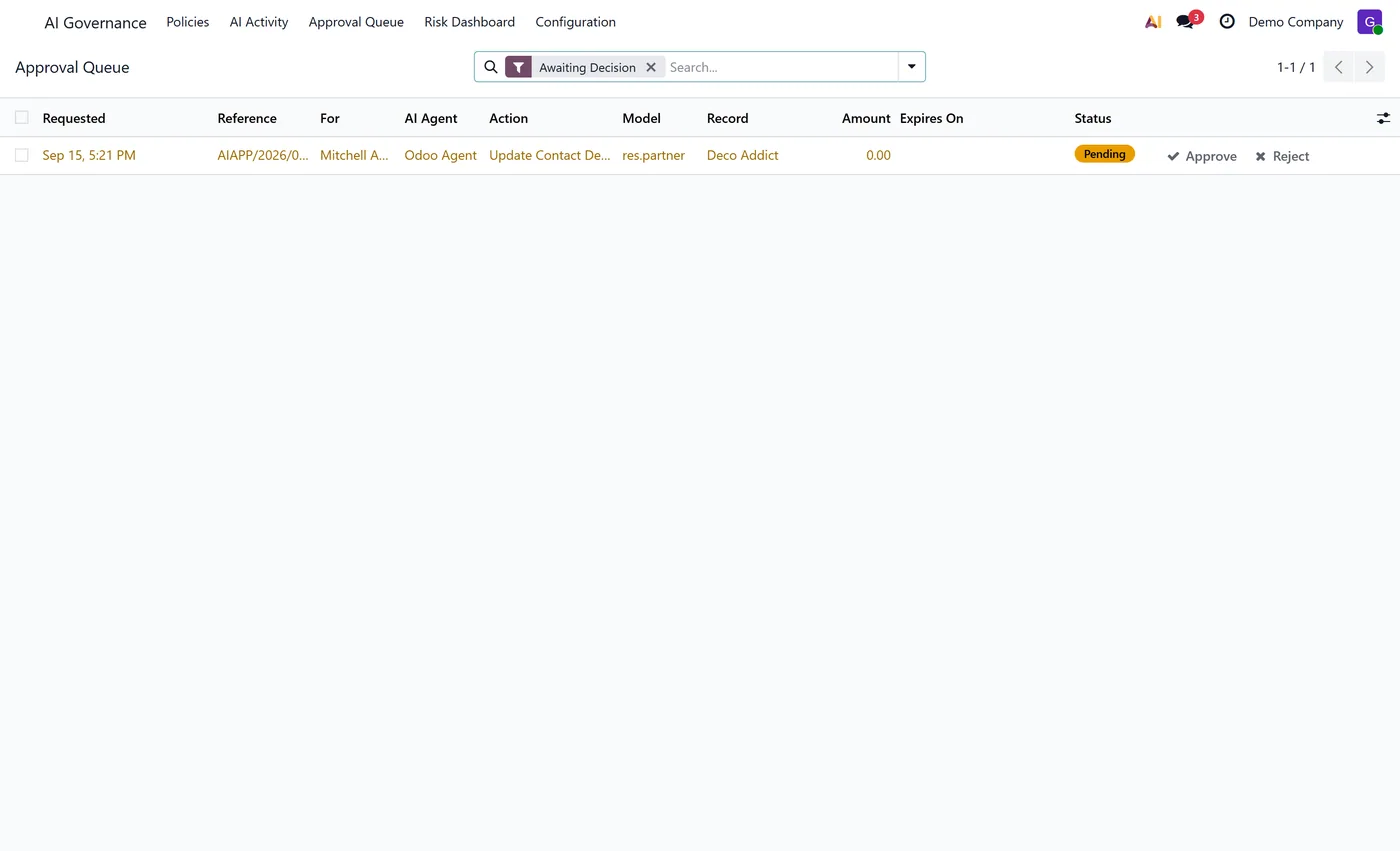
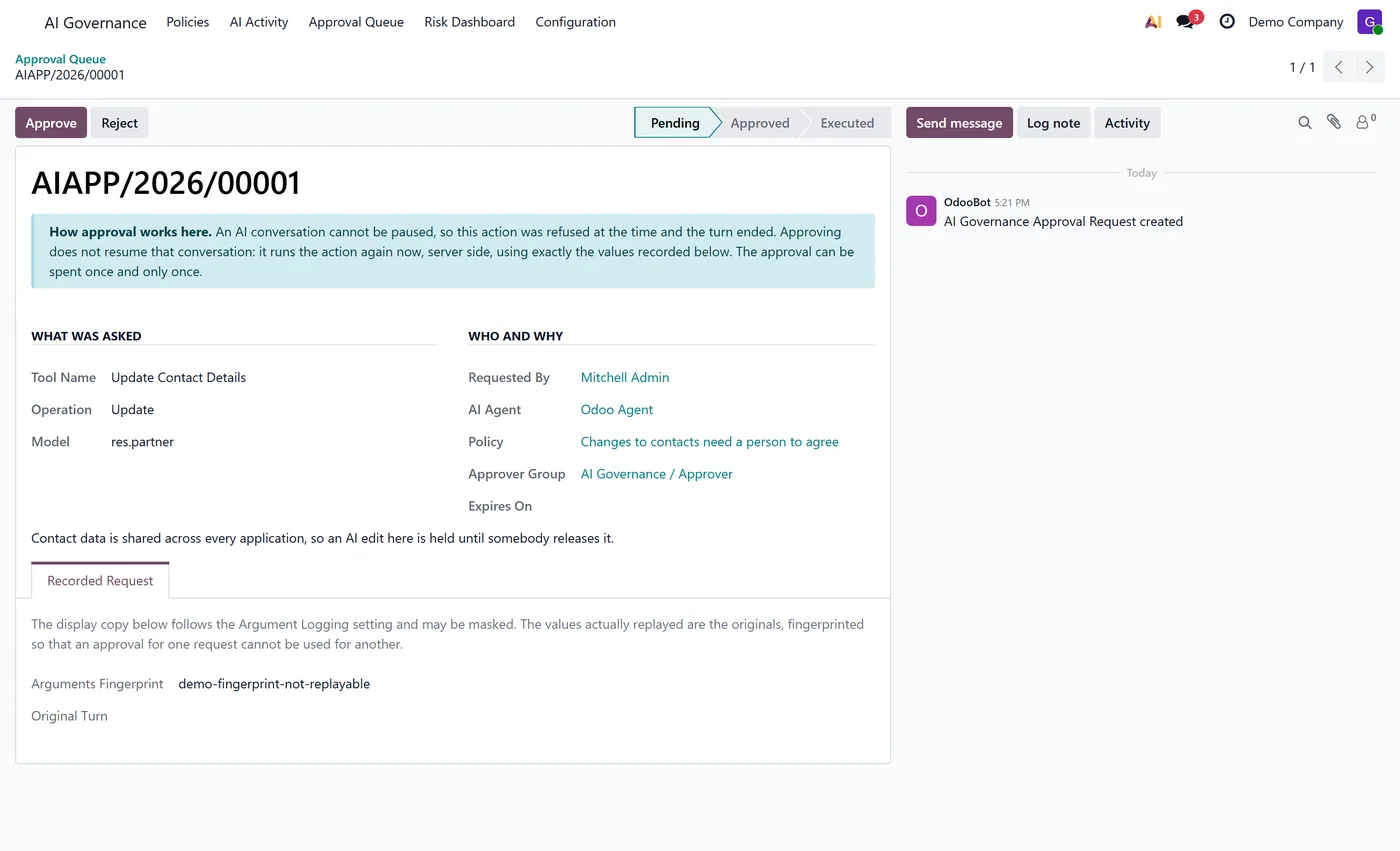
Approval queue with one shot release tokens that pin the approved tool, record and arguments by fingerprint
- Approved actions replay with the original requester's access rights, so approval authorises but never escalates
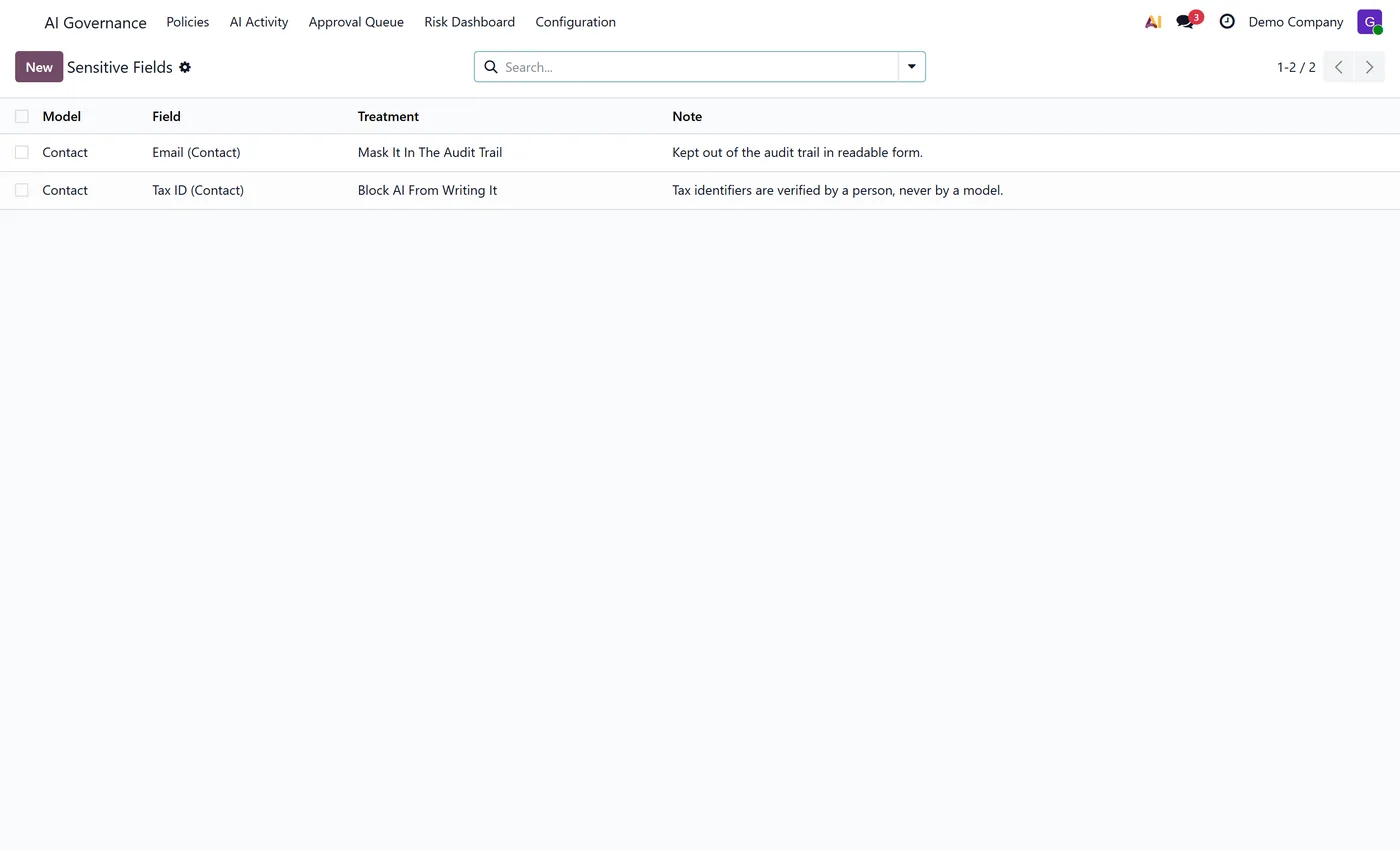
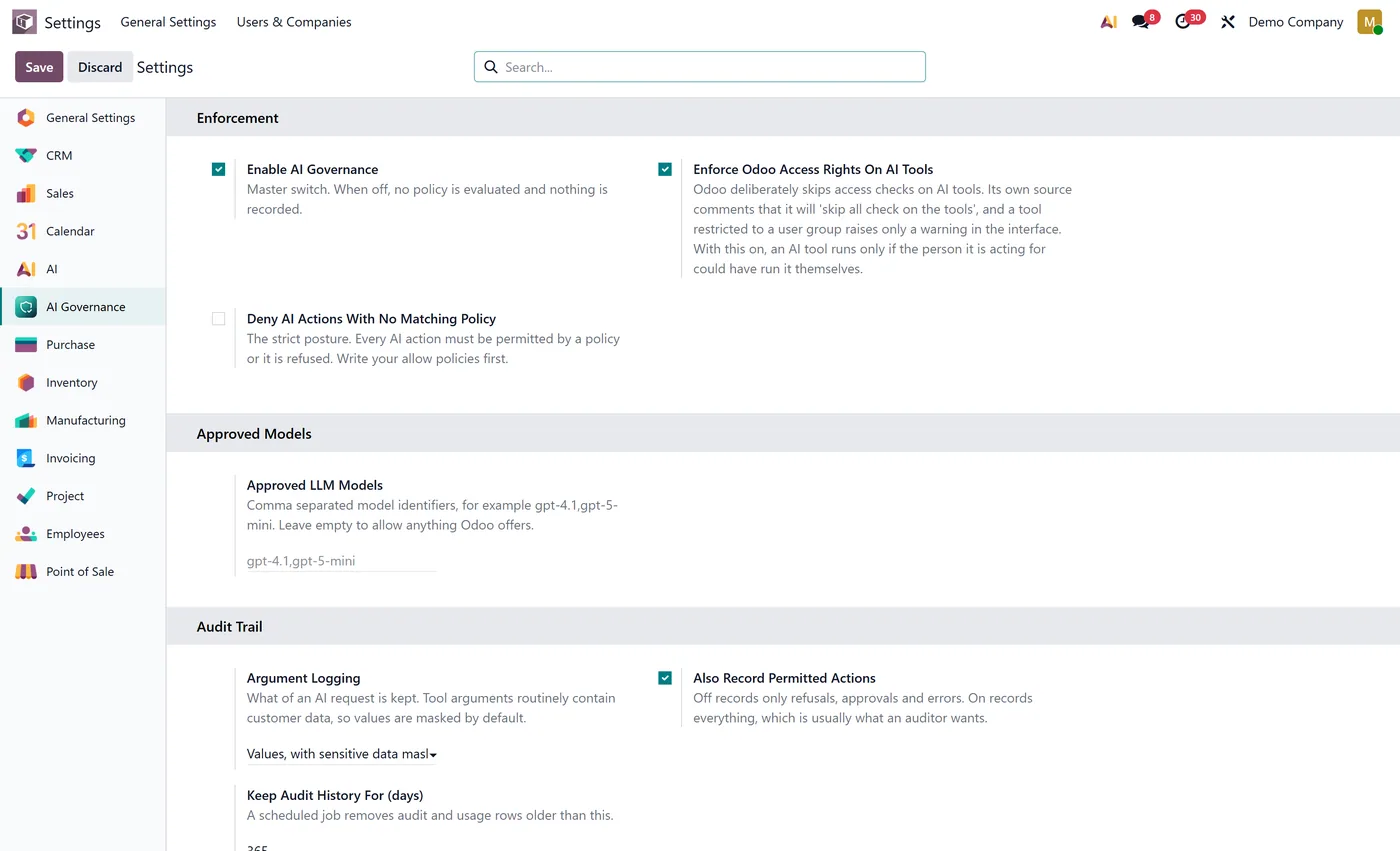
- Redacted argument logging by default, with full and names only modes, plus per field masking an administrator can extend
- Sensitive field register that blocks AI writes to nominated fields outright or masks them in the trail
- Per policy rate limits per user, agent or tool, consumed under a row lock so concurrent AI calls cannot overspend the allowance
03
Optional restoration of the Odoo access rights the AI framework deliberately skips on tools
- LLM model allow list enforced when an agent is created or changed, with a filter that finds pre existing agents the constraint cannot reach
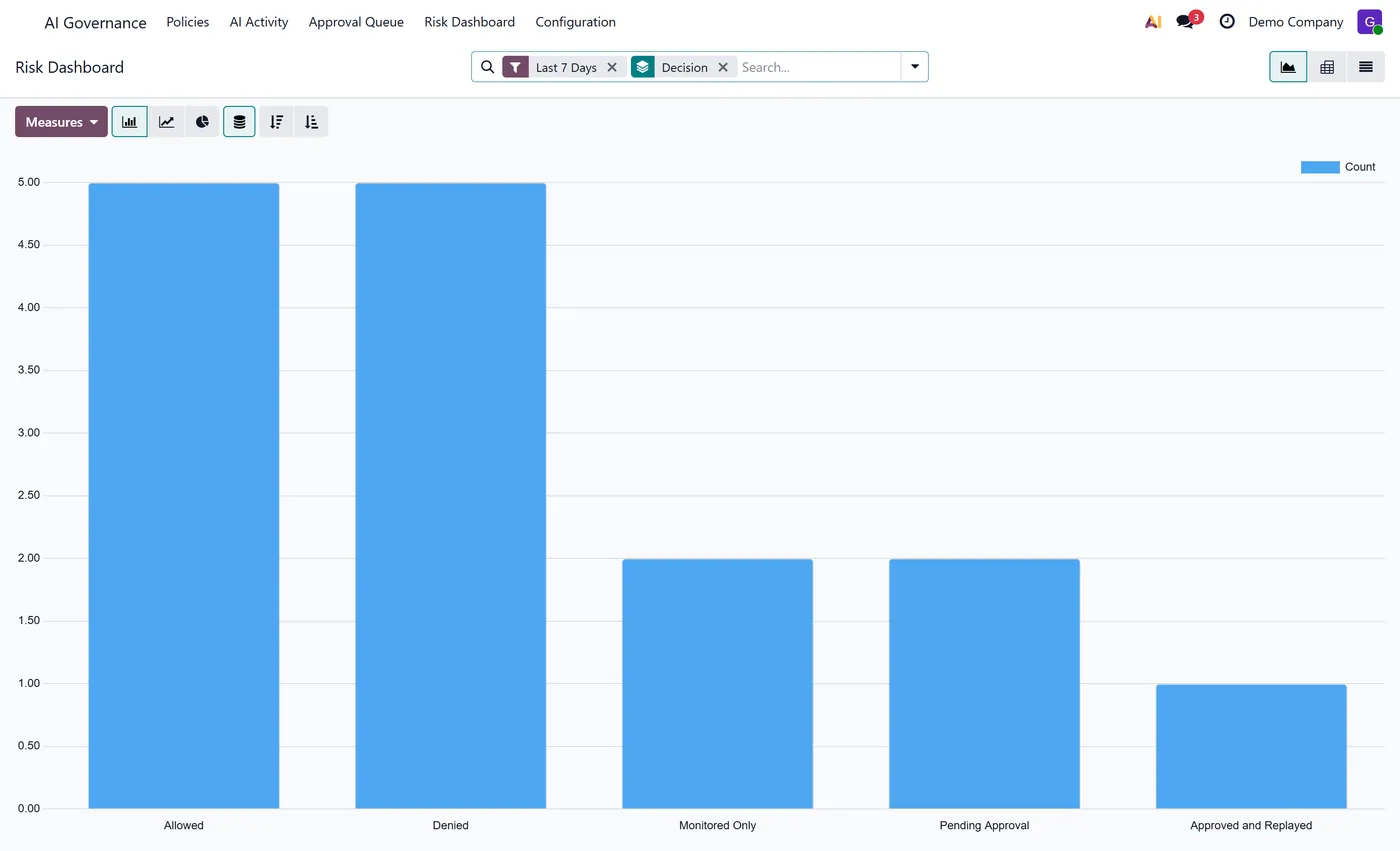
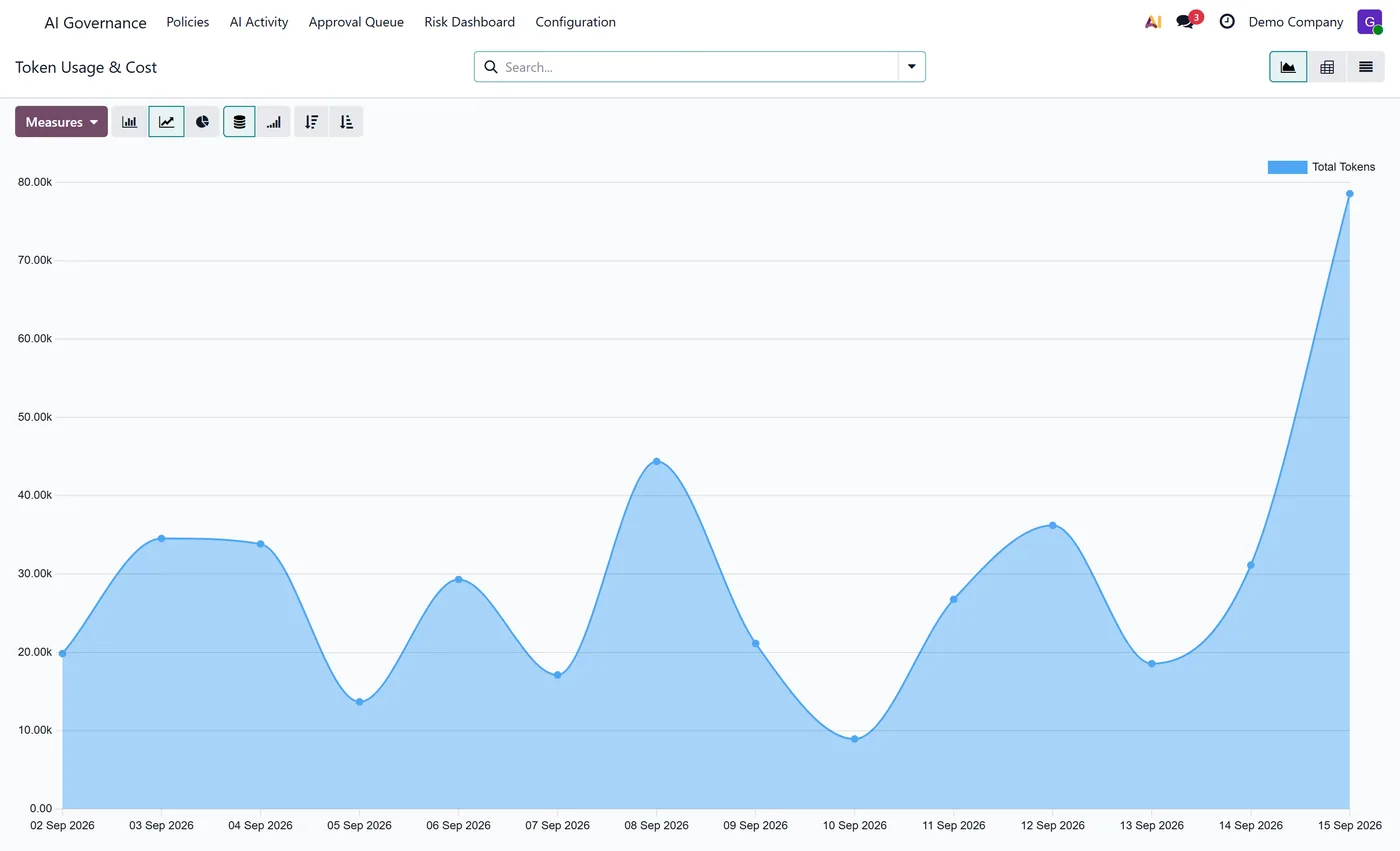
- Token usage and cost per agent, model and user, priced from a rate table you control, with unpriced calls flagged rather than silently counted as free
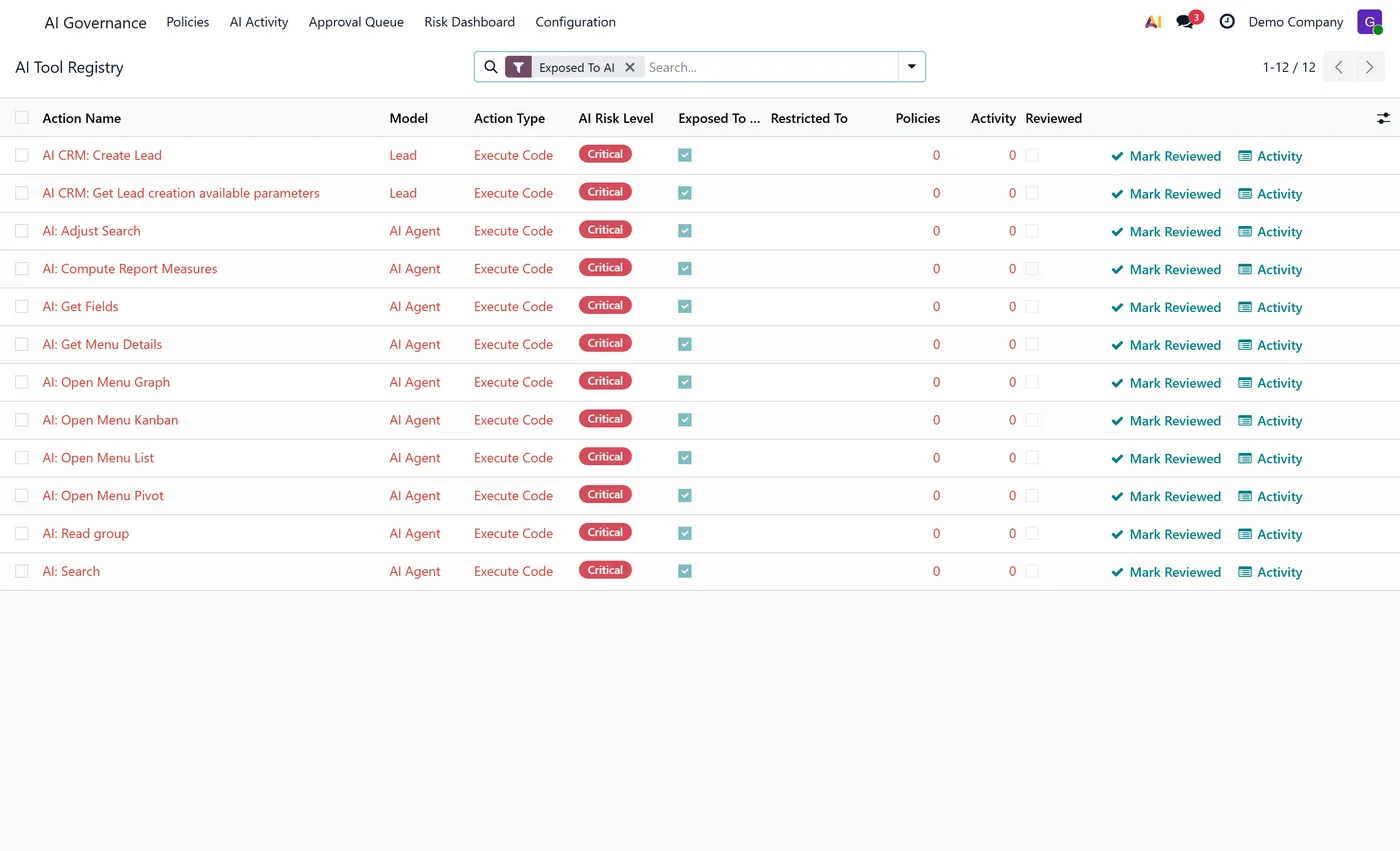
- Risk dashboard that grades every AI reachable server action in the database and tracks which have been reviewed and signed off
- Three separated roles, Auditor, Approver and Manager, none of which grants Odoo system administrator rights
Every screen
The whole module, screen by screen.
The captures the walkthrough above did not use, in the order you meet them in the product.
What it does
The AI Governance and Control Center sits between Odoo 19 Enterprise's AI framework and your database. Odoo's own AI agents can create records, update fields, send mail and run code. This module decides, before any of that happens, whether a given AI action is allowed, needs a human signature first, or should simply be recorded and watched.
A policy is written in ordinary business terms: which agent, which tool, which model, which users, which records, and above what amount. Each one resolves to allow, monitor, require approval or deny. The decision is computed in Python on the server at the two places Odoo actually executes AI work, the AI tool runner that every agent tool and AI server action passes through, and the AI computed field path that the scheduled fill job drives with no server action involved at all. Because the decision happens before the tool body runs, a refused action never touches your data and never spends a provider call. Nothing here is phrased as an instruction to the model, because a prompt is not a security boundary.
Actions held for approval become real approval records routed to an approver group. Releasing one issues a single use token that pins the exact tool, record and arguments that were approved, and the action then replays with the original requester's own access rights, so approving authorises the work without lending out the approver's permissions. Every decision lands in an append only trail that no group in the module can edit or delete, written on its own database cursor so the evidence survives even when the AI turn itself fails and rolls back.
It is deliberate about what it does not claim. The conversational reply an agent writes is not governed, only what the AI does to your database. A monetary threshold read from a tool argument rather than from the target record is monitored rather than enforced, because that figure is one the model supplied, and the policy form says so where you set it. Field level blocking covers tools that declare the field they write; a tool running arbitrary Python cannot be filtered that way. Immutability of the trail is enforced by the application, for administrators included, and is not a cryptographic guarantee about somebody with direct database access.
Who it's for
Teams running Odoo 19 Enterprise who have switched on Odoo AI, or are being asked to justify switching it on, and need an answer to what the AI is permitted to do and what it actually did. It is aimed at the administrator, the compliance function and the internal auditor rather than at the person chatting with the agent: install it, leave the starter policies inactive while you watch in monitor mode, then turn on the rules your own risk appetite calls for.
Questions
About AI Governance and Control Center.
Does this need Odoo Enterprise?
Yes, and only version 19. It governs the AI framework that ships with Odoo 19 Enterprise, which is where AI agents, AI tools and AI fields live. That framework does not exist in Odoo Community, and it does not exist in Odoo 18 or 17 at all, so there is no Community build and no back port. The module depends on ai_app.
Is this enforcement, or does it just ask the AI nicely?
Enforcement. A policy decision is computed in Python on the server and, when it blocks, the action is never executed. It does not add instructions to a system prompt and does not depend on the model choosing to comply. The one thing a policy cannot do is stop an AI from talking about something in chat: governance controls what the AI DOES to your database, not what it says.
What exactly can it enforce, and what can it only watch?
Enforced: everything that runs through an AI tool or AI server action, and everything that fills an AI computed field. That covers create, update, message and email, webhooks, code tools and AI field writes. Monitored only: the monetary threshold when the amount is read from a tool argument rather than off the target record, because the argument is a figure the model claimed rather than a figure your data holds, and the module says so on the policy form. Not reachable: the plain conversational reply, and anything a user does by hand outside the AI framework, which is ordinary Odoo security's job.
Will it break an AI setup that already works?
No. It ships switched off in the sense that matters: six starter policies are installed inactive and in monitor mode, so installing the module changes nothing about what your agents may do until you activate a policy yourself. An action no policy matches runs exactly as before.
Are full prompts and responses stored?
Not by default. Tool arguments are stored redacted, with emails, IBANs, long digit strings and anything under a sensitive looking key masked, and an administrator can nominate further fields to mask. You can switch to names only, which keeps the argument keys and discards every value, or to full if your retention policy calls for it. The raw payload needed to replay an approved action is kept separately and is readable only by the governance manager group. A retention job removes old rows on a schedule you set.
Who can see the audit trail, and can it be edited?
The Auditor role reads decisions but not raw arguments; the raw payload is manager only. No group the module defines has write or delete on the trail, and the model refuses both regardless, so a manager cannot quietly correct history. None of the three roles grants Odoo system administrator rights, which is the point of separating them.
What happens when the AI retries a refused action?
Nothing multiplies. Odoo's AI loop will re-call a tool that reported a problem many times in a single turn, so the decision is computed once per turn and replayed, with the repeats counted on the one audit row. A refusal is returned to the model as a clear message rather than raised as an error, which is what stops the loop rather than feeding it.
On the Odoo Store
Get AI Governance and Control Center on the Odoo Store.
Pick your Odoo version and install it in a click, with free updates and real support behind it.
Get it on the Odoo StoreReady to make Odoo work the way your business does?
Book a free call CODEerts
CODEerts is a team of certified Odoo partners and full-stack engineers. We implement, customise and support Odoo ERP, then build the software around it.

