 CODEerts
Extra Tools app for Odoo
RPC & API Key Access Control
Decide which users may reach the database over XML-RPC, JSON-RPC or an API key: a per-user allowlist that denies by default, an API-key-only mode, a global kill switch, and an audit log of every allowed and blocked API login.
Overview
RPC & API Key Access Control.
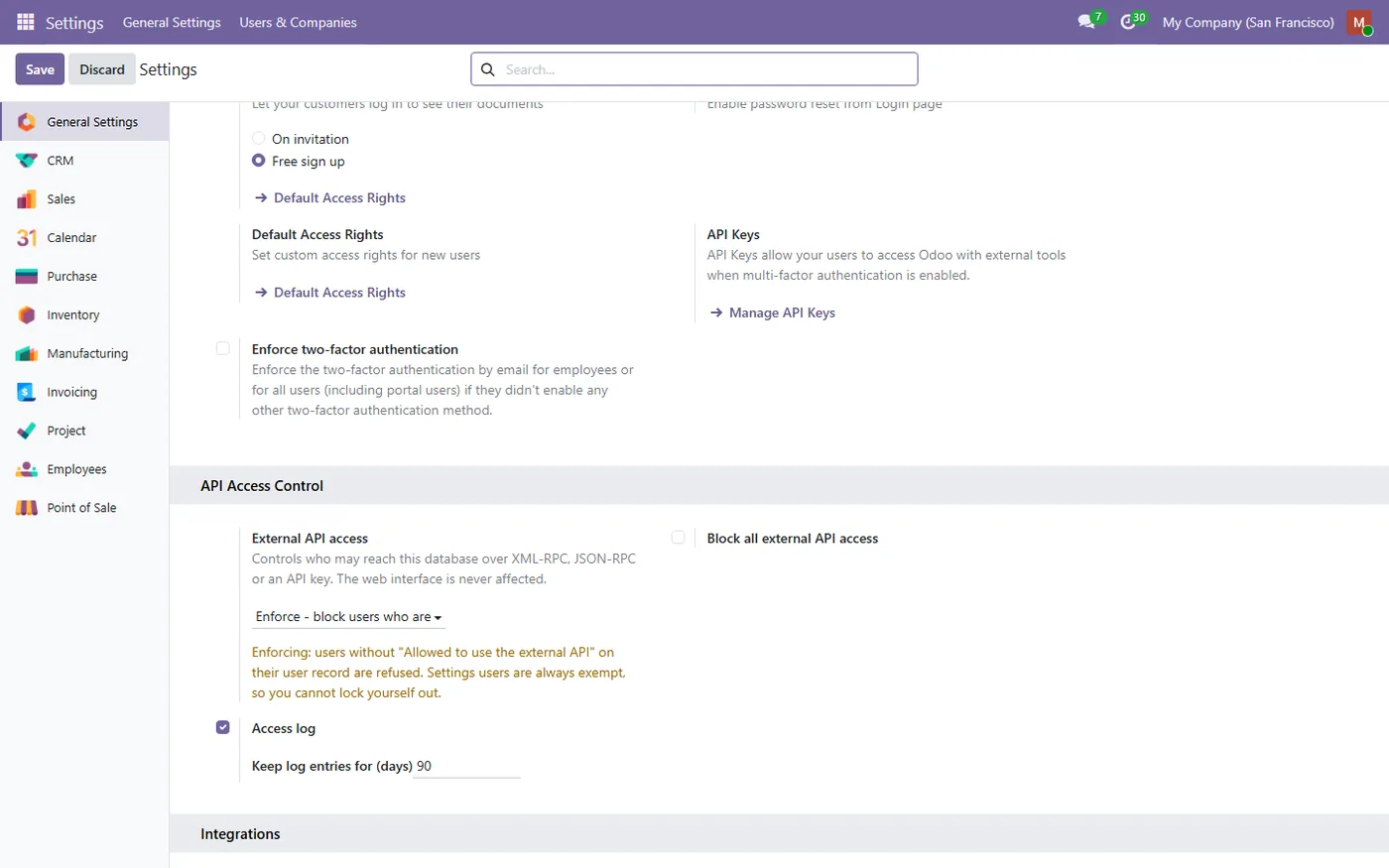
RPC and API Key Access Control for Odoo puts a policy gate on Odoo's XML-RPC, JSON-RPC and API key authentication paths. Each user gets an API Access Allowed toggle: turn it off and that user is blocked at the door before their password is even checked. A second toggle, API Keys Only, forces the user to authenticate with an API key instead of a password. The module ships in Monitor mode so you can see who would be blocked before you enforce anything. When you switch to Enforce, every denied call raises AccessDenied. A global kill switch blocks all XML-RPC, JSON-RPC and API key access in one click. Settings users are exempt so you can never lock yourself out, and every attempt is written to a searchable audit log with automatic retention cleanup. Two gates cover the RPC and API key paths: Gate A sits on the RPC credential check and catches XML-RPC and JSON-RPC password logins, and Gate B on Odoo's HTTP authentication hook catches API key bearer and Outlook plugin authentications. The audit log folds identical outcomes in a five-minute window onto one row with a hit count, so a brute-force attack writes one entry, not ten thousand. With Enforce active the gate also applies to non-interactive logins generally, which includes automated HTTP test suites, so a test user needs allowlisting or Settings rights. Works on Odoo 17, 18 and 19, Community and Enterprise editions, with no external dependencies.
How it works
Built around what you actually do.
Every screen below is the module running in Odoo, not a mockup.
01
Three operating modes - Disabled, Monitor and Enforce - so you can see the impact before you switch
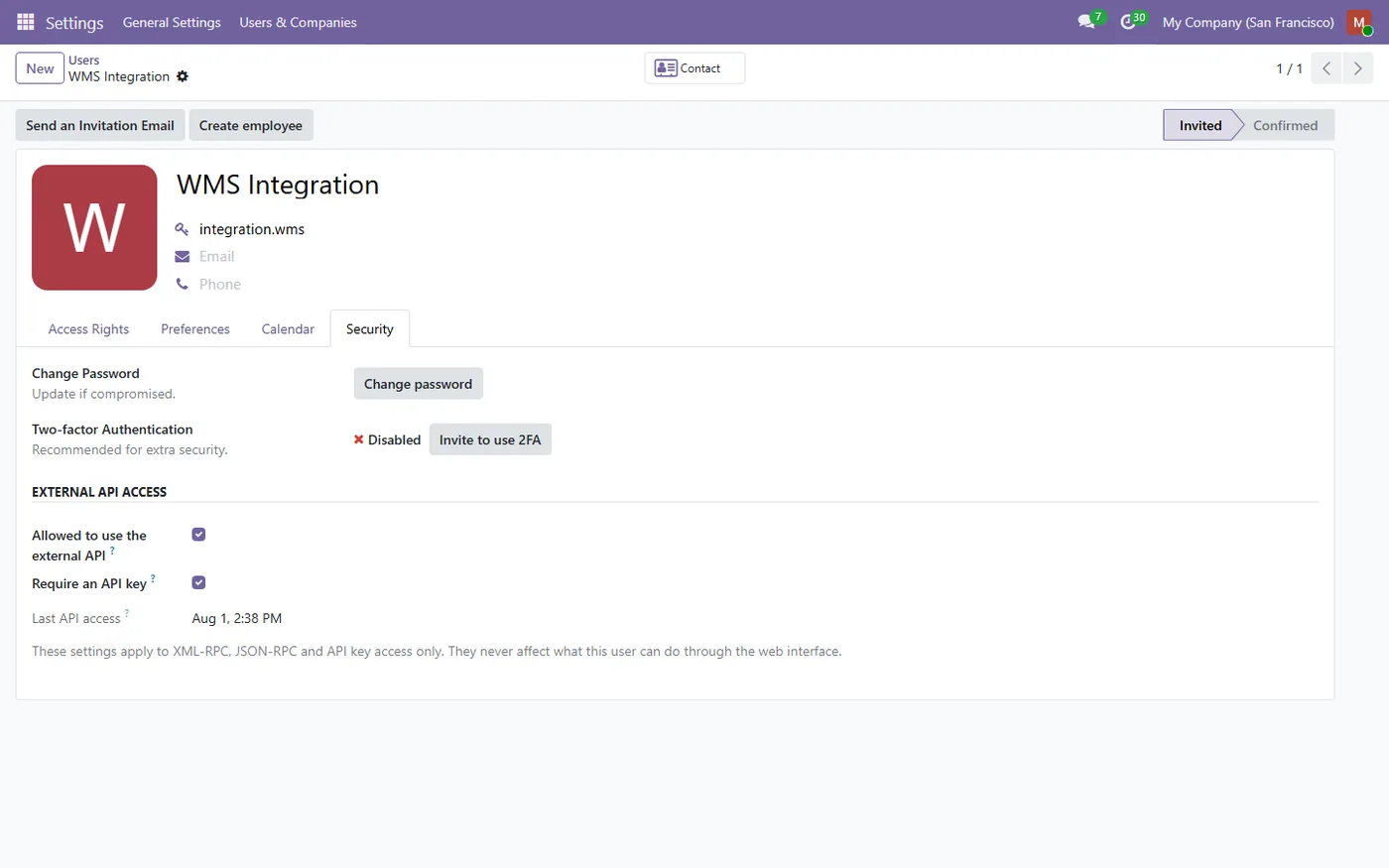
- Per-user API Access Allowed toggle on every user form, no new groups or complex rules
- API Keys Only mode per user - require an API key and refuse password-based API authentication
- Dual-gate architecture - Gate A catches XML-RPC and JSON-RPC, Gate B catches API key and Outlook authentications
02
Global kill switch blocks all XML-RPC, JSON-RPC and API key access in one click
- Settings users permanently exempt so you can never lock yourself out
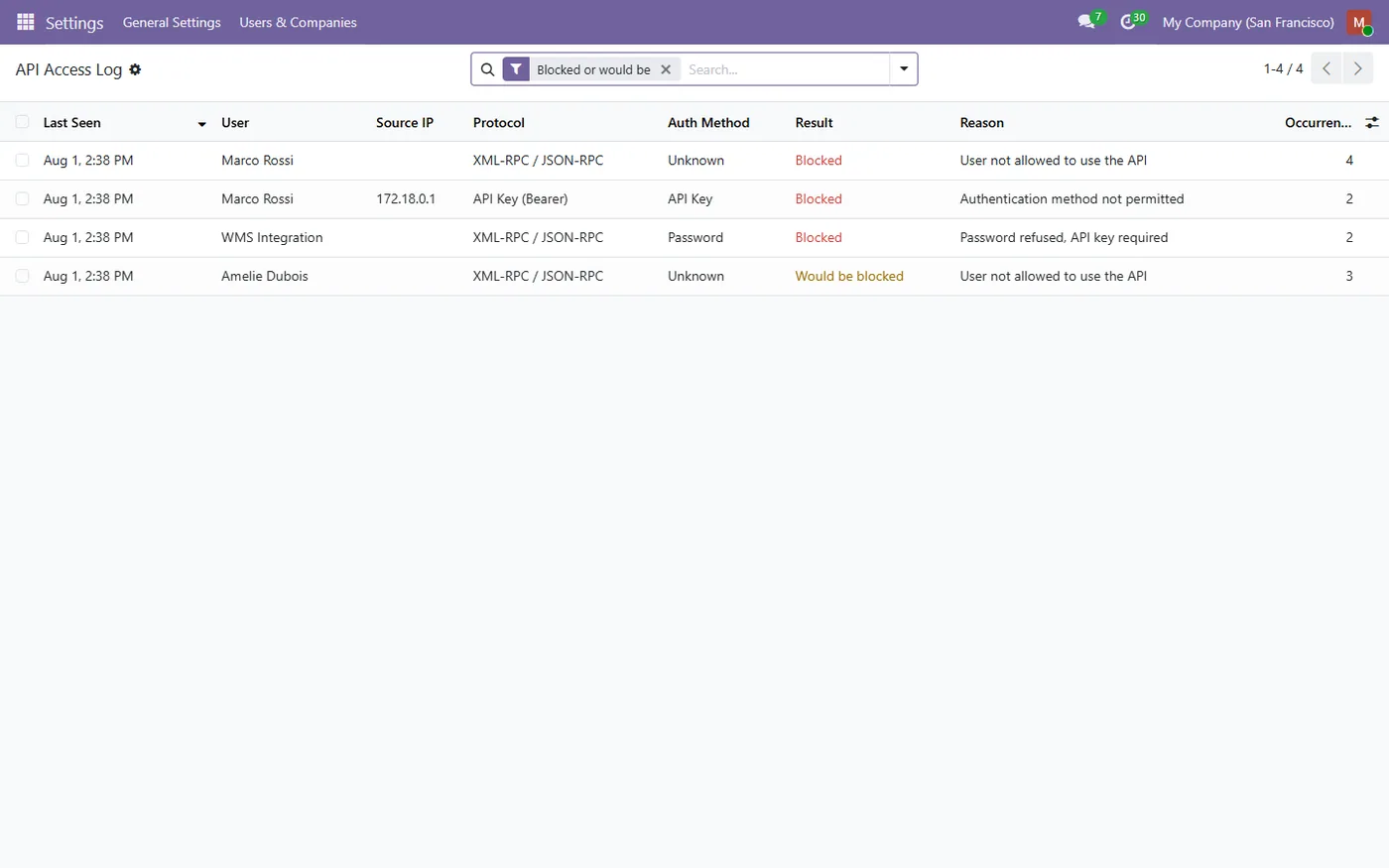
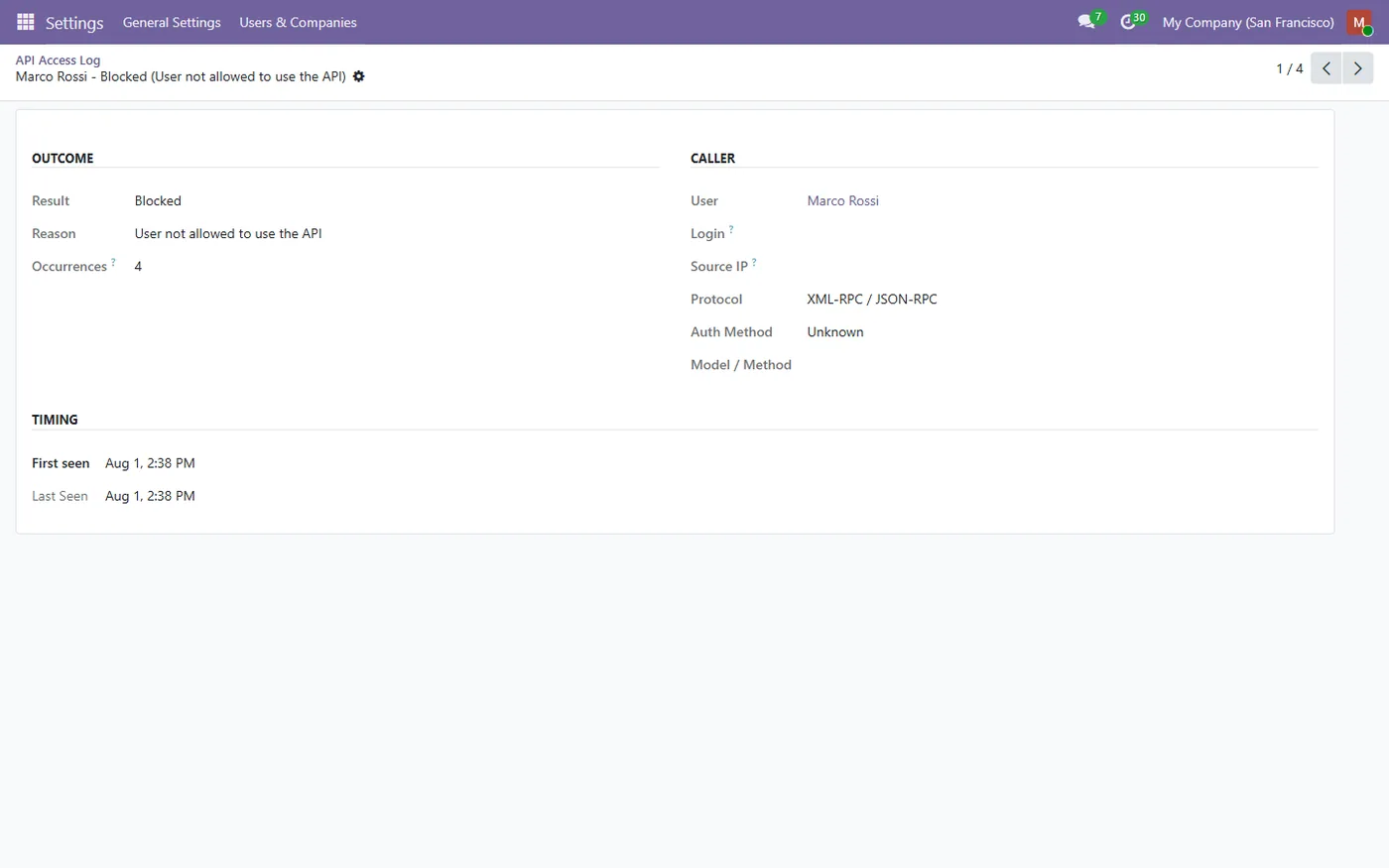
- Full audit log of every allowed and blocked API login with user, protocol, auth method and reason
- DoS-resistant audit log - identical outcomes fold onto one row with a hit count via atomic ON CONFLICT
03
Configurable log retention with automatic daily cleanup
- Audit log protected by CSV ACL - only the Administration group can read it
- With Enforce active the gate also applies to non-interactive logins generally, which includes automated HTTP test suites, so a test user needs allowlisting or Settings rights. Works on Odoo 17, 18 and 19, Community and Enterprise, with zero external dependencies
Questions
About RPC & API Key Access Control.
Does this block web UI logins?
No. The module only gates external API authentication: XML-RPC, JSON-RPC, API key bearer tokens and Outlook plugin keys. Regular web login through /web/login is not affected, and the API-keys-only toggle only applies to API calls, not the web UI.
Can I lock myself out?
No. Any user in the Administration / Settings group is permanently exempt from the gate. As long as at least one admin account can log in, you can always reach the settings and the user forms to fix a misconfiguration.
Does the audit log record every failed password attempt?
Yes, every call that reaches the gate is recorded. However, identical outcomes for the same user in the same five-minute window fold onto a single row with an incrementing hit count, so a brute-force attack writes one entry, not ten thousand.
What happens if the audit log table has a problem?
Nothing that affects authentication. The audit writer opens its own database connection, and every failure is caught and logged to the server log only. A deadlock on the log table or a full disk will never surface as an AccessDenied for a legitimate user.
Does it work with Odoo Online and Odoo.sh?
Yes. The module has no external dependencies and uses only core Odoo APIs. It works on Odoo Online, Odoo.sh, and on-premise deployments running Odoo 17, 18 or 19, Community and Enterprise editions.
On the Odoo Store
Get RPC & API Key Access Control on the Odoo Store.
Pick your Odoo version and install it in a click, with free updates and real support behind it.
Get it on the Odoo StoreReady to make Odoo work the way your business does?
Book a free call CODEerts
CODEerts is a team of certified Odoo partners and full-stack engineers. We implement, customise and support Odoo ERP, then build the software around it.

