CODEerts
Tools app for Odoo
Archive Anything
Turn on Archive and Unarchive for any Odoo model, native or custom, with one click and no code.
Overview
Archive Anything.
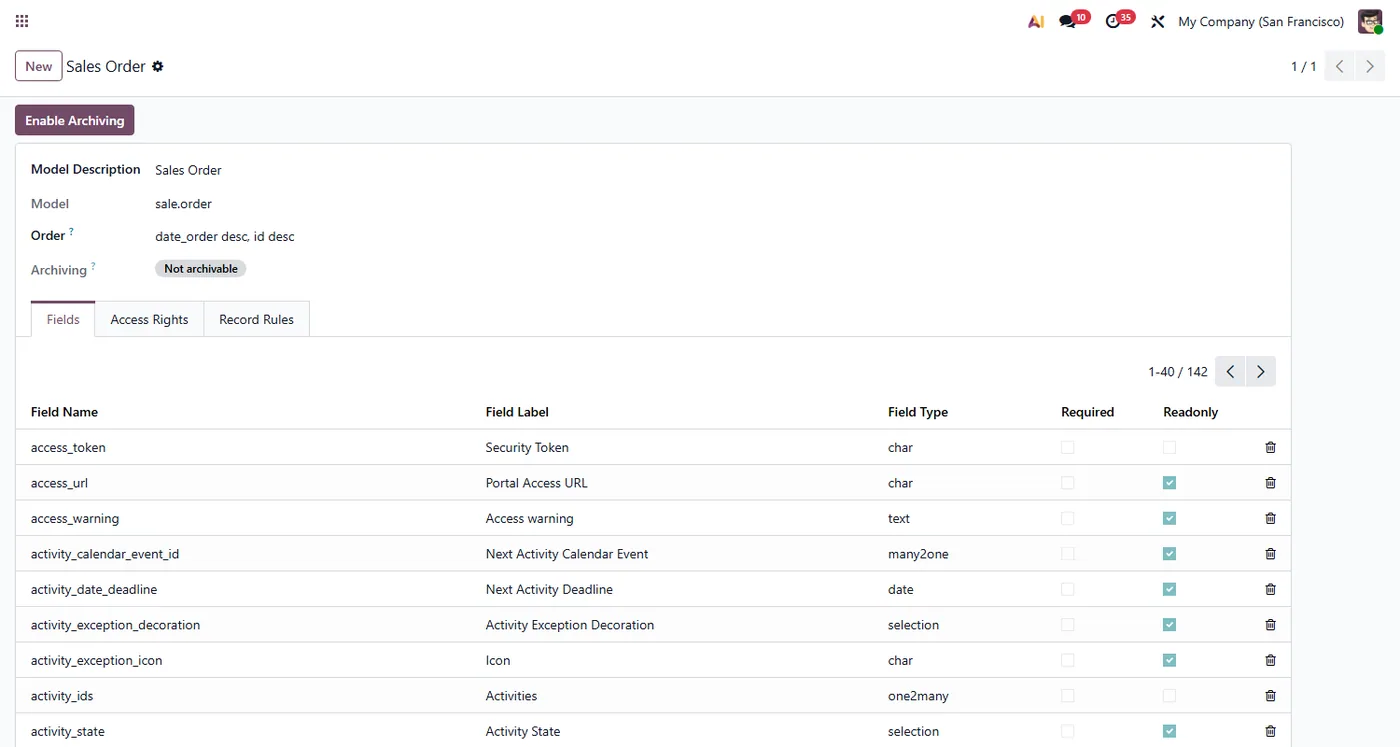
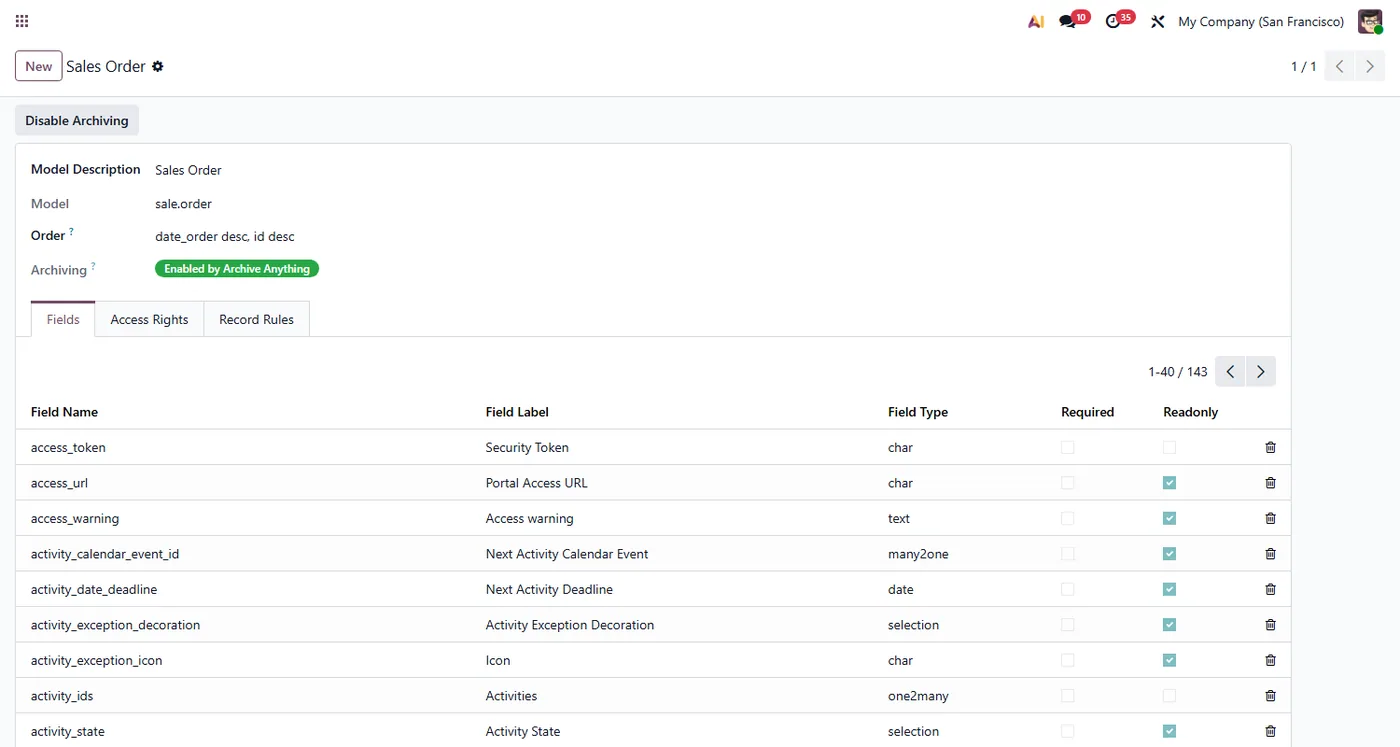
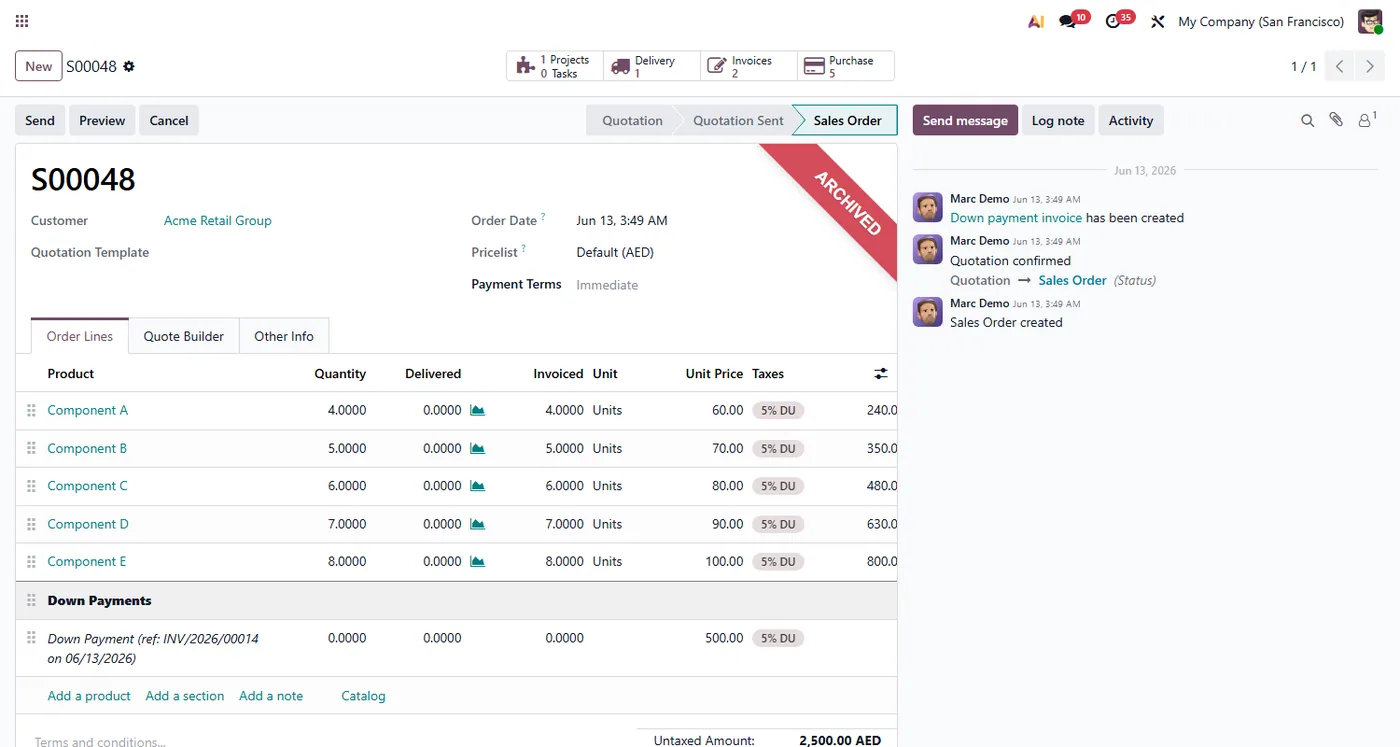
Archive Anything adds an Enable Archiving button to Odoo's standard Models screen so an administrator can switch on Archive and Unarchive for any model that does not already support it, including custom and Studio models. Enabling a model adds the archiving field for you, shows the familiar Archived ribbon on its form, and turns on the standard Archive and Unarchive actions in the list and form. Disabling cleanly restores every record and removes what the module added. Native models that already support archiving are detected and left untouched.
How it works
Built around what you actually do.
Every screen below is the module running in Odoo, not a mockup.
01
Enable Archive and Unarchive on any model from the standard Models screen, no code
- Works on custom and Studio models, not just built-in ones
- Adds the archiving field automatically and shows the Archived ribbon on the form
02
Native models that already support archiving are detected and never modified
- Disable cleanly unarchives all records and removes everything the module added
- Existing and new records stay active when archiving is turned on
Archive Anything lets an administrator switch on Odoo's Archive and Unarchive feature for any model that does not already have it, straight from the standard Models screen and without any code. It is the simple way to make custom models, Studio models, and other records archivable.
What it does
Odoo only offers Archive and Unarchive on models that ship with an active field. Archive Anything adds an Enable Archiving button to the standard Models screen, so you can switch the feature on for any model in one click. When you enable a model the module adds the archiving field for you, turns on the Archive and Unarchive actions in the list and form, and shows the familiar red Archived ribbon on archived records. Existing records stay active and new records are active by default, so nothing is hidden until you choose to archive it. When you no longer need it, Disable Archiving unarchives every record, removes the ribbon, and deletes the field the module created, leaving the model exactly as it was. Models that already support archiving are detected automatically and are never modified.
How to set it up
1. Open Settings, then Technical, then Models. 2. Open the model you want to make archivable. 3. Click Enable Archiving and confirm. The status changes to Enabled. 4. Open any record of that model. Archive and Unarchive now appear in the Actions menu, and archived records show the red Archived ribbon. 5. To turn it off, open the model again and click Disable Archiving.
Who it's for
Administrators and consultants who build custom or Studio models and want the same clean Archive and Unarchive behaviour that Odoo gives its standard models, without writing a line of code.
Questions
About Archive Anything.
How do I archive records on a custom model in Odoo?
Open Settings, then Technical, then Models, pick your model and click Enable Archiving. The module adds the archiving field and the standard Archive and Unarchive actions appear on the list and form right away.
Can I enable archiving without writing any code in Odoo?
Yes. Everything is done from the standard Models screen with a single button. No development, no custom field setup, and no view editing is required.
Will enabling archiving hide my existing records?
No. When you enable archiving the module keeps every existing record active and makes new records active by default, so nothing disappears until you choose to archive it.
What happens when I disable archiving on a model?
The module unarchives all records of that model, removes the Archived ribbon, and deletes the archiving field it created, returning the model to its original state. Models that already had a built-in active field are never touched.
Does the Archived ribbon show on the form?
Yes. Once a model is enabled, its form shows the standard red Archived ribbon on archived records, exactly like Odoo's built-in archivable models.
Does it work in Odoo Community and Enterprise?
Yes, it runs on both Community and Enterprise and depends only on base. Each Odoo Apps Store listing shows the exact version it supports.
On the Odoo Store
Get Archive Anything on the Odoo Store.
Pick your Odoo version and install it in a click, with free updates and real support behind it.
Get it on the Odoo StoreReady to make Odoo work the way your business does?
Book a free call CODEerts
CODEerts is a team of certified Odoo partners and full-stack engineers. We implement, customise and support Odoo ERP, then build the software around it.