 CODEerts
Productivity app for Odoo
Background Report Printing
Print big PDF batch reports and Enterprise financial reports (Profit and Loss, Balance Sheet, General Ledger) in a background queue so Odoo never freezes, and pick each finished file up from a per-user download center in the top bar.
Overview
Background Report Printing.
Background Report Printing extends the Background Data Export download center to slow reports. A big batch print of hundreds of invoices, or an Enterprise financial report over a full year, normally freezes the browser while Odoo builds the file. This module hooks the standard Print menu and the financial report PDF and Excel buttons, so your team keeps using the exact same buttons. Small prints still download instantly, exactly like native Odoo. Anything larger than a threshold you control is handed to a background queue that renders the file on the server without blocking anyone. When it is ready, the same per-user download center in the top bar that Background Data Export uses lights up with a red counter, and one click downloads the finished PDF or Excel file. Standard batch printing works on Community, and Enterprise financial reports such as Profit and Loss, Balance Sheet and General Ledger activate automatically when the accounting reports engine is present. It reuses the Background Data Export queue and download center, so there is no OCA queue_job or extra service to install.
How it works
Built around what you actually do.
Every screen below is the module running in Odoo, not a mockup.
01
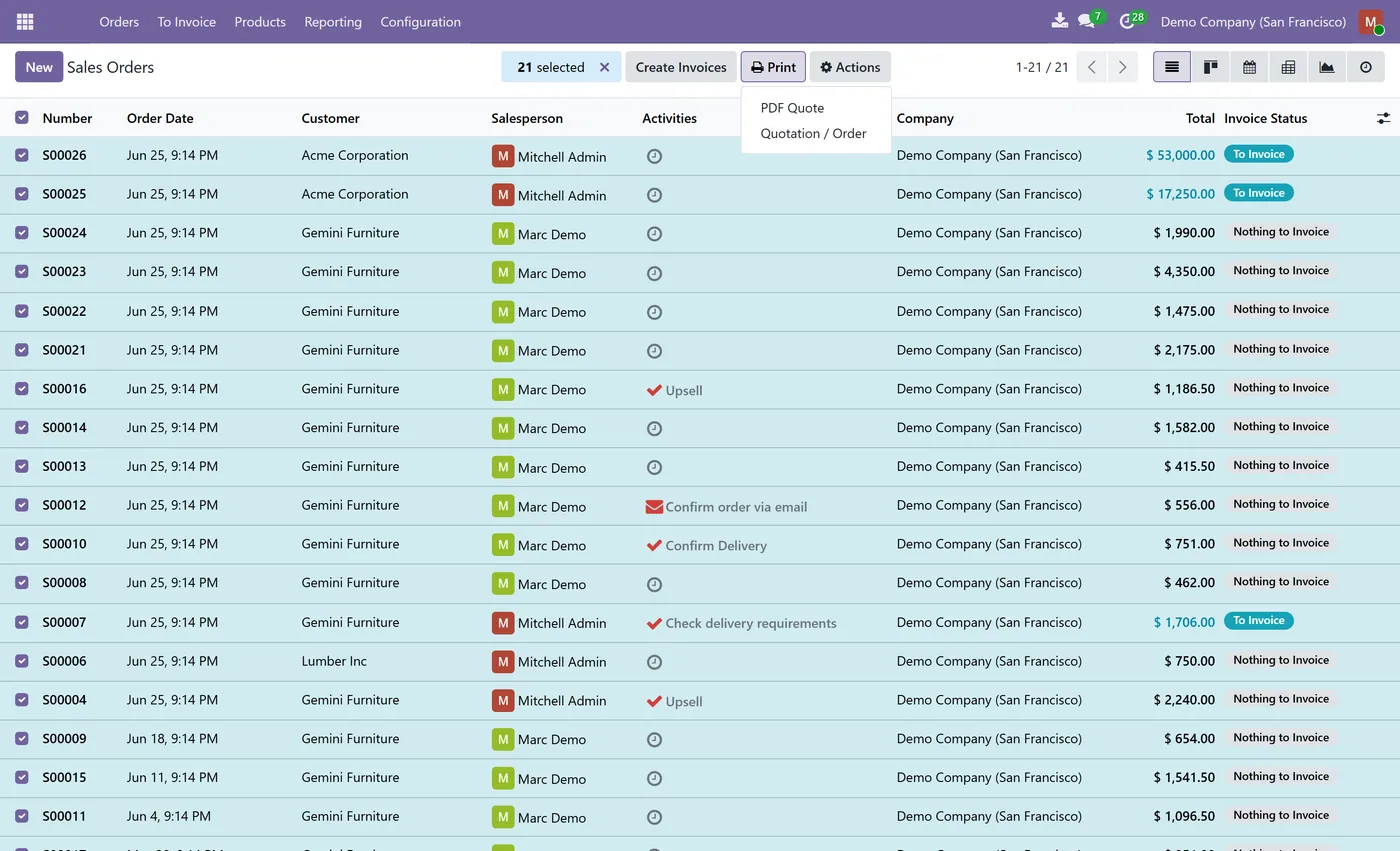
Uses the standard Odoo Print menu and financial report PDF and Excel buttons, so there is nothing new to learn
- Small prints download instantly, exactly like native Odoo
- Large batch prints run in a background queue so Odoo never freezes
- Enterprise financial reports such as Profit and Loss, Balance Sheet and General Ledger can run in the background too
02
Financial reports export to PDF or Excel in the background
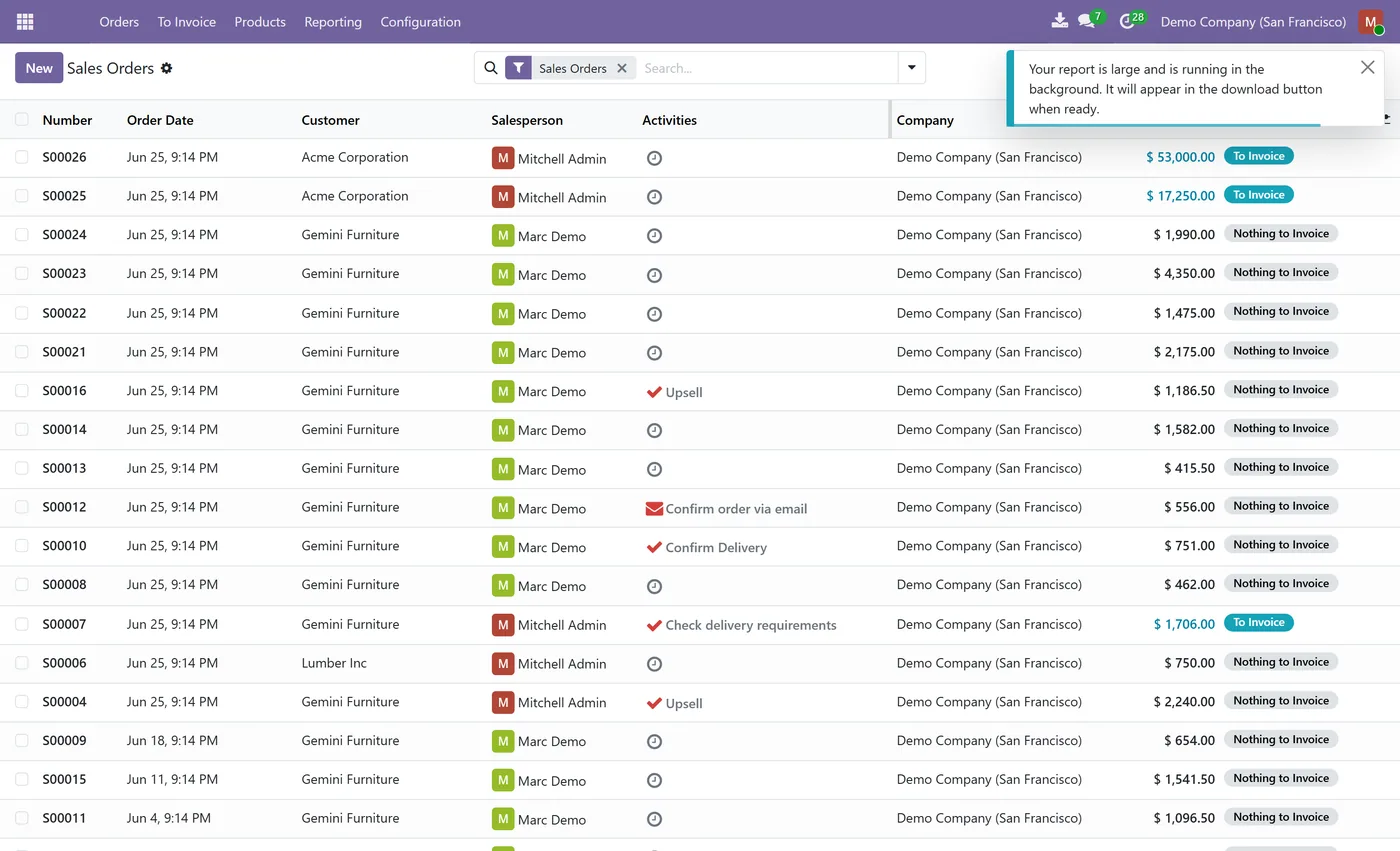
- Delivered to the same per-user download center in the top bar as Background Data Export
- A configurable record threshold decides what counts as a large batch print
- A configurable journal item threshold decides which financial reports are heavy enough to background
03
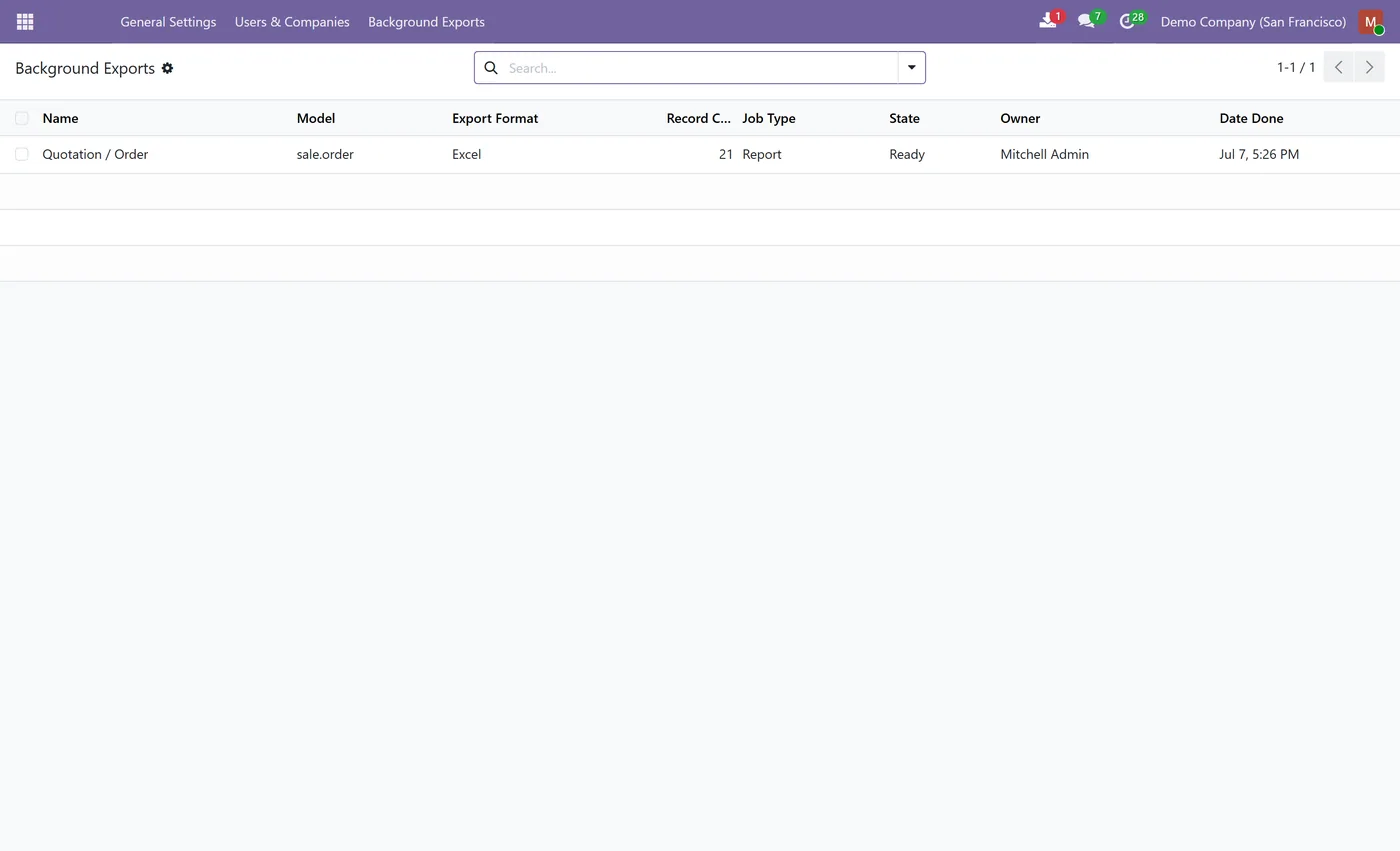
Each user only sees their own background reports
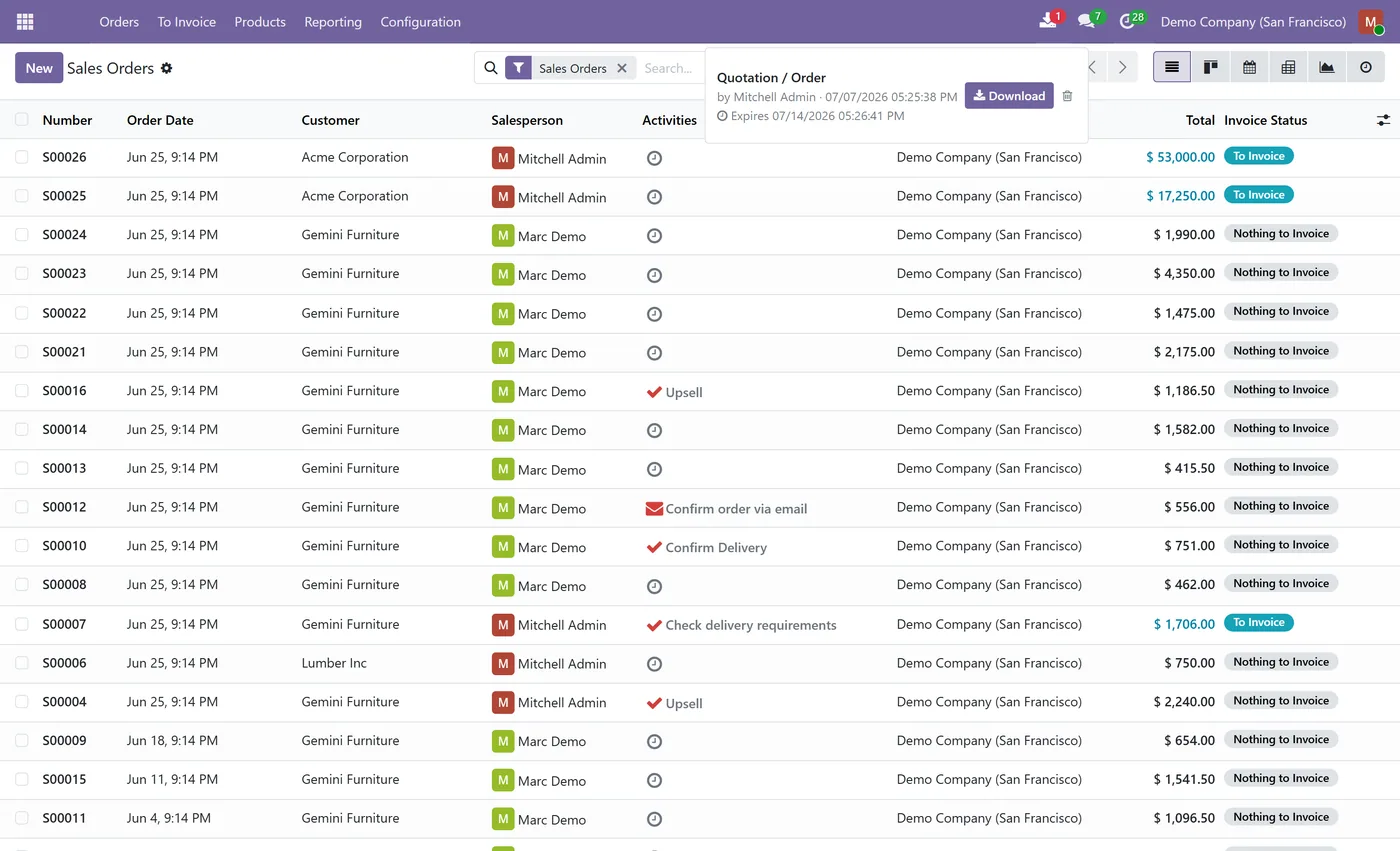
- Animated progress while a report builds, then a one-click Download when ready
- Standard batch printing works on Community, financial reports activate automatically on Enterprise
- Reuses the Background Data Export queue and download center, so no OCA queue_job or extra service is required
Every screen
The whole module, screen by screen.
The captures the walkthrough above did not use, in the order you meet them in the product.
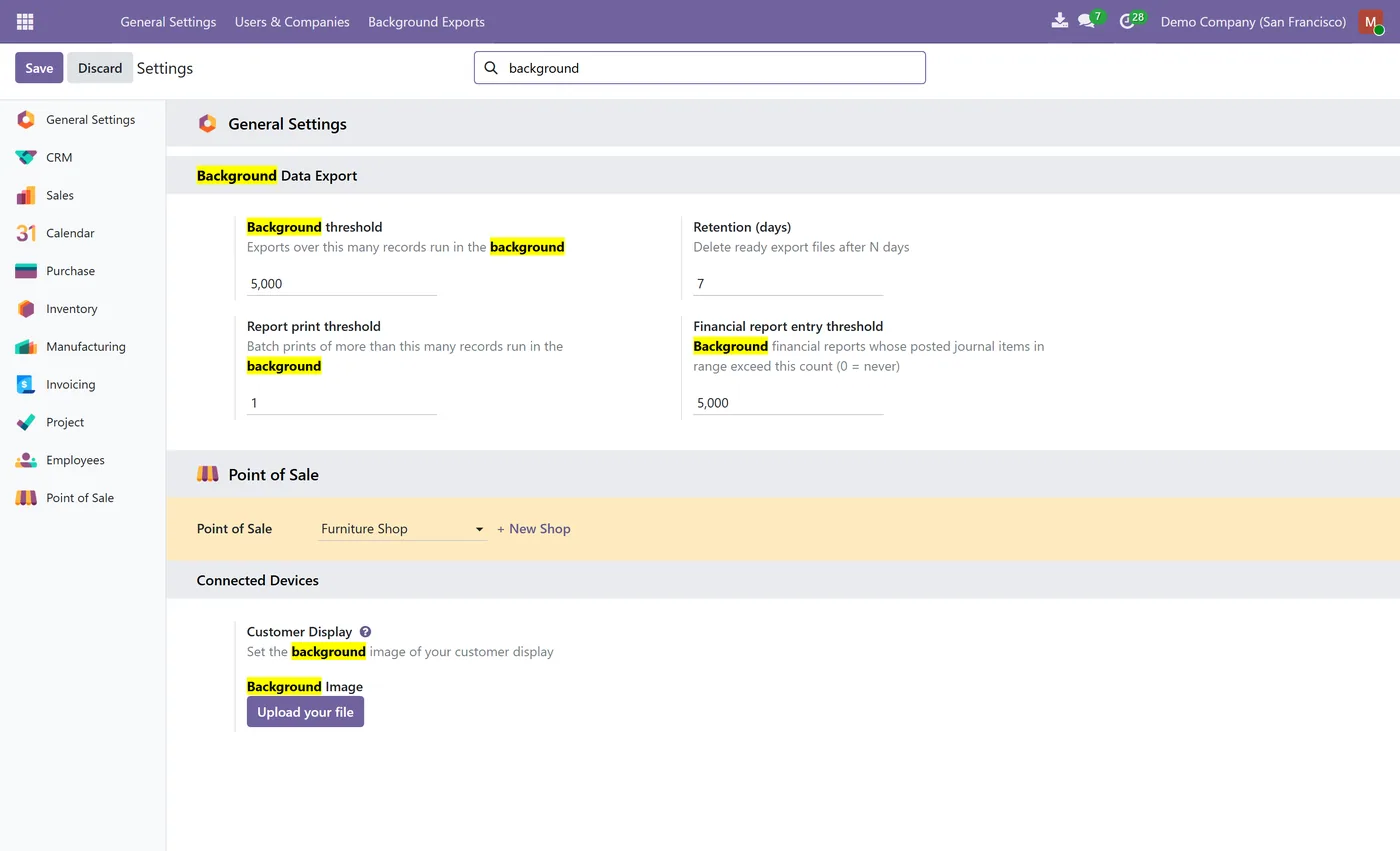
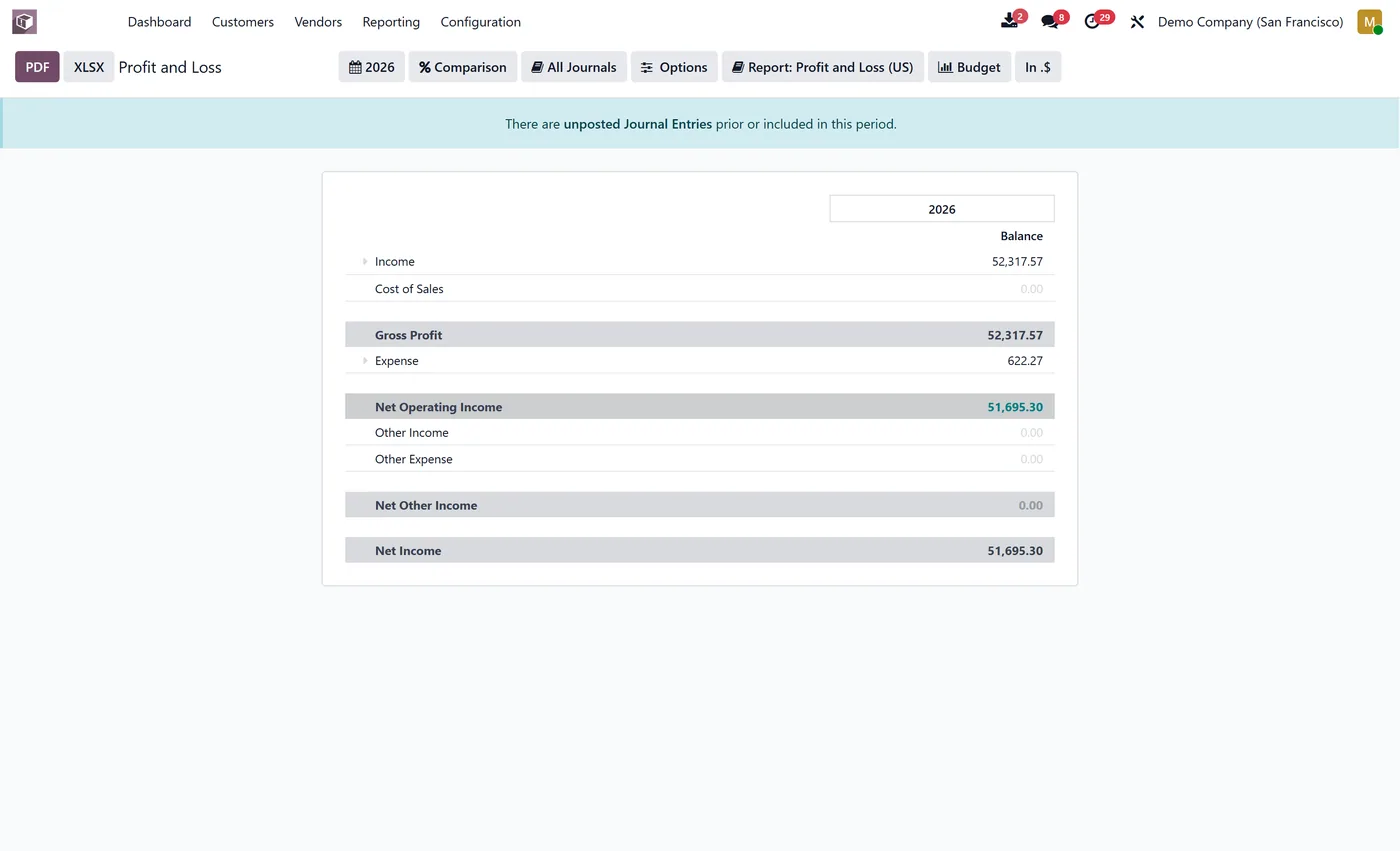
Background Report Printing makes slow, heavy reports safe to run. A big batch print of hundreds of invoices, or an Enterprise financial report covering a full year, normally freezes the browser while Odoo builds the document. This module moves those heavy reports into a background queue and hands each finished file back through a download center in the top bar, while small prints keep downloading instantly the way they always have.
What it does
The module intercepts the standard Odoo Print menu and the Enterprise financial report PDF and Excel buttons, so nothing changes in how your team prints. Small prints, under a record threshold you configure, download instantly exactly as they do today. Larger batch prints are sent to a background queue that renders the PDF on the server, so the browser never hangs. Enterprise financial reports such as Profit and Loss, Balance Sheet and General Ledger are handled the same way, and are sent to the background based on how much data is behind them rather than their date range, so a small report always stays instant and only a genuinely heavy one is queued. When a report is ready, the same per-user download center that Background Data Export uses lights up with a red counter, and a single click downloads the finished PDF or Excel file.
Who it's for
Any Odoo team that prints large batches or runs heavy accounting reports and has watched the browser freeze while the file builds. It is ideal for finance users waiting on a year-end Profit and Loss, Balance Sheet or General Ledger, and for operations teams that batch print hundreds of invoices, pickings or quotations at once. It pairs with Background Data Export, reusing the same background queue and per-user download center, so heavy reports and heavy exports both run safely in the background and land in one familiar place.
Questions
About Background Report Printing.
How do I print a large report in Odoo without it freezing?
Install Background Report Printing and use the normal Print menu. A small print downloads right away, and any batch print larger than your configured record threshold is handed to a background queue that renders the PDF without freezing Odoo. You collect it from the download button in the top bar when it is ready.
Can I run a Profit and Loss or General Ledger report in the background?
Yes, on Enterprise. When the accounting reports engine is present, the financial report PDF and Excel buttons are intercepted. A report whose underlying posted journal items exceed a threshold you set is built in the background and delivered to the download center, so a heavy year-end report never freezes your session.
Why did my small Profit and Loss report still download instantly?
Financial reports background based on how much data is behind them, not the date range. A report is sent to the background only when the posted journal items in its period and companies exceed the threshold you set, which defaults to 5,000. A small database keeps printing financial reports instantly.
Where does the finished report show up?
In the same per-user download center in the top navigation bar that Background Data Export uses. It shows a red counter when a report is ready, and opening it lists each job with a Download button, who created it, and when it was created.
Does it work on Odoo Community?
Yes. Standard batch printing of PDF reports works on Community. The Enterprise financial report path activates automatically only when the accounting reports engine is installed, so the module installs and runs on both editions.
Do I need OCA queue_job or any extra service?
No. The module reuses the lightweight background queue and download center shipped by Background Data Export, which it depends on. There is nothing else to install or run.
Which Odoo versions does this module support?
Use the version selector at the top of this page to pick your Odoo release. Each branch is published as its own listing for that exact version.
On the Odoo Store
Get Background Report Printing on the Odoo Store.
Pick your Odoo version and install it in a click, with free updates and real support behind it.
Get it on the Odoo StoreReady to make Odoo work the way your business does?
Book a free call CODEerts
CODEerts is a team of certified Odoo partners and full-stack engineers. We implement, customise and support Odoo ERP, then build the software around it.

