 CODEerts
Productivity app for Odoo
Cloud Attachment Storage
Move Odoo attachment files to Amazon S3 or any S3-compatible storage while chatter, downloads and previews keep working.
Overview
Cloud Attachment Storage.
Shrink your Odoo filestore by moving attachment files to Amazon S3, MinIO, Wasabi, Cloudflare R2 or any S3-compatible bucket. Uploads run in a background queue, every file is verified before the local copy is released, and downloads use short-lived signed URLs created only after Odoo's own access check.
How it works
Built around what you actually do.
Every screen below is the module running in Odoo, not a mockup.
01
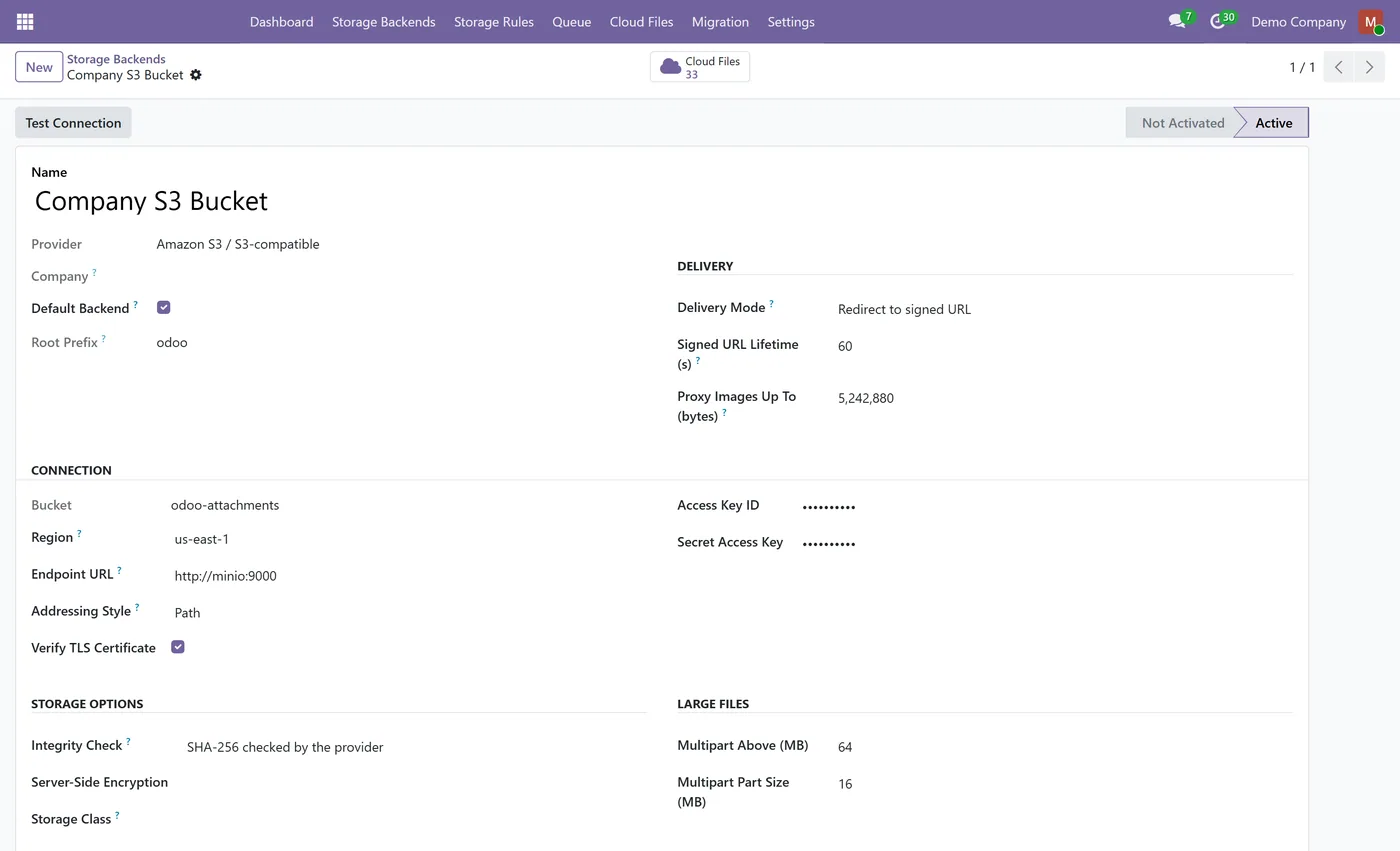
Amazon S3 and S3-compatible storage built in: MinIO, Wasabi, Cloudflare R2, DigitalOcean Spaces, Backblaze B2, Ceph
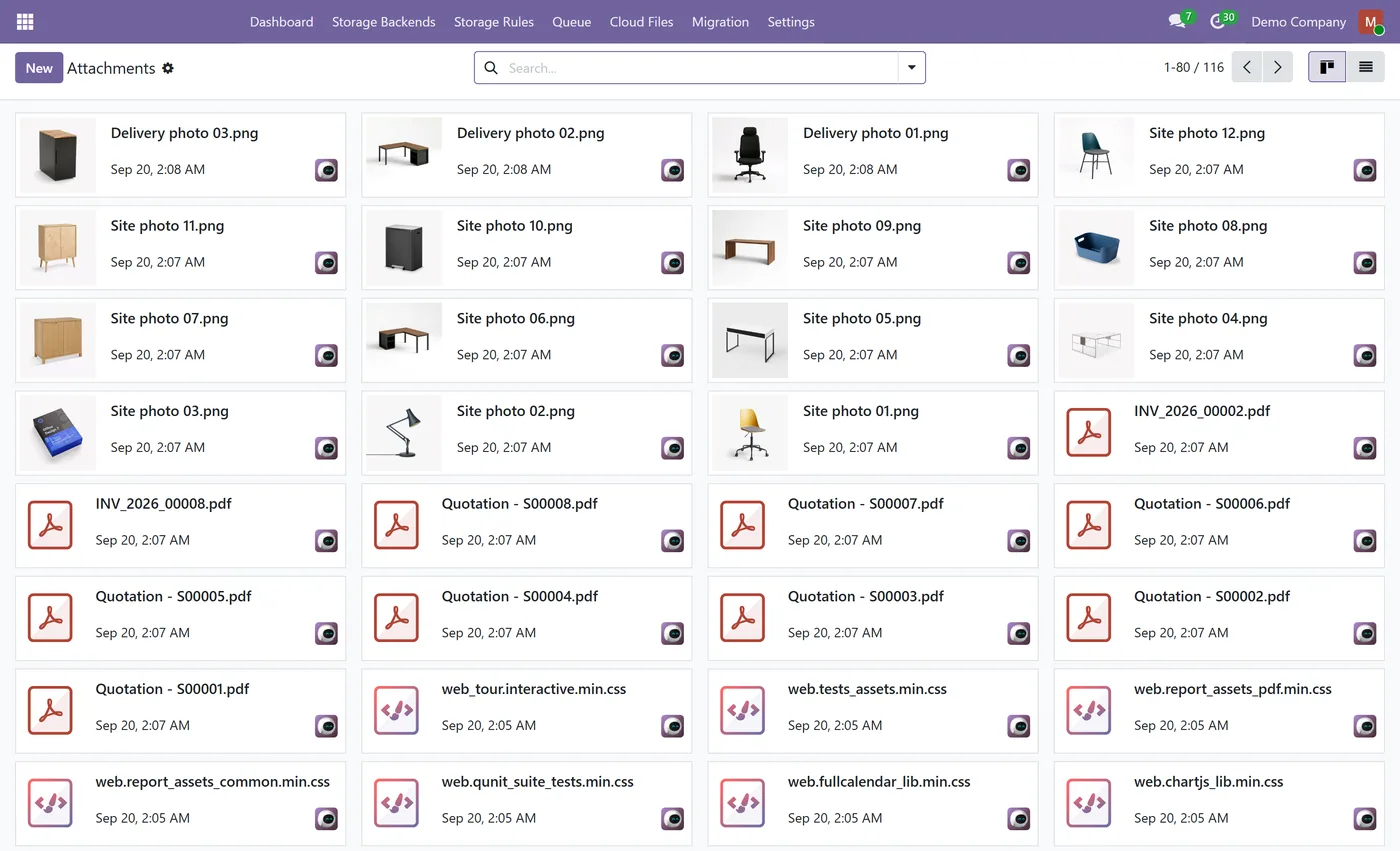
- Background upload queue: nothing is sent to the cloud while the user saves a record
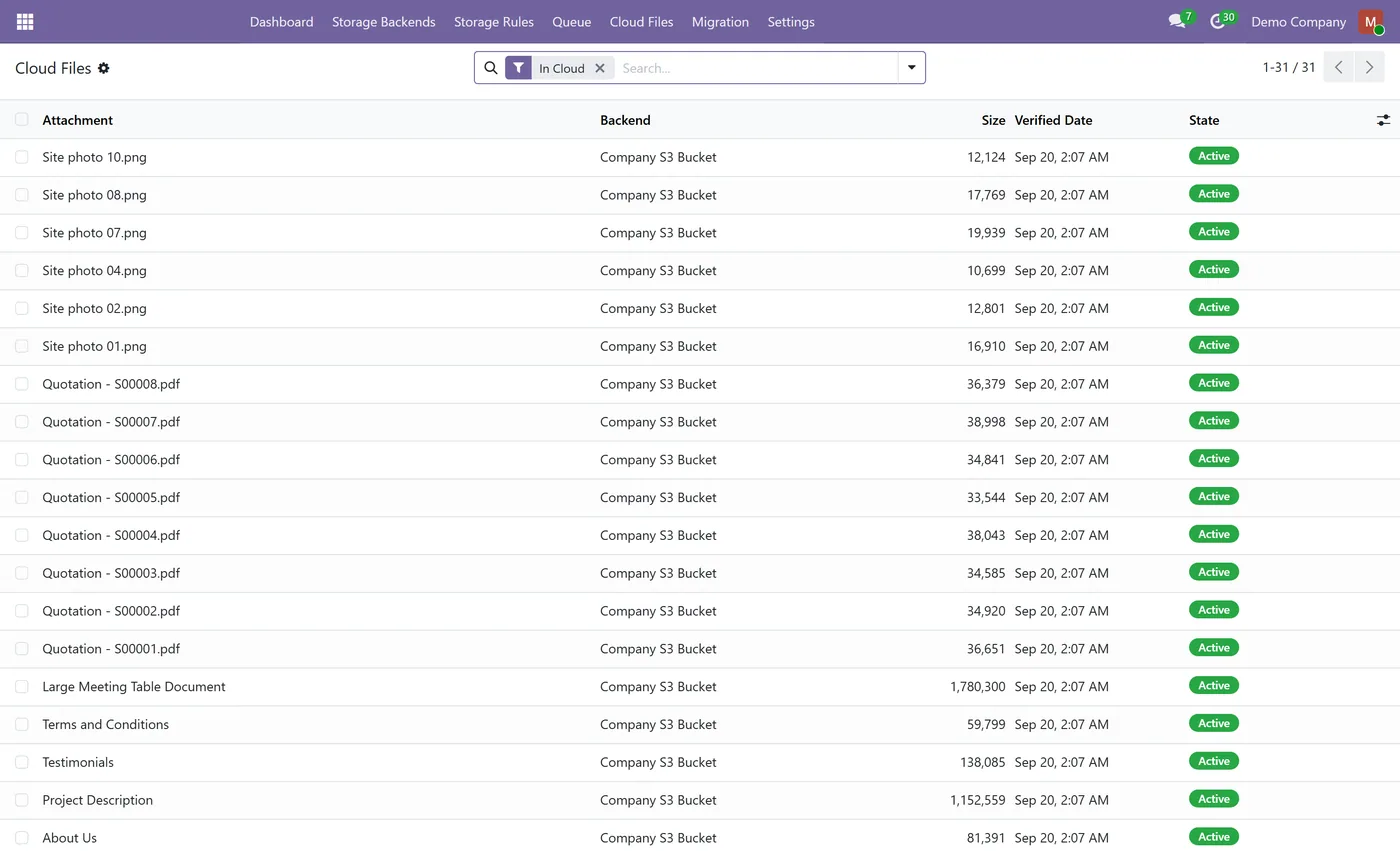
- Every upload verified by size and SHA-256 before the local file is released
- Downloads through Odoo's own access check, then a signed URL that expires in 60 seconds by default
- No public URLs: users who cannot open a file in Odoo never get a link to it
02
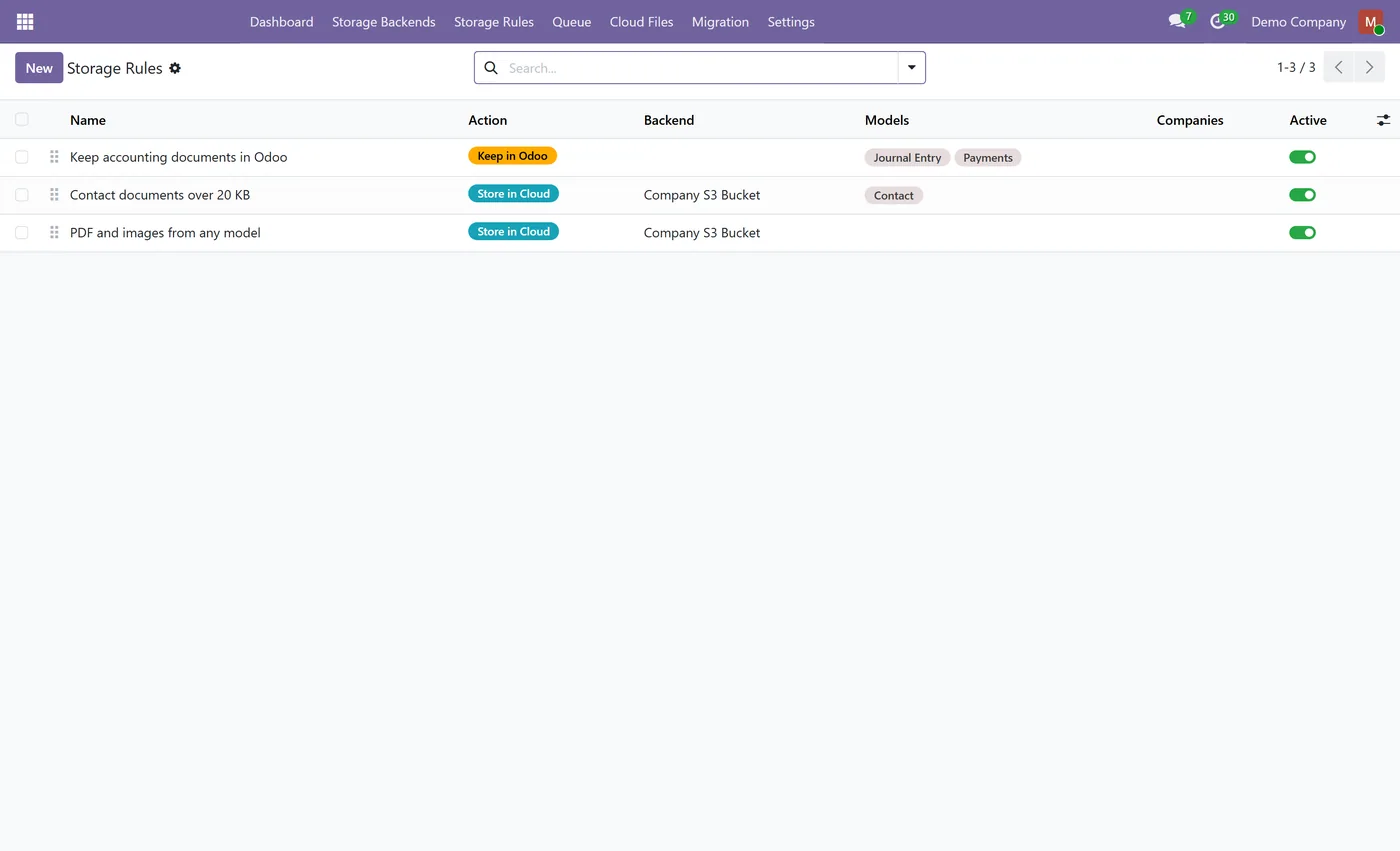
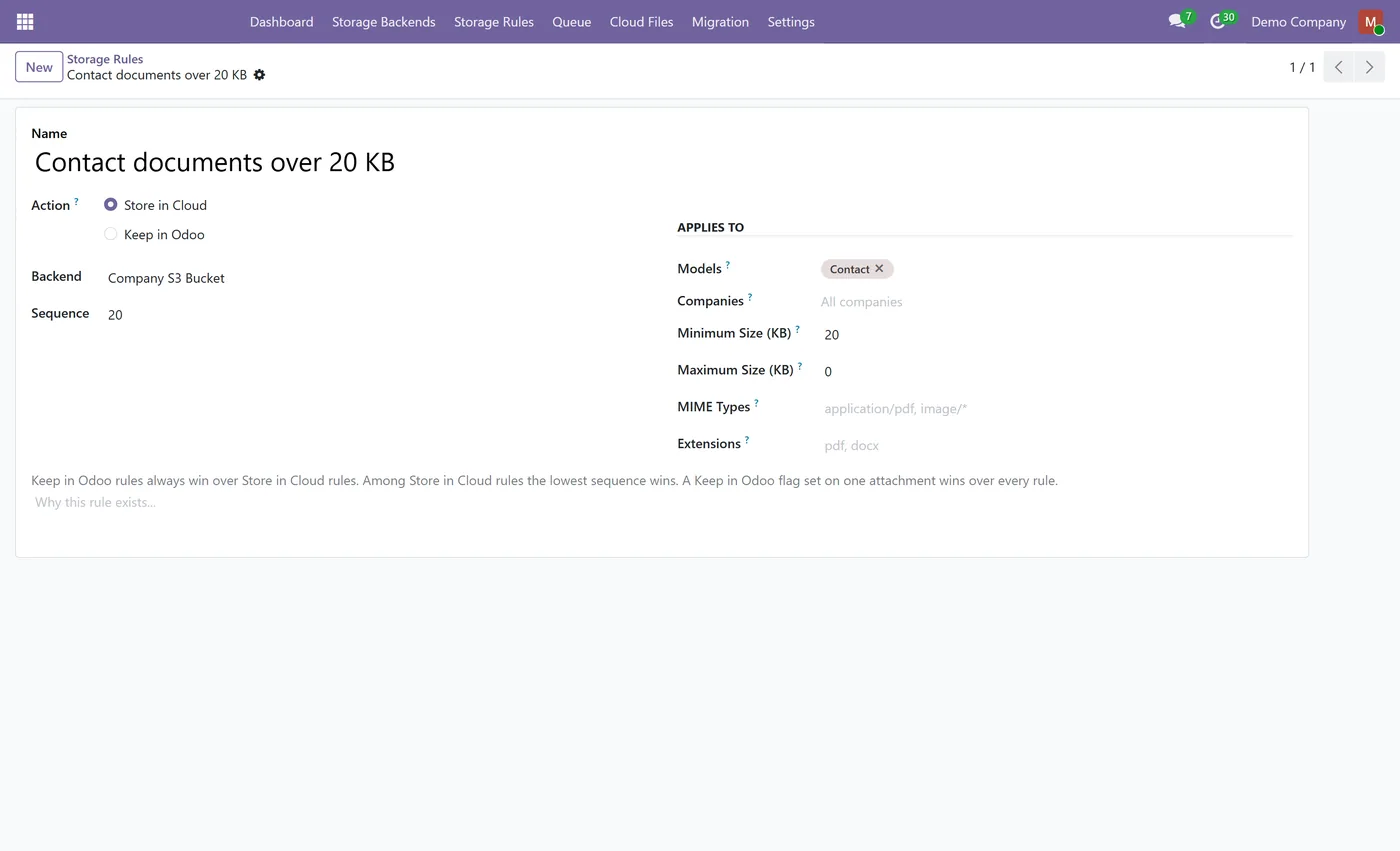
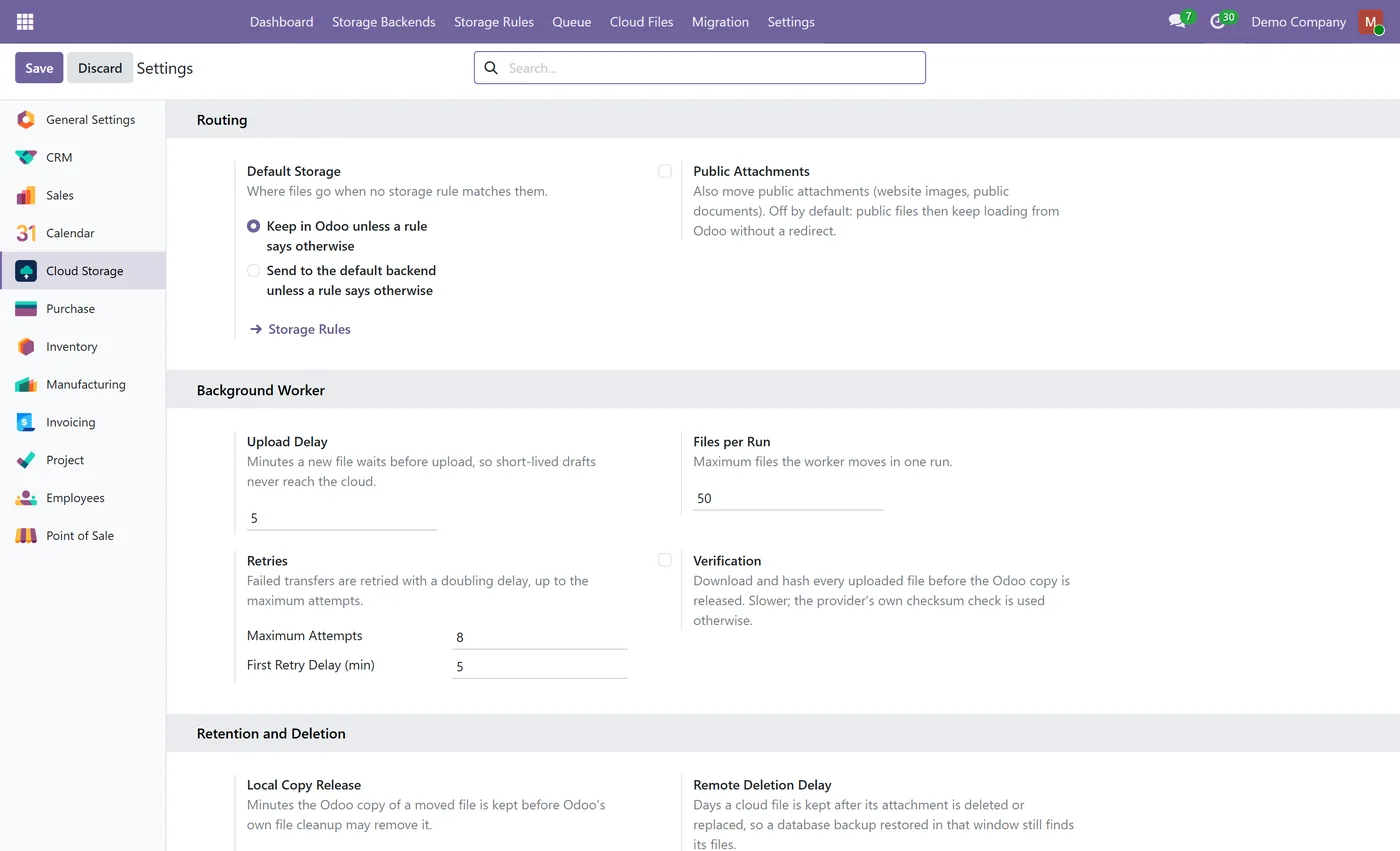
Storage rules by model, company, file type, extension and size
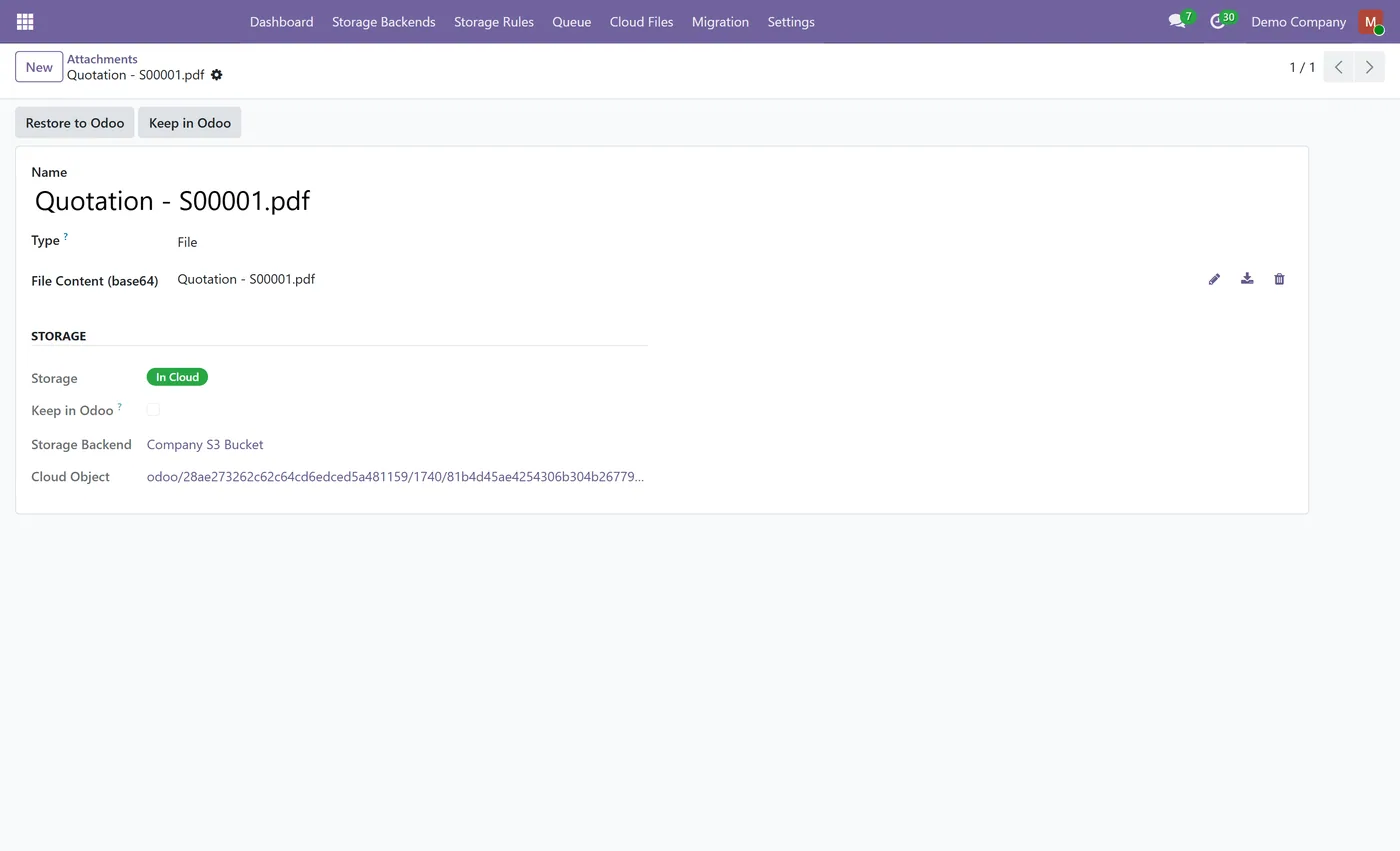
- Keep in Odoo per attachment, and a Keep in Odoo rule for accounting documents
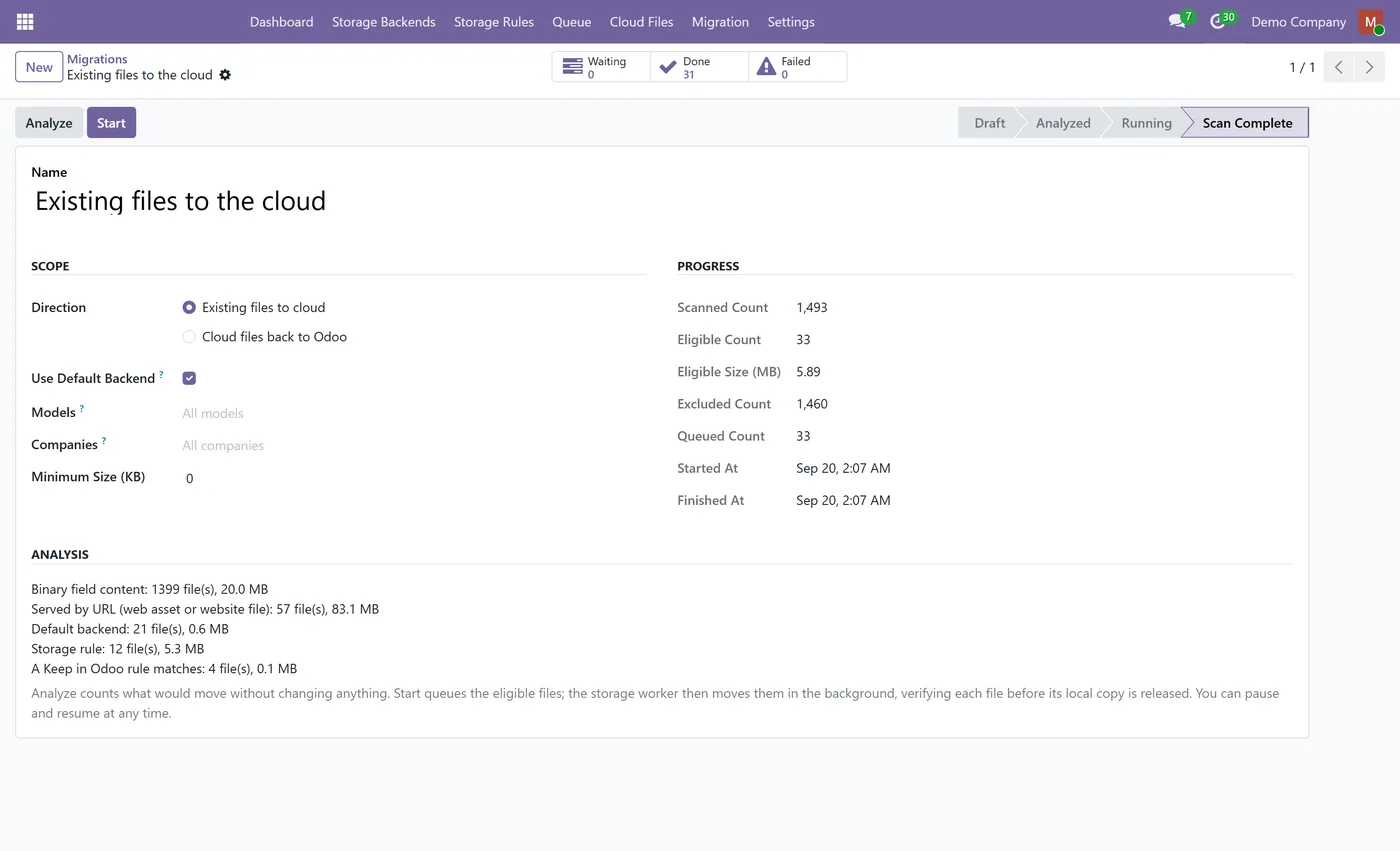
- Migration wizard: analyze first, then move existing files in the background, pause and resume
- Restore to Odoo at any time, without deleting the cloud copy
- Deleted attachments removed from the bucket only after a grace period
03
Database copies and restores are detected and can never delete the original's files
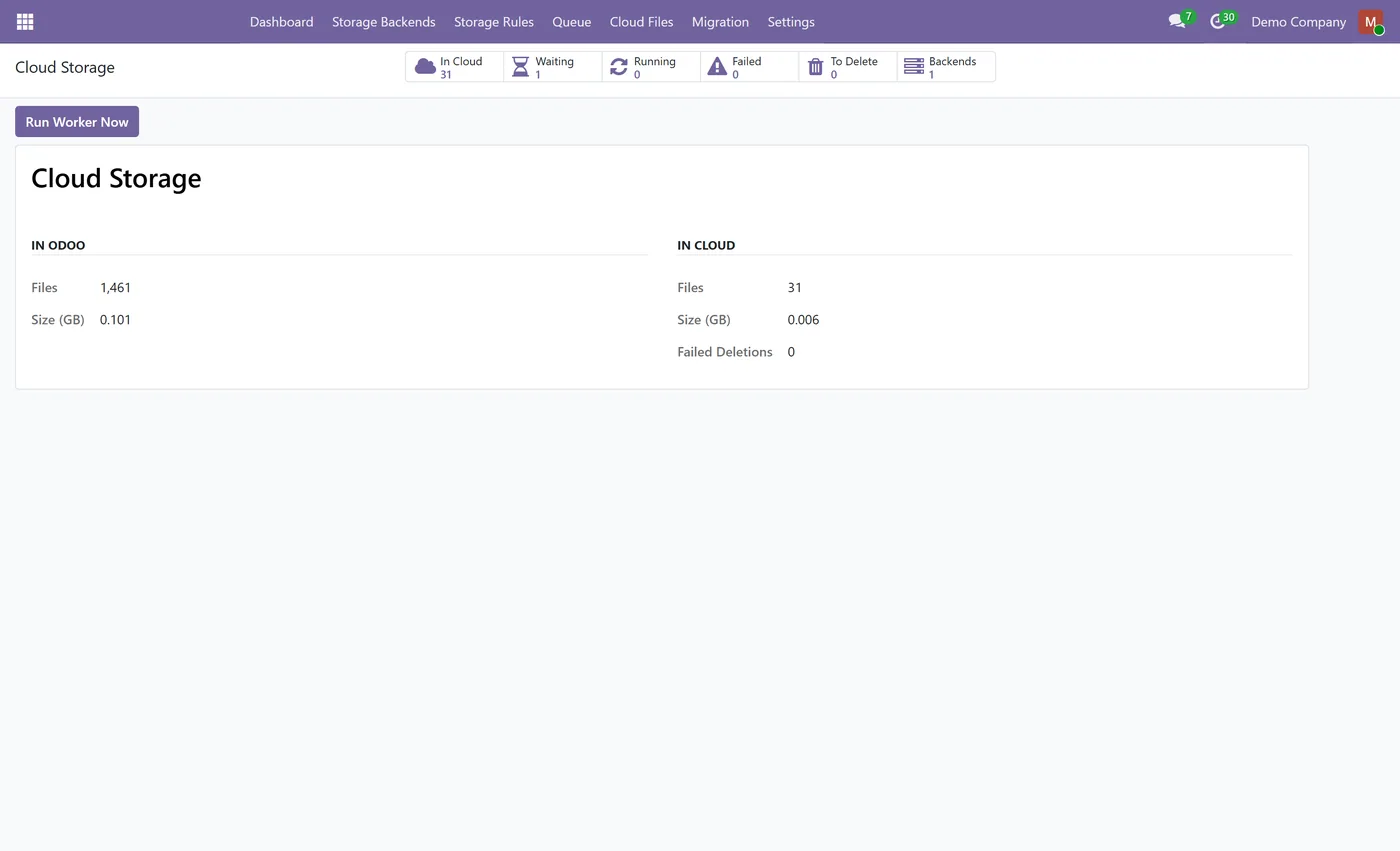
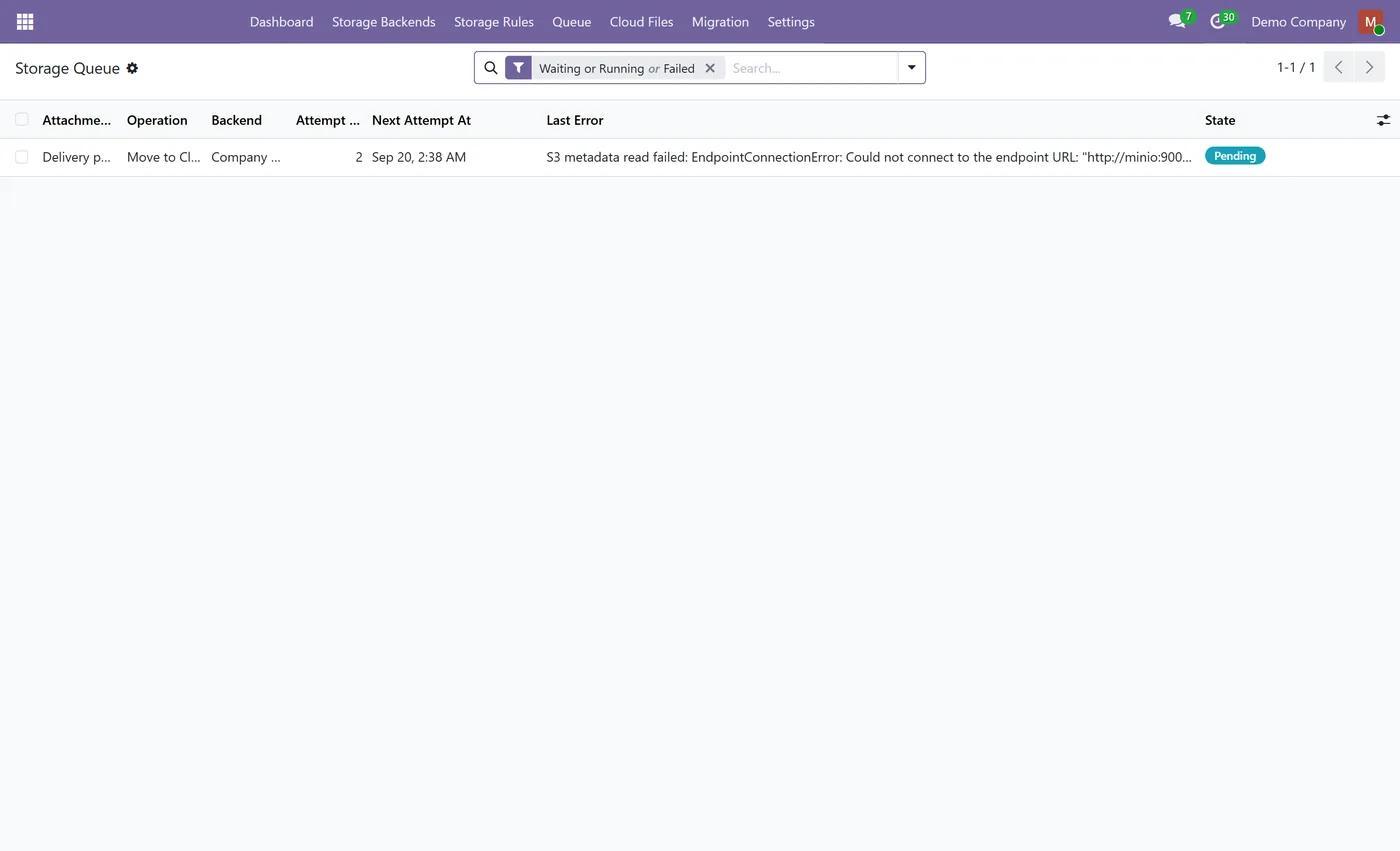
- Retry with backoff, failure queue and a dashboard of local, cloud and pending files
- Multi-company: backends and rules per company
- Test Connection that writes, reads and deletes a probe file and warns about public buckets
Every screen
The whole module, screen by screen.
The captures the walkthrough above did not use, in the order you meet them in the product.
What it does
Cloud Attachment Storage moves the files behind your Odoo attachments to Amazon S3 or any S3-compatible bucket, so your filestore and backups stop growing. Attachments keep working everywhere: chatter, downloads, previews, reports and portal links. Uploads happen in a background queue, each file is verified by size and SHA-256 before the local copy is released, and downloads use a short-lived signed link that is created only after Odoo's own access check.
Who it's for
Companies whose Odoo filestore has grown large with documents, photos and PDFs, and who want smaller backups, cheaper storage and faster restores without changing how their users work.
Questions
About Cloud Attachment Storage.
How do I move Odoo attachments to Amazon S3?
Create a storage backend with your bucket and access keys, click Test Connection, then Activate. Add a storage rule for the documents you want in the cloud, or run the Migration wizard to move existing files in the background.
Does it work with MinIO, Wasabi or Cloudflare R2?
Yes. Any service that speaks the S3 API works. Enter its endpoint URL on the backend, and choose path addressing for MinIO or Ceph on a custom host.
Can a user download a file they are not allowed to see?
No. Every download first goes through Odoo's normal access rules. A signed link is created only after that check passes, it expires after a short time, and the bucket itself stays private.
What happens if the storage service is unreachable?
Files still in Odoo keep working. Files in the cloud show a clear message that storage is temporarily unavailable, uploads wait in the queue and retry automatically, and no local file is ever removed before its upload is verified.
Can I bring the files back into Odoo?
Yes. Restore to Odoo copies a file back from the attachment itself, and the Migration wizard can move every cloud file back in the background. The cloud copy is kept unless you choose otherwise.
Is it safe to restore a production backup on a test server?
Yes. The storage backend is bound to the database and server that activated it. A copy is suspended until an administrator marks it as a copy, and a copy writes to its own folder and never deletes the original's files.
Are invoices moved to the cloud?
Not by default. A Keep in Odoo rule for invoices and payments is created when Accounting is installed, so accounting documents stay in Odoo unless you change that rule.
Which Odoo versions and editions are supported?
It is maintained for current major Odoo versions and works on both Community and Enterprise. Each Odoo Apps Store listing shows the exact version it supports.
On the Odoo Store
Get Cloud Attachment Storage on the Odoo Store.
Pick your Odoo version and install it in a click, with free updates and real support behind it.
Get it on the Odoo StoreReady to make Odoo work the way your business does?
Book a free call CODEerts
CODEerts is a team of certified Odoo partners and full-stack engineers. We implement, customise and support Odoo ERP, then build the software around it.

