 CODEerts
Productivity app for Odoo
Azure Blob Storage for Attachments
Store Odoo attachment files in Microsoft Azure Blob Storage. A provider add-on for Cloud Attachment Storage.
Overview
Azure Blob Storage for Attachments.
Store your Odoo attachment files in Microsoft Azure Blob Storage instead of the local filestore. This is a provider add-on for Cloud Attachment Storage: it adds Azure to the same background upload queue, the same storage rules and the same access-checked downloads, using short-lived Azure SAS links created only after Odoo's own permission check.
How it works
Built around what you actually do.
Every screen below is the module running in Odoo, not a mockup.
01
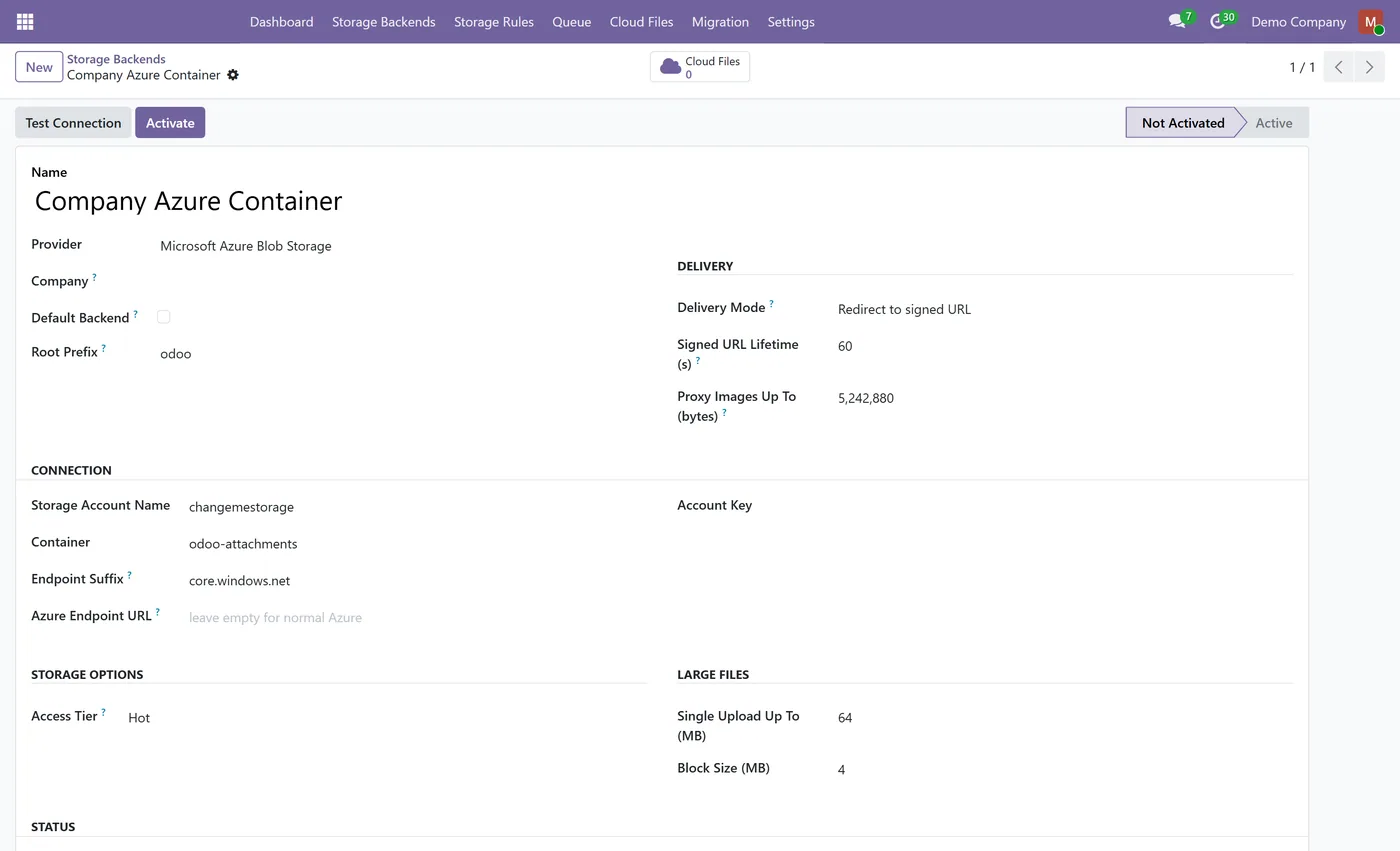
Adds Microsoft Azure Blob Storage to Cloud Attachment Storage as a storage provider
- Requires Cloud Attachment Storage: this add-on supplies the Azure provider, the base module supplies the engine
- Uses the same background upload queue, storage rules and migration wizard as the base module
- Downloads go through Odoo's own access check first, then a short-lived Azure SAS link
- No public containers and no permanent public links

02
Every upload is read back and checked by size and SHA-256 before the local file is released
- Uploads are sent with per-block content validation, so a corrupted transfer is refused
- Hot, Cool and Cold access tiers, chosen per backend
- Works with sovereign Azure clouds through a configurable endpoint suffix
- Supports private endpoints and custom endpoint URLs
03
The account key is restricted to system administrators and is never written to a log
- Uninstalling the add-on suspends Azure backends instead of deleting them, and nothing in Azure is removed
- Reclaims abandoned partial uploads without ever touching committed files
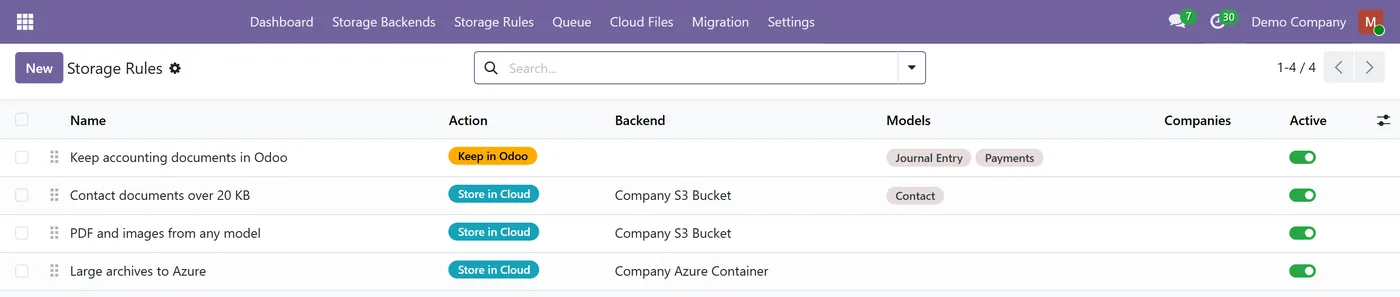
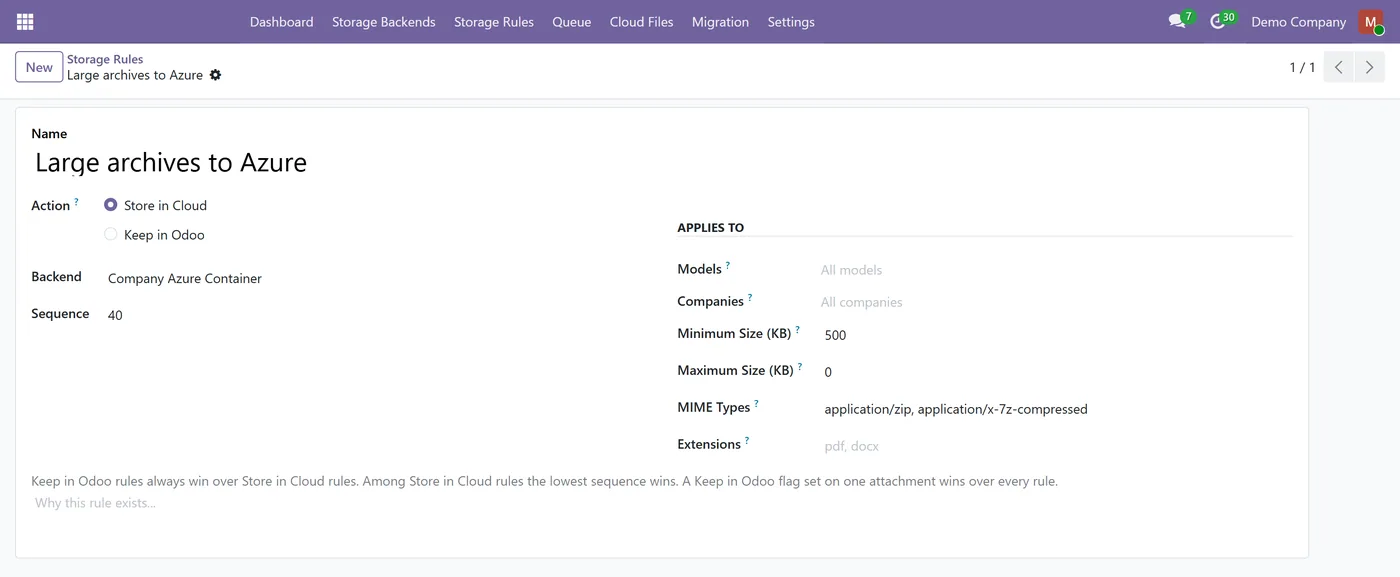
- Run S3 and Azure side by side, with rules deciding which files go where
What it does
Azure Blob Storage for Attachments adds Microsoft Azure as a storage provider for Cloud Attachment Storage. Once it is installed you can point a storage backend at an Azure container, and your Odoo attachment files are moved there in the background instead of filling the local filestore. Everything the base module does stays the same: the same storage rules, the same migration wizard, the same dashboard, and downloads that go through Odoo's own access check before a short-lived Azure SAS link is ever created.
This is an add-on, not a standalone app. Cloud Attachment Storage provides the engine and must be installed alongside it.
Who it's for
Companies already standardised on Microsoft Azure who want their Odoo filestore to live in their own Azure subscription, and existing Cloud Attachment Storage users who want to add Azure next to or instead of Amazon S3.
Questions
About Azure Blob Storage for Attachments.
How do I move Odoo attachments to Microsoft Azure Blob Storage?
Install this add-on together with Cloud Attachment Storage, create a storage backend and choose Microsoft Azure Blob Storage as its provider, enter the storage account name, account key and container, then click Test Connection and Activate. Add a storage rule for the documents you want in Azure, or use the Migration wizard to move existing files in the background.
Do I need the Cloud Attachment Storage module as well?
Yes. This is a provider add-on. Cloud Attachment Storage contains the engine: the upload queue, the storage rules, the migration wizard, the access checks and the dashboard. This module adds Azure Blob Storage as somewhere for that engine to put the files.
Can a user download a file they are not allowed to see?
No. Every download goes through Odoo's normal access rules first. A signed Azure link is only created after that check passes, it expires after a short time, it grants read access to that one blob, and the container itself stays private.
Which Azure access tier should I use?
Hot for files people open regularly, Cool or Cold for older documents you keep for compliance. The Archive tier is deliberately not offered, because an archived blob has to be rehydrated for hours before it can be read, so attachments stored there would not open.
What happens to my files if I uninstall this add-on?
Nothing in Azure is deleted. Your Azure backends are suspended rather than removed, so their configuration and their record of every stored file survive. Reinstalling the add-on restores access.
Can I use Azure and Amazon S3 at the same time?
Yes. Create one backend per service and let your storage rules decide which files go where, by model, company, file type or size.
Does it work with a private endpoint or a sovereign Azure cloud?
Yes. The endpoint suffix is configurable for sovereign clouds, and a full endpoint URL can be set for a private endpoint or any host that does not use the standard account name addressing.
Are my Azure credentials safe?
The account key is stored in a field only system administrators can read, it is never written to the log, and the module never puts a credential or a signed link into an error message.
Which Odoo versions and editions are supported?
It works on both Community and Enterprise. Each Odoo Apps Store listing shows the exact version it supports.
On the Odoo Store
Get Azure Blob Storage for Attachments on the Odoo Store.
Pick your Odoo version and install it in a click, with free updates and real support behind it.
Get it on the Odoo StoreReady to make Odoo work the way your business does?
Book a free call CODEerts
CODEerts is a team of certified Odoo partners and full-stack engineers. We implement, customise and support Odoo ERP, then build the software around it.

