CODEerts
Productivity app for Odoo
Multi-Company Backend Theme
A free Odoo Community backend theme that takes the colour of the company you are working in: an app sidebar with the company logo, a coloured company chip, a warning on records of another company, and a real dark mode.
Overview
Multi-Company Backend Theme.
Multi-Company Backend Theme gives every company in your Odoo database its own accent colour and puts it on the whole backend: the app sidebar with the company logo, the company switcher chip, the buttons, links, tabs and highlights. Switch company and the colours change with it, so nobody posts an invoice or confirms an order in the wrong company because the screens all look alike. A strip on saved forms warns when the record belongs to a company other than the one you are working in. On top of that comes a modern card layout, an icon apps menu, a sidebar search that finds apps and menus, an icon sidebar that can open on hover, and a dark mode each user can switch on. Every colour is checked for readable contrast, and the active company's colours are applied before the first screen shows, with no flash of Odoo's default look.
How it works
Built around what you actually do.
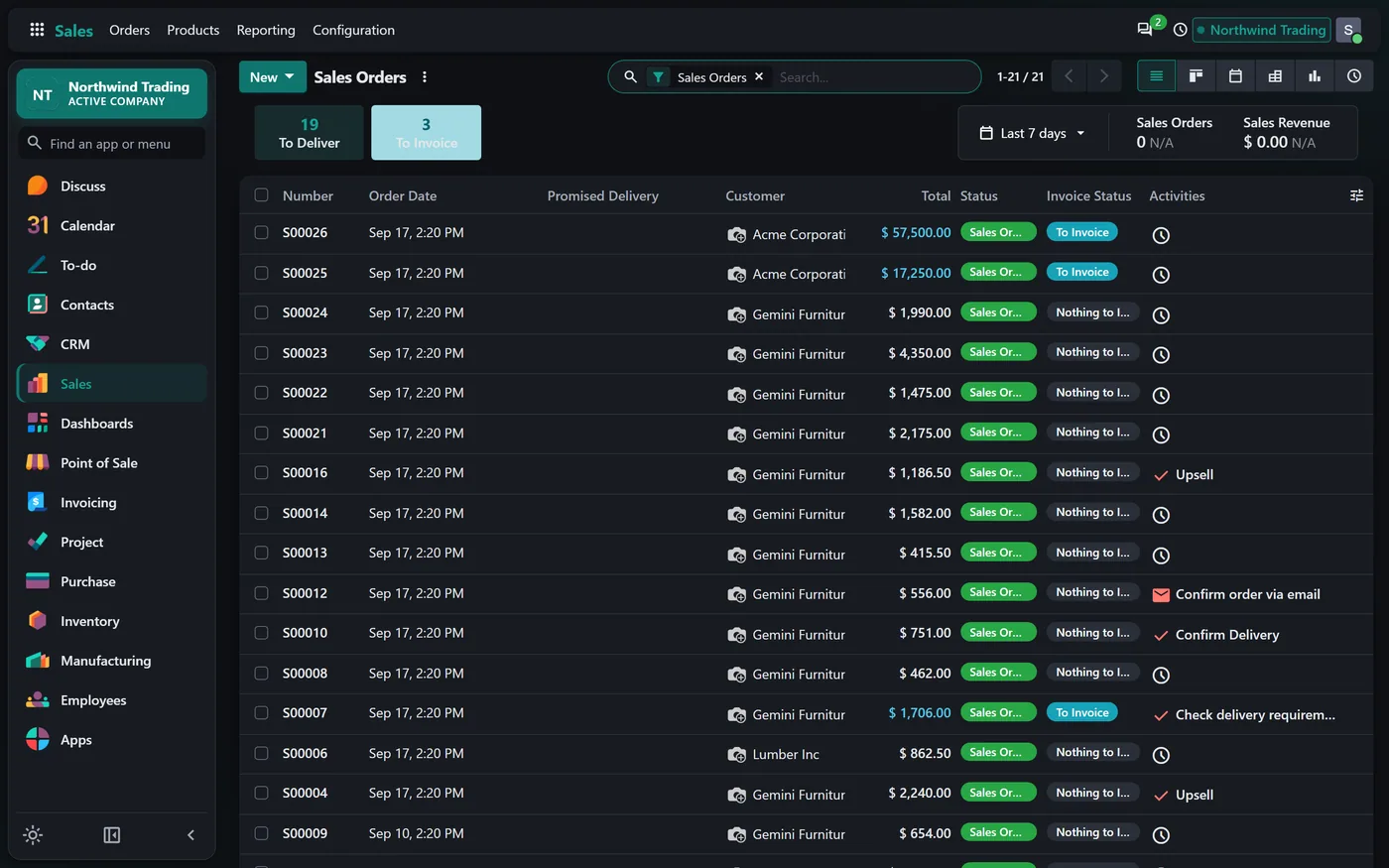
Every screen below is the module running in Odoo, not a mockup.
01
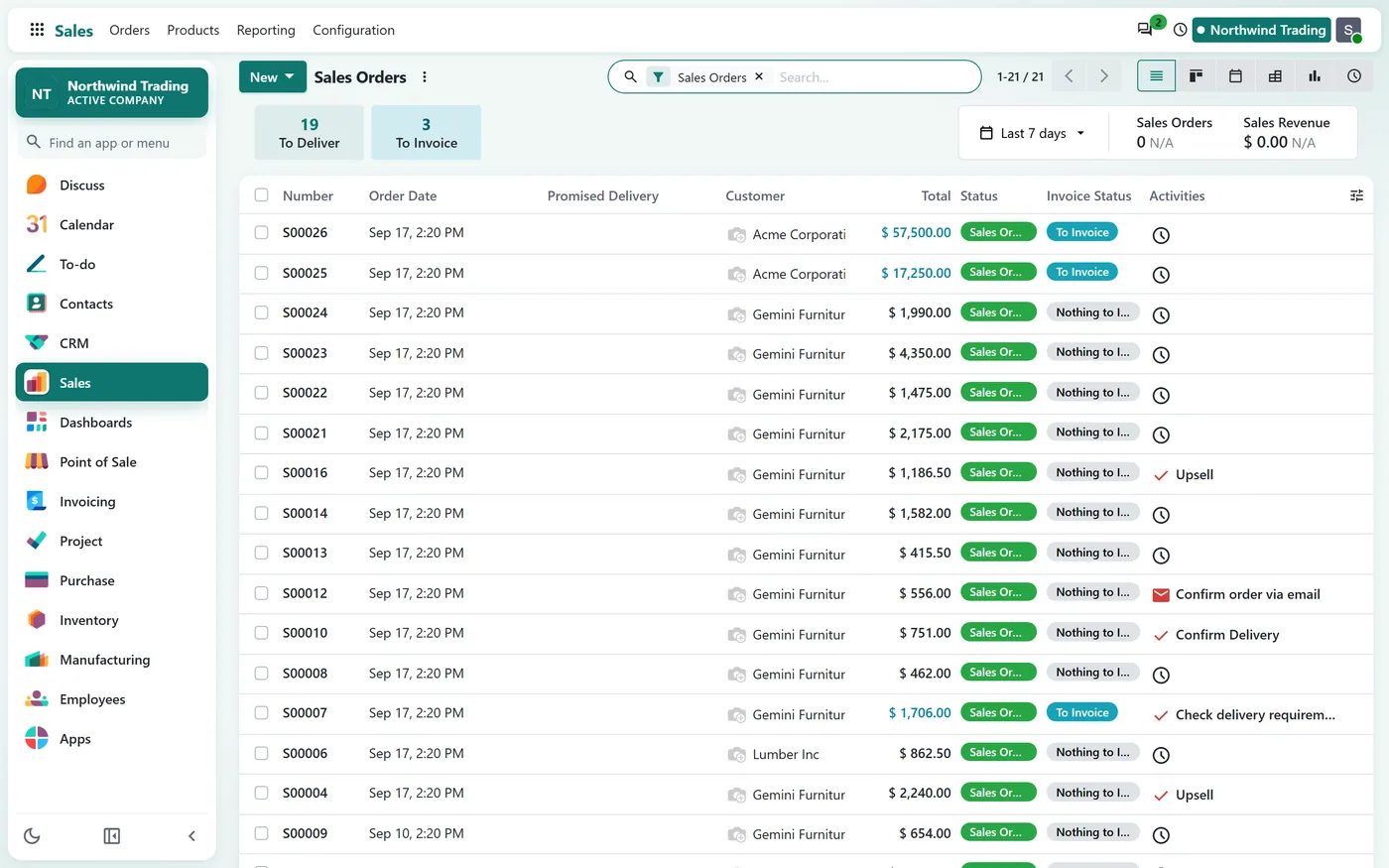
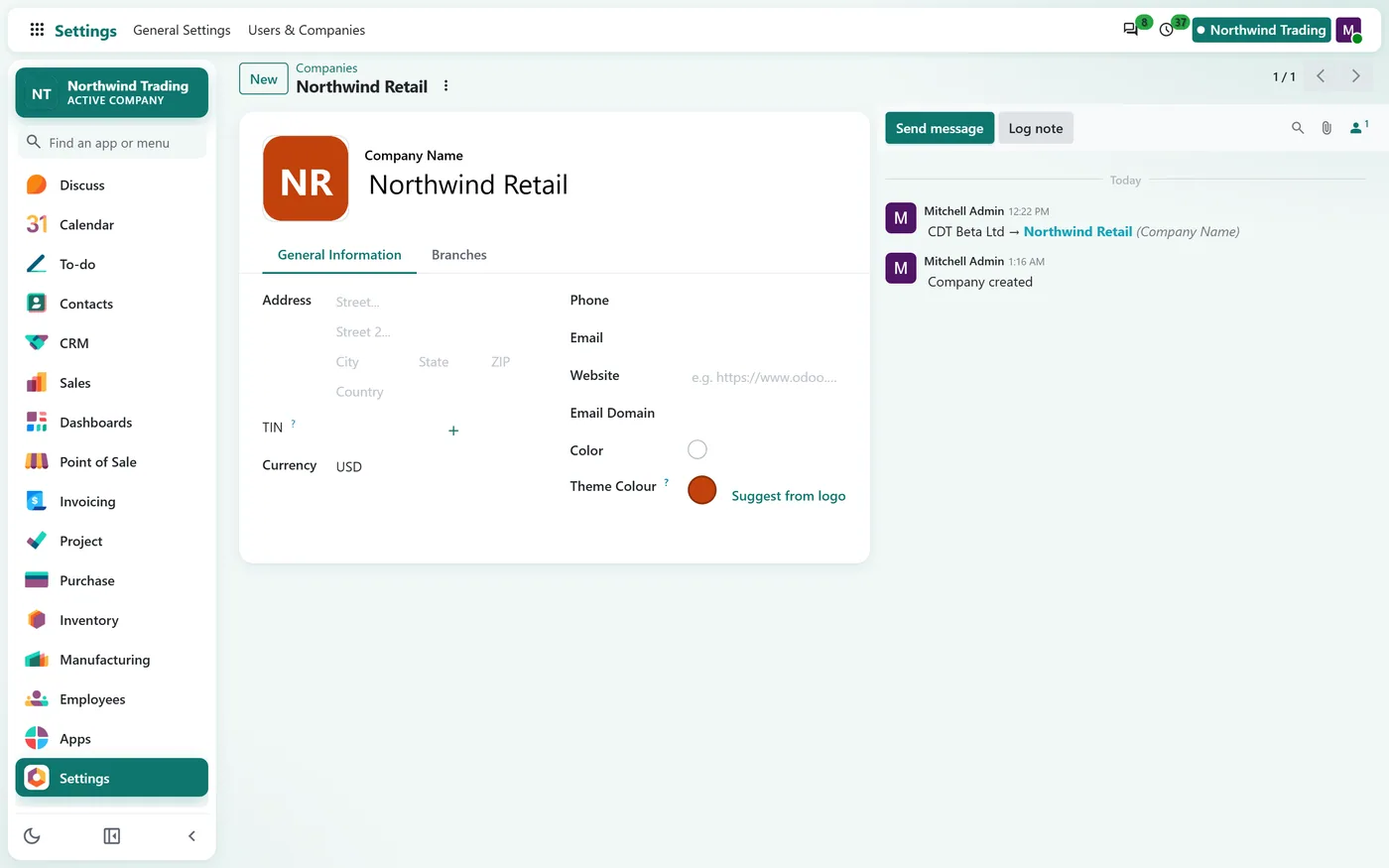
Each company gets its own accent colour, picked automatically and editable on the company form
- Suggest from logo picks the company colour from the company logo
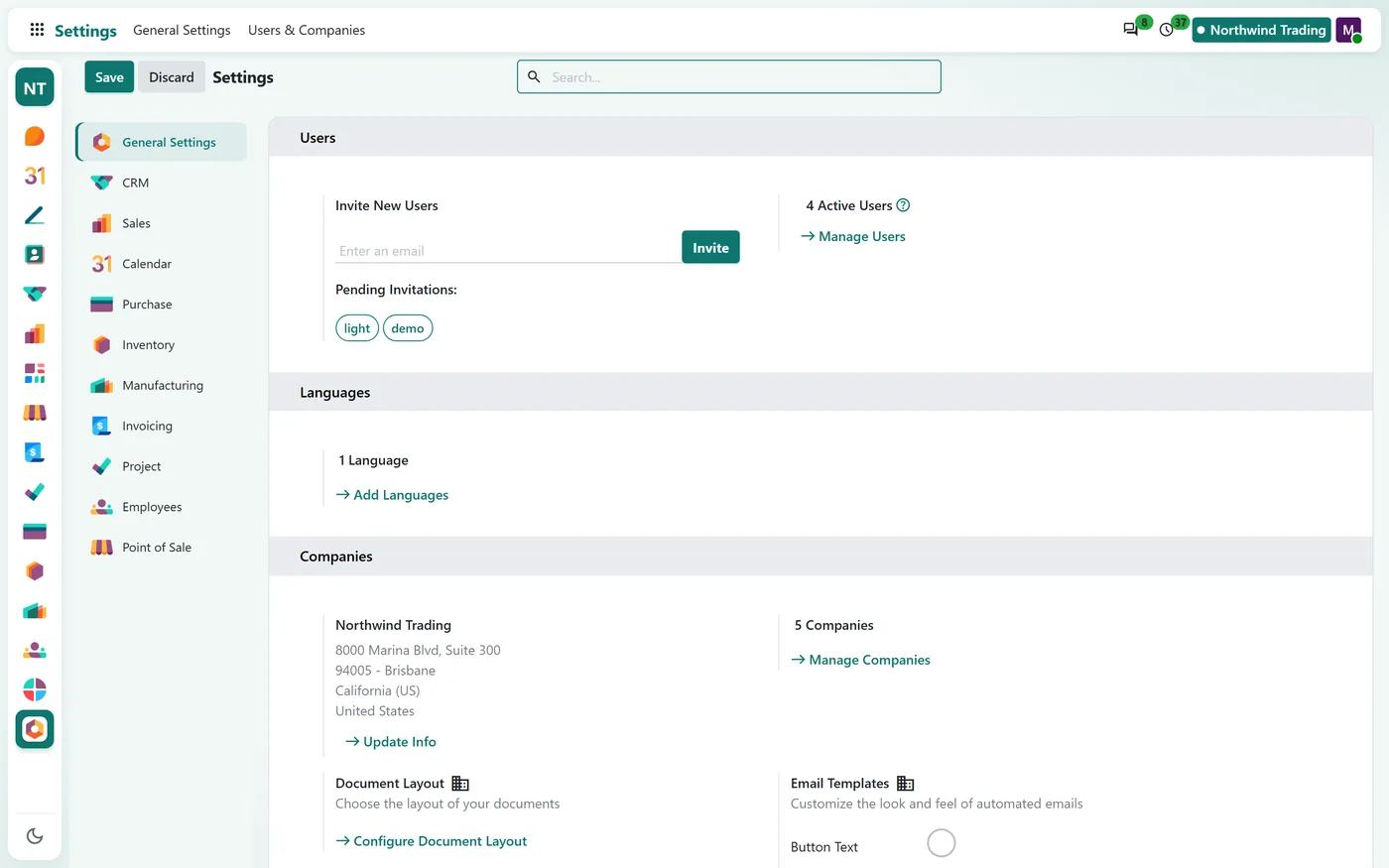
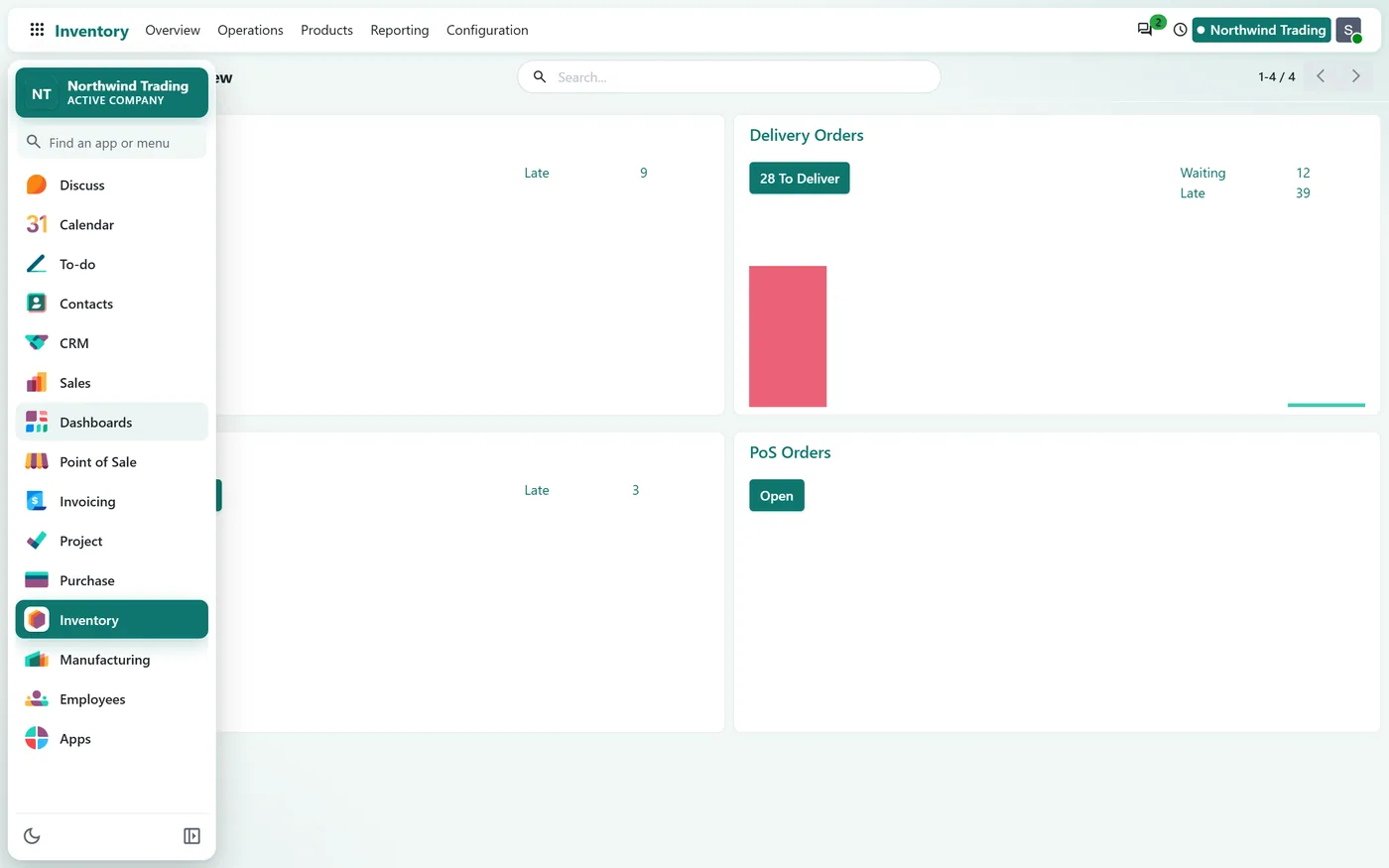
- App sidebar with the company banner and logo, app icons and a search that finds apps and menus
- Alt+Shift+F puts the cursor in the sidebar search from anywhere
- Collapse the sidebar to icons, or press Alt+Shift+B; the choice is remembered
02
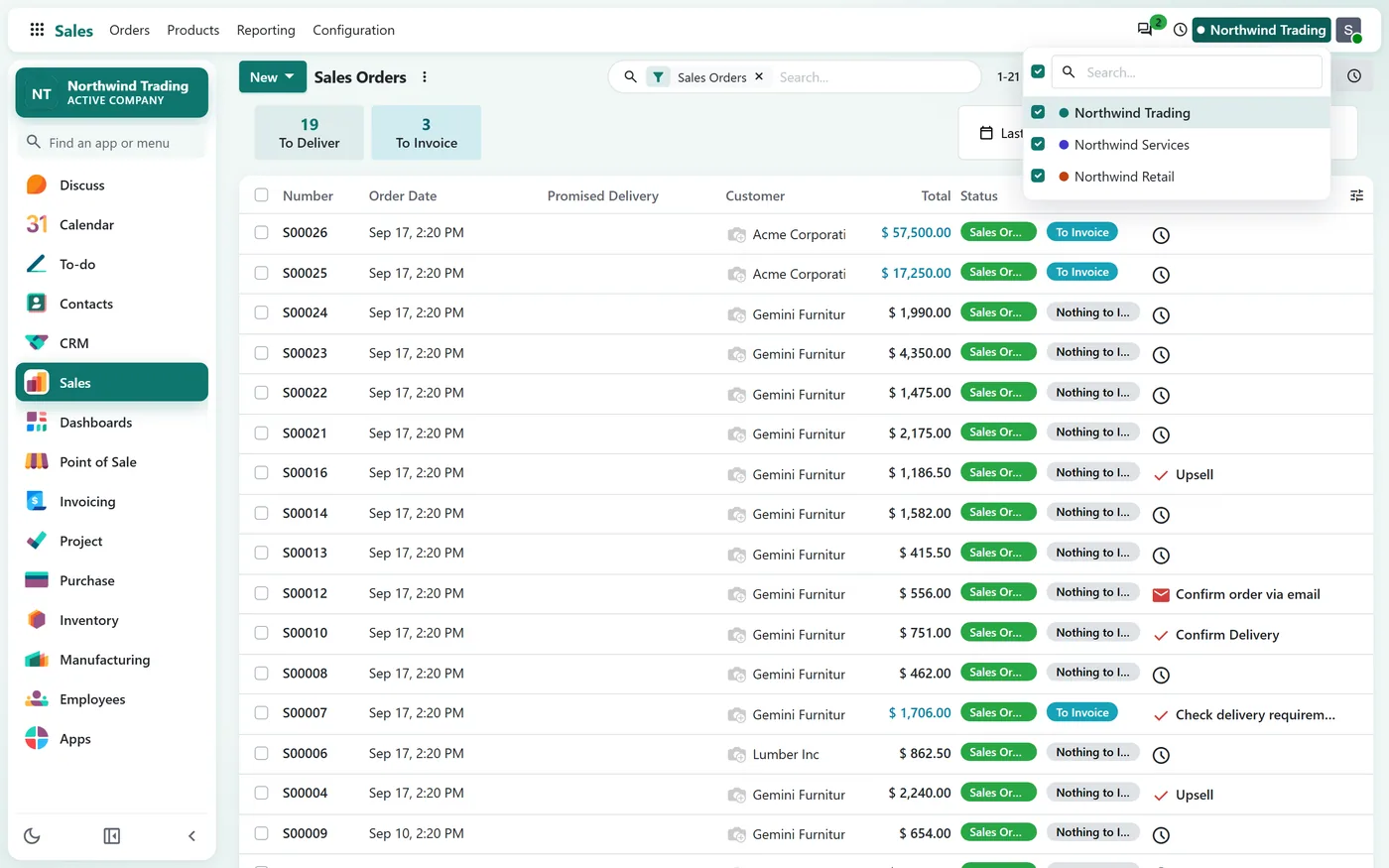
Open on hover: the icon sidebar opens over the page while the pointer is on it
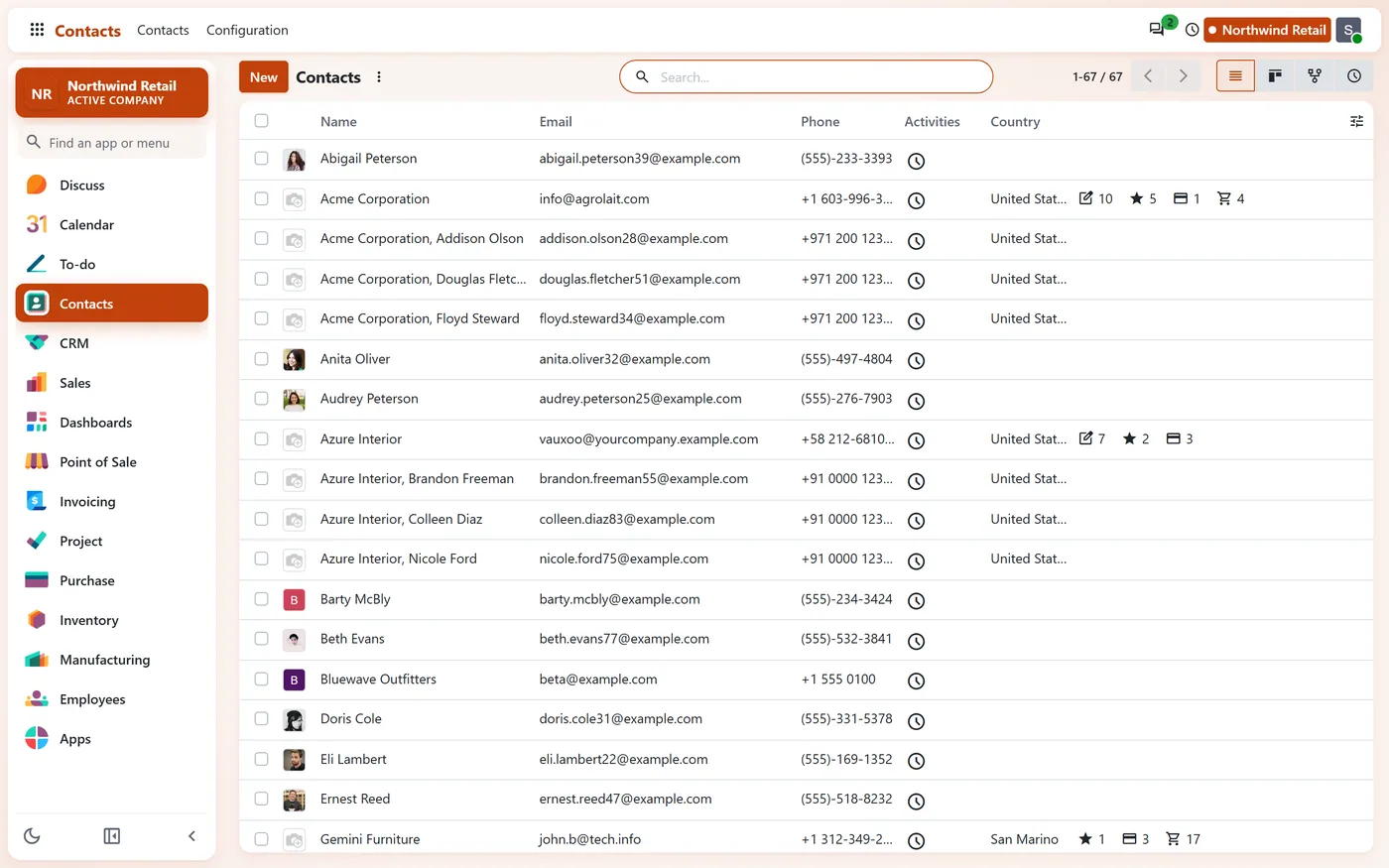
- Company switcher restyled as a chip in the company colour, with a colour dot for every company
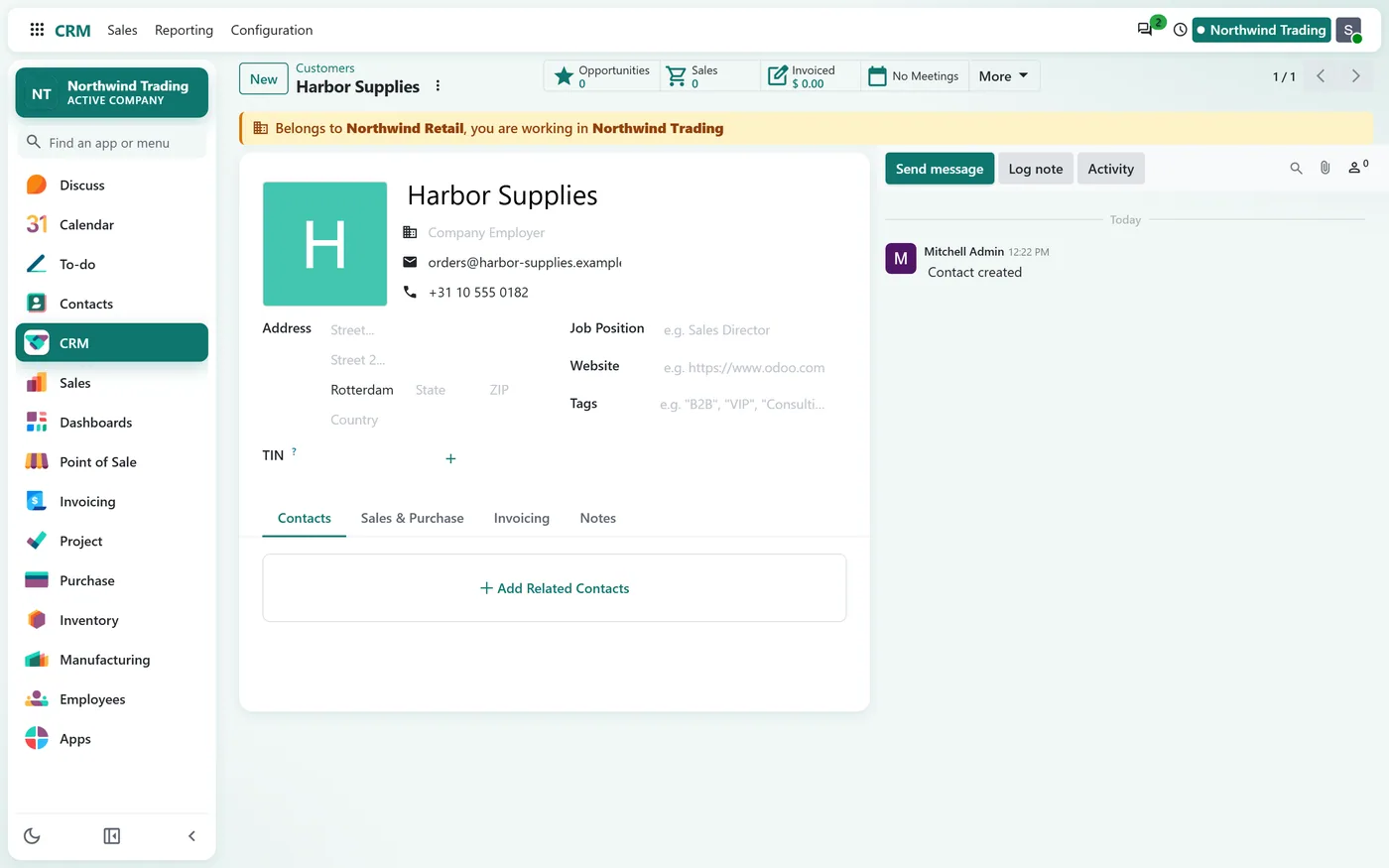
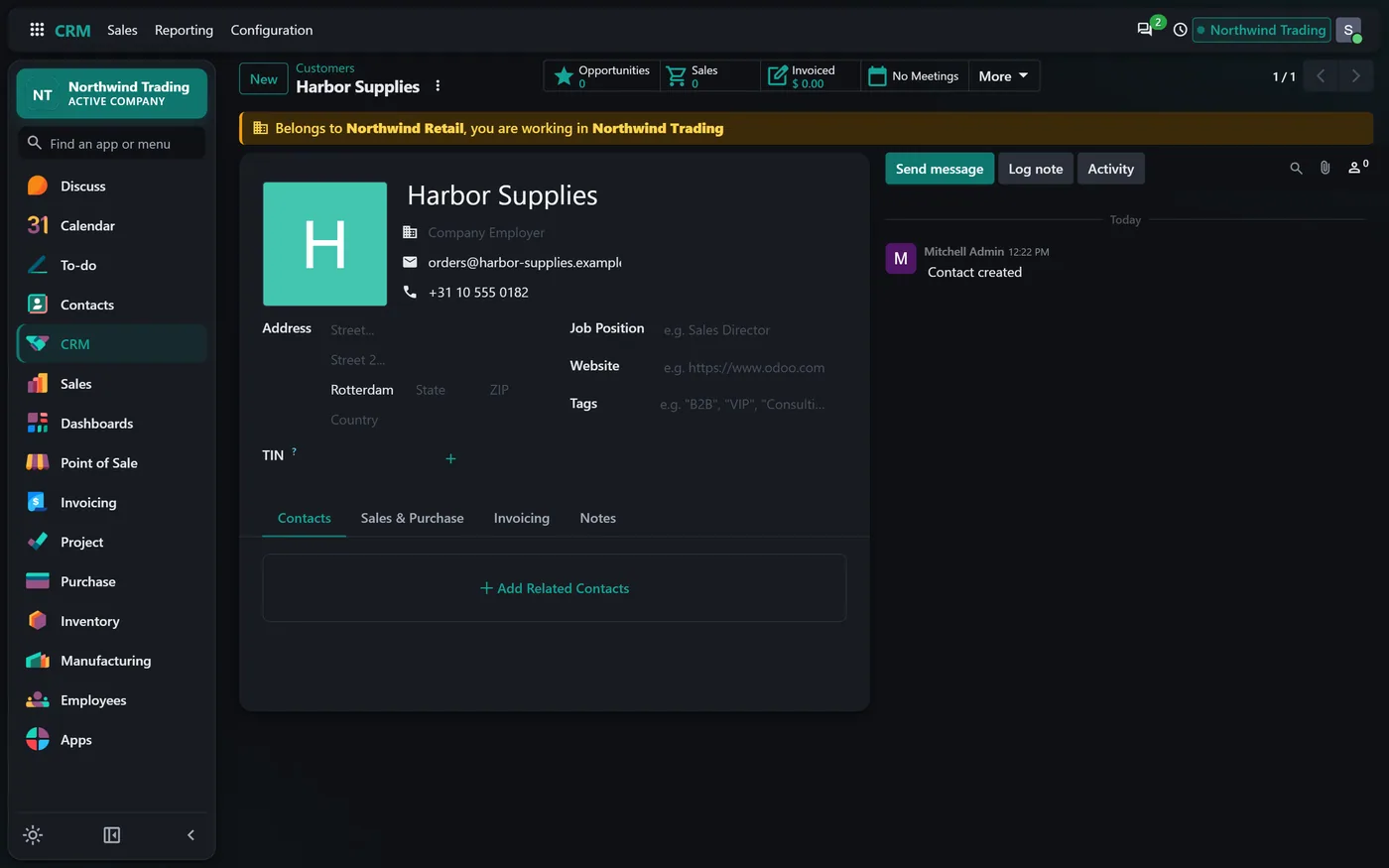
- Warning strip on saved forms whose record belongs to another company, branches included
- Colours change the moment you switch company, and load with the first screen, without a flash
- Dark mode per user, from the sidebar, the user menu or the preferences
03
Card layout with a floating top bar, list cards, lifted form sheets and underline tabs
- Apps menu as an icon grid, Settings and search panels in the same style
- The browser tab and installed app bar take the company colour too
- Every generated colour is checked for readable contrast in light and dark mode
Every screen
The whole module, screen by screen.
The captures the walkthrough above did not use, in the order you meet them in the product.
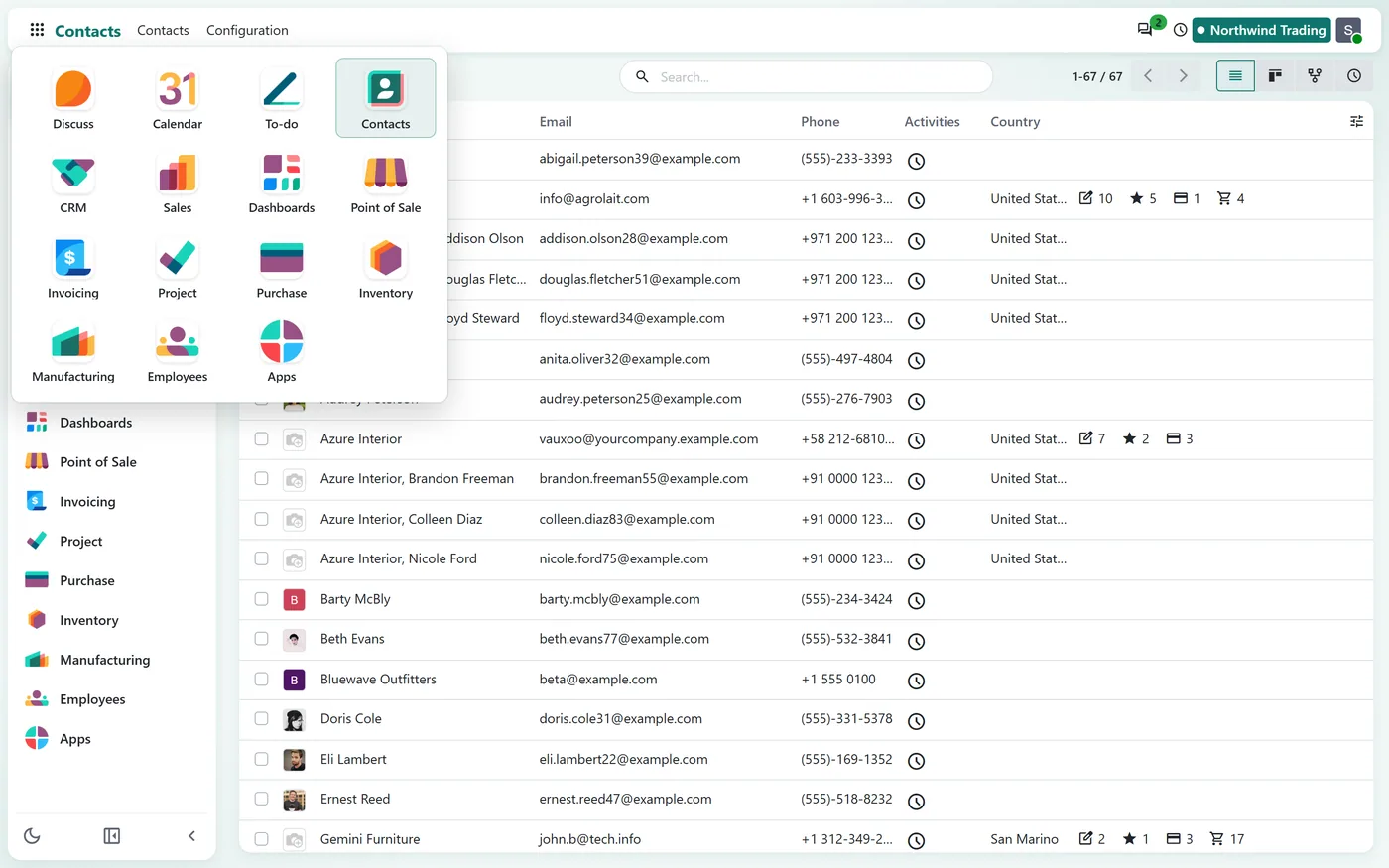
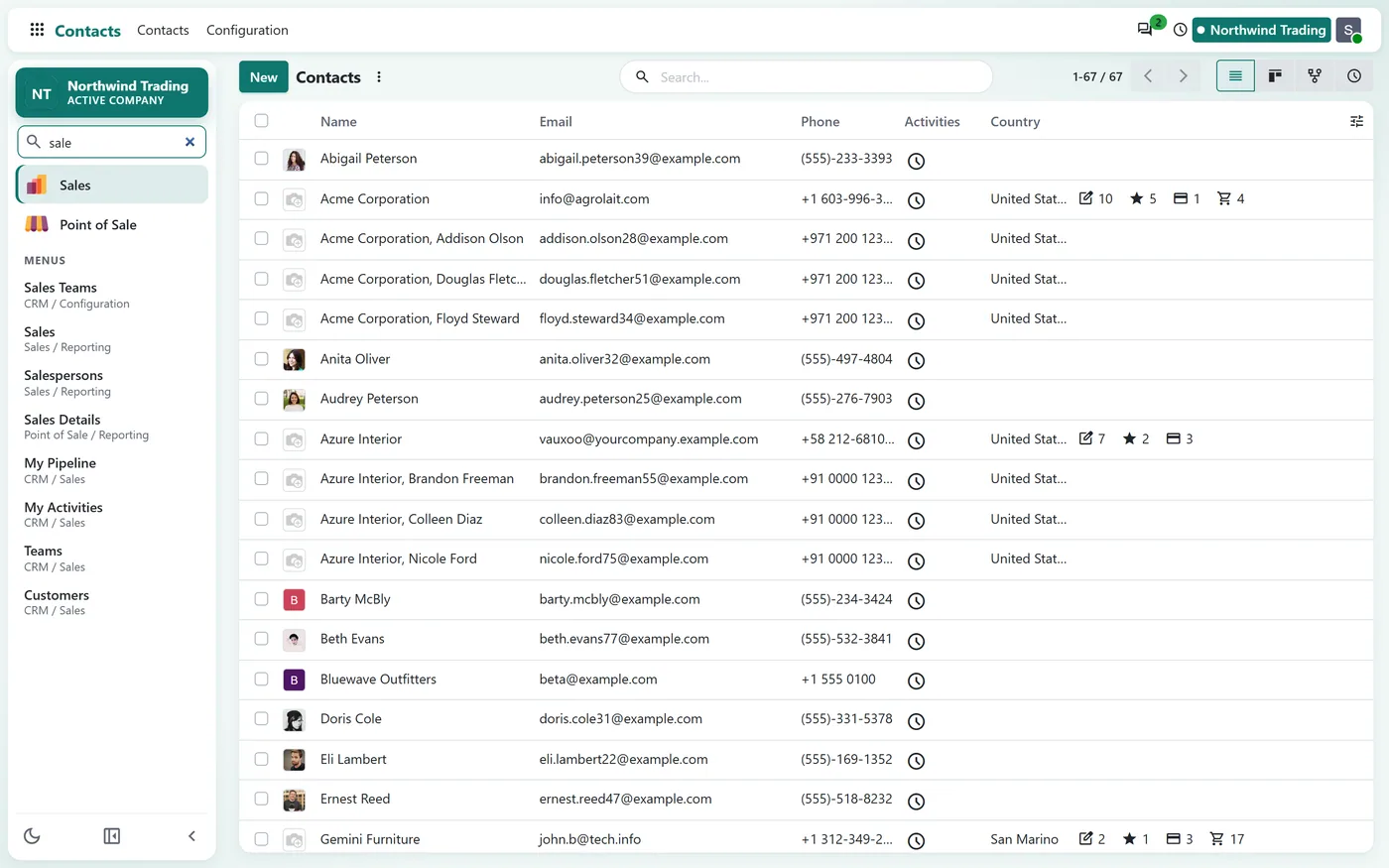
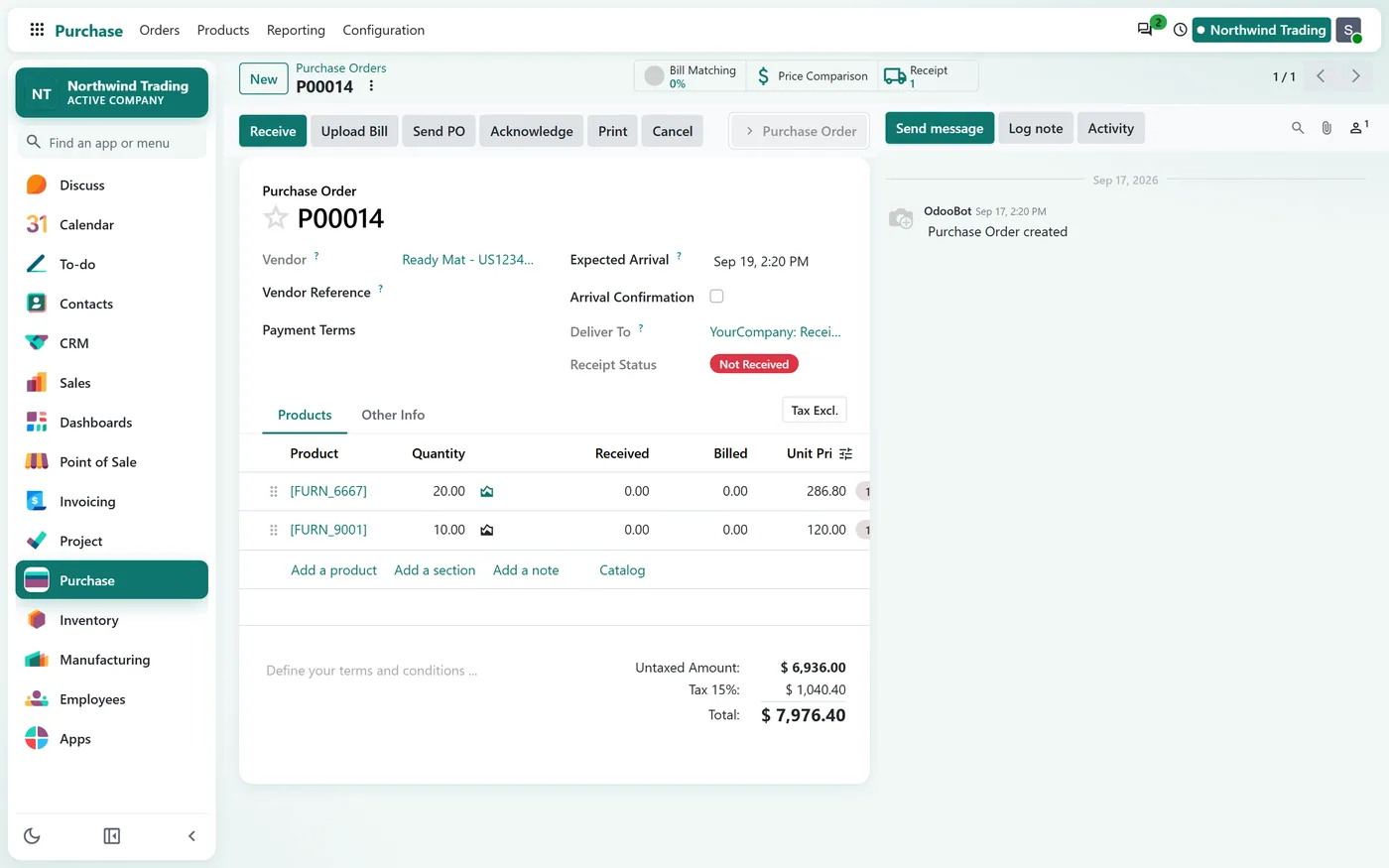
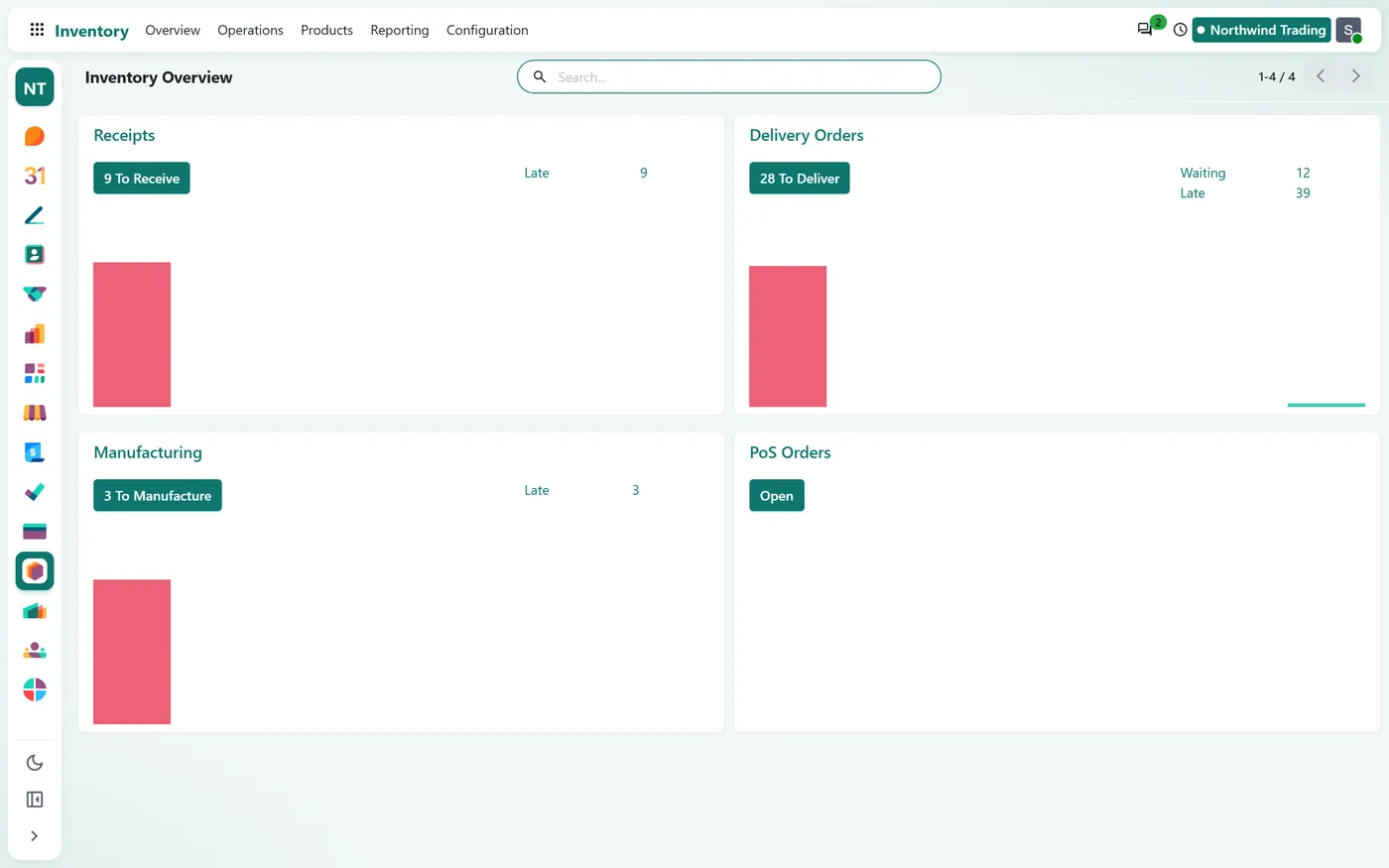
What it does
Multi-Company Backend Theme makes the company you are working in visible on every screen. Each company gets its own accent colour, and the whole backend wears it: the company banner and logo at the top of the app sidebar, the company switcher chip in the top bar, the buttons, links, tabs and highlights. Switch company and the colours follow at once. On saved forms, a strip warns when the record belongs to another company than the one you are working in.
Around that sits a complete modern look for Odoo Community: a floating top bar and sidebar on a softly tinted canvas, lists and forms as cards, an icon apps menu, and a dark mode each user can switch on.
Who it's for
Companies that run several companies or branches in one Odoo Community database and want people to see at a glance where they are working, and anyone who wants a cleaner, more modern Odoo backend with a proper dark mode, for free.
Questions
About Multi-Company Backend Theme.
Is it really free?
Yes. The theme is free and released under the LGPL-3 licence. There is no paid tier and nothing is locked.
Does it work on Odoo Enterprise?
No. It is a theme for Odoo Community. Odoo Enterprise ships its own backend theme, and this module refuses to install next to it.
How are the company colours chosen?
On install, every company gets a colour that is clearly different from the others. You can change it on the company form at any time, or click Suggest from logo to take the main colour of the company logo.
What happens when I switch company?
The sidebar banner, the company chip, buttons, links and highlights all take the new company's colour straight away. Each user only ever sees the colours of the companies they are allowed to access.
What does the warning strip do?
When you open a saved record that belongs to a company other than the one you are working in, a strip at the top of the form says so, branches included. It helps nobody edit or post a record in the wrong company by mistake.
How do I turn on dark mode?
Click the moon at the bottom of the sidebar, use Dark mode in the user menu, or set Theme Mode in your preferences. Each user picks their own mode.
Will my text stay readable with any colour?
Yes. The theme derives text, tints and highlights from each company colour and checks them against the WCAG 4.5 to 1 contrast ratio, in light and in dark mode.
Which Odoo versions does this theme support?
Use the version selector on the store listing to pick your Odoo release. Each branch is published as its own listing for that exact version.
On the Odoo Store
Get Multi-Company Backend Theme on the Odoo Store.
Pick your Odoo version and install it in a click, with free updates and real support behind it.
Get it on the Odoo StoreReady to make Odoo work the way your business does?
Book a free call CODEerts
 is a team of certified Odoo partners and full-stack engineers. We implement, customise and support Odoo ERP, then build the software around it.