 CODEerts
Extra Tools app for Odoo
Contract AI Extraction Bridge
Read a contract PDF into structured obligations, each carrying the confidence of the reading and the passage it came from, with a human confirming anything binding before it takes effect.
Overview
Contract AI Extraction Bridge.
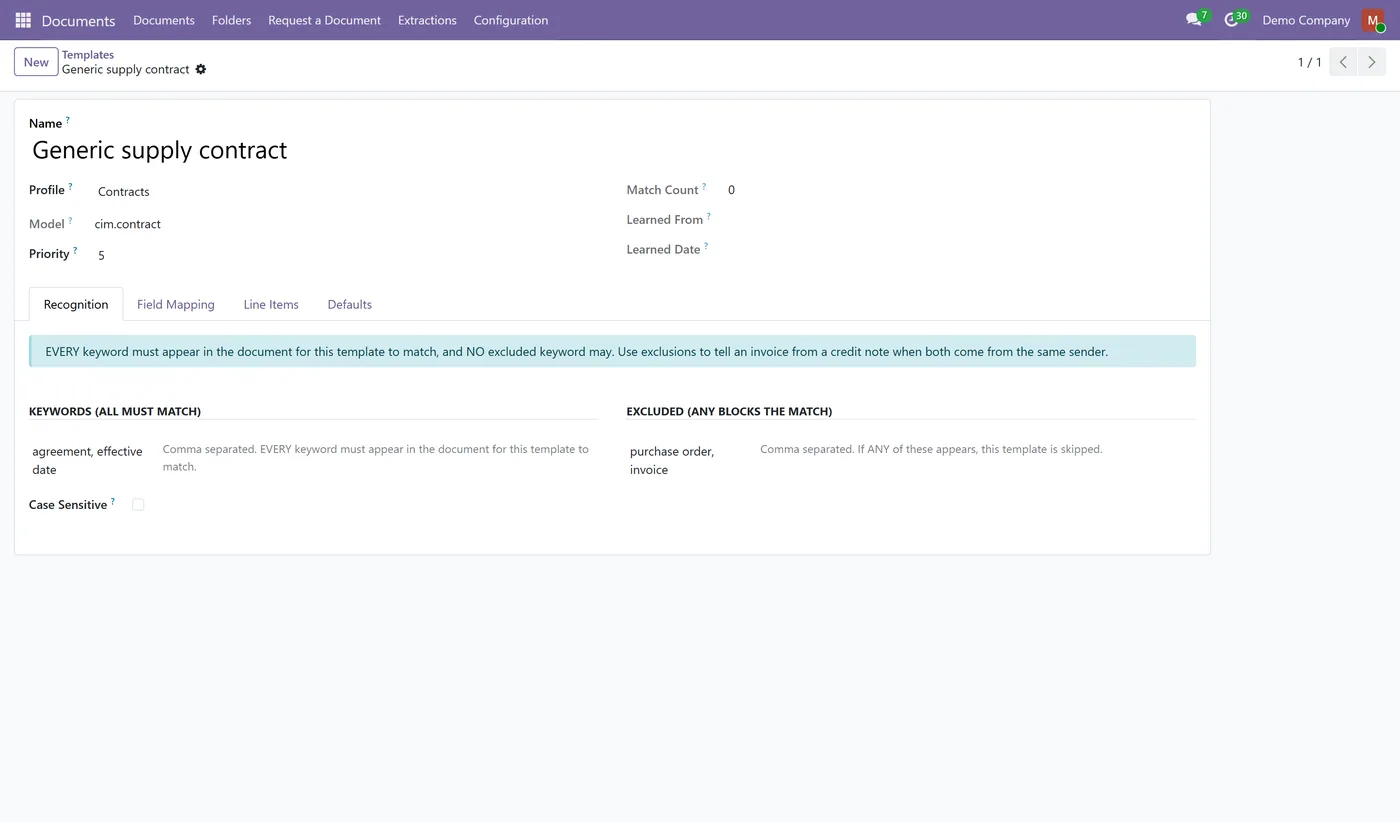
The Contract AI Extraction Bridge connects Contract Management and Obligation Tracking to CODEerts AI Document OCR. Install both and the bridge installs itself. Drop a contract into a DMS folder and the existing extraction engine reads it and proposes a contract record with its obligations as line items. There is no second OCR engine here and no second set of credentials: the bridge reuses the extraction profiles, templates and field mappings that module already provides, and simply teaches them what a contract obligation looks like. Every proposed obligation arrives marked as needing validation, carrying the confidence of the reading and the exact passage it was taken from, so a reviewer checks the parse against the paper instead of trusting it. The confidence attached to an obligation is the lowest of the values that built it, because a row is only as trustworthy as its weakest field: a duty whose date was read at 40 percent confidence is a 40 percent row even if its description was read perfectly. Nothing binding is created automatically. The extraction profile ships with automatic record creation switched off, an extracted contract always arrives as a draft, and a contract cannot be activated while a critical obligation proposed by extraction is still unconfirmed. The link back to the source document and the extraction run is kept on the contract, so months later you can still see which page a clause came from. The bridge also adds multi-company record rules to DMS folders and documents, closing a gap in the underlying module. Works on Odoo 19 and 18, Community and Enterprise.
How it works
Built around what you actually do.
Every screen below is the module running in Odoo, not a mockup.
01
Reuses the existing CODEerts AI Document OCR engine, so there is no second OCR engine and no second set of credentials
- Proposes a full contract with its obligations as line items from a single document
- Every proposed obligation carries the confidence of the reading and the source passage
- Row confidence is the lowest of the values that built it, not the average, so a weak date cannot hide behind a strong description
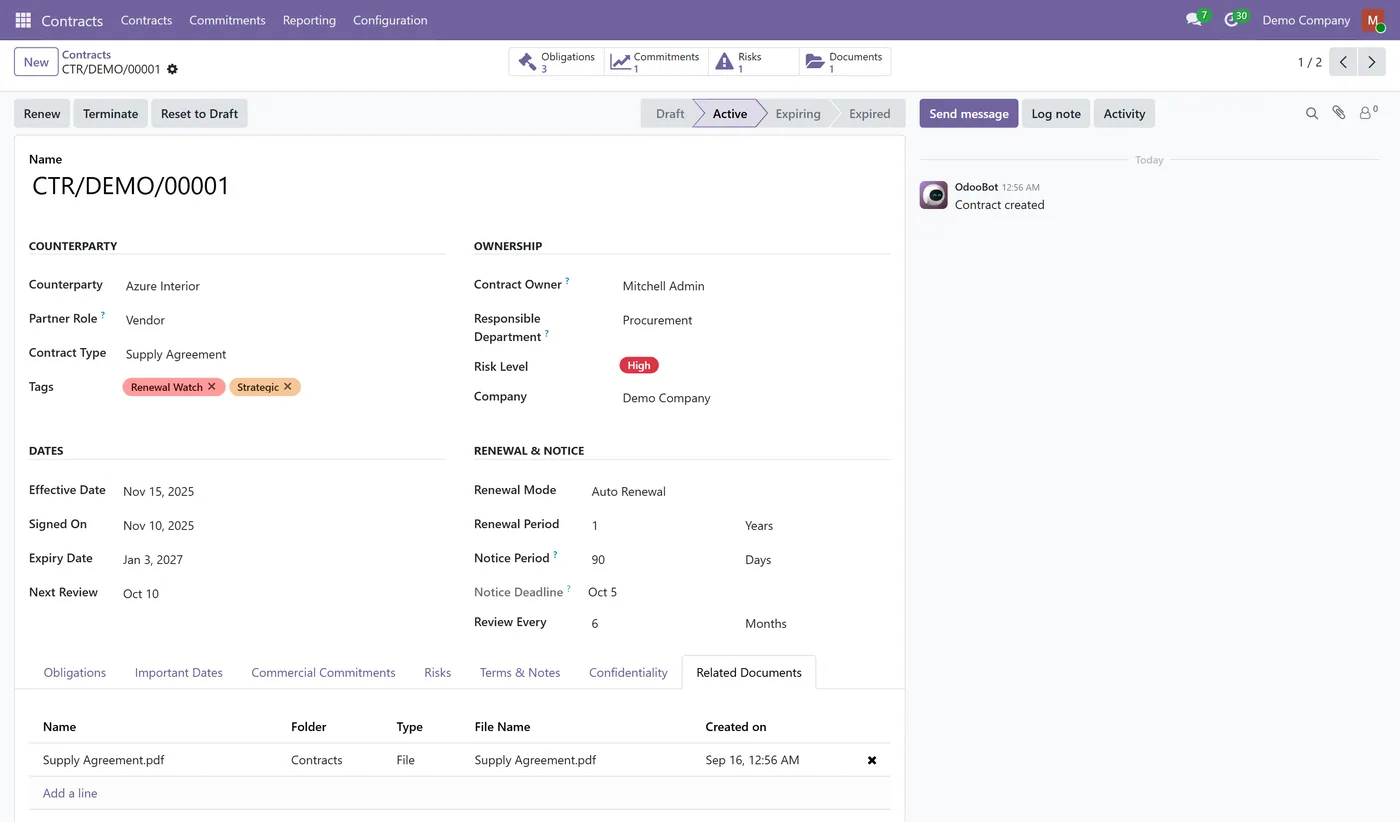
- Extracted records arrive unvalidated and always as a draft, never as an active contract
02
A contract cannot be activated while a critical extracted obligation is still unconfirmed
- The source document and the extraction run stay linked to the contract
- Extraction for every other target model is untouched, so installing this does not change how vendor bills are read
- Adds the multi-company record rules that DMS folders and documents were missing
- Installs itself automatically when both parent modules are present
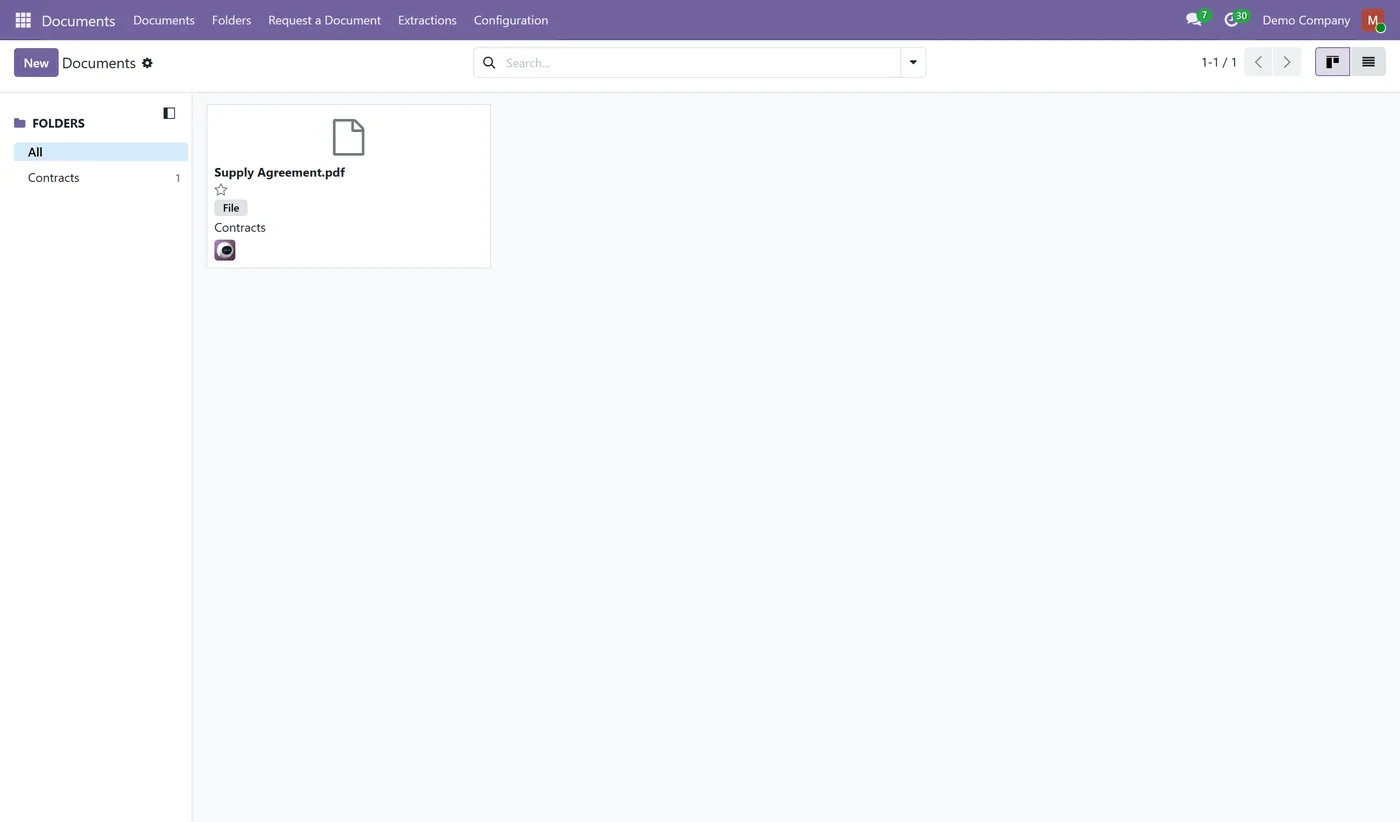
Read a contract PDF into structured obligations, with a human confirming anything binding.
What it does
The Contract AI Extraction Bridge connects Contract Management and Obligation Tracking to CODEerts AI Document OCR. Install both and the bridge installs itself.
Drop a contract into a DMS folder and the extraction engine you already own reads it and proposes a contract record with its obligations as line items. There is no second OCR engine here and no second set of credentials. The bridge reuses the extraction profiles, templates and field mappings that module already provides, and teaches them what a contract obligation looks like. Every override it adds is inert unless the extraction profile is aimed at a contract, so installing it cannot change how your existing extractions behave for vendor bills or anything else.
Why the confidence is the lowest value and not the average
A proposed obligation is built from several extracted values, and it is only as trustworthy as its weakest one. A penalty clause whose amount was read at 95 percent confidence and whose effective date was read at 40 percent is a 40 percent row, because acting on it means acting on the date too. Averaging those two would report 68 percent and quietly bury the half that is wrong. Showing the minimum means a reviewer's attention goes to the rows that actually need checking.
Who it's for
Teams already running CODEerts AI Document OCR who are onboarding a backlog of existing contracts, or who receive enough new agreements that typing the key dates in by hand is the bottleneck. It is not a way to avoid reading your contracts. It is a way to get a first pass on paper into Odoo with its uncertainty visible, so the review is checking a parse rather than starting from a blank form.
Questions
About Contract AI Extraction Bridge.
Does this include an OCR engine?
No, and deliberately so. It requires CODEerts AI Document OCR and reuses that module's extraction profiles, templates and field mappings. Shipping a second OCR engine would mean a second set of credentials, a second place to configure field mappings and two different answers to the same question.
Can the AI create a binding contract on its own?
No. The extraction profile ships with automatic record creation switched off, an extracted contract is always created as a draft, and every extracted obligation is flagged as needing validation. A contract cannot be activated while a critical obligation proposed by extraction is still unconfirmed.
Why is the confidence the minimum rather than the average?
Because an obligation is used as a whole. If the description was read at 95 percent and the due date at 40 percent, the row is a 40 percent row: averaging them to 67 percent would hide exactly the field a reviewer needs to check. The joined source text is kept alongside it so the reviewer can see what was read.
Will installing this change how my other documents are extracted?
No. The bridge only alters extraction for profiles that target the contract model. Profiles pointed at any other model, such as vendor bills, behave exactly as they did before, and there is a test that asserts this.
Do I have to install it separately?
No. The bridge is marked auto install, so it appears as soon as both Contract Management and Obligation Tracking and CODEerts AI Document OCR are installed. It is free.
On the Odoo Store
Get Contract AI Extraction Bridge on the Odoo Store.
Pick your Odoo version and install it in a click, with free updates and real support behind it.
Get it on the Odoo StoreReady to make Odoo work the way your business does?
Book a free call CODEerts
CODEerts is a team of certified Odoo partners and full-stack engineers. We implement, customise and support Odoo ERP, then build the software around it.

