 CODEerts
Productivity app for Odoo
Advanced Document Management System
A complete document library in Odoo: folders, per-folder access control, content search inside PDF and Word, a customer portal, secure share links and PIN-locked folders.
Overview
Advanced Document Management System.
Turn Odoo into a full document management system. Store files or links in a tree of folders and sub-folders, control who can read versus edit each folder, search inside the content of PDF, Word and text files, seal sensitive folders with a 4-digit PIN, keep automatic version history, and share with customers through the portal, expiring links and document requests.
How it works
Built around what you actually do.
Every screen below is the module running in Odoo, not a mockup.
01
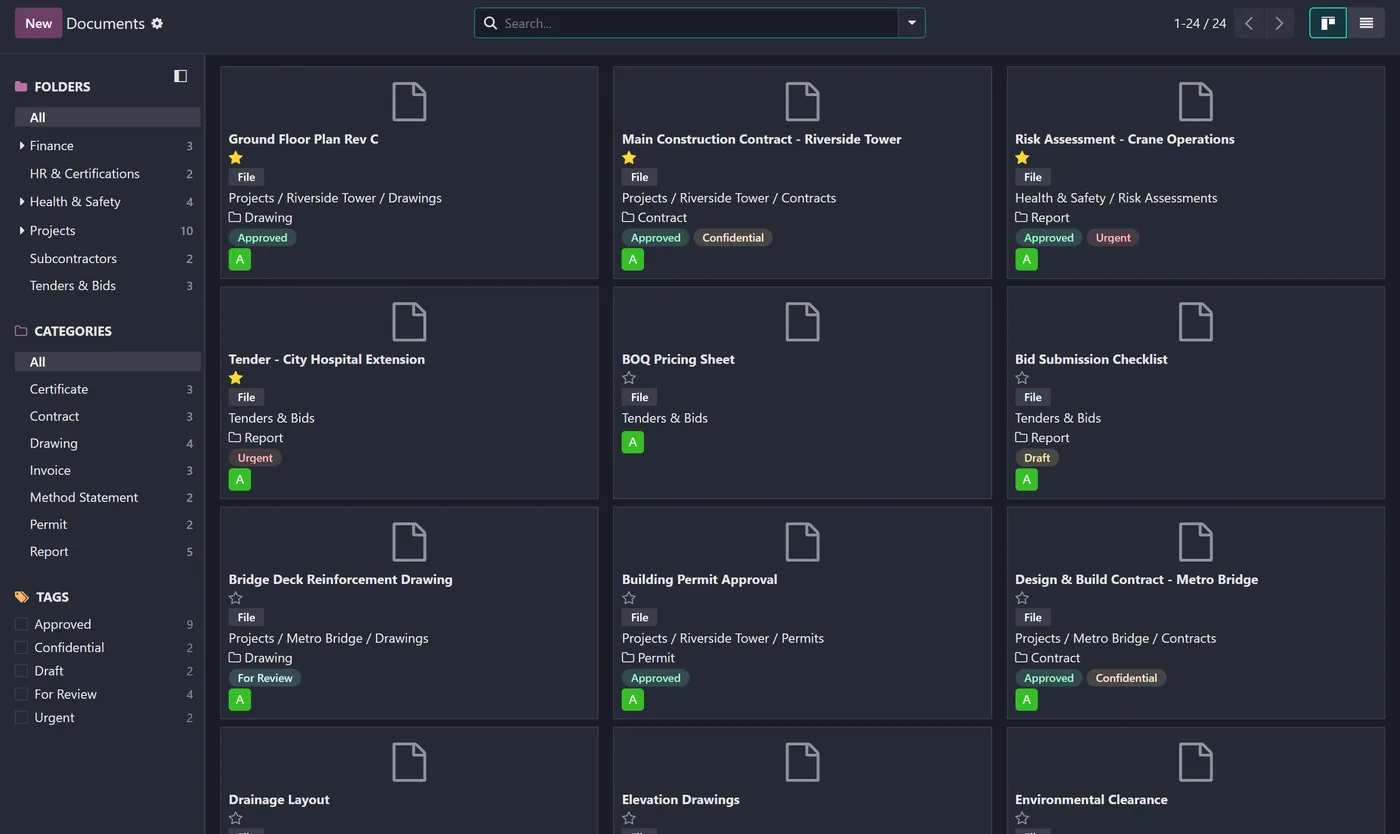
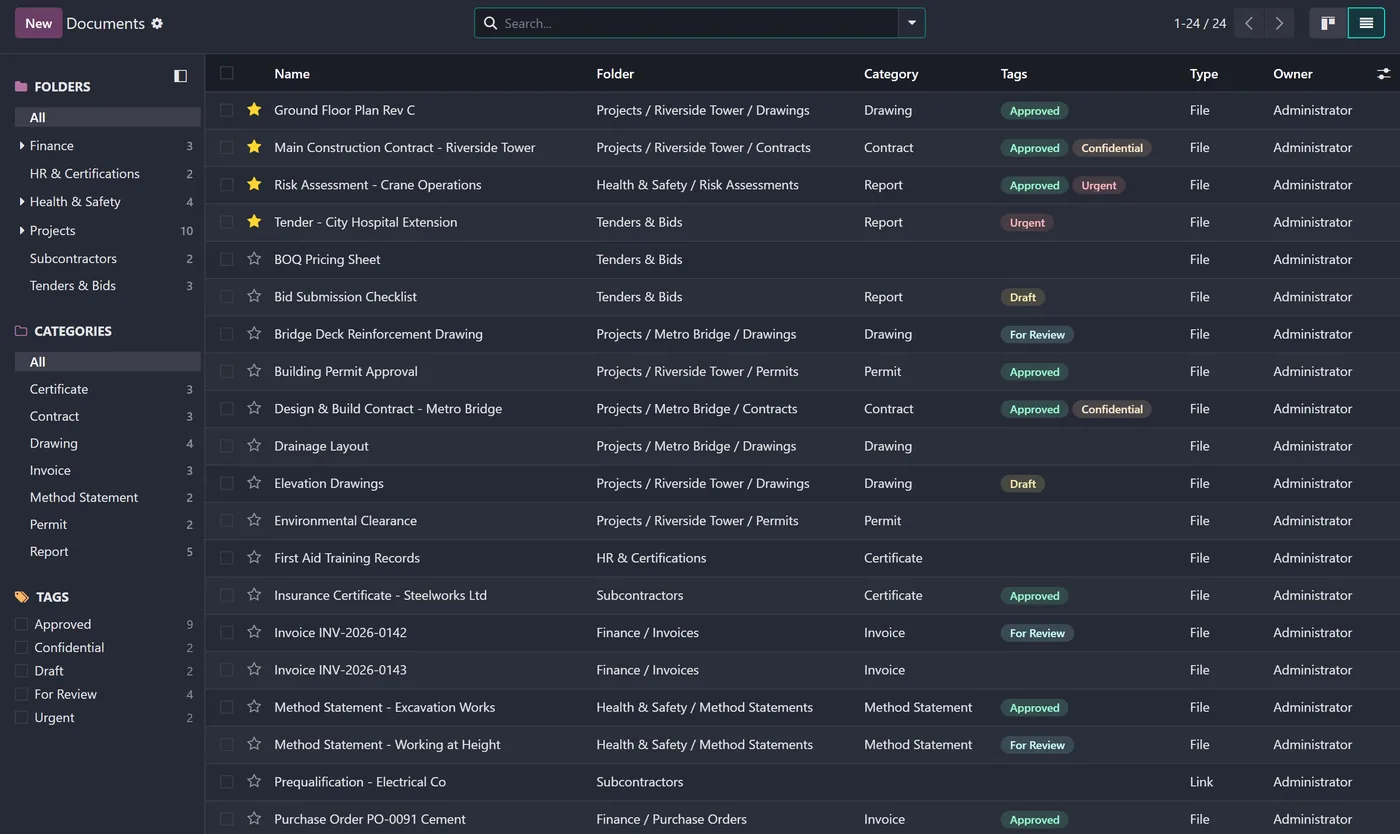
Folders and sub-folders with a full path on every document
- Store an uploaded file or an external link in the same library
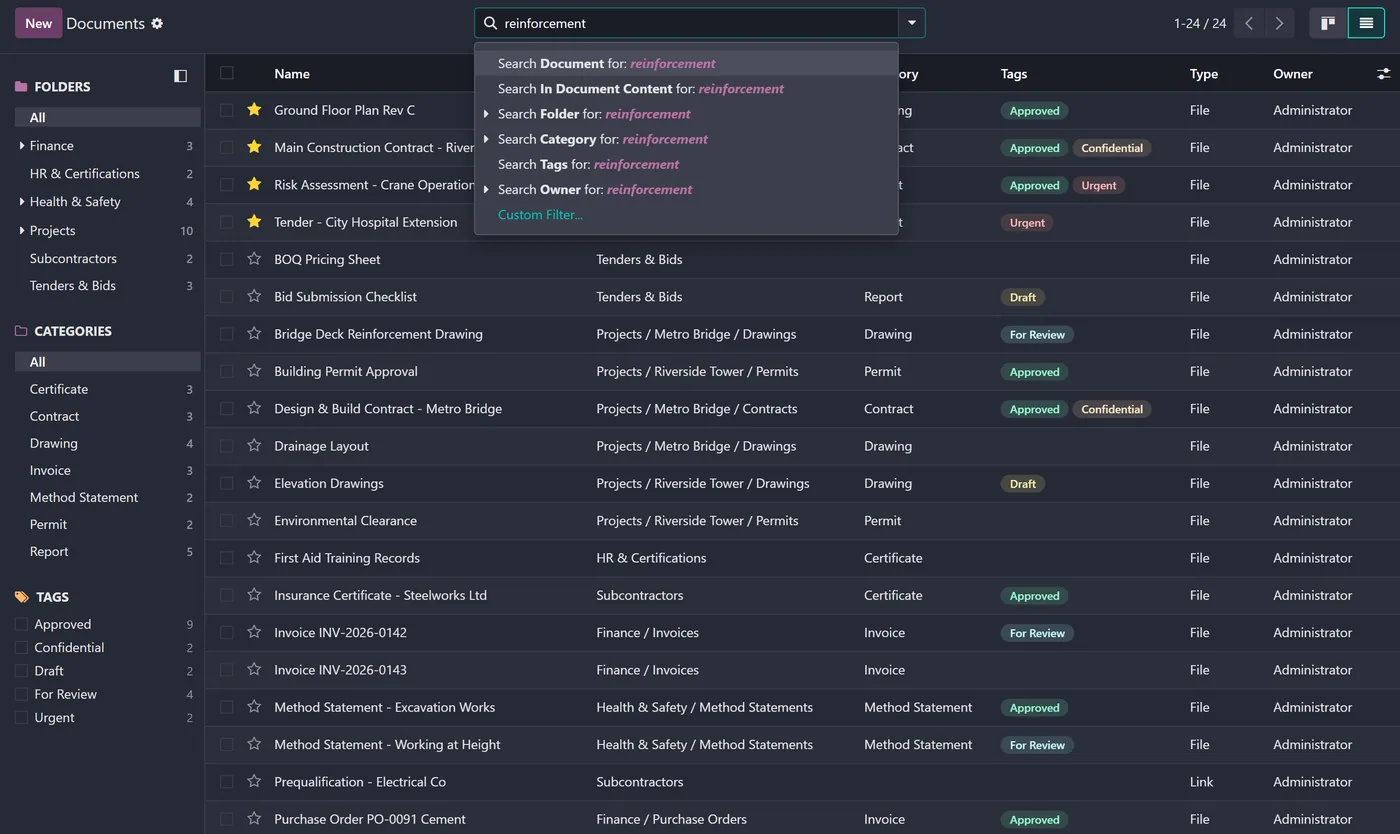
- Content search inside PDF, Word and text files, not just the name
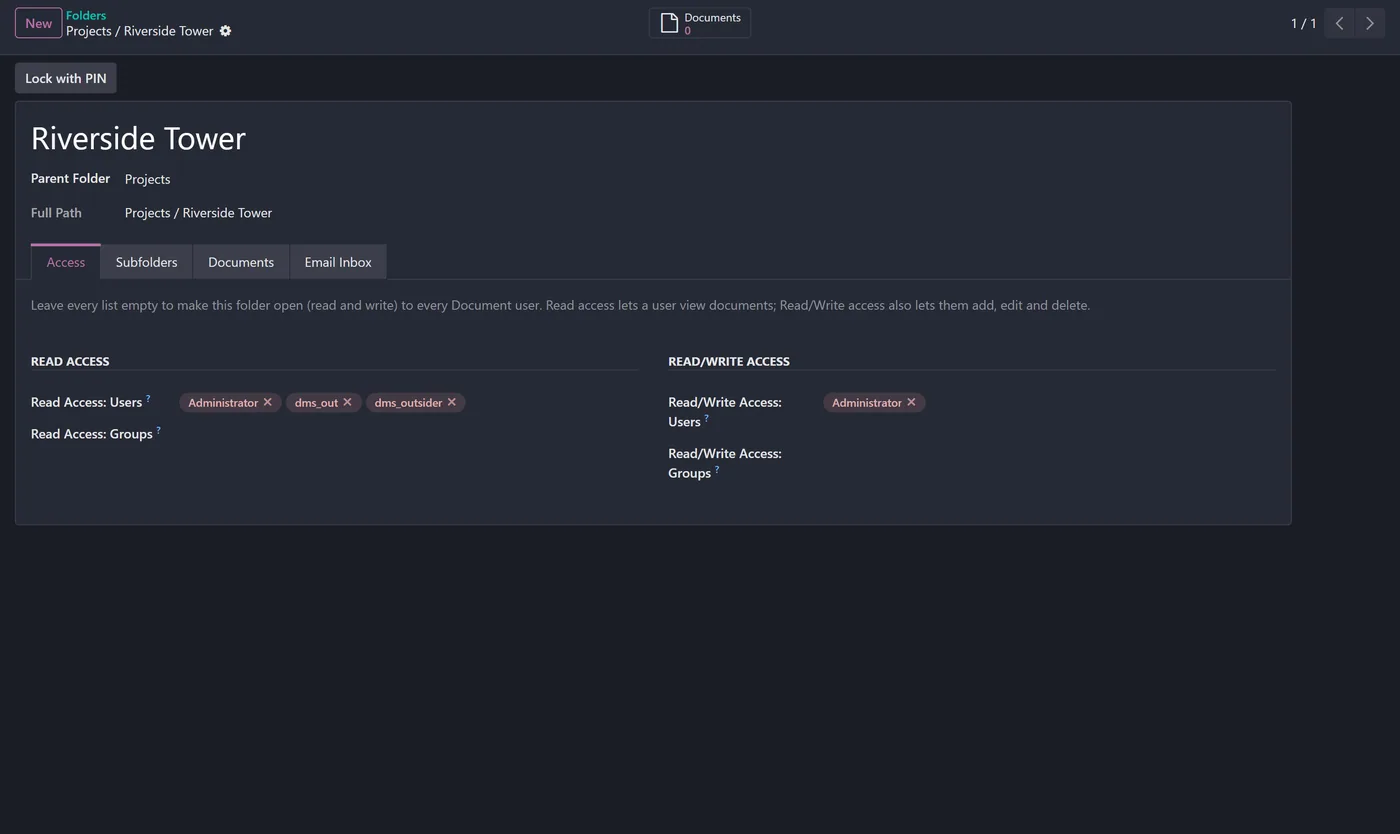
- Two-layer access: global User and Manager groups plus per-folder read vs read/write membership
- Folder PIN lock that fully seals a folder (read-only, cannot be opened) until unlocked
02
Customer portal access for members and contacts, token protected
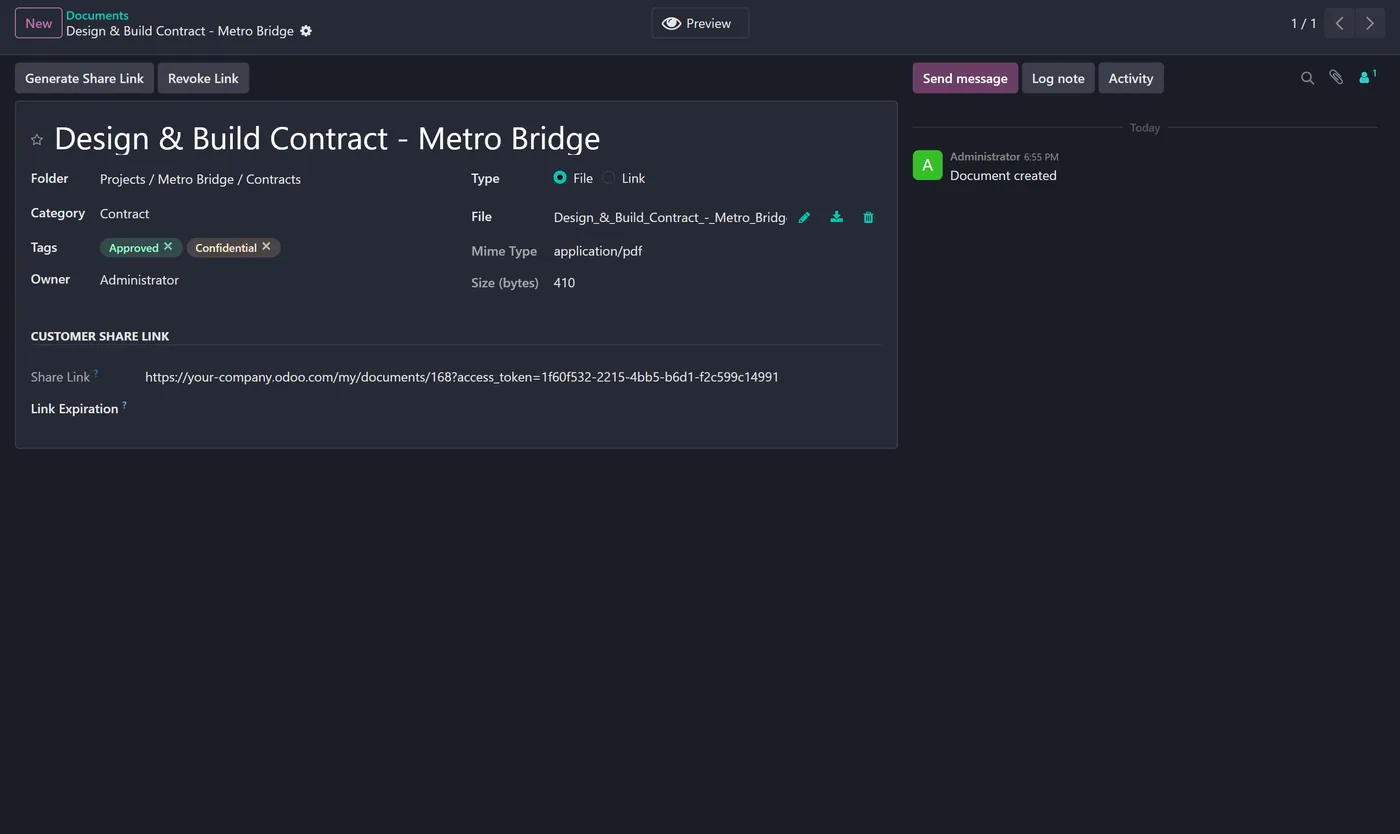
- Secure, expiring and revocable share links
- Request a document from a contact who uploads it from a link, even without an account
- Automatic version history with one-click restore
- Colored tags and user-defined categories with instant filtering
03
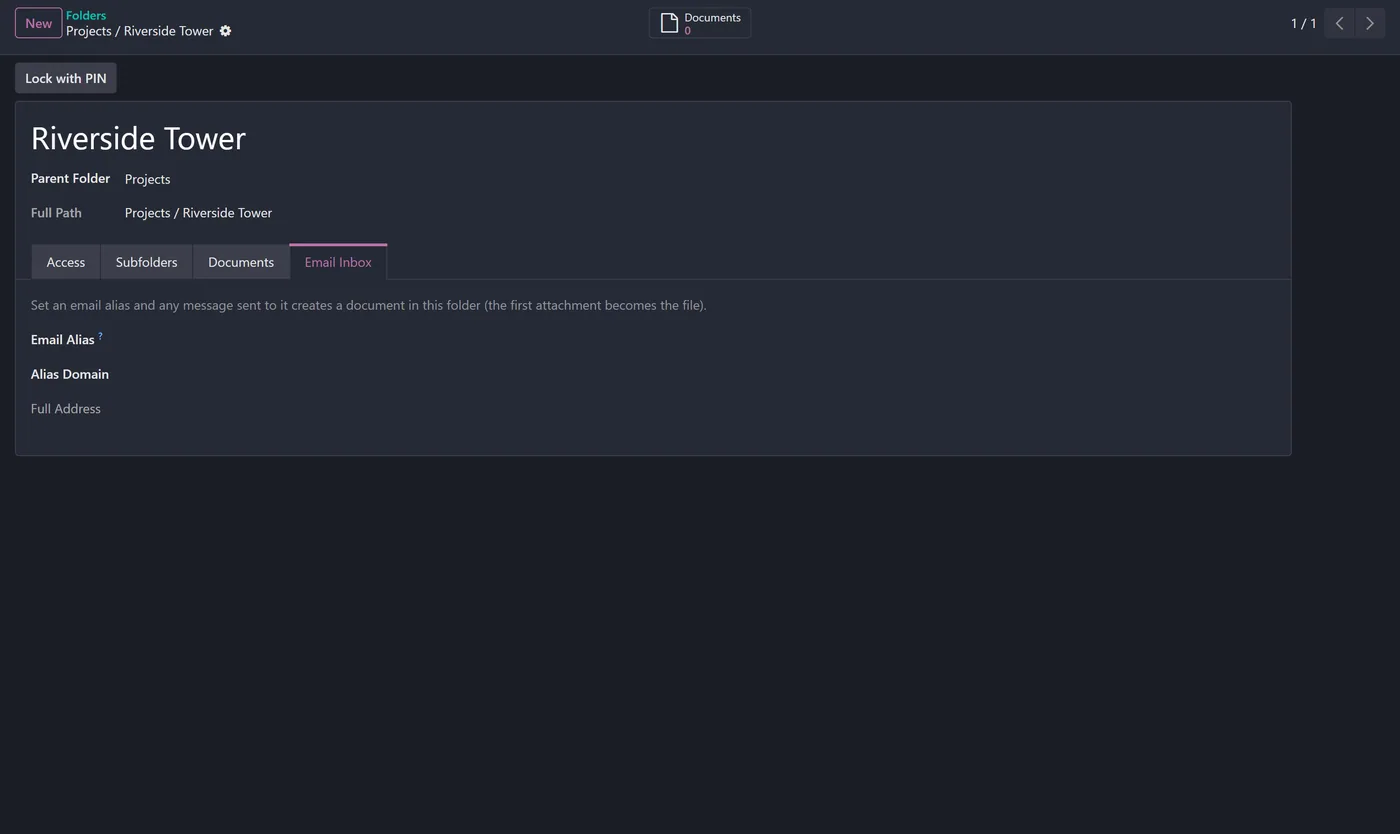
Email a document straight into a folder via a per-folder email alias
- Favorites pinned to the top of every list and kanban
- Full chatter activity log on every document
Every screen
The whole module, screen by screen.
The captures the walkthrough above did not use, in the order you meet them in the product.
What it does
Advanced Document Management System turns Odoo into a complete document library. Store every file or external link in a clean tree of folders and sub-folders, classify documents with categories and colored tags, and keep a full activity history on each one. Control access folder by folder with read versus read and write membership on top of global User and Manager groups, search inside the actual content of PDF, Word and text files, and seal confidential folders with a 4-digit PIN that makes the whole folder read-only until it is unlocked. Work with customers safely through the portal, expiring share links and document requests, so files reach the right people without insecure email attachments.
Folders and sub-folders with file or link documents, content search inside PDF and Word, two-layer access control with per-folder read and write membership, folder PIN lock that fully seals a folder, a customer portal, secure expiring share links, document requests that a contact can fulfil from a link without an account, automatic version history with one-click restore, tags and categories, email-to-folder aliases, favorites pinned to the top, and a complete chatter audit trail on every document.
Who it's for
Any team that handles real documents in Odoo: construction and engineering firms managing project contracts, drawings, permits and method statements; professional services keeping client files and certificates; HR teams storing certifications; and finance teams organizing invoices and purchase orders. If you need folders, access control, content search and safe customer sharing without leaving Odoo, this is for you.
Proven in production
Not just published.
This module came out of real client work. Here is the engagement it was built in.
Questions
About Advanced Document Management System.
How do I build a document management system in Odoo Community?
Install this module. It adds folders and sub-folders, file or link documents, categories, tags, per-folder access control, content search, a customer portal and secure share links, all inside Odoo Community.
Can I search inside the content of PDF and Word files in Odoo?
Yes. The search looks inside PDF, Word and text files, not just the document name, so you can find a keyword or a clause the same way recruitment search works on CVs.
How do I give different users different access to a folder?
Each folder has a read list and a read and write list of users or groups. Read-only members can view documents; read and write members can also add, edit and delete. Leave the lists empty to make a folder open to every Document user.
How do I lock a folder so nobody can change it?
Set a 4-digit PIN on the folder. While it is locked the whole folder is sealed: no one, not even a Manager, can open, edit, add or delete its documents until the folder is unlocked with the PIN.
Can customers upload or receive documents without an Odoo account?
Yes. You can send a secure, expiring share link, or request a document from a contact who then uploads it from a link without needing an account.
Which Odoo versions and editions are supported?
It is maintained for current major Odoo versions and works on both Community and Enterprise. Each Odoo Apps Store listing shows the exact version it supports.
On the Odoo Store
Get Advanced Document Management System on the Odoo Store.
Pick your Odoo version and install it in a click, with free updates and real support behind it.
Get it on the Odoo StoreReady to make Odoo work the way your business does?
Book a free call CODEerts
CODEerts is a team of certified Odoo partners and full-stack engineers. We implement, customise and support Odoo ERP, then build the software around it.

