CODEerts
Productivity app for Odoo
EOS Level 10 Meeting Manager
Run EOS Level 10 (L10) weekly leadership meetings inside Odoo with a live timed meeting runner, an IDS issues list, carry-forward to-dos, a weekly scorecard, quarterly rocks, and meeting ratings.
Overview
EOS Level 10 Meeting Manager.
EOS Level 10 Meeting Manager brings the Entrepreneurial Operating System (EOS) weekly L10 meeting into Odoo. A full-screen meeting runner walks your leadership team through the fixed 90-minute agenda with a per-segment countdown timer, solves issues live with the Identify-Discuss-Solve method, checks off to-dos and carries unfinished ones to next week, captures weekly scorecard numbers, reviews quarterly rocks, and records a 1-to-10 rating from every attendee. Teams, issues, to-dos, rocks, and the scorecard are all native Odoo models with per-team access control, so your meeting data stays organized week over week.
How it works
Built around what you actually do.
Every screen below is the module running in Odoo, not a mockup.
01
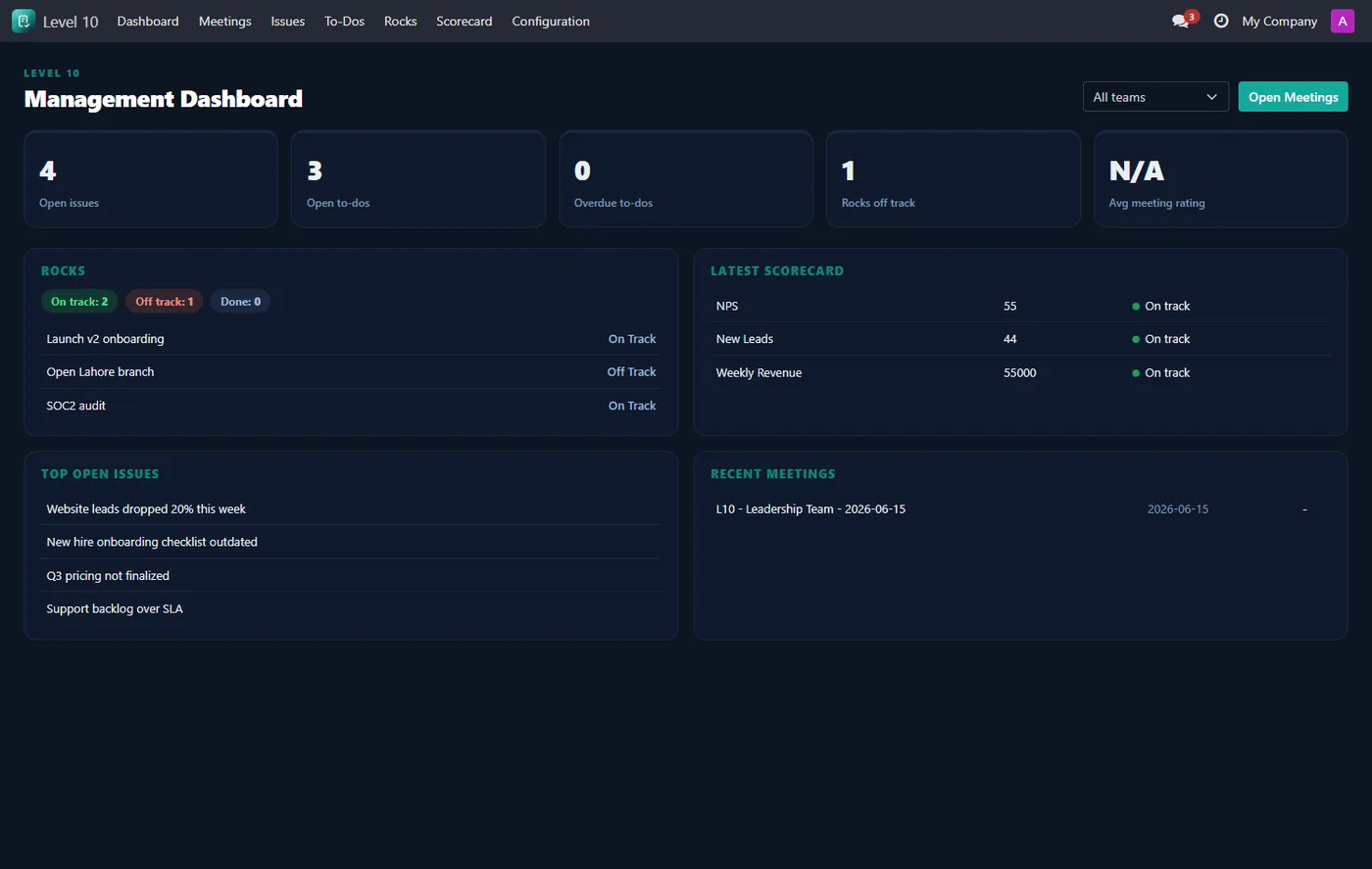
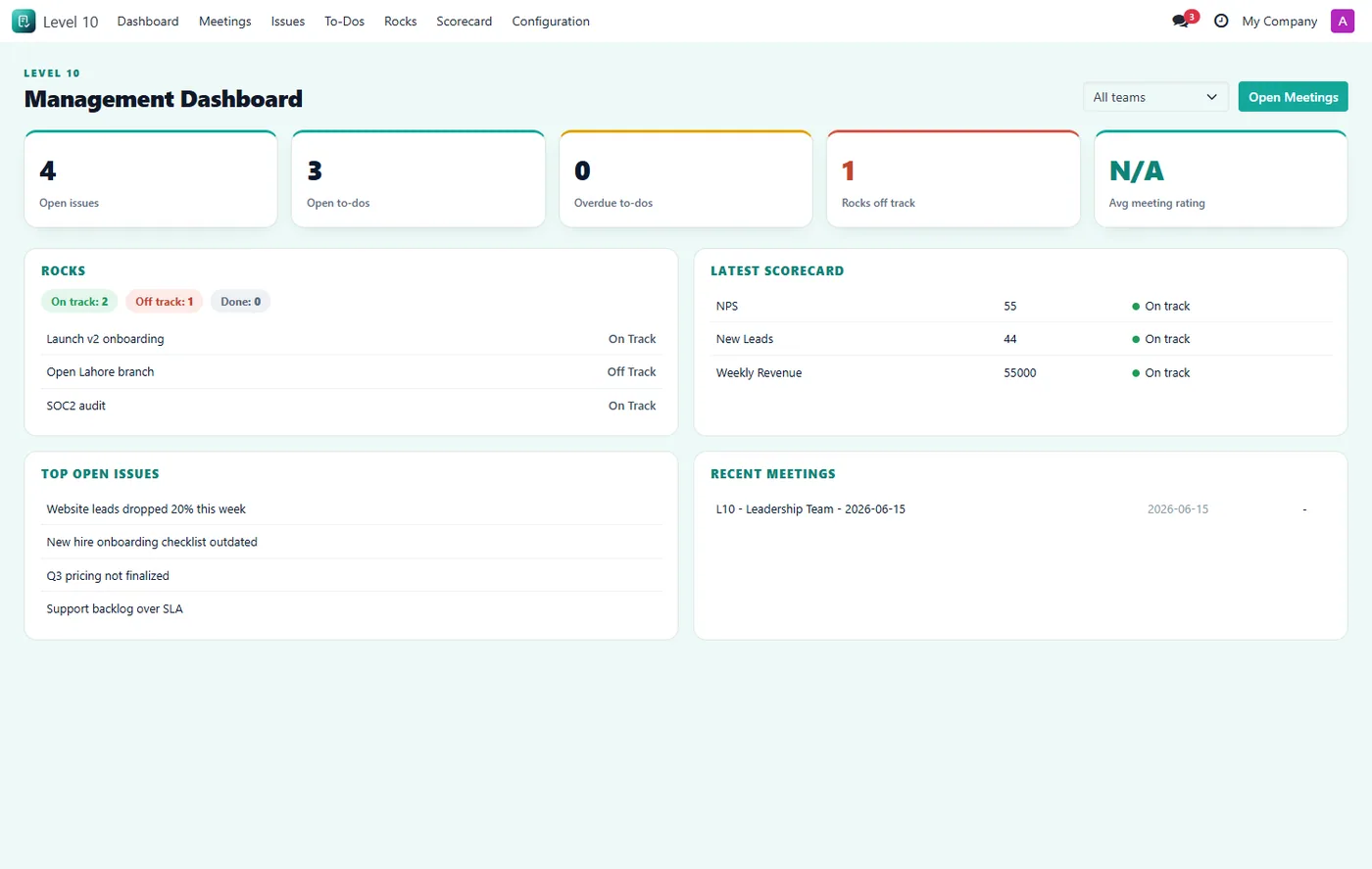
Management dashboard with KPI cards, rock status, latest scorecard, top issues and recent meetings
- Live full-screen meeting runner with a per-segment countdown timer through the L10 agenda
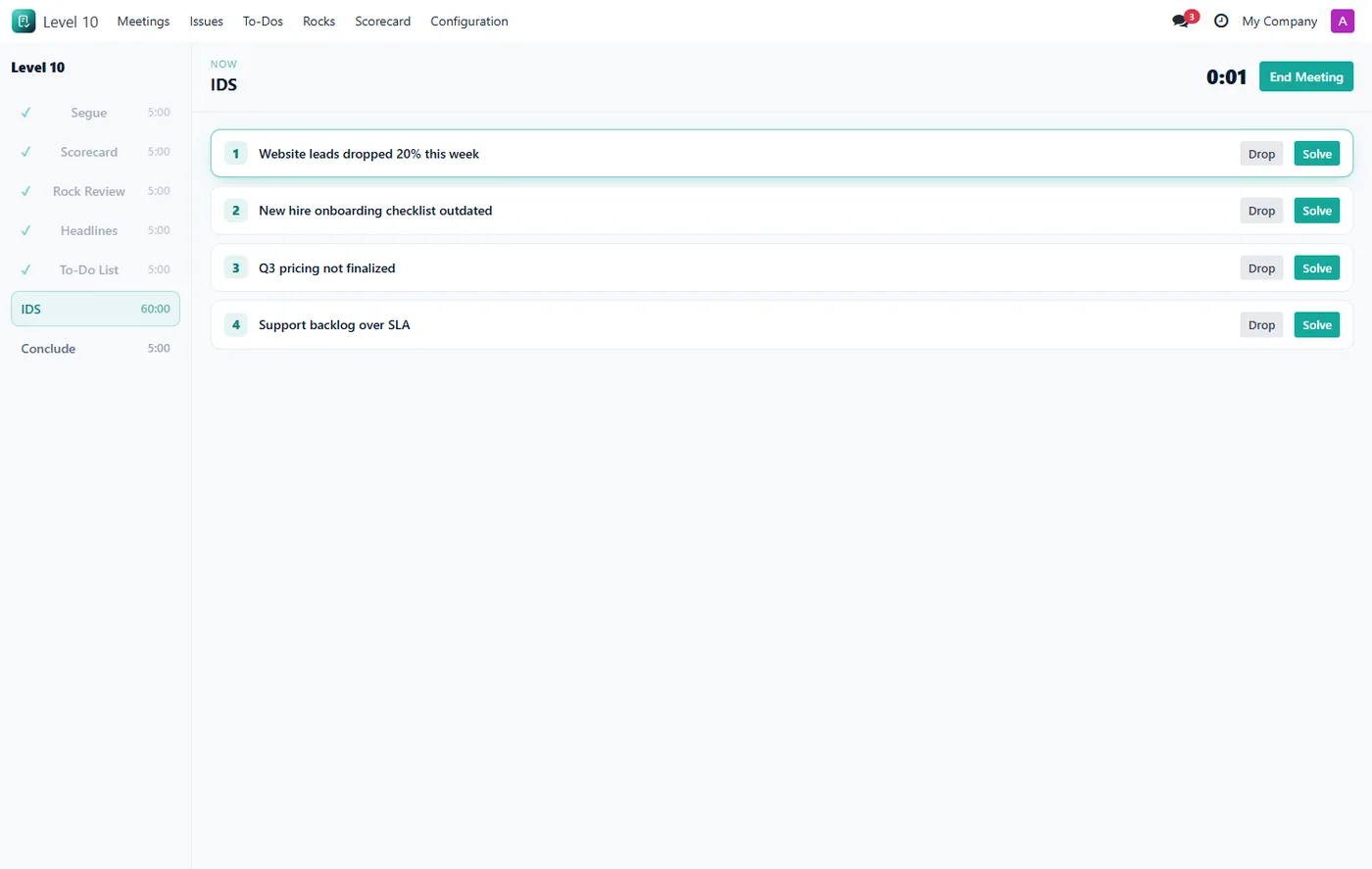
- IDS issues list to identify, discuss, and solve the week's top issues in one click
- To-dos that carry forward automatically to next week's meeting when not done
02
Weekly scorecard with goals and automatic on-track or off-track flags
- Quarterly rocks with on-track, off-track, and done status, plus off-track rocks drop straight to the issues list
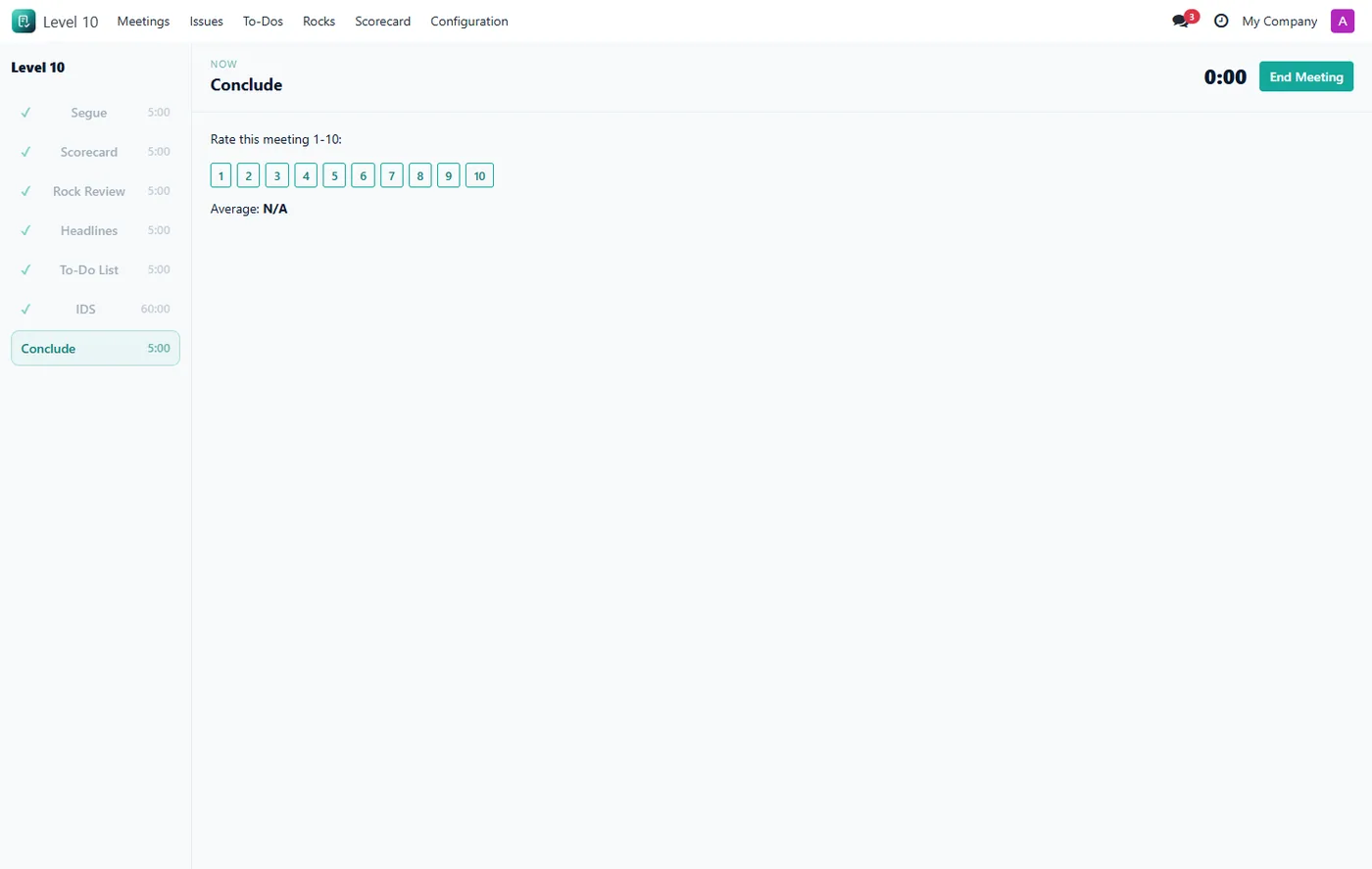
- End-of-meeting 1-to-10 rating from every attendee with a live average
- Per-team access control so each leadership team sees only its own data
03
Fully multi-company: every record is company-tagged and isolated per company
- Clickable dashboard tiles and rows that drill straight into the underlying data
Every screen
The whole module, screen by screen.
The captures the walkthrough above did not use, in the order you meet them in the product.
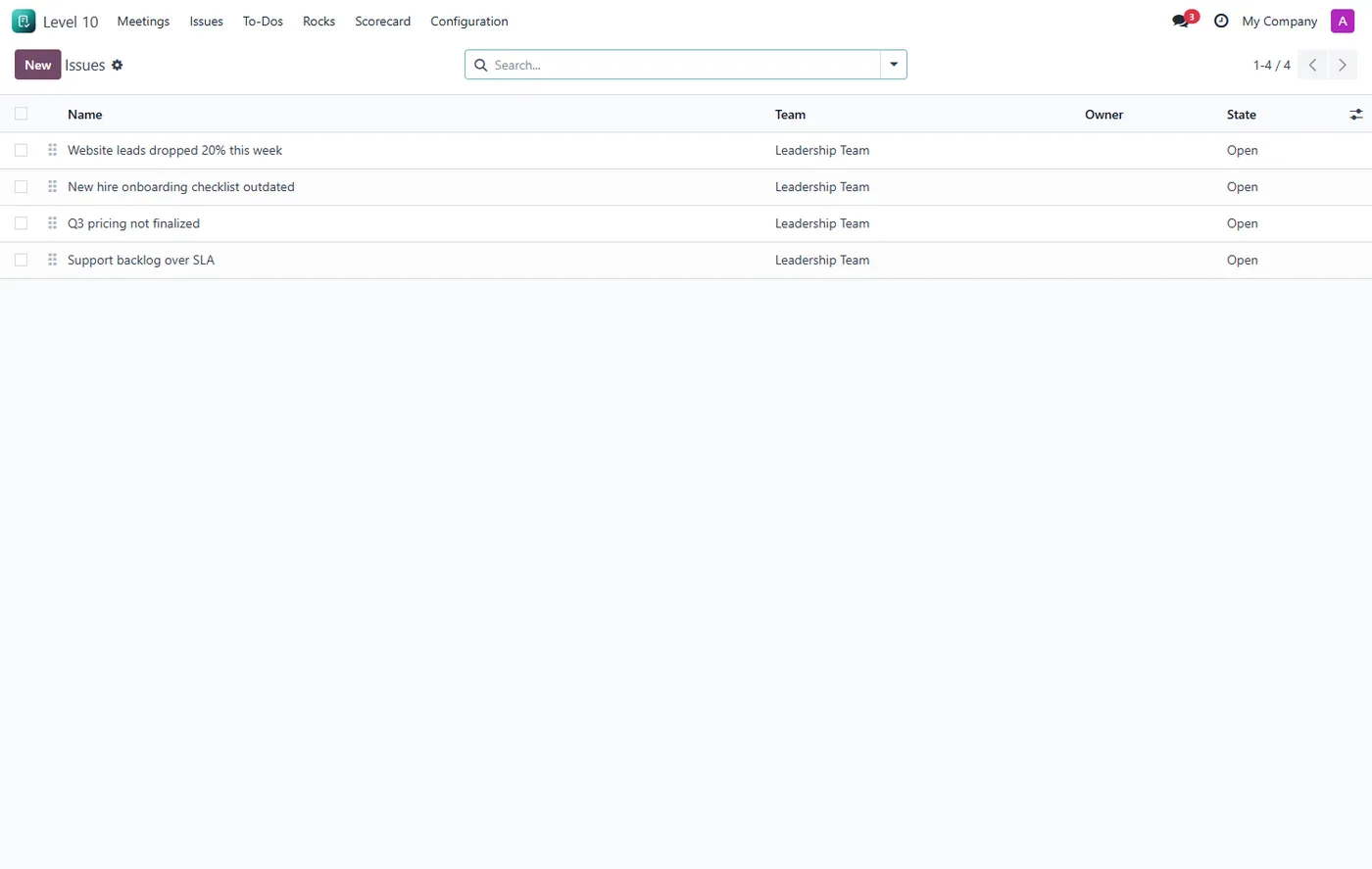
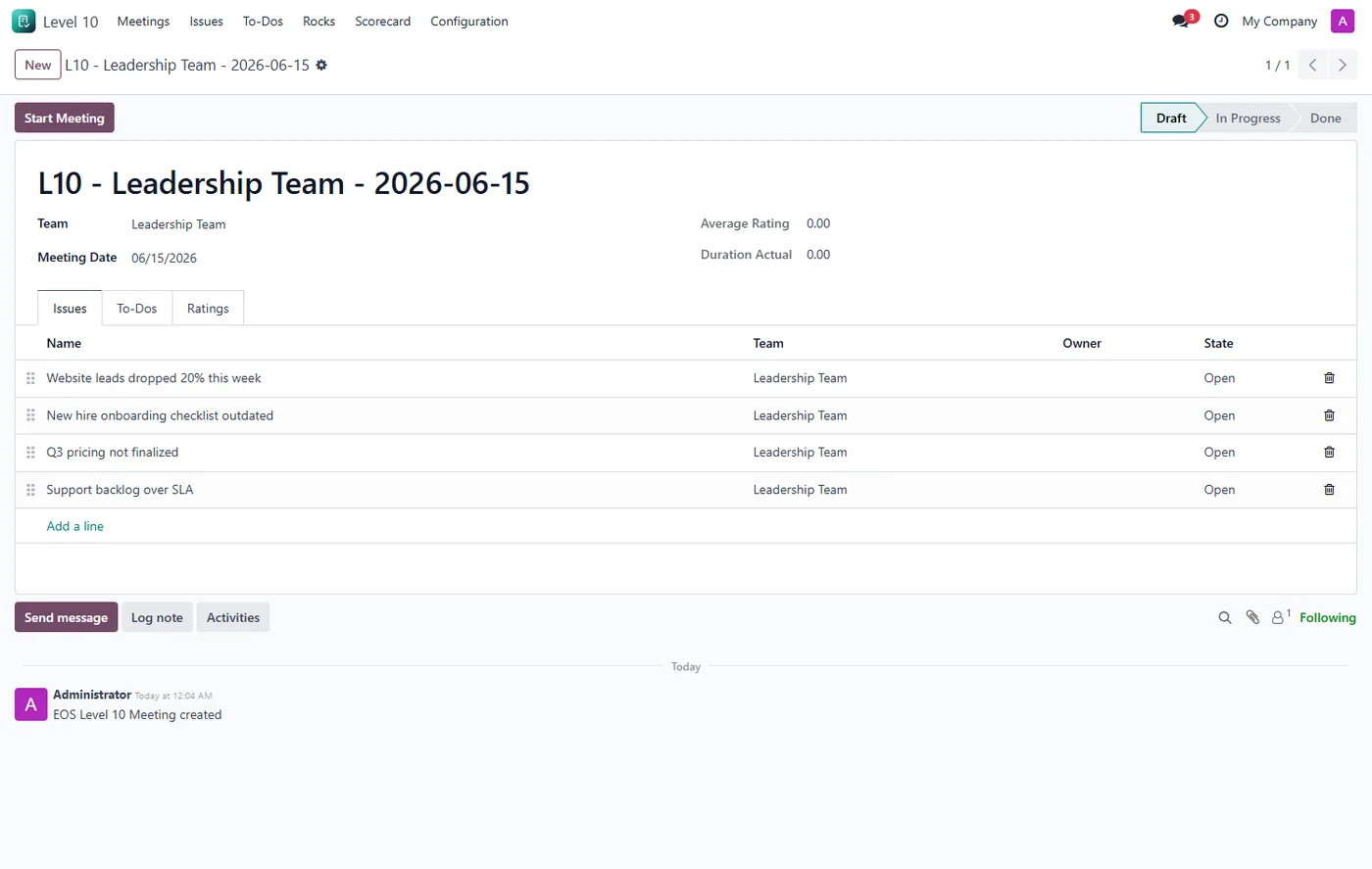
EOS Level 10 Meeting Manager brings the weekly L10 leadership meeting from the Entrepreneurial Operating System straight into Odoo, so your team runs the meeting where the rest of your business data already lives.
What it does
The heart of the module is a live, full-screen meeting runner. Click Start Meeting and the runner opens with the seven standard L10 segments down the left, each with its own countdown timer that keeps the meeting to its 90-minute box. The right side changes with the active segment: enter this week's scorecard numbers, toggle each rock on-track or off-track, check off last week's to-dos, work the issues list with Identify-Discuss-Solve, and finish with a 1-to-10 rating from everyone in the room. Every action is saved the moment you make it, so closing the tab never loses work.
A management dashboard gives leaders a single overview across every team, with KPI cards for open issues, open and overdue to-dos, off-track rocks and the average meeting rating, plus panels for rock status, the latest scorecard, the top open issues and recent meetings. The dashboard and the meeting runner both follow the user's Odoo light or dark theme automatically.
Who it's for
Any leadership or departmental team that runs EOS, Traction, or a similar weekly cadence and wants the meeting, the scorecard, the rocks, the issues, and the to-dos in one place inside Odoo instead of a separate subscription tool.
Questions
About EOS Level 10 Meeting Manager.
How do I run an EOS Level 10 meeting in Odoo?
Open a meeting record for your team and click Start Meeting. A full-screen runner opens with the seven L10 segments down the side, a countdown timer for each, and the right panel for the active segment so you can move through Segue, Scorecard, Rock Review, Headlines, To-Dos, IDS, and Conclude on time.
What is the IDS issues list and how does it work here?
IDS stands for Identify, Discuss, Solve. During the IDS segment the runner shows your open issues ranked by priority. You work the top issue, then mark it Solved or Dropped in one click, and the next issue moves up. Solved issues are stamped with the meeting they were solved in.
Do unfinished to-dos carry over to the next meeting?
Yes. When you end a meeting, any to-do that is not checked off is automatically moved to the team's next meeting and its carried count goes up by one, so nothing falls through the cracks.
Can I track a weekly scorecard and quarterly rocks?
Yes. The scorecard holds your weekly measurables with a goal and an operator, and each weekly value is flagged on-track or off-track automatically. Rocks hold quarterly priorities with on-track, off-track, or done status, and marking a rock off-track during the meeting creates an issue for the IDS list.
Does it work in Odoo Community and Enterprise?
Yes. It runs on both Community and Enterprise and depends only on the standard Discuss (mail) module. Each Odoo Apps Store listing shows the exact version it supports.
On the Odoo Store
Get EOS Level 10 Meeting Manager on the Odoo Store.
Pick your Odoo version and install it in a click, with free updates and real support behind it.
Get it on the Odoo StoreReady to make Odoo work the way your business does?
Book a free call CODEerts
CODEerts is a team of certified Odoo partners and full-stack engineers. We implement, customise and support Odoo ERP, then build the software around it.