 CODEerts
Productivity app for Odoo
Ravenly Mail: Outlook and IMAP Mail Client with AI
Read and send Microsoft 365, Outlook and any IMAP mailbox inside Odoo, then ask AI about your whole mailbox, get reply drafts and instant reply suggestions, search by meaning, and let Claude or ChatGPT read your mail through a secure connector.
Overview
Ravenly Mail: Outlook and IMAP Mail Client with AI.
Ravenly Mail puts a full email client inside Odoo. Connect Microsoft 365 or Outlook with a Microsoft sign-in, or any IMAP and SMTP mailbox such as Gmail, Zoho or your hosting provider, and work in a three-pane inbox with conversations, folders, tags, stars, search and a rich text composer. Mail stays on your mail server, so Outlook and your phone always show the same read status. On top of that, Ravenly indexes your whole mailbox, with no year limit, so you can ask AI questions in a chat and get answers that cite the exact emails, have a full reply drafted from the conversation, pick one of three short suggested replies, and find mail by what it means, not only by the words it contains. A built-in MCP connector lets Claude and ChatGPT search and read your mail and save drafts, never send. Each user sees only their own mailboxes, passwords are stored encrypted, and AI runs on your own Anthropic or OpenAI key.
How it works
Built around what you actually do.
Every screen below is the module running in Odoo, not a mockup.
01
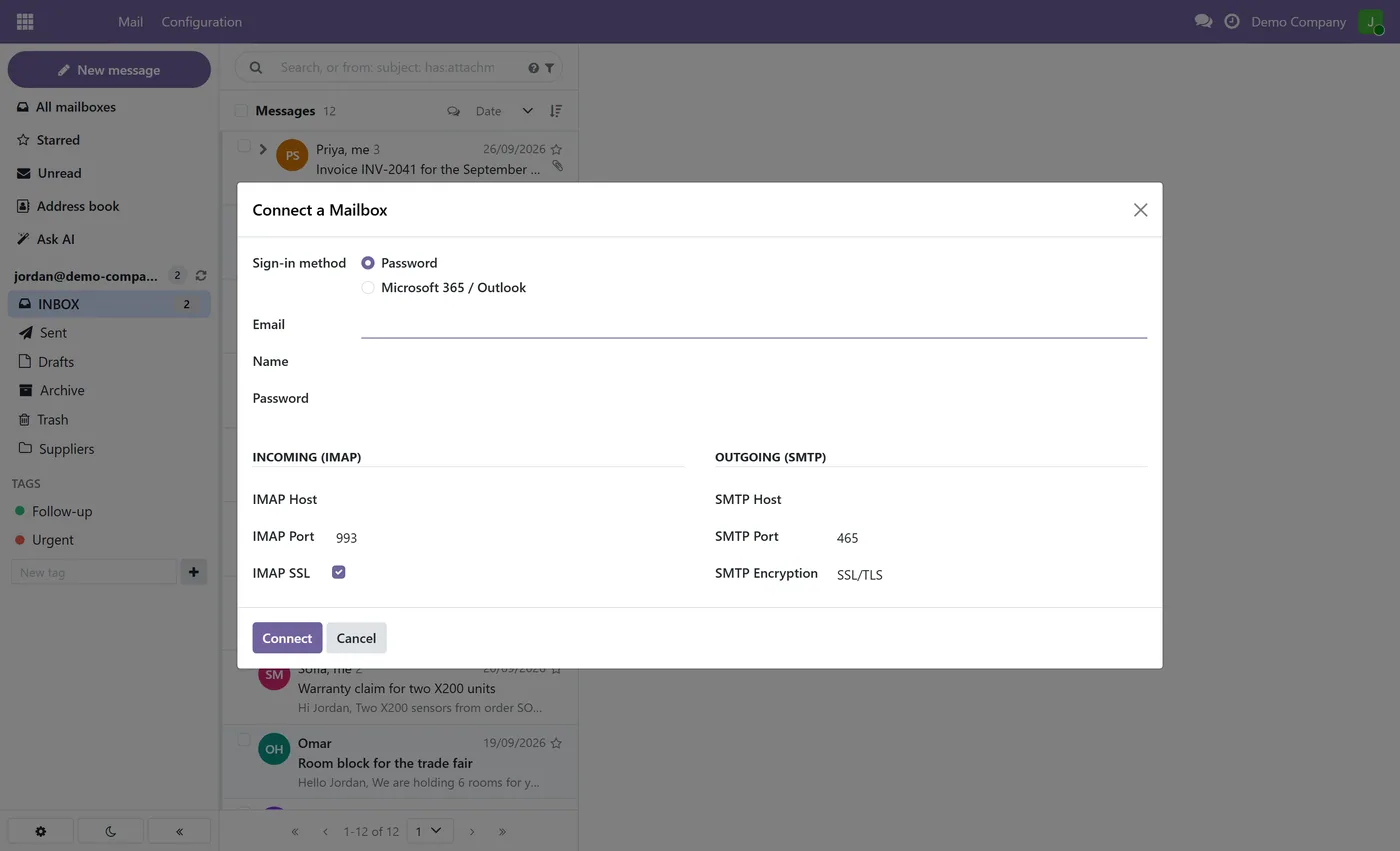
Microsoft 365 and Outlook sign-in, plus any IMAP and SMTP mailbox such as Gmail or Zoho
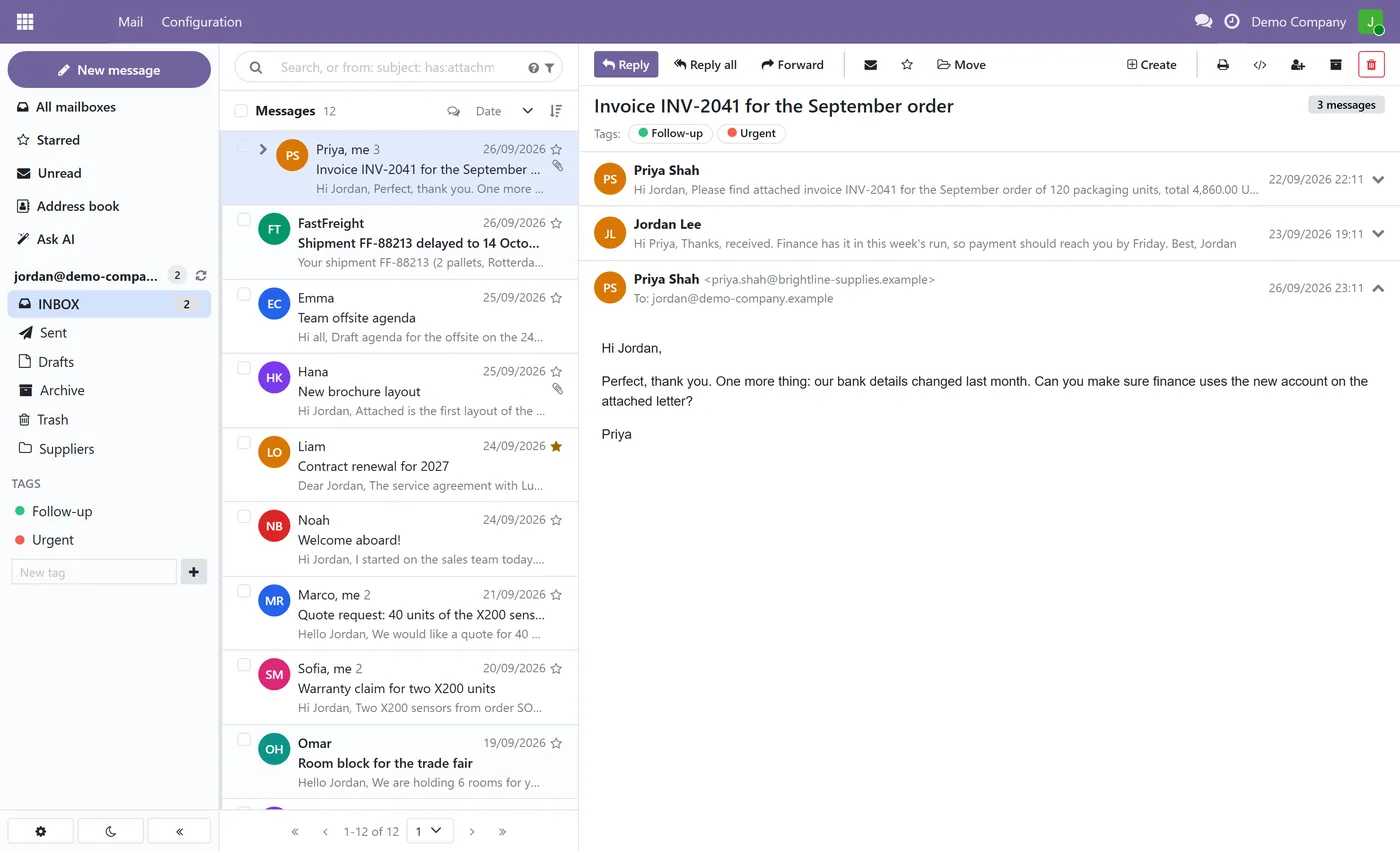
- Three-pane inbox with conversations, message counts, folders, tags and stars
- Read status kept in sync with the mail server, so Outlook and your phone always agree
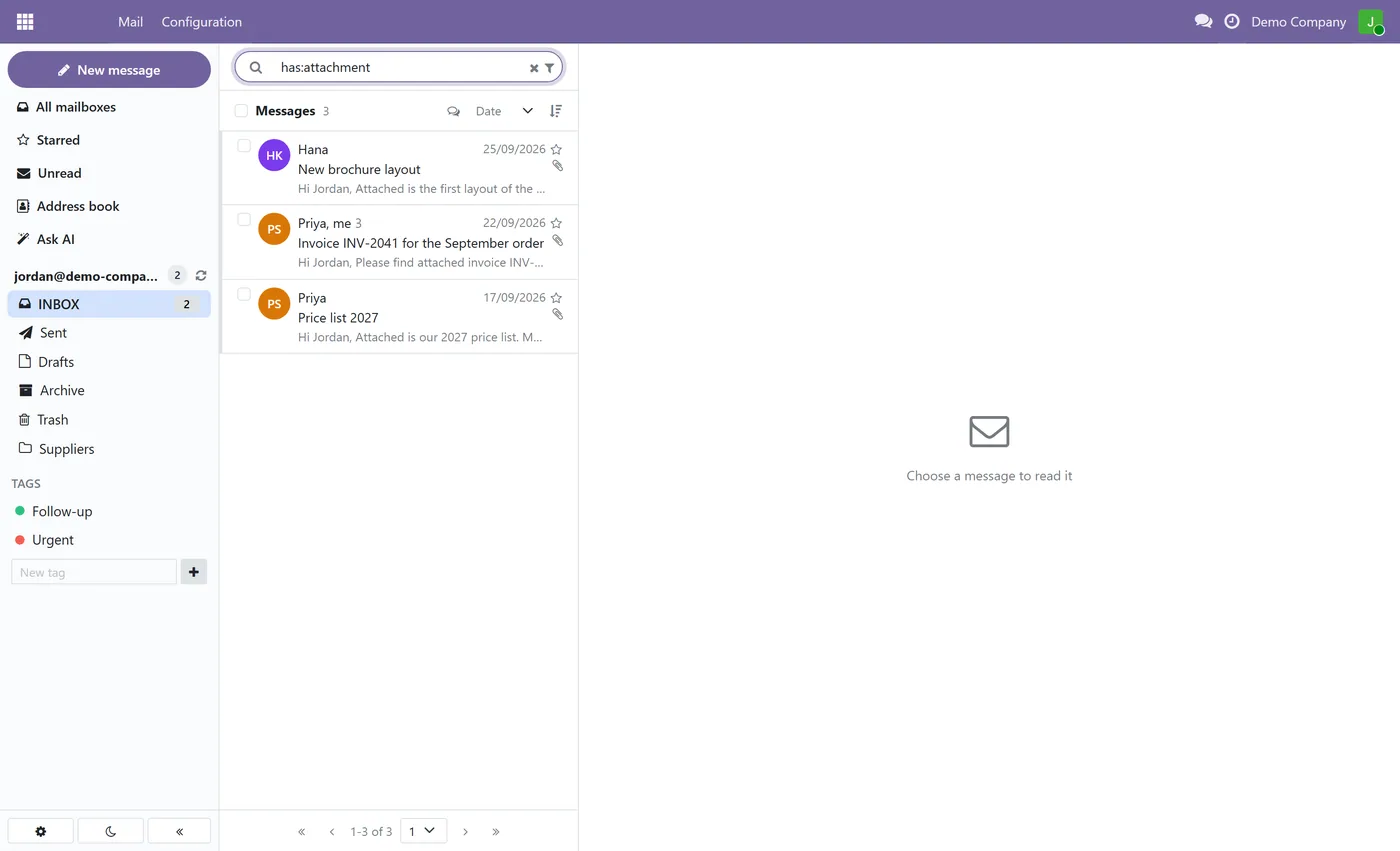
- Search with operators such as from:, subject:, has:attachment and before
02
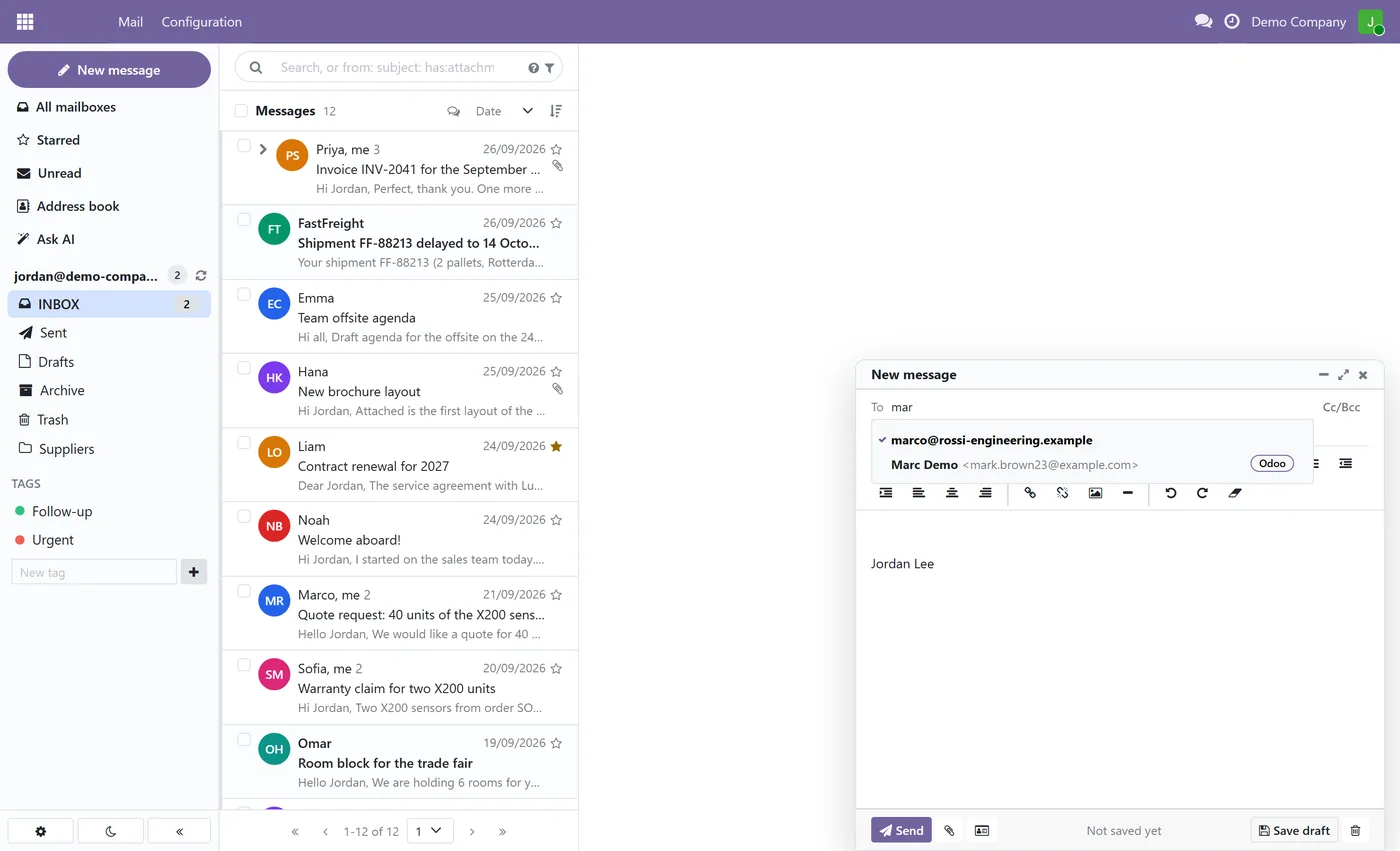
Rich text composer with attachments, Cc and Bcc, signatures and drafts saved on the server
- Create a meeting, task or other Odoo record from any email, or attach the email to a record
- Ask AI in a chat about your whole mailbox, with answers that cite the exact emails
- One question searches all your connected mailboxes at once, such as Outlook and Gmail together
03
Draft reply and three instant reply suggestions, opened as a draft and never sent for you
- Search by meaning across the whole mailbox, with no year limit
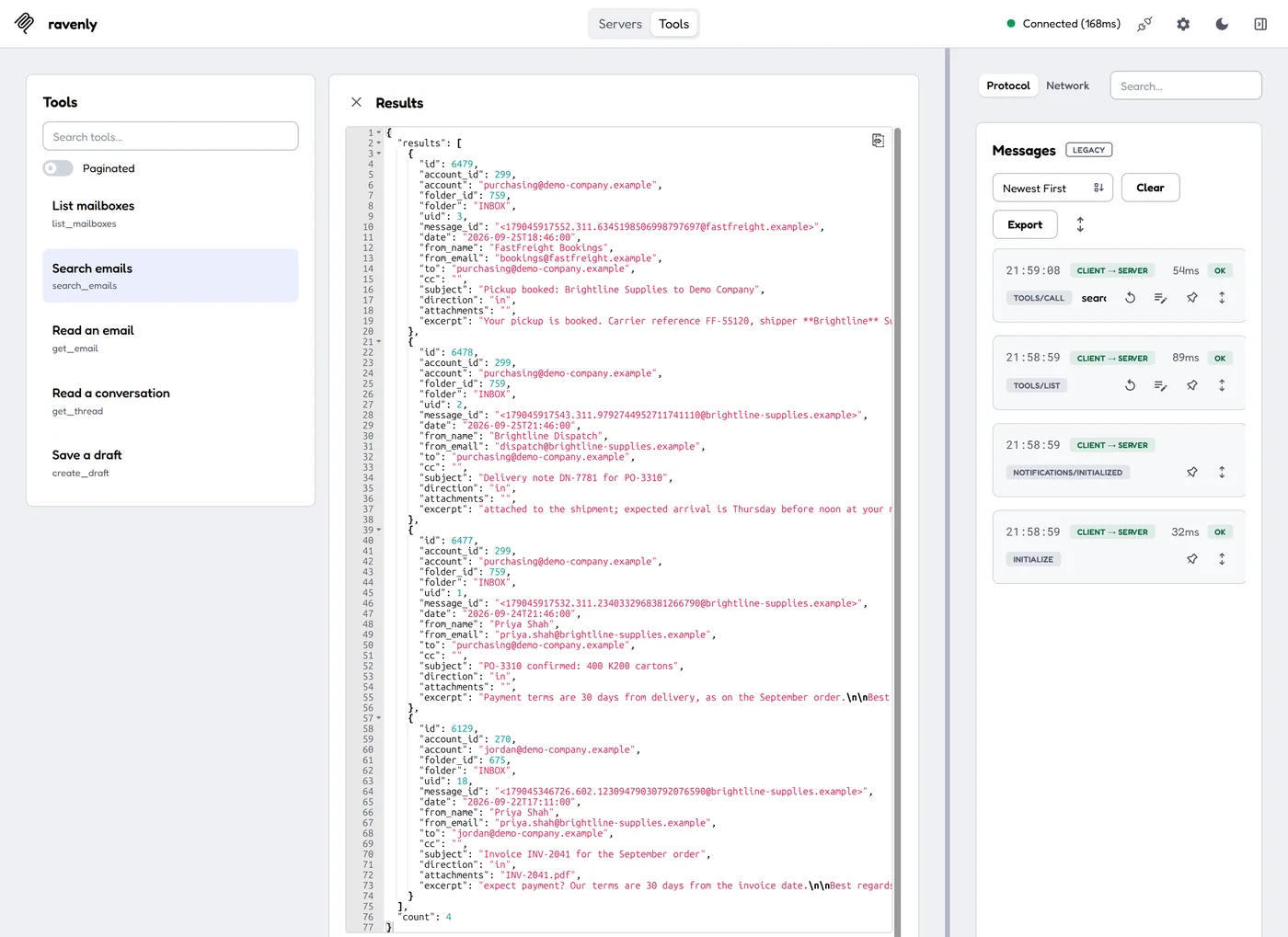
- MCP connector for Claude and ChatGPT that can search, read and save drafts, but never send
Every screen
The whole module, screen by screen.
The captures the walkthrough above did not use, in the order you meet them in the product.
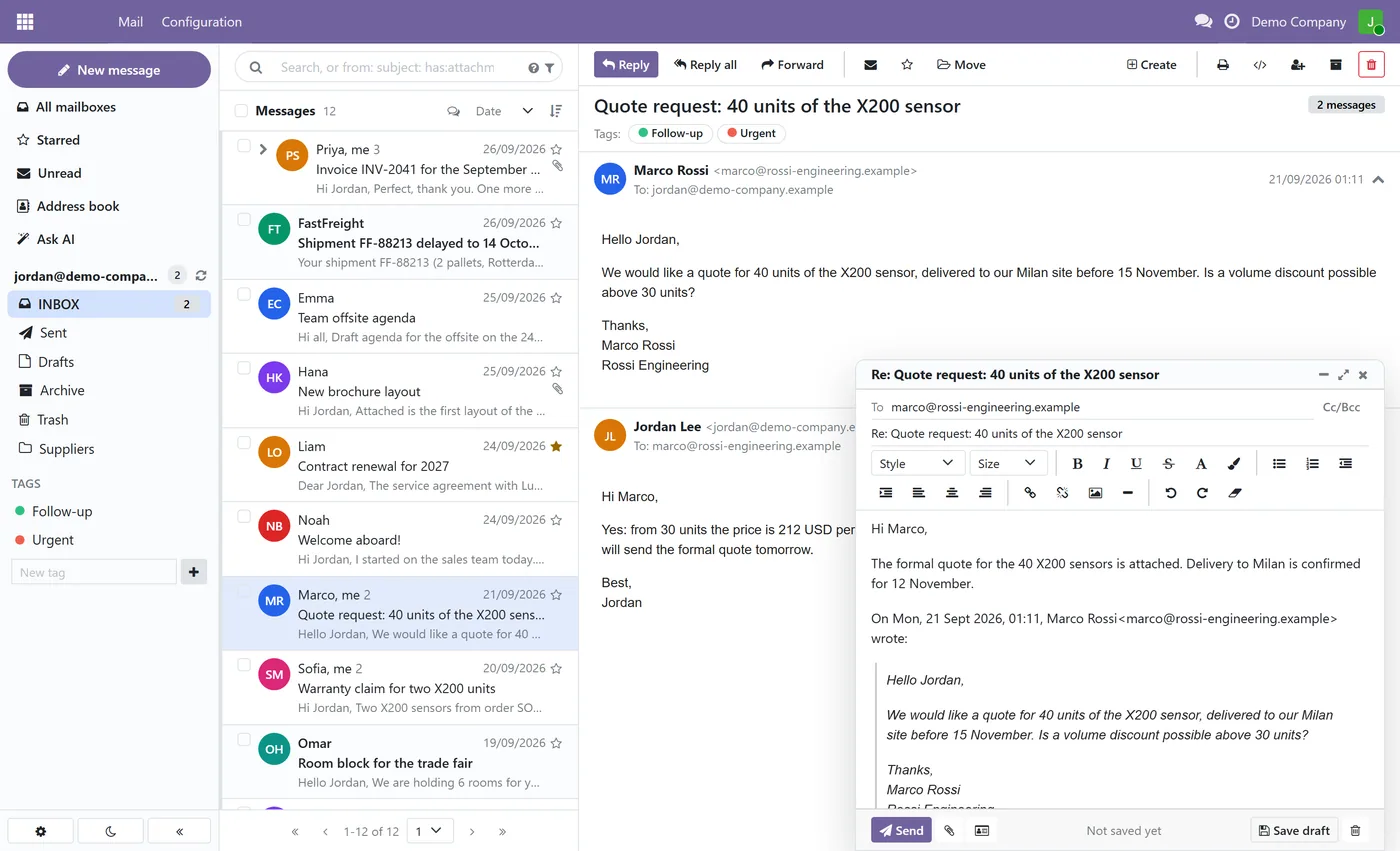
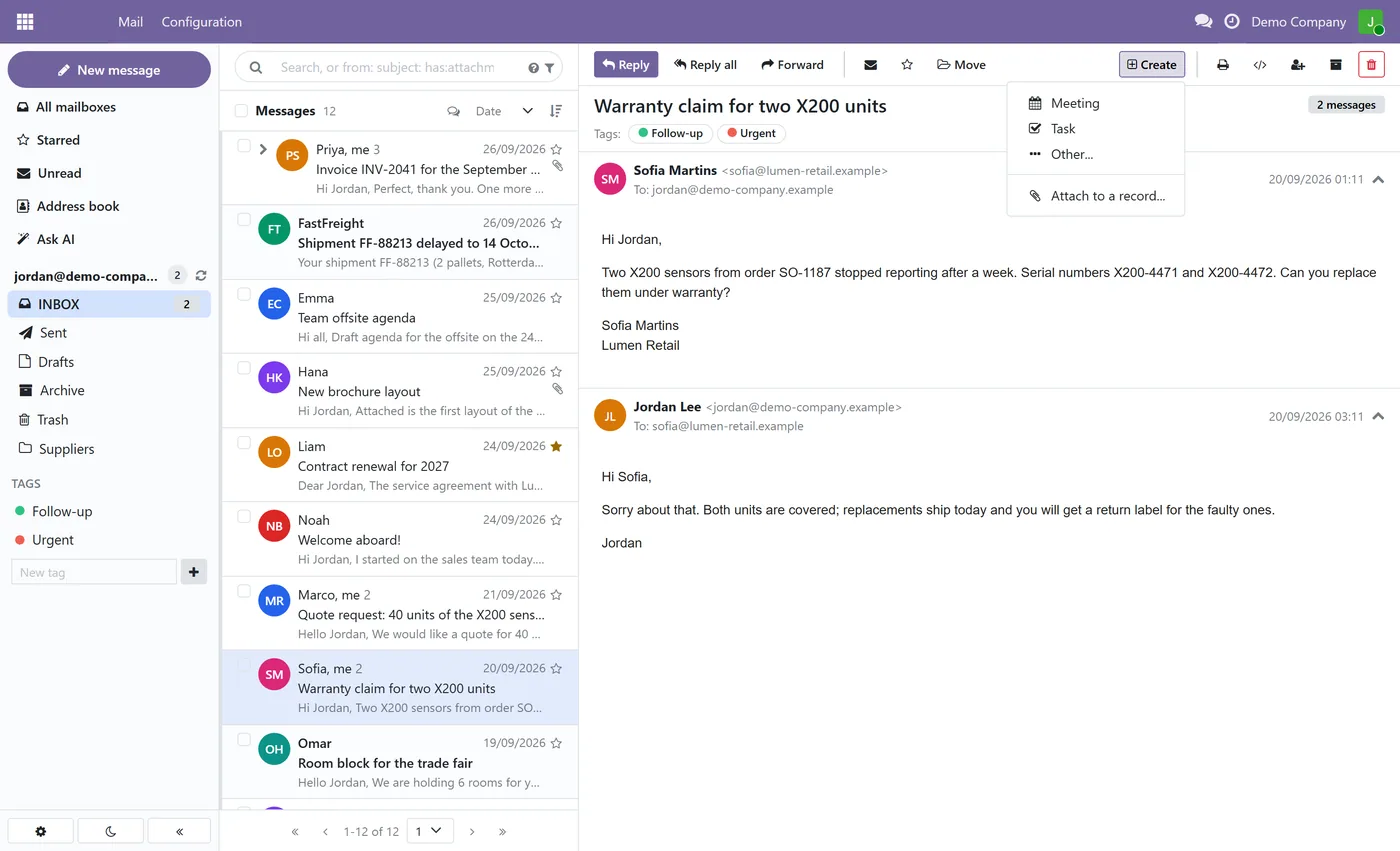
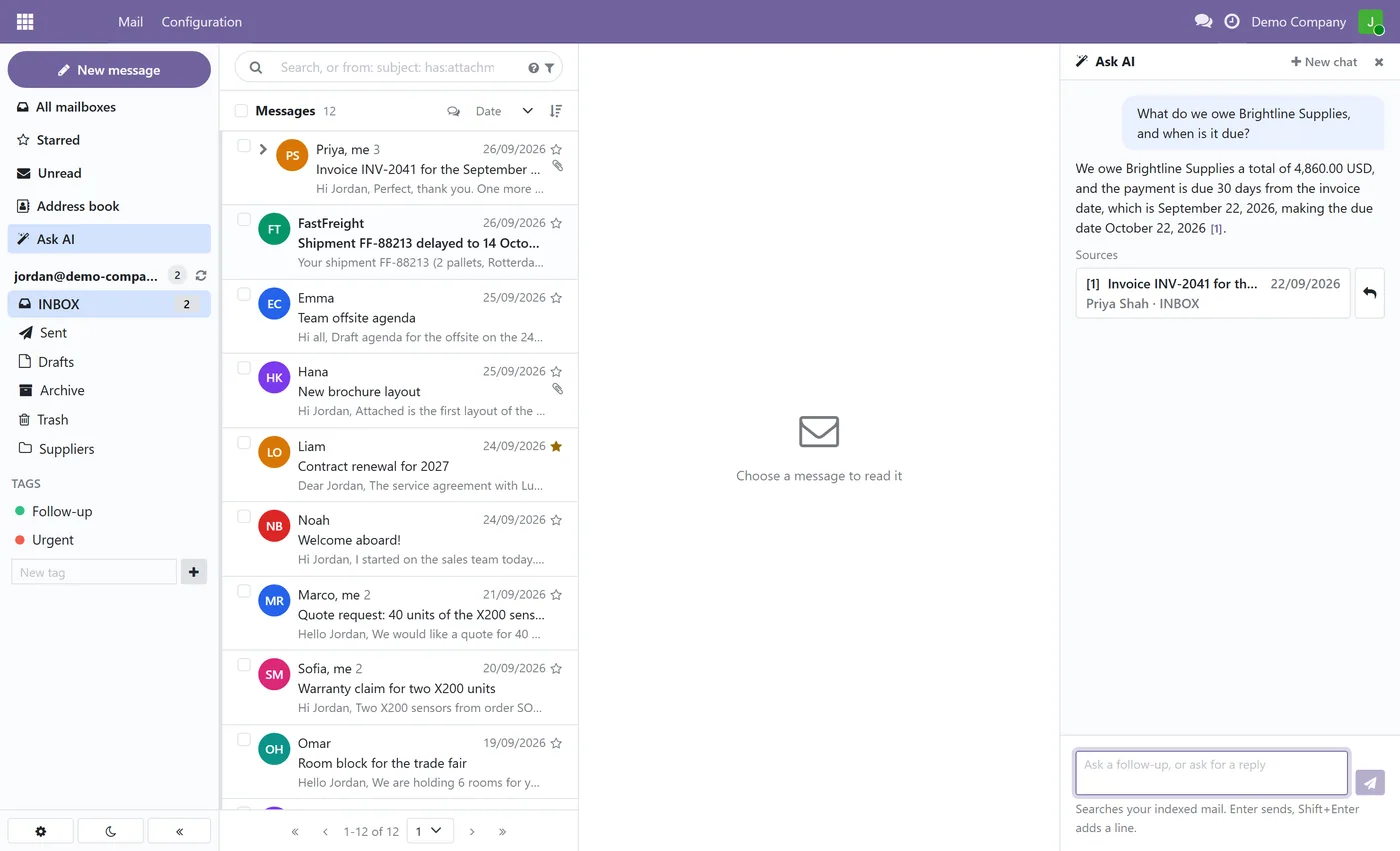
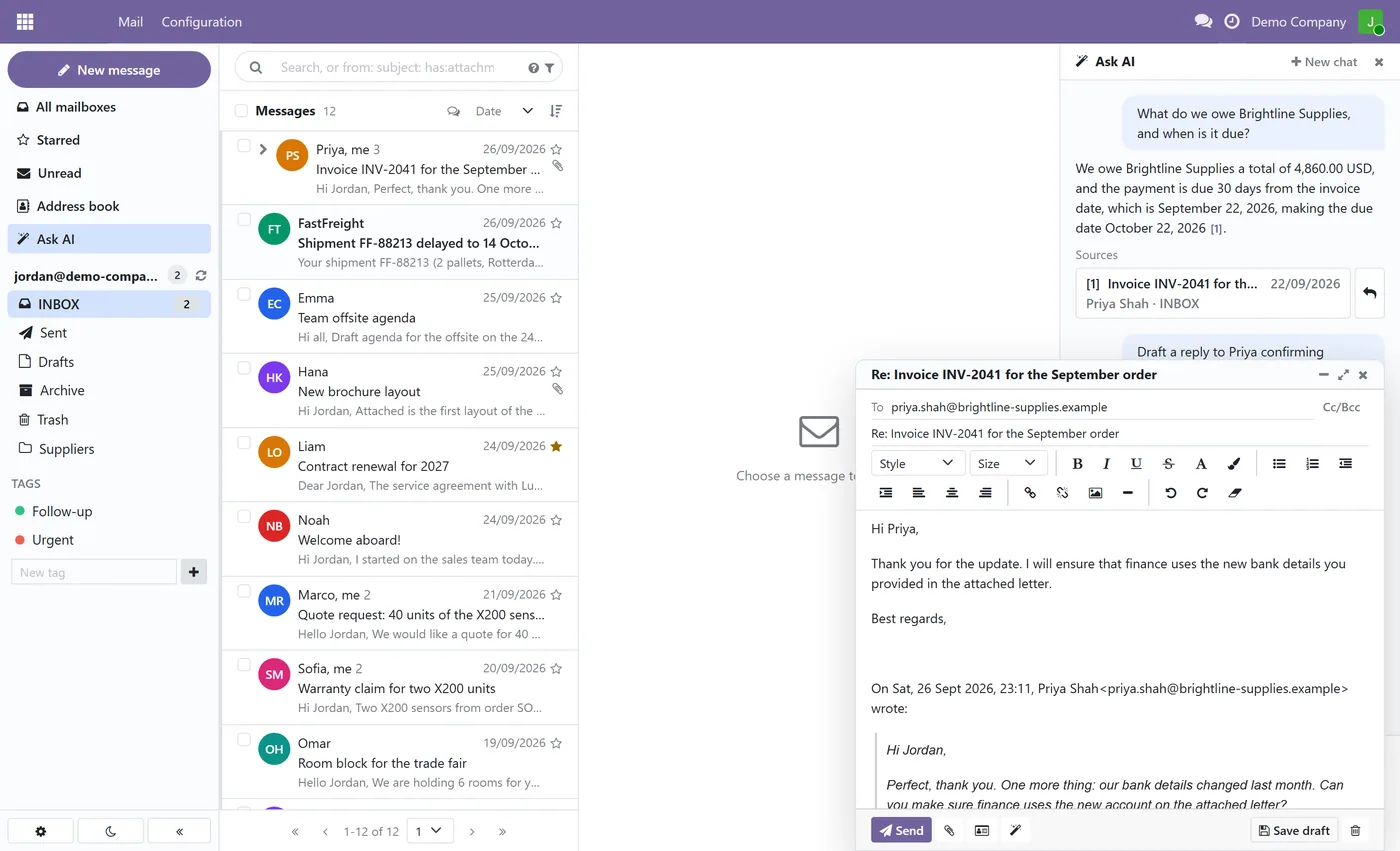
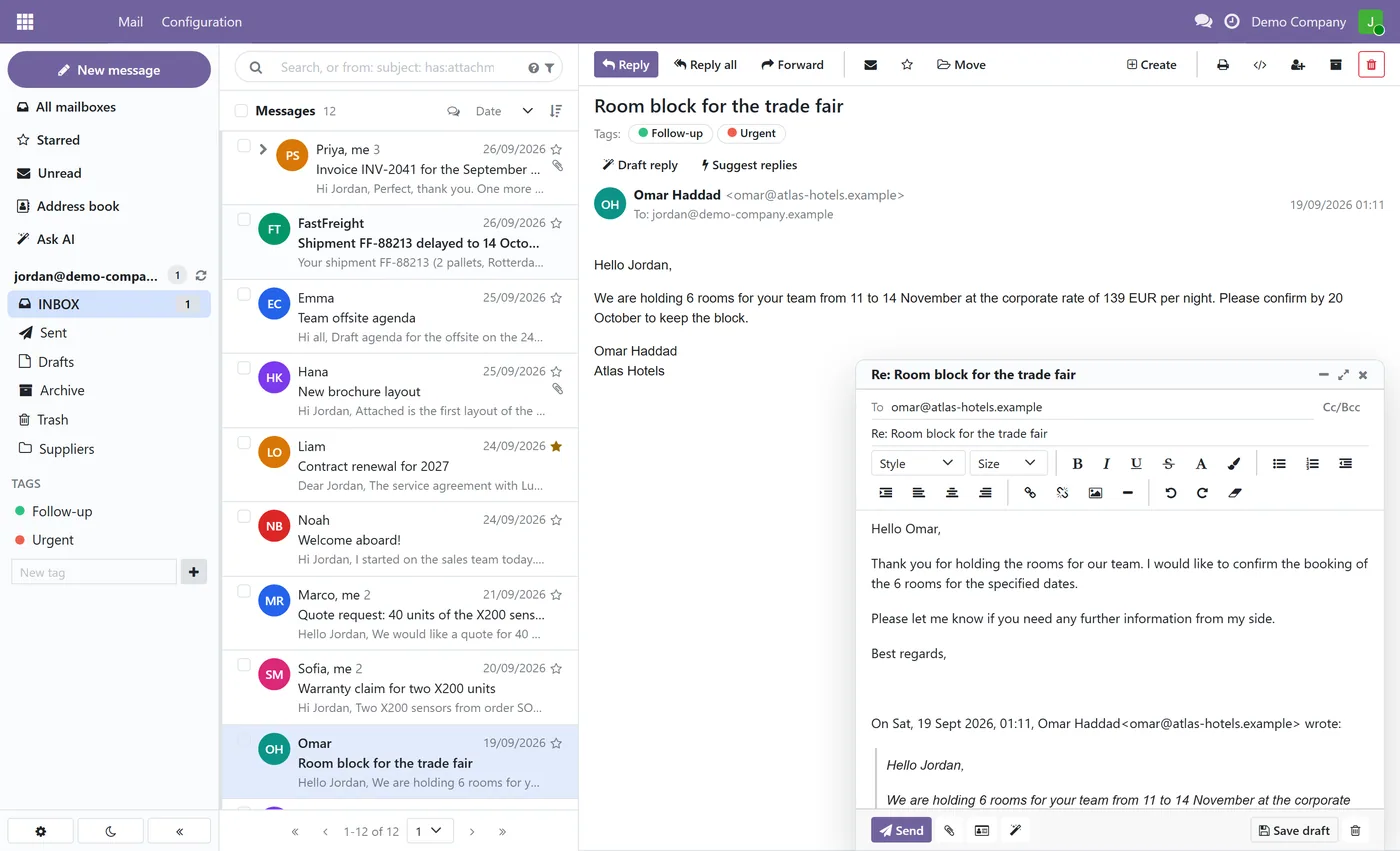
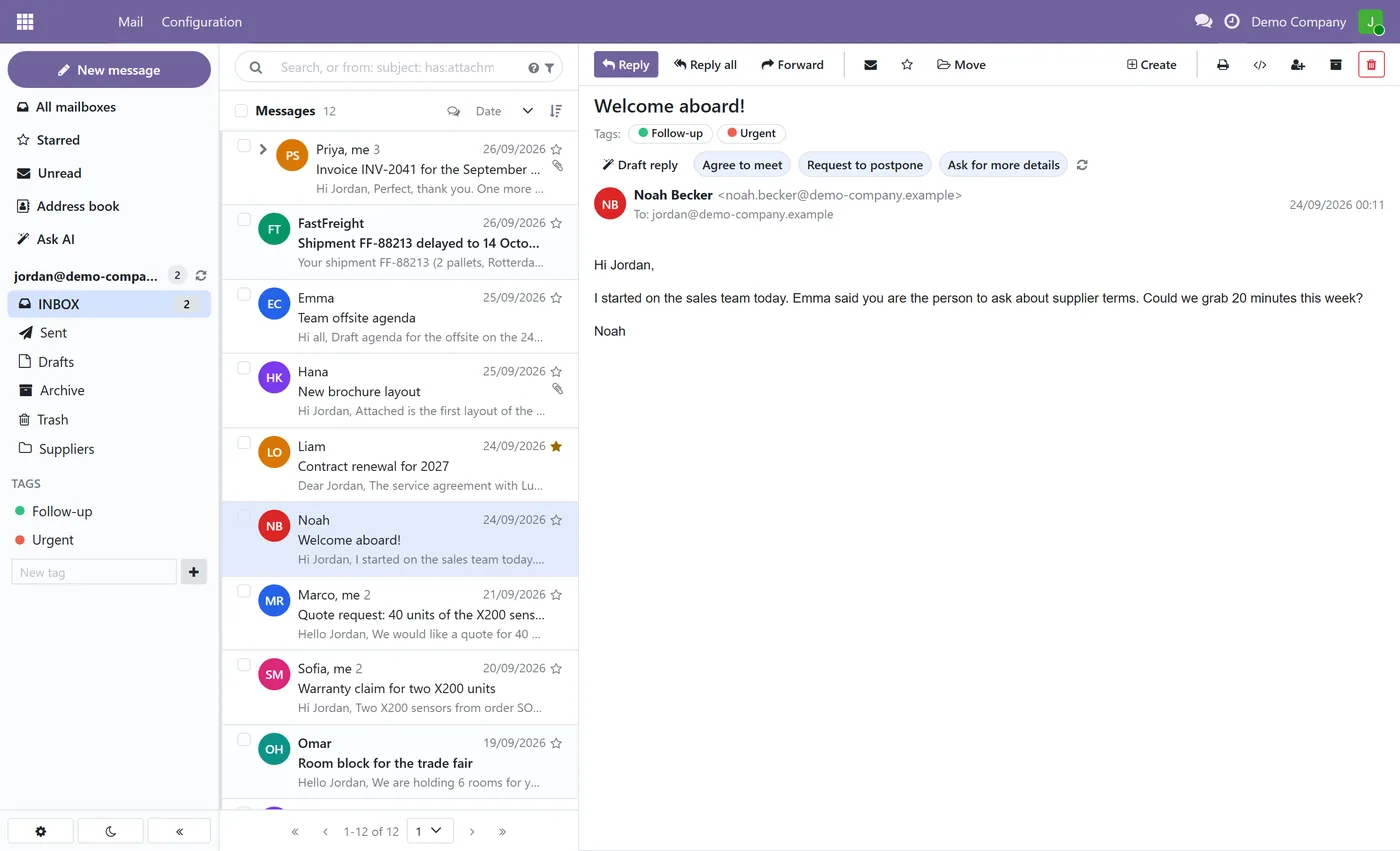
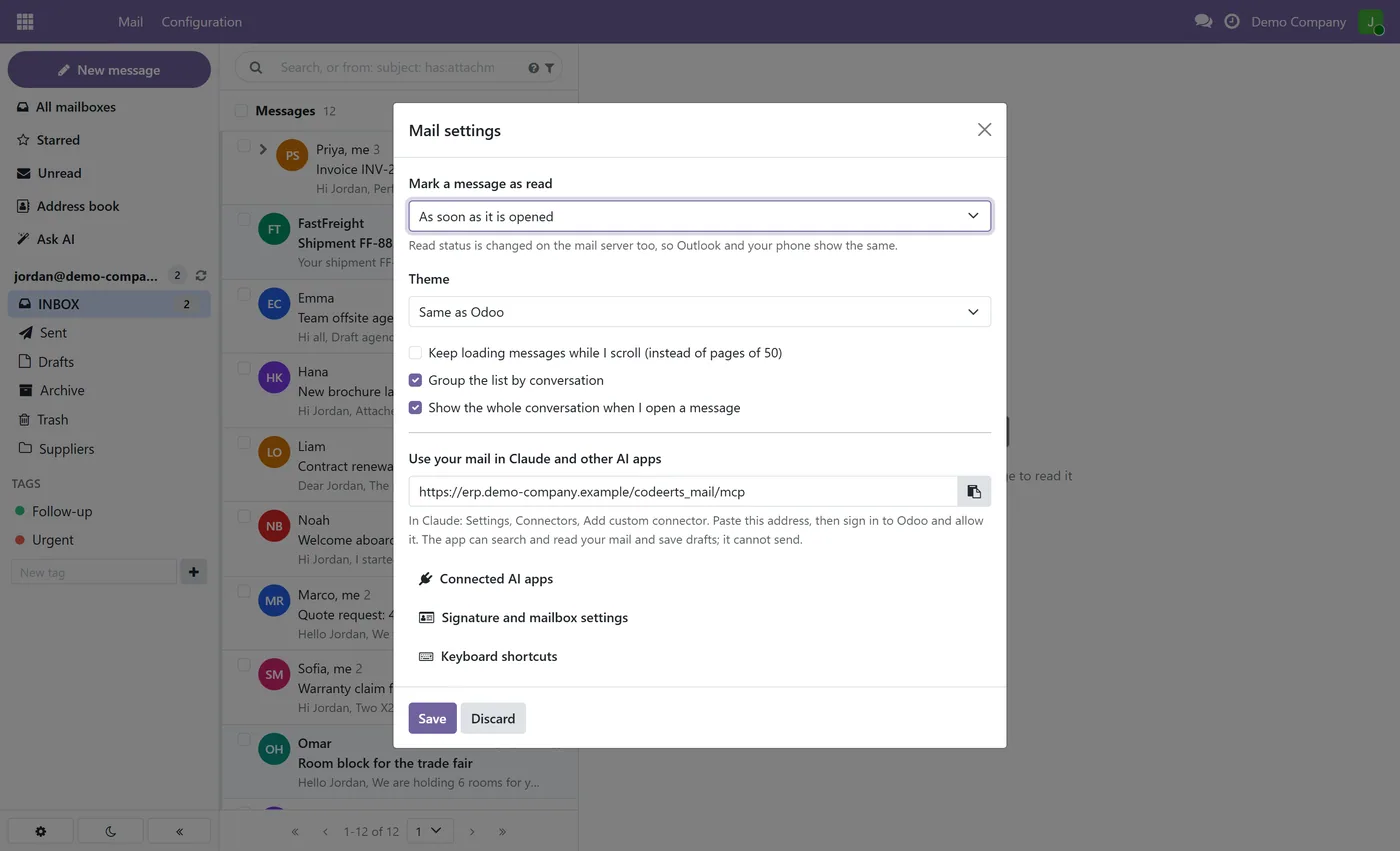
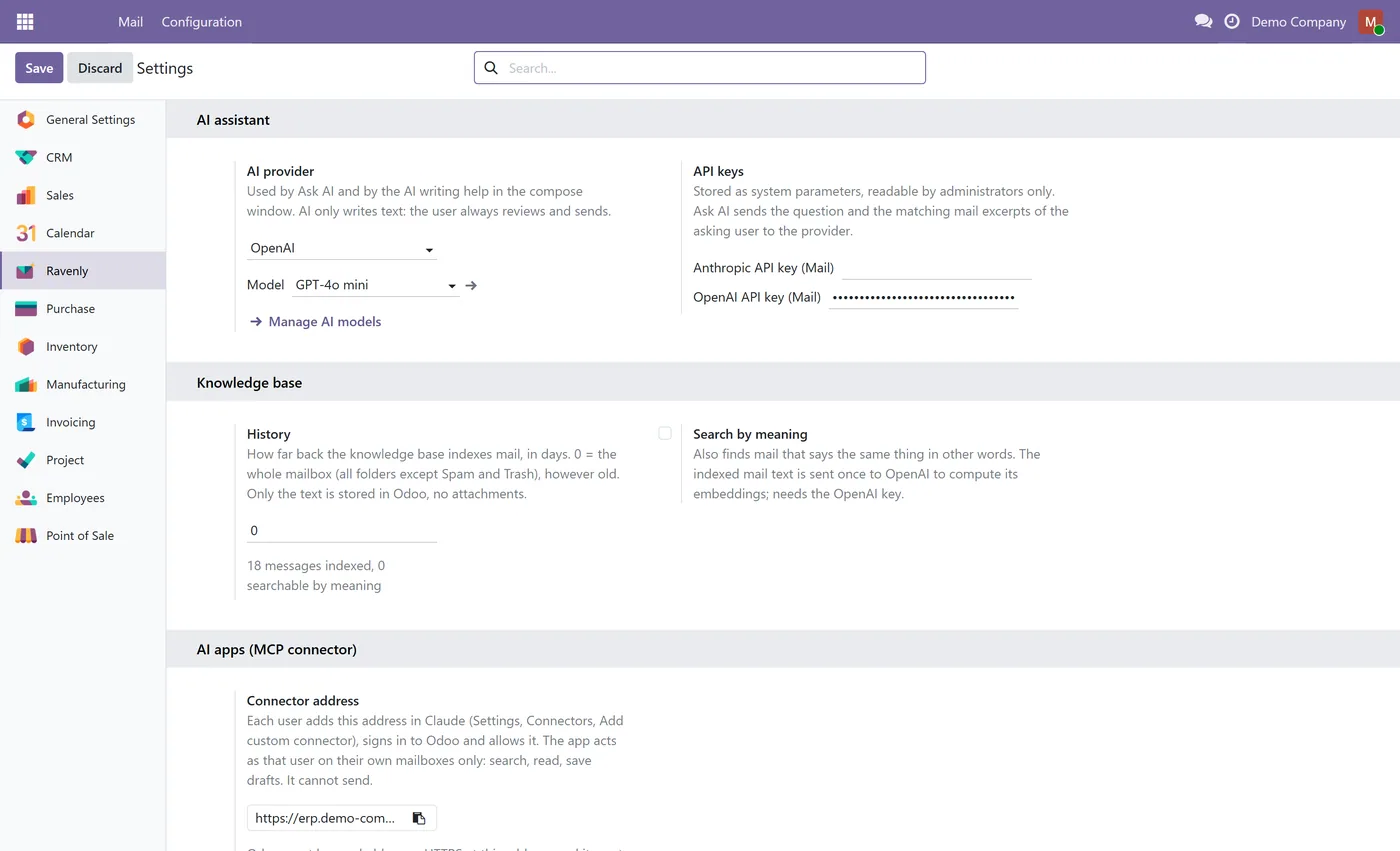
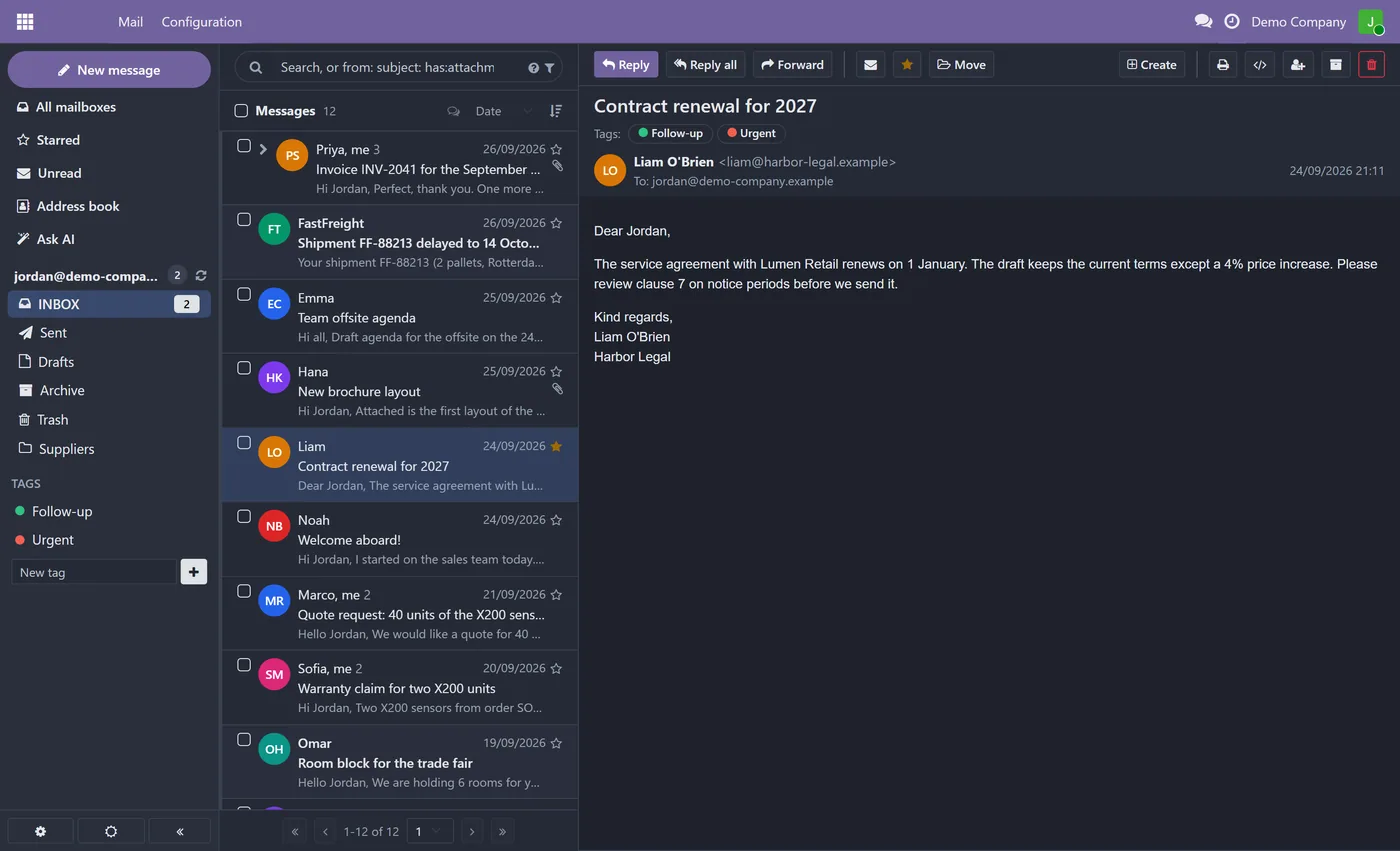
Ravenly Mail is an email client that lives inside Odoo. Your team reads, answers and files mail next to their sales orders, projects and contacts, and when they need to find something in years of mail they simply ask.
What it does
Ravenly connects Microsoft 365 and Outlook with a Microsoft sign-in, or any IMAP and SMTP mailbox, and shows it in a familiar three-pane inbox with conversations, folders, tags, stars and search. Mail stays on your mail server, and reading a message in Odoo marks it read there too, so Outlook and your phone always agree. Every mailbox is indexed in Odoo, the whole history with no year limit, which powers Ask AI: a chat that answers questions about your mail and cites the exact emails it used. Open any email and Ravenly can draft a full reply from the conversation or offer three short replies to pick from. You can also find mail by what it means rather than by exact words, turn an email into a meeting or task, and let Claude or ChatGPT search and read your mail through the built-in MCP connector, which can save drafts but never send.
Who it's for
Companies that run on Odoo and are tired of switching between Odoo and Outlook or Gmail all day. Sales, purchasing, support and management teams get their mailbox in the same place as their records, and the AI features turn years of mail into something they can question, answer and act on. It suits any team that keeps its mail on Microsoft 365 or an IMAP server and wants AI on its own terms, with its own API key and nothing sent without a person pressing Send.
Questions
About Ravenly Mail: Outlook and IMAP Mail Client with AI.
How do I read Outlook or Microsoft 365 email inside Odoo?
Install Ravenly Mail, open Connect a Mailbox and choose Microsoft 365 / Outlook. You sign in with Microsoft, and the mailbox opens in a three-pane inbox inside Odoo with your folders, conversations and read status kept in sync with Outlook.
Can I use Gmail or another IMAP mailbox in Odoo?
Yes. Any mailbox that offers IMAP and SMTP works, including Gmail, Google Workspace, Zoho and most hosting providers. For Gmail and Google Workspace you connect with an app password, which requires 2-Step Verification on the Google account.
How does Ask AI answer questions about my email?
Ravenly indexes your whole mailbox in Odoo and, when you ask a question, finds the relevant emails and has Claude or OpenAI answer from them, citing each email so you can open it. Follow-up questions keep the conversation, like a chat.
Can Ask AI and ChatGPT search all my mailboxes at once?
Yes. With Outlook, Gmail and other mailboxes connected, one question searches all of them together and the answer cites each email with its mailbox. You can also limit a question to one mailbox. Only your own mailboxes are searched, never another user's.
Can I add several email accounts and let the AI search, read and reply across all of them?
Yes. Each user can connect several mailboxes, such as Outlook, Gmail and any IMAP account. Ask AI, and Claude or ChatGPT through the connector, search and read all of them together, and every answer names the email and the mailbox it came from. When you ask for a reply, it is written as a draft from the mailbox the email arrived in, and nothing is sent until you press Send.
Does the AI send emails on its own?
No. Draft reply, suggested replies and drafts made from the chat or by Claude and ChatGPT always open or save as a draft. Nothing is sent until you press Send.
Can other Odoo users read my mailbox?
No. Each user sees only their own mailboxes, messages and AI answers, and mailbox passwords are stored encrypted. The AI only ever receives the mail of the user who asked.
Which Odoo versions are supported and does it work on Community?
It works on both Community and Enterprise. Use the version selector at the top of this page to pick your Odoo release, since each branch is published as its own listing for that exact version.
On the Odoo Store
Get Ravenly Mail: Outlook and IMAP Mail Client with AI on the Odoo Store.
Pick your Odoo version and install it in a click, with free updates and real support behind it.
Get it on the Odoo StoreReady to make Odoo work the way your business does?
Book a free call CODEerts
CODEerts is a team of certified Odoo partners and full-stack engineers. We implement, customise and support Odoo ERP, then build the software around it.

