 CODEerts
Extra Tools app for Odoo
Odoo to Odoo Connector
Keep two or more Odoo databases in step. Map contacts, products and draft quotations, RFQs, transfers and invoices field by field, preview every run with a dry run, review conflicts, and never lose a record to a silent failure.
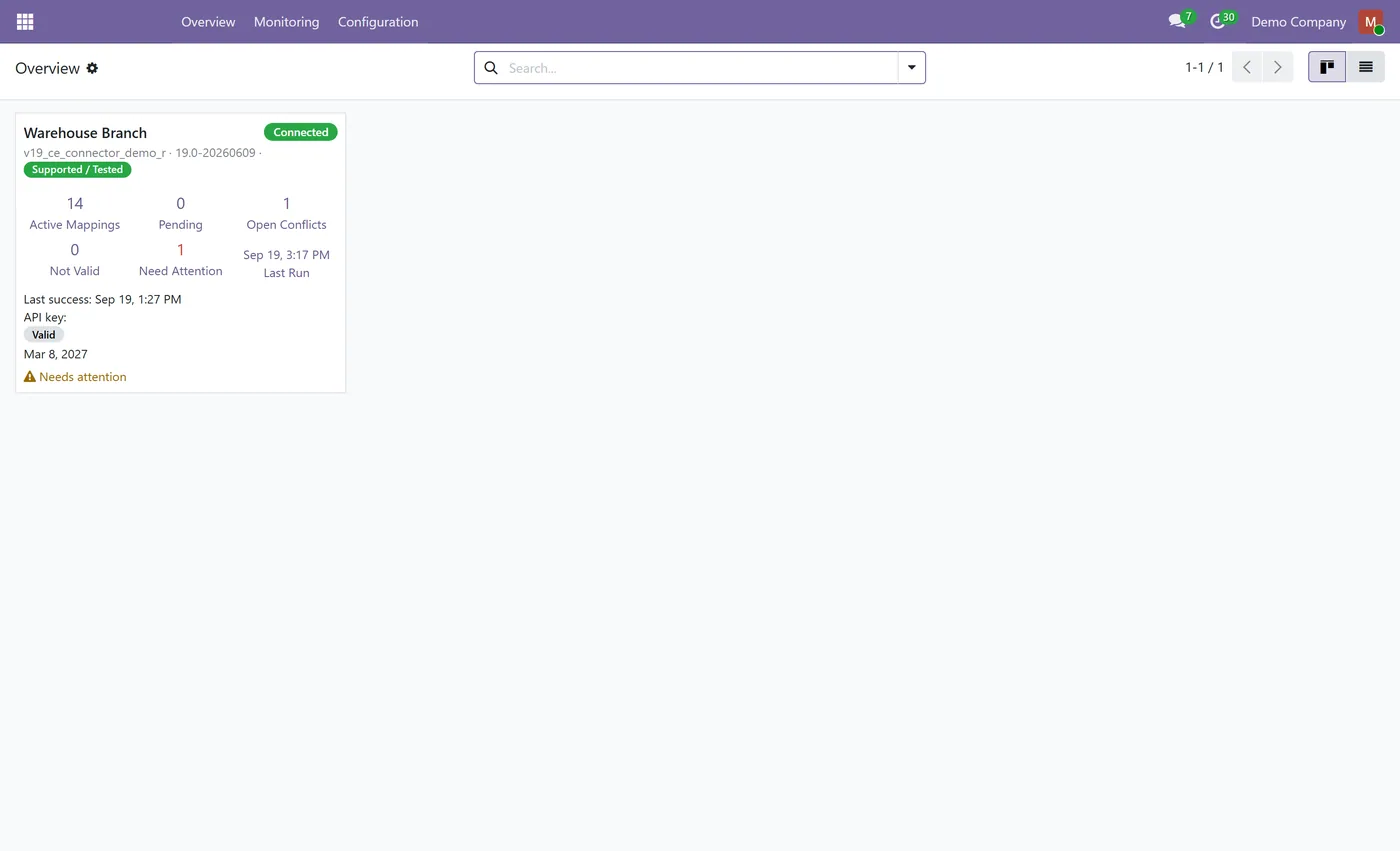
Overview
Odoo to Odoo Connector.
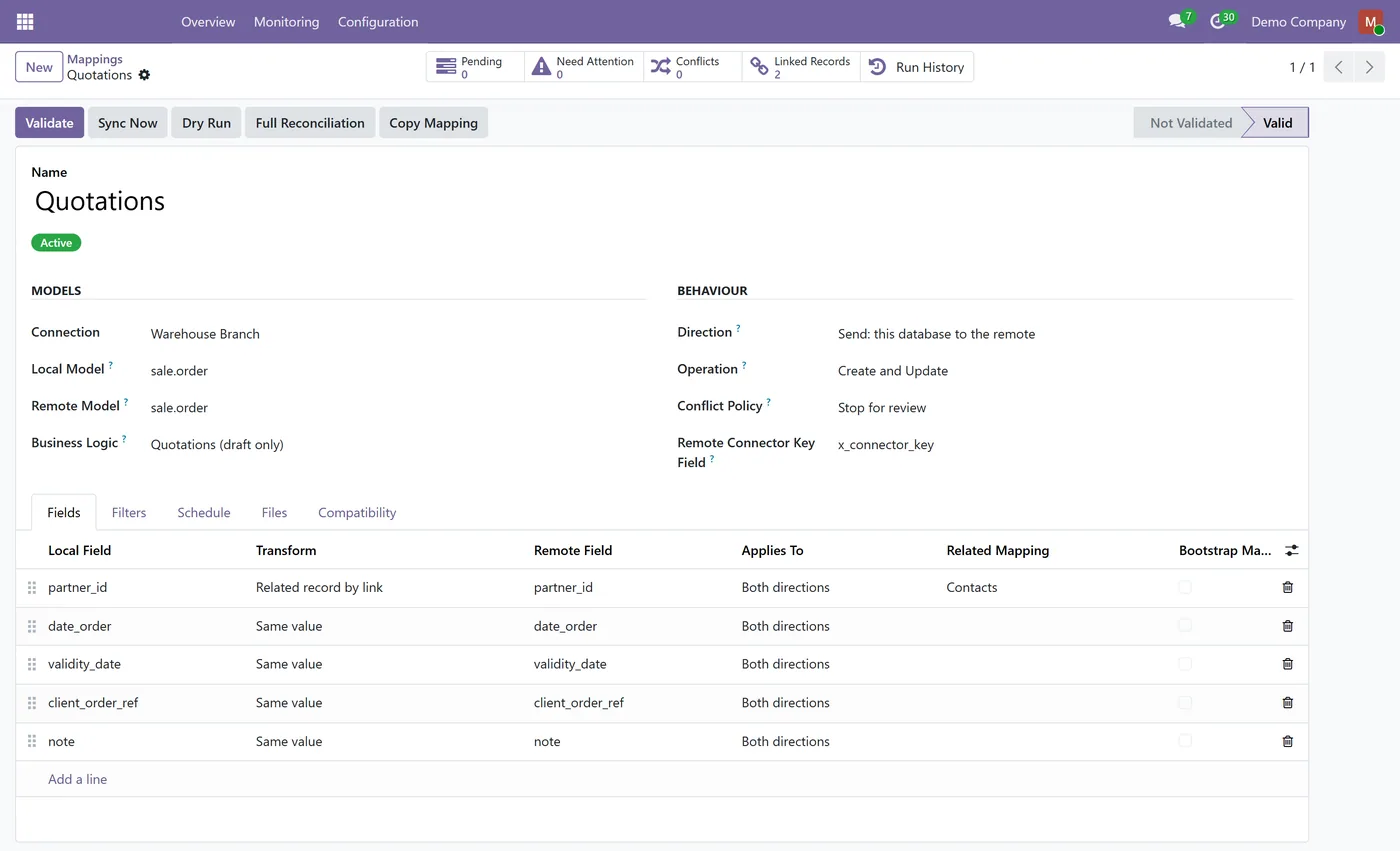
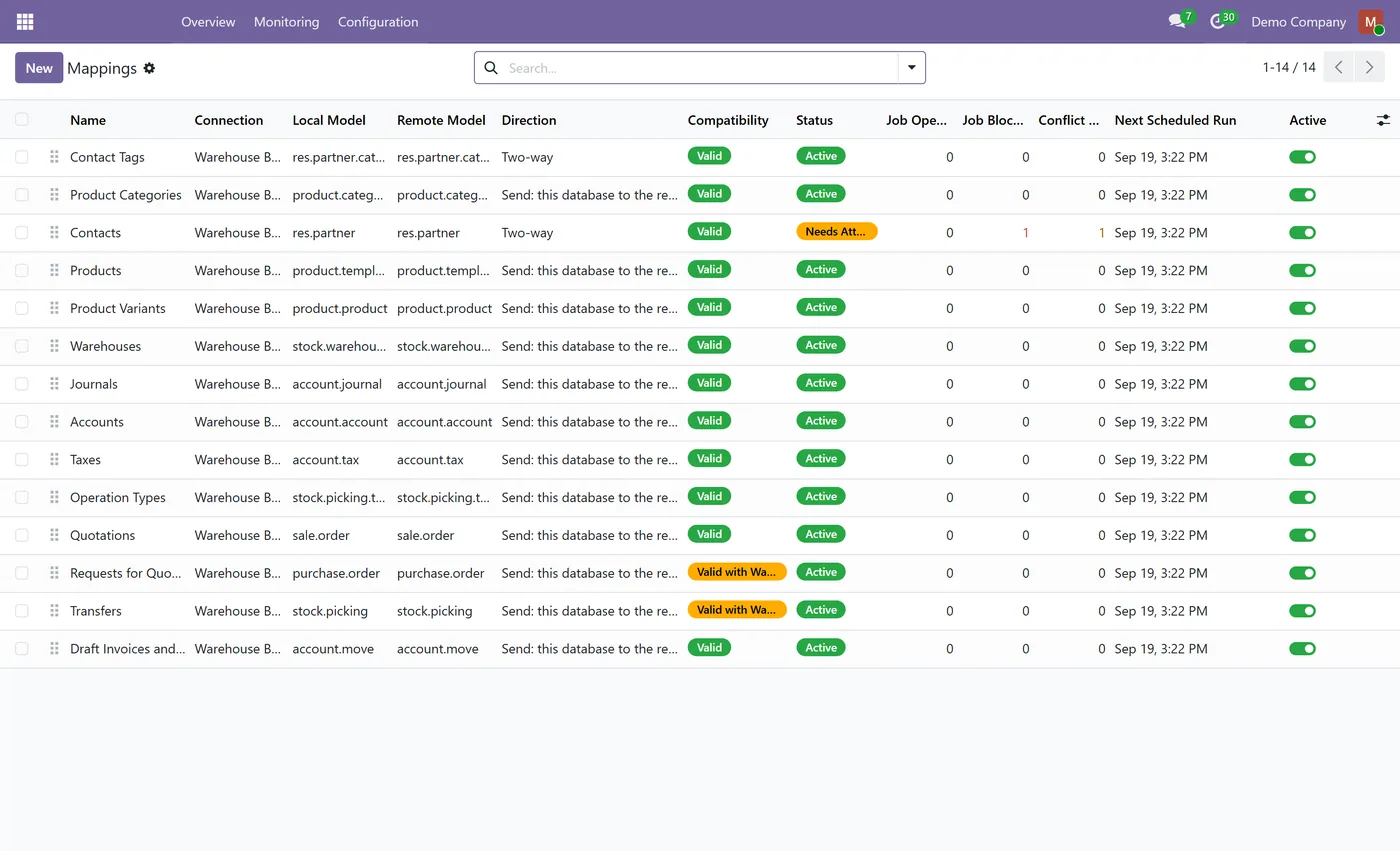
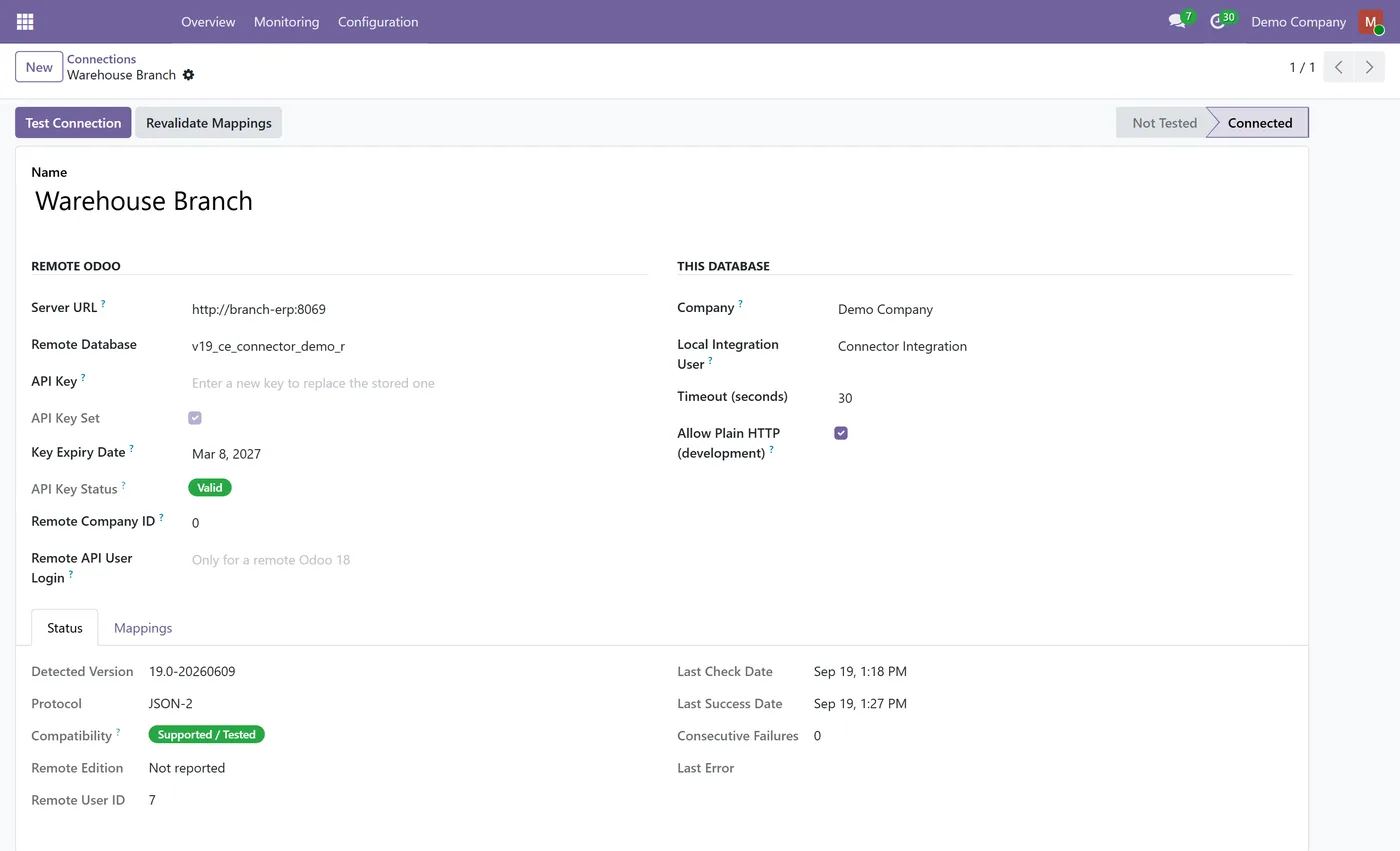
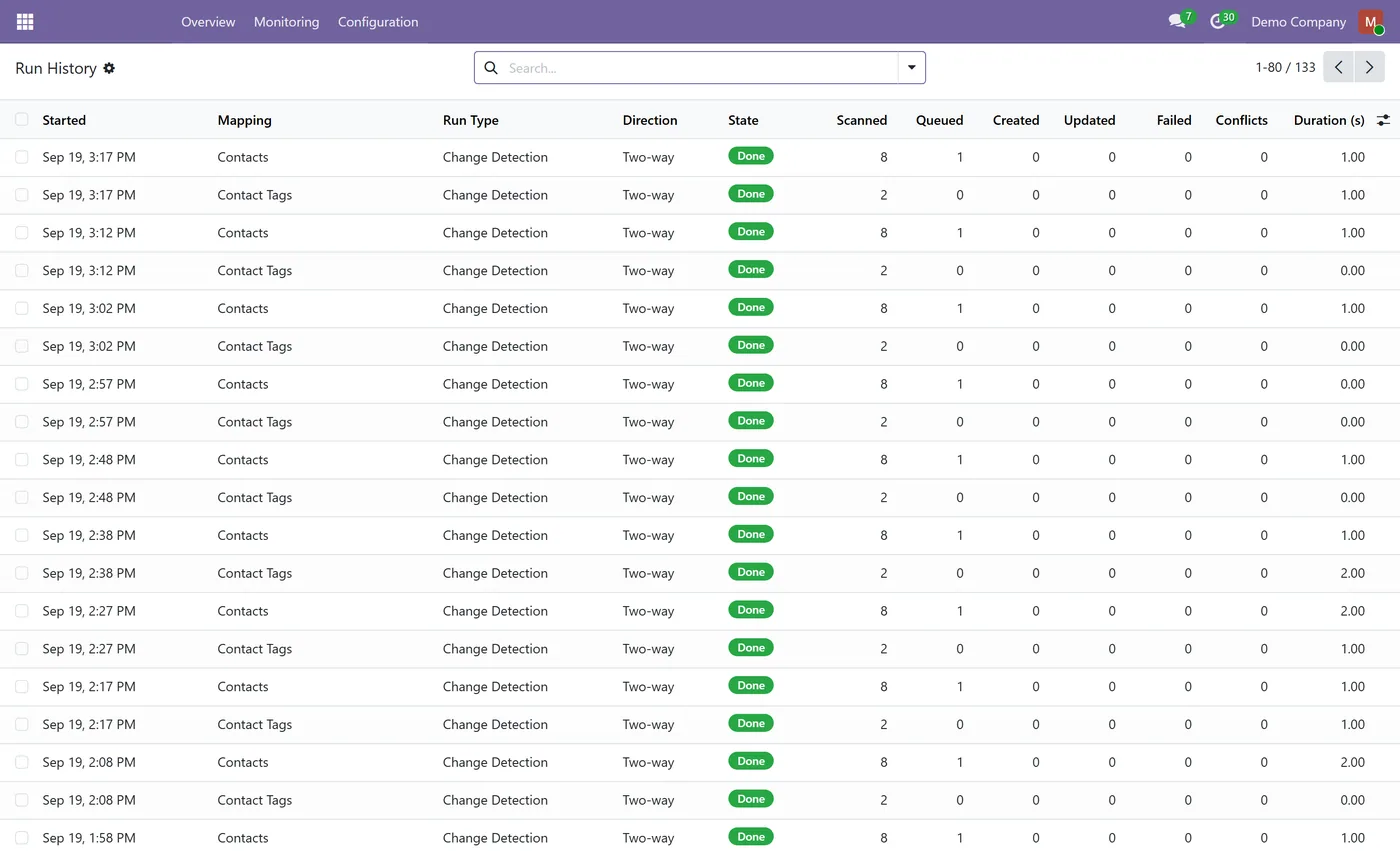
Odoo to Odoo Connector synchronises records between Odoo databases over Odoo's official external APIs. Install it on one database and connect it to one or more remote Odoo 18, 19 or 20 databases, each with its own non-admin API user. Each mapping links a local model to a remote model and chooses the direction (send, receive or two-way), the operation mode (create and update, create only, update only or match only), the conflict policy and the records to include with a filter on each side. Field lines send a value, a linked record found by key, a translated value or a fixed value, never a raw database id. Before anything is written, every mapping is validated against the remote database's live schema and a dry run shows what would be created, updated, matched or left alone. Business documents travel as drafts only: quotations, requests for quotation, transfers, and customer invoices and vendor bills, with their customers, products, warehouses, journals, accounts and taxes matched. Nothing is ever confirmed, validated or posted, and deletions are never propagated. Ready-made templates create the usual mappings in one step, and a monitoring layer covers the overview dashboard, sync requests with their reasons, conflicts decided by a manager, record links and a full run history.
How it works
Built around what you actually do.
Every screen below is the module running in Odoo, not a mockup.
01
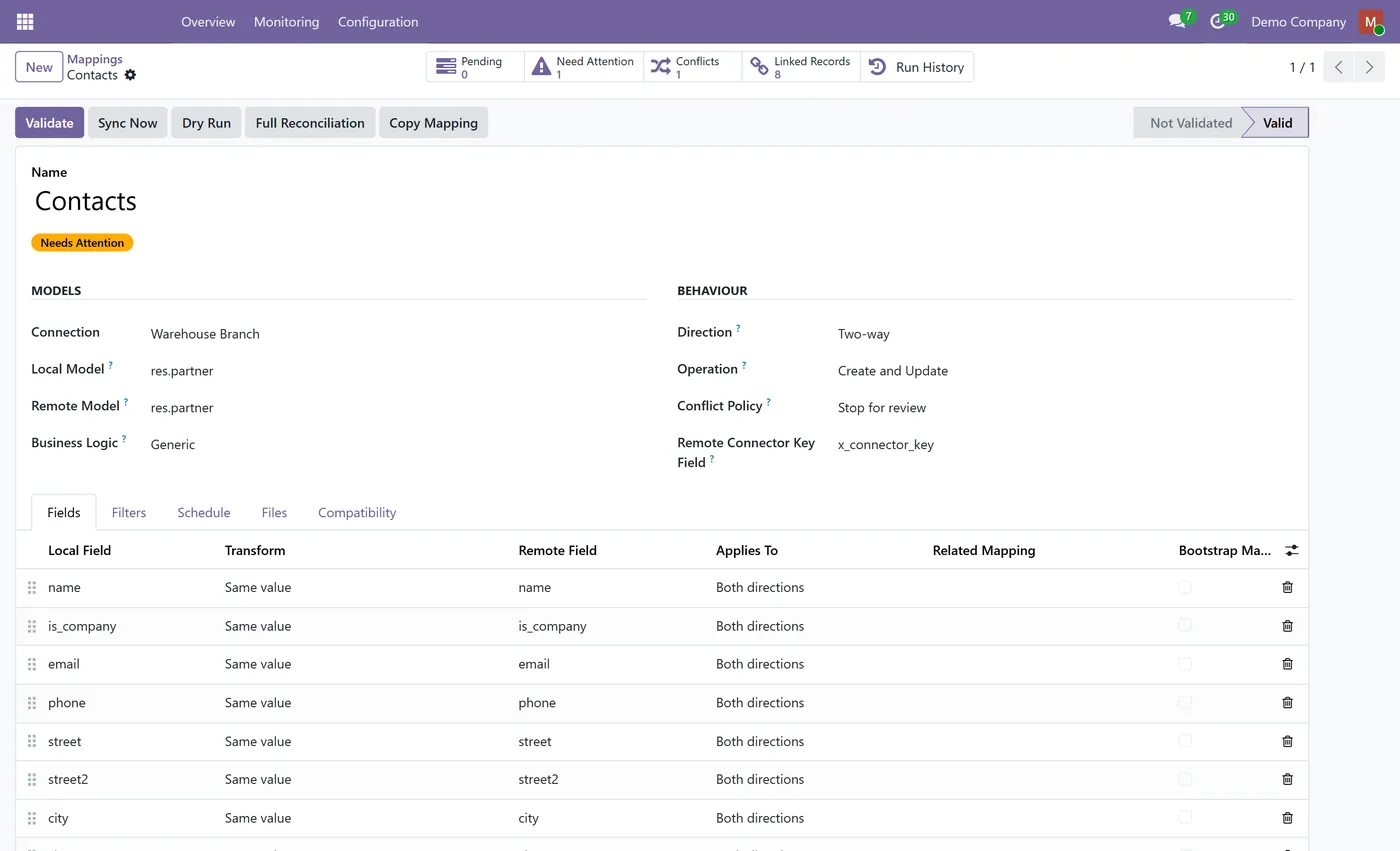
Connect one database to several remote Odoo 18, 19 and 20 databases
- Send, receive or two-way, per mapping
- Create and update, create only, update only or match only
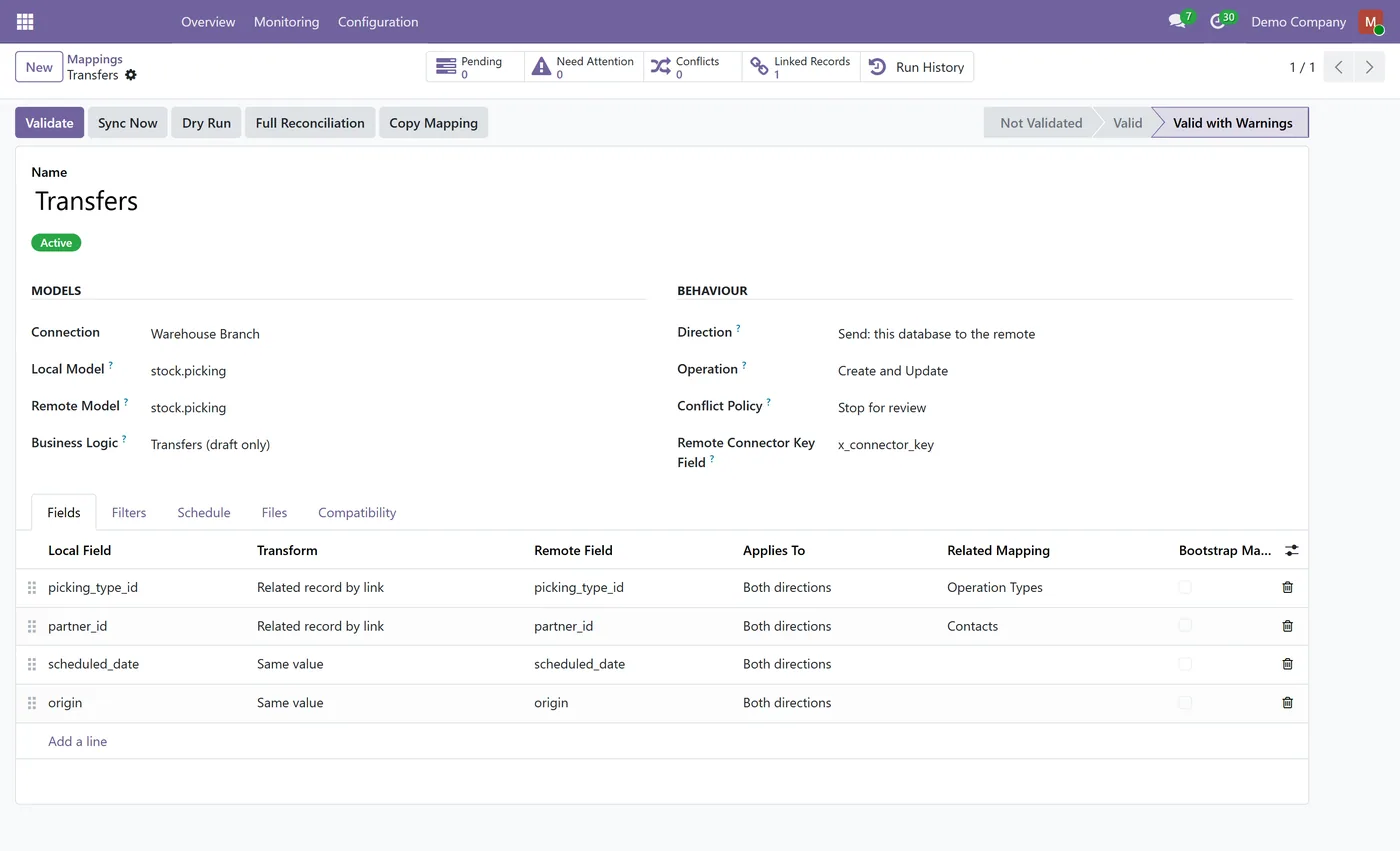
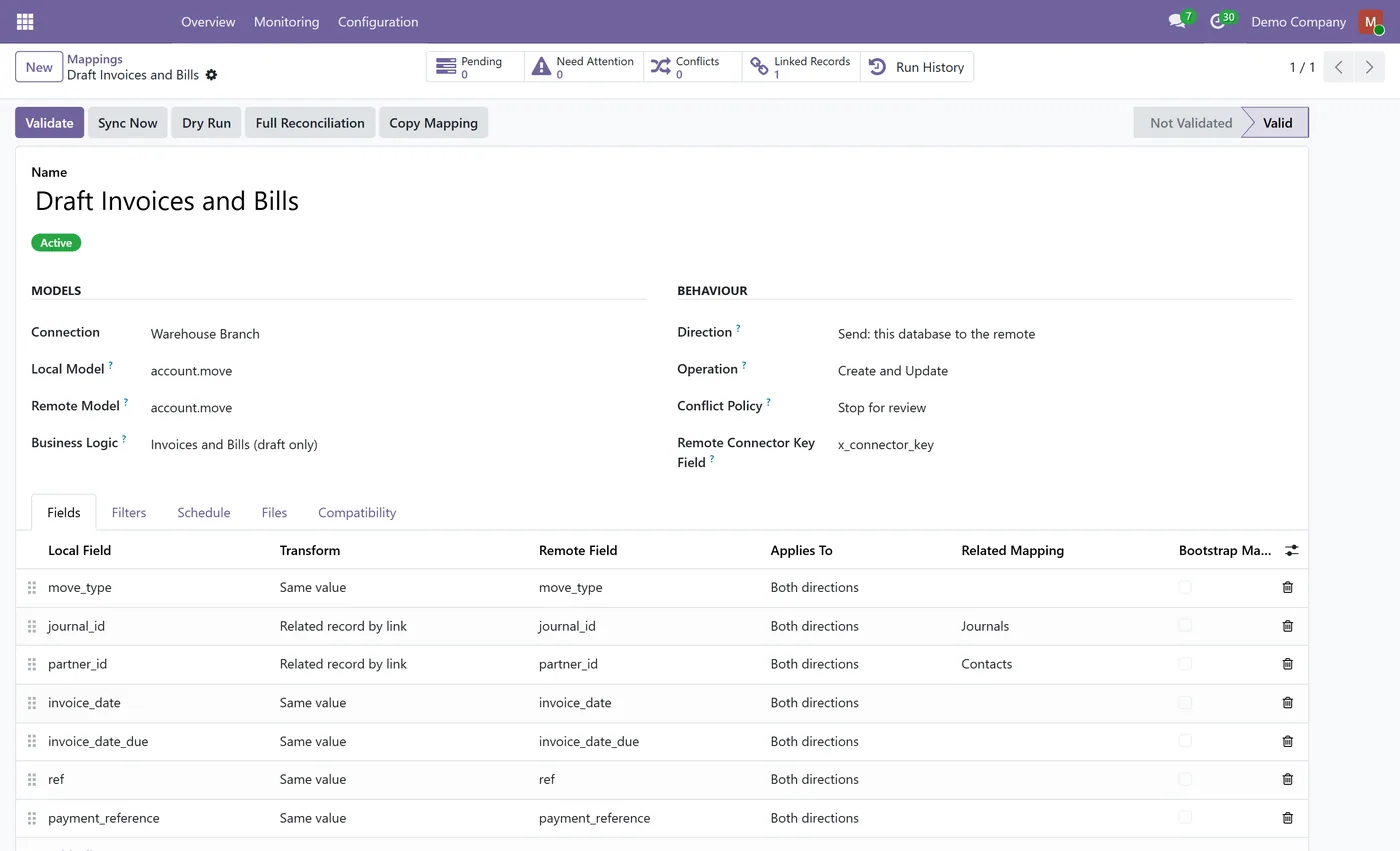
- Field lines by value, by key, by link, by value mapping or fixed value, never raw ids
- Validation against the remote's live schema before anything is sent
02
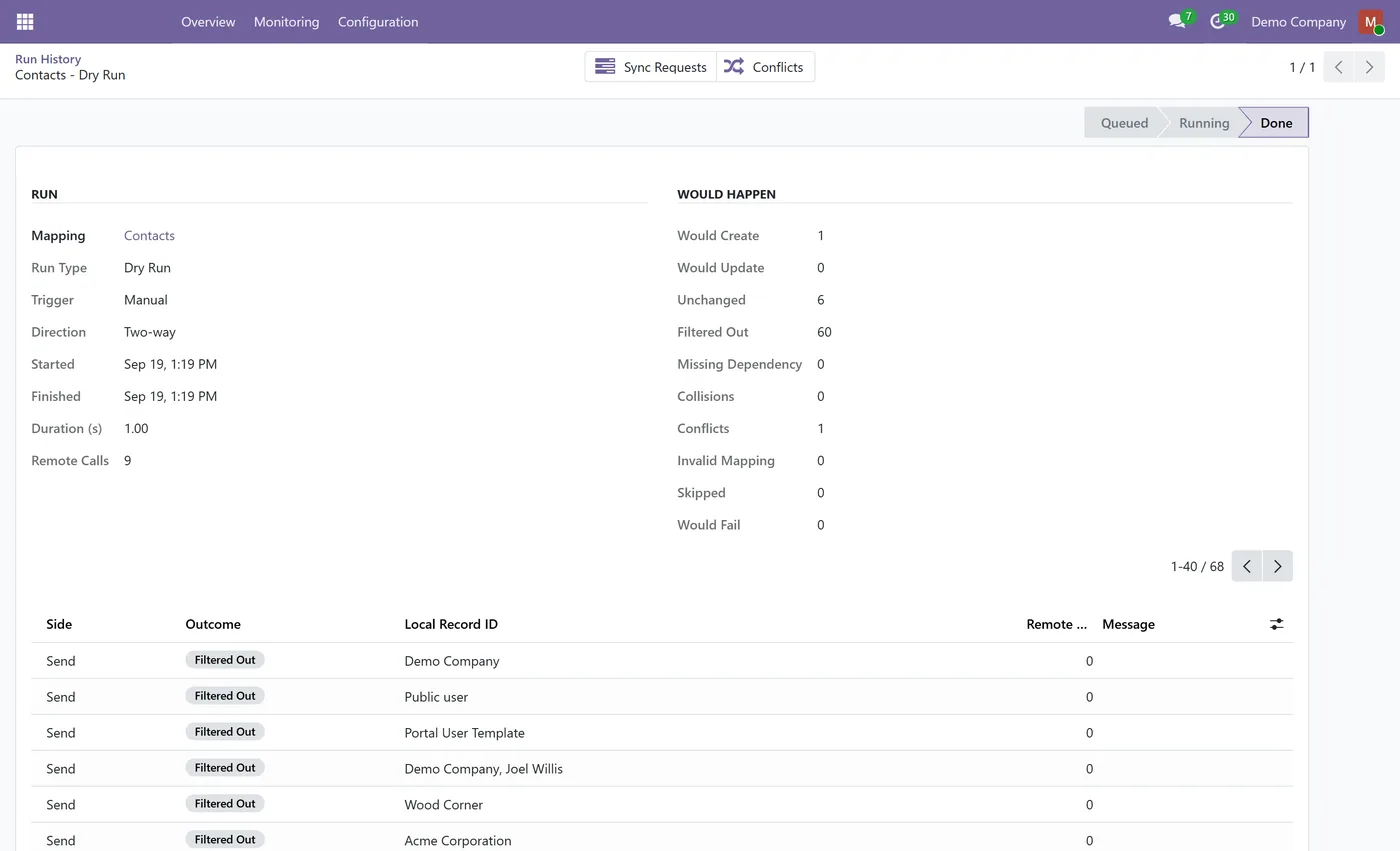
Dry run that previews every create, update and match with nothing written
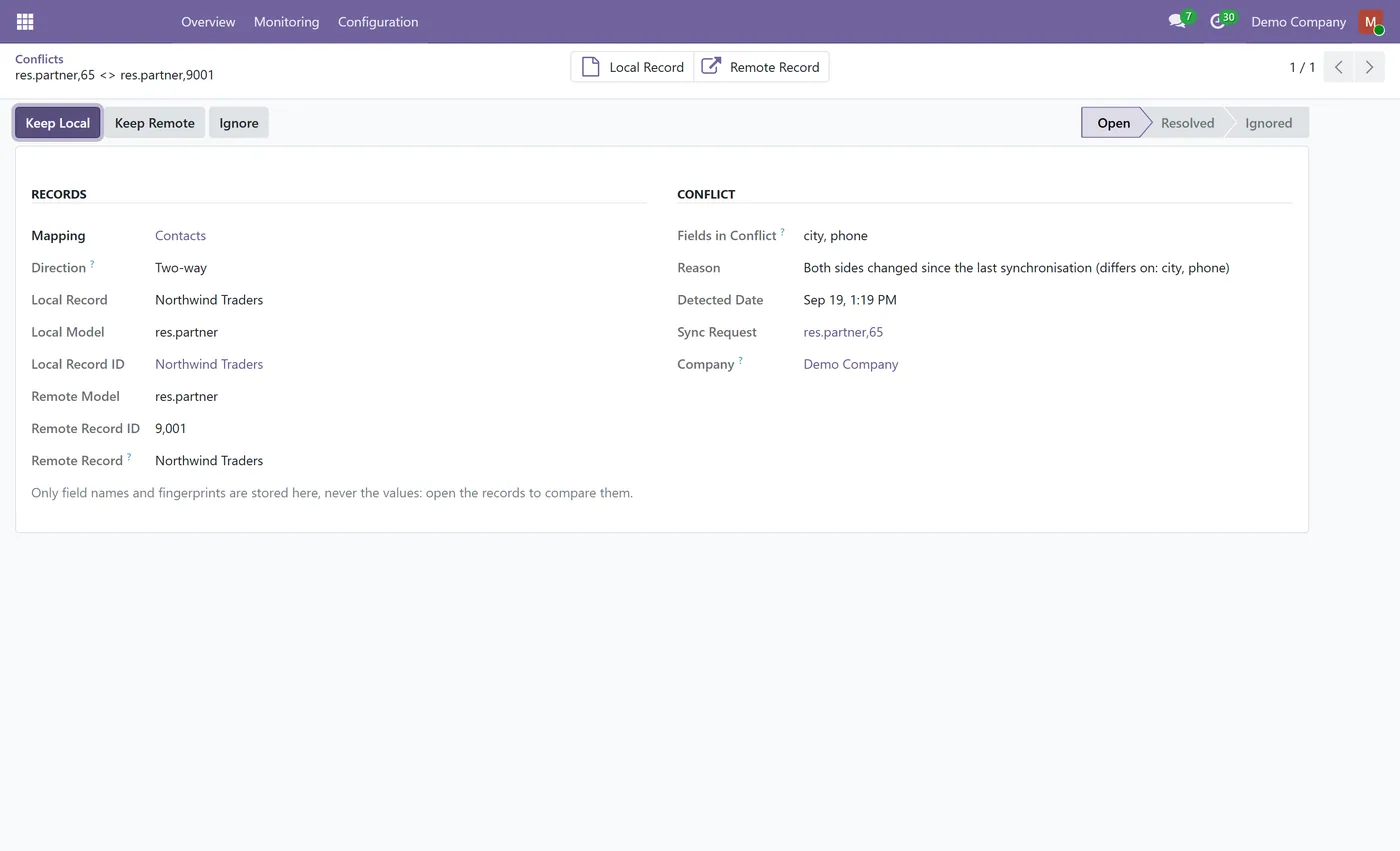
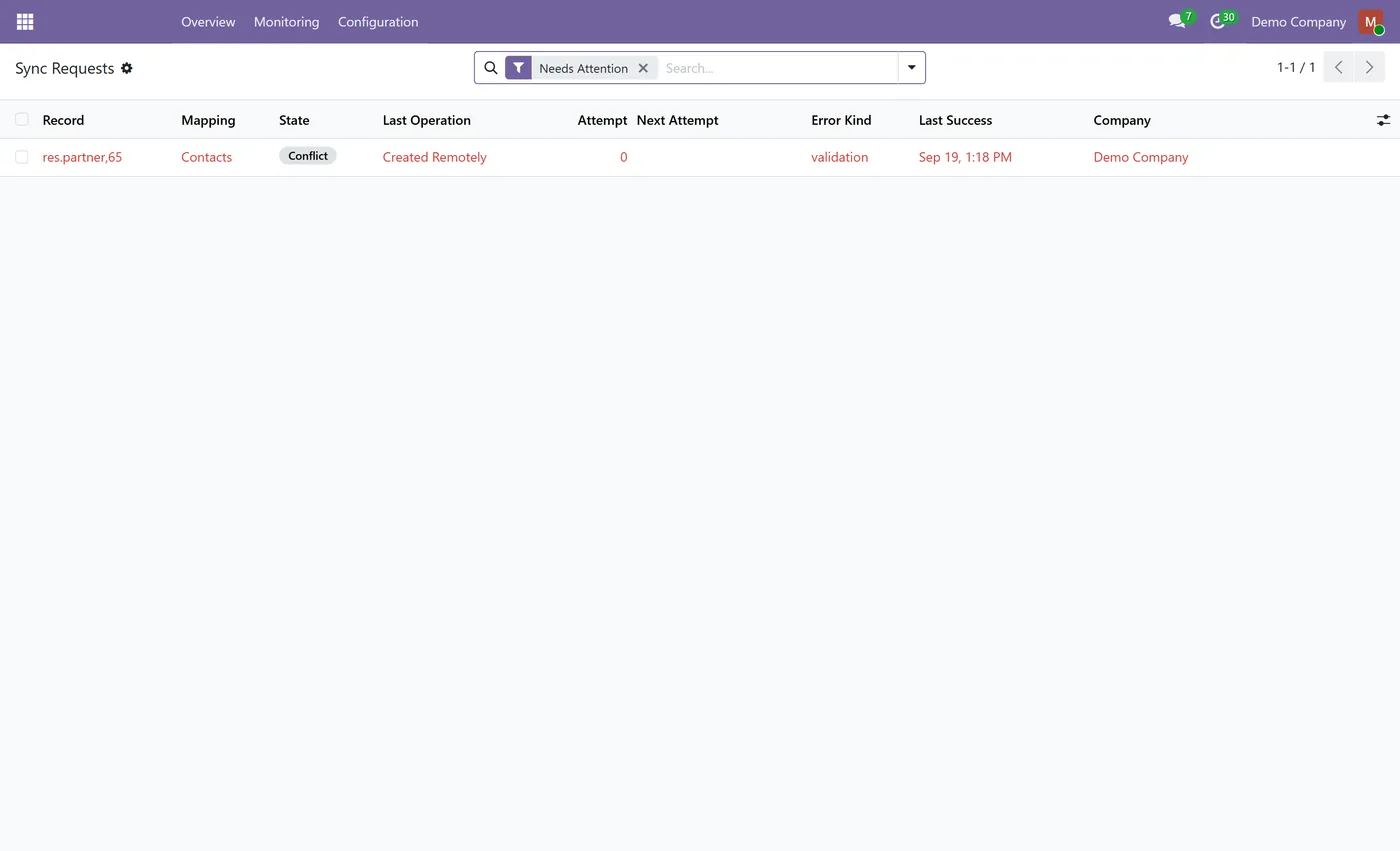
- Conflict review with both versions side by side, decided by a manager
- Draft quotations, RFQs, transfers, invoices and bills with their references matched
- Nothing confirmed, validated or posted, and deletions never propagated
- Add Default Mappings, tick several ready-made sets on a connection
03
Record filters on each side with Odoo's domain editor
- Per-mapping schedule, batch size and full reconciliation sweep
- Optional file attachments, send only, by type and size
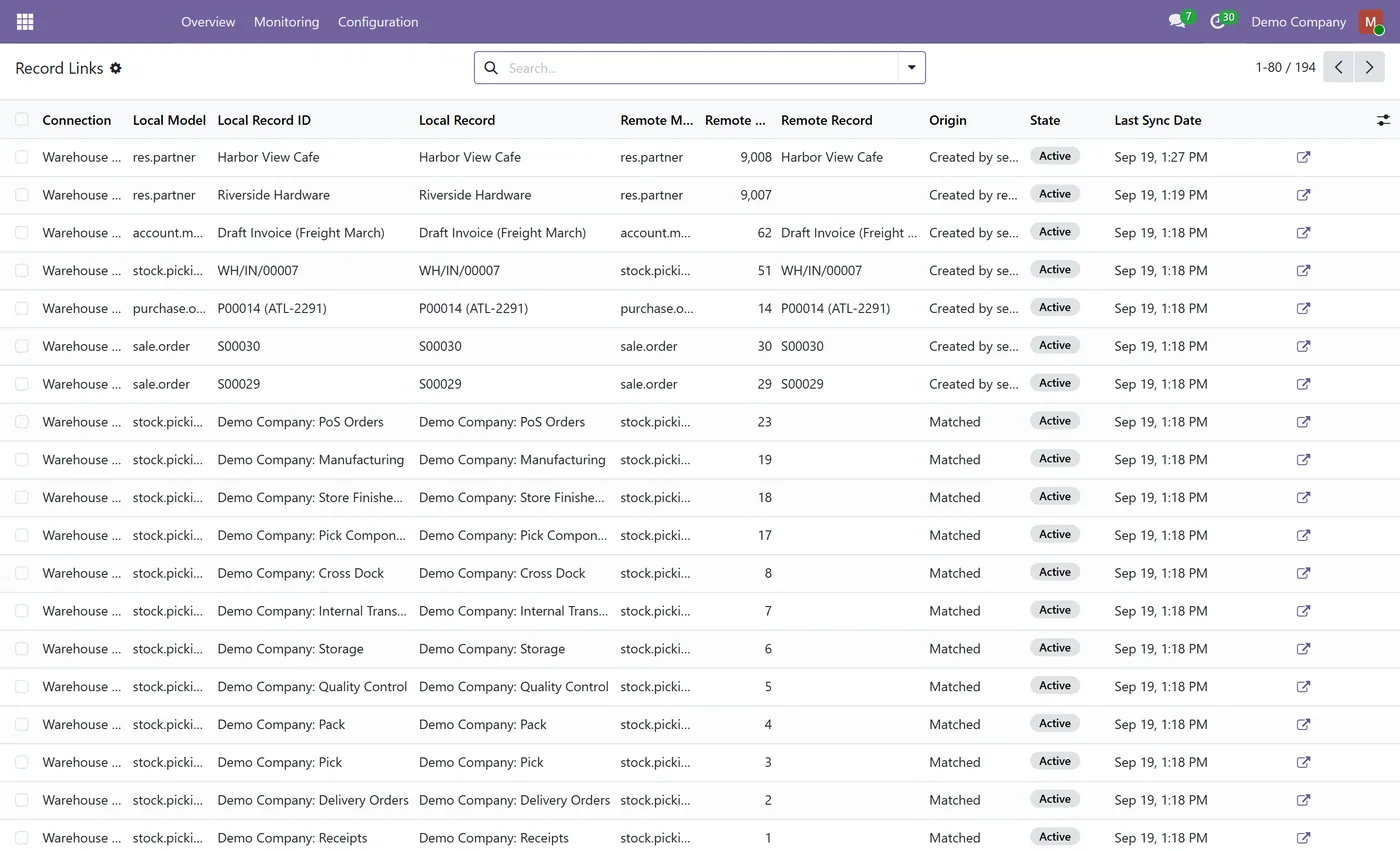
- Overview dashboard, sync requests with reasons, record links and run history
- Two-tier security, Connector User and Connector Manager
Every screen
The whole module, screen by screen.
The captures the walkthrough above did not use, in the order you meet them in the product.
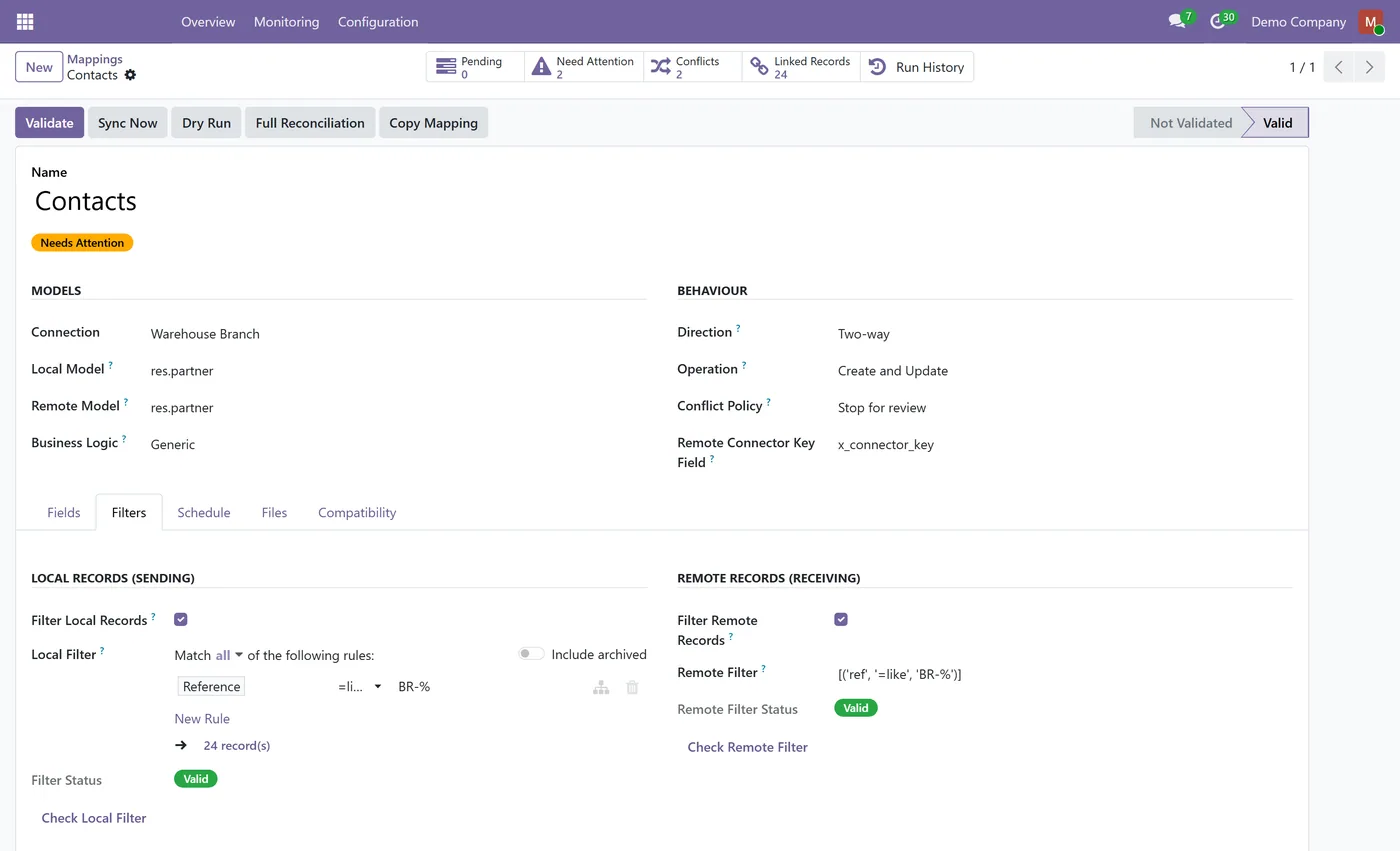
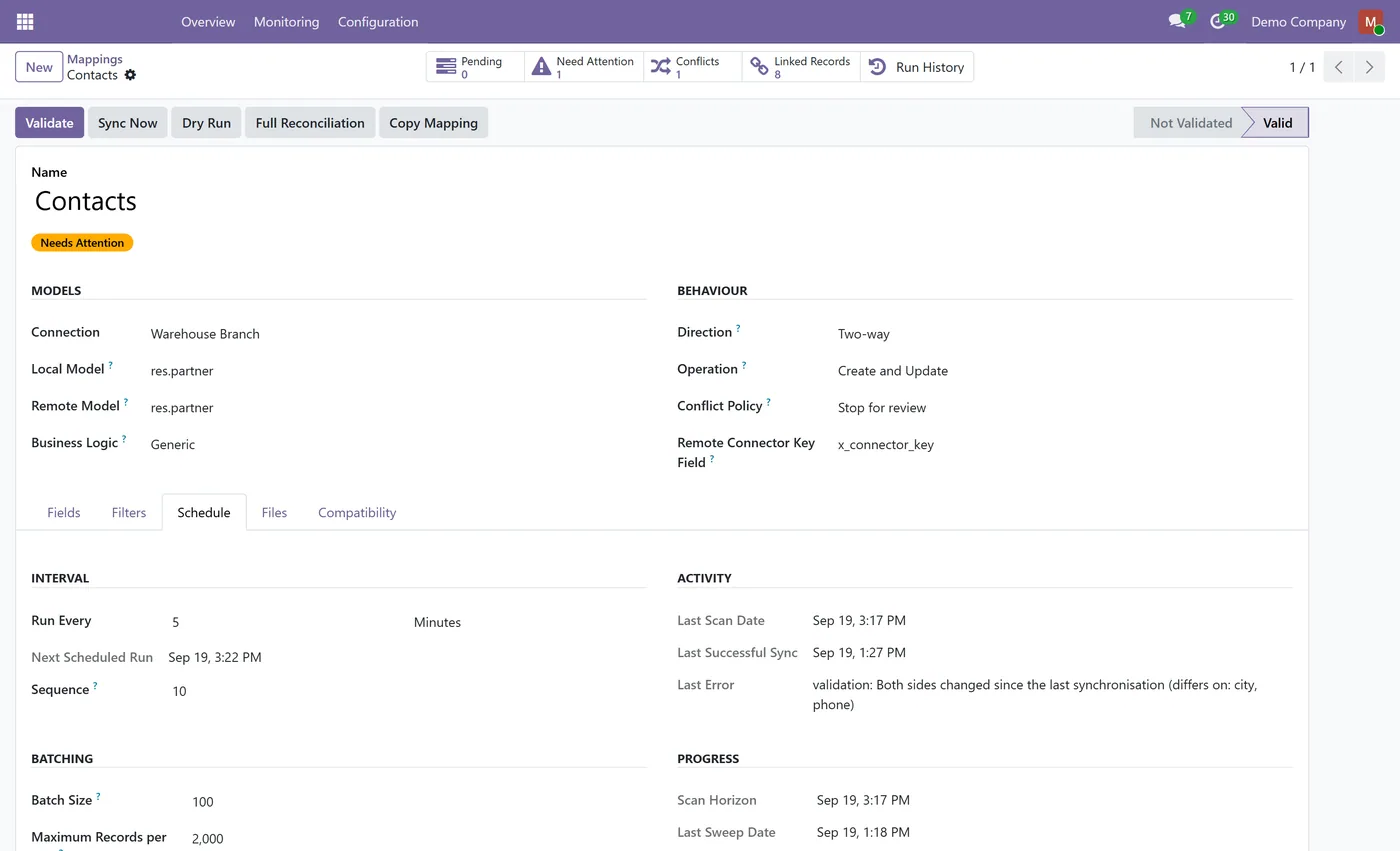
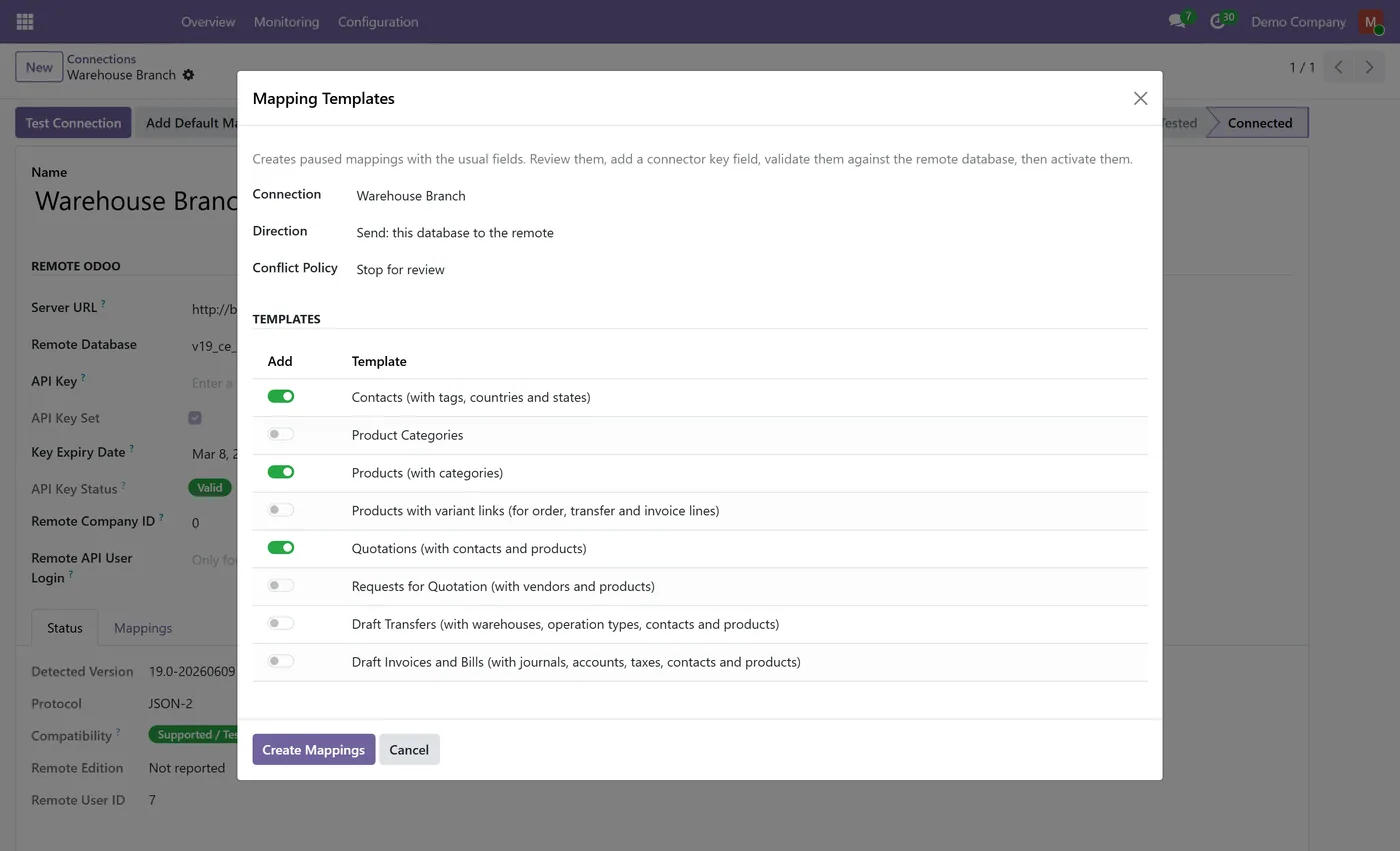
What it does
Odoo to Odoo Connector keeps two or more Odoo databases in step: a head office and its branches, a franchisor and its franchisees, or a trading company and its warehouse. It is installed on one database and talks to each remote Odoo through Odoo's official external APIs, with a dedicated non-admin user on each side. You decide what travels, in which direction and when, and you can see every run before and after it happens.
Who it's for
Companies that run more than one Odoo database and need the same contacts, products and draft documents on each: multi-branch and franchise businesses, groups with separate databases per company or country, and integrators who connect a client's Odoo to a partner's. It supports Odoo 18, 19 and 20 in any combination, on Odoo on-premise and Odoo.sh.
Questions
About Odoo to Odoo Connector.
How do I sync records between two Odoo databases?
Install the connector on one database, create a connection with the other database's URL and the API key of a dedicated non-admin user, and test it. Then add mappings, for example with Add Default Mappings for contacts, products and quotations, validate them against the remote database, run a dry run, and activate them.
Which Odoo versions can be connected?
Odoo 18, 19 and 20 can be connected in any combination, as the local or the remote database. Odoo 17 and earlier are not supported. The version selector at the top of this page shows the listing for your local version.
Can it confirm orders or post invoices on the other database?
No. Quotations, requests for quotation, transfers, invoices and bills are synchronised as drafts only and are never confirmed, validated or posted. Stock levels, journal items and reconciliations are never written, because they are the result of confirming documents.
What happens when a record changes in both databases?
The mapping's conflict policy decides. By default the record stops for review and a Connector Manager chooses which version to keep, with both side by side. A mapping can instead let this database, the remote or the sending side win. The connector never guesses from timestamps.
Are deletions synchronised?
No. A deleted record is not recreated and nothing is deleted on the other side. A record that leaves a mapping's filter is left unchanged or, only if the mapping says so, archived on the other side.
Does it need administrator access on the remote database?
No. It is built for a dedicated internal user that is not an administrator, with only the rights the synchronised models need. Records on this database are read and written with a dedicated integration user's rights, never as the superuser, and an administrator is refused as the integration user.
On the Odoo Store
Get Odoo to Odoo Connector on the Odoo Store.
Pick your Odoo version and install it in a click, with free updates and real support behind it.
Get it on the Odoo StoreReady to make Odoo work the way your business does?
Book a free call CODEerts
CODEerts is a team of certified Odoo partners and full-stack engineers. We implement, customise and support Odoo ERP, then build the software around it.

