 CODEerts
Contacts app for Odoo
Partner Code - Customer and Vendor Reference Codes
Automatically assign separate, configurable customer and vendor reference codes to contacts from their own sequences, with per company number ranges, optional manual codes, the code shown next to the partner name across sales and purchase documents, and search by code.
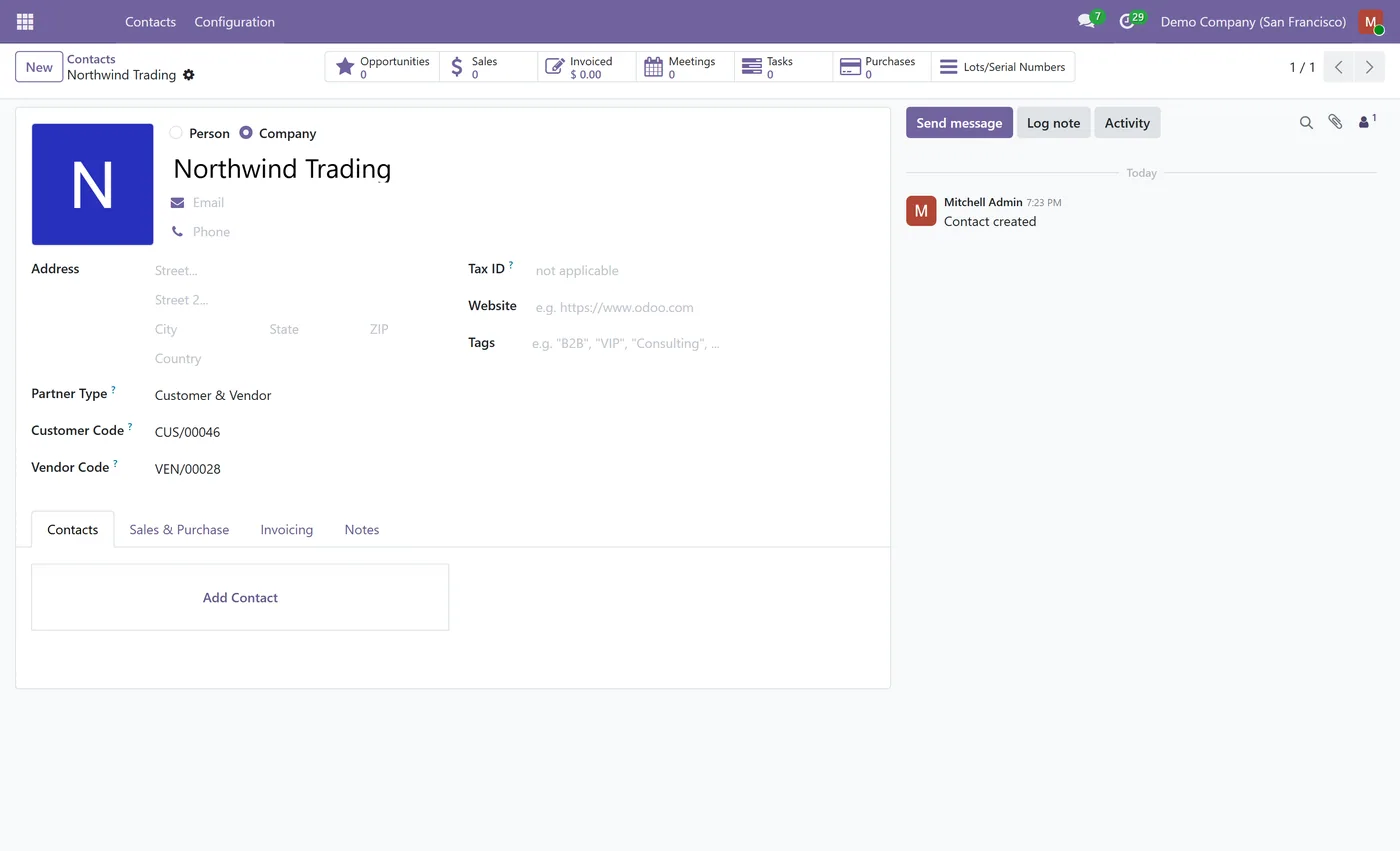
Overview
Partner Code - Customer and Vendor Reference Codes.
Partner Code gives every contact an automatic reference code based on an explicit partner type, with separate customer and vendor codes drawn from their own configurable sequences. Each company can keep its own prefix and independent number range, codes can be typed or imported manually when you need to, the code can be shown next to the partner name everywhere it appears, and you can find any contact by typing its code. Built for Community, with no accounting app required.
How it works
Built around what you actually do.
Every screen below is the module running in Odoo, not a mockup.
01
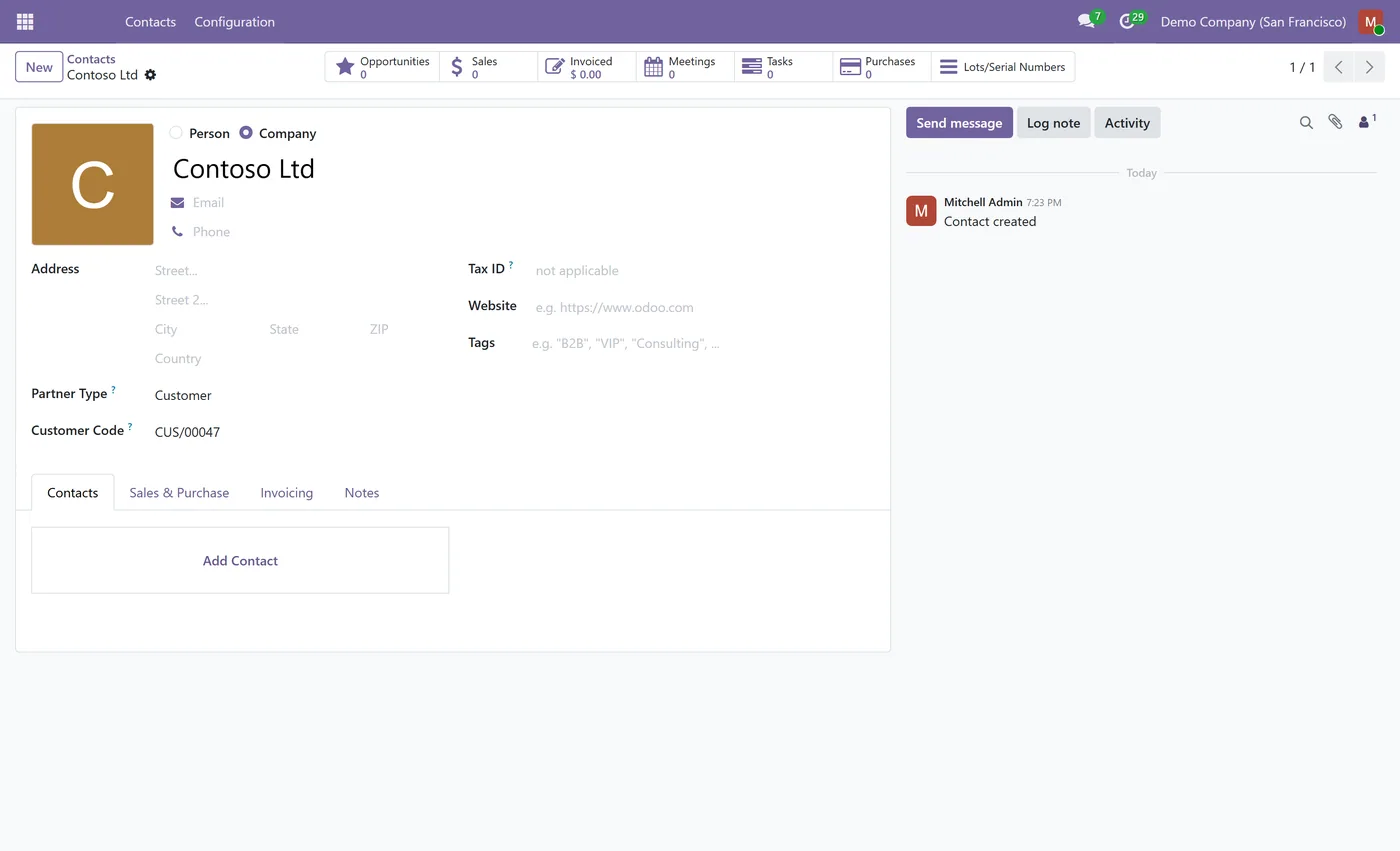
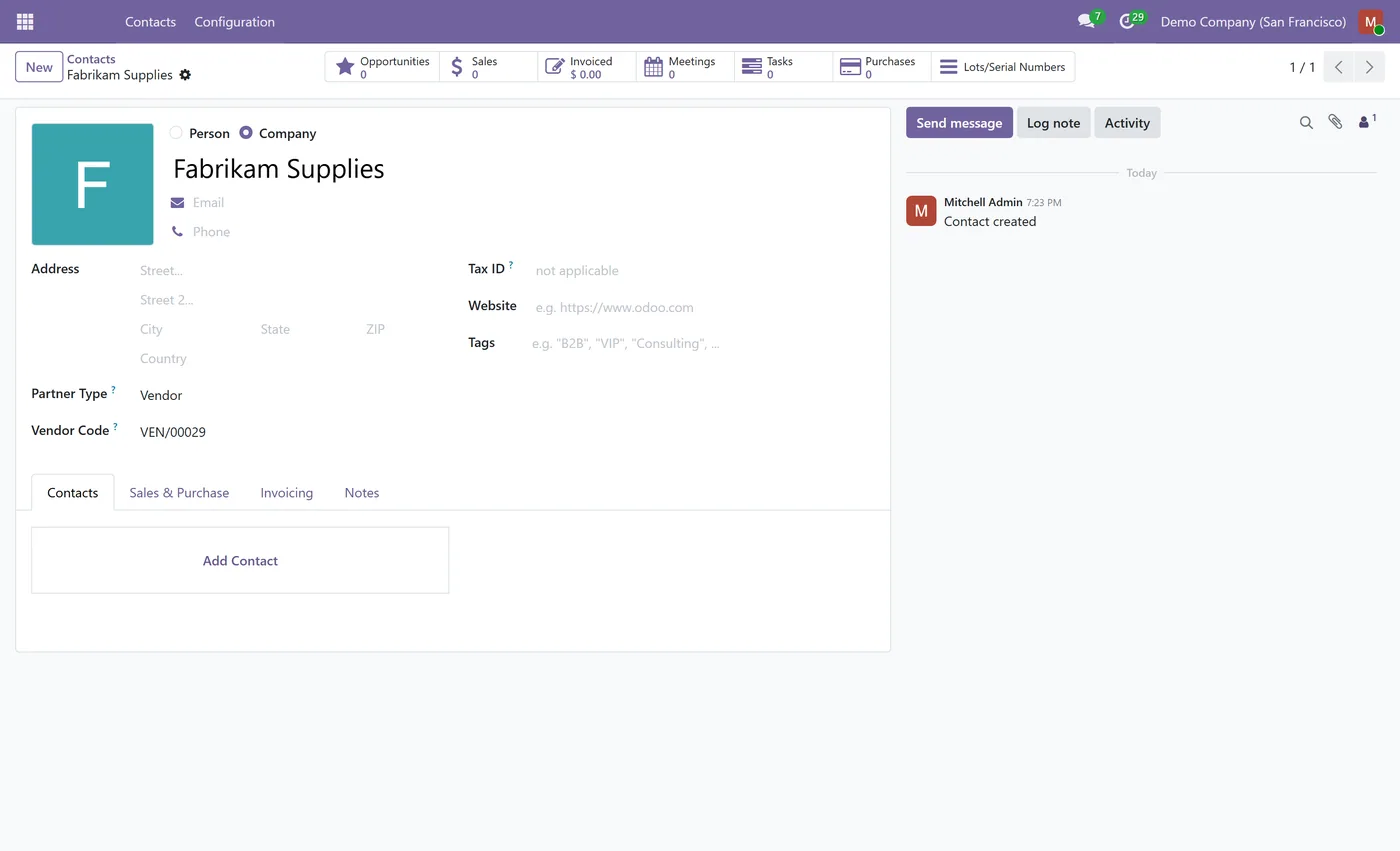
Separate customer and vendor codes, each drawn from its own configurable sequence
- Explicit Partner Type selector, Customer, Vendor, Customer and Vendor, or Other, drives assignment
- Per company prefixes and independent number ranges for multi company databases
- Codes stay stable once assigned, a customer promoted to both keeps its code and gains the other
02
Optional manual entry so you can type or import your own codes, kept unique per company
- Show the code next to the partner name across sales, purchase, invoicing and payments
- Search any contact by its customer or vendor code
- Bulk assign codes to existing contacts straight from the list view
03
Company code can propagate to its individual contacts
- Community friendly, with no Enterprise or accounting dependency
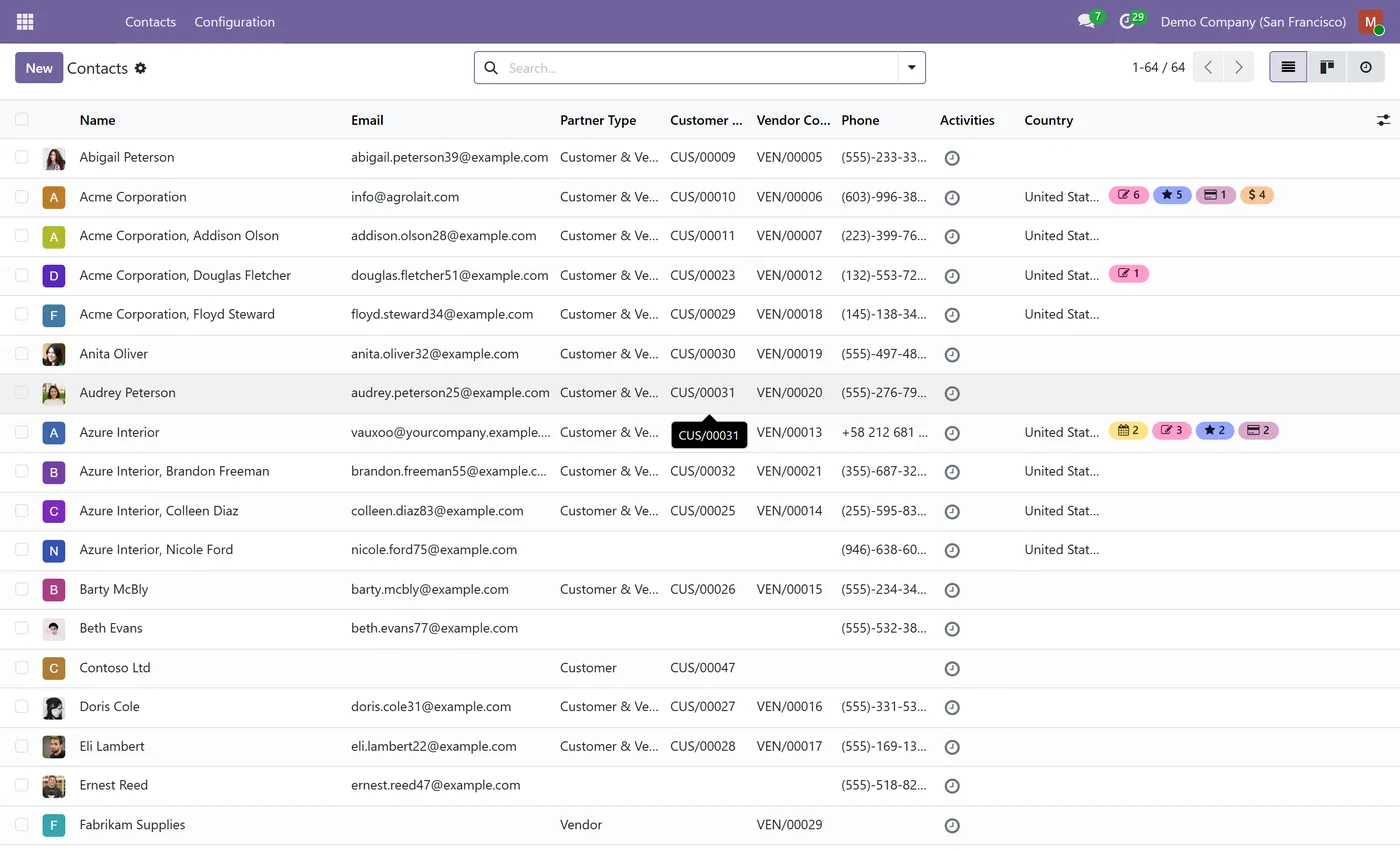
Partner Code brings clean, predictable customer and vendor numbering to Odoo contacts. Instead of one free text reference, every contact gets an automatic code based on what it actually is, with customers and vendors numbered in their own separate series and each company free to keep its own prefix and range.
What it does
You set a Partner Type on the contact, Customer, Vendor, Customer and Vendor, or Other. From that, the module assigns a customer code, a vendor code, or both, each drawn from its own configurable sequence, so your customers run in one series like CUS/00001 and your vendors in another like VEN/00001. Codes are sticky once assigned, so a customer you later mark as a vendor keeps its customer code and simply gains a vendor one. Everything is configurable from a dedicated Settings section: the prefix and number of digits for each series, whether codes are assigned automatically or on demand, and whether people may type their own. In a multi company database each company gets an independent number range and its own prefix, and the code is issued by the company that creates the contact, with uniqueness enforced per company. You can also show the code next to the partner name across sales, purchase, invoicing and payments, and find any contact by typing its code.
Who it's for
Businesses that need real customer and vendor reference numbers in Odoo, the way larger ERPs assign separate number ranges per role, rather than relying on the single built in reference field. It fits finance and operations teams that quote a customer number or a supplier number on documents, groups that run several companies and want each to keep its own numbering, and anyone migrating from a system where every partner already had a code. It installs on Community and needs no accounting or Enterprise app.
Questions
About Partner Code - Customer and Vendor Reference Codes.
How does Odoo assign separate customer and vendor codes?
You pick a Partner Type on the contact, Customer, Vendor, Customer and Vendor, or Other, and the module draws the matching code from its own sequence, so customers get one series and vendors another. A contact that is both carries a customer code and a vendor code at the same time.
Can each company have its own code prefix and number range?
Yes. In a multi company database each company sets its own prefix and number of digits in Settings and gets an independent number range. The code is issued by the company active when the contact is created, and uniqueness is enforced per company, so the same code string can exist in two different companies.
Can I type or import my own codes instead of using the sequence?
Yes. Turn on Allow Manual Codes in Settings and the code fields become editable, so you can type a code or import your own while they are still kept unique per company. Leave it off to keep codes read only and sequence only.
Can the code show next to the partner name on sales and purchase documents?
Yes. Turn on Show Code in Contact Name and the code appears next to the partner everywhere it is displayed, on sales orders, purchase orders, invoices, bills and payments. A sales document leads with the customer code and a purchase document leads with the vendor code.
Can I find a contact by its code?
Yes. Type a customer or vendor code into any partner field and the contact is found, the same way you would search by name or email.
Do contacts created before installing the module get codes?
Yes. Open the contact list, select the contacts you want, set the Partner Type once, and the codes are generated for all of them at once. You can also assign a code on a single contact with the Generate button.
Which Odoo versions does this module support?
Use the version selector at the top of this page to pick your Odoo release. Each branch is published as its own listing for that exact version.
On the Odoo Store
Get Partner Code - Customer and Vendor Reference Codes on the Odoo Store.
Pick your Odoo version and install it in a click, with free updates and real support behind it.
Get it on the Odoo StoreReady to make Odoo work the way your business does?
Book a free call CODEerts
CODEerts is a team of certified Odoo partners and full-stack engineers. We implement, customise and support Odoo ERP, then build the software around it.

