 CODEerts
Education app for Odoo
School Fee Invoicing and Parent Portal
Invoice school fees through Odoo accounting, reconcile recorded payments against the ledger, chart the whole school on a drill-down dashboard, and give parents a read-only login.
Overview
School Fee Invoicing and Parent Portal.
The accounting, reporting and parent-facing layer for School Management. Raise a real customer invoice from a fee statement with one button, then reconcile what the school office recorded against what the ledger actually collected, with a stored Needs Review state for the rows that disagree. Two SQL-backed analysis models feed a School Dashboard of twenty-six KPI cards and twenty-one live graph, pivot and list tiles, filtered together by academic year, grade level, class and date. Guardians get their own portal login and a read-only view of each of their children: profile, attendance, released results, library loans and fee statements with a total due. Every figure is read as the logged-in user, so a teacher's dashboard omits the money instead of showing them a zero.
How it works
Built around what you actually do.
Every screen below is the module running in Odoo, not a mockup.
01
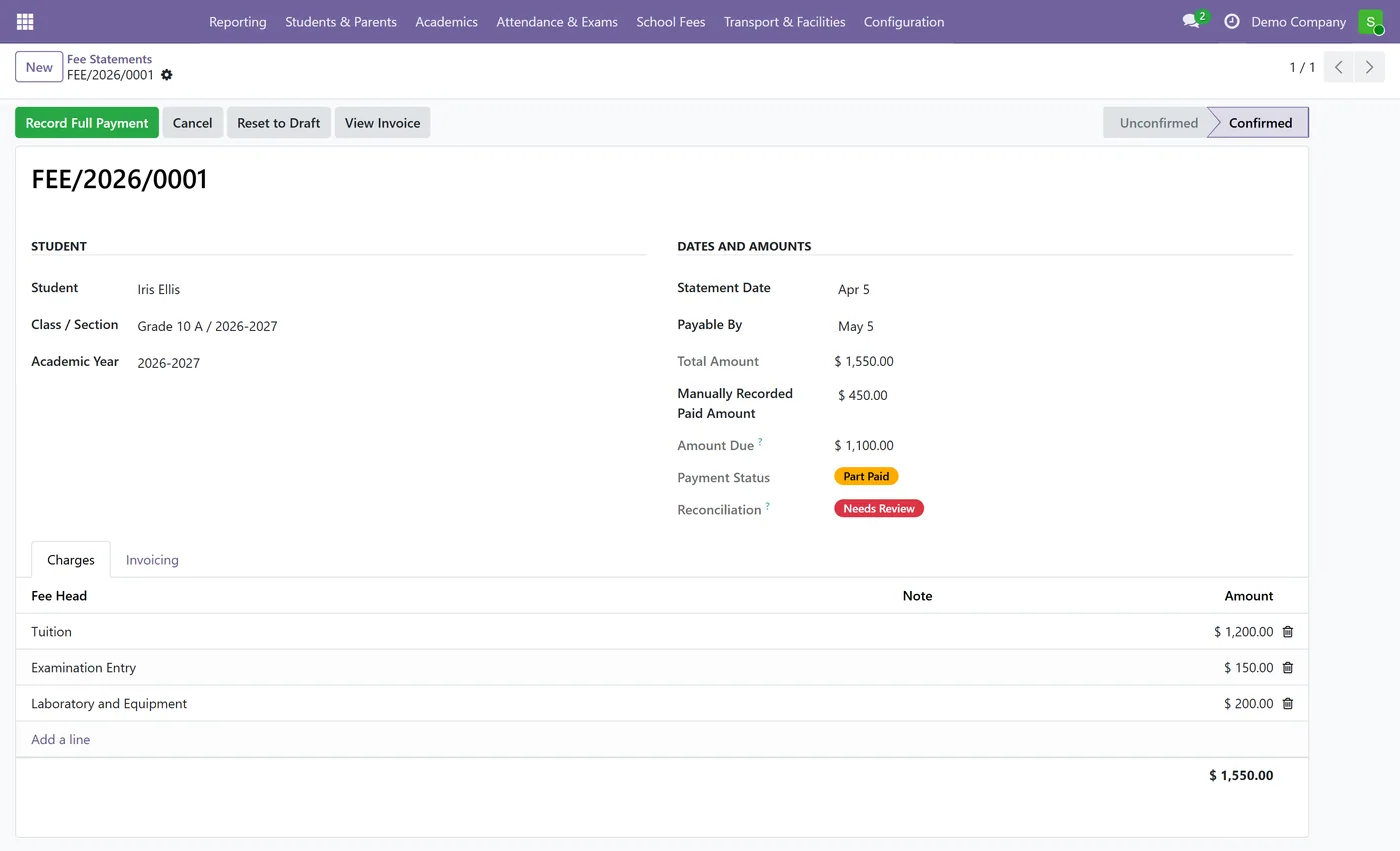
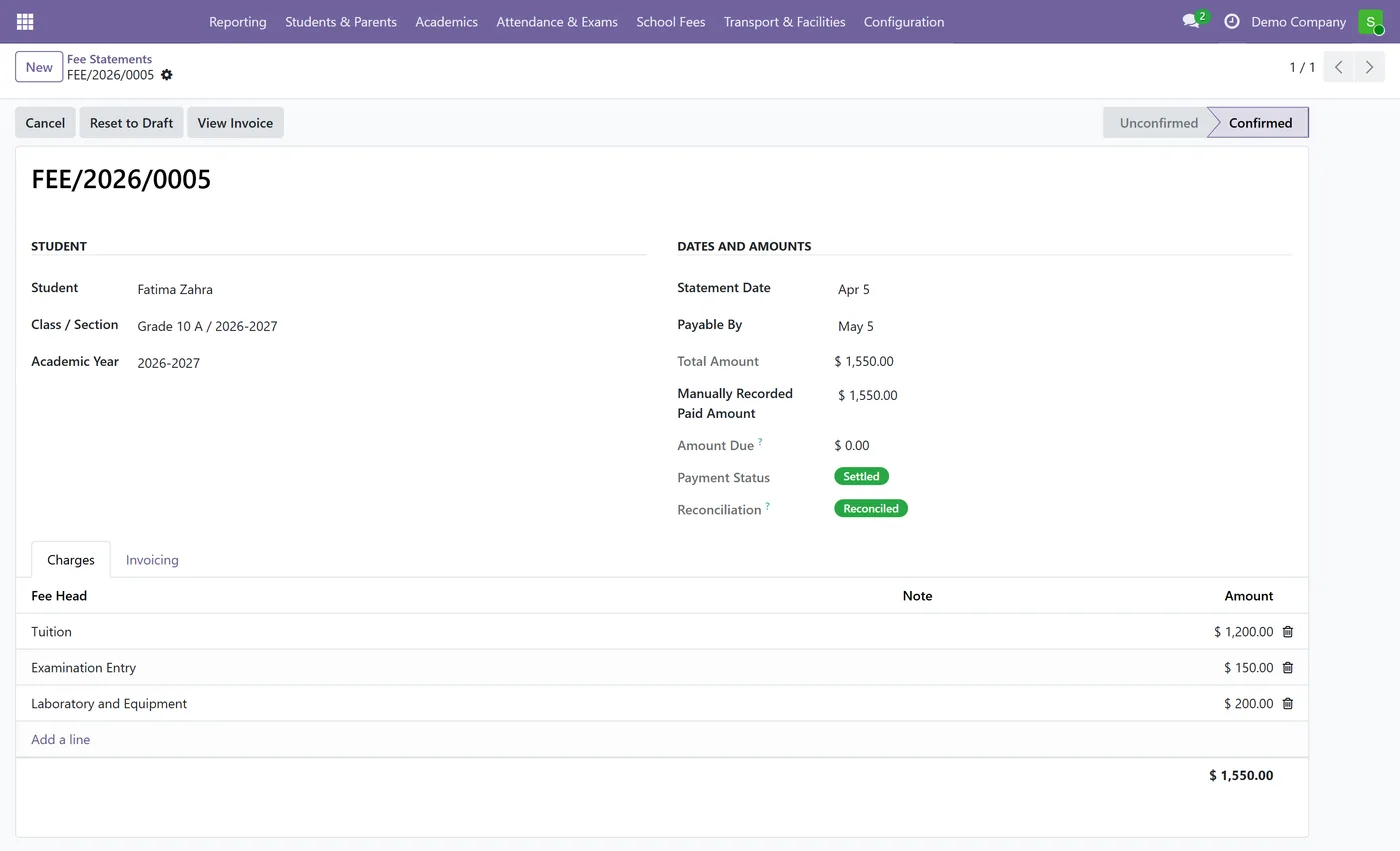
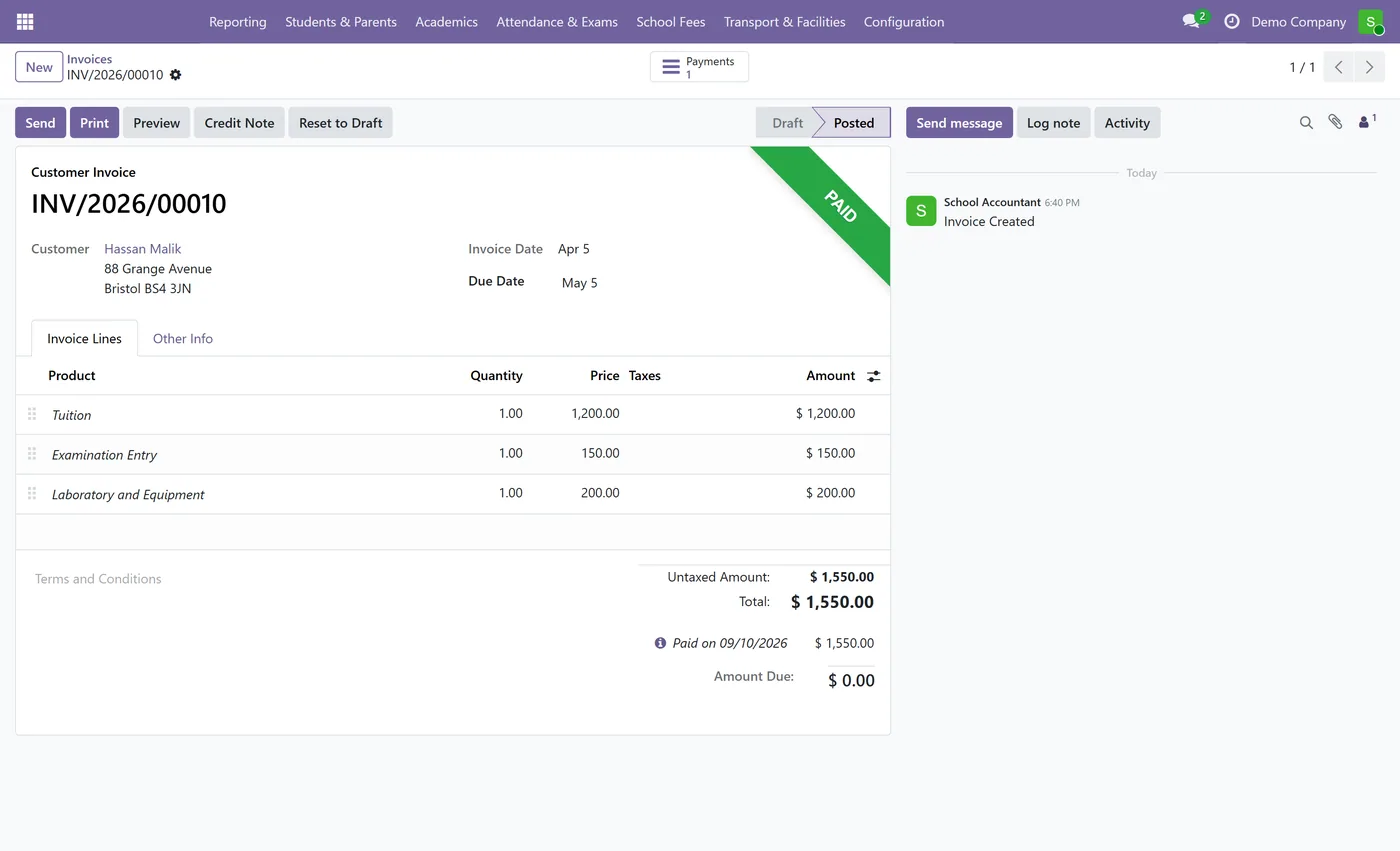
Raise a real customer invoice from a fee statement with one button, through Odoo's own accounting
- One invoice per statement, held by a database unique constraint rather than a Python check
- The invoice keeps its own life: the statement links to it and never derives its numbers from it
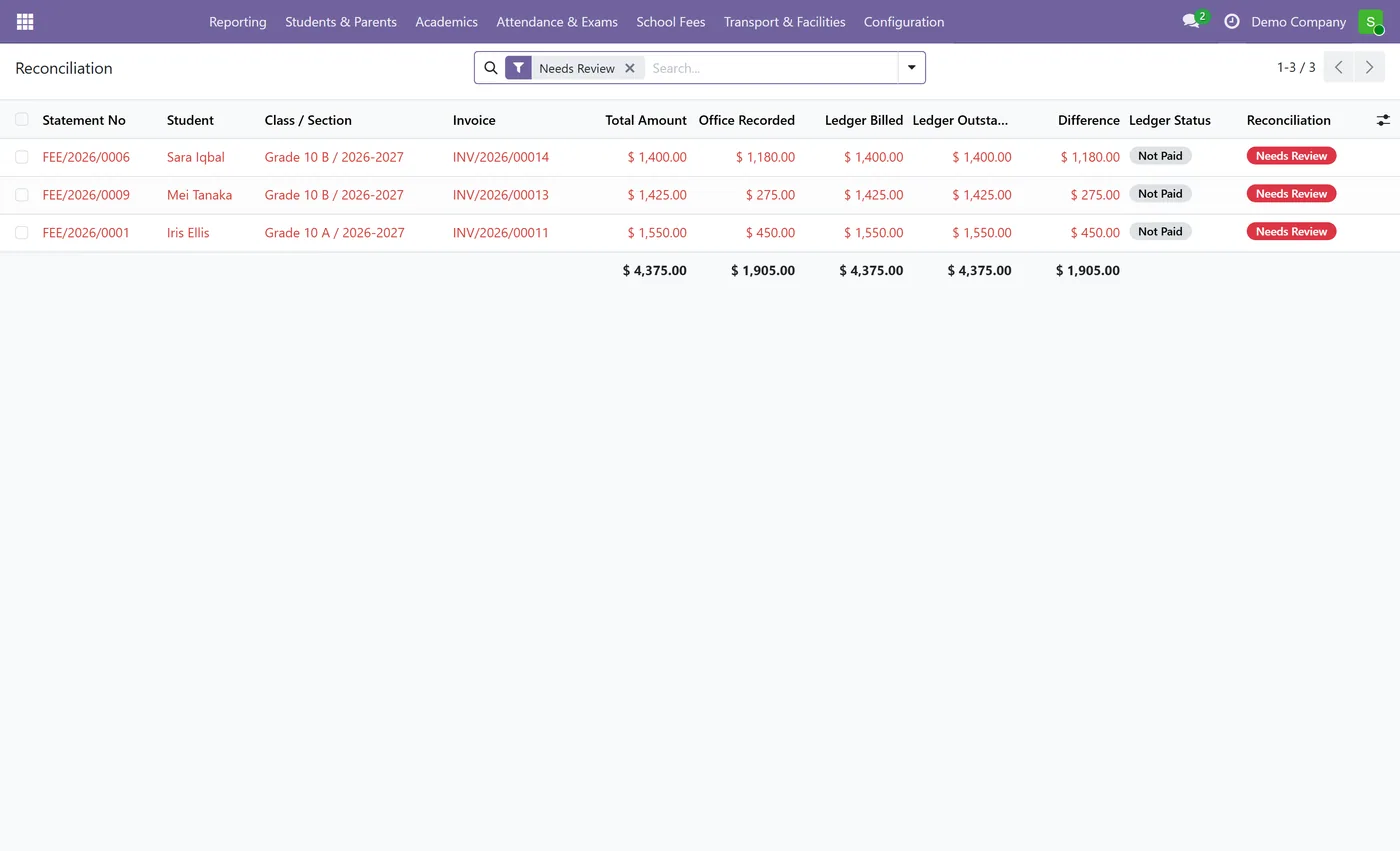
- Three reconciliation states, computed and stored: Not Invoiced, Reconciled and Needs Review
- A Difference figure showing what the office recorded, less what the ledger actually collected
- A Needs Review screen that opens already filtered on the statements where the two disagree
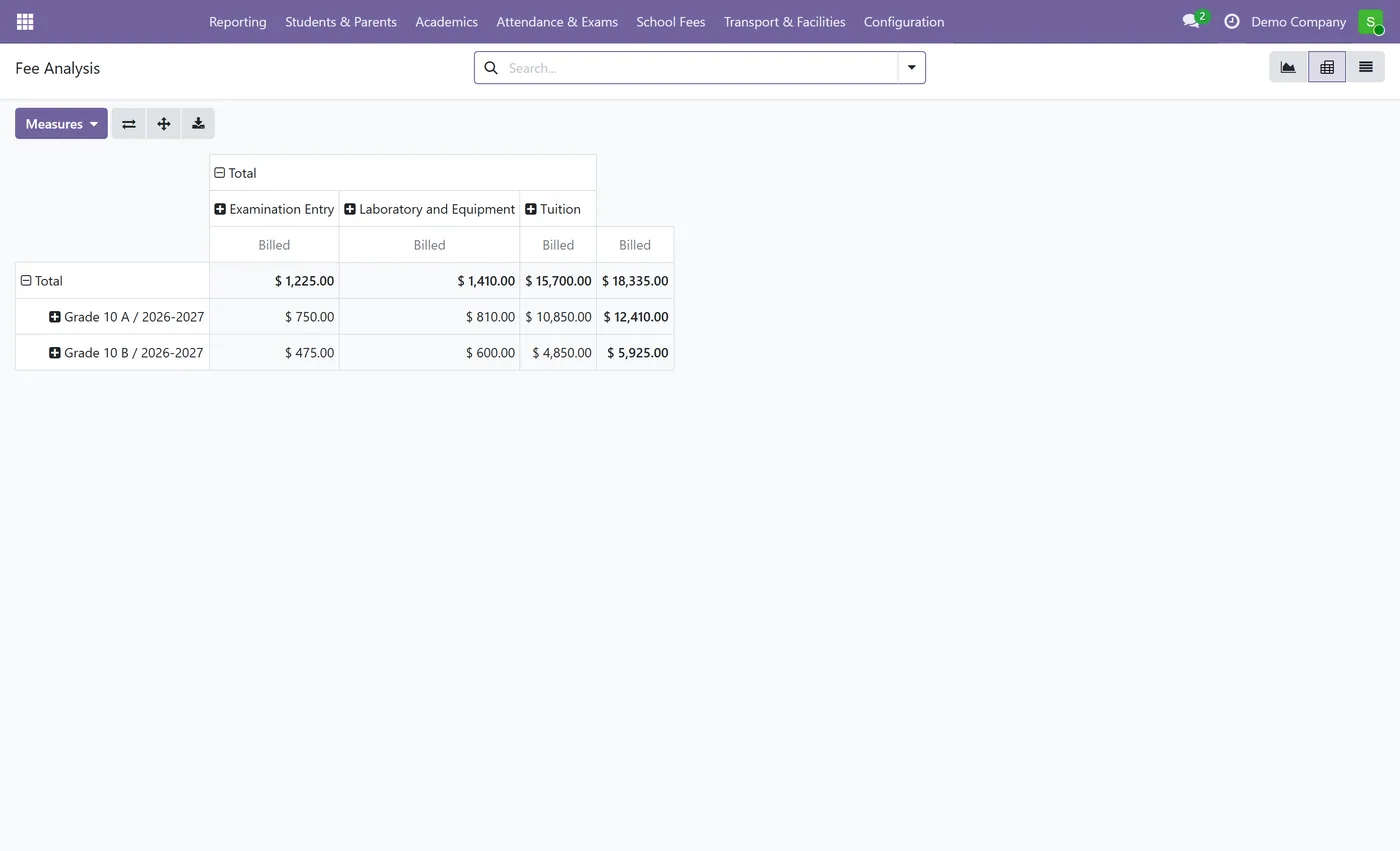
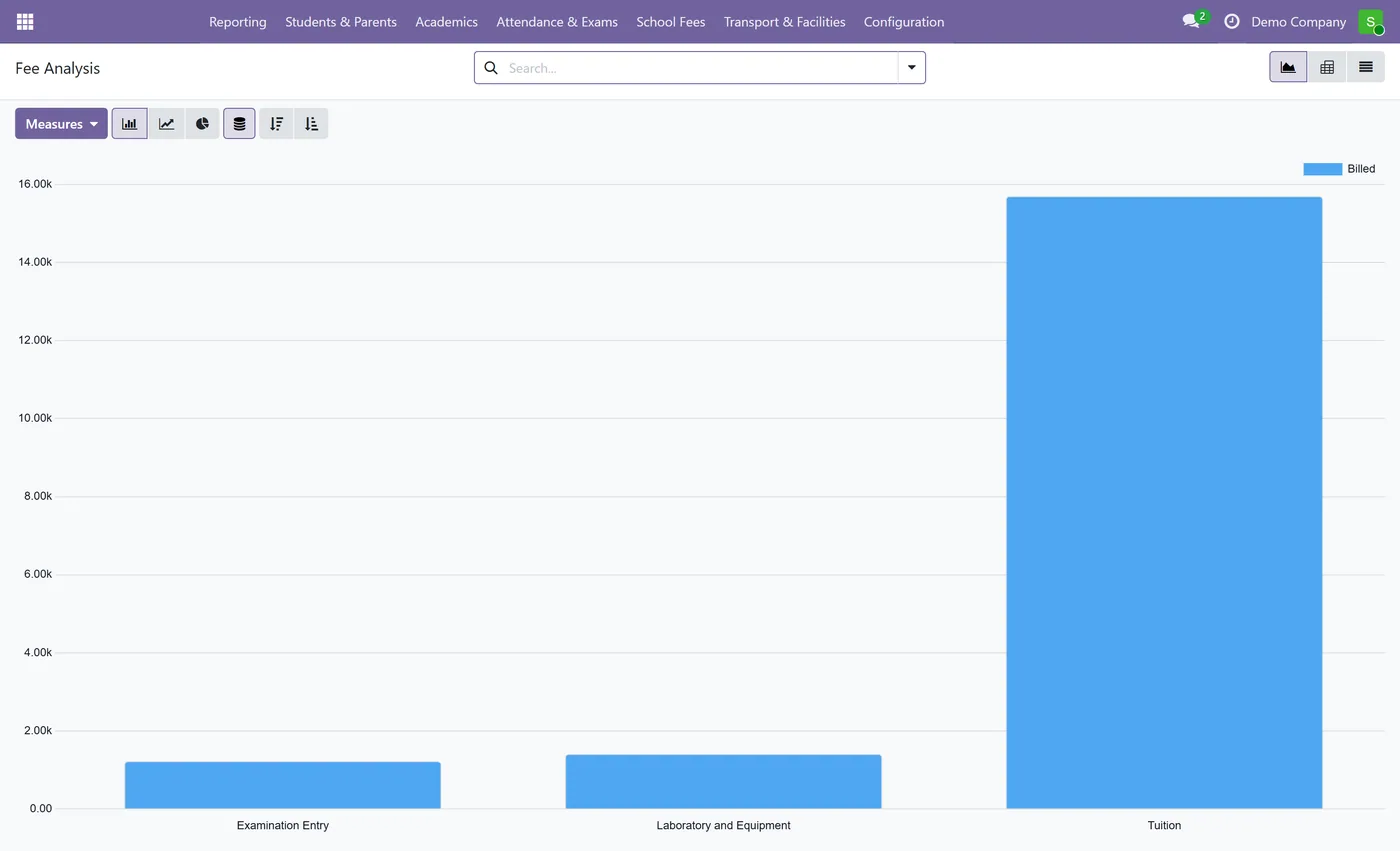
- Fee Analysis: a SQL-backed reporting model, one row per fee charge, built for pivots and graphs
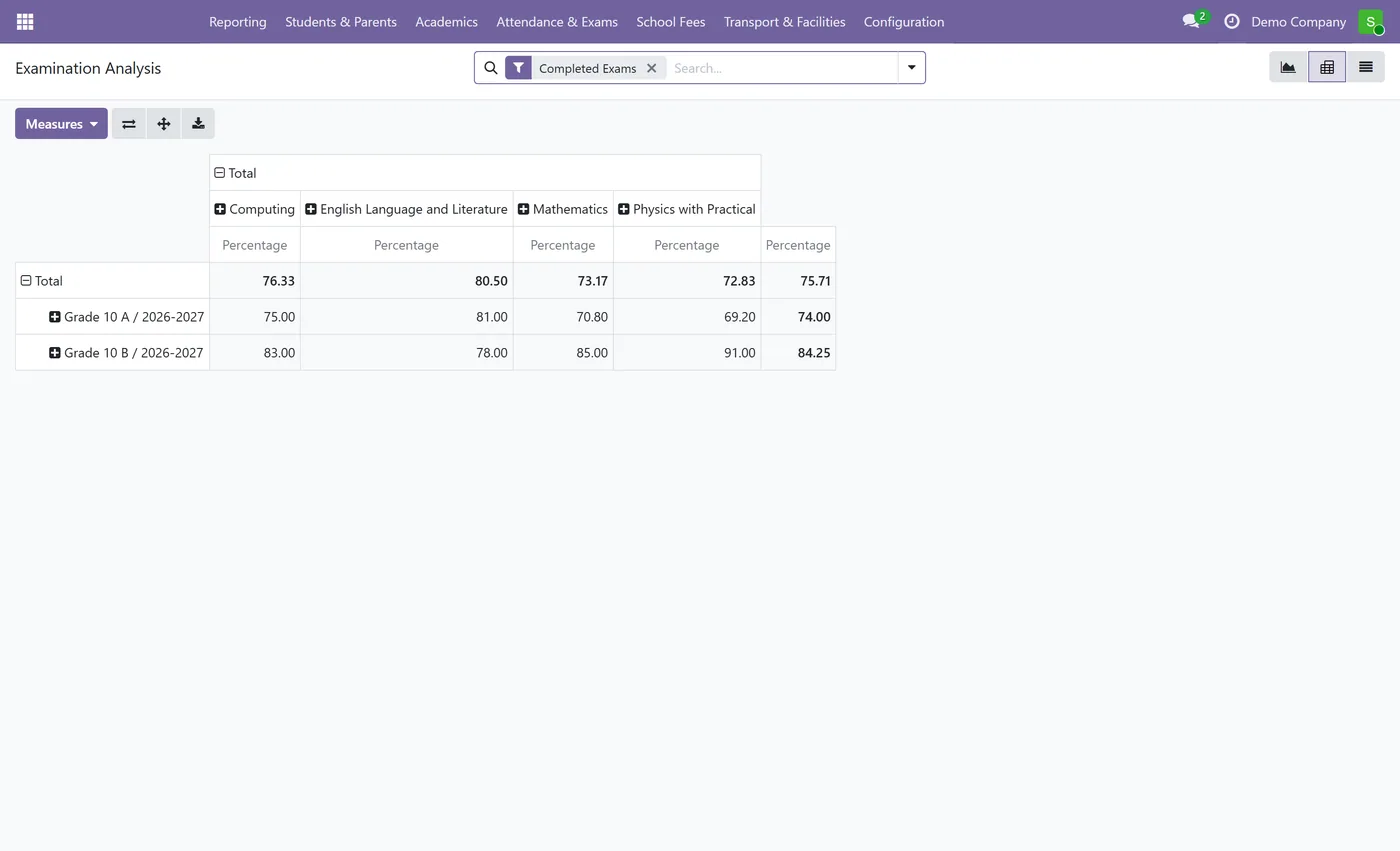
- Examination Analysis: a second reporting model over exam results, under the same teacher scope
02
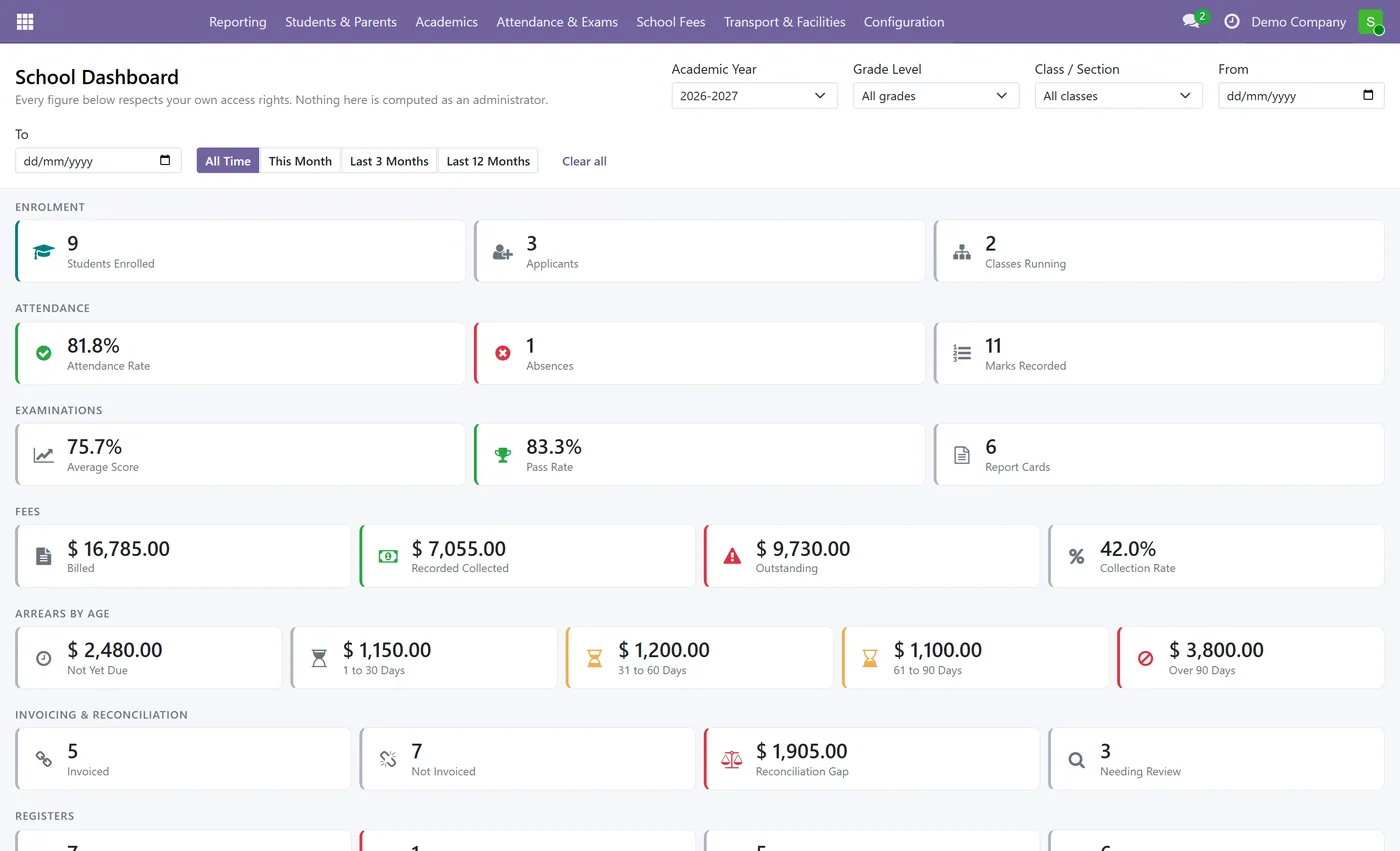
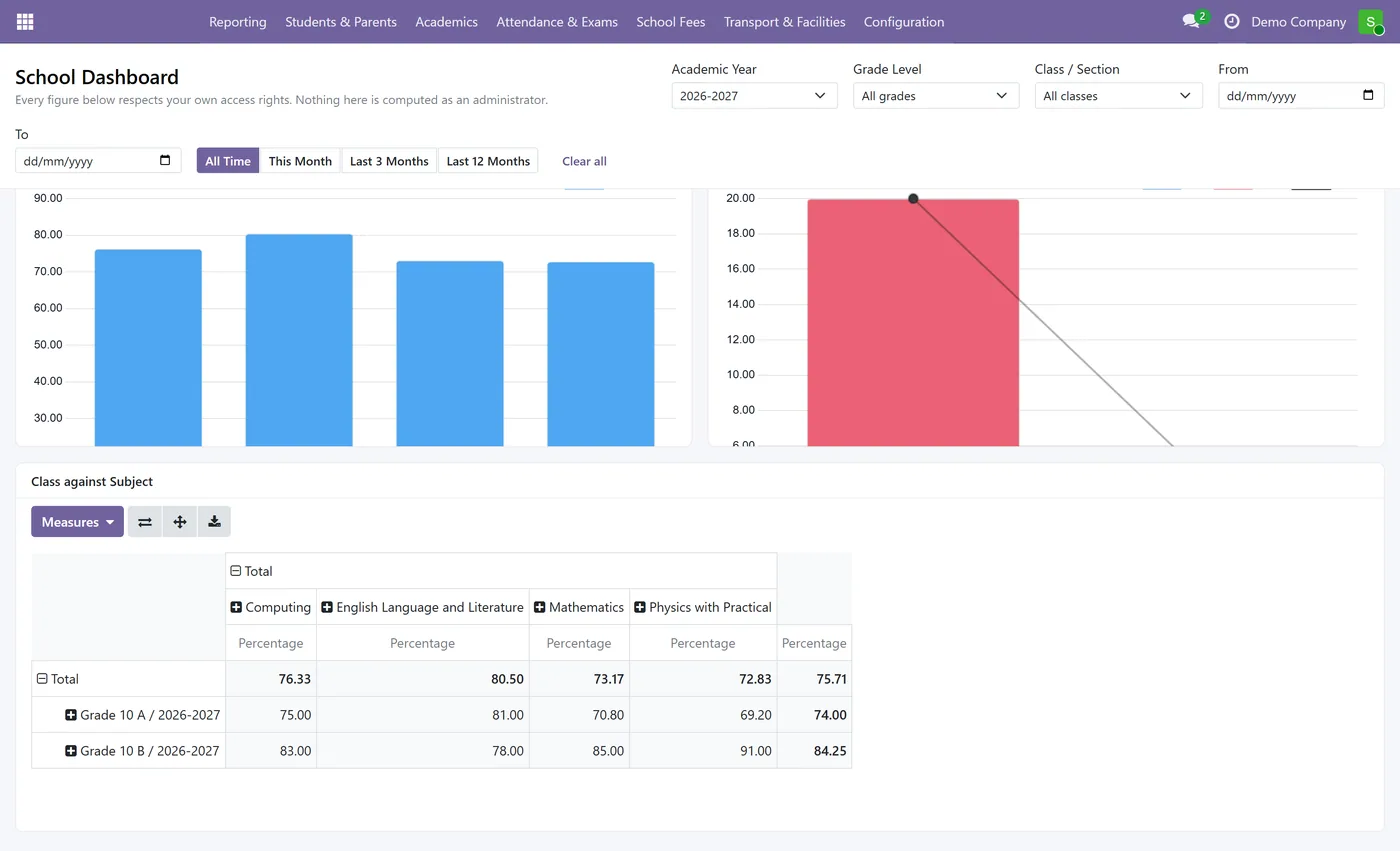
A School Dashboard screen with twenty-six KPI cards across seven sections
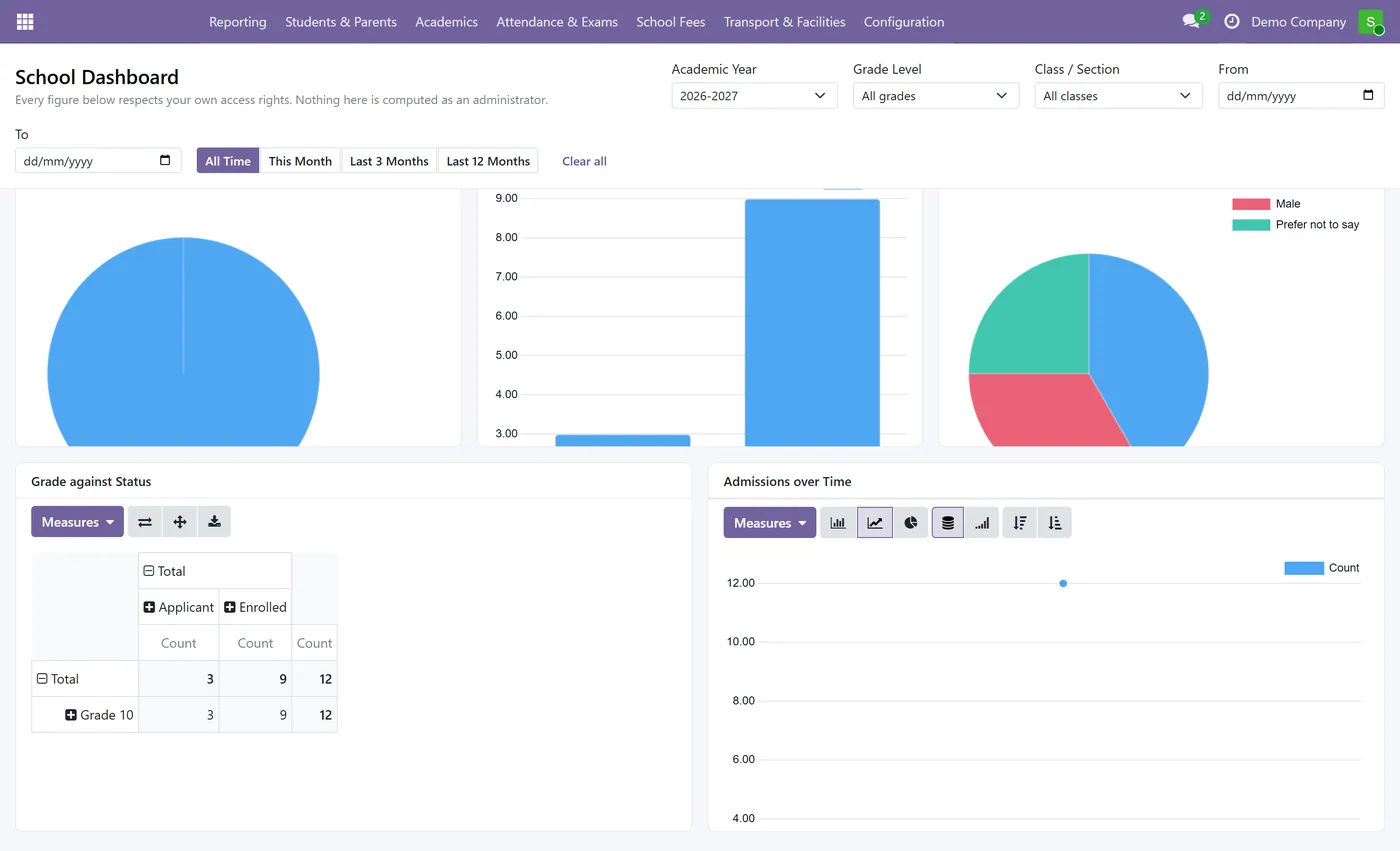
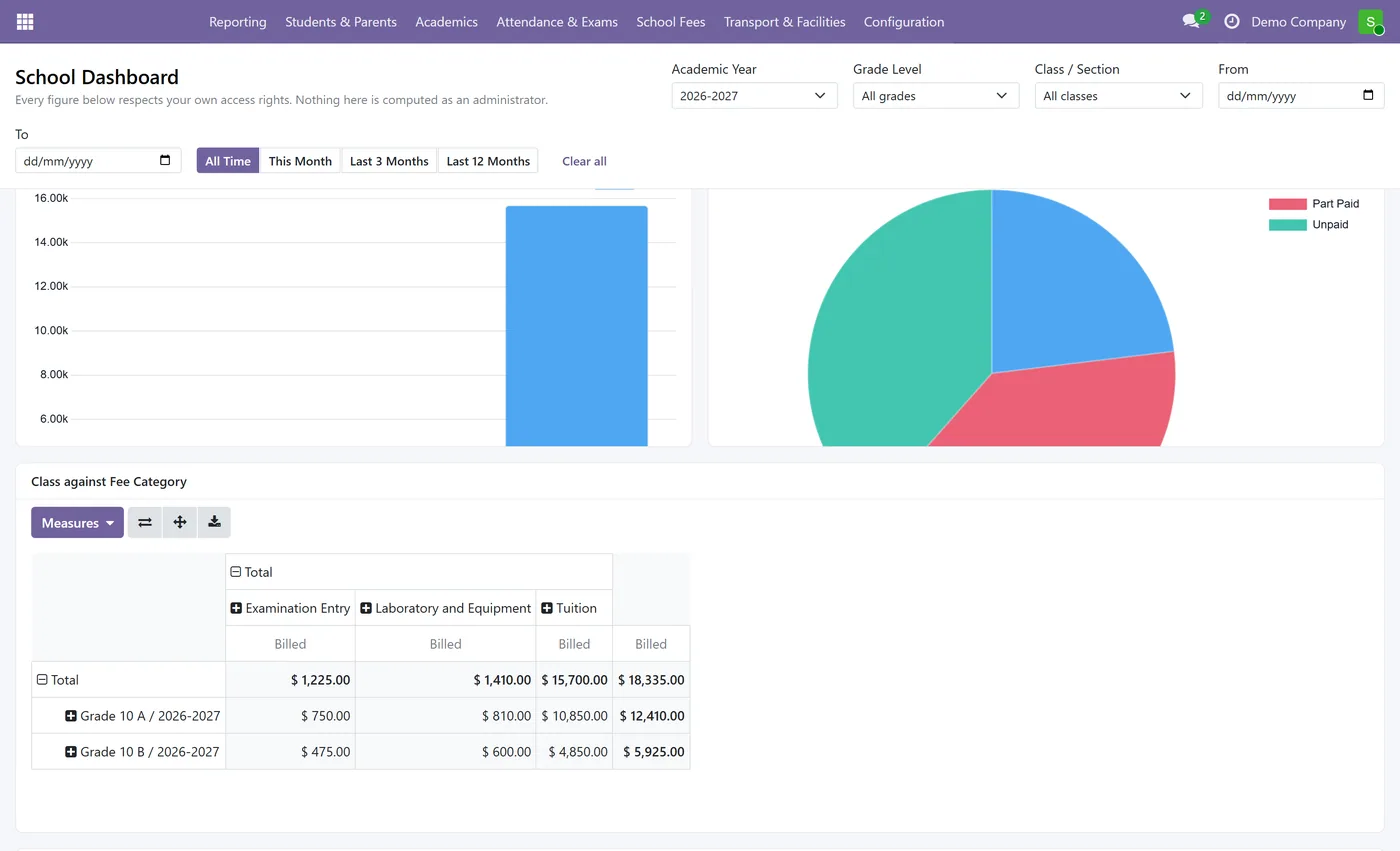
- Twenty-one chart tiles: fifteen graphs, four pivots and two working lists, all real Odoo views
- Filter the whole dashboard at once by academic year, grade level, class or section, and date
- Arrears aged into not yet due, 1 to 30, 31 to 60, 61 to 90 and over 90 days
- Every figure is read as the logged-in user: a teacher's dashboard omits money rather than showing a zero
- A tile the user may not read is never built, so no chart can raise an access error mid-screen
- An Accountant role that carries both the school Administrator group and Odoo's Billing group
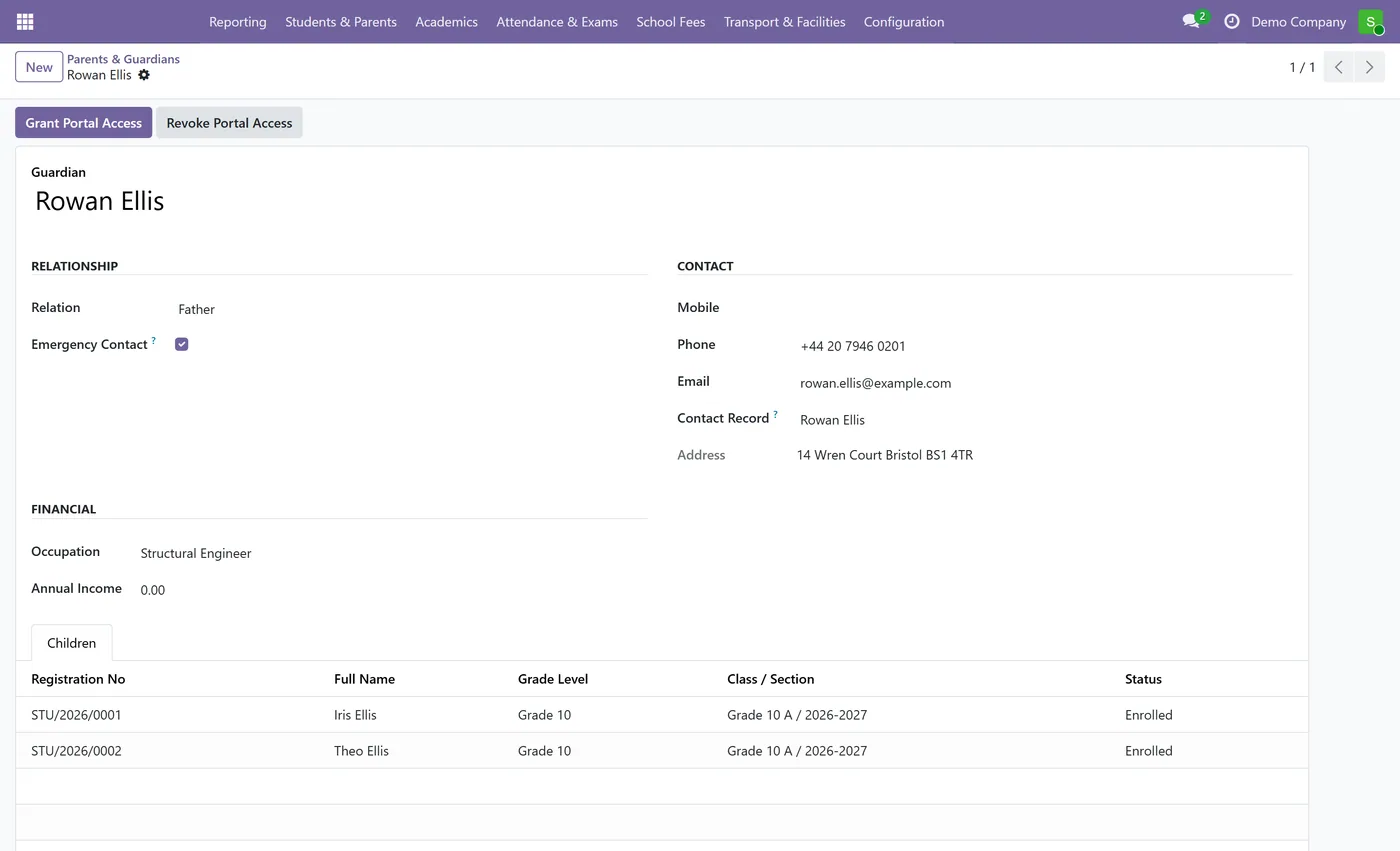
- Grant Portal Access on a guardian record creates the login and sends the invitation
03
Revoke Portal Access is the one action that actually closes a login, and the form says so
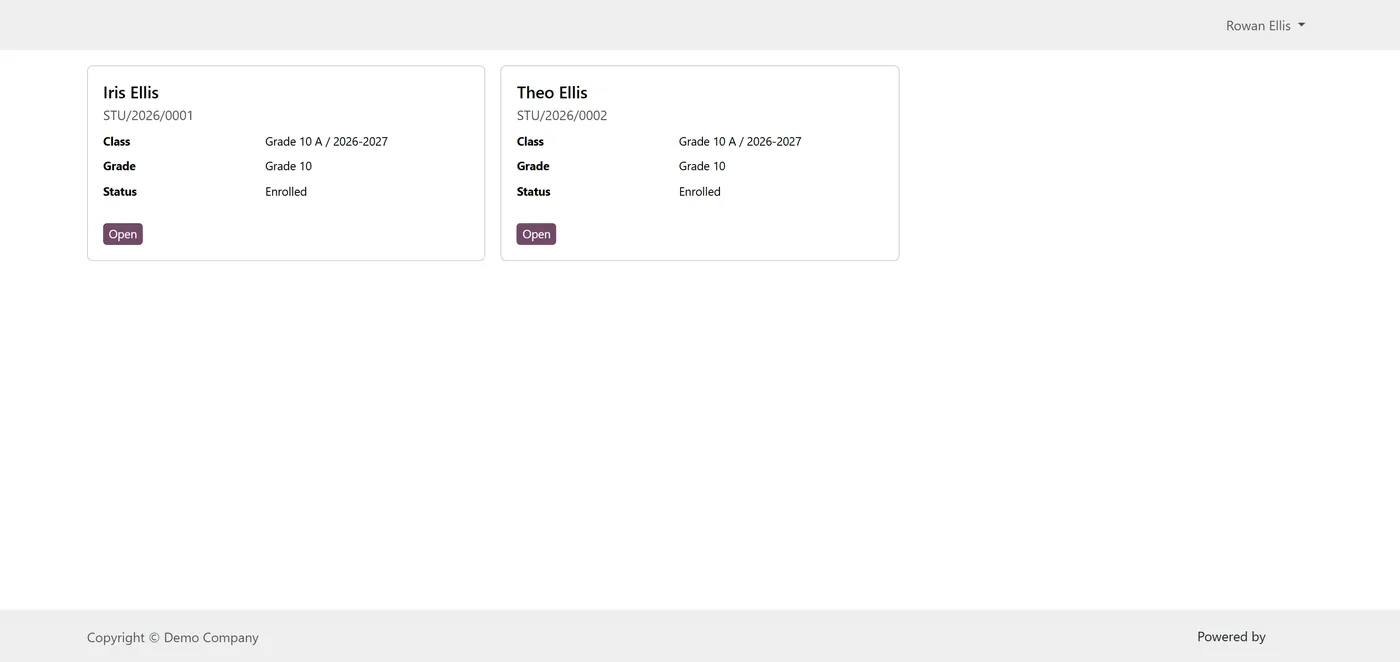
- Parents land on My Children, with a live count of the children they are allowed to read
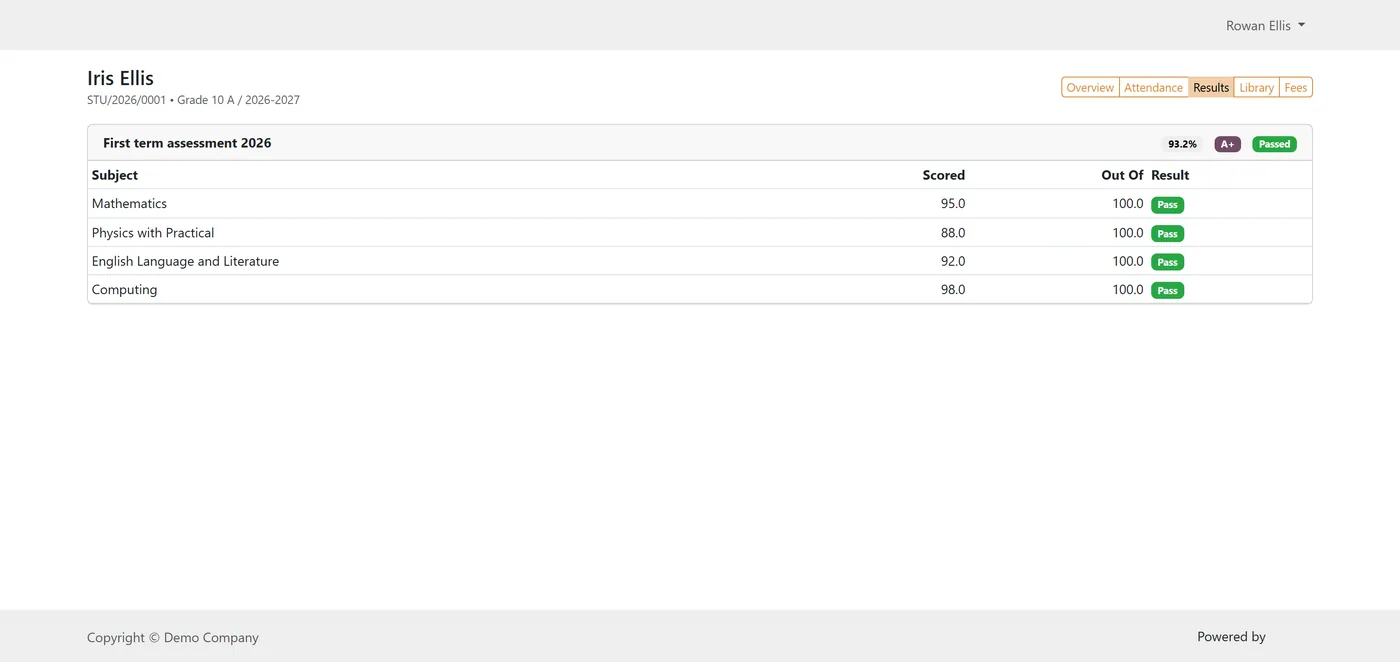
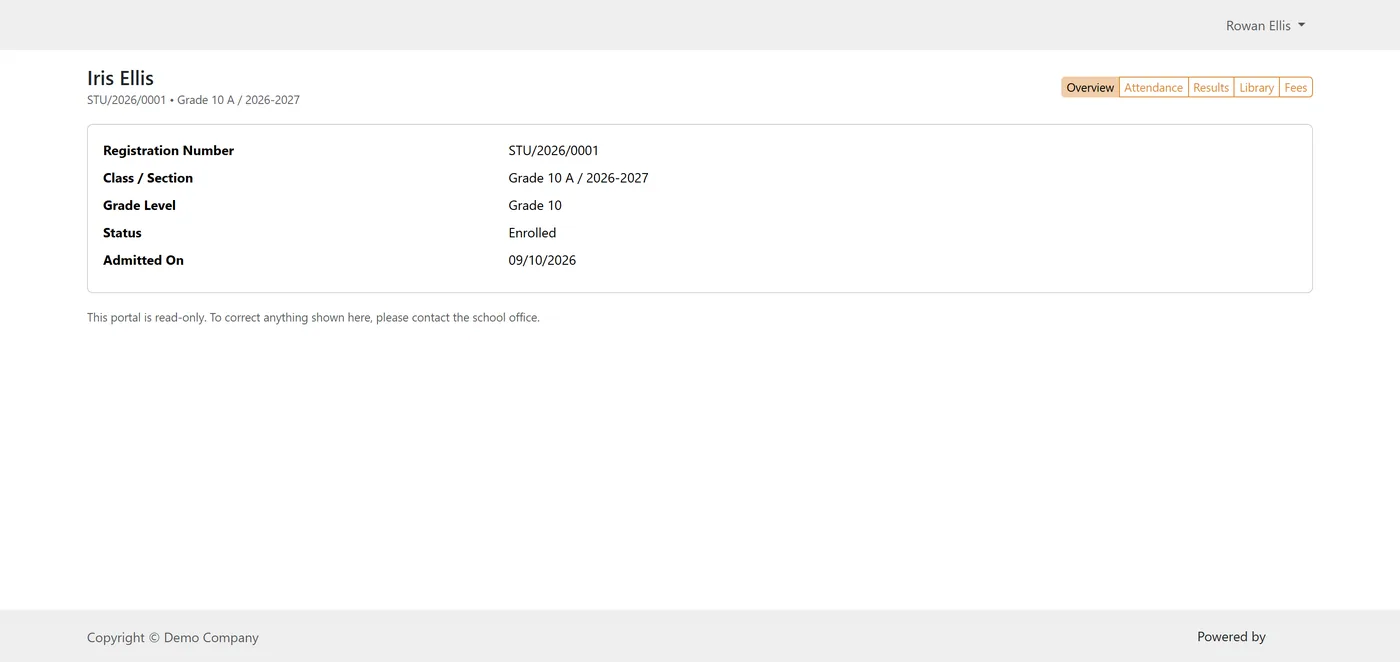
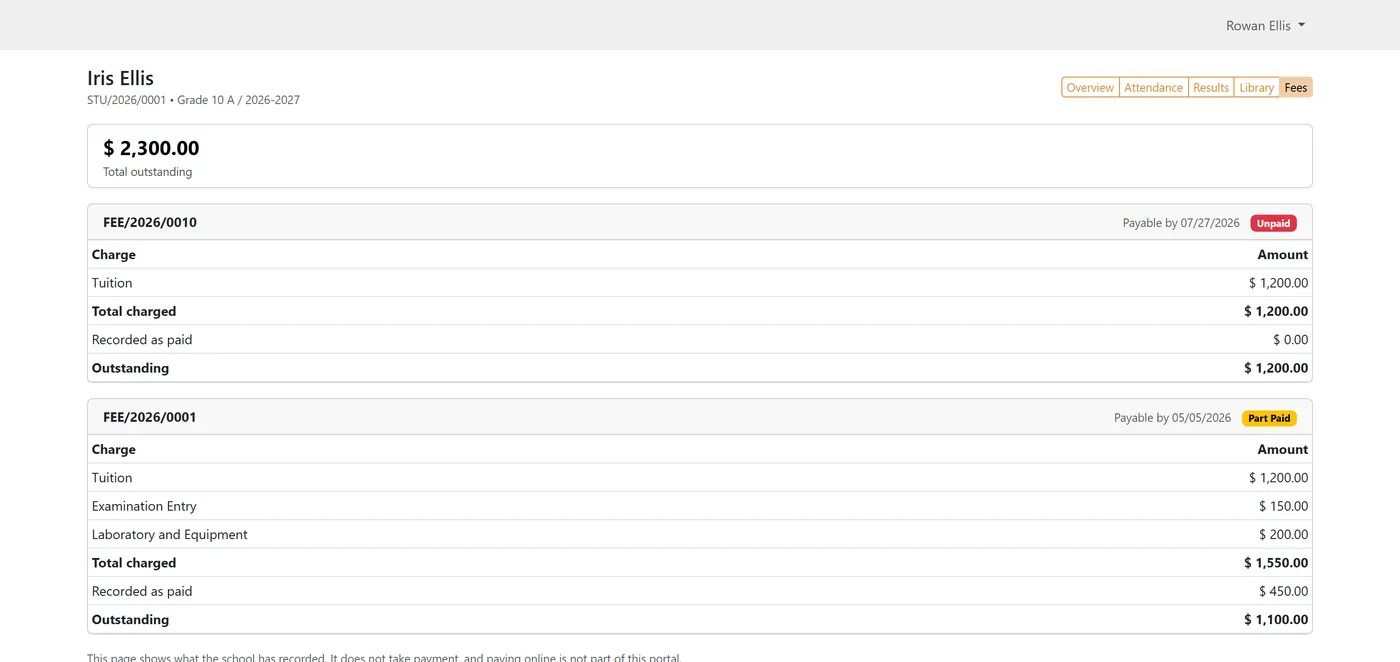
- Per child: profile, attendance, examination results, library loans and fees with a total due
- Guardians see attendance only from submitted registers and results only from completed exams
- Read only by design: no field a parent can write and no record a parent can create
- Fourteen portal record rules scope every model a guardian reaches, so the limit holds over the API
- Demo data ships uninvoiced on purpose, so the module installs cleanly with no chart of accounts
- 141 automated tests covering invoicing, reconciliation, report security, dashboard scope and portal access
Every screen
The whole module, screen by screen.
The captures the walkthrough above did not use, in the order you meet them in the product.
What it does
School Management keeps the school's records. This module is the layer that turns them into money, reporting and a parent-facing front door.
Fees come first. A fee statement gains an Invoice button that raises a genuine customer invoice against the guardian, on the school's own journal, which the bursar posts and collects through Odoo accounting like any other invoice. The statement links to that invoice; it never derives its numbers from it, and it never pretends to be it. That distinction is the whole design. Because the two are separate, they can disagree, and the module says so out loud: every statement carries a reconciliation state of Not Invoiced, Reconciled or Needs Review, plus a Difference figure showing what the office recorded less what the ledger actually collected. Needs Review has a screen of its own that opens already filtered, so chasing discrepancies is a list rather than an investigation.
On top of that sit two SQL-backed analysis models, one over fee charges and one over examination results, and a School Dashboard built from them. Twenty-six KPI cards cover enrolment, attendance, examinations, fees, arrears by age, invoicing and reconciliation, and the transport, hostel and library registers. Below them, twenty-one tiles chart the same data: fifteen graphs, four pivots and two working lists, every one of them a real Odoo view rather than a picture of one, so they regroup and expand in place. One set of filters, academic year, grade level, class or section and a date range, re-queries the whole page at once.
Guardians get their own way in. Grant Portal Access on a guardian record creates their login and sends the invitation; from then on they land on My Children and can read each child's profile, attendance, results, library loans and fee statements with a total due.
The interesting engineering is in who sees what, because this module puts money and children's records on the same screens.
The dashboard is assembled per user. Before anything is drawn, the server answers which models this user may read, and a section they may not read is left out entirely rather than shown as zero, on the principle that a fabricated zero is a wrong number and a missing card is an honest one. The chart tiles follow the same rule for a harder reason: a tile is a view on a model, so embedding one the caller cannot read does not produce an empty chart, it produces an access error in the middle of the dashboard. Tiles are therefore built only for models the user can read. A teacher opening the dashboard sees enrolment, attendance and examination figures for their own classes, and no money at all.
The portal is read only by construction. There is no field a parent can write and no record a parent can create, and fourteen record rules scope every model a guardian can reach, so the limit holds over the API rather than only in the pages. The rules are deliberately conservative about work in progress: attendance comes from submitted registers, results from completed examinations, and fees from confirmed statements, so a draft register or an unreleased mark cannot leak to a family through a page that was only meant to show finished work. Closing an account is its own action. Archiving a guardian blanks their pages without closing their login, which reads exactly like a revocation and is not one, so the form says so in as many words and points at Revoke Portal Access instead.
The accounting side is guarded at the database rather than in Python. One invoice per statement is a unique constraint, which is the only version of that rule a double click, a second tab or an RPC call cannot get around. The Accountant role carries both the school Administrator group and Odoo's own Billing group, so one account covers the whole path from statement to posted invoice without handing anyone superuser rights.
It ships 141 automated tests across invoicing, reconciliation, report security, dashboard scoping and portal access, and demo data that installs uninvoiced on purpose so the module still comes up cleanly on a database with no chart of accounts.
Who it's for
Schools already running School Management in Odoo that have outgrown fee statements as record-keeping and want the fees in the ledger, the ledger reconciled against the office, and the whole picture on one screen. It suits a bursar who needs to know which families are behind and by how long, an administrator who wants examination and attendance trends without exporting to a spreadsheet, and a school that wants parents to stop phoning the office to ask what their child scored or what is still owed.
It is not an online payment product. Parents read; they do not pay through these pages. It is also not a replacement for School Management, which it extends and requires.
Questions
About School Fee Invoicing and Parent Portal.
Is this a standalone app or an add-on?
It is an add-on. It installs on top of School Management and extends it, so it does not duplicate students, classes, teachers or fee statements. The price shown here is the single figure the Odoo Apps Store charges for the pair, so buying this gets you both apps.
Does it post real accounting entries for school fees?
Yes. A fee statement gains an Invoice button that creates an ordinary customer invoice against the guardian, on the school's own journal, which you then post and collect through Odoo accounting exactly like any other invoice. That is the difference from the base app on its own, where paid amounts are typed in and nothing reaches the ledger.
What does reconciliation actually compare?
What the school office recorded as received against what the ledger shows was collected. Each statement carries a state of Not Invoiced, Reconciled or Needs Review plus a Difference figure, all computed and stored so you can search and group on them. Not Invoiced is a resting state rather than a problem, so ordinary uninvoiced statements never pollute the review list.
Can parents pay their fees online?
The guardian pages themselves are read only and carry no payment button. Because the invoices are ordinary Odoo customer invoices, you can send them and take payment through Odoo's own invoice portal with a payment provider configured, which is Odoo functionality rather than something this module adds or can remove.
What can a parent see, and what stays private?
Only their own children, and only what the school has finished. Attendance shows submitted registers, results show completed examinations, and fee statements show confirmed ones, so a draft register or an unreleased mark never leaks. Fourteen record rules scope every model a guardian can reach, which means the boundary holds over the API and not just in the pages.
How do I stop a parent logging in?
Use Revoke Portal Access on the guardian record. Archiving the guardian is not the same thing, and the form warns you so: the pages go blank, which looks like the account is shut, but the login still works. Revoke is the action that closes it.
Do teachers see the fee figures on the dashboard?
No. The dashboard is assembled per user from what that user is allowed to read, and a section they may not read is left out rather than shown as zero, because a fabricated zero is a wrong number rather than a hidden one. A teacher gets enrolment, attendance and examination figures for their own classes; the money belongs to the Administrator and Accountant roles.
Does it need Odoo Enterprise or any other paid app?
It needs School Management, which is included in the price on this page. Everything else it depends on is Community: Invoicing, Portal and Signup. It installs on Community and Enterprise alike.
Does it work with several schools on one database?
Yes. The analysis models and the dashboard are scoped by company alongside the role rules, and each user sees only the companies they are allowed to.
Can I look around before entering my own data?
Yes. Demo data installs with the module: guardians with children, fee statements across the payment states, and dashboard figures with something in them. The demo statements ship uninvoiced on purpose, because Odoo's Invoicing app installs no chart of accounts by itself and a demo invoice would fail on a bare database. Press Invoice on a statement once you have a chart loaded and the reconciliation screens fill in.
On the Odoo Store
Get School Fee Invoicing and Parent Portal on the Odoo Store.
Pick your Odoo version and install it in a click, with free updates and real support behind it.
Get it on the Odoo StoreReady to make Odoo work the way your business does?
Book a free call CODEerts
CODEerts is a team of certified Odoo partners and full-stack engineers. We implement, customise and support Odoo ERP, then build the software around it.

