CODEerts
Productivity app for Odoo
Transaction Flow Visualizer
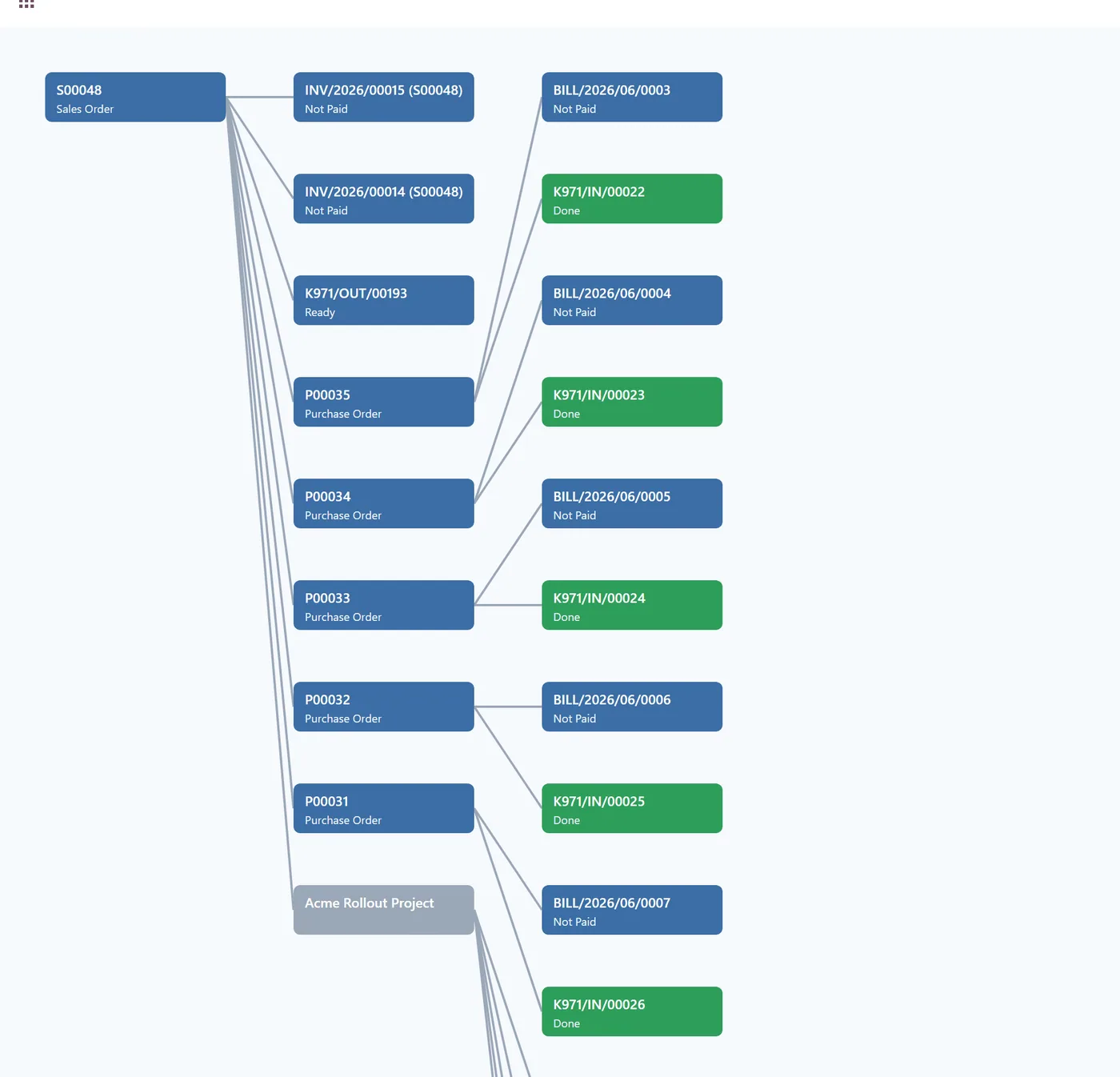
See every linked Sales, Purchase, Manufacturing, Delivery and Invoice document on one interactive flow map.
Overview
Transaction Flow Visualizer.
Transaction Flow Visualizer adds a Flow Map button to Sales Orders, Purchase Orders, Manufacturing Orders, Invoices and Deliveries that draws an interactive chart of every related document, colour coded by status, with one click to open any record. No data is stored.
How it works
Built around what you actually do.
Every screen below is the module running in Odoo, not a mockup.
01
Flow Map button on Sales, Purchase, Manufacturing, Delivery and Invoice
- Interactive chart of every related document on one screen
- Status colours and one-click open to the underlying record
- Project and Task nodes when the Project app is installed
- Read-only and secure, no data stored
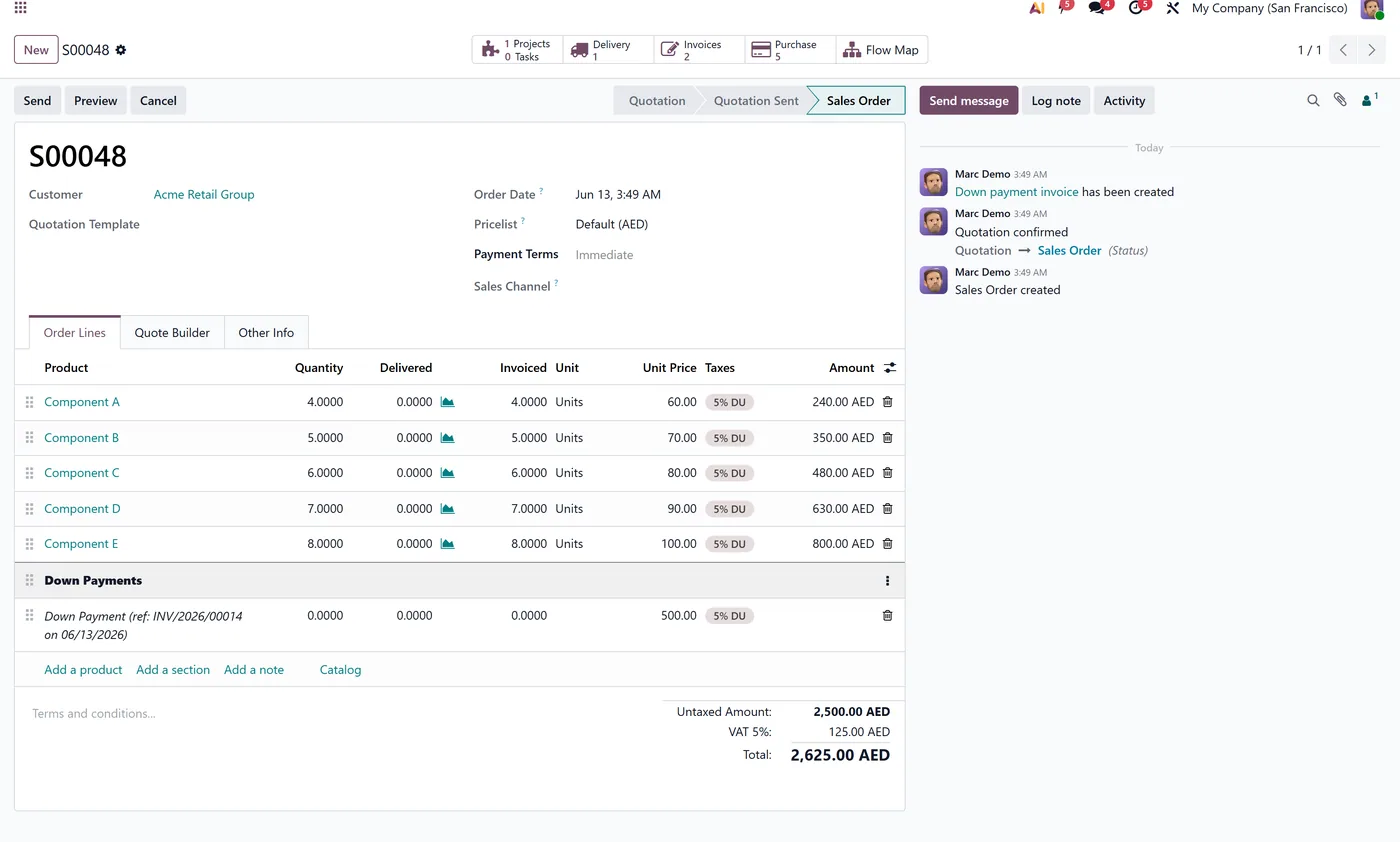
Transaction Flow Visualizer gives every order, invoice and transfer a one-click Flow Map that shows the whole chain of linked documents on a single screen, colour coded by status, so you can trace where work stands without clicking through menu after menu.
What it does
When you open a Sales Order, Purchase Order, Manufacturing Order, Invoice or Delivery, a Flow Map button appears in the header. Click it and the module builds an interactive chart of every related document, drawing the full chain from quotation through purchase, receipt, manufacturing, delivery and invoice. Each node is colour coded by its status, and clicking a node opens that record instantly. When the Project app is installed, related Projects and Tasks appear on the map too. The map is built live and is completely read-only, so nothing is ever stored or changed.
Who it's for
Operations, sales and finance teams who need to see where an order stands across departments without clicking through smart buttons and chatter on every record.
Questions
About Transaction Flow Visualizer.
How do I see all documents linked to a sales order in Odoo?
Open the order and click the Flow Map button. The module draws an interactive chart of the linked purchase orders, receipts, deliveries and invoices on one screen.
Does the flow visualizer store or change any data?
No. The map is read-only and stores nothing. It is built live each time you open it.
Does it work in Odoo Community and Enterprise?
Yes, it runs on both Community and Enterprise. Each Odoo Apps Store listing shows the exact version it supports.
Which Odoo documents show the Flow Map button?
The Flow Map button appears on Sales Orders, Purchase Orders, Manufacturing Orders, Invoices and Deliveries. From any of these you can trace the full chain of related records in one view.
Does the flow map respect Odoo user access rights?
Yes. The map only draws records the current user is allowed to see, because it reads live through Odoo's own security. It never bypasses access rules or exposes restricted documents.
Can I open a linked purchase order or invoice directly from the map?
Yes. Every node on the chart is clickable and opens the underlying record instantly, so you can jump from a sales order to its purchase, receipt, delivery or invoice without searching through menus.
On the Odoo Store
Get Transaction Flow Visualizer on the Odoo Store.
Pick your Odoo version and install it in a click, with free updates and real support behind it.
Get it on the Odoo StoreReady to make Odoo work the way your business does?
Book a free call CODEerts
CODEerts is a team of certified Odoo partners and full-stack engineers. We implement, customise and support Odoo ERP, then build the software around it.