CODEerts
Productivity app for Odoo
Flow Visualizer Pro
Configurable, no-code visual map of linked business documents. Choose any model and the links to follow.
Overview
Flow Visualizer Pro.
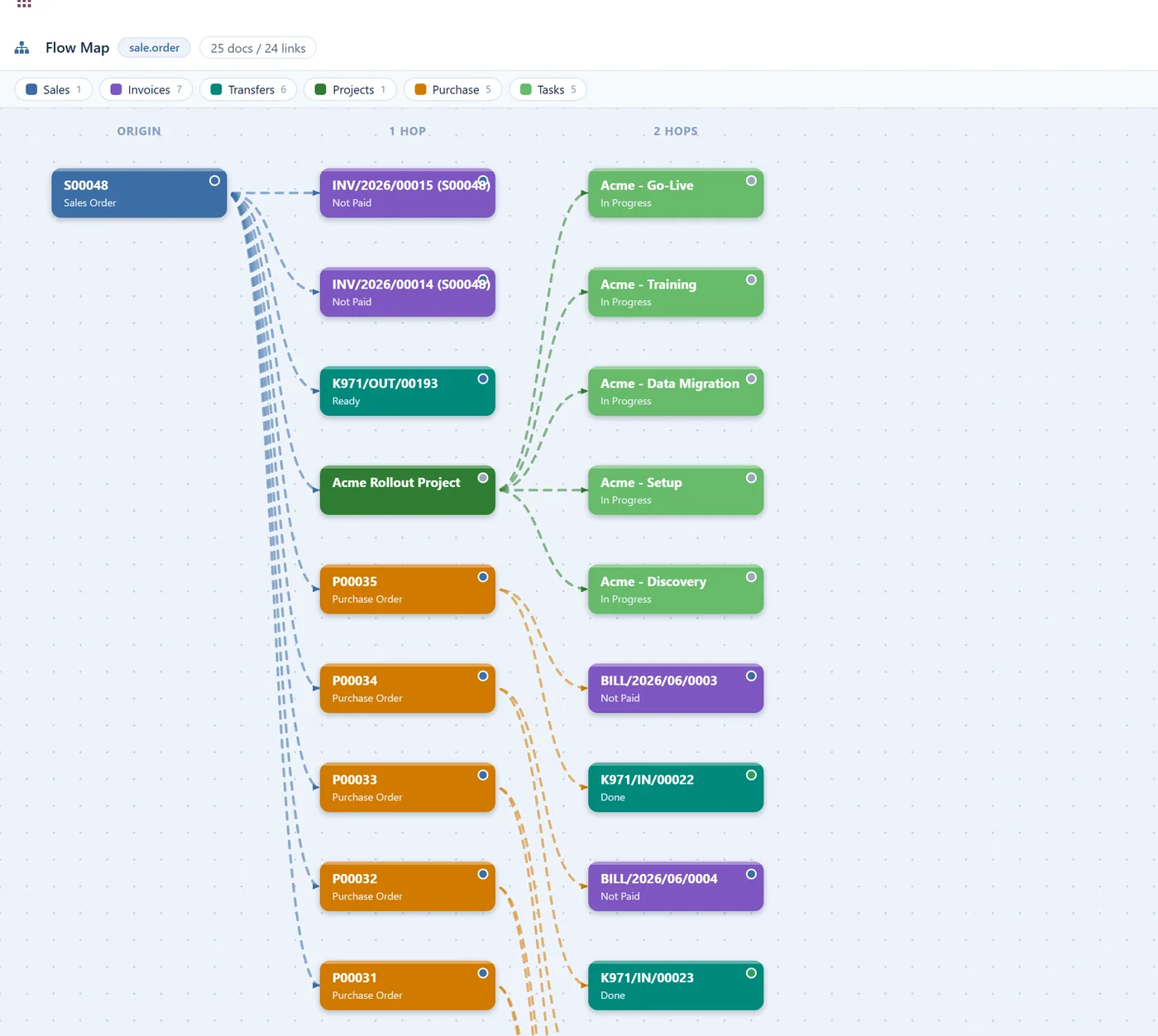
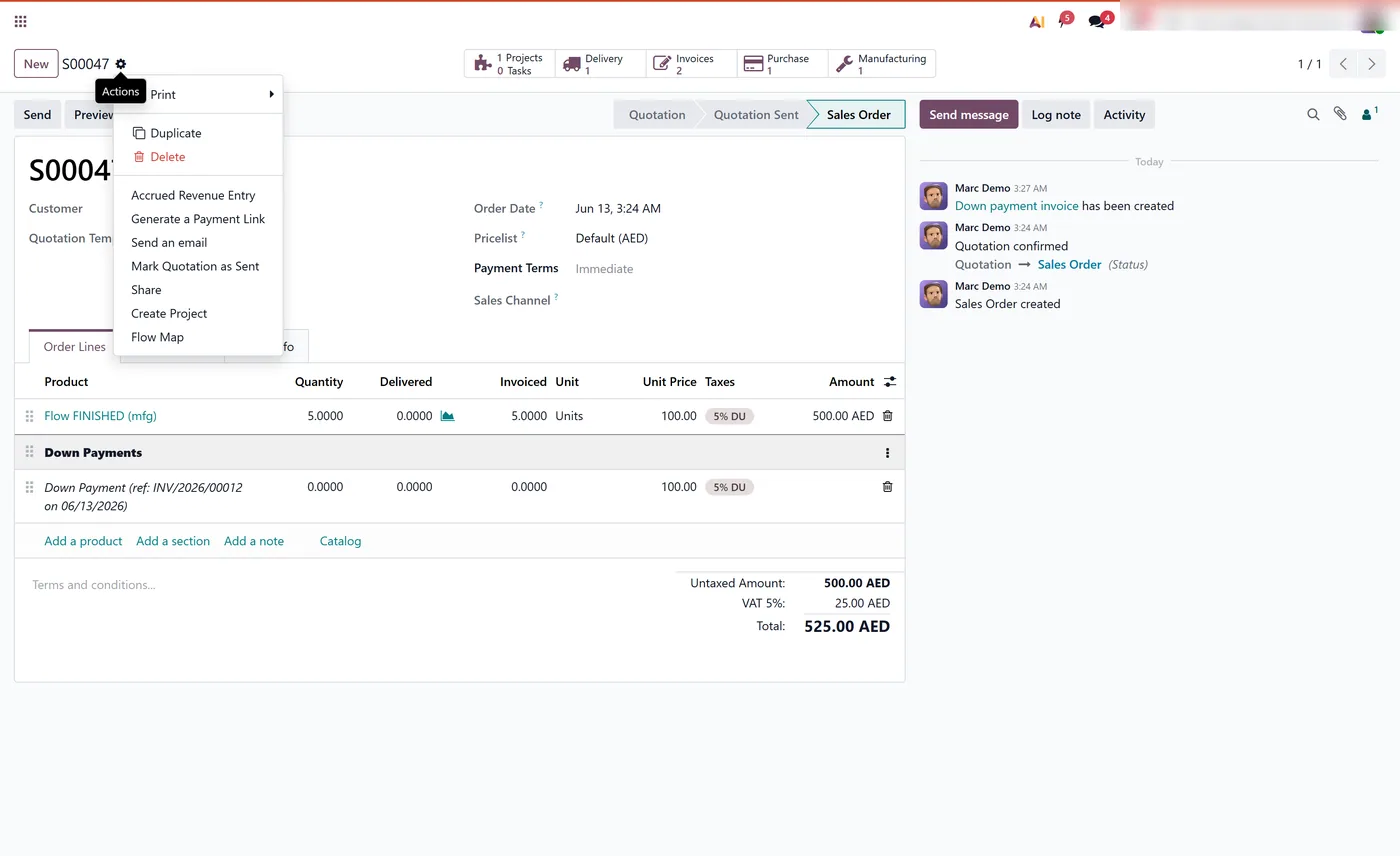
Flow Visualizer Pro adds a Flow Map to the Action menu of any Odoo model. Define, with no code, which models get a map and which related documents it follows, then explore the whole chain as an interactive flow chart with colour by document type, grouping, zoom, filters and one-click open.
How it works
Built around what you actually do.
Every screen below is the module running in Odoo, not a mockup.
01
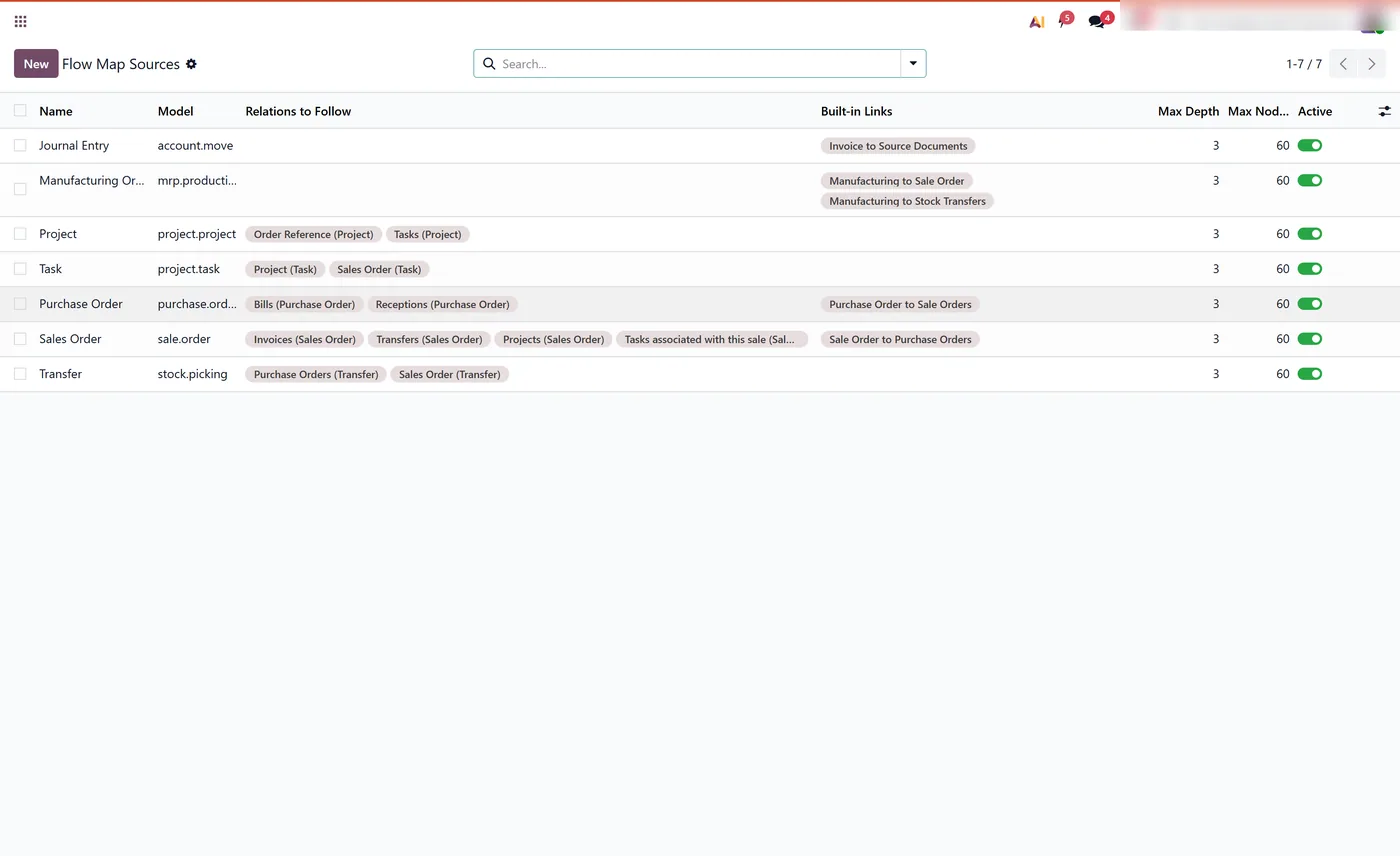
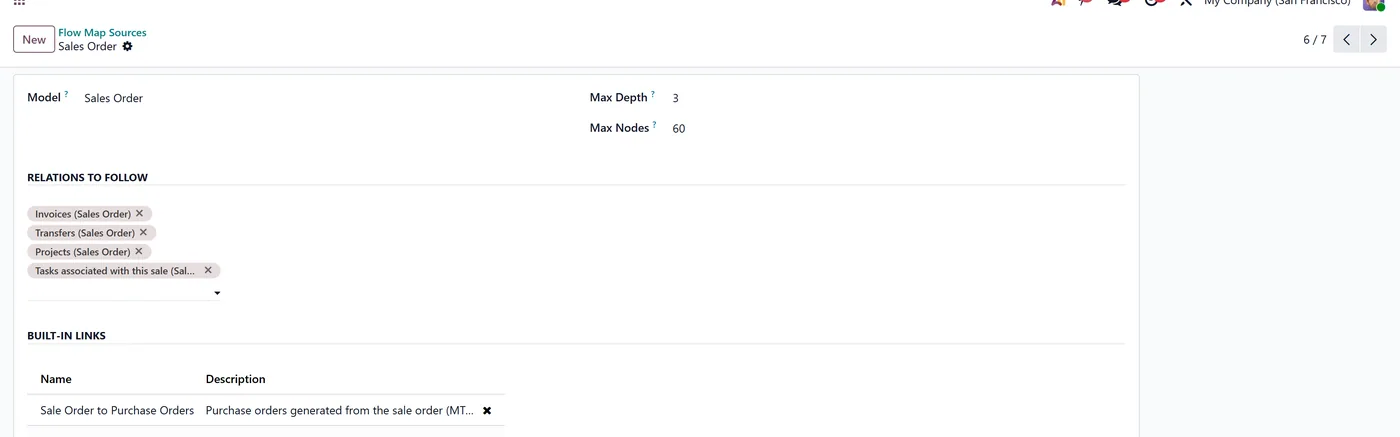
No-code configuration, add a Flow Map to any model from Settings
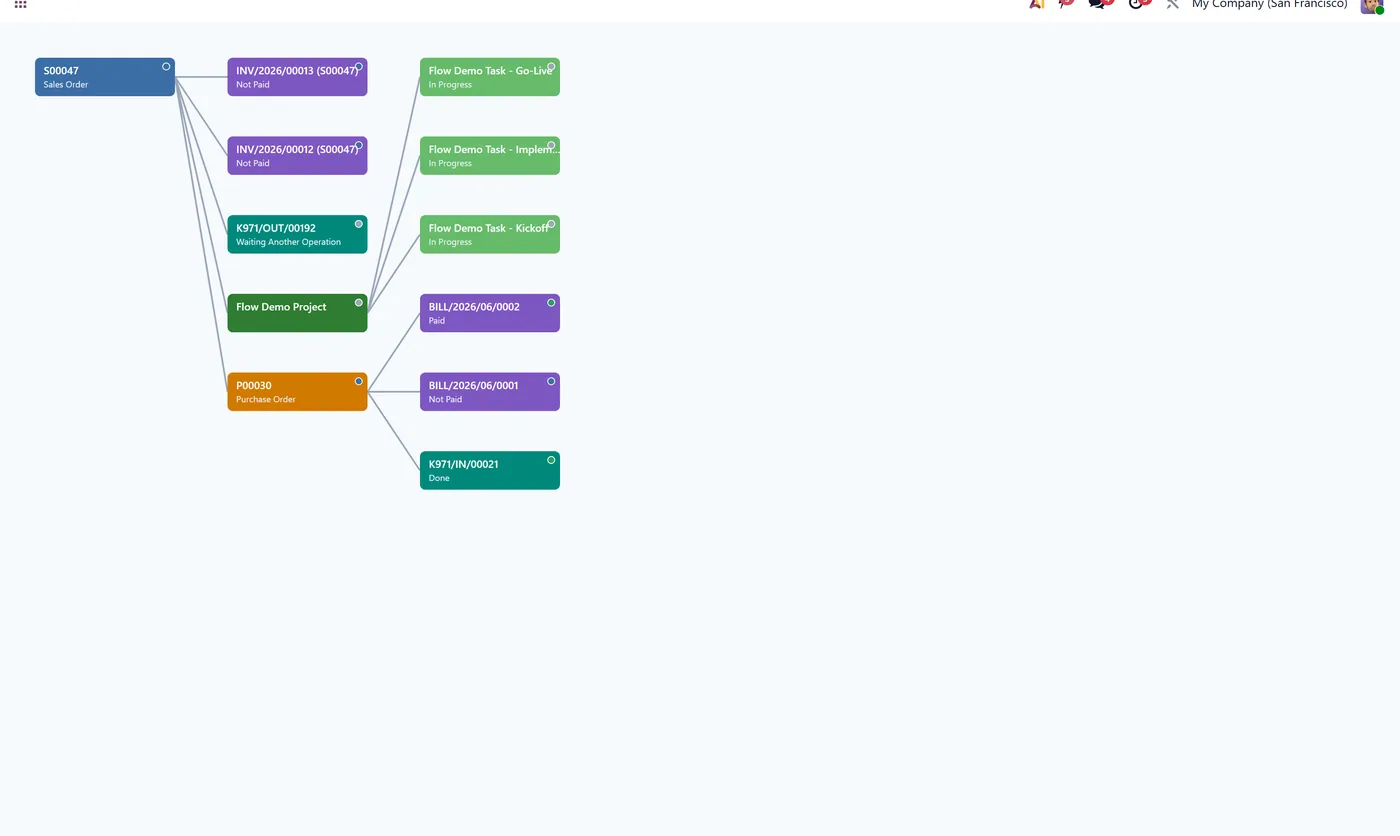
- Colour by document type with status indicators
02
Flow and group-by-type layouts, depth selector, zoom, fit and fullscreen
- Legend filter, hover highlight, drag to pan and PNG export
03
Read-only and secure, respects access rights, no data stored
Every screen
The whole module, screen by screen.
The captures the walkthrough above did not use, in the order you meet them in the product.
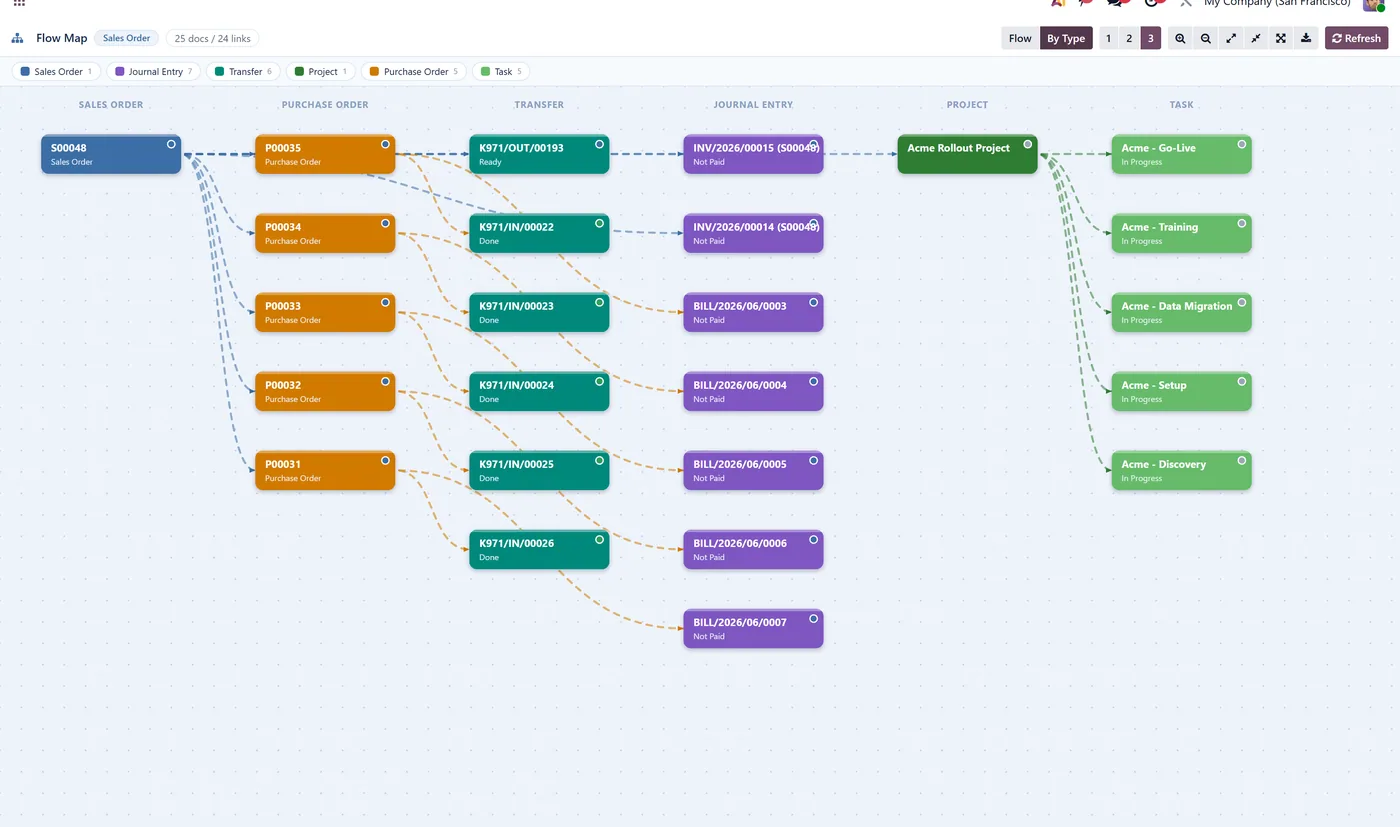
Flow Visualizer Pro turns the web of linked documents behind any Odoo record into a single interactive map. Configure which models get a Flow Map and which links it follows entirely from settings, then read the whole chain at a glance with colour, grouping, zoom and filters.
What it does
Flow Visualizer Pro adds a Flow Map entry to the Action menu of any Odoo model you choose. In Settings, Technical, Flow Map Sources you pick a model and tick the related documents the map should follow, with no code at all. Opening the Flow Map then draws the entire chain as an interactive chart, colour coded by document type, with a flow or group-by-type layout, a depth selector, zoom, fit, fullscreen, a legend filter, hover highlight, drag to pan and PNG export. Click any node to open the underlying record. The map is built on demand, respects each user's access rights and stores no data.
Who it's for
Businesses with complex document chains across standard and custom models that want a configurable, visual way to trace relationships, without building custom views or writing code.
Questions
About Flow Visualizer Pro.
Can I add a flow map to any model in Odoo without coding?
Yes. In Settings, Technical, Flow Map Sources, add a model and tick the relations to follow. A Flow Map entry appears in that model's Action menu automatically, with no development.
How do I trace an order through purchases, manufacturing and invoices in Odoo?
Open the Flow Map from the record. It draws an interactive chart of every linked document, colour coded by type, that you can group, zoom, filter and open in one click.
Will it slow down my database on large transaction chains?
No. The map runs only when you open it, and each build is capped by a configurable depth and node limit, so large chains stay fast.
Can I map custom models, not just standard Odoo documents?
Yes. Any model in your database, standard or custom, can get a Flow Map from Settings. You pick the relations to follow, so the map works across your own bespoke models too.
Can I export the Odoo flow chart as an image?
Yes. The map includes PNG export, so you can save the chart and drop it into a document, email or presentation. Layouts, grouping and zoom all carry into the exported image.
Which app or menu do I use to configure the flow maps?
Configuration lives under Settings, Technical, Flow Map Sources. There you add a model, tick the related documents to follow, and the Flow Map entry appears in that model's Action menu with no code.
On the Odoo Store
Get Flow Visualizer Pro on the Odoo Store.
Pick your Odoo version and install it in a click, with free updates and real support behind it.
Get it on the Odoo StoreReady to make Odoo work the way your business does?
Book a free call CODEerts
CODEerts is a team of certified Odoo partners and full-stack engineers. We implement, customise and support Odoo ERP, then build the software around it.