 CODEerts
Productivity app for Odoo
WhatsApp Business for Odoo Community
Connect Odoo Community to the WhatsApp Business Cloud API and send approved template messages from any record. Configure WhatsApp Business accounts, sync and manage message templates, send from a composer, and track sent, delivered, read and replied statuses, all without Enterprise.
Overview
WhatsApp Business for Odoo Community.
WhatsApp Business for Community brings the WhatsApp Business Cloud API into Odoo Community, so you can send approved WhatsApp template messages from Odoo without an Enterprise subscription. Configure one or more WhatsApp Business accounts with their app, phone number and access token, then sync your approved message templates from Meta or manage them in Odoo. Send a template to any record from a composer that fills field-mapped and free-text variables per recipient, and let a background send queue handle larger batches. Every message is tracked through a full state machine, outgoing, sent, delivered, read, replied, error and bounced, updated automatically from a secure signed status webhook. Inbound STOP and UNSUBSCRIBE replies opt the number out and add it to the phone blacklist, and the whole app is multi-company with a two-tier User and Admin security model. It is the Community foundation that other CODEerts WhatsApp apps, such as WhatsApp Marketing for Community, build on.
How it works
Built around what you actually do.
Every screen below is the module running in Odoo, not a mockup.
01
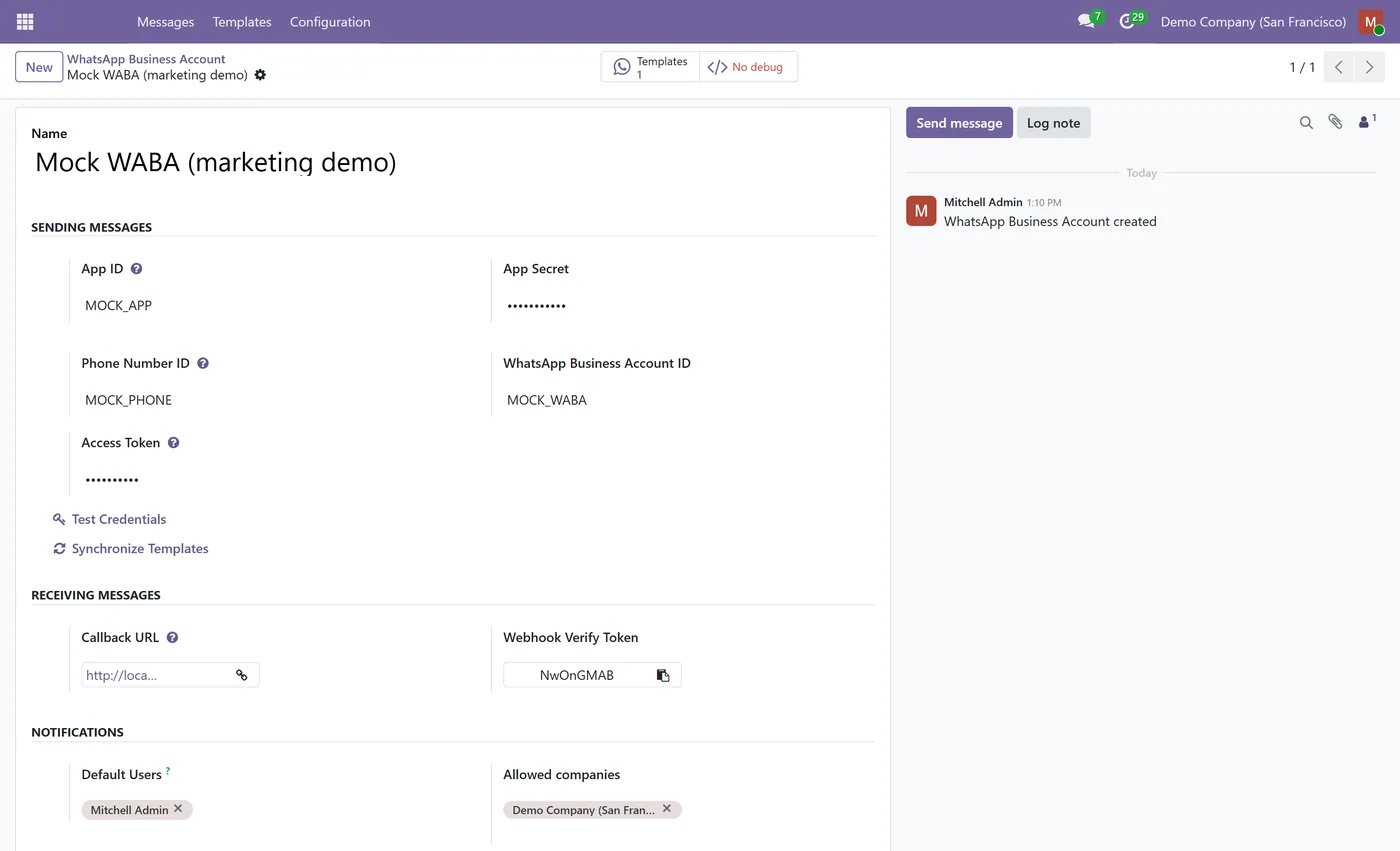
WhatsApp Business Cloud API integration for Odoo Community, no Enterprise required
- Configure multiple WhatsApp Business accounts with app, phone number, token and webhook
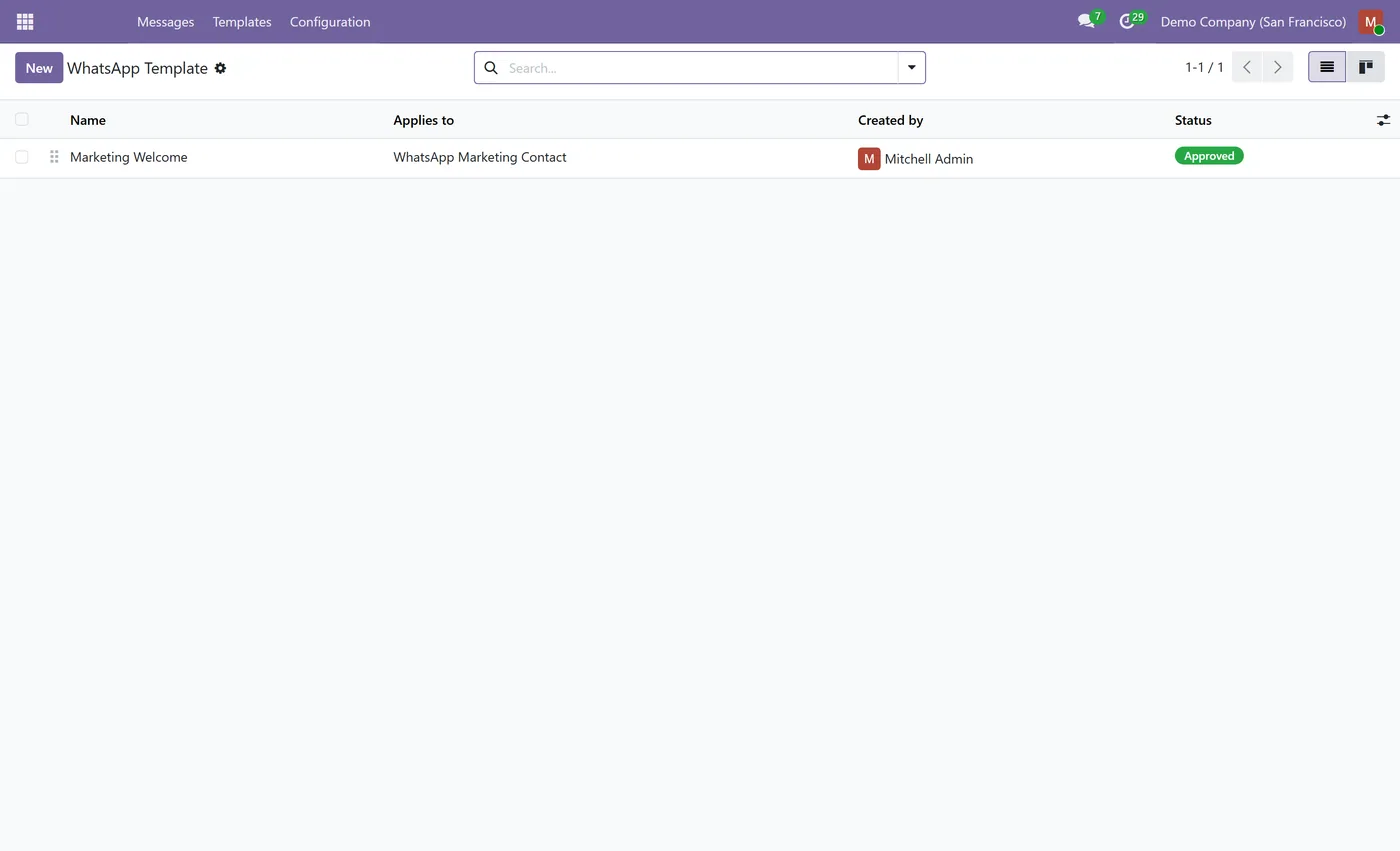
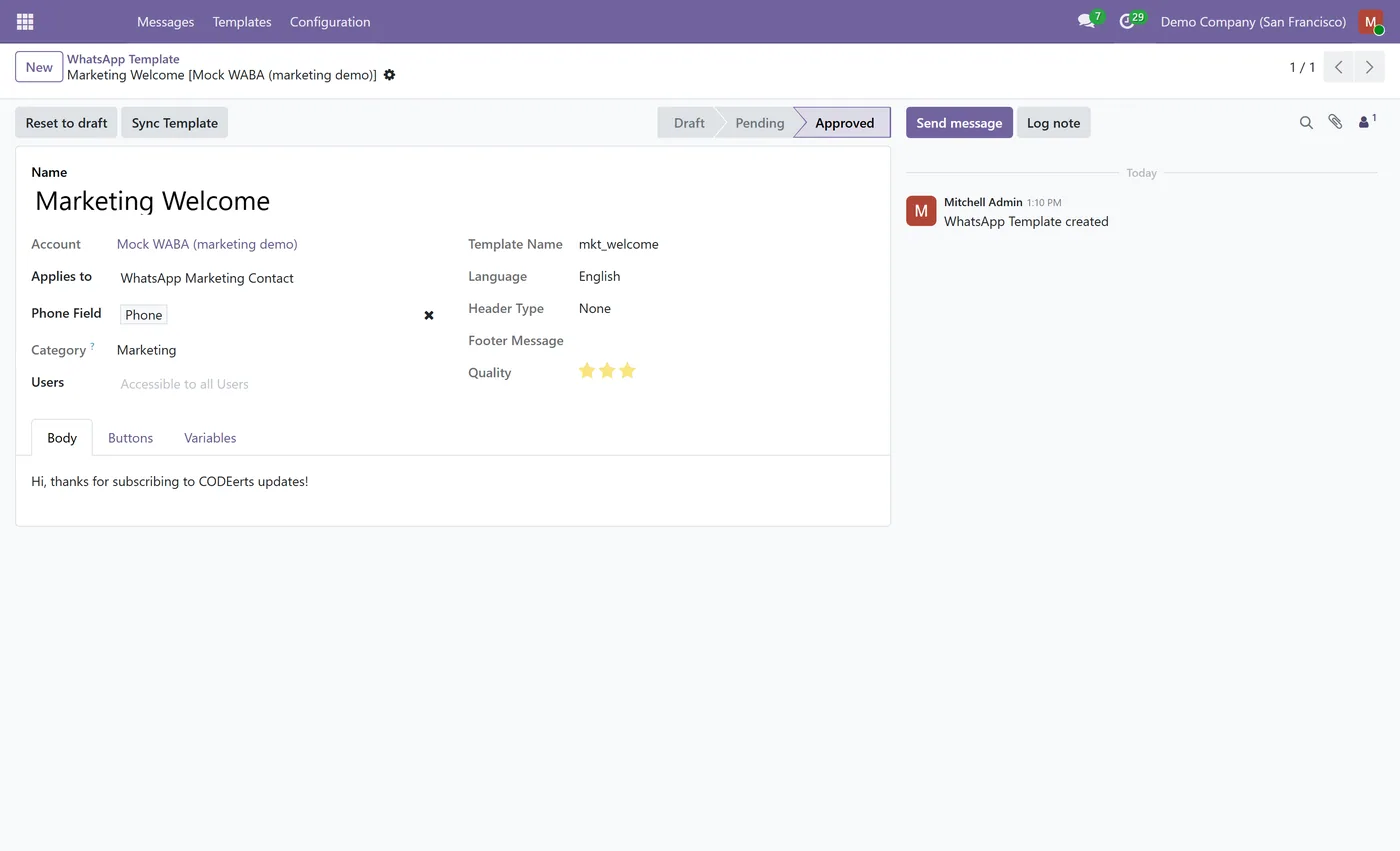
- Sync approved message templates from Meta, or manage template body, header, buttons and variables in Odoo
- Send a template to any record from a composer with field-mapped and free-text variables
02
Background send queue and scheduled job for larger batches
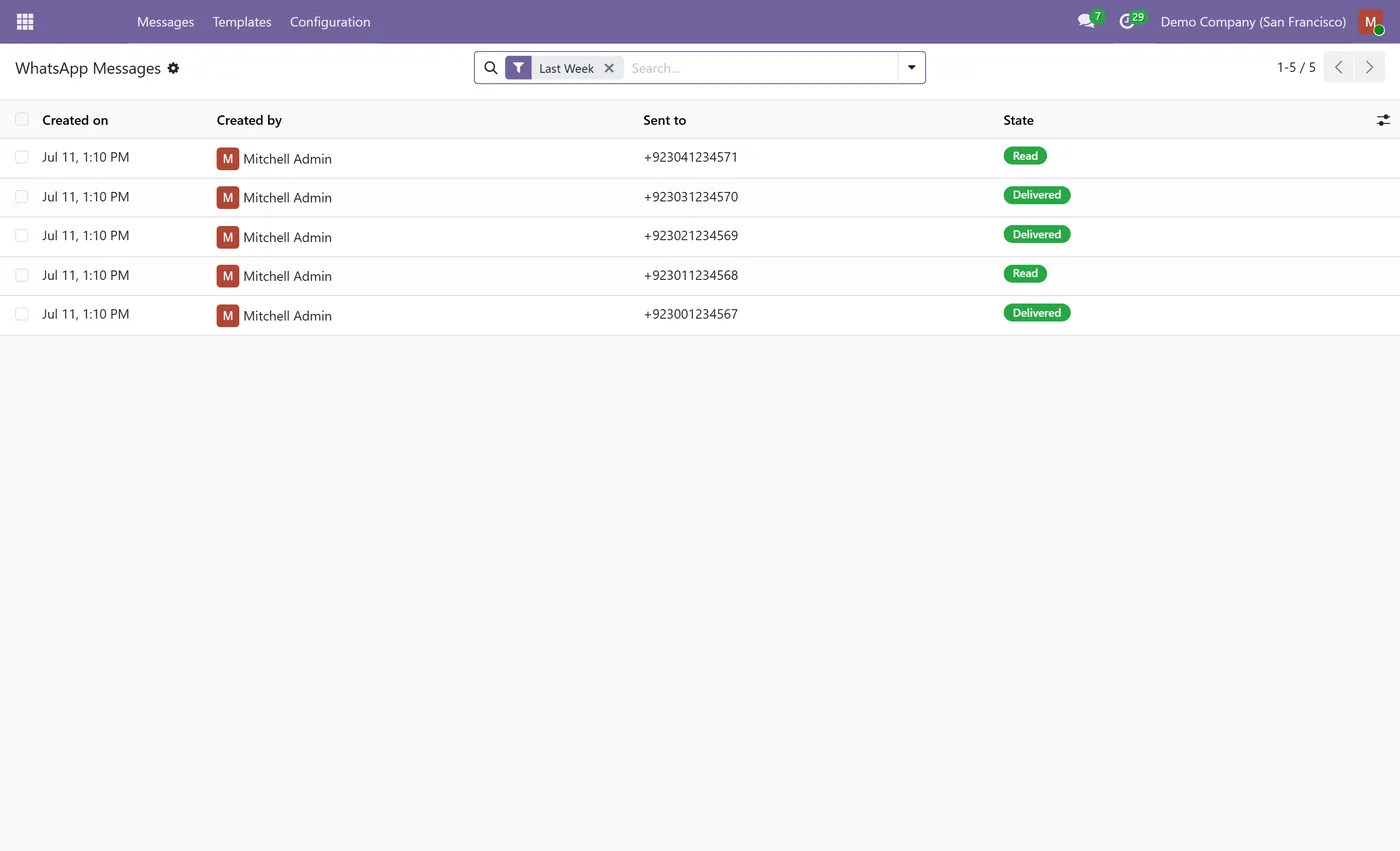
- Full message state machine, outgoing, sent, delivered, read, replied, error and bounced
- Secure signed status webhook that updates delivery and read status automatically
- Inbound STOP and UNSUBSCRIBE opt-out that blacklists the number
03
Phone number validation and sanitization with the phonenumbers library
- Multi-company support with a two-tier User and Admin security model
- Extensible foundation that other CODEerts WhatsApp apps build on
What it does
WhatsApp Business for Community connects Odoo Community directly to the WhatsApp Business Cloud API, so you can send approved WhatsApp template messages from Odoo without paying for Enterprise. You configure your WhatsApp Business accounts, bring in your approved templates, and send a template to any record while the module fills variables, queues larger batches and tracks the real delivery and read status of every message.
Who it's for
Odoo Community teams that want official WhatsApp Business messaging inside Odoo, and developers who need a clean Community foundation to build WhatsApp features on. It is the base that other CODEerts WhatsApp apps, such as WhatsApp Marketing for Community, extend.
Questions
About WhatsApp Business for Odoo Community.
Can I use WhatsApp in Odoo Community without Enterprise?
Yes. This app talks directly to the WhatsApp Business Cloud API, so you can configure accounts, sync templates and send approved template messages from Odoo Community without an Enterprise subscription.
How do I connect Odoo to the WhatsApp Business Cloud API?
Create a WhatsApp Business account record with your Meta app id and secret, phone number id, WhatsApp Business account id and a system-user access token, then set the generated callback URL and verify token in the Meta webhook configuration. A test-connection button confirms the credentials.
How does the module track delivery and read status?
Every message moves through a state machine from outgoing to sent, delivered, read and replied. A secure signed webhook receives status callbacks from Meta and updates each message automatically, so you always see the real delivery and read state.
Does it handle opt-out and STOP replies?
Yes. When a recipient replies STOP or UNSUBSCRIBE, the module opts the number out and adds it to Odoo's phone blacklist, so it is excluded from future sends.
Do I need an approved WhatsApp template to send?
Yes. WhatsApp requires business-initiated messages to use pre-approved templates. Sync your approved templates from Meta or create them in Odoo, then send a template to any record and fill its variables in the composer.
Which Odoo versions does this support?
Use the version selector at the top of this page to pick your Odoo release. The app is maintained across the supported versions.
On the Odoo Store
Get WhatsApp Business for Odoo Community on the Odoo Store.
Pick your Odoo version and install it in a click, with free updates and real support behind it.
Get it on the Odoo StoreReady to make Odoo work the way your business does?
Book a free call CODEerts
CODEerts is a team of certified Odoo partners and full-stack engineers. We implement, customise and support Odoo ERP, then build the software around it.

