 CODEerts
Reporting app for Odoo
AI Dashboard Builder
Build interactive Odoo dashboards by chatting with AI. Generate KPIs, charts, pivots and maps from plain language.
Overview
AI Dashboard Builder.
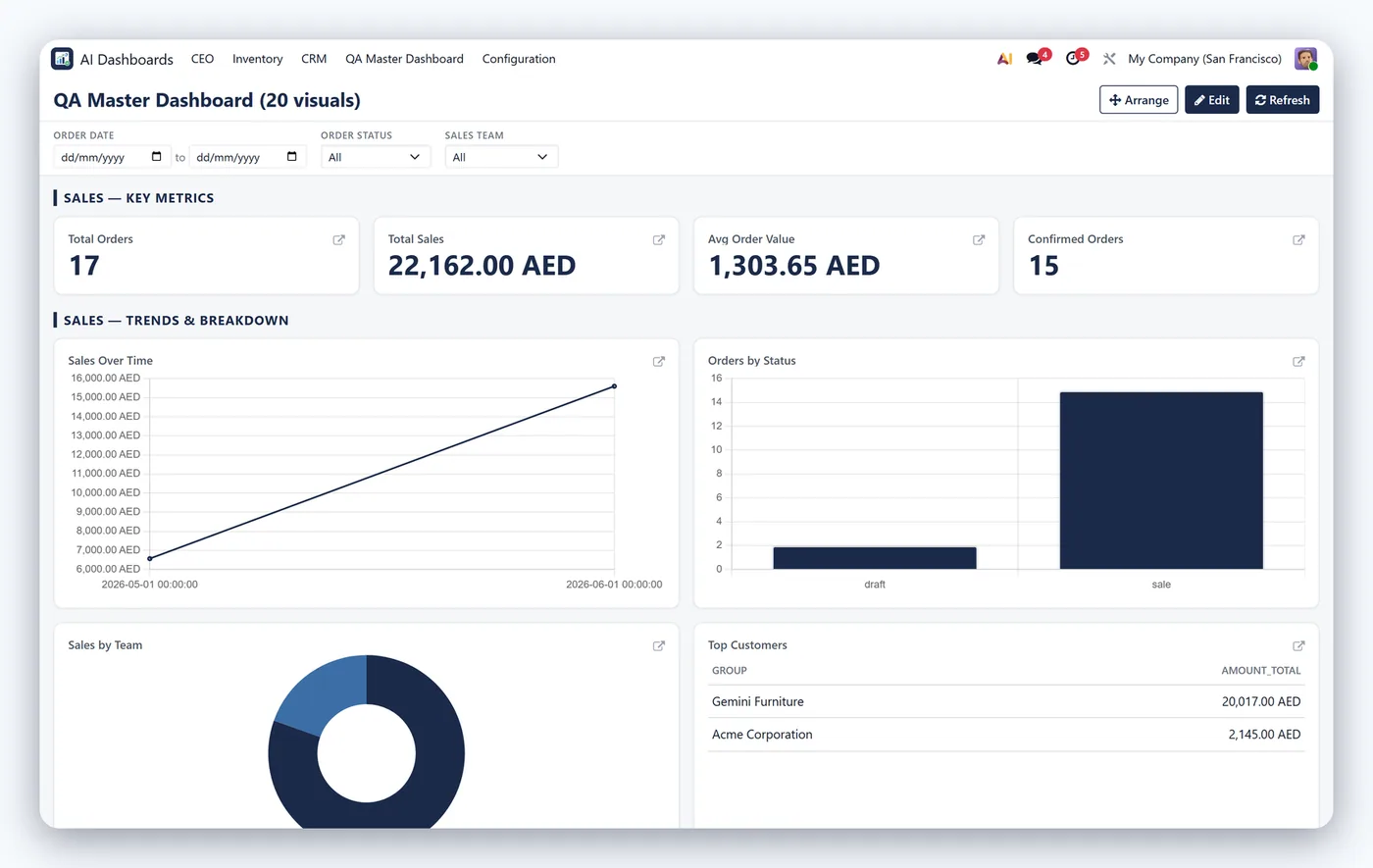
AI Dashboard Builder lets you describe the dashboard you want in plain English and generates safe, spec-driven dashboards in Odoo using your own data, with KPIs, bar, line and pie charts, tables, pivots, maps, drag-and-drop layout, filters, drill-down and auto-refresh.
How it works
Built around what you actually do.
Every screen below is the module running in Odoo, not a mockup.
01
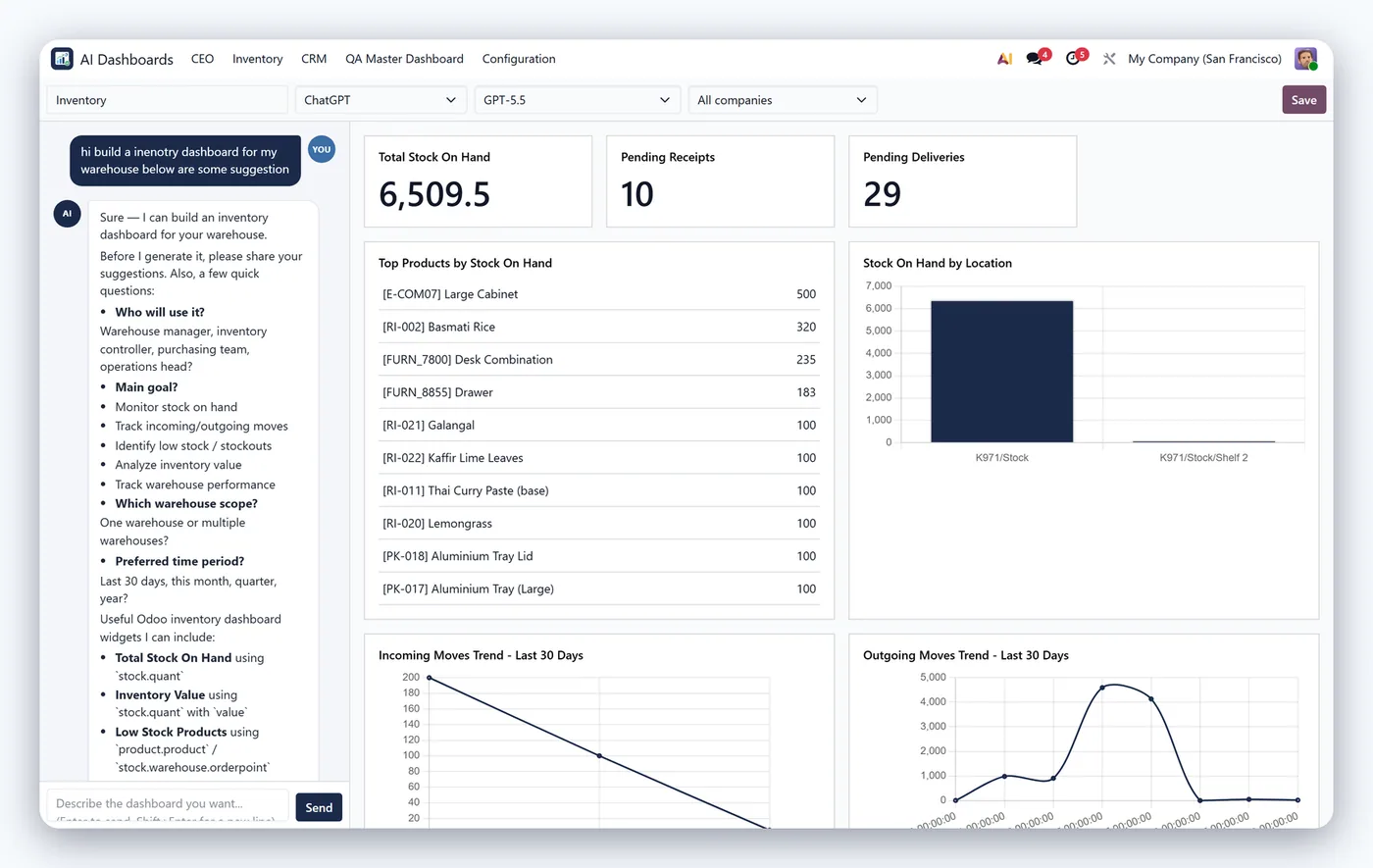
Chat with AI (Claude, OpenAI, Gemini) to generate dashboards
- KPI, bar, line, pie, table, pivot and map widgets
02
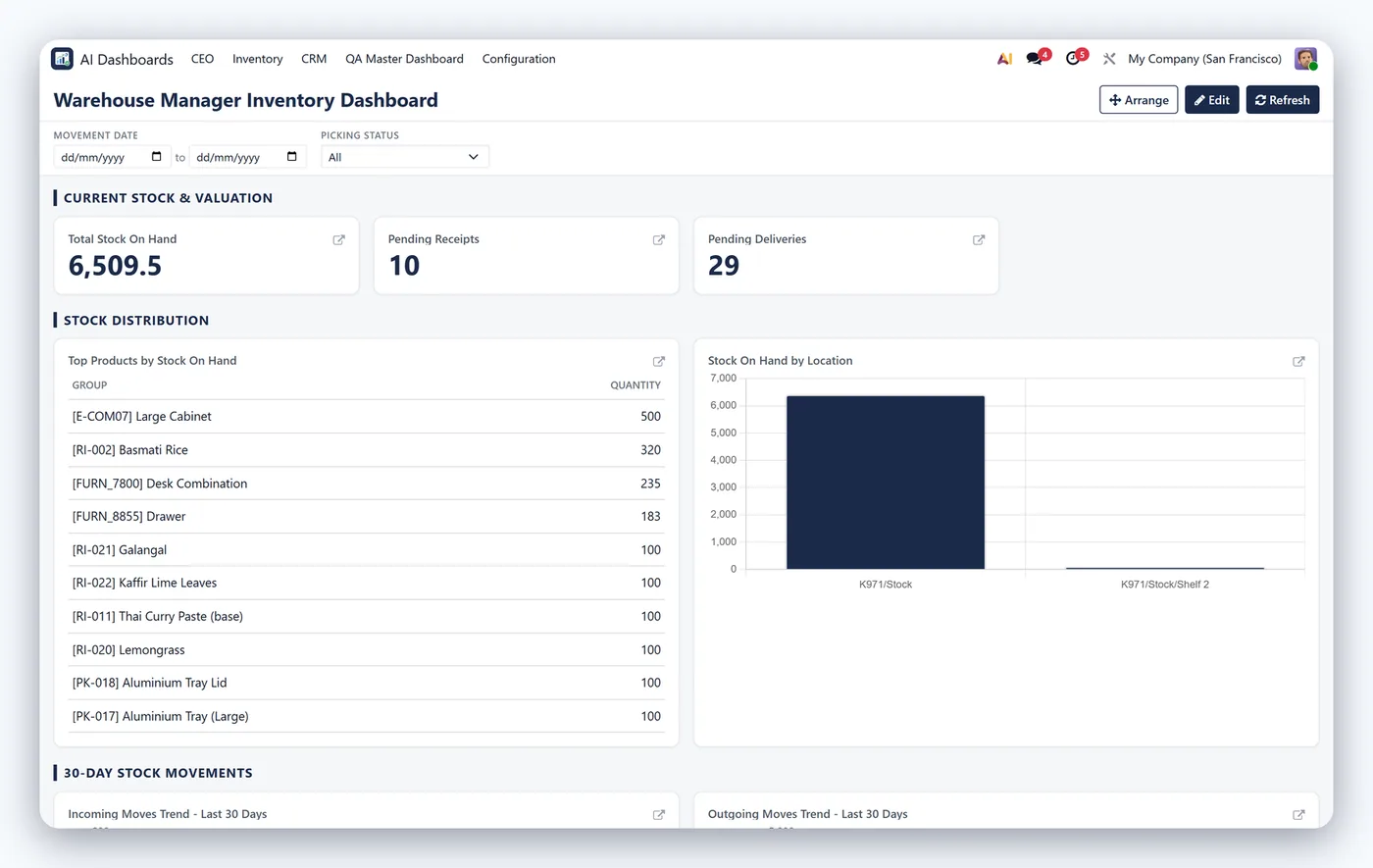
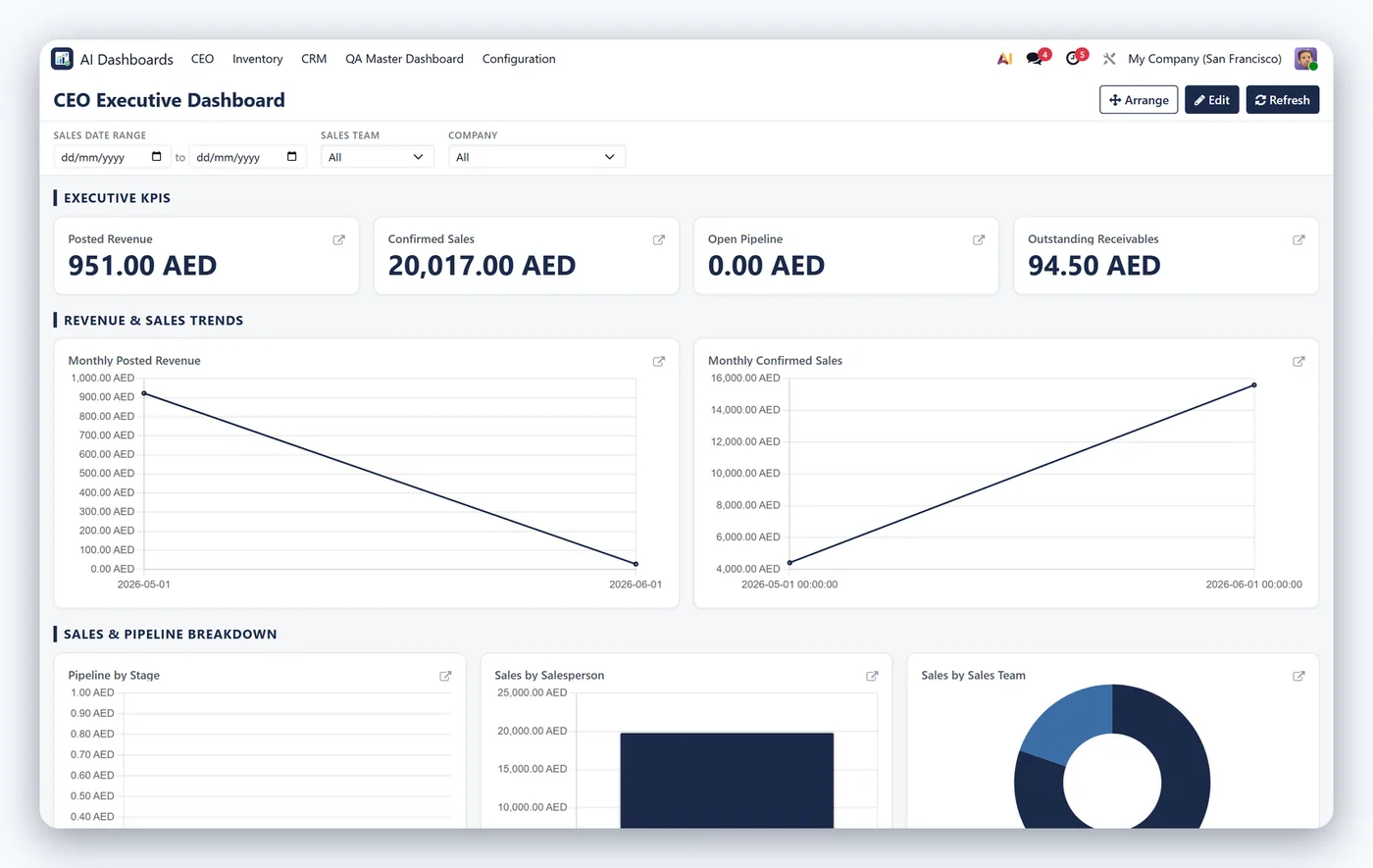
Drag-and-drop layout with filters and drill-down
- Auto-refresh, currency support and security guardrails
03
Dynamic menu generation
Every screen
The whole module, screen by screen.
The captures the walkthrough above did not use, in the order you meet them in the product.
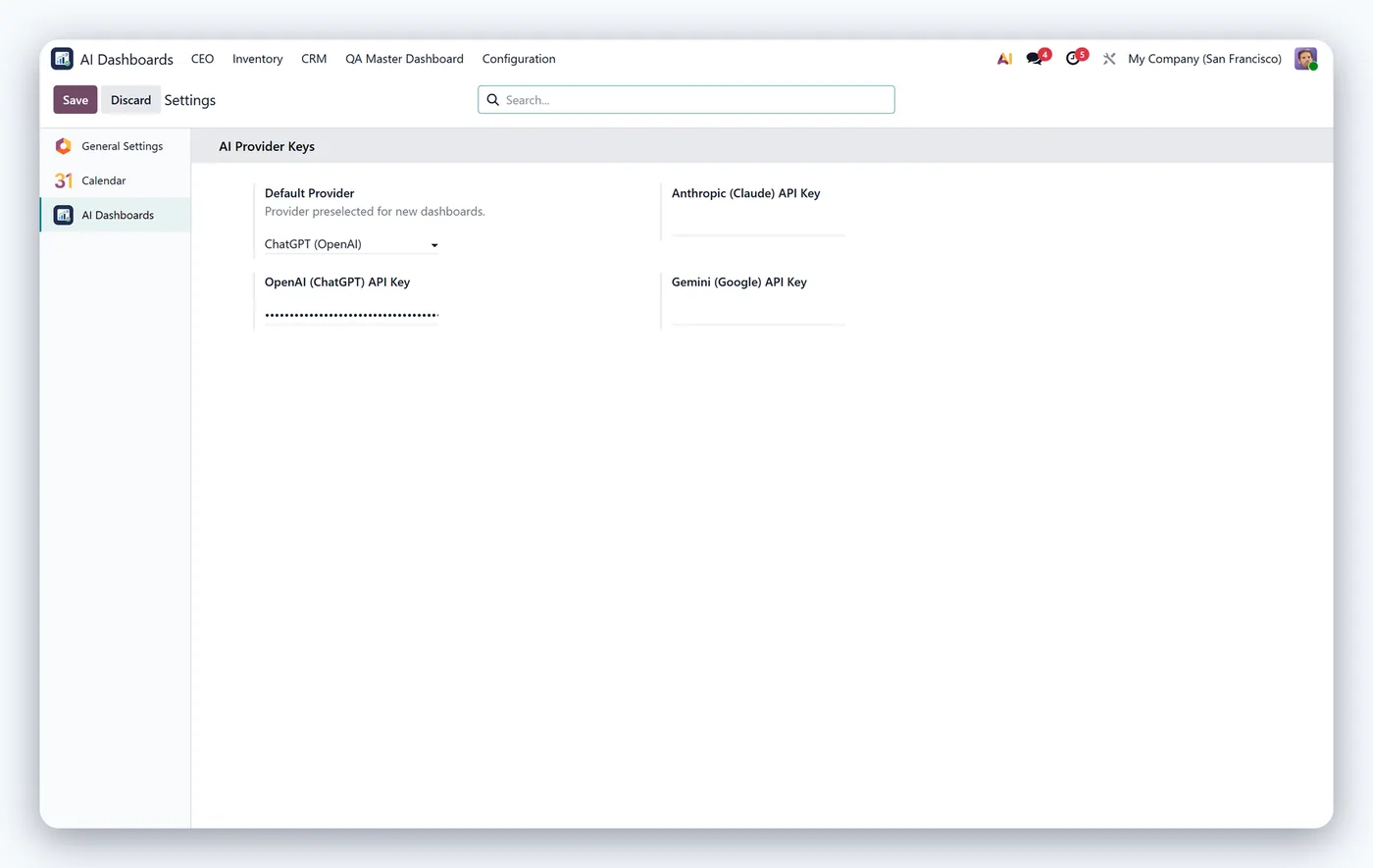
AI Dashboard Builder turns plain-language requests into fully working Odoo dashboards. Type something like "show me monthly sales by team with a pie chart of top products" and the module generates a safe, spec-driven dashboard from your live Odoo data, no developer or technical setup required.
What it does
Connect your preferred AI provider (Claude, OpenAI or Gemini) and describe the insight you need. The module converts your request into a validated dashboard specification and renders it using KPIs, bar, line and pie charts, tables, pivots and maps. Because every dashboard is built from a controlled spec rather than raw generated code, your database stays safe.
Who it's for
Managers, analysts and Odoo administrators who want self-service business intelligence inside Odoo without writing SQL, building studio views, or waiting on a developer.
Questions
About AI Dashboard Builder.
How do I build an Odoo dashboard without coding?
AI Dashboard Builder lets you describe what you want in plain language and generates KPIs, charts, pivots and maps from your Odoo data, no development required.
Can I create Odoo dashboards using AI?
Yes. You chat with an AI assistant (Claude, OpenAI or Gemini) and it builds safe, spec-driven dashboards you can filter, drill into and rearrange.
Can the AI run arbitrary code on my database?
No. It only produces a safe specification rendered with Chart.js and never executes arbitrary code, with security blockers that prevent unsafe queries.
Which AI providers does the Odoo dashboard builder support?
You can connect Claude, OpenAI or Gemini using your own API key, so you choose the provider and model that suit your budget and policies. The dashboard specification is generated the same safe way whichever provider you pick.
What types of charts and widgets can the AI dashboard build?
It can produce KPI cards, bar, line and pie charts, data tables, pivots and geographic maps. You then arrange them with drag-and-drop and add filters, drill-down and scheduled auto-refresh.
Do the AI-generated dashboards show up in the Odoo menu?
Yes. The module supports dynamic menu generation, so dashboards appear right where your team works. Multi-currency support means figures render correctly across companies and currencies.
On the Odoo Store
Get AI Dashboard Builder on the Odoo Store.
Pick your Odoo version and install it in a click, with free updates and real support behind it.
Get it on the Odoo StoreReady to make Odoo work the way your business does?
Book a free call CODEerts
CODEerts is a team of certified Odoo partners and full-stack engineers. We implement, customise and support Odoo ERP, then build the software around it.

