 CODEerts
Accounting app for Odoo
Accounting Dashboard
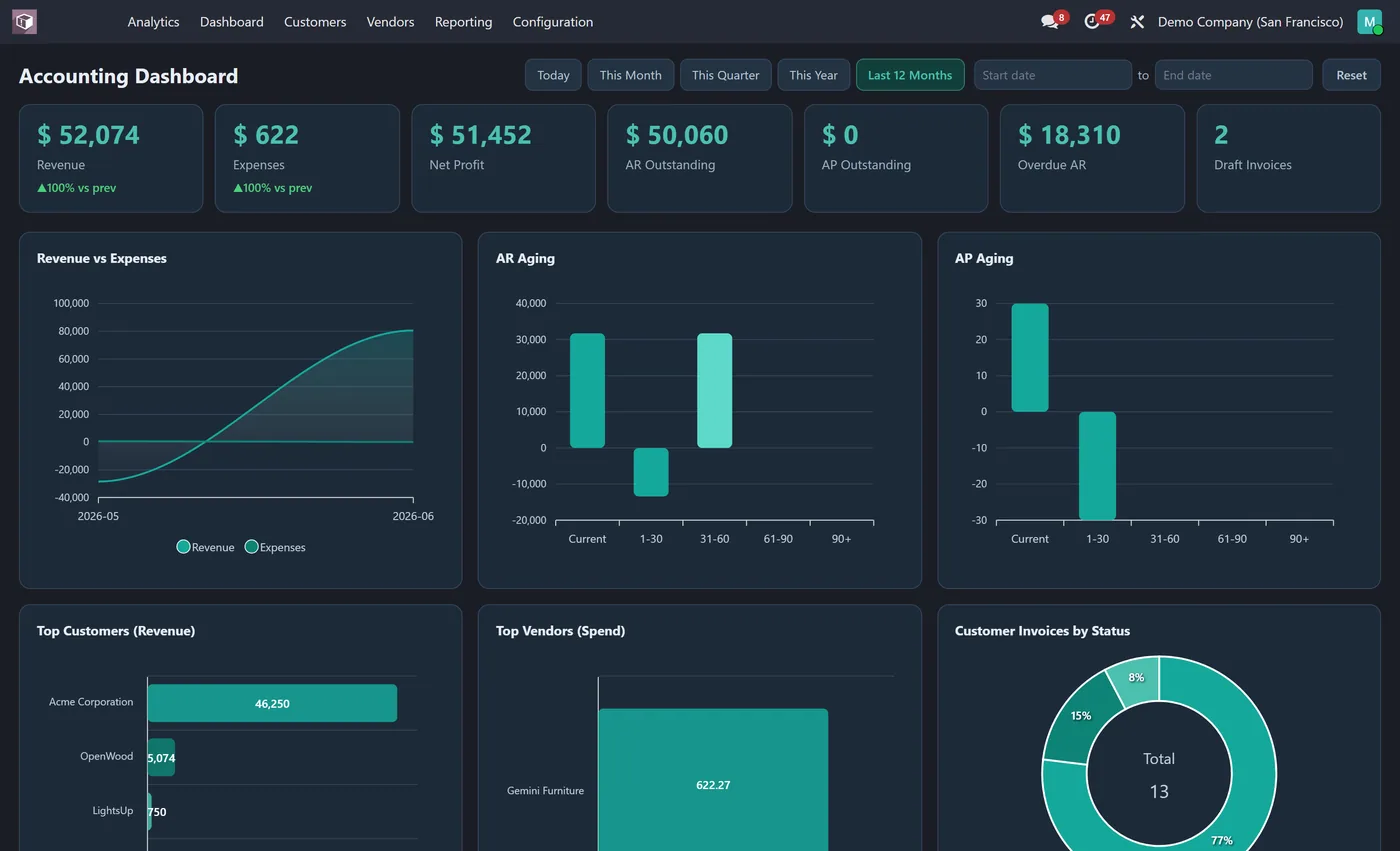
Interactive Accounting dashboard: revenue, expenses, net profit, AR and AP outstanding, aging buckets, overdue receivables, top customers and vendors, all in company currency.
Overview
Accounting Dashboard.
Accounting Dashboard gives finance a live command center inside the Accounting app. Revenue, expenses, net profit, accounts receivable and payable outstanding, overdue receivables and draft invoices sit across the top as KPI tiles, all in your company currency. Nine interactive charts show revenue versus expenses over time, AR and AP aging buckets, your top customers and vendors, invoices by status and journal and revenue by salesperson. Every figure is read as the logged in user, so access rights always apply.
New to Odoo Accounting? Read our practical guide to how it works
How it works
Built around what you actually do.
Every screen below is the module running in Odoo, not a mockup.
01
Live KPI tiles for revenue, expenses, net profit and more
- 9 interactive charts including revenue vs expenses trend, ar aging and ap aging
Standard across the suite
How every CODEerts dashboard behaves.
These are not this module's selling points, they are the baseline every dashboard we publish shares. Listed so you know what you get, not to pad the page.
Revenue, receivables and payables, live, in your company currency.
What it does
Accounting Dashboard gives finance a live command center inside the Accounting app. Revenue, expenses, net profit, accounts receivable and payable outstanding, overdue receivables and draft invoices sit across the top as KPI tiles, all in your company currency.
Nine interactive charts show revenue versus expenses over time, AR and AP aging buckets, your top customers and vendors, invoices by status and journal and revenue by salesperson. Every figure is read as the logged in user, so access rights always apply.
What the numbers actually answer
Receivables and payables outstanding sit side by side for a reason: the gap between them is your working capital position, and it moves daily. The AR aging chart tells you whether that gap is healthy or whether it is one large overdue customer. Draft invoices is the number most finance teams underestimate, because revenue sitting in draft has not been billed and will not be collected.
Revenue against expenses over time answers the question a P and L answers, but without waiting for a close. If net profit moves and you cannot see why, the expense breakdown is one click from the entries behind it.
Who it's for
Finance managers and controllers who need the position now rather than after the month-end close. If you currently answer "how much are we owed and how much do we owe" by running two reports and comparing them in a spreadsheet, this replaces that. It is also the screen to put in front of an owner who wants a number without learning Odoo's reporting menus.
Questions
About Accounting Dashboard.
How do I see revenue, AR and AP on one screen in Odoo Accounting?
Install Accounting Dashboard. It adds an Analytics dashboard in the Accounting app with live KPIs for revenue, expenses, net profit, receivables and payables, plus aging buckets and top customer and vendor charts, all in company currency.
Can I see accounts receivable aging in Odoo?
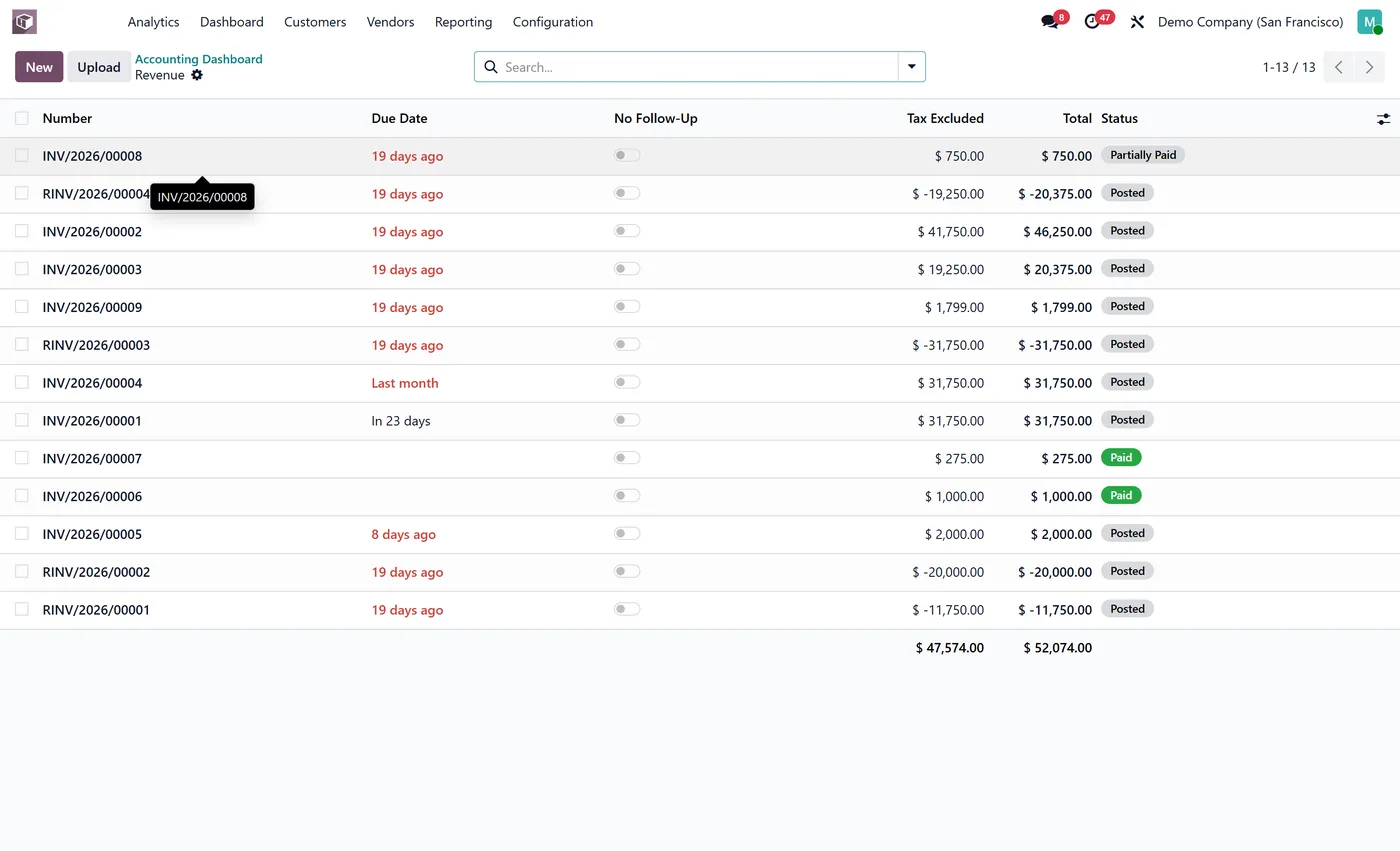
Yes. The dashboard shows AR and AP aging buckets (current, 1 to 30, 31 to 60, 61 to 90 and 90 plus) and each bucket is clickable to the invoices behind it.
Is the accounting dashboard live, and does it change my accounting data?
It is read only. Every figure is queried live from your posted invoices and journal entries each time you load or refresh the dashboard, so numbers match the Accounting app. It never edits, posts or deletes anything, it only reports.
Can I run the Odoo Accounting dashboard on Community, or does it need Enterprise?
It works on both. Odoo's Accounting app ships in Community, so the dashboard runs on a standard Community install with no Enterprise subscription. It is maintained for the current major Odoo versions; use the version selector on this page to pick your release.
Does the dashboard change any accounting figures or post entries?
No. It only reads. Nothing on this dashboard creates, edits or posts a journal entry, so it is safe to add to a live ledger mid-year. Every figure is computed from the entries you already have.
Why do receivables and payables appear side by side?
Because the gap between them is your working capital position and it moves daily. Seeing one without the other tells you very little, which is why most teams end up comparing two reports in a spreadsheet.
On the Odoo Store
Get Accounting Dashboard on the Odoo Store.
Pick your Odoo version and install it in a click, with free updates and real support behind it.
Get it on the Odoo StoreReady to make Odoo work the way your business does?
Book a free call CODEerts
CODEerts is a team of certified Odoo partners and full-stack engineers. We implement, customise and support Odoo ERP, then build the software around it.

