 CODEerts

Odoo Accounting
Odoo Accounting: What It Does, and What It Costs You to Get Wrong
Odoo Accounting is the module most businesses judge the whole system on, and the one where early setup decisions are hardest to reverse. This is what it does, where it is strong, and where it will fight you.
Written by Hassam SaleemCA Affiliate (ICAP), Odoo Accounting Lead
01
What Odoo Accounting actually is
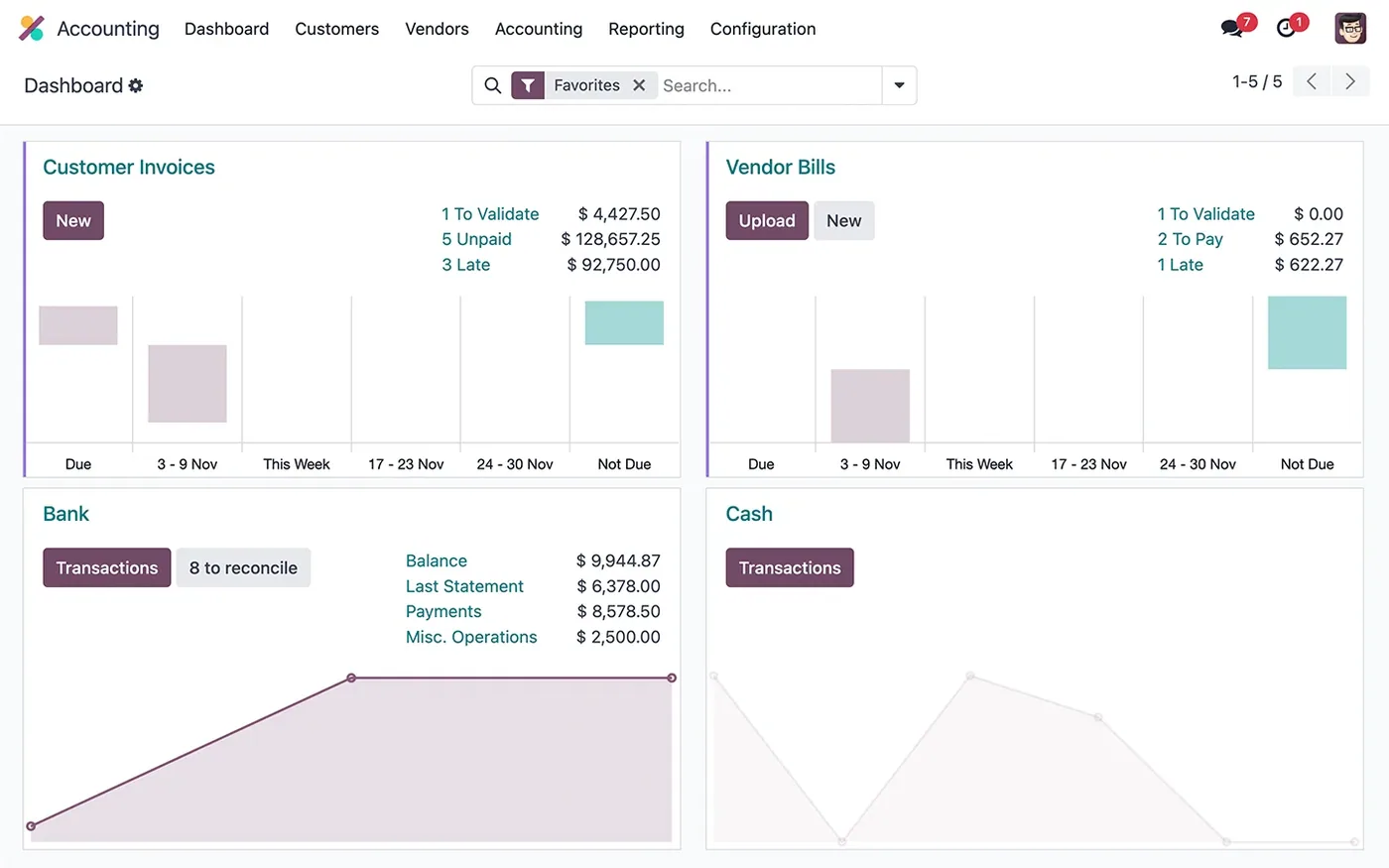
Odoo Accounting is a double-entry ledger that sits underneath the rest of the system rather than beside it. That is the part worth understanding before anything else. When a warehouse worker validates a delivery, when a manufacturing order consumes components, when a salesperson confirms a quotation, the accounting entries are a consequence of those actions rather than a separate task somebody does later.
This is the genuine argument for it, and also the source of most of the pain. In a standalone accounting package, a wrong number is an accounting problem. In Odoo, a wrong number is usually an operations problem that surfaced in accounting. Fixing it means fixing the product configuration or the warehouse process, not the journal entry.
02
The setup decisions you cannot easily undo
Four choices made in the first fortnight will shape everything afterwards.
The chart of accounts. Install your country's localisation package first, then adapt it. Building a chart from scratch when a localisation exists is a common and expensive mistake: you lose the pre-mapped taxes, the statutory report definitions and the fiscal positions that come with it.
Fiscal positions. These map the taxes on a product to the taxes that actually apply for a given customer, based on their country or tax status. Set these up properly and cross-border invoicing simply works. Skip them and you will be manually overriding tax lines on every export invoice forever.
Inventory valuation method. FIFO, average cost, or standard cost, and whether valuation is manual or automated. Automated perpetual valuation posts to the ledger on every stock move, which is what most businesses want, but it means your stock configuration is now an accounting concern.
Analytic accounting. This is Odoo's mechanism for cost centres, departments, projects and any other dimension you want to report on beyond the account itself. It costs almost nothing to switch on at the start and is painful to retrofit, because historic entries have no analytic distribution.
03
The workflow, end to end
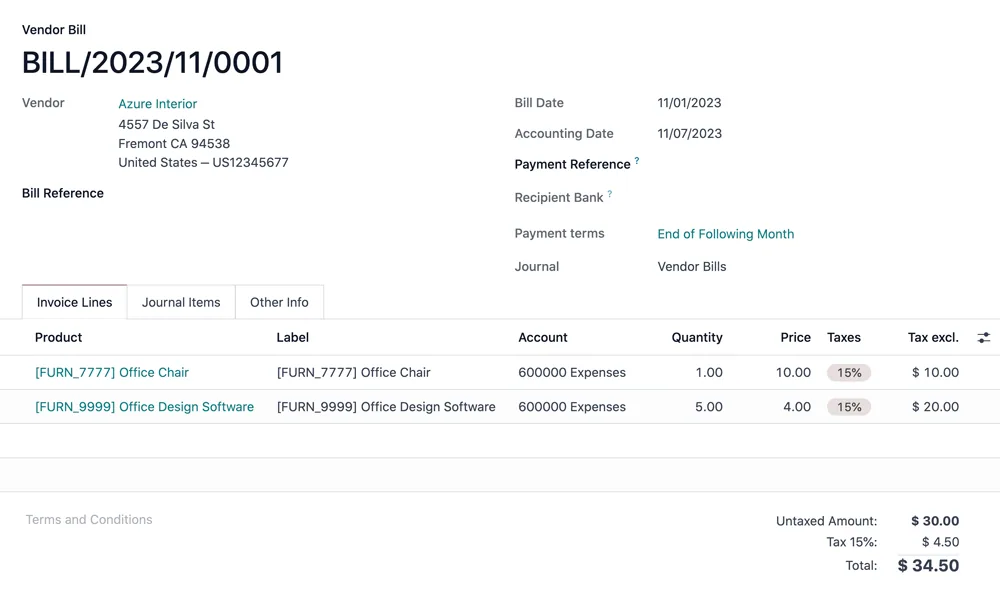
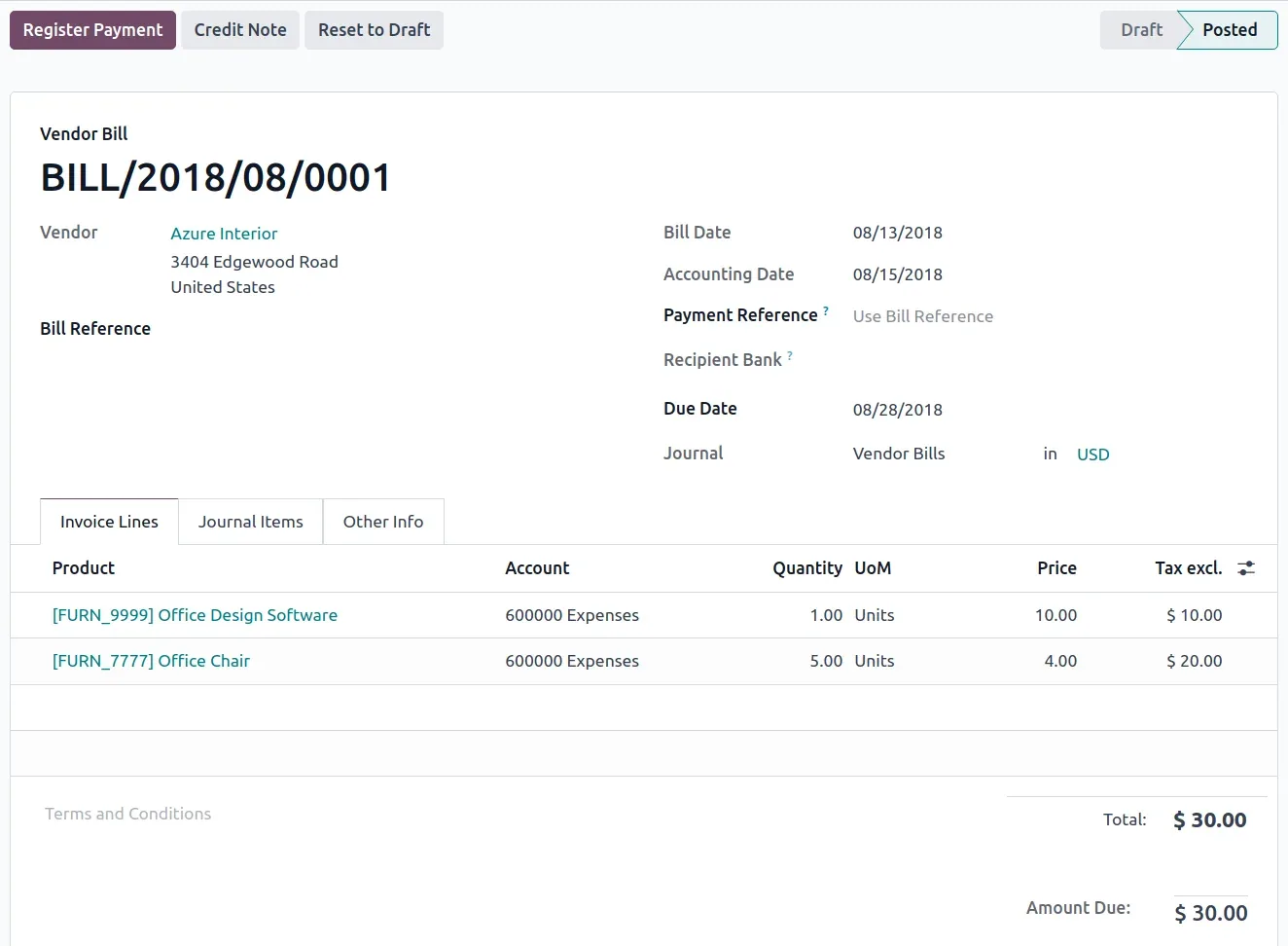
The customer side runs quotation, sales order, delivery, invoice, payment, reconciliation. The vendor side mirrors it: purchase order, receipt, vendor bill, payment, reconciliation. In both, the invoice is a draft until posted, and posting is the point at which journal entries are created and the numbers become real.
The step most teams underestimate is reconciliation. Odoo can connect to over 28,000 banks and pull statement lines automatically, then suggest matches against open invoices and bills. Reconciliation models let you write rules, so recurring items like bank charges or a regular subscription match themselves. A well-configured reconciliation setup turns a multi-day month-end into an afternoon. A badly configured one leaves thousands of unmatched lines that somebody clears manually, which is exactly the work you bought the system to remove.
Screenshots of Odoo are the property of Odoo S.A. and are shown here to illustrate the app they depict.
Reporting, and its honest limits
Out of the box you get profit and loss, balance sheet, cash flow, aged receivable and payable, general ledger, trial balance and tax reports, all drillable down to the individual journal item. For most businesses this is enough, and the drill-down is genuinely good.
Where it runs out: heavily customised management reporting, consolidated groups with complex eliminations, and anything needing a layout your regulator specifies precisely. Those are solvable, but they are custom development or an external BI tool, not configuration. Be clear which side of that line your requirements sit on before you commit to a timeline.
Where Odoo Accounting will fight you
Posted entries are immutable, by design. You reverse, you do not edit. This is correct accounting behaviour and it frustrates teams used to looser tools.
Multi-currency needs discipline. Odoo handles it properly, including unrealised gain and loss, but only if rates are maintained and the right currency is set on the right journals. Half-configured multi-currency produces numbers that look plausible and are wrong.
Volume changes the shape of the problem. Past roughly a hundred thousand journal items, unindexed custom fields and heavy computed fields start showing up in report load times. This is tuneable, but it is a real workload rather than an afterthought.
The Community edition gap is bigger than it looks. Invoicing gets you a long way, and then bank synchronisation, assets, deferred revenue and the accounting reports are all on the far side of the Enterprise line.
How it connects to everything else
Accounting is downstream of nearly every other module: Sales creates invoices, Purchase creates bills, Inventory posts valuation, Manufacturing posts production cost variance, Projects push billable time, Payroll posts salary journals, Point of Sale posts session summaries and Expenses post reimbursements.
That is the whole point, and it is also why an accounting problem in Odoo is so often not an accounting problem. When the margin on a product looks wrong, the cause is usually a product cost field or a valuation setting, not the ledger.
Where to start
Get the localisation package right, agree the chart of accounts with whoever signs off your statutory accounts, decide on analytic dimensions before go-live rather than after, and configure bank reconciliation properly on day one. Those four things determine whether the module saves you a week a month or quietly creates a second job for someone.
In this guide
Go deeper on one part of it.
The pillar above is the overview. These take one question each and answer it properly.
FAQ
Odoo Accounting, answered.
Can Odoo Accounting replace QuickBooks or Xero?
For most small and mid-sized businesses, yes. The functional gap is small and Odoo adds the operational side those tools do not have: stock valuation, manufacturing cost and project margin posting straight into the ledger. The real question is not features, it is whether you want accounting to sit inside your operations or beside them.
Is Accounting included in Odoo Community?
Community includes Invoicing, which covers customer invoices, vendor bills and basic payments. Full Accounting, with bank synchronisation, asset management, deferred revenue and the accounting reports, is an Enterprise app. This is the single most common licensing surprise in an Odoo project.
How hard is it to change the chart of accounts later?
Renaming an account is trivial. Restructuring the chart after a year of postings is not, because every posted journal item references its account and posted entries cannot be casually re-pointed. Treat the chart as a decision you make once, with your accountant, before go-live.
Does Odoo handle my country's tax rules?
Odoo ships localisation packages for over 90 countries, and installing the right one gives you a compliant chart of accounts and tax setup out of the box. Depth varies by country: some localisations include statutory reports and e-invoicing, others give you the tax structure and little else. Check yours specifically rather than assuming.
Can two companies share one Odoo Accounting database?
Yes. Multi-company is native, with per-company charts of accounts, currencies and journals, plus intercompany rules that can mirror a sale in one company as a purchase in another. It is genuinely capable and genuinely easy to misconfigure, so it is worth designing before you switch it on.
Do we still need an accountant?
Yes. Odoo keeps the books, it does not sign them off. What changes is that your accountant spends less time reconstructing what happened and more time on the parts that need judgement.
Related
Keep exploring.
Other Odoo apps we have written up in the same depth.
With CODEerts
Want this set up properly?
We are certified Odoo partners. We implement, customise and support Odoo Accounting, and we publish our own apps on the Odoo Store.
See how we can helpBook a callReady to make Odoo work the way your business does?
Book a free call CODEerts
CODEerts is a team of certified Odoo partners and full-stack engineers. We implement, customise and support Odoo ERP, then build the software around it.

