 CODEerts

Odoo Purchase
Odoo Purchase: Controlling Spend Before the Bill Arrives
Purchasing is the one process where the control has to happen before the money is committed, not after. Odoo Purchase is built around that idea, and the businesses that get the most from it are the ones that resist approving everything twice.
Written by Muneeb AhmadOdoo 19 and 17 Certified, Functional Consultant
01
What Odoo Purchase actually is
Odoo Purchase manages what you buy, from whom, at what price, and whether what arrived matches what you agreed to pay for. It sits between the demand that triggers a purchase and the bill that eventually has to be approved.
Its position is what makes it valuable. A purchase order in Odoo is not a document you file, it is the record that Inventory expects a receipt against and that Accounting checks a vendor bill against. That chain is the whole point, and it is why purchasing in a spreadsheet alongside an ERP is usually worse than no system at all.
02
Requests for quotation, and the state that matters
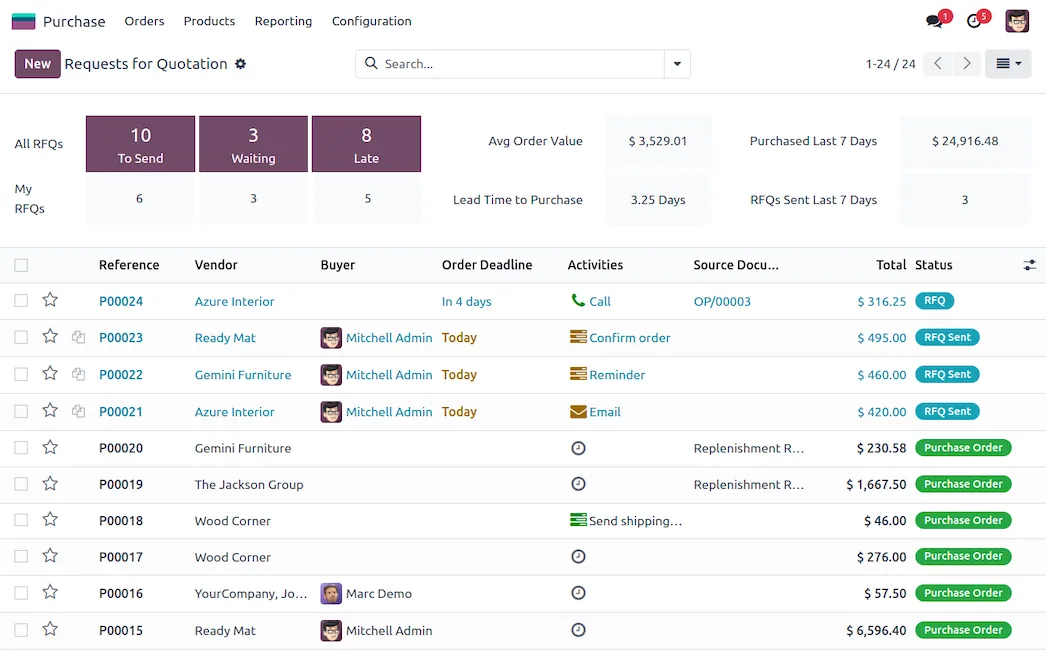
An RFQ and a purchase order are the same record before and after confirmation. In draft you can send it to a vendor, receive a price, revise it and send it again. Confirming it commits the spend and creates the expected receipt.
Odoo can email the RFQ directly to the vendor and record their response, which is worth using even when your real negotiation happens by phone. The value is the audit trail: six months later, the question is never what you paid, it is what you agreed to and when.
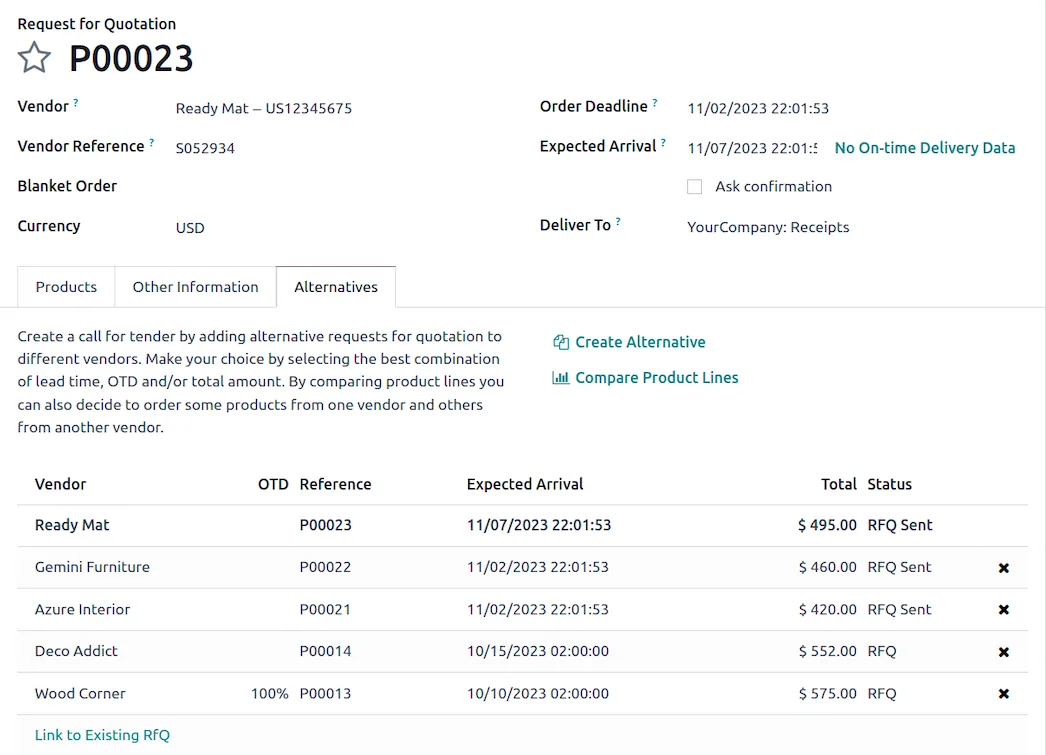
For recurring supply, purchase agreements let you set up a blanket order or a call for tender rather than repeating the same negotiation, though the exact naming and behaviour of these has moved between versions, so check what your version offers before designing a process around it.
03
Vendor pricelists, and why the order of the list matters
A product carries a list of vendors with prices, and each line can vary by quantity, currency, lead time and validity date. When Odoo proposes a purchase it takes the first suitable line by sequence.
That sequence is a business decision disguised as a sort order. It encodes your preferred supplier, and it will be followed by the system every time nobody intervenes. Businesses that maintain the list carefully get automatic purchasing that reflects their actual supplier strategy. Businesses that dump every vendor in with no order get whichever one happened to be entered first.
Lead time on the vendor line feeds scheduling, so an optimistic lead time produces an optimistic delivery promise to your customer. It is worth keeping honest.
04
Reordering rules and letting the scheduler work
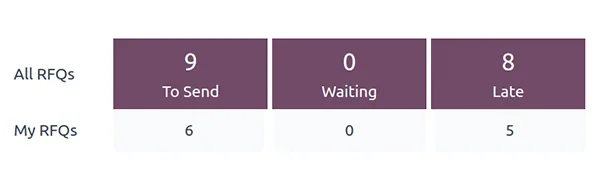
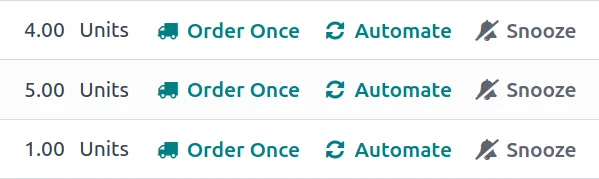
A reordering rule sets a minimum and a maximum per product and location. When forecast availability drops below the minimum, the scheduler proposes an order that tops it back up to the maximum.
The word doing the work is forecast. Odoo counts stock on hand, incoming receipts and outgoing commitments, so a product with plenty on the shelf and more than that already sold will still be reordered. This is correct and it is the reason reordering rules beat a manual stock report.
The common mistake is setting rules on everything at once. Start with the products where a stockout actually costs you something, get the minimums right by watching them for a cycle, then extend. A hundred badly tuned rules generate a hundred proposals nobody trusts.
Screenshots of Odoo are the property of Odoo S.A. and are shown here to illustrate the app they depict.
Three-way matching, which is the control that pays for itself
The check is simple: the purchase order, the receipt and the vendor bill must agree. Odoo implements it through a bill control policy on the order, which can be set to bill on ordered quantities or on received quantities.
Received quantities is the setting that gives you the control. It means a vendor bill for 100 units cannot be validated cleanly when only 80 arrived. That single configuration catches short deliveries, duplicate billing and quiet price changes, and it costs nothing to switch on.
Ordered quantities is faster and appropriate for services or for trusted vendors on fixed-price supply. Choosing per product category rather than globally is usually the right answer.
Where Odoo Purchase will fight you
Approval design gets over-built. The built-in double validation handles one threshold. Teams that want four approval levels by department and value should use the Approvals app or a purpose-built rule rather than bending Purchase, and should first ask whether four levels genuinely prevent anything.
Units of measure between purchase and stock cause real errors. Buying by the case and stocking by the unit works properly, but only when the conversion on the product is right. Get it wrong and every receipt is wrong by a factor.
Landed costs are a separate concept. Freight, duty and handling do not arrive on the purchase order by default. If your true product cost includes them, landed costs need configuring deliberately, and skipping it means every margin figure you produce is optimistic.
The scheduler runs on a schedule. Proposals appear when the scheduler runs, not the instant stock drops. People report this as a bug and it is not one.
How it connects to everything else
Sales demand and manufacturing components generate procurement that Purchase fulfils. A confirmed order creates an expected receipt in Inventory. A validated receipt makes the vendor bill matchable in Accounting. Product costing flows back into margin reporting on the sales side.
Purchase is the point where operational demand becomes committed cash, which is why it is worth configuring properly even in a small business.
Where to start
Set bill control to received quantities on your physical goods before anything else, because it is the highest-value setting in the module. Put real lead times on your vendor lines. Add reordering rules only for the products where a stockout costs money, and tune them for one cycle before adding more. Decide early whether landed costs matter to you, because retrofitting them means recosting history.
FAQ
Odoo Purchase, answered.
Is Odoo Purchase available in Community?
Yes. Requests for quotation, purchase orders, vendor pricelists, reordering rules and three-way matching are all in Community. Purchase agreements and some advanced approval tooling vary by version and edition, so confirm the specific feature against the version you are running.
What is the difference between an RFQ and a purchase order?
They are one record in two states, the same way a quotation and a sales order are. An RFQ is a draft you can send to a vendor for pricing. Confirming it makes it a purchase order, which commits the spend and creates the expected receipt in Inventory.
What is three-way matching and does Odoo do it?
It is the check that the purchase order, the goods actually received and the vendor bill all agree before payment. Odoo supports it through a bill control policy on the purchase order, which can require received quantities rather than ordered quantities before a bill is validated.
How do reordering rules work?
A reordering rule sets a minimum and maximum quantity per product and location. When forecast stock falls below the minimum, the scheduler proposes a purchase or manufacturing order to bring it back to the maximum. The forecast is what matters, so open sales orders and existing receipts are taken into account.
Can I require approval above a certain purchase value?
Yes. Purchase has a built-in double validation setting with a value threshold, so orders above the amount need a second confirmation. For anything more layered than a single threshold, the Approvals app or a custom rule is the better fit.
How does Odoo decide the vendor price?
From the vendor pricelist lines on the product, which can vary by vendor, quantity, currency and date. If several vendors are listed the first by sequence is proposed, which is why the order of that list is a real purchasing decision, not a cosmetic one.
Related
Keep exploring.
Other Odoo apps we have written up in the same depth.
With CODEerts
Want this set up properly?
We are certified Odoo partners. We implement, customise and support Odoo Purchase, and we publish our own apps on the Odoo Store.
See how we can helpBook a callReady to make Odoo work the way your business does?
Book a free call CODEerts
CODEerts is a team of certified Odoo partners and full-stack engineers. We implement, customise and support Odoo ERP, then build the software around it.

