 CODEerts

Odoo Manufacturing
Odoo Manufacturing: What MRP Gives You, and What It Demands Back
Odoo Manufacturing is the module with the highest ceiling and the steepest data requirement. It rewards accurate bills of materials and honest work centre capacity, and it punishes guesswork faster than any other part of the system.
Written by Muneeb AhmadOdoo 19 and 17 Certified, Functional Consultant
01
What Odoo Manufacturing actually is
Odoo Manufacturing is material requirements planning built on top of the inventory engine. A manufacturing order is, at its core, a pair of stock moves: components move out of stock into a virtual production location, and a finished product moves out of production into stock. Everything else, the routings, the work orders, the costing, hangs off that spine.
Understanding that explains why manufacturing problems in Odoo are so often inventory problems wearing a different hat. If component availability is wrong, MRP plans against fiction.
02
The bill of materials, and why it deserves your attention first
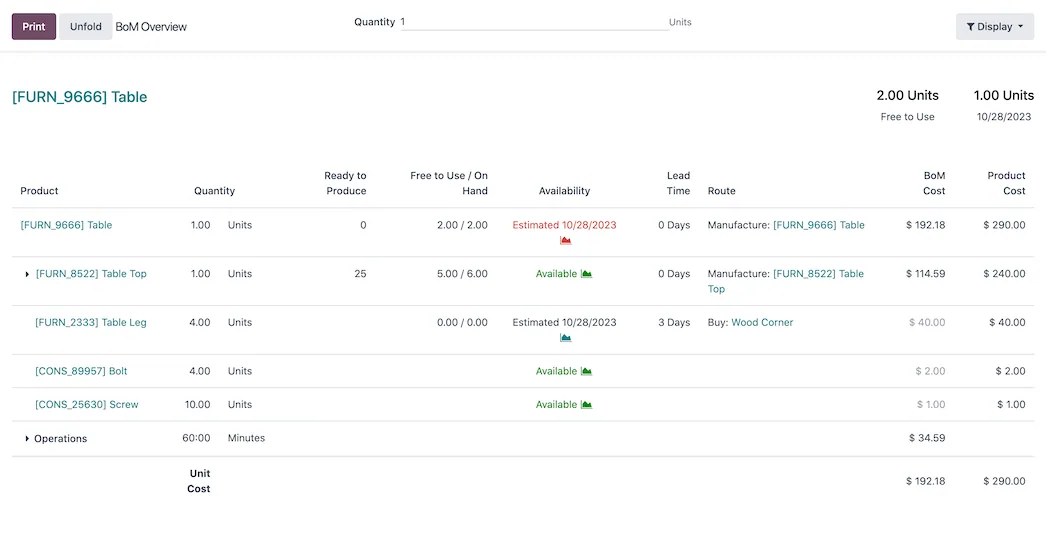
The BOM defines what a product is made of and, optionally, how. Get this right and most of the module works. Get it wrong and every downstream number, cost, availability, lead time, is wrong in a way that is hard to trace.
Three BOM types matter. A normal BOM manufactures the product. A kit or phantom BOM substitutes components at point of use with no production step. A subcontracting BOM sends components to a partner who returns the finished item.
Variants complicate this usefully: a single BOM can apply to specific product variants only, so one structure covers a family rather than requiring one BOM per size and colour.
03
Work centres, routings and operations
A routing is the ordered list of operations a product goes through. Each operation happens at a work centre with a duration, and the work centre carries capacity, efficiency and cost per hour.
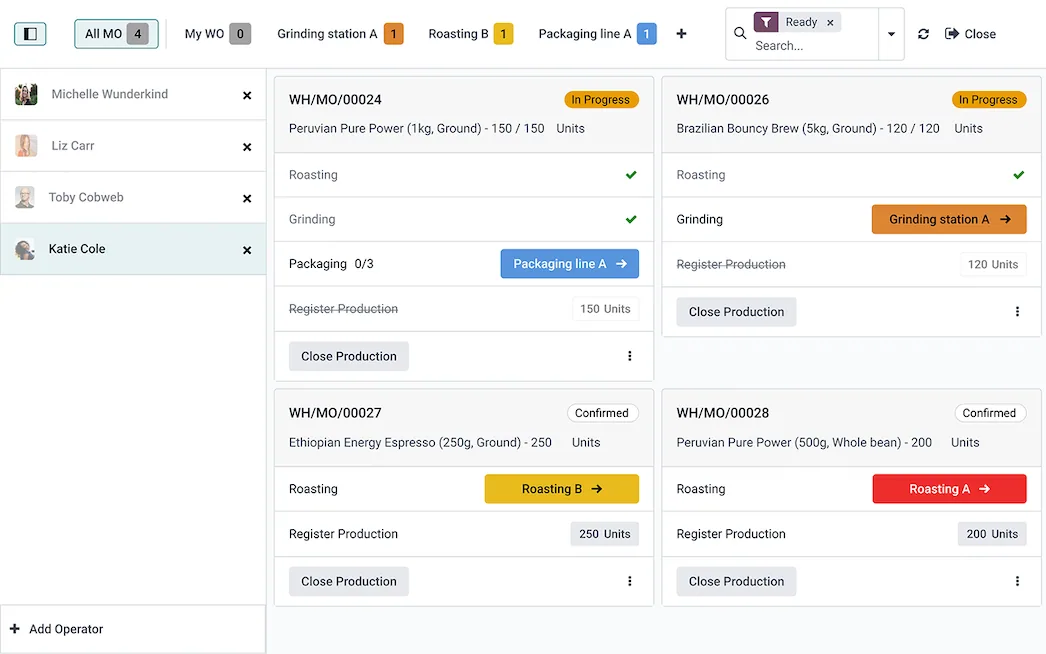
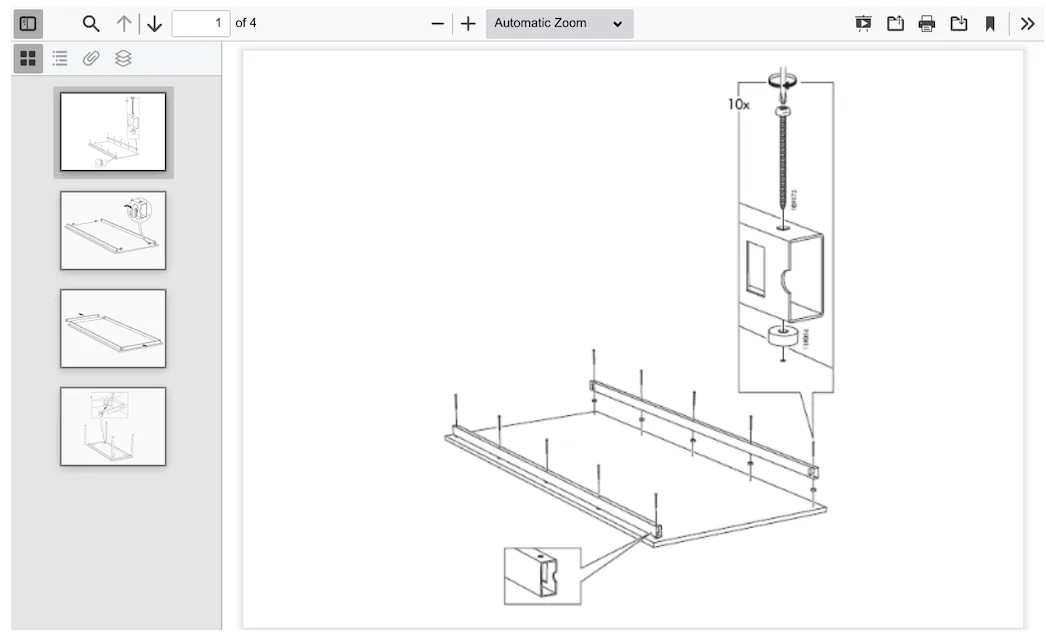
The decision most manufacturers face early is whether to use work orders at all. Without them, an operator confirms a manufacturing order and it is done. With them, each operation is started, paused and finished at a station, usually on a tablet.
Work orders give you real shop-floor visibility and real operation costing. They also require operators to interact with the system during production, which is a genuine change to how people work, and it is the point at which manufacturing implementations most often stall.
04
Planning, and what MRP actually schedules
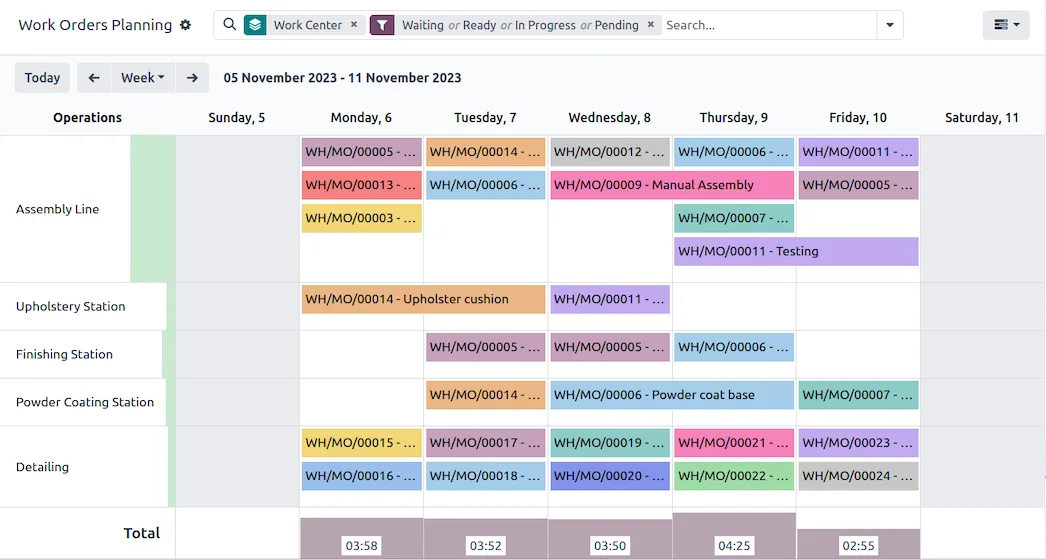
The scheduler looks at demand, whether from sales orders, reordering rules or higher-level manufacturing orders, and proposes what to make and buy and when. It works backwards from the required date using lead times, so it will happily tell you an order needed to start last week.
That backward calculation is the value and the exposure. It only works if BOM lead times, work centre capacity, and purchase lead times reflect reality. A plant running MRP on optimistic data gets confident, precise, wrong plans.
Screenshots of Odoo are the property of Odoo S.A. and are shown here to illustrate the app they depict.
Quality and maintenance
Quality control points inject inspections into production or receipt, either as a measurement, a pass and fail check or an instruction. A failed check raises a quality alert against the operation. Maintenance handles preventive schedules and corrective requests against equipment, with the equipment linked to the work centre it belongs to.
Both are Enterprise. Both are also the difference between a system that records what happened and one that prevents problems, so factor them into the licensing conversation early rather than discovering them mid-project.
Costing, honestly
Component cost comes from inventory valuation, so FIFO or average cost decisions made in Inventory land here. Operation cost is work centre rate multiplied by recorded duration. Variance between expected and actual becomes visible when both are captured.
The uncomfortable truth is that manufacturing costing is only as good as time recording. If operators start a work order in the morning and close it at the end of the day, your operation costs are shift lengths, not run times. This is a floor discipline problem that no configuration fixes.
Where Odoo Manufacturing will fight you
It is not a full APS. Constraint-based sequencing, complex finite scheduling and campaign optimisation are beyond stock Odoo. Test your worst scheduling scenario before you commit.
Backflushing hides errors. Consuming components automatically on completion is convenient and quietly conceals discrepancies between the BOM and what was really used.
Unbuilds are limited. Reversing a completed manufacturing order is possible but constrained, particularly once the output has moved on or been partly consumed.
Data volume grows quickly. Work orders, time logs and quality checks accumulate faster than most other modules, and reporting performance needs attention sooner than teams expect.
How it connects to everything else
Inventory supplies and receives every move. Purchase replenishes components MRP asks for. Sales can trigger make-to-order production directly. Accounting receives the valuation and variance postings. PLM versions the BOMs. Quality gates the operations. Maintenance keeps the work centres available.
Manufacturing sits at the centre of more modules than anything else in Odoo, which is precisely why it is the last thing that should be configured from assumptions.
Where to start
Build one product's BOM properly, end to end, and run it through a real manufacturing order before configuring anything else. Decide whether you genuinely need work orders, and be honest about shop-floor readiness rather than optimistic. Set lead times and work centre capacity from measured reality, not from the plan. Then expand product by product, because a small correct configuration is worth far more than a broad approximate one.
FAQ
Odoo Manufacturing, answered.
Is Odoo Manufacturing available in Community?
Yes. Bills of materials, manufacturing orders, work centres, work orders and routings are all in Community. The significant Enterprise additions are Quality, Maintenance and PLM, which handle inspection points, preventive maintenance and engineering change control respectively.
What is the difference between a manufacturing order and a work order?
A manufacturing order says a quantity of a product must be produced and defines what it consumes. Work orders are the individual operations that fulfil it, each at a work centre. If you do not need operation-level tracking, you can run manufacturing orders alone and skip work orders entirely.
Can Odoo handle multi-level bills of materials?
Yes. A BOM component can itself be manufactured, and Odoo will chain the procurement down through every level. You can also choose to flatten a level with a phantom BOM, which explodes the sub-assembly into the parent rather than producing it separately.
Does Odoo do finite capacity scheduling?
Partly. Work centres have capacity, efficiency and time before and after production, and Odoo schedules against them. It is not a dedicated advanced planning and scheduling system, and if your business genuinely competes on constraint-based sequencing you should test that specific scenario carefully before committing.
How is manufacturing cost calculated?
Component cost comes from the stock valuation of what is consumed. Operation cost comes from work centre cost per hour multiplied by the time recorded. Whether that reflects reality depends entirely on whether operators record real time, which is the honest difficulty with all manufacturing costing.
What is a phantom BOM used for?
A phantom, or kit, BOM has no manufacturing step. When the parent is used, the components are substituted in directly. It is the right choice for a group of parts that is always picked and shipped together but never actually assembled as a stocked item.
With CODEerts
Want this set up properly?
We are certified Odoo partners. We implement, customise and support Odoo Manufacturing, and we publish our own apps on the Odoo Store.
See how we can helpBook a callReady to make Odoo work the way your business does?
Book a free call CODEerts
CODEerts is a team of certified Odoo partners and full-stack engineers. We implement, customise and support Odoo ERP, then build the software around it.

