 CODEerts

Odoo Point of Sale
Odoo Point of Sale: A Counter That Agrees With the Back Office
Odoo POS is fast at the counter and unforgiving about sessions. It shares stock and customers with the rest of the system, which is the reason to use it, and it posts nothing to your accounts until a session is closed properly, which is the thing most teams learn the hard way.
Written by Muneeb AhmadOdoo 19 and 17 Certified, Functional Consultant
01
What Odoo Point of Sale actually is
Odoo POS is a browser-based register that sells against the same product, stock and customer records as the rest of Odoo. It is designed to be fast under a queue, to keep working when the network does not, and to post its takings into Accounting when a shift closes.
The reason to choose it over a dedicated till system is structural rather than featural. A standalone POS eventually needs a nightly sync with whatever holds your stock and your ledger, and that sync is where the discrepancies live. Odoo POS does not sync because there is nothing to sync to: the counter and the warehouse are looking at the same numbers.
02
The register itself
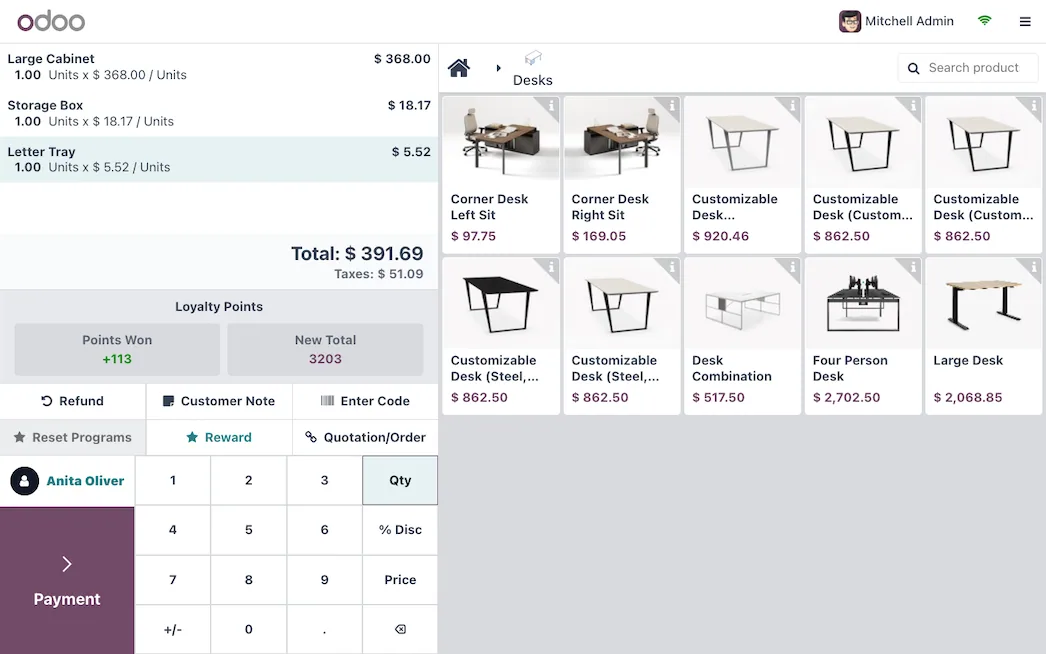
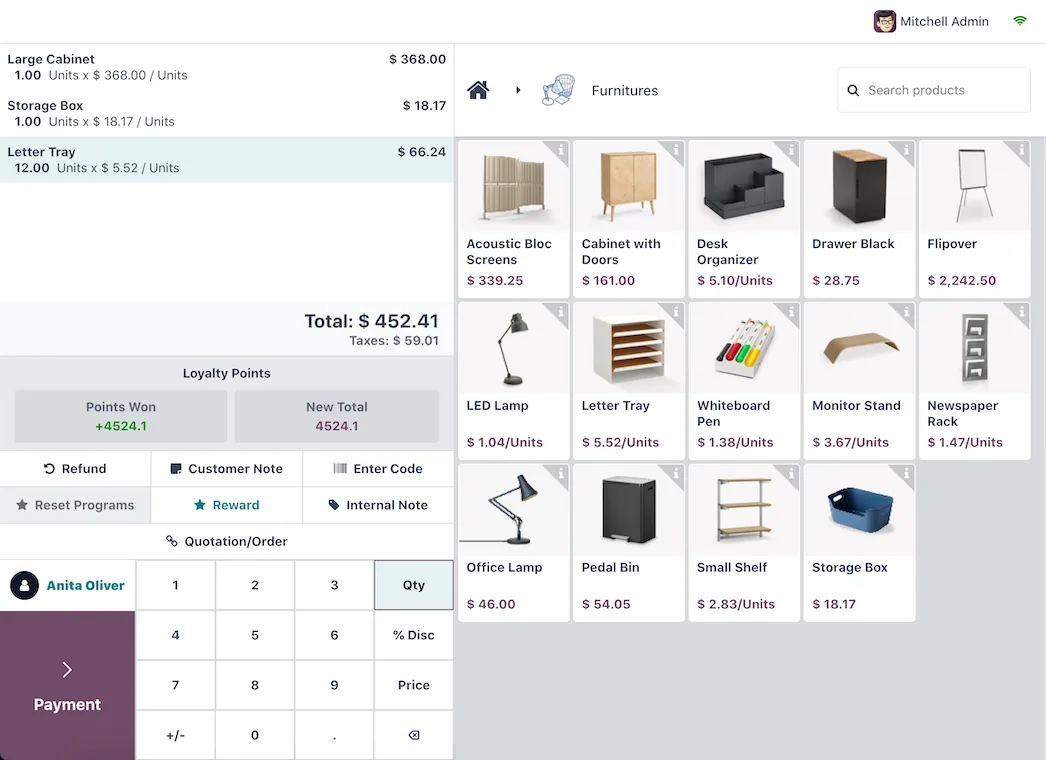
The interface is deliberately plain. Products are grouped into categories on a touch grid, quantities and discounts are keypad entries, and the payment screen supports splitting across methods. Staff training is genuinely short, which matters in retail and hospitality where turnover is high.
A few things repay setup time. Product categories on the POS are separate from your back-office categories, so you can lay the screen out for the way people order rather than the way stock is organised. Barcode scanning works without configuration for standard codes. Customer selection is optional per order, which keeps quick sales quick while still allowing loyalty and invoicing when needed.
03
Sessions, and the mistake nearly everyone makes once
A session is one shift on one register. It opens with a declared starting cash float and closes with a counted one, and Odoo shows the difference.
Nothing posts to Accounting until the session closes. This is the single most important operational fact about the module. A shop that leaves a session open across a week has a week of revenue sitting outside the ledger, and a closing difference that is impossible to attribute to anyone.
The discipline is simple and needs enforcing from day one: one session per shift, closed and counted by the person who ran it. Where a shop resists this, the reason is usually that closing feels like paperwork, and the fix is to make the count part of handover rather than an extra task at the end.
04
Offline mode, and what it does not protect you from
When the connection drops, the register keeps selling. Orders queue in the browser and sync when connectivity returns. This works well and it is a real advantage over cloud tills that simply stop.
The limits are worth stating plainly. Held orders live in that specific browser on that specific device. Clearing site data, swapping tablets or a device failure before a sync loses them. Offline is a bridge across a short outage, not a mode to operate in. Anywhere with genuinely unreliable connectivity should also be somewhere staff know to sync at the first opportunity rather than at the end of the day.
Screenshots of Odoo are the property of Odoo S.A. and are shown here to illustrate the app they depict.
Payments and hardware
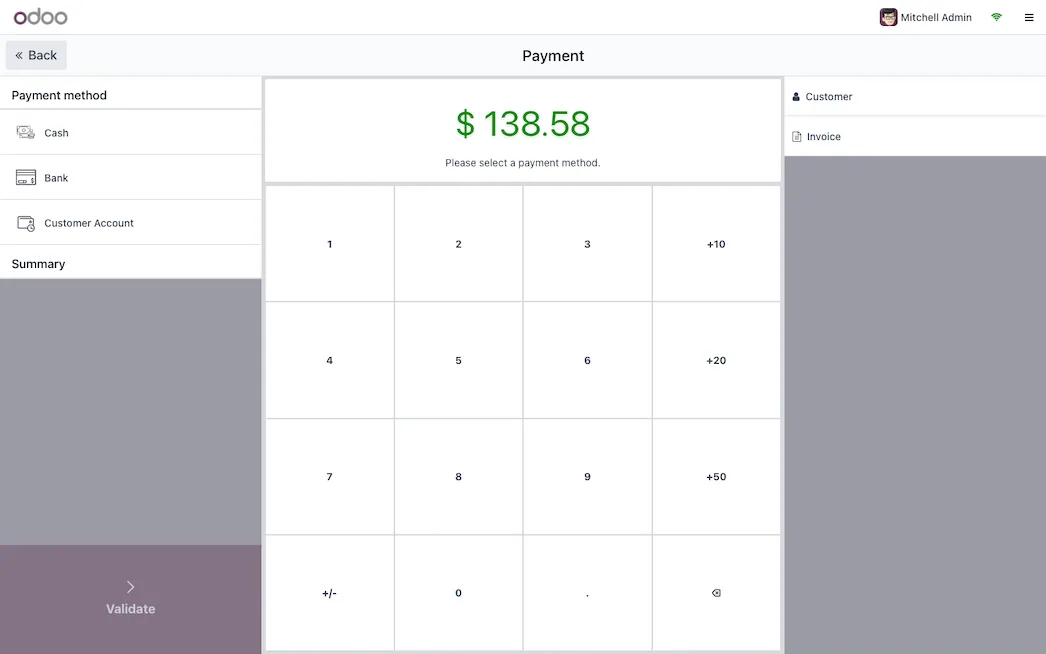
Cash and card are configured as payment methods, and an order can split across several. Card payment can either be recorded manually, with the terminal operating separately, or integrated so the amount is pushed to the terminal and the result comes back automatically.
Integrated terminals are the better experience and the more constrained option. Support is per provider and per country rather than general, and some paths require Enterprise or an IoT Box. Receipt printers, cash drawers and scales are similar: many work directly, some need the IoT Box as a bridge.
The practical advice is to confirm your exact hardware models against your exact Odoo version before committing to a purchase. This is the part of a POS rollout that most often produces an unpleasant surprise, and it is entirely avoidable by checking first.
Where Odoo POS will fight you
Closing differences need a policy, not just a field. Odoo will happily record a shortfall. What to do about one is a management decision, and shops without a rule end up with a long tail of small unexplained differences nobody investigates.
Product images make the grid usable and the load heavier. A well-photographed catalogue speeds up ordering considerably. An unoptimised one slows the register on modest hardware. Keep the images small.
Refunds and returns need a defined route. POS supports both, but a shop without a rule about who can authorise them and how they are recorded will find them used inconsistently.
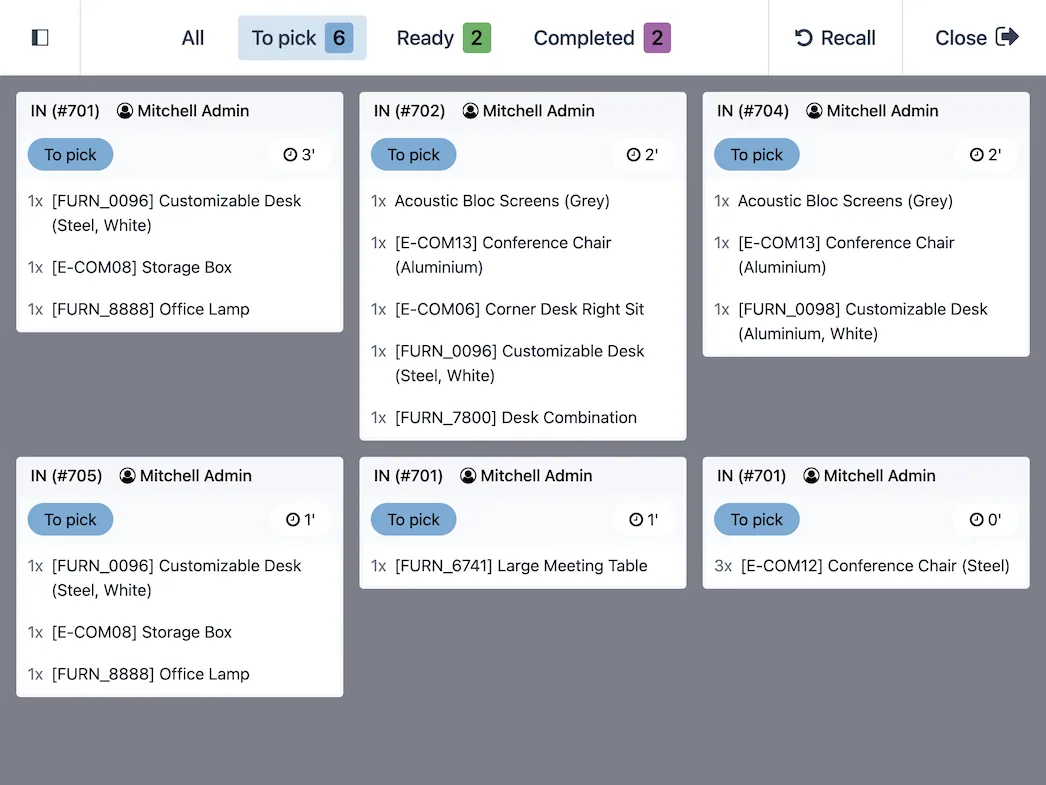
Restaurant features are a separate layer. Table management, floors, kitchen printing and course handling exist, and they change the workflow enough that a hospitality rollout should be planned as its own thing rather than as retail with extras.
How it connects to everything else
Sales at the counter deplete Inventory in real time. Session closing posts journal entries to Accounting. Customers attached to orders are the same partners the rest of the business uses, which is what makes loyalty programmes and later invoicing possible. Products, pricelists and taxes are shared, so a price change made once applies everywhere.
For a business running both a shop and an online store, this shared foundation is the whole argument: one stock position, one customer, one set of numbers.
Where to start
Set up one register properly before rolling out to several. Confirm your hardware against your version before buying anything. Lay out the product grid for the way customers actually order. Establish the one-session-per-shift rule on the first day, because it is far harder to introduce later. Then run a real trading day, close the session, and check that what reached Accounting matches what was in the drawer.
FAQ
Odoo Point of Sale, answered.
Is Odoo POS free?
The Point of Sale app is in Community, so the register, sessions, payments and receipts cost nothing in licence terms. Some payment terminal integrations and hardware drivers depend on Enterprise or on a physical IoT Box, so price the hardware path separately from the software.
Does Odoo POS work offline?
Yes. The register keeps selling when the connection drops, holding orders locally in the browser and syncing when it returns. Do not treat this as a licence to run permanently offline: an unsynced device that is cleared or replaced loses the orders it was holding.
What is a POS session and why does it matter?
A session is one shift on one register, opened with a starting cash balance and closed with a counted one. Nothing reaches your accounts until the session is closed, so a session left open for days means your revenue is not in the ledger yet.
Does POS share stock with Inventory?
Yes. Sales at the counter reduce the same stock that the warehouse and any online store are working from. This is the main structural advantage over a standalone till, because it removes the reconciliation that separate systems always eventually require.
What hardware do I need?
A browser on a tablet or PC is the minimum. Receipt printers, cash drawers, barcode scanners and payment terminals connect either directly, over the network, or through an IoT Box depending on the device. Confirm each specific model before buying, since support is per device rather than general.
Can one shop run several registers?
Yes. Each register runs its own session and they post independently, which is normal for a multi-lane shop. Reporting consolidates across registers, so the split does not fragment your sales figures.
With CODEerts
Want this set up properly?
We are certified Odoo partners. We implement, customise and support Odoo Point of Sale, and we publish our own apps on the Odoo Store.
See how we can helpBook a callReady to make Odoo work the way your business does?
Book a free call CODEerts
CODEerts is a team of certified Odoo partners and full-stack engineers. We implement, customise and support Odoo ERP, then build the software around it.

