 CODEerts
Tools app for Odoo
Auto Archive
Automatically archive old records on any model after a number of days, with an optional filter, on a daily schedule.
Overview
Auto Archive.
Auto Archive adds automatic, scheduled archiving to any model you have made archivable with Archive Anything. From the standard Models screen you choose a date field, a number of days, and an optional record filter, and a daily scheduled action archives the records that match. A built-in preview shows exactly how many records would be archived before anything happens. It keeps lists, search and reports focused on current records without anyone having to archive by hand.
How it works
Built around what you actually do.
Every screen below is the module running in Odoo, not a mockup.
01
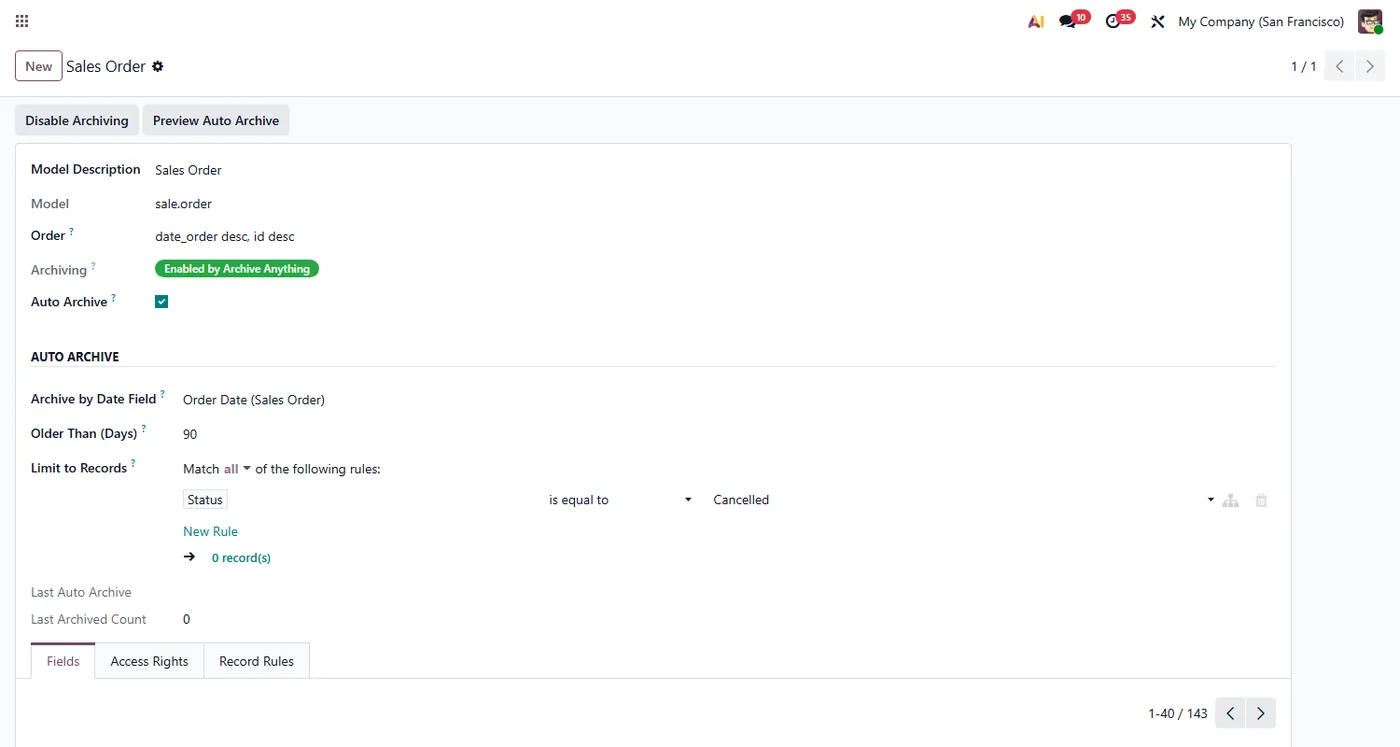
Automatically archive records older than a number of days, per model
- Choose which date field drives the age, such as order date or creation date
02
Optional record filter, for example only cancelled orders, using Odoo's domain editor
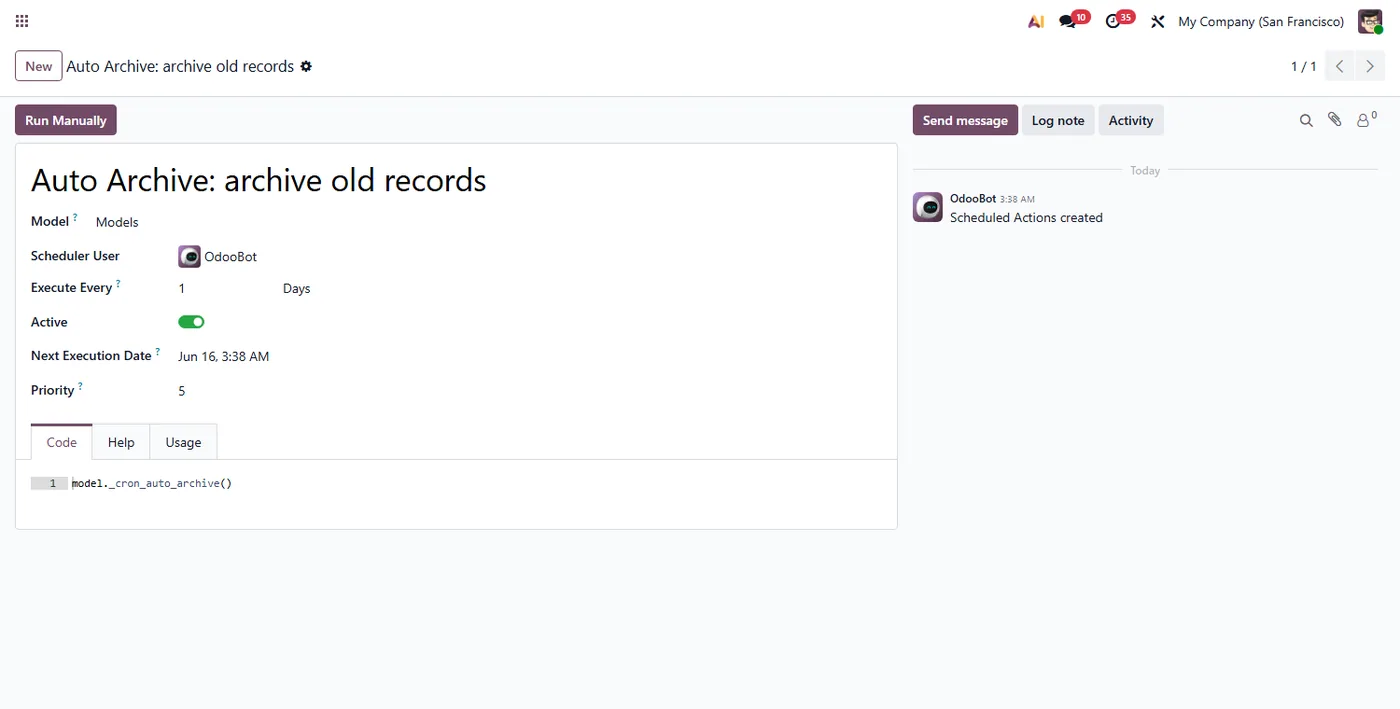
- Daily scheduled action does the work, with last run time and count recorded
03
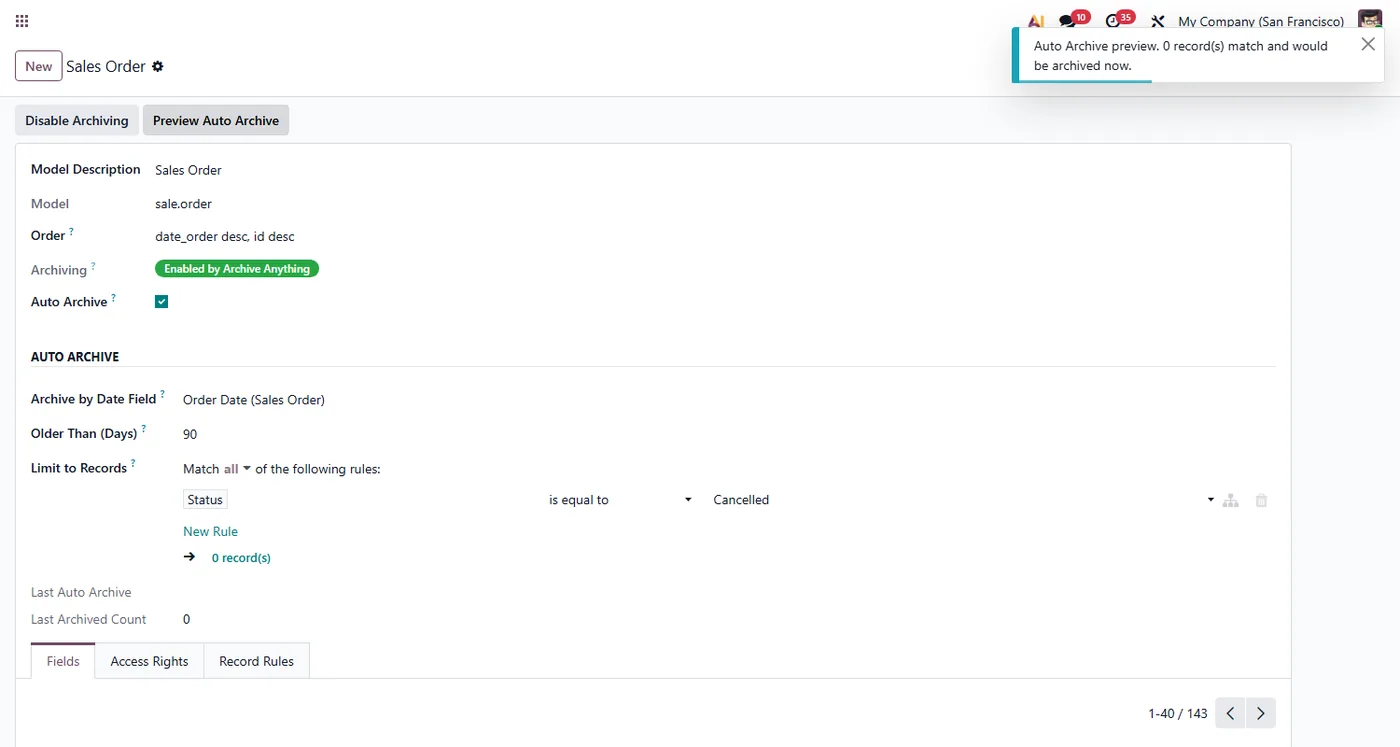
Preview button shows how many records would be archived before running
- Configured on the standard Models screen, no separate app, works on Community and Enterprise
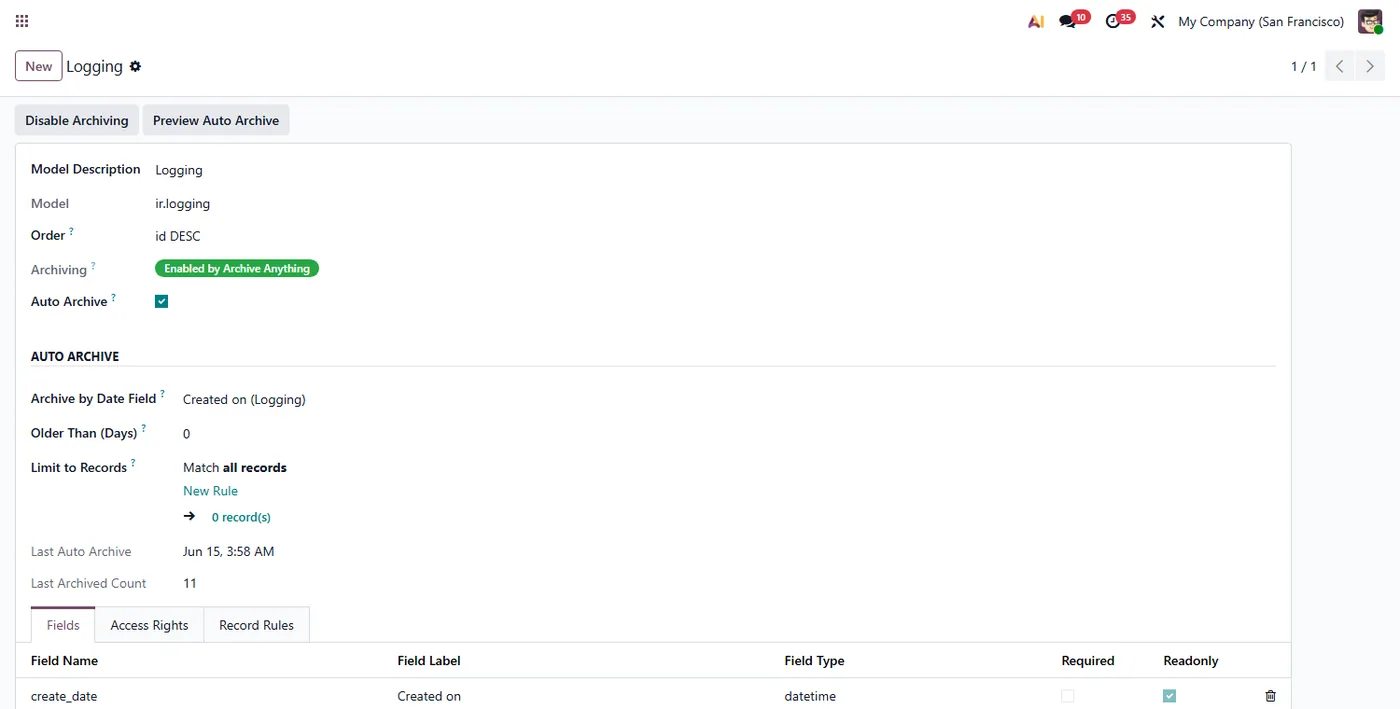
Auto Archive turns Archive Anything into a hands-off cleanup tool. Once a model is archivable, you tell Auto Archive which date to watch and how old is too old, and a daily scheduled action keeps your lists, searches and reports focused on current records without anyone archiving by hand.
What it does
On the standard Models screen, next to the Archive Anything controls, Auto Archive adds a simple rule for each model: a date field, a number of days, and an optional record filter. Every day a scheduled action looks at each model that has Auto Archive switched on, finds the active records whose chosen date is older than the number of days you set and that match your filter, and archives them. A Preview button tells you exactly how many records currently match before anything runs, and the model keeps the time and count of the last run so you always know what happened.
How to set it up
1. Make the model archivable first with the free Archive Anything module. 2. On the same Models screen, tick Auto Archive. 3. Choose the date field, set Older Than (Days), and add a filter if you want. 4. Click Preview Auto Archive to see how many records match right now. 5. Leave it to the daily scheduled action, or adjust the schedule under Settings, Technical, Scheduled Actions.
Who it's for
Teams whose models fill up with old or cancelled records and who want them archived automatically on a schedule, with a clear preview and a filter, instead of cleaning up by hand.
Questions
About Auto Archive.
How do I automatically archive old records in Odoo?
Make the model archivable with Archive Anything, then on the same Models screen turn on Auto Archive, pick a date field and a number of days, and a daily scheduled action archives matching records automatically.
Can I auto archive only certain records, like cancelled orders?
Yes. Each model has a record filter built with Odoo's standard domain editor, so you can limit auto archiving to, for example, only cancelled sale orders or only a given status.
Which date is used to decide a record is old?
You choose the date field per model, such as Order Date, Invoice Date or Created On. Records whose chosen date is older than the number of days you set are archived.
Can I see what will be archived before it runs?
Yes. A Preview Auto Archive button shows how many records currently match your settings, so you can confirm the rule before the scheduled action runs.
How often does auto archiving run?
A daily scheduled action processes every model that has Auto Archive enabled. You can adjust the schedule from Settings, Technical, Scheduled Actions if needed.
Does it work in Odoo Community and Enterprise?
Yes, it runs on both Community and Enterprise. It depends only on the free Archive Anything module and core Odoo. Each Odoo Apps Store listing shows the exact version it supports.
On the Odoo Store
Get Auto Archive on the Odoo Store.
Pick your Odoo version and install it in a click, with free updates and real support behind it.
Get it on the Odoo StoreReady to make Odoo work the way your business does?
Book a free call CODEerts
CODEerts is a team of certified Odoo partners and full-stack engineers. We implement, customise and support Odoo ERP, then build the software around it.

