CODEerts
Sales app for Odoo
CRM Booster - Sales Sequences and Cadences
Build branching, multi-step follow-up cadences for CRM leads, timed emails, wait steps and salesperson tasks that branch on whether the email was opened, clicked or replied, with a visual flow builder and manual or automatic enrollment.
Overview
CRM Booster - Sales Sequences and Cadences.
CRM Sequences brings HubSpot and Outreach style sales cadences to Odoo Community CRM. You build a sequence from email, wait and task steps, then branch each step on the outcome of the email, opened, clicked, replied, bounced or not. Leads are enrolled manually with one click from the lead, or automatically by a domain that can read their lead score and grade. The engine sends tracked emails, schedules salesperson activities, follows the right branch when an email is opened or clicked, and stops a lead the moment it is won, lost or replies. A custom visual flow builder draws the whole branching cadence as a diagram with live per-step stats, and standard list and form views are there as a fallback. No Enterprise marketing automation required.
New to Odoo Sales? Read our practical guide to how it works
How it works
Built around what you actually do.
Every screen below is the module running in Odoo, not a mockup.
01
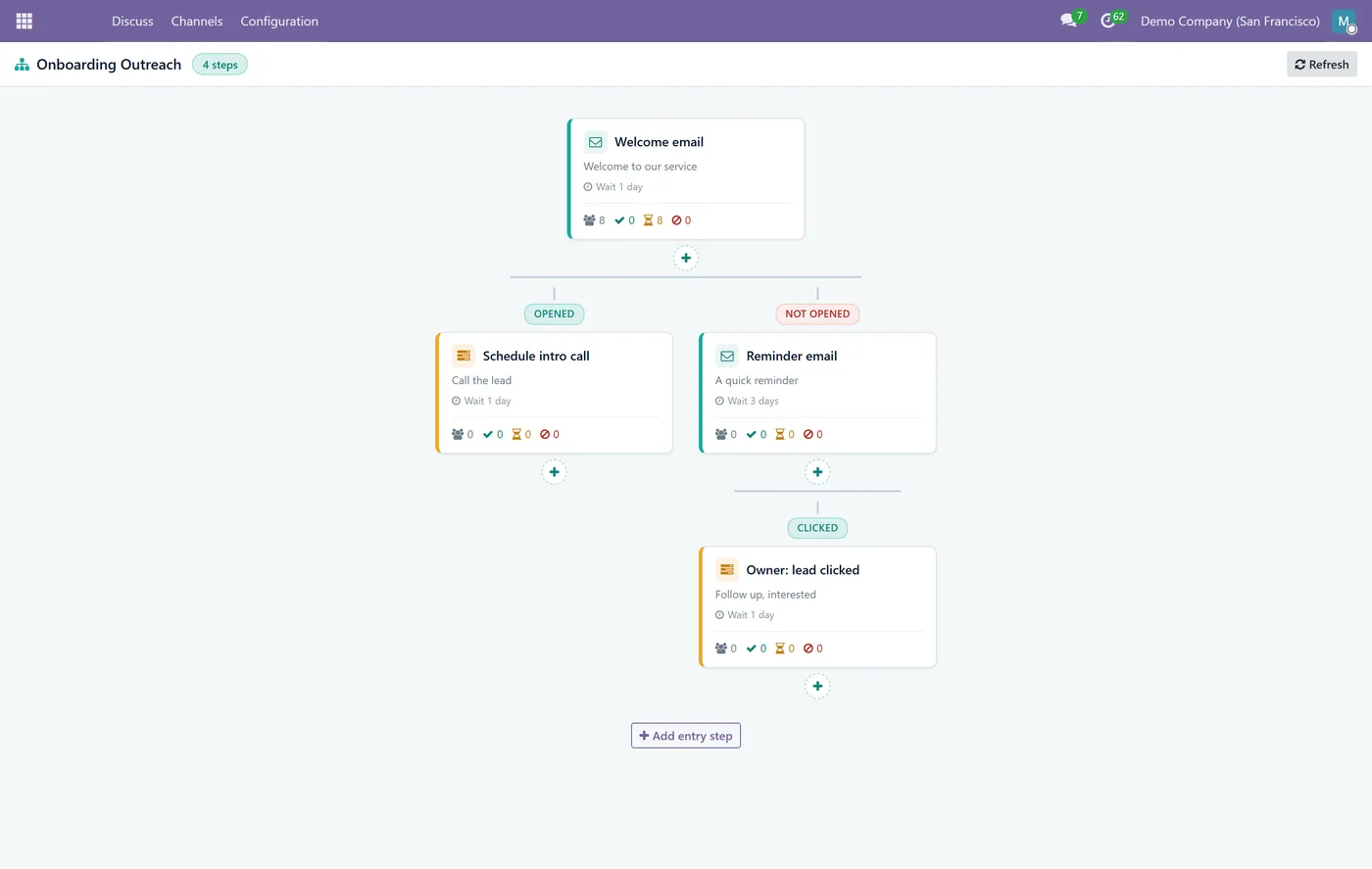
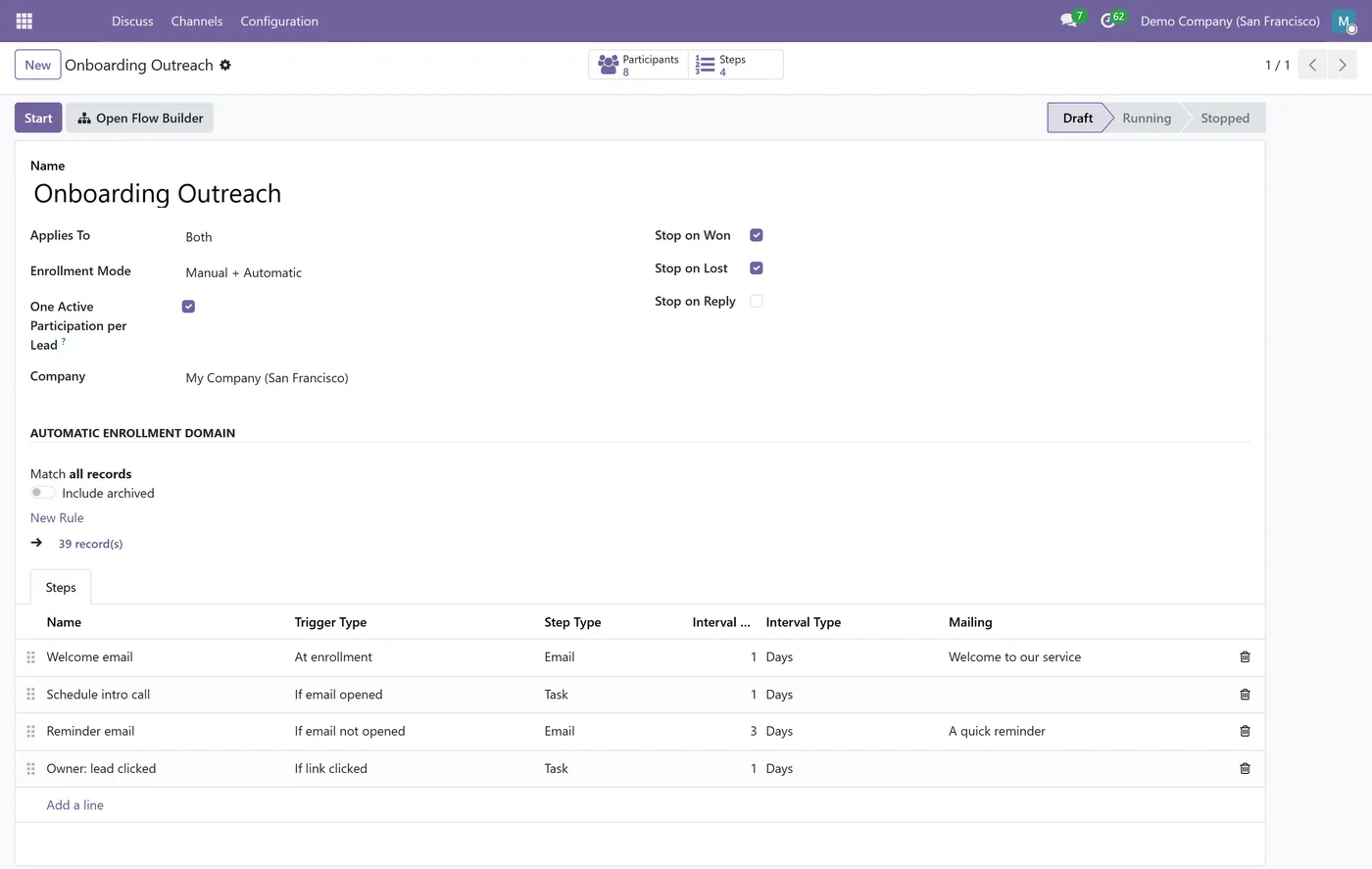
Multi-step cadences built from email, wait and task steps on CRM leads
- Conditional branching on the email outcome, opened, clicked, replied, bounced or not
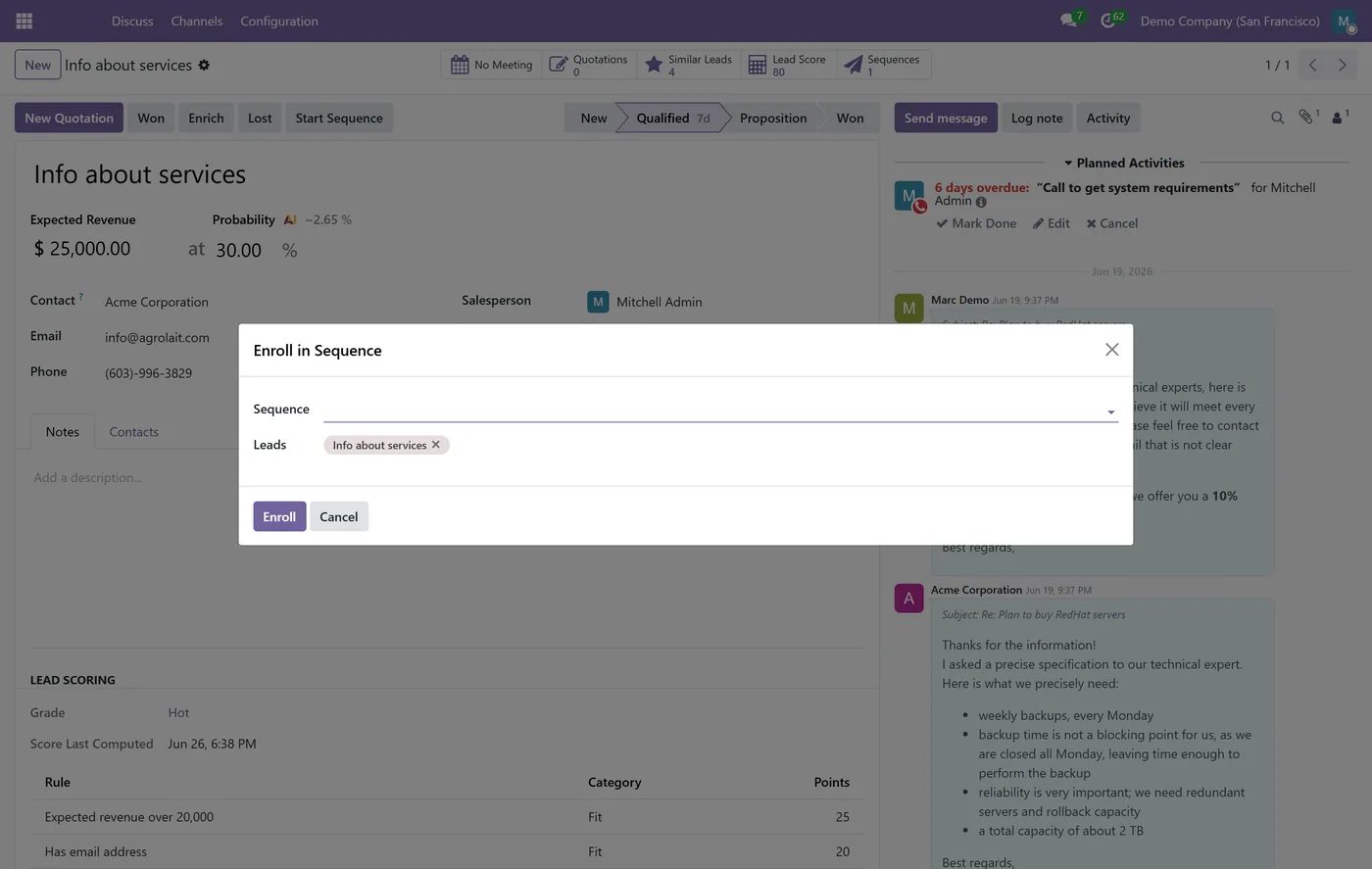
- Manual one-click enrollment plus automatic enrollment by domain, including lead score and grade
02
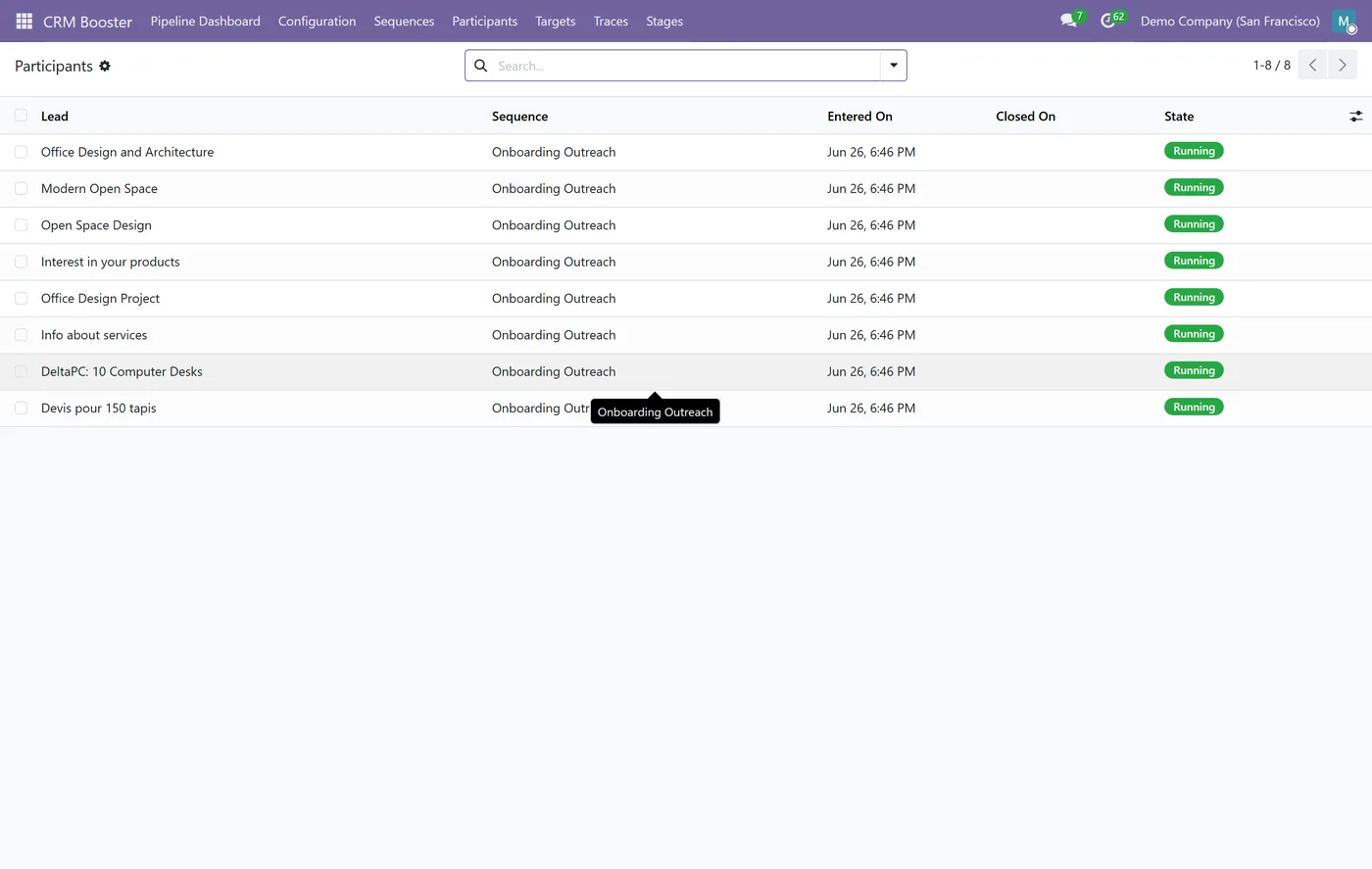
Tracked emails through Mass Mailing so opens, clicks and replies drive the branches
- Salesperson tasks scheduled automatically as Odoo activities on the lead
- Automatic stop on won, lost or reply, cancelling any remaining steps
03
Custom visual flow builder that draws the branching cadence with live per-step stats
- Runs entirely on Community, no Enterprise marketing automation dependency
Every screen
The whole module, screen by screen.
The captures the walkthrough above did not use, in the order you meet them in the product.
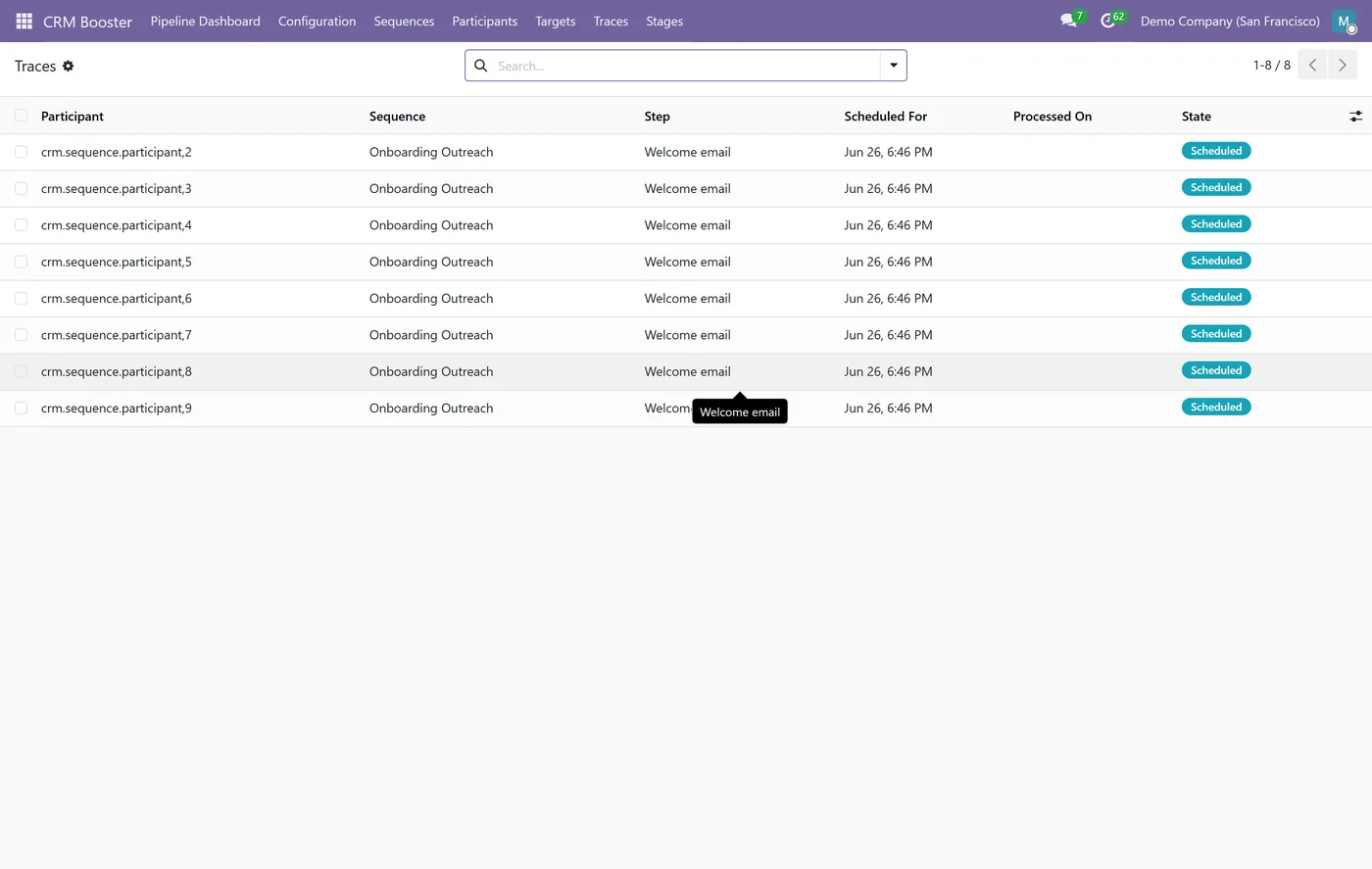
CRM Sequences gives Odoo Community sales teams the kind of automated, branching follow-up cadences that usually live only in dedicated sales-engagement tools or Odoo's Enterprise marketing automation. You design the cadence once as a visual flow, enroll leads by hand or by rule, and the engine runs every follow-up, adapting to how each lead responds.
What it does
A sequence is a tree of steps: send a tracked email, wait a set time, or schedule a task for the lead's salesperson. Any email step can branch on its outcome, so a lead that opens or clicks gets one path and a lead that does not gets another. You enroll leads manually with a Start Sequence button, or automatically by giving the sequence a domain, which can read the lead score and grade from CRM Booster so only the leads you care about are enrolled. The engine sends the emails through Mass Mailing, schedules the salesperson tasks as Odoo activities, follows the correct branch as soon as an email is opened, clicked or replied to, and stops a lead the instant it is won, lost or replies, cancelling everything still queued. A custom visual flow builder draws the whole cadence as a diagram with live per-step stats, and standard list and form views are always there as a fallback.
Who it's for
Sales teams that live in Odoo CRM and want consistent, multi-touch follow-up without copying leads into a separate outreach tool. It fits SDR and account-executive workflows where the next action should depend on whether the prospect engaged, and where reps need their follow-up tasks created for them automatically. CRM Sequences builds on the free CRM Booster base and uses its lead score and grade for smarter enrollment, and pairs naturally with the CRM Pipeline Dashboard to measure the results.
Questions
About CRM Booster - Sales Sequences and Cadences.
Can I build automated follow-up sequences in Odoo Community?
Yes. CRM Sequences adds multi-step, branching follow-up cadences to Odoo Community CRM, with timed emails, wait steps and salesperson tasks. It is built fresh on Community APIs, so you do not need the Enterprise marketing automation app.
How does branching on email outcome work?
Each email step can have different next steps depending on what the lead does. The engine watches the tracked email and follows the matching branch when it is opened, clicked, replied to or bounced, and the opposite branch when it is not, so opened leads get a call task while unopened leads get a reminder email.
How are leads added to a sequence?
Two ways. Manually, with a Start Sequence button on the lead, or automatically, by giving the sequence a domain that matches the leads you want. The domain can read the lead score and grade from CRM Booster, so you can enroll only hot or marketing-qualified leads.
When does a lead stop receiving a sequence?
A lead stops automatically when its opportunity is won or lost, or when it replies, depending on the stop conditions you enable. Stopping cancels every remaining scheduled step so a closed or engaged lead never gets another automated message.
Does it show how each step is performing?
Yes. The visual flow builder draws your cadence as a branching diagram and shows live counts on each step, how many were sent, opened, clicked, replied and stopped, so you can see exactly where leads drop off and improve the sequence.
Which Odoo versions does this module support?
Use the version selector at the top of this page to pick your Odoo release. Each branch is published as its own listing for that exact version.
On the Odoo Store
Get CRM Booster - Sales Sequences and Cadences on the Odoo Store.
Pick your Odoo version and install it in a click, with free updates and real support behind it.
Get it on the Odoo StoreReady to make Odoo work the way your business does?
Book a free call CODEerts
CODEerts is a team of certified Odoo partners and full-stack engineers. We implement, customise and support Odoo ERP, then build the software around it.