 CODEerts
Sales app for Odoo
Distributor Onboarding Portal
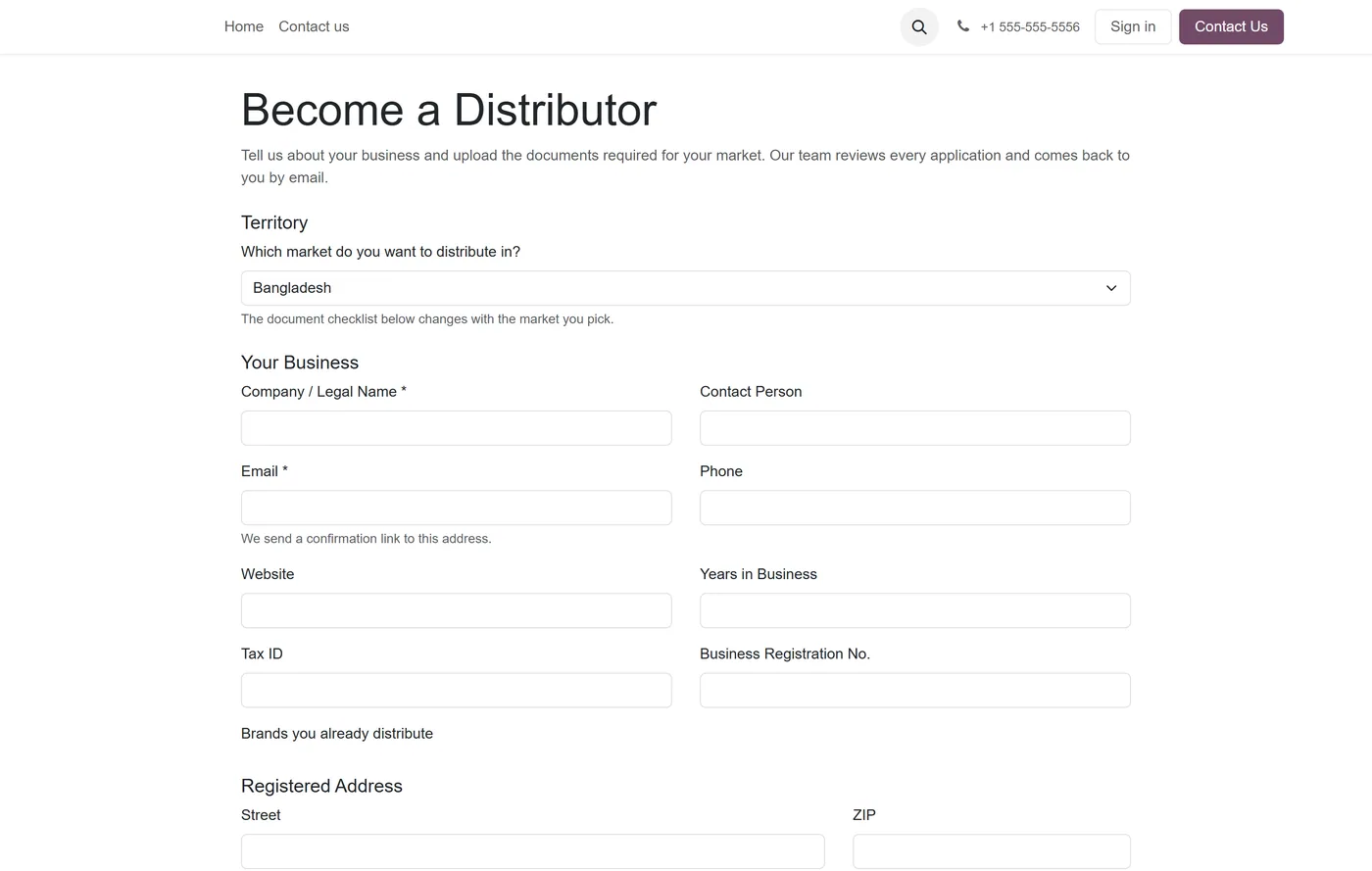
Open countries for distribution, let prospects apply on your own website against a document checklist that changes with the market they pick. Review and approve them internally, then issue a contact, a portal login and a distribution agreement whose territory exclusivity is enforced by the database rather than trusted to a spreadsheet. Distributors then report sell-out, raise quotes and manage their own team logins.
Overview
Distributor Onboarding Portal.
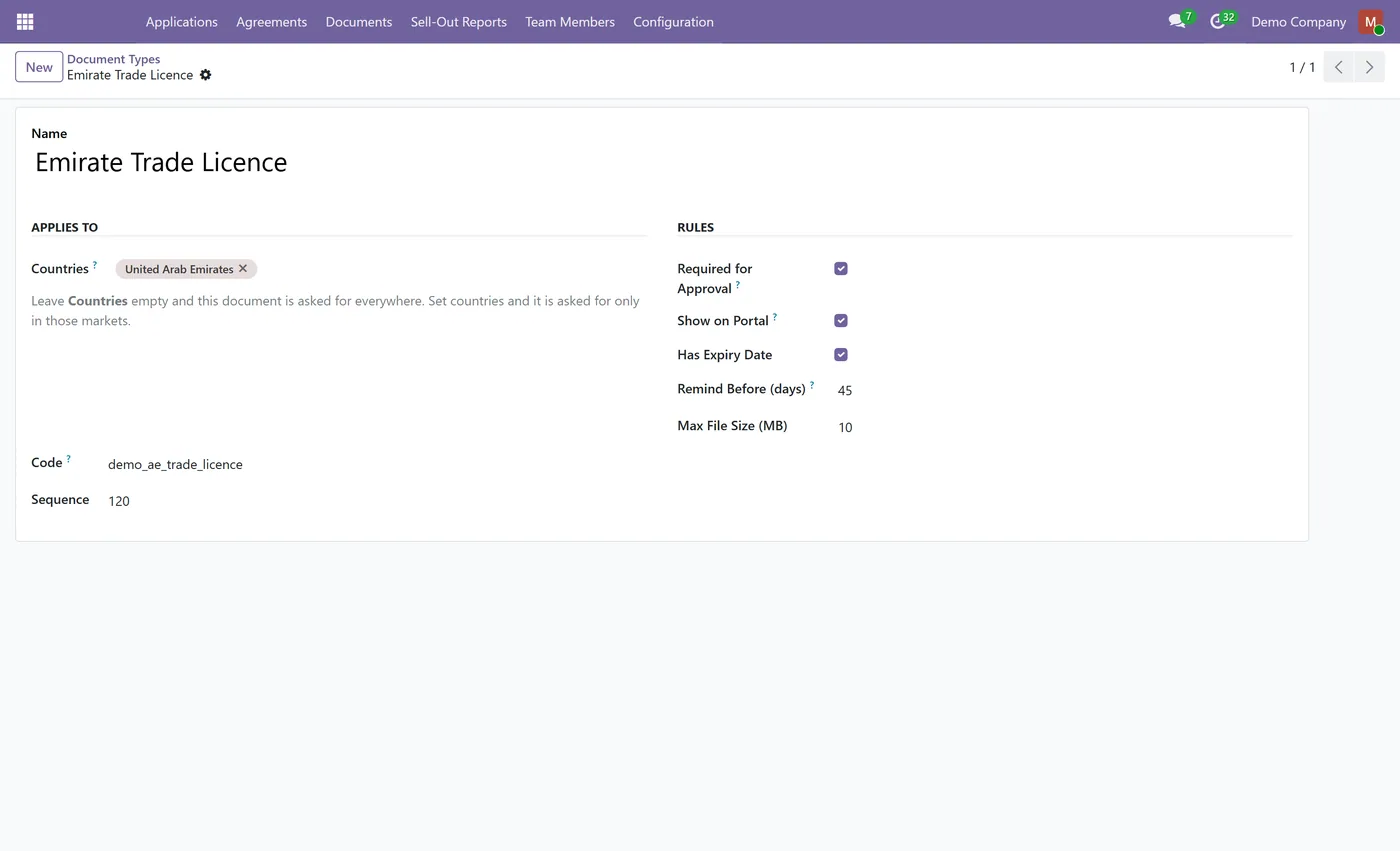
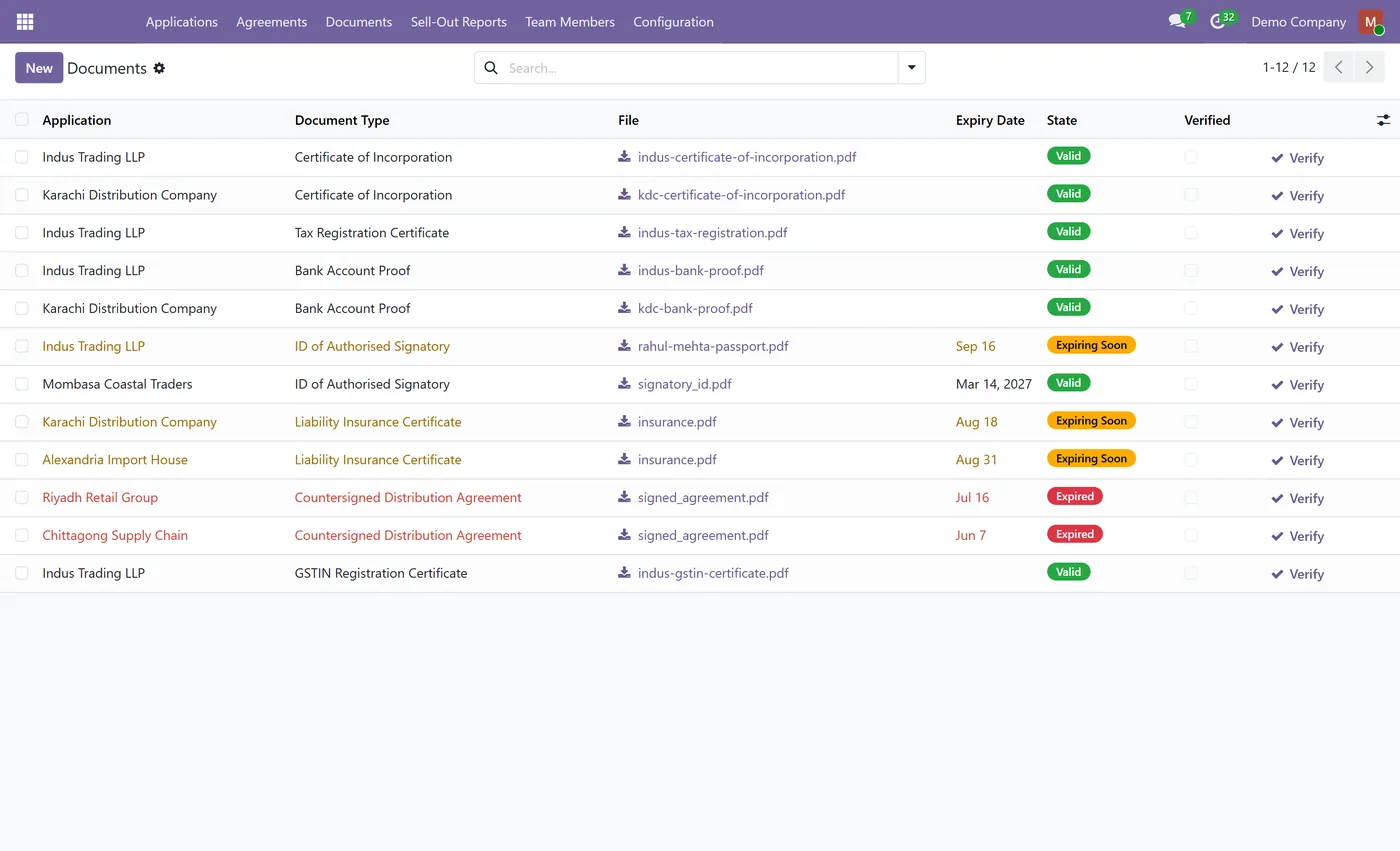
Distributor Onboarding Portal turns distributor recruitment into a process your team can actually run. You decide which countries are open for applications, and each country carries its own document checklist, so a Pakistani applicant is asked for a Sales Tax Registration while a UAE applicant is asked for an Emirate Trade Licence and a Chamber of Commerce certificate. Prospects apply on a public page on your own website, verify their email, and upload exactly what their market requires. Your team reviews the file, sees at a glance which required documents are still missing, and approves. Approval is a single action that creates the contact, issues a portal login and raises a distribution agreement. Territory exclusivity is then enforced, not merely recorded, a second exclusive grant for the same country, overlapping dates and an overlapping product scope is refused at the database level, and the check survives two people clicking approve at the same moment. After onboarding, distributors report their sell-out to end customers, raise requests for quotation that arrive as draft quotations in your pipeline, and manage their own colleagues' logins with an admin and member split. Compliance documents carry expiry dates, and a nightly job raises an activity for the reviewer before a trade licence lapses instead of after.
New to Odoo Sales? Read our practical guide to how it works
How it works
Built around what you actually do.
Every screen below is the module running in Odoo, not a mockup.
01
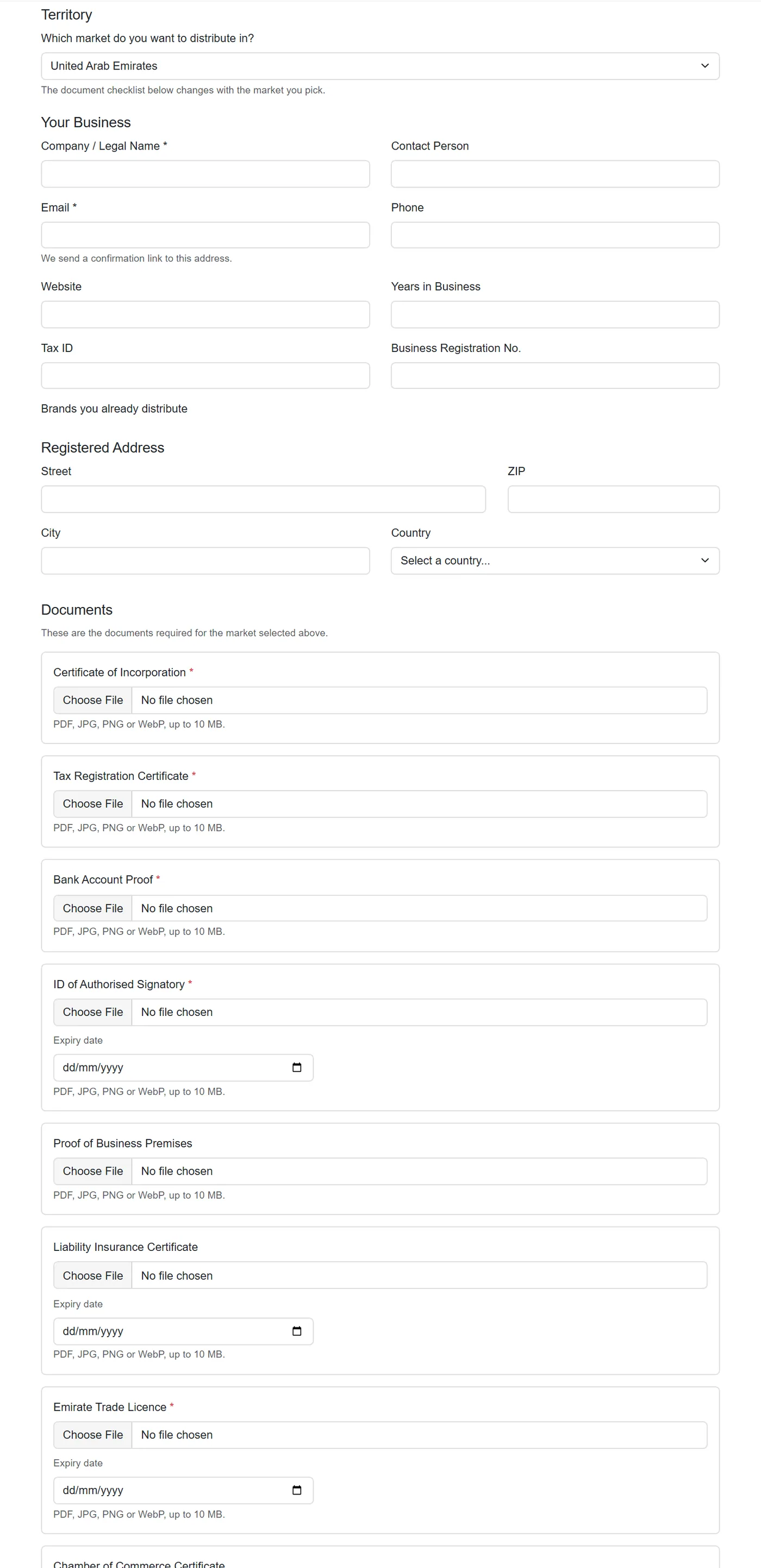
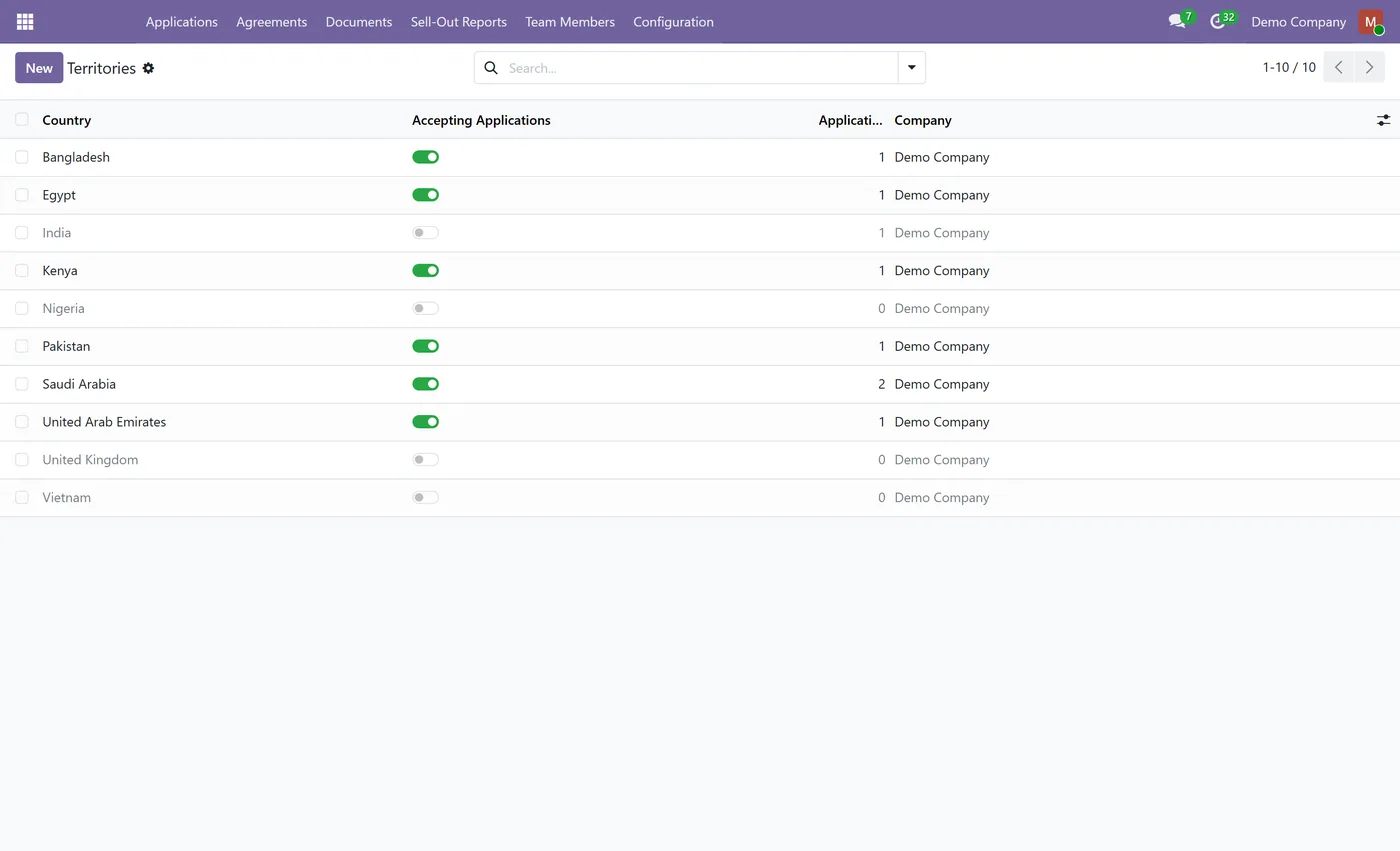
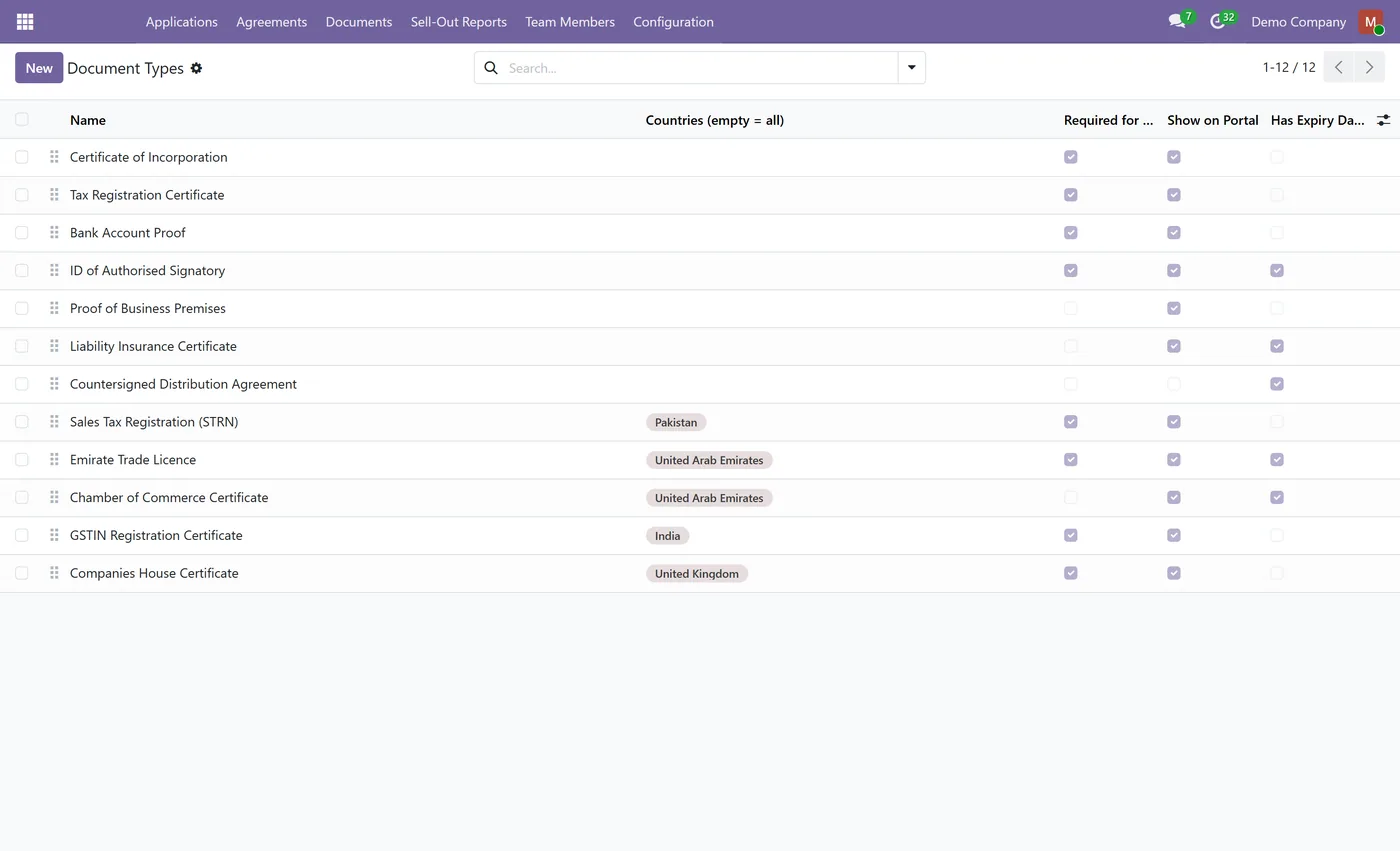
Country driven document checklist, so each market asks for the documents that market actually requires
- Public application page on your own website with email verification, so the pipeline fills itself
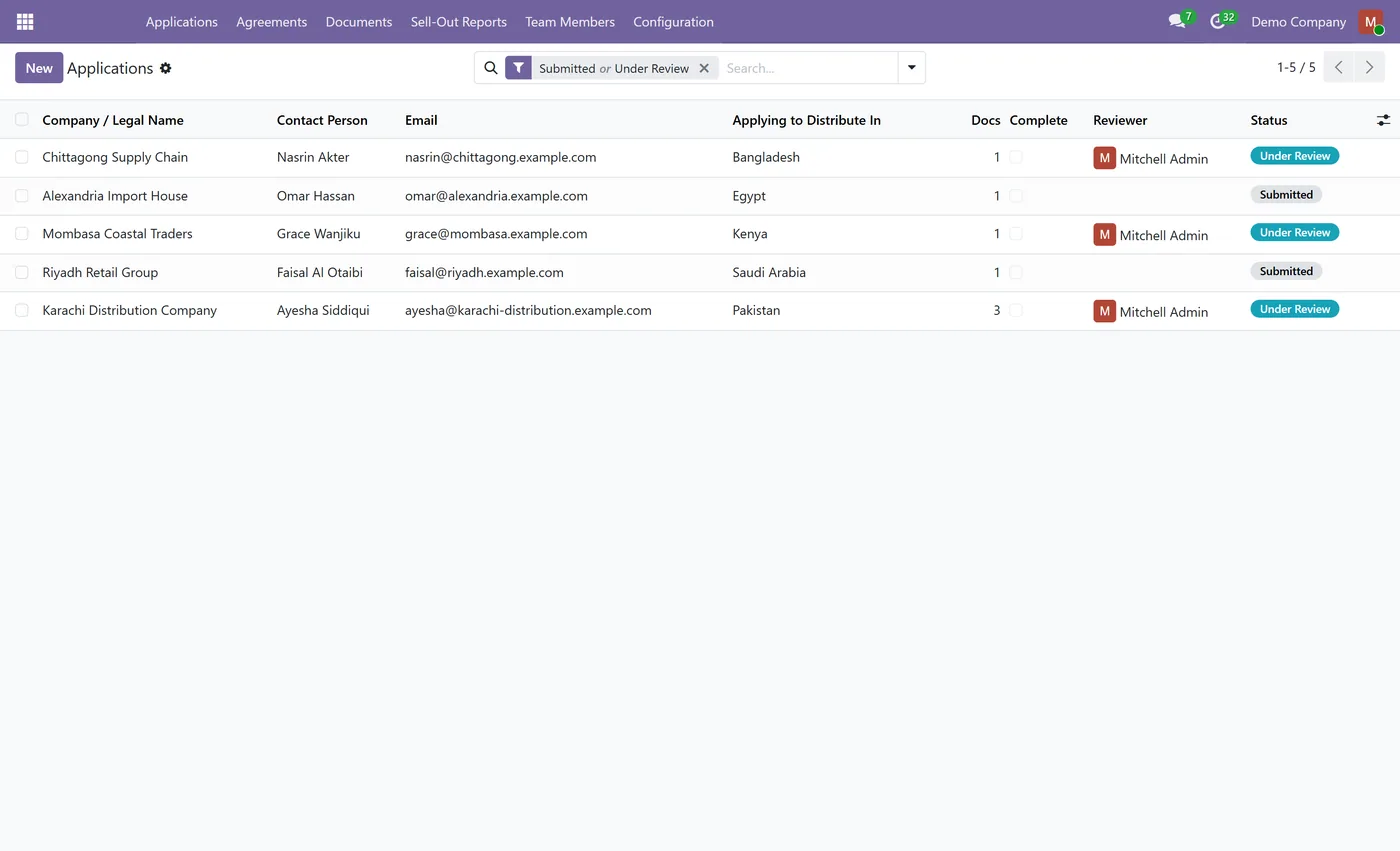
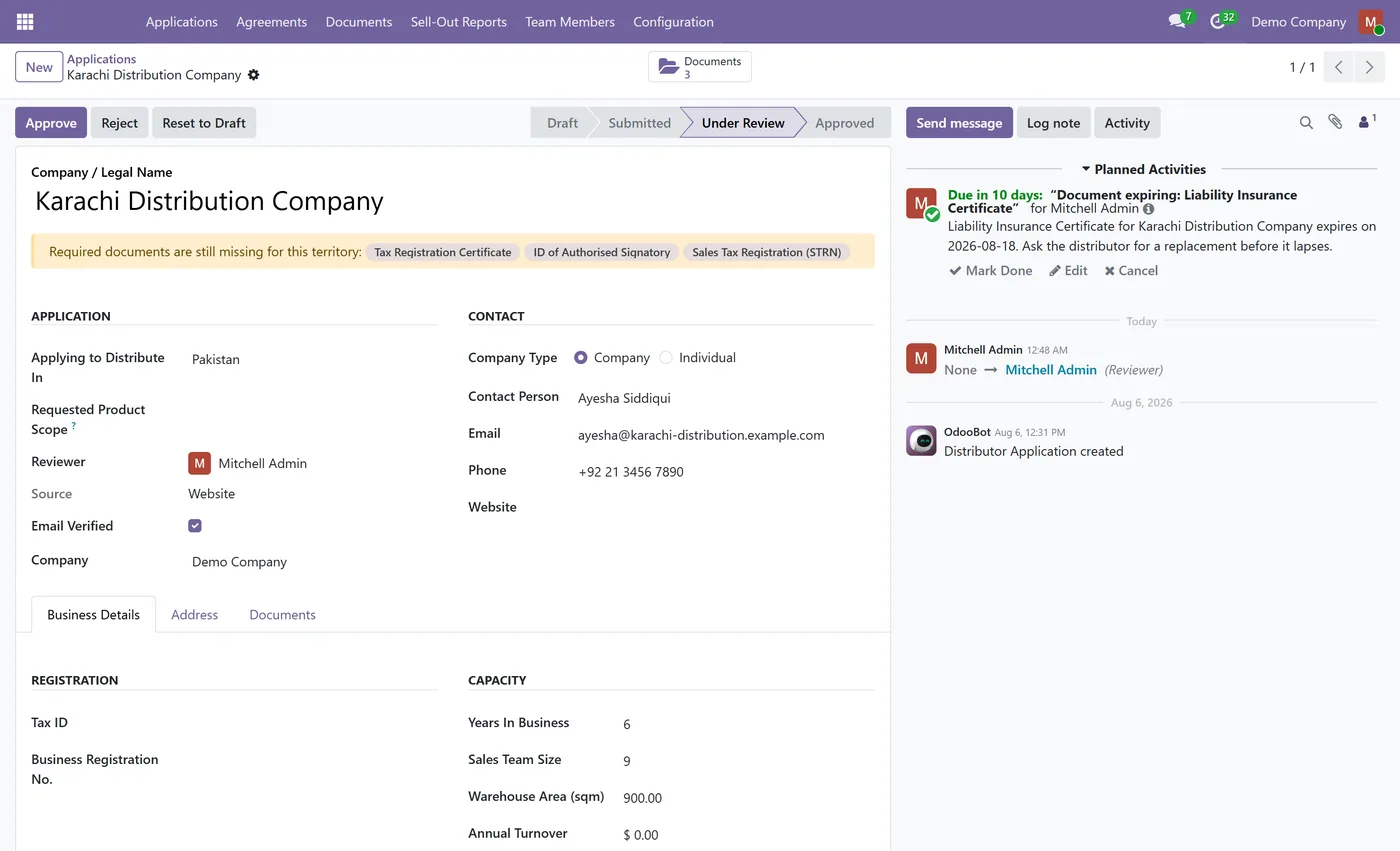
- Internal review that shows which required documents are still missing before anyone can approve
- One approval action creates the contact, issues the portal login and raises the distribution agreement
02
Territory exclusivity enforced at the database level, not recorded in a field and hoped for
- Overlap guard checks country, date range and product scope together, including parent and child categories
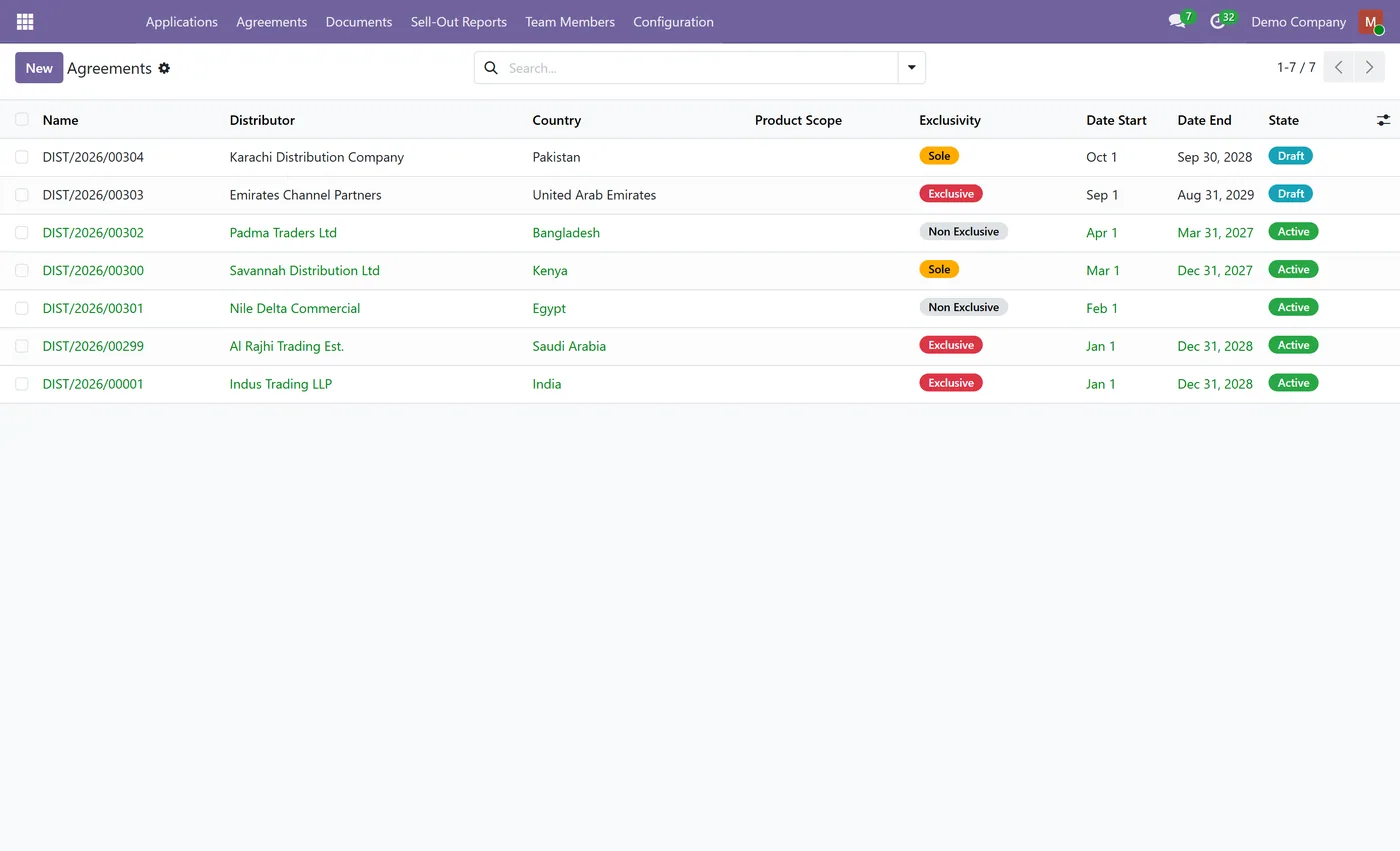
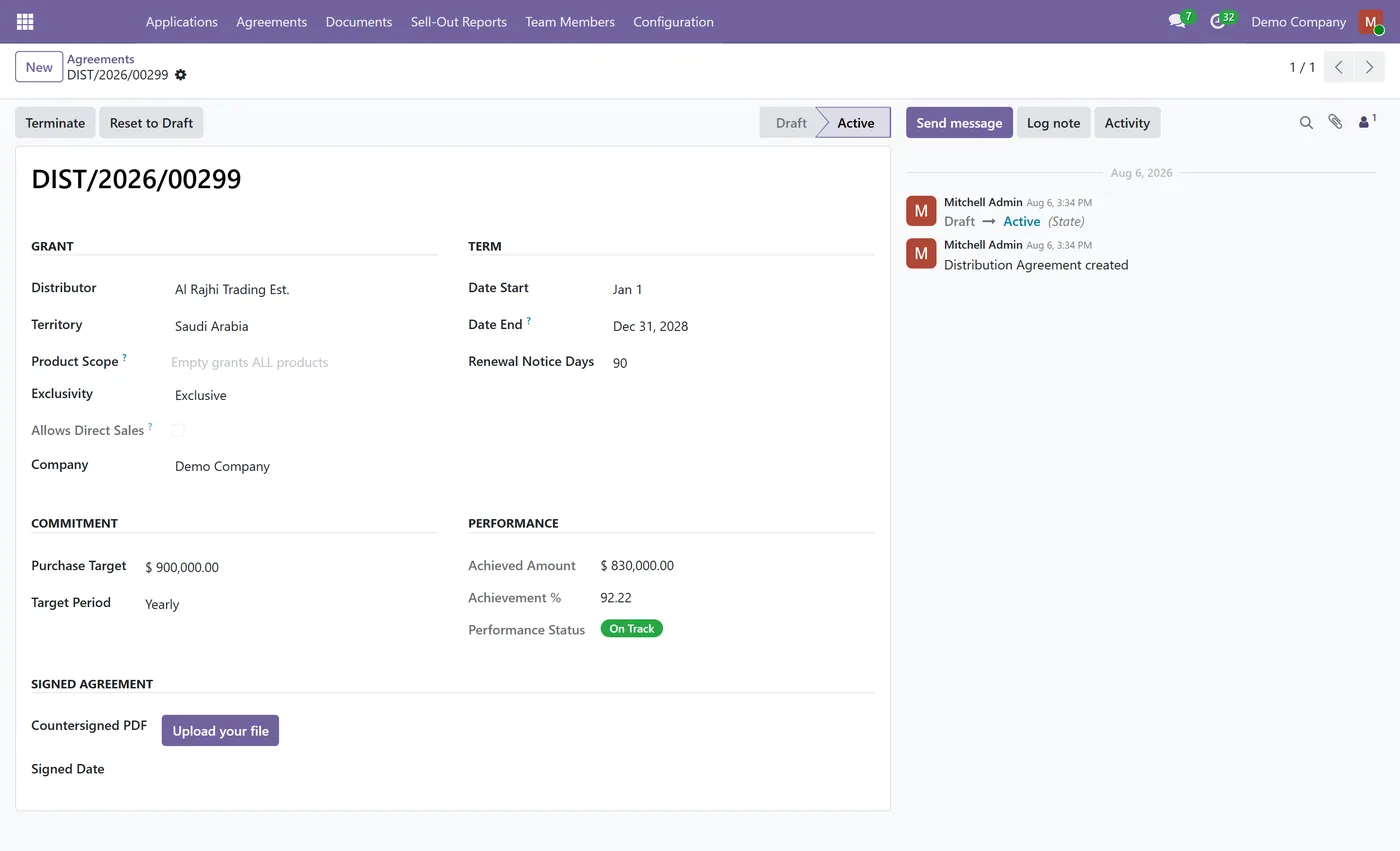
- Exclusive, sole and non exclusive grants, with direct sales allowed or blocked to match the contract
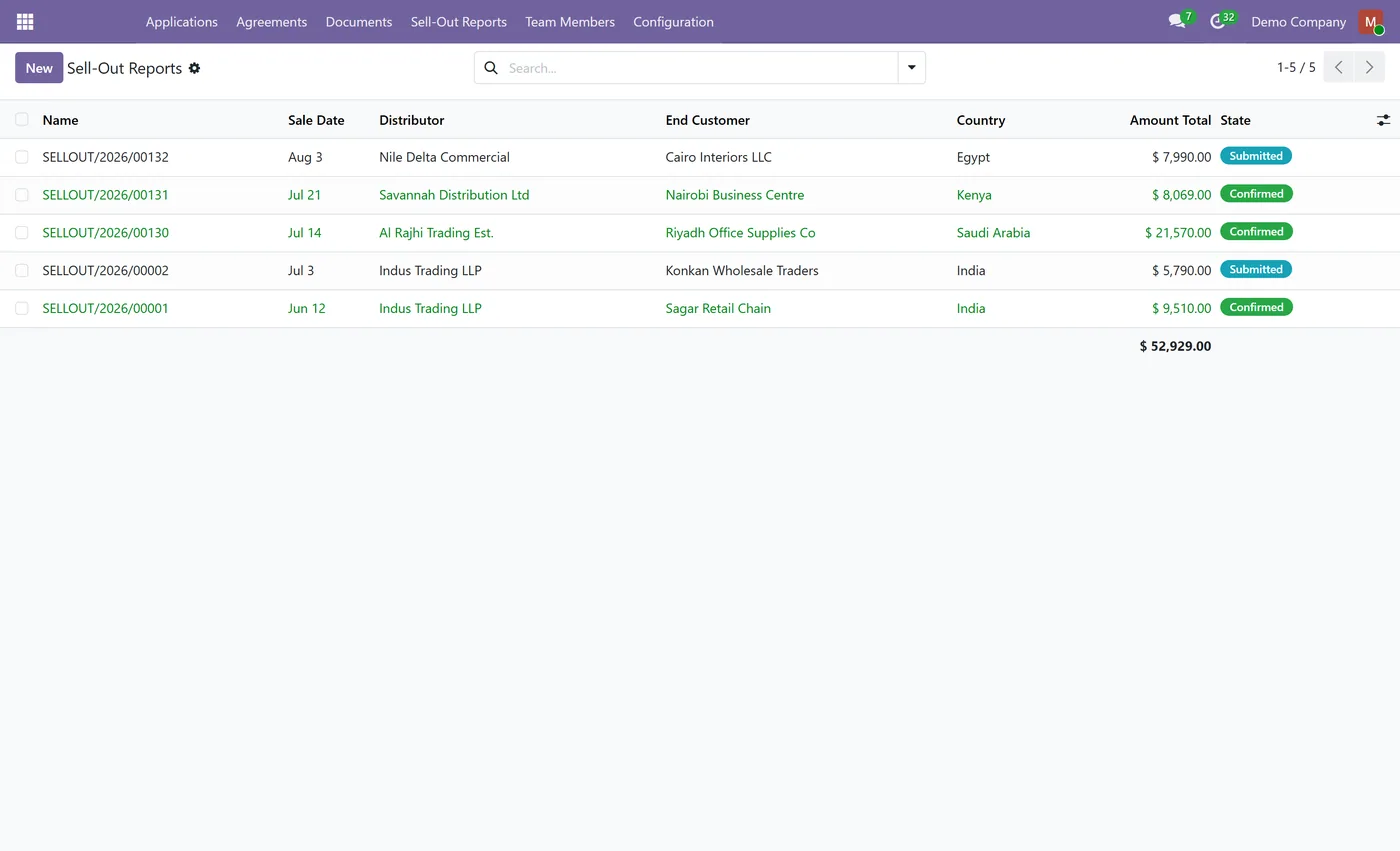
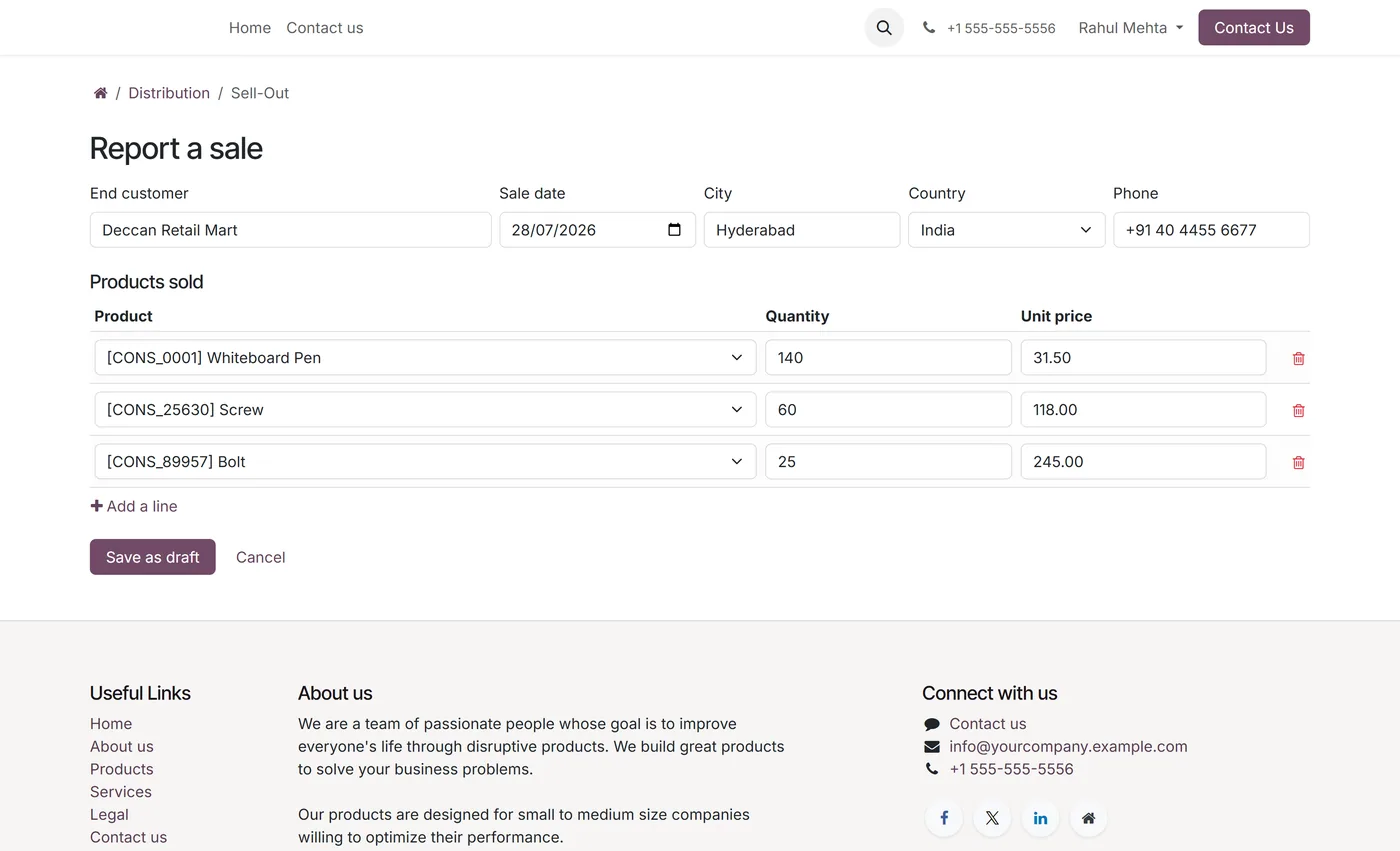
- Distributor sell-out reporting for sales to end customers, with an optional push to the CRM pipeline
03
Requests for quotation from the portal that land as draft quotations against the distributor
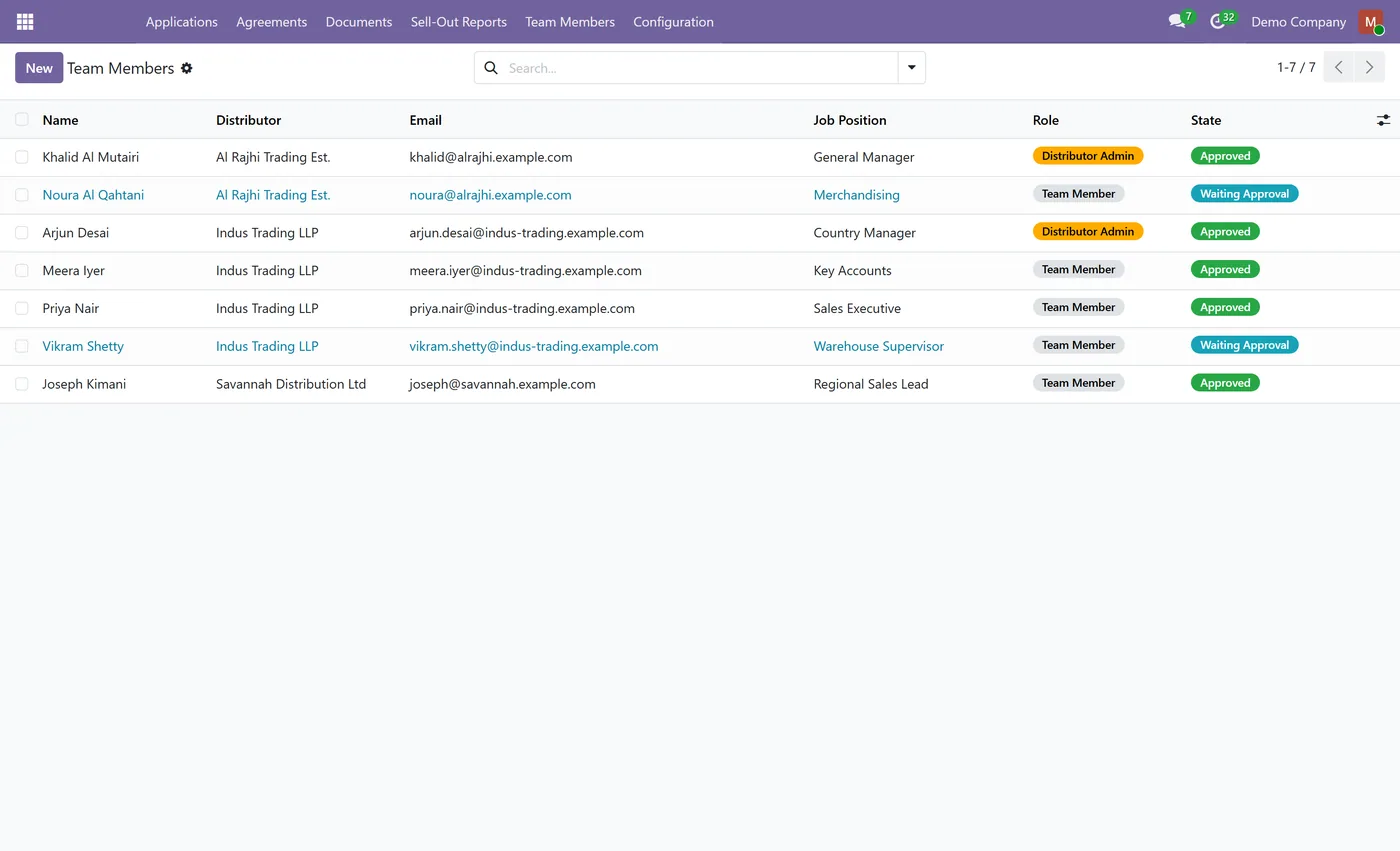
- Distributor managed team logins with an admin and member split and a configurable seat cap
- Document expiry tracking with a nightly reminder raised as an activity on the responsible reviewer
- Performance against a purchase target with on track, at risk and below target status
Every screen
The whole module, screen by screen.
The captures the walkthrough above did not use, in the order you meet them in the product.
Recruiting distributors is not really a form problem. It is a compliance problem wearing a form's clothes. The documents you need from a distributor in Pakistan are not the documents you need in the UAE, the exclusivity you promised in one country has to survive the next deal, and the whole thing usually lives in a spreadsheet that nobody trusts by the second year. Distributor Onboarding Portal puts that process in Odoo, and makes the parts that matter enforceable.
What it does
You start by opening the countries you want distribution in, and closing the ones you do not. Each country carries its own document checklist, built from document types you tag by country. A prospect lands on a public page on your own website, picks their market, and the checklist rebuilds in front of them to that country. They verify their email and upload exactly what that market requires, no more and no less.
Your team then reviews the file. The application shows which required documents are still missing, so the approve button is not a guess. Approving is one action and does the whole handover at once: it creates the contact in your address book, issues a portal login for the named contact person, raises the distribution agreement for the territory applied for, and emails the applicant. Because approval creates a contact and grants a login, it is restricted to a Distributor Manager rather than to anyone who can open the app.
Exclusivity is where most of this gets interesting. An agreement is exclusive, sole or non exclusive, and covers a country, a date range and optionally a set of product categories. Activating one that would conflict with a live grant is refused outright. The overlap check looks at country, dates and product scope together, and it walks the category tree in both directions, so a grant for Beverages conflicts with an existing grant for Soft Drinks and the other way round. It also holds when two people approve simultaneously, because the check takes a lock instead of trusting a stale read.
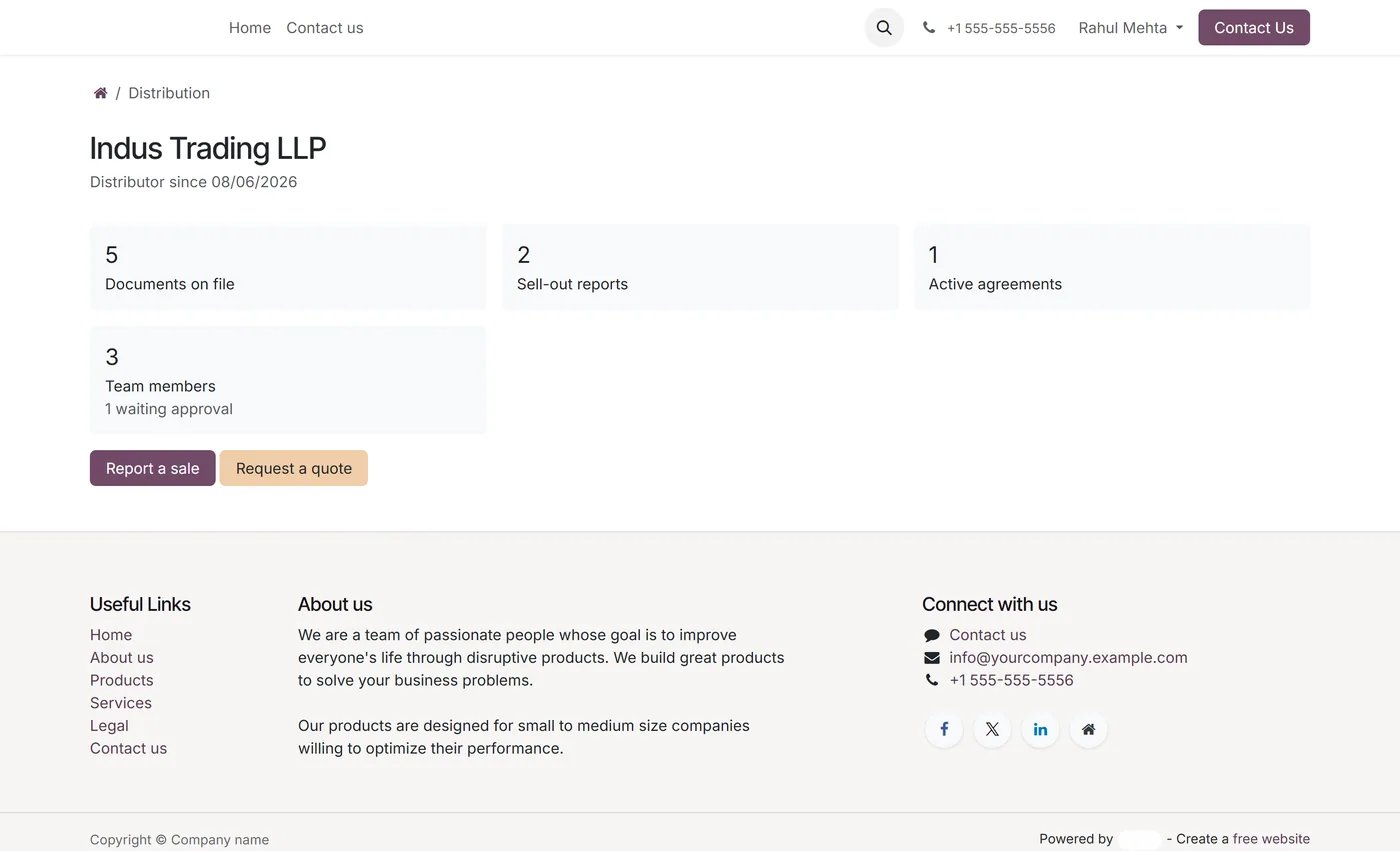
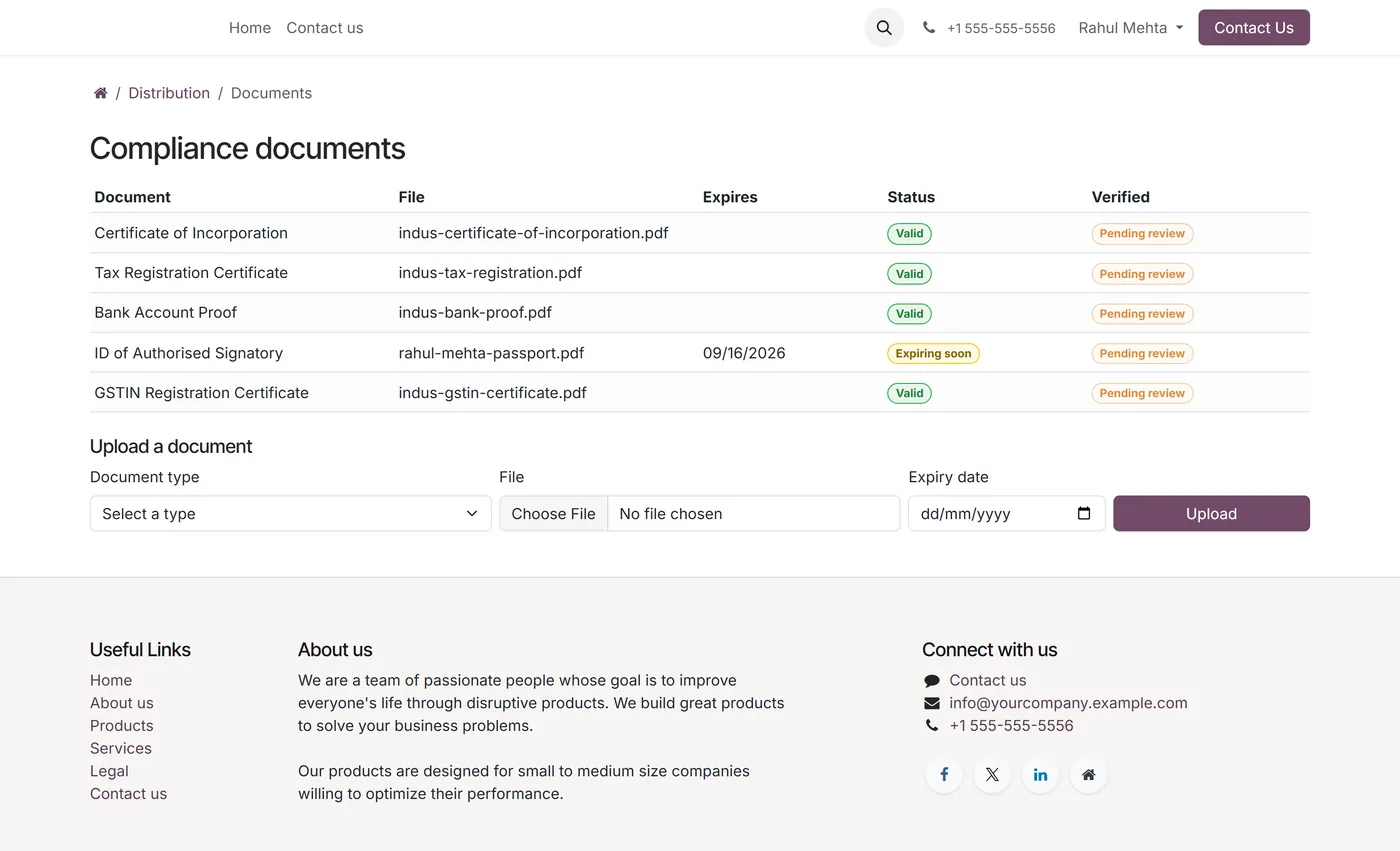
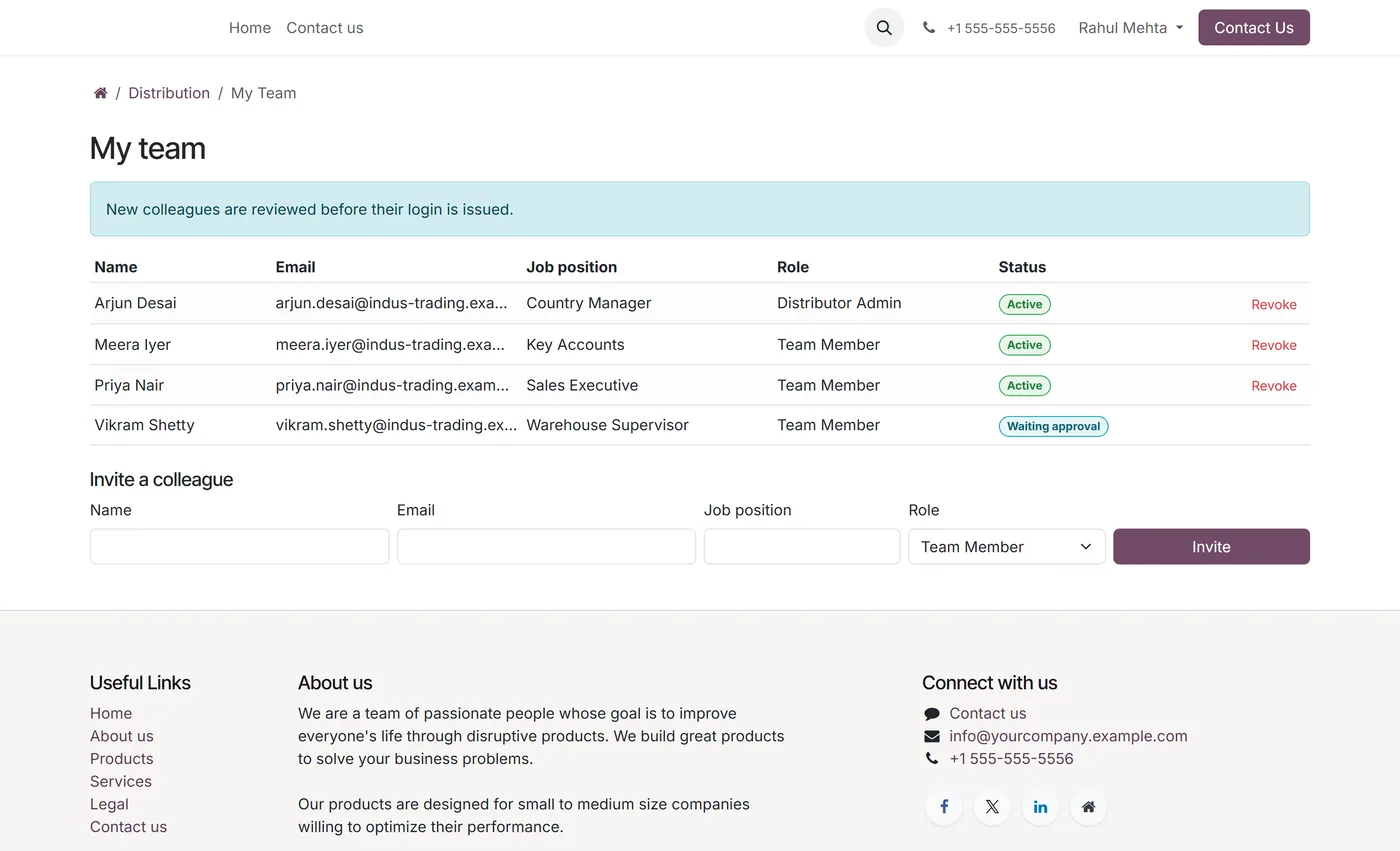
After onboarding, the relationship keeps running through the portal. Distributors report their sell-out, meaning what they sold to end customers rather than what you invoiced them, and any report can be pushed into the CRM as a lead. They raise requests for quotation that arrive as draft quotations against their account. They invite their own colleagues, with an admin and member split and a seat cap you control. Meanwhile the compliance file keeps itself honest: documents with expiry dates move through valid, expiring and expired on their own, and a nightly job raises an activity on the reviewer before a licence lapses rather than after.
Who it's for
Brand owners and manufacturers who appoint distributors by country and need the appointment to mean something. It fits companies selling into several markets at once, where each market has its own registration paperwork and where an exclusivity promise has real commercial weight. It is equally useful to anyone who has outgrown a spreadsheet of distributor contracts and cannot answer, quickly, who holds which country, until when, for which product lines, and whose trade licence expires next month. Because it builds only on Sales, CRM, Invoicing, Website and Portal, it runs on Odoo Community as well as Enterprise.
Questions
About Distributor Onboarding Portal.
How does the country specific document checklist work?
You configure document types once and tag each one with the countries it applies to. A type with no countries is generic and asked of everyone. When an applicant picks a market on the public form, the checklist rebuilds to that country, so a Pakistani applicant is asked for a Sales Tax Registration while a UAE applicant is asked for an Emirate Trade Licence and a Chamber of Commerce certificate. Closed markets never expose their checklist at all.
Is territory exclusivity actually enforced, or just recorded?
Enforced. Activating an exclusive agreement is refused if another active agreement already covers the same country with overlapping dates and an overlapping product scope. The scope check works in both directions across the category tree, so a grant for Beverages conflicts with an existing grant for Soft Drinks and the other way round. The check also holds when two people approve at the same moment, because it takes a lock rather than trusting a read.
What happens when an application is approved?
One action does the whole handover. The module creates the contact under your address book, issues a portal login for the named contact person, raises the distribution agreement for the territory that was applied for, and emails the applicant. Approval is restricted to a Distributor Manager, because it creates a contact and grants a login.
Can distributors give their own staff access?
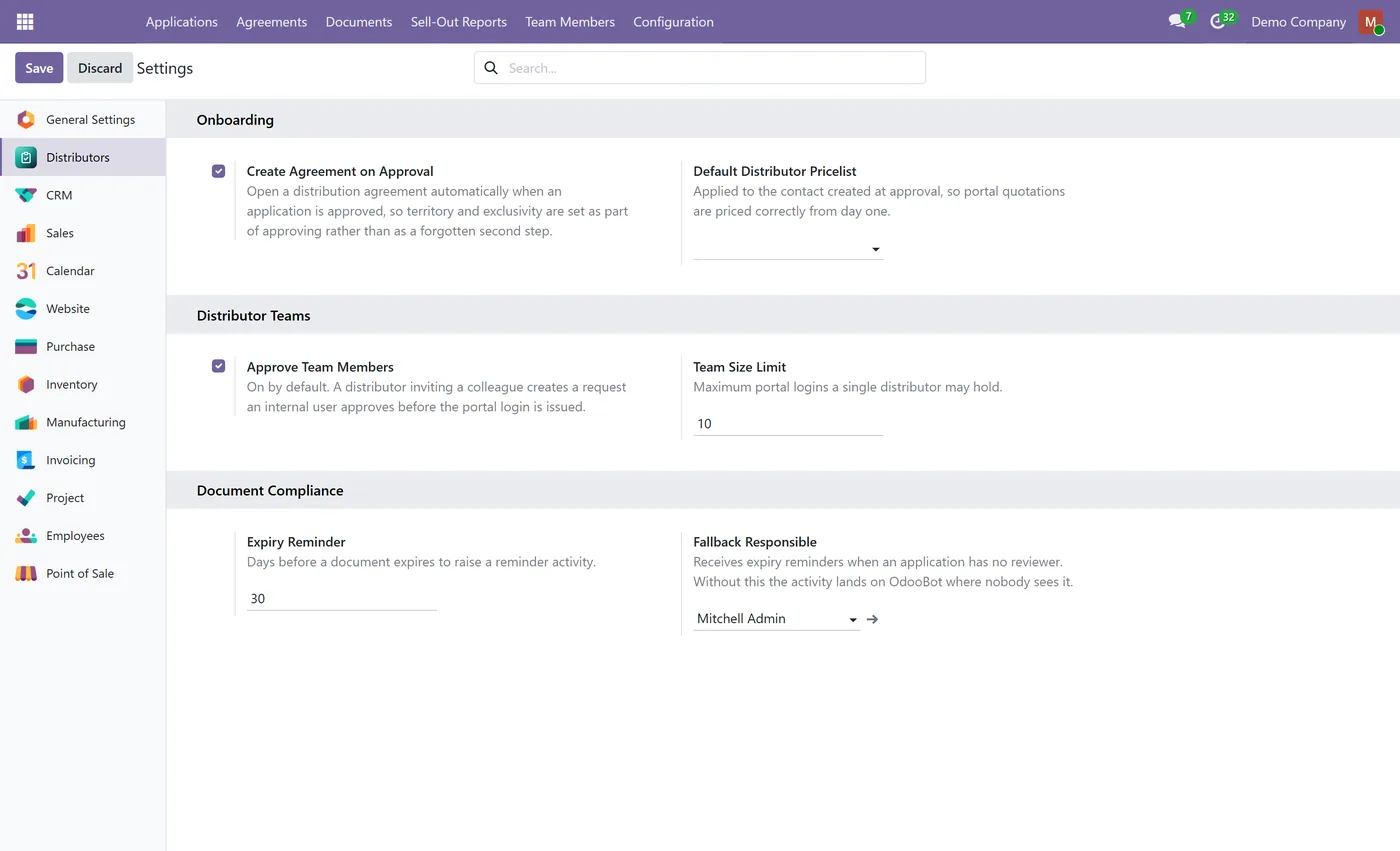
Yes. A distributor admin invites colleagues from the portal, and each invitation can be approved by your team first or granted automatically, depending on a setting. Invited people get their own portal login scoped to that distributor only. Roles split into admin, who can see agreements and manage the team, and member, who can report sell-out and raise quotes. A seat cap limits how many logins one distributor can consume.
What is sell-out reporting and why would I want it?
Sell-out is what your distributor sold to end customers, as opposed to sell-in, which is what you invoiced the distributor. It tells you what real demand looks like downstream of your own invoices. Distributors submit reports from the portal, your team confirms them, and any report can be pushed to the CRM as a lead for the end customer. It is reporting only and never touches stock or accounting, so it does not create a second set of books.
Does the module warn me before a distributor's trade licence expires?
Yes. Document types can require an expiry date and carry their own reminder window. A nightly job moves documents through valid, expiring and expired, and raises an activity on the application's reviewer once per document, so nobody gets a nightly stream of the same reminder. If no reviewer is set, a fallback responsible user can be configured.
Does this work on Odoo Community?
Yes. The app builds on Sales, CRM, Invoicing, Website and Portal, all of which are Community modules, so no Enterprise subscription is required.
Can a distributor see another distributor's data?
No. Every portal facing model is scoped by record rules to the distributor the logged in contact belongs to, and portal writes go through a field level whitelist so a distributor cannot promote themselves, re-point a record at another company, or edit a report your team has already confirmed.
On the Odoo Store
Get Distributor Onboarding Portal on the Odoo Store.
Pick your Odoo version and install it in a click, with free updates and real support behind it.
Get it on the Odoo StoreReady to make Odoo work the way your business does?
Book a free call CODEerts
CODEerts is a team of certified Odoo partners and full-stack engineers. We implement, customise and support Odoo ERP, then build the software around it.

