 CODEerts
Human Resources app for Odoo
Employee Portal Pro
A mobile first employee self service portal your staff can install as an app, built on the standard Odoo portal.
Overview
Employee Portal Pro.
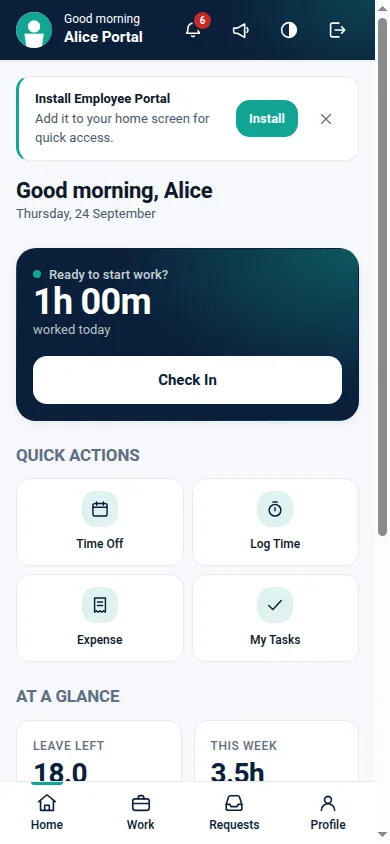
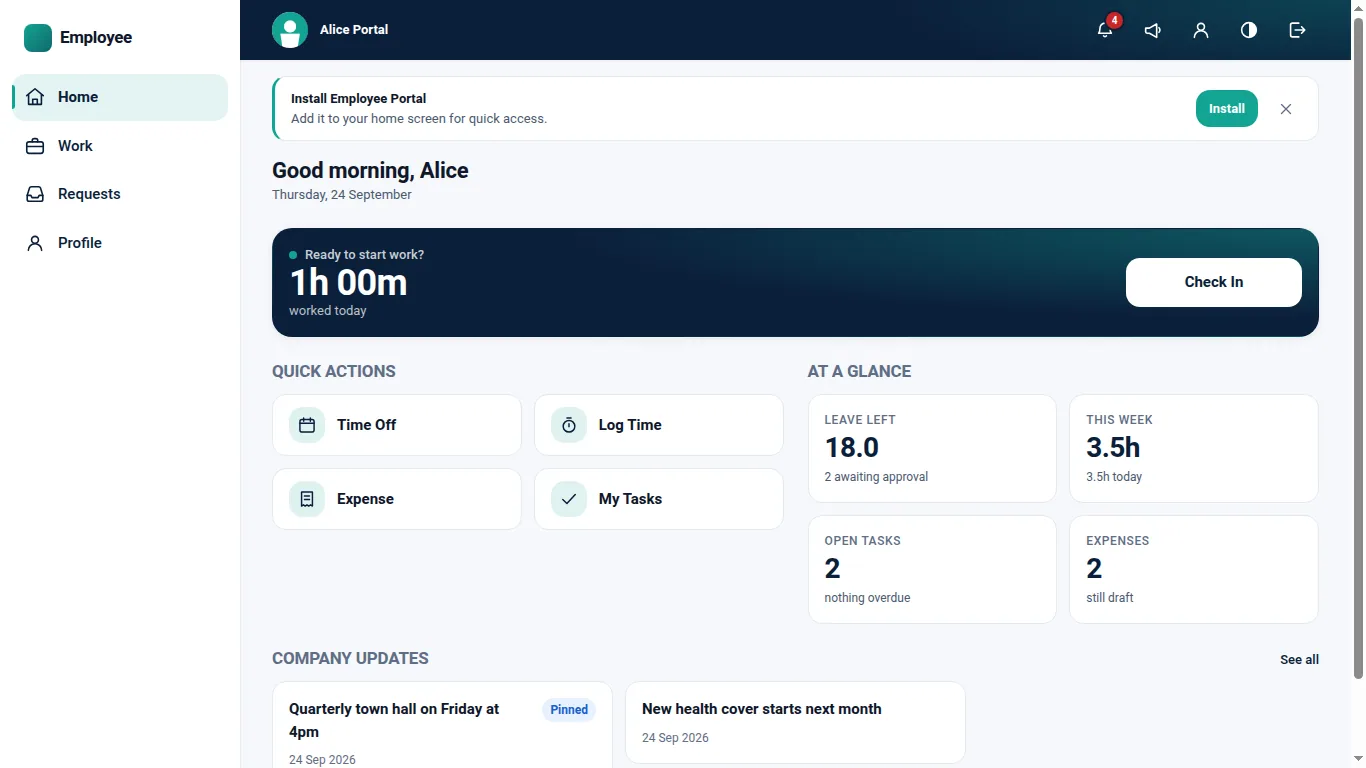
Employee Portal Pro gives every employee a dedicated self service application built on the standard Odoo portal. Employees check in and out, request time off, log time, work their tasks, claim expenses, download their payslips, read their schedule, open the documents HR attached to them and follow company announcements, all from a phone. It is installable as a progressive web app on Android, iOS and desktop, scoped to the employee portal so the installed app opens the portal rather than the Odoo backend, with the application name, icon and theme colour configurable per company. It depends on Portal and Employees only. Attendance, Time Off, Timesheets, Tasks, Expenses, Payslips and Schedule each appear because the matching application happens to be installed, and any missing application can be installed straight from the portal settings page. Every section has its own access group and its own per company switch. Employees remain portal users: the module grants them no access rights on any HR model, resolves the employee from the session, and searches with an ownership domain rather than browsing an id from the URL, so changing an id in the address bar returns nothing. Authenticated HR pages are sent with no store cache headers and the service worker caches only the application shell and an offline notice, so no payslip or HR page is stored on the device. It ships a light and a dark theme, and is one layout rather than a phone build and a separate desktop build: past the desk breakpoint the bottom navigation becomes a side rail and the cards spread into columns.
New to Odoo Employees? Read our practical guide to how it works
How it works
Built around what you actually do.
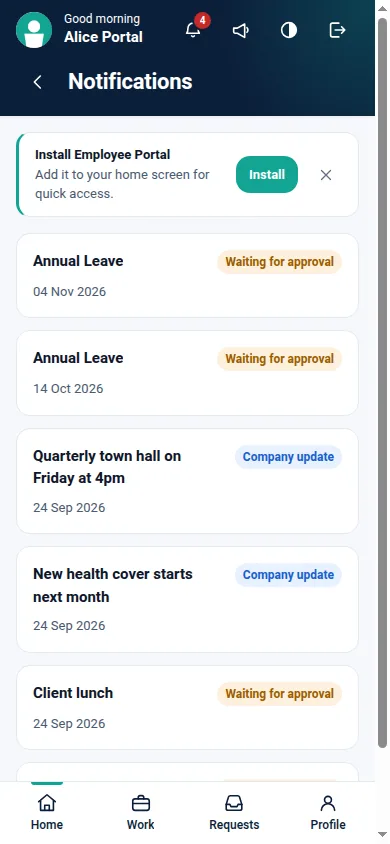
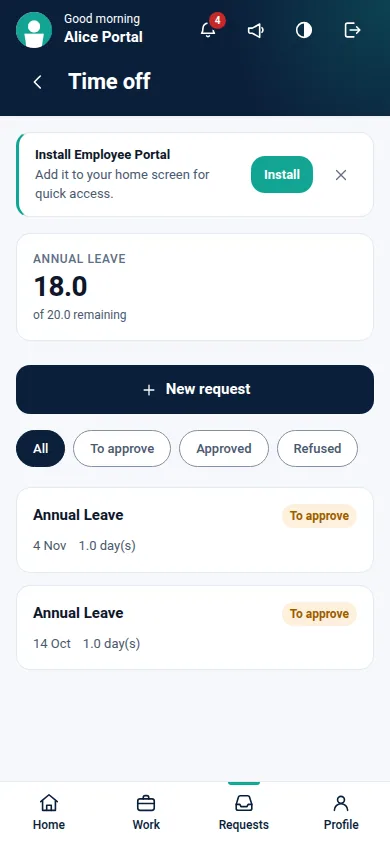
Every screen below is the module running in Odoo, not a mockup.
01
Mobile first employee application on the standard Odoo portal, with bottom navigation
- Installable as a progressive web app on Android, iOS and desktop, scoped to the employee portal
- Employees stay portal users, with no access rights on any HR model
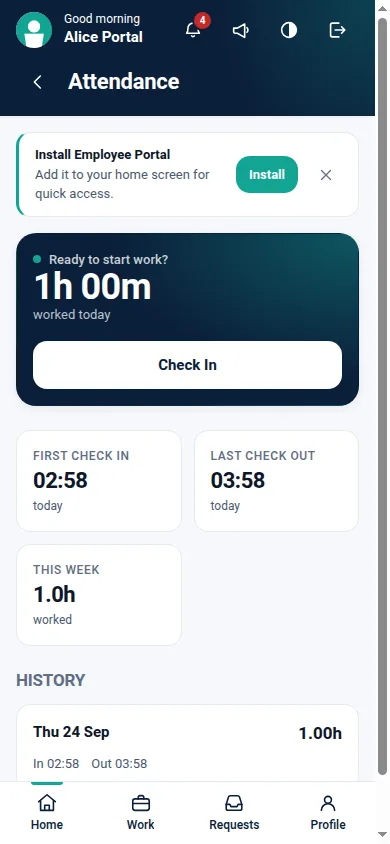
- Attendance check in and check out with optional location capture, day total and history
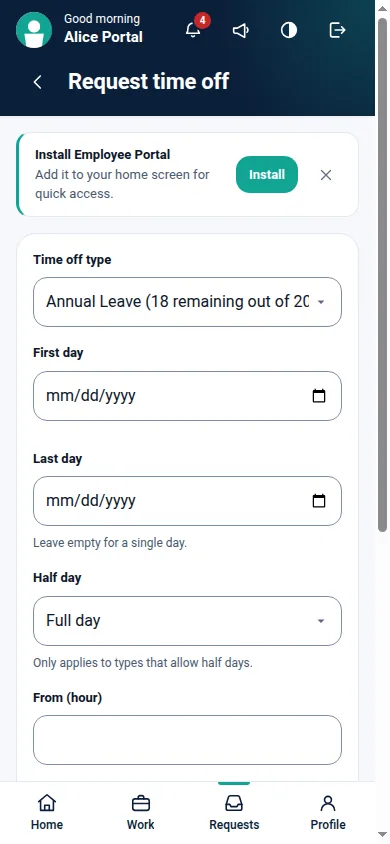
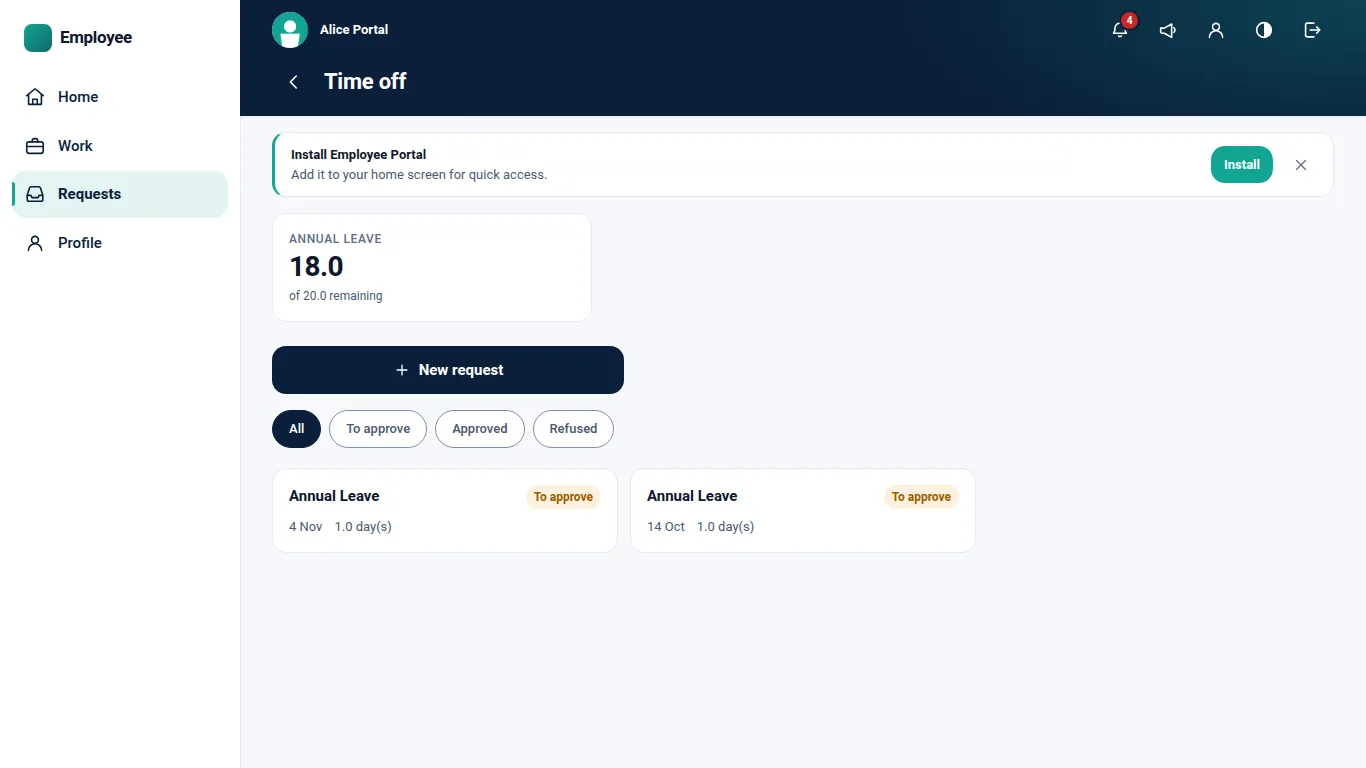
- Time off balances from the standard leave type computation, with request and cancel
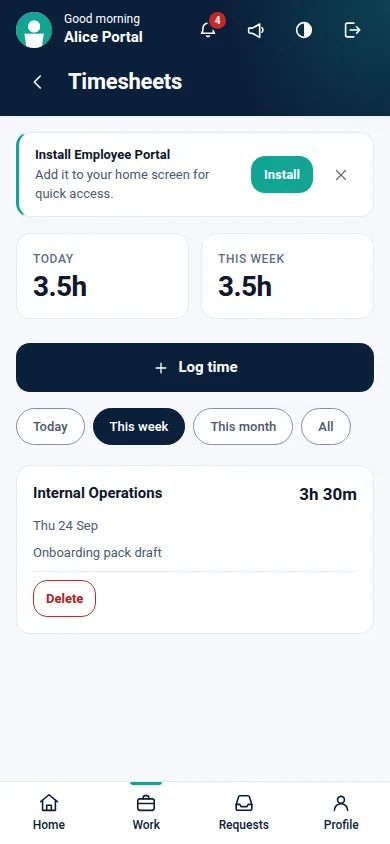
- Timesheet entry with today and this week totals, editable while the line is the employee's own
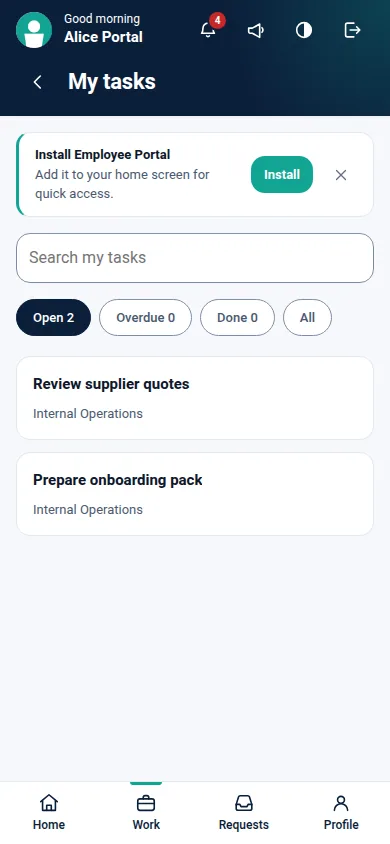
- Assigned tasks with search and filters, comments, time logging and stage changes
02
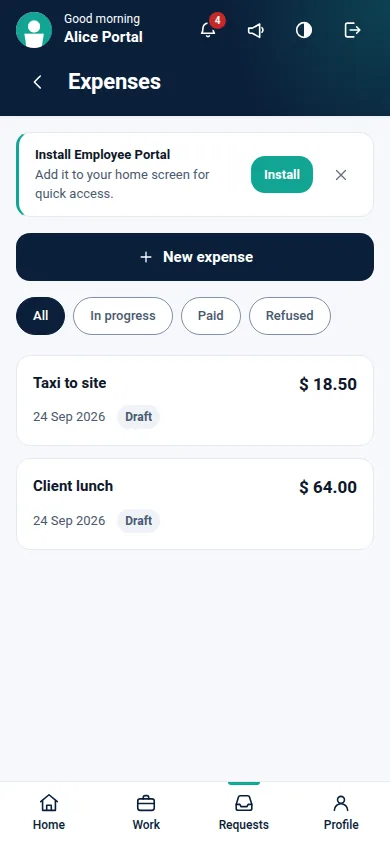
Expense claims with a receipt photographed on the phone, followed through to reimbursement
- Payslip list and PDF download, restricted to the employee's own payslips
- Schedule from Planning, when Planning is installed
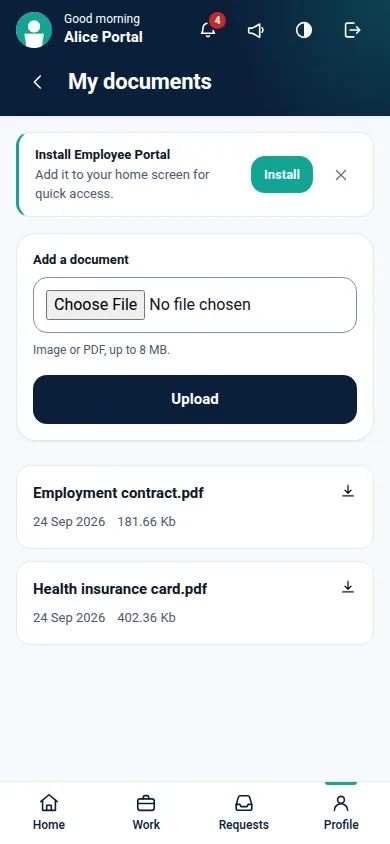
- Documents HR attached to the employee record, with an optional employee upload
- A derived notification feed and badge built from records the employee already owns
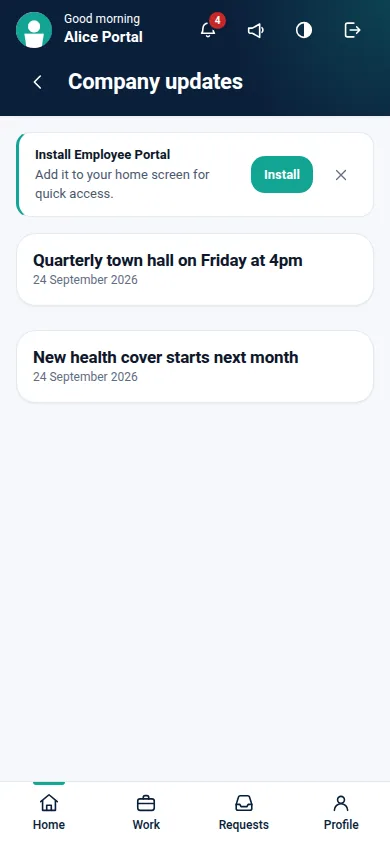
- Company announcements, optionally pinned, scoped to a company
- Per company feature switches, plus a separate access group for each section
03
Install a missing application, such as Planning, directly from the portal settings page
- White label application name, icon and theme colour per company
- A light and dark theme, following the employee's own device setting until they choose one
- One layout from a 320 pixel phone to a desk browser, where the bottom bar becomes a side rail
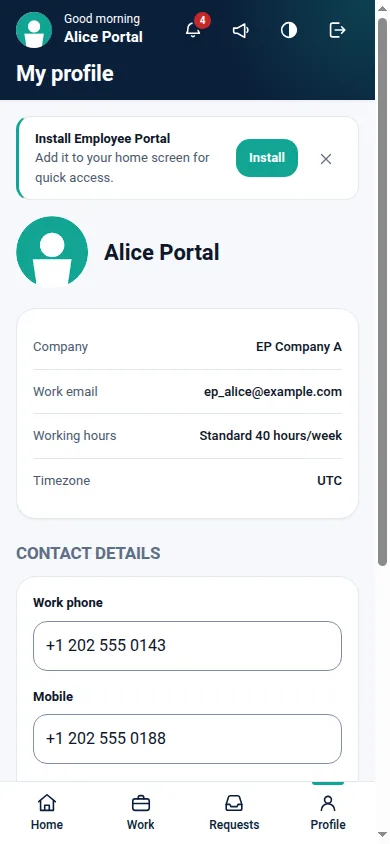
- Multi company switching for an employee who exists in more than one company
Every screen
The whole module, screen by screen.
The captures the walkthrough above did not use, in the order you meet them in the product.
What it does
Employee Portal Pro gives every employee a self service application built on the standard Odoo portal. They check in and out, request time off, log time, work their tasks, claim expenses, download their payslips, read their schedule, open the documents HR attached to them and follow company announcements, all from a phone. It installs as a progressive web app on Android, iOS and desktop, scoped so the installed app opens the employee portal rather than the Odoo backend.
Employees stay portal users. The module grants them no access rights on any HR model, so self service does not mean handing out HR, Project or Payroll rights to make a check in button reachable.
Who it's for
Companies whose staff need attendance, leave, timesheets, expenses and payslips on a phone, without widening HR access to make self service work. Because it is one layout rather than a phone build and a desktop build, the same portal serves field staff on a phone and office staff at a desk. It depends on Portal and Employees only, and runs on Community.
Questions
About Employee Portal Pro.
What access do employees get?
They sign in as portal users. They are never given HR Officer, HR Manager, Payroll or Project access, and the module grants them no access rights on any HR model. Every page resolves the employee from the session and reads only that employee's own records.
What does the module depend on?
Portal and Employees only. Attendance, Time Off, Timesheets, Tasks, Expenses, Payslips and Schedule are optional: each section appears because the matching application is installed, and contributes nothing when it is not.
Does it need Odoo Enterprise?
No. It installs and runs on Community. Payslips need Payroll and Schedule needs Planning, both of which are Enterprise applications, so those two sections appear only on a database that has them.
Can one employee reach another employee's records?
No. No page browses an id taken from the URL. Each one searches with the employee ownership domain applied, so another employee's id returns an empty result, exactly as a missing record does. Automated tests perform that attack on every record type the portal exposes.
Does it cache payslips or HR pages on the device?
No. Authenticated pages are served with no store cache headers, and the service worker caches only the application shell and an offline notice. A browser test inspects the cache after visiting the HR pages to prove none of them was stored.
Does it modify Odoo core?
No. It adds its own models, controllers and templates, inherits where Odoo intends inheritance, and patches nothing.
Is it only usable on a phone?
No. It is built mobile first, but it is one layout rather than two builds. Past the desk breakpoint the bottom navigation becomes a side rail and the cards lay out in columns, on the same routes and the same records, so an employee can move between a phone and a desk mid task. Layout is checked by an automated browser test at 320, 360, 375, 390, 414, 768 and 1366 pixels.
Does it have a dark theme?
Yes, with a toggle in the header. An employee who has never used the toggle follows their own device setting, and one who chooses a theme keeps it. Only the neutral surfaces flip, so a company that sets its own brand colour keeps that colour in both themes. Text and control boundaries were measured against the WCAG AA contrast floors in a real browser, in both themes, at phone, tablet and desk width.
On the Odoo Store
Get Employee Portal Pro on the Odoo Store.
Pick your Odoo version and install it in a click, with free updates and real support behind it.
Get it on the Odoo StoreReady to make Odoo work the way your business does?
Book a free call CODEerts
CODEerts is a team of certified Odoo partners and full-stack engineers. We implement, customise and support Odoo ERP, then build the software around it.

