CODEerts
Productivity app for Odoo
Field Tracking Manager: Track Any Field in Odoo
Switch on change tracking for any field of any Odoo model in one click, without code. Every change is logged in the record chatter with who made it, when, and the old and new value, and one Change History report lists every change for audits.
Overview
Field Tracking Manager: Track Any Field in Odoo.
Odoo only tracks the fields a developer marked in code, so changes to prices, payment terms, customers, quantities or any other field you care about happen without a trace. Field Tracking Manager adds a Track Changes switch to every field in Settings, right under Odoo's own tracking setting. Turn it on and from that moment every change to that field appears in the record chatter, exactly like standard Odoo tracking, with the user, the time, the old value and the new value. A Change History report lists every tracked change across all models, with filters by user, field, model and date and Excel export for auditors. A Tracked Fields list shows which fields are tracked, who switched each one on and when. It uses Odoo's own tracking engine, so there is no patched save method and no extra log table, and fields a user is not allowed to read stay hidden from them.
How it works
Built around what you actually do.
Every screen below is the module running in Odoo, not a mockup.
01
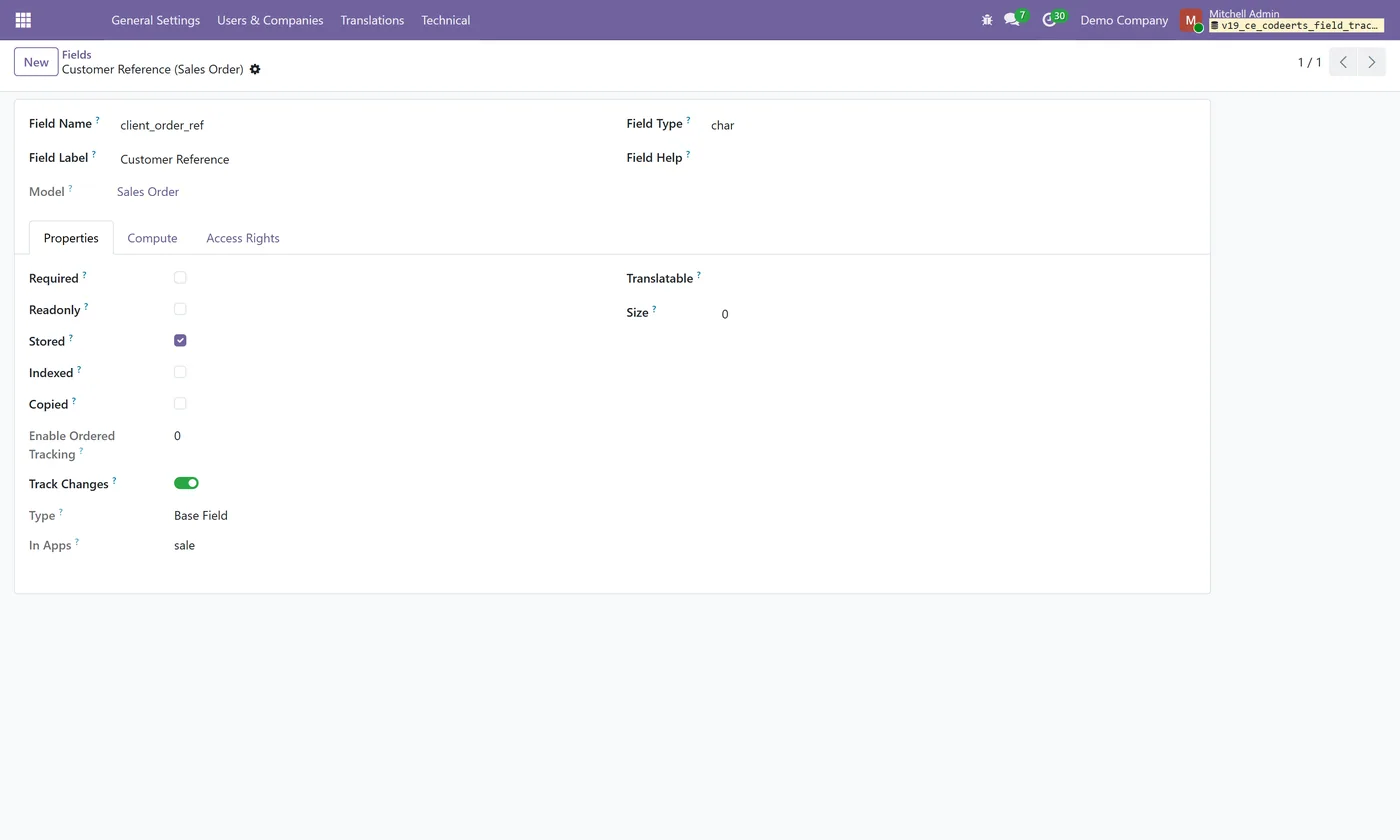
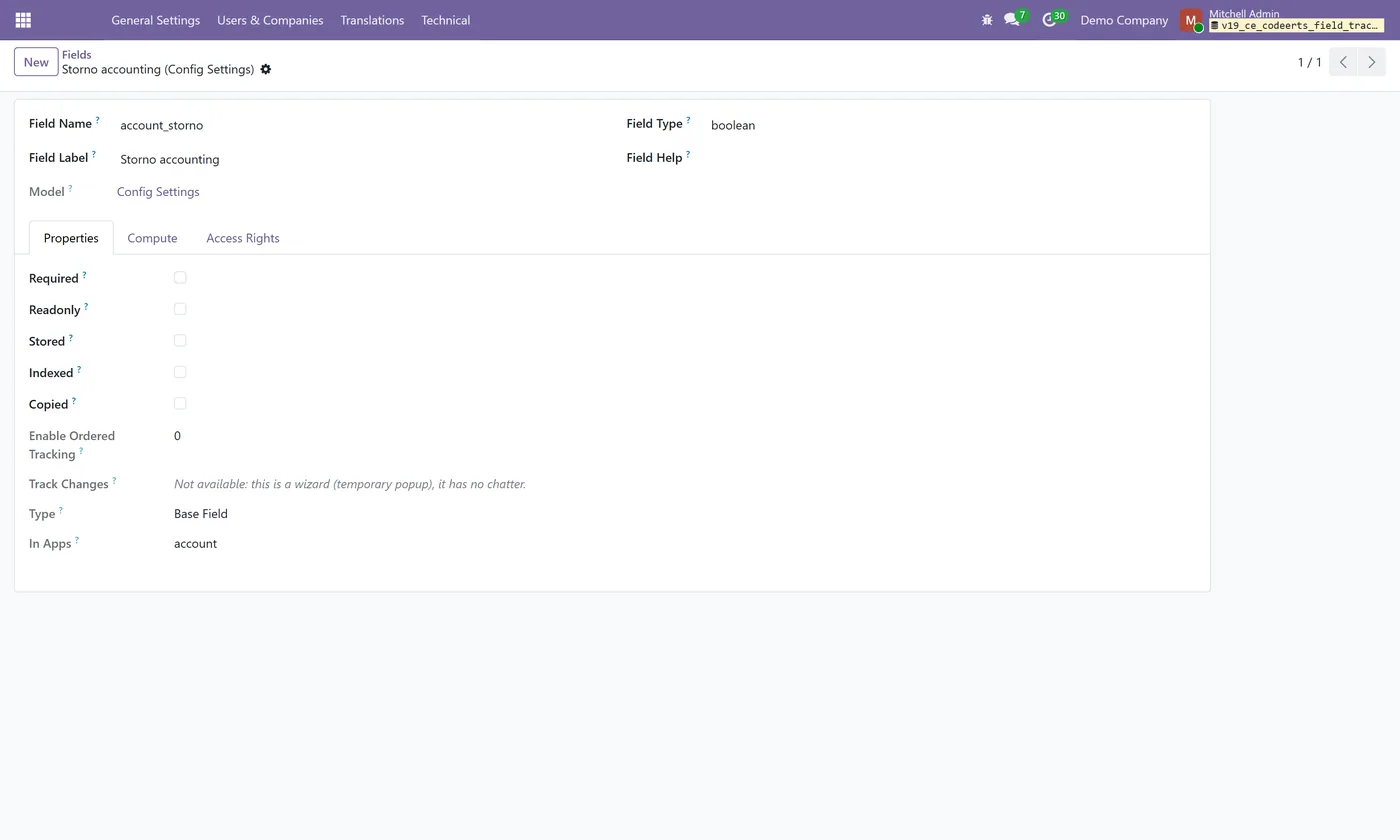
Track Changes switch on every field in Settings, right under Odoo's own tracking setting
- Works on standard fields, not only custom ones, and survives module upgrades
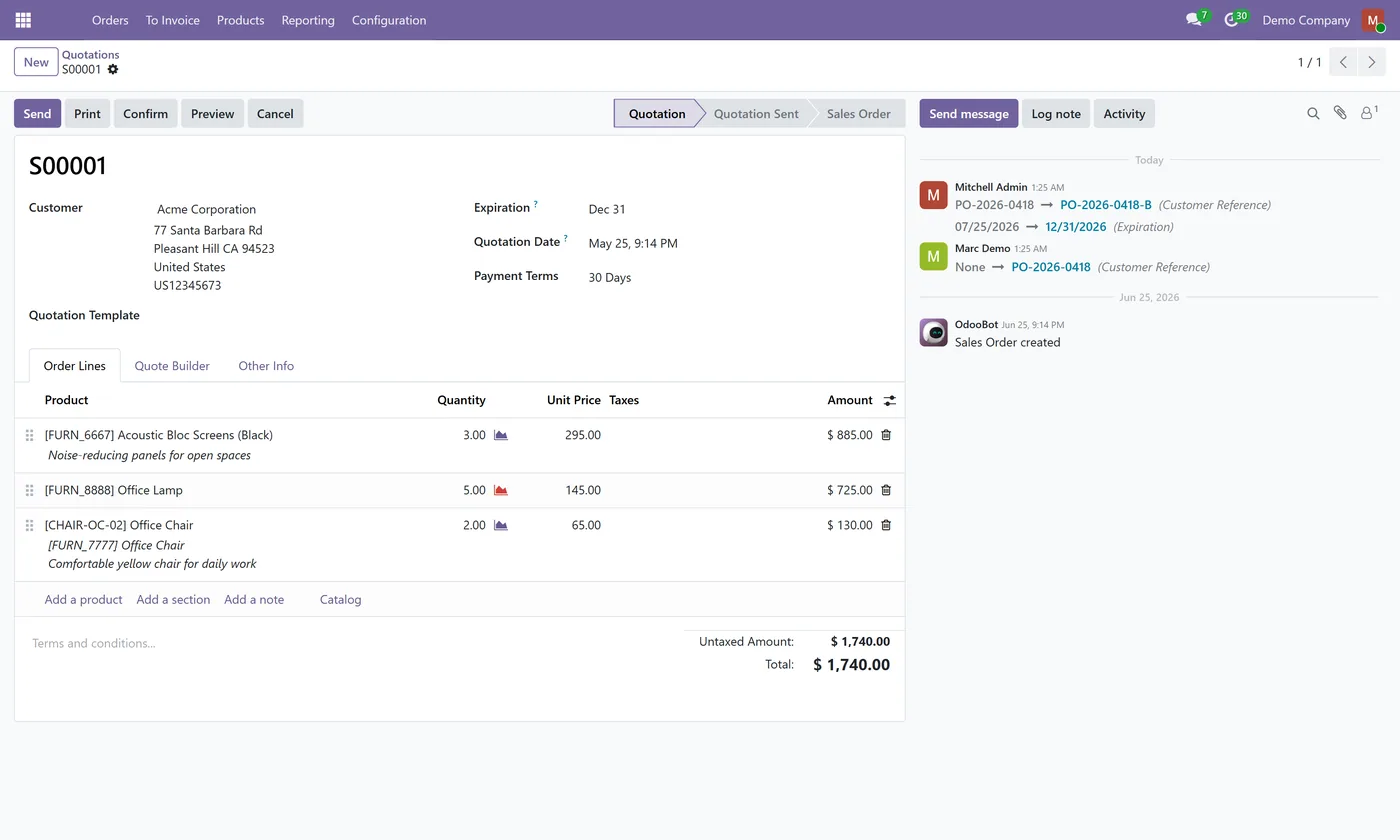
- Changes appear in the record chatter exactly like standard Odoo tracking
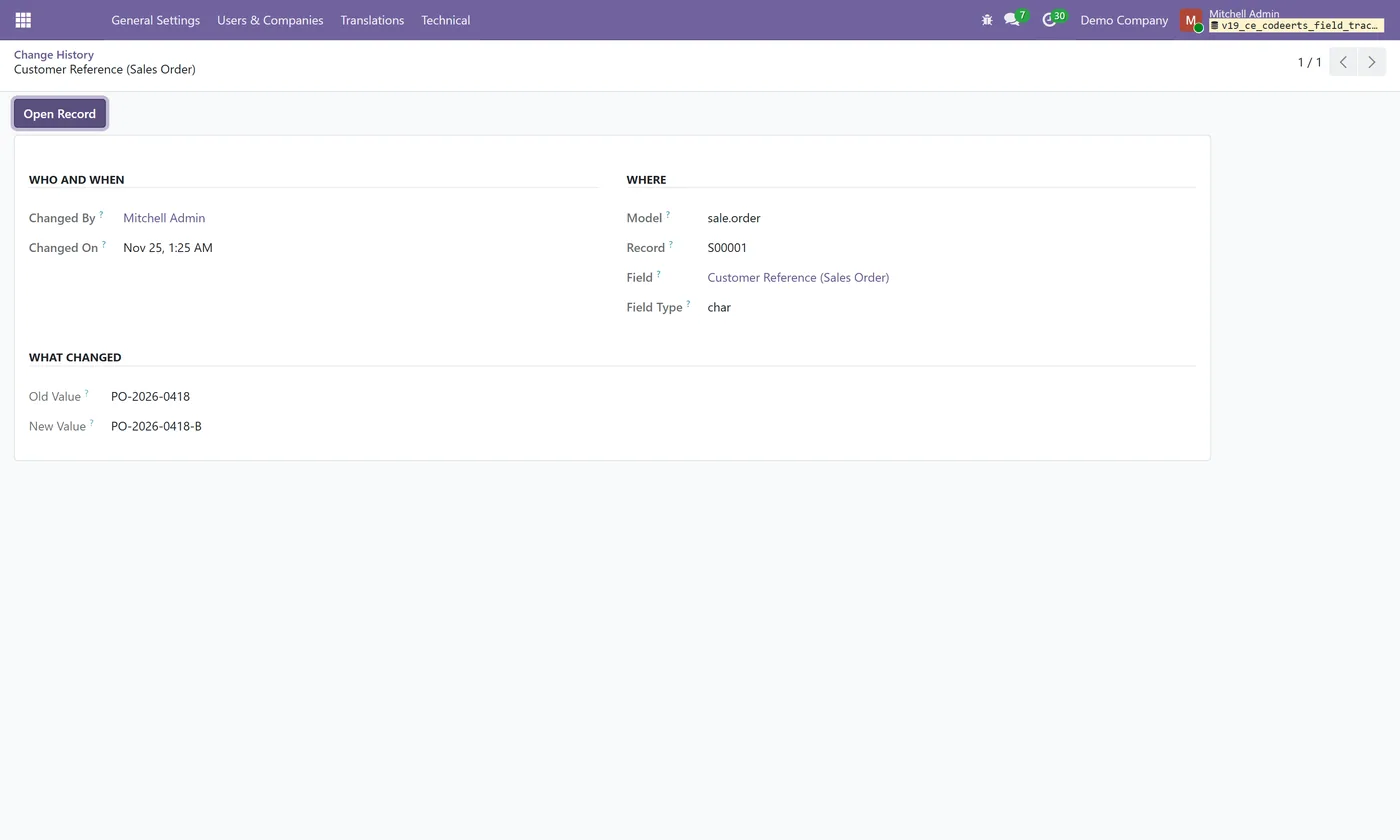
- Who changed it, when, the old value and the new value, for every tracked change
02
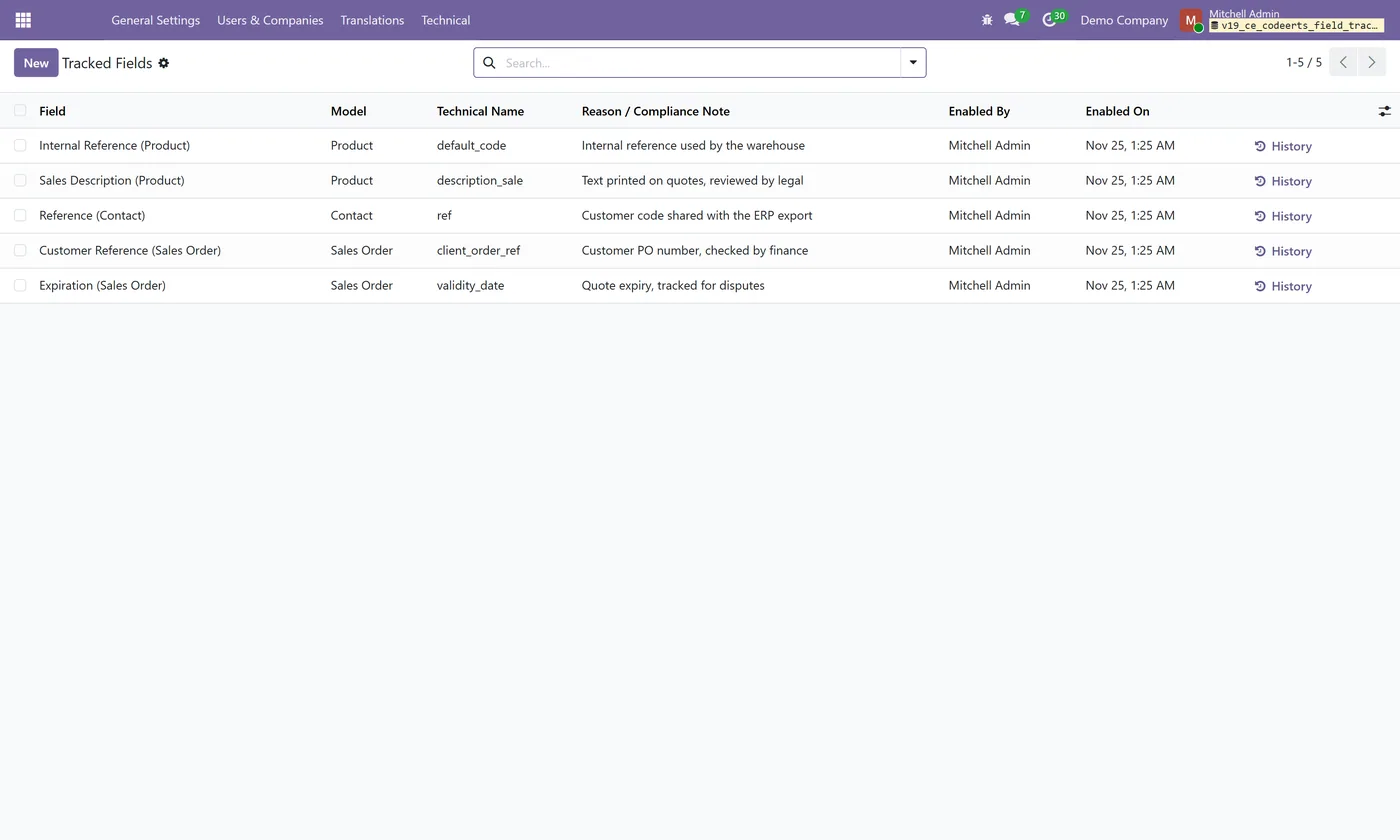
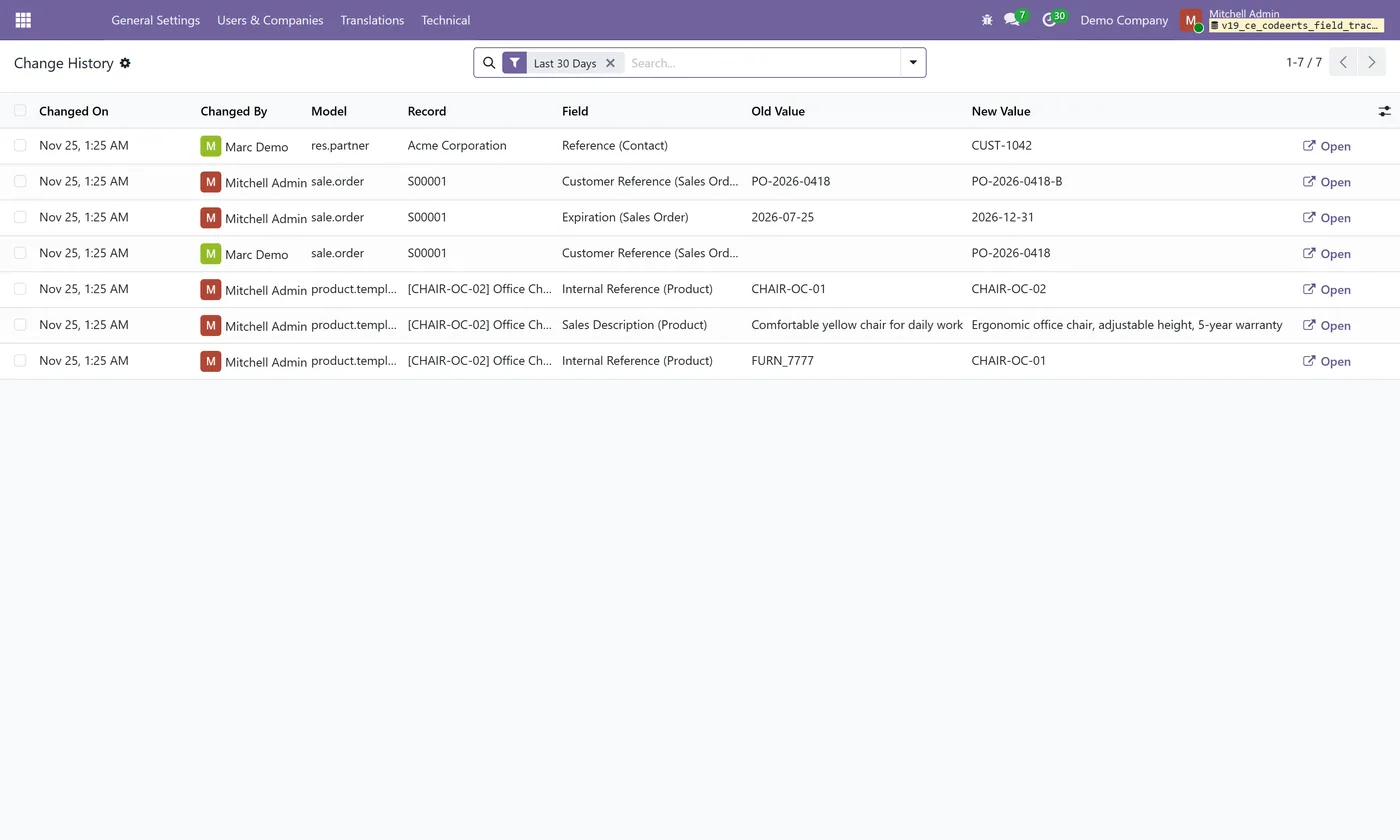
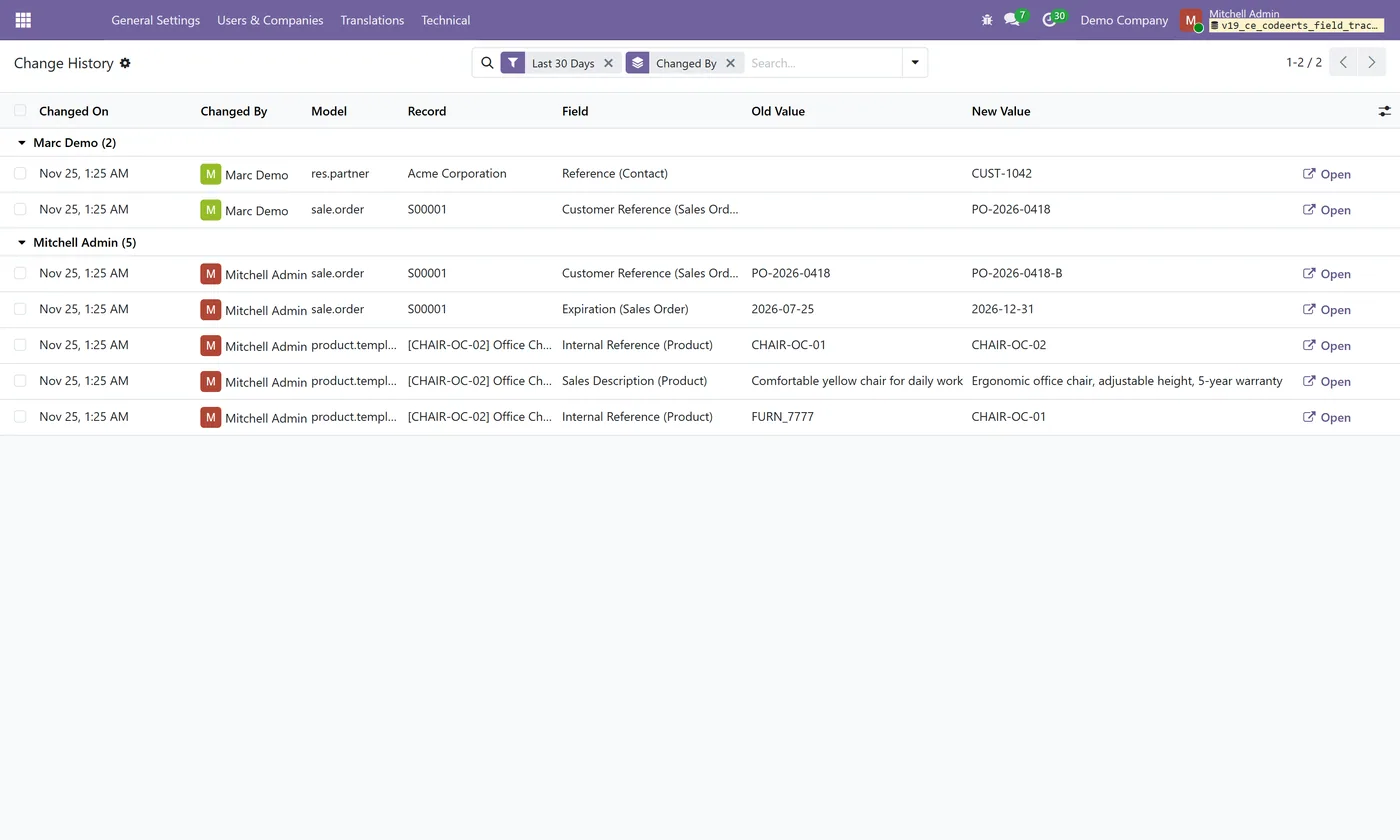
Change History report across all models, with filters by user, field, model and date
- Group by user, field or day and export to Excel for audits
- Tracked Fields list showing which fields are tracked, who switched each one on and when
- Clear reason shown on fields that cannot be tracked, such as wizards or HTML fields
03
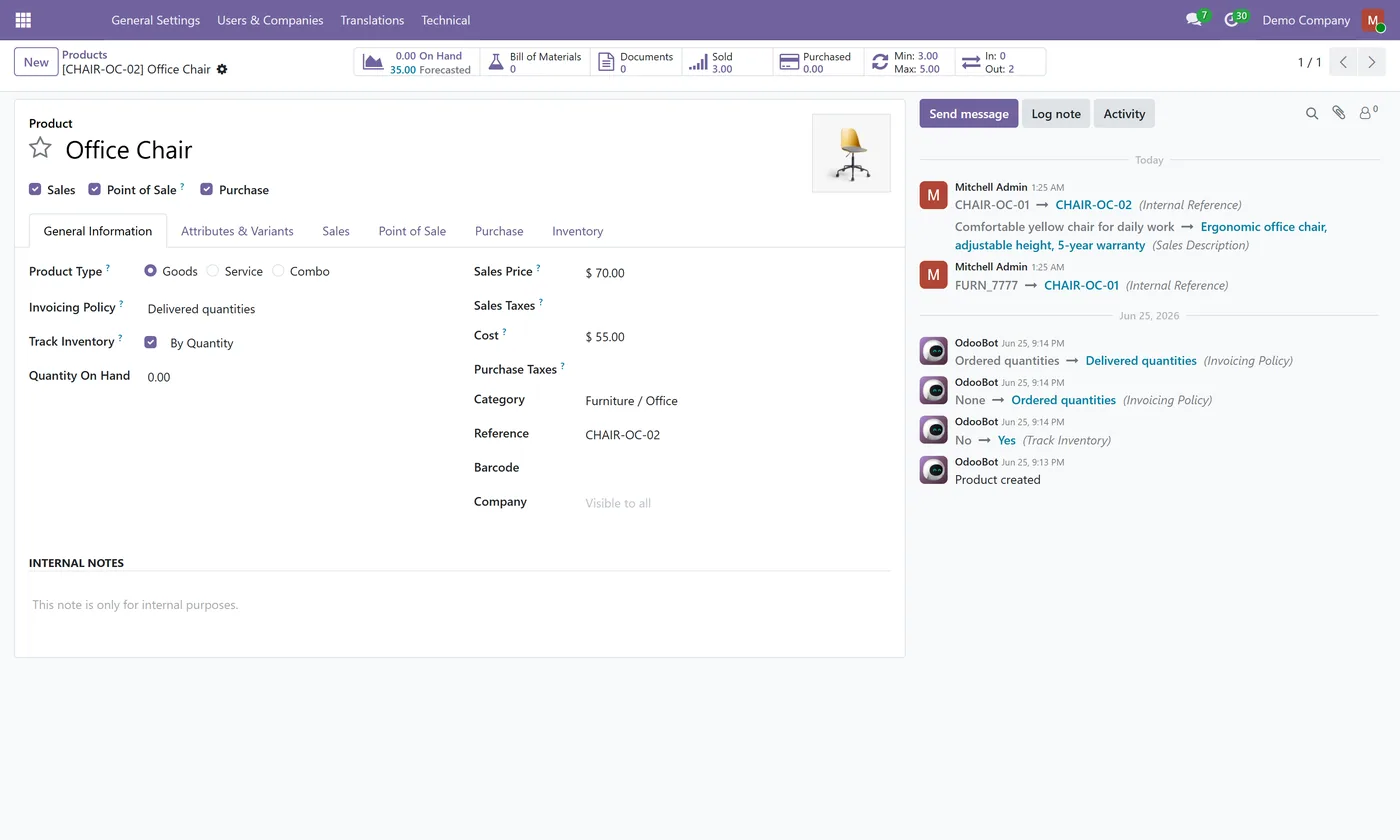
Uses Odoo's own tracking engine, with no patched save method and no extra log table
- Respects field access rights, so users never see values of fields they cannot read
Every screen
The whole module, screen by screen.
The captures the walkthrough above did not use, in the order you meet them in the product.
Field Tracking Manager lets you decide which fields Odoo should keep a history of. Turn tracking on for any field in one click, and every change to it is logged with who made it, when, and what it was before.
What it does
Out of the box, Odoo only tracks the fields a developer marked in code. Prices, payment terms, delivery addresses, quantities and many other fields can change without a trace, and Odoo's own Enable Ordered Tracking setting only works on custom fields. Field Tracking Manager adds a Track Changes switch to every field in Settings, right under that setting. Switch it on and every change to the field appears in the record chatter, exactly like standard Odoo tracking. A Change History report brings every tracked change from every model into one list that auditors can filter by user, field, model and date and export to Excel. A Tracked Fields list shows what is tracked, who switched it on and when.
Who it's for
Finance and operations teams who need to know who changed a price, a payment term or a customer, and when. Companies preparing for an ISO, SOX or internal audit that need a change history on key fields. Odoo administrators who are asked "can we see who changed this?" and want to answer yes without writing code or waiting for a developer.
Questions
About Field Tracking Manager: Track Any Field in Odoo.
How do I track changes on a field in Odoo without writing code?
Install Field Tracking Manager, turn on developer mode, open Settings, Technical, Fields and open the field. Switch on Track Changes and save. From then on every change to that field is logged in the record chatter with the user, the time, the old value and the new value.
Odoo already has an Enable Ordered Tracking setting. Why is this needed?
That setting only takes effect on custom fields. On standard fields Odoo ignores it and resets it on every module upgrade, because their tracking is defined in code. Field Tracking Manager makes any standard field trackable and keeps the setting through upgrades.
Where can I see who changed what?
Each change appears in the chatter of the record. For audits, Settings, Technical, Change History lists every tracked change across all models with the user, date, model, record, field, old value and new value, and you can filter, group and export it to Excel.
Which fields can be tracked?
Stored fields of any model that has a chatter: text, numbers, amounts, dates, yes or no fields, selections and links to other records, including many2many tags. Wizards, HTML, binary and technical fields cannot be tracked, and the field form shows the reason instead of the switch.
Does it slow Odoo down or add a large log table?
No. It plugs into Odoo's own tracking engine, so a tracked change is stored the same way as standard Odoo tracking. There is no patched save method and no extra log table, and fields you do not track are not touched.
Can users see changes to fields they are not allowed to read?
No. Odoo's field access rules still apply, so a user who cannot read a field does not see its tracked values in the chatter. Switching tracking on and the Change History report are reserved for administrators.
Which Odoo versions are supported and does it work on Community?
It works on both Community and Enterprise. Use the version selector at the top of this page to pick your Odoo release, since each branch is published as its own listing for that exact version.
On the Odoo Store
Get Field Tracking Manager: Track Any Field in Odoo on the Odoo Store.
Pick your Odoo version and install it in a click, with free updates and real support behind it.
Get it on the Odoo StoreReady to make Odoo work the way your business does?
Book a free call CODEerts
 is a team of certified Odoo partners and full-stack engineers. We implement, customise and support Odoo ERP, then build the software around it.