 CODEerts
Human Resources app for Odoo
Fleet Dashboard
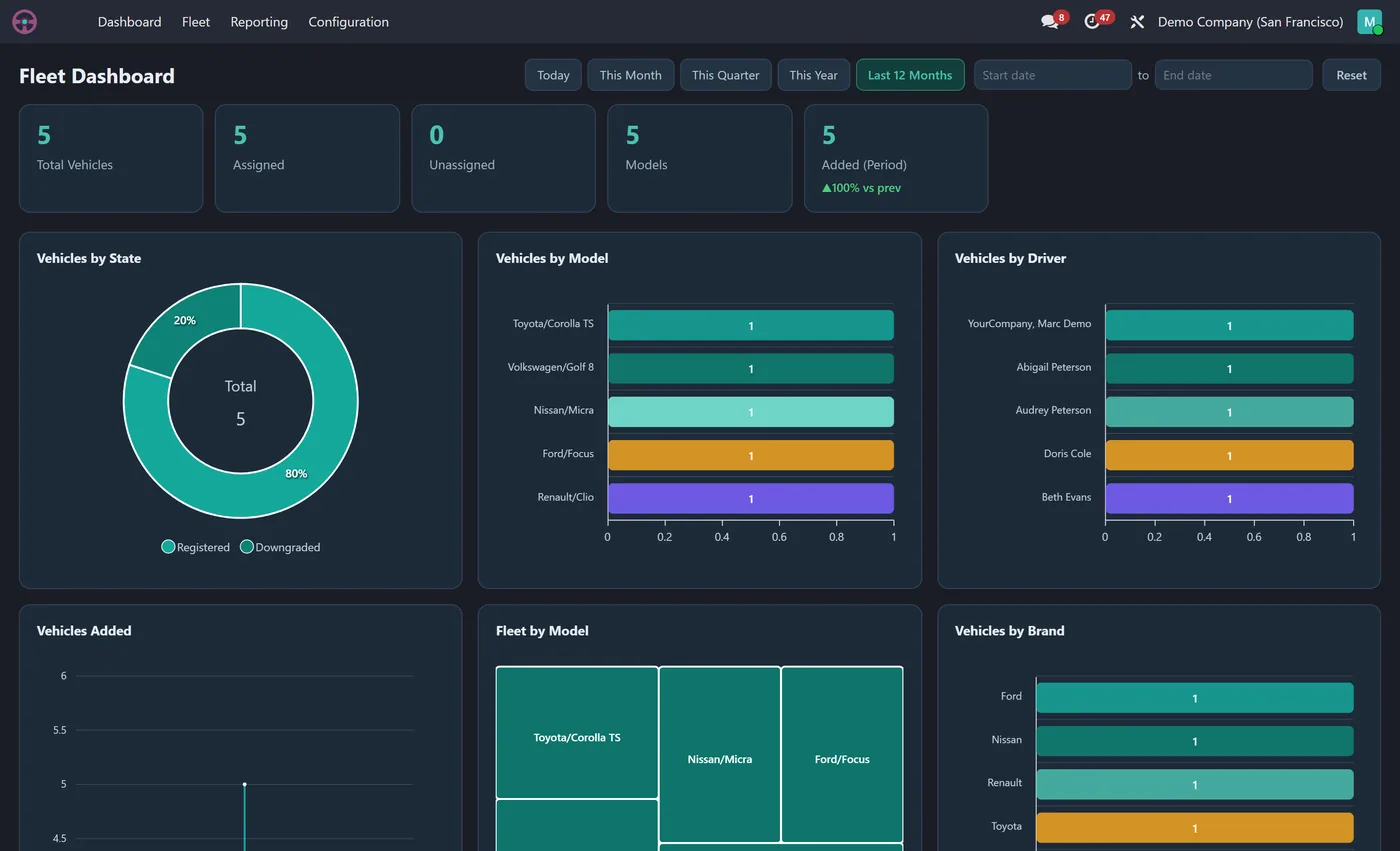
Interactive Fleet dashboard inside the Fleet app: total vehicles, assigned and unassigned, vehicles by state, model and driver, and vehicles-added trends with dynamic filters.
Overview
Fleet Dashboard.
Fleet Dashboard puts your whole fleet on the first screen of the Fleet app. Total vehicles, assigned and unassigned, distinct models and vehicles added in the period sit across the top as clickable KPI tiles. Eight interactive charts show vehicles by state, model, brand, fuel type and driver, vehicles added over time and an assigned rate gauge. Pick any date range and every chart updates together.
New to Odoo Employees? Read our practical guide to how it works
How it works
Built around what you actually do.
Every screen below is the module running in Odoo, not a mockup.
01
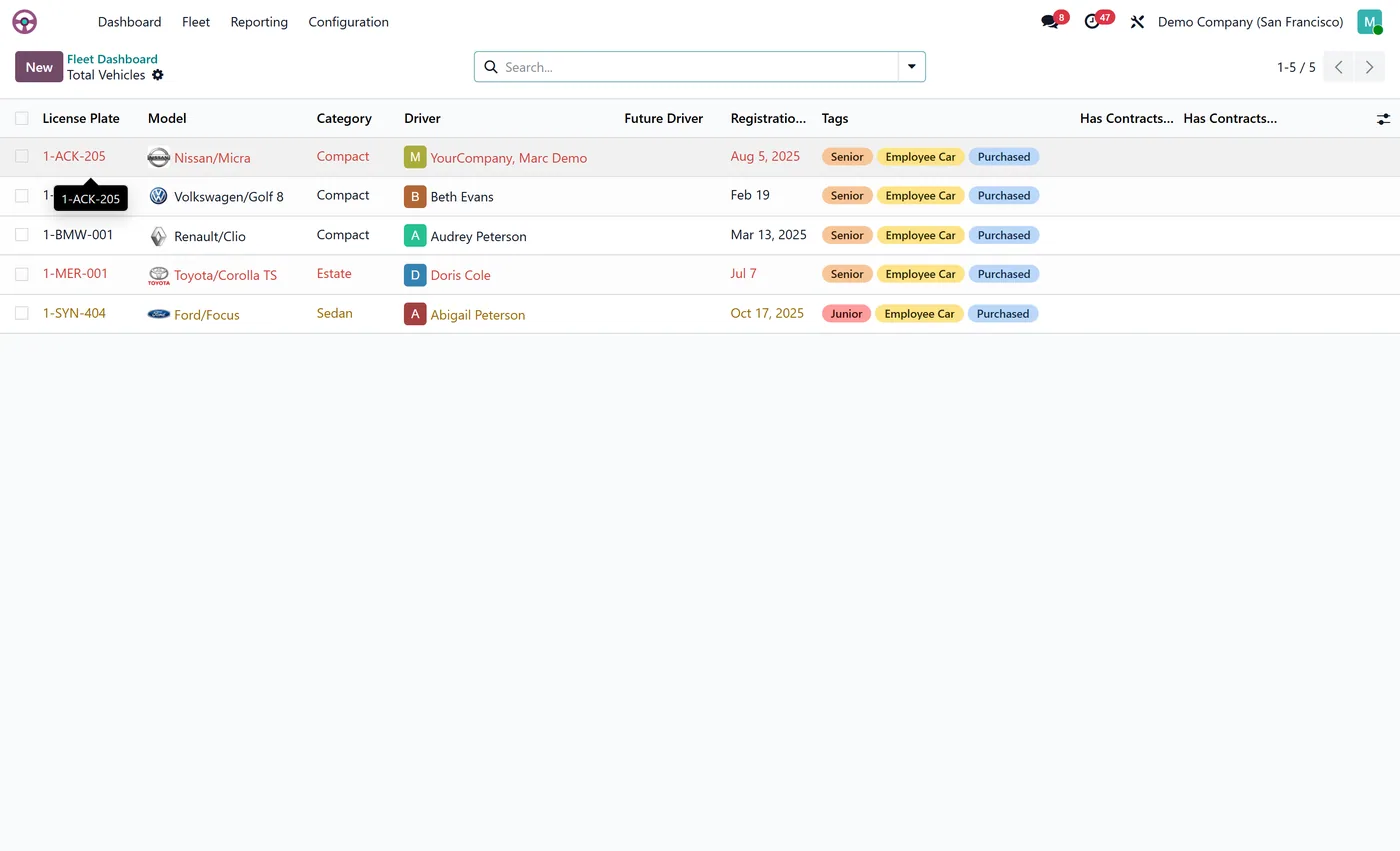
Live KPI tiles for total vehicles, assigned, unassigned and more
- 8 interactive charts including vehicles by state, vehicles by model and vehicles by driver
Standard across the suite
How every CODEerts dashboard behaves.
These are not this module's selling points, they are the baseline every dashboard we publish shares. Listed so you know what you get, not to pad the page.
Vehicles, drivers and models, live, the moment you open Fleet.
What it does
Fleet Dashboard puts your whole fleet on the first screen of the Fleet app. Total vehicles, assigned and unassigned, distinct models and vehicles added in the period sit across the top as clickable KPI tiles.
Eight interactive charts show vehicles by state, model, brand, fuel type and driver, vehicles added over time and an assigned rate gauge. Pick any date range and every chart updates together.
Assigned against unassigned is the cost question
An unassigned vehicle still costs you insurance, depreciation, tax and often finance. So the assigned against unassigned split is not an administrative detail, it is the utilisation number, and a fleet with a steady unassigned count is a fleet carrying vehicles it does not need.
Vehicles by model tells you how consistent the fleet is, which drives maintenance and parts cost more than most fleet managers expect. Vehicles by driver surfaces the pooling that grew by accident rather than by design.
Who it's for
Fleet and operations managers responsible for vehicles in Odoo, and the finance person who signs off the fleet budget. It suits companies past the point where the fleet is small enough to hold in your head, roughly a dozen vehicles up, where the question has shifted from "where is the van" to "do we need all of these".
Questions
About Fleet Dashboard.
How do I see my whole fleet on one screen in Odoo?
Install Fleet Dashboard. It adds a Dashboard as the first item in the Fleet app with live KPIs for total, assigned and unassigned vehicles, plus eight charts by state, model, brand, fuel type and driver.
Do I need to set anything up for the Odoo fleet dashboard?
No. Just install it and it appears as the first item inside the Fleet app. It reads your existing vehicles, models, brands, fuel types and drivers straight away, so the KPIs, the by state and by driver charts and the assigned rate gauge are ready with no configuration.
Can I run the Odoo Fleet dashboard on Community, or does it need Enterprise?
It works on both. Odoo's Fleet app ships in Community, so the dashboard runs on a standard Community install with no Enterprise subscription. It is maintained for the current major Odoo versions; use the version selector on this page to pick your release.
Why does the unassigned vehicle count matter?
An unassigned vehicle still costs insurance, depreciation, tax and often finance. A steady unassigned count means you are carrying vehicles you do not need, which is a budget conversation rather than an administrative one.
Do I need to configure anything after installing?
No. It reads the vehicles, drivers and models already in your Fleet app and appears as the first item in that app's menu. There is nothing to map and no separate data entry.
On the Odoo Store
Get Fleet Dashboard on the Odoo Store.
Pick your Odoo version and install it in a click, with free updates and real support behind it.
Get it on the Odoo StoreReady to make Odoo work the way your business does?
Book a free call CODEerts
CODEerts is a team of certified Odoo partners and full-stack engineers. We implement, customise and support Odoo ERP, then build the software around it.

