CODEerts
Inventory app for Odoo
Month-End Stock Count
One count sheet per location per month, counted by lot and posted on the month end.
Overview
Month-End Stock Count.
Run your monthly stock take in Odoo as one count sheet per internal location. Counters type what is on the shelf, count lot-tracked products lot by lot with their expiry, and see the live system quantity and difference while they count. Submit freezes the figures, a manager validates, and the standard Odoo inventory adjustment posts in the background dated the last day of the month.
New to Odoo Inventory? Read our practical guide to how it works
How it works
Built around what you actually do.
Every screen below is the module running in Odoo, not a mockup.
01
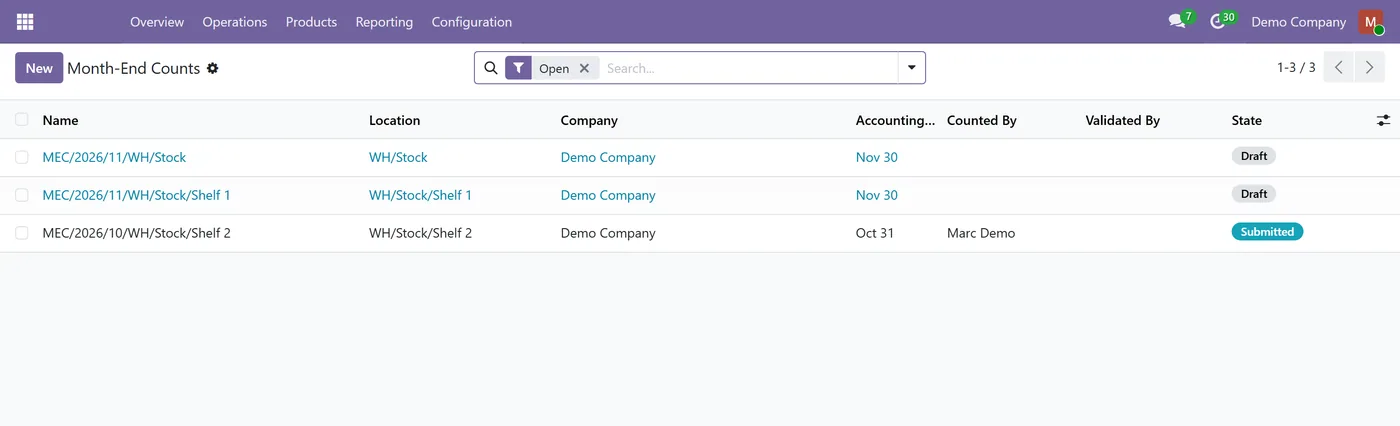
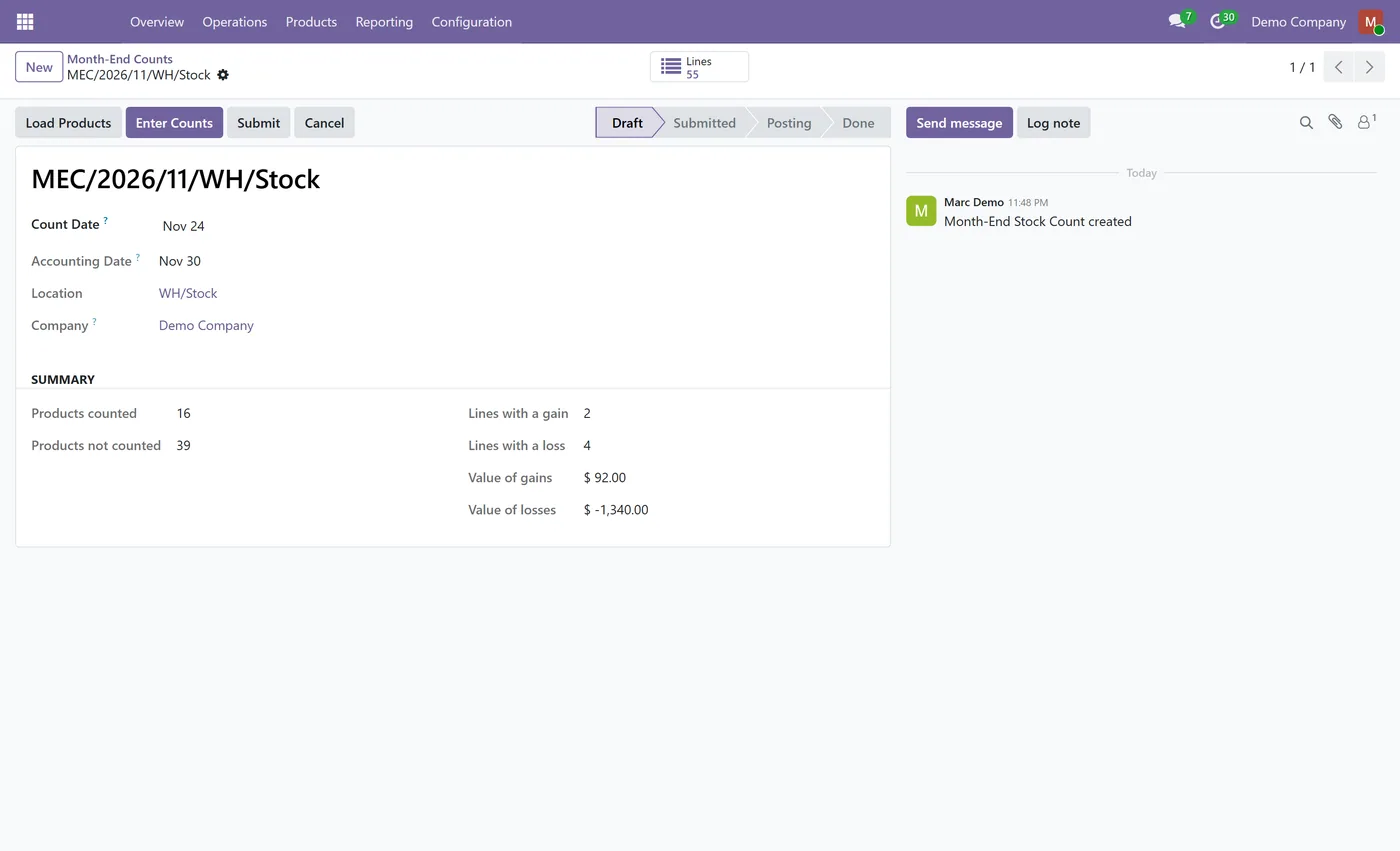
One count per internal location per month, numbered by month and location
- Any count date in the month posts on the last day of that month
- Load Products fills the sheet with every storable product plus anything stocked at the location
- Blank means not counted, 0 means counted zero, so nothing uncounted is wiped
- Live system quantity and difference while the count is in draft
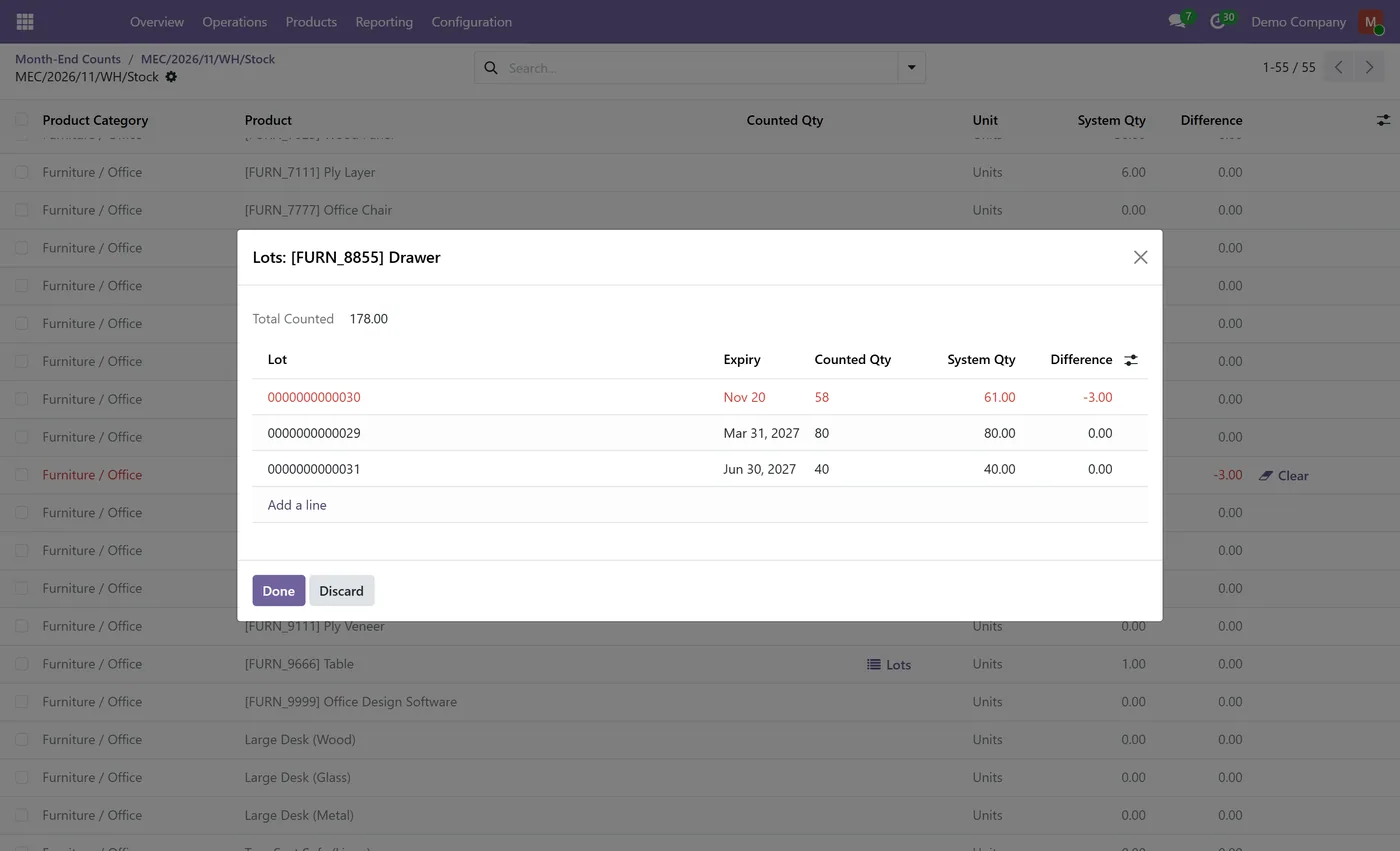
- Lots window per product: count each lot with its expiry shown, add a lot found on the shelf, or record lot-less stock
- Lots expired by the month end are highlighted while counting
02
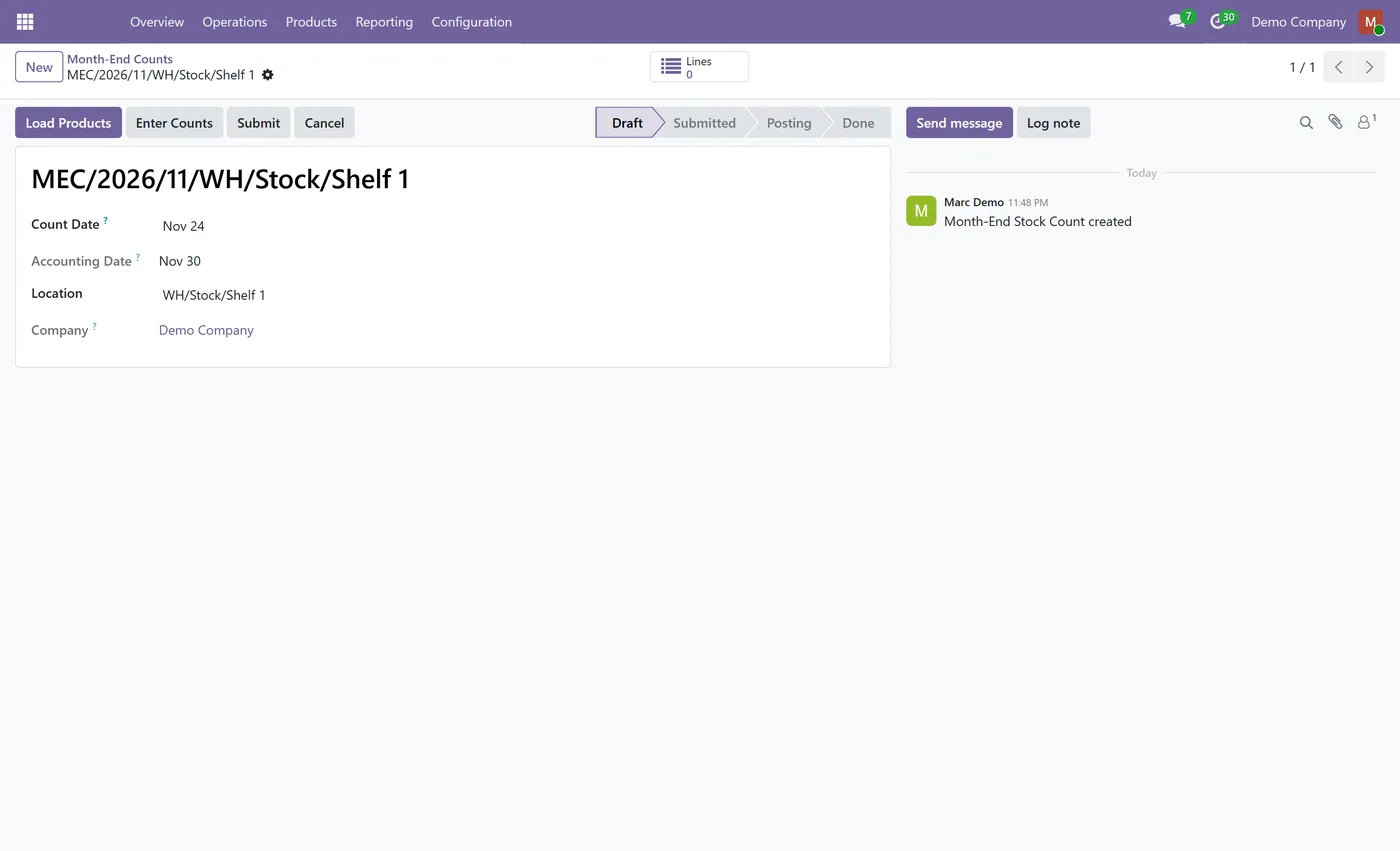
Submit freezes the system figure and the counted quantities
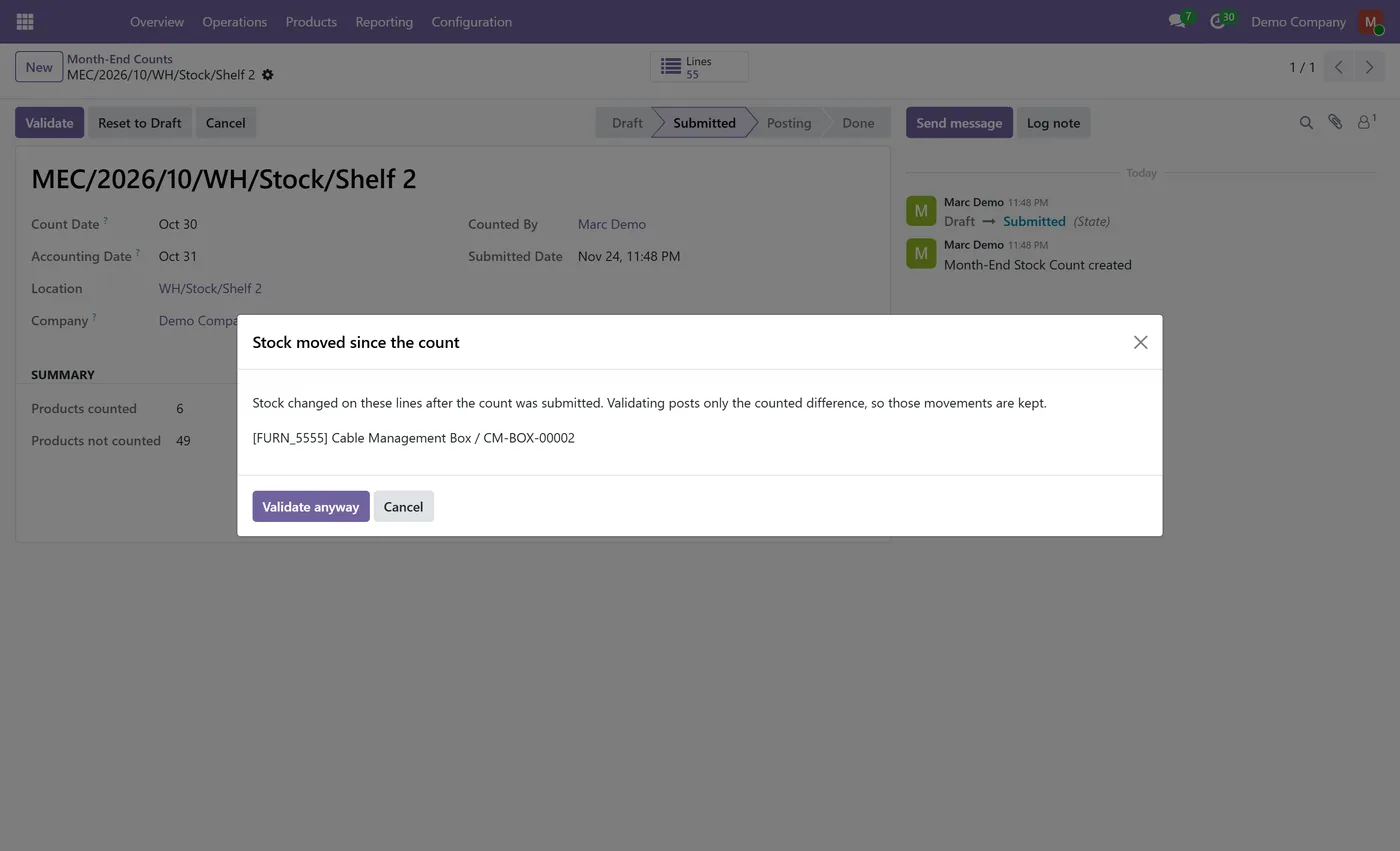
- Manager validation with a warning when stock moved after Submit
- Only the counted difference is posted, so movements made after Submit are kept
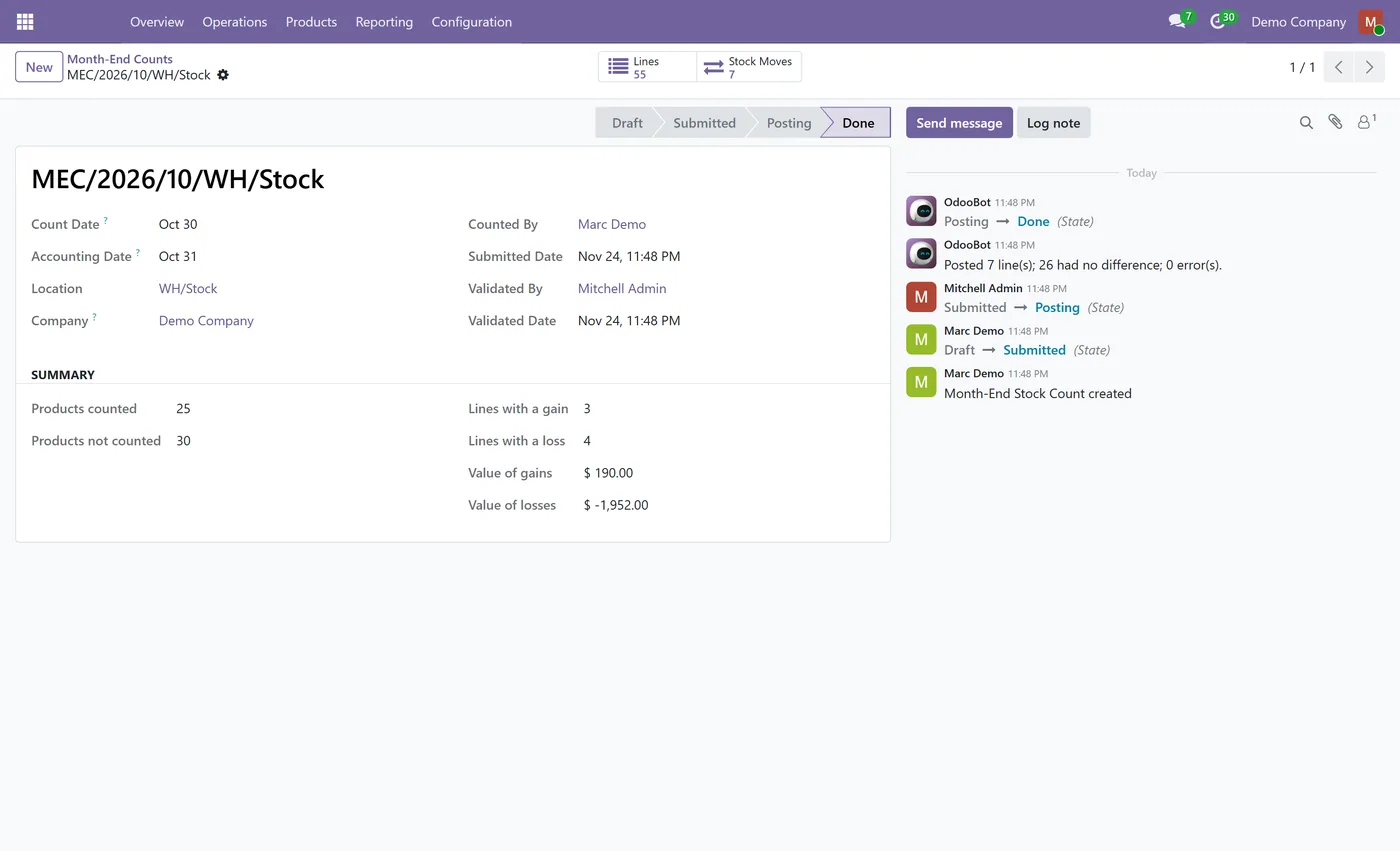
- Standard Odoo inventory adjustment, posted in the background by a scheduled action
- Refuses to post into a locked accounting period
- Posting errors stay on their lines, with a retry for the failed ones
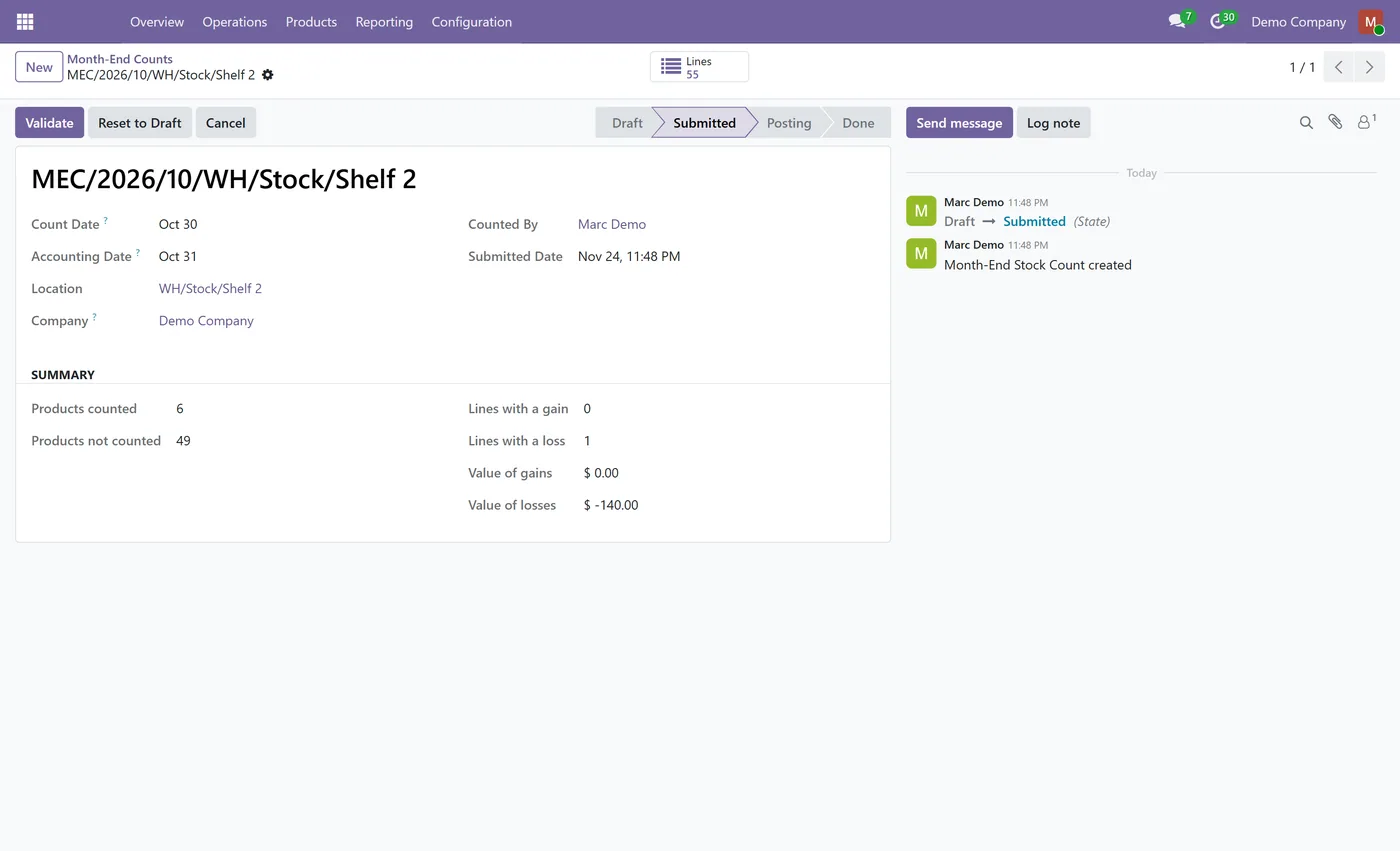
- Summary of counted, not counted, gains and losses, with values for managers
03
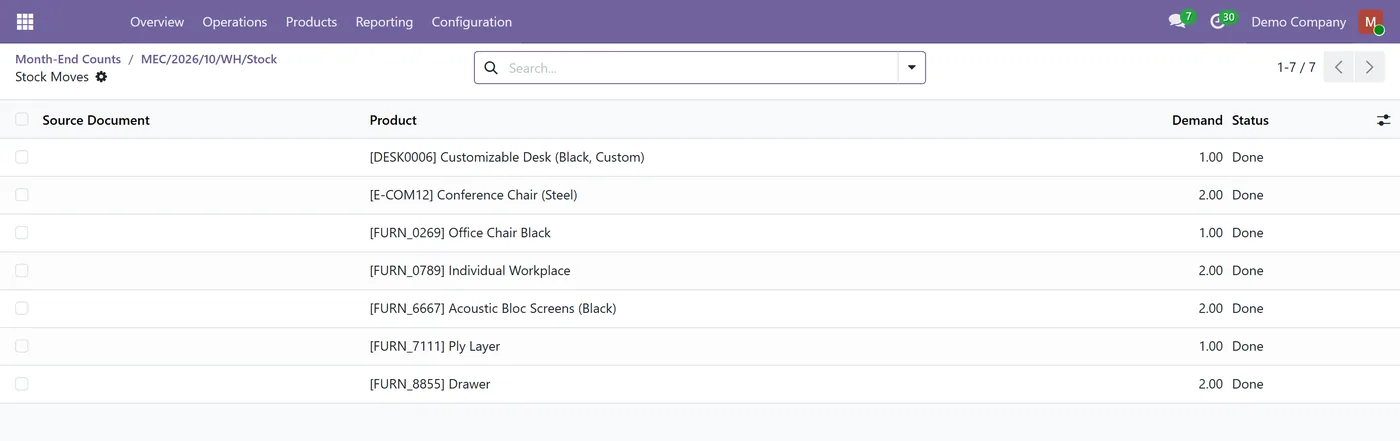
Stock moves and journal entries one click away from the count
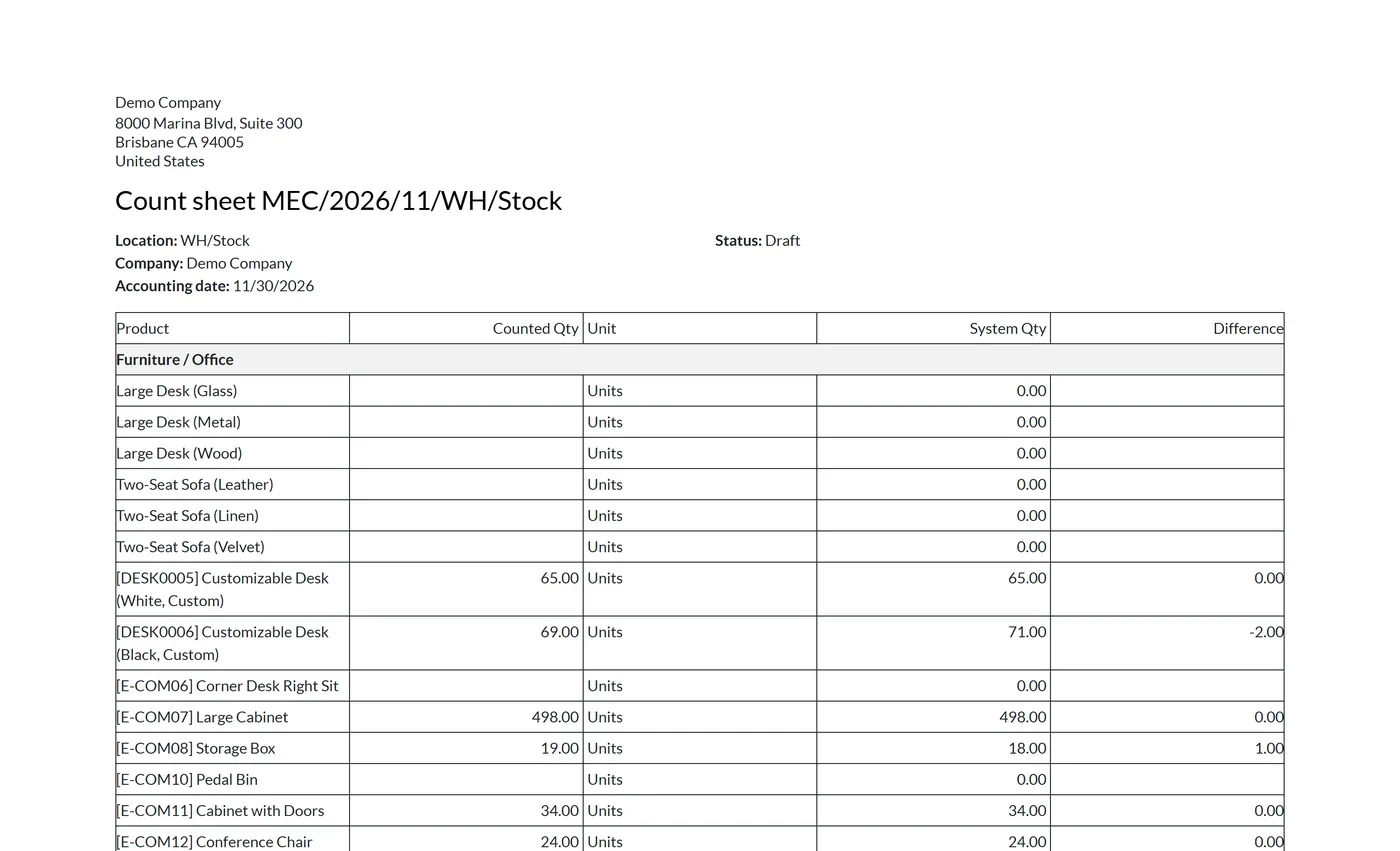
- PDF count sheet and Excel export from the Action menu
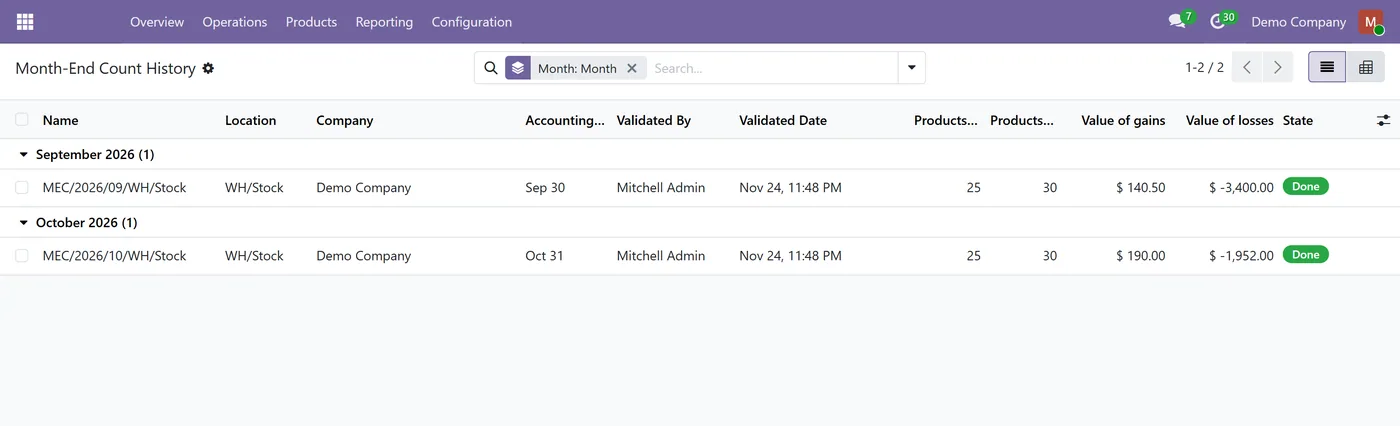
- Count history with list and pivot by month, location and company
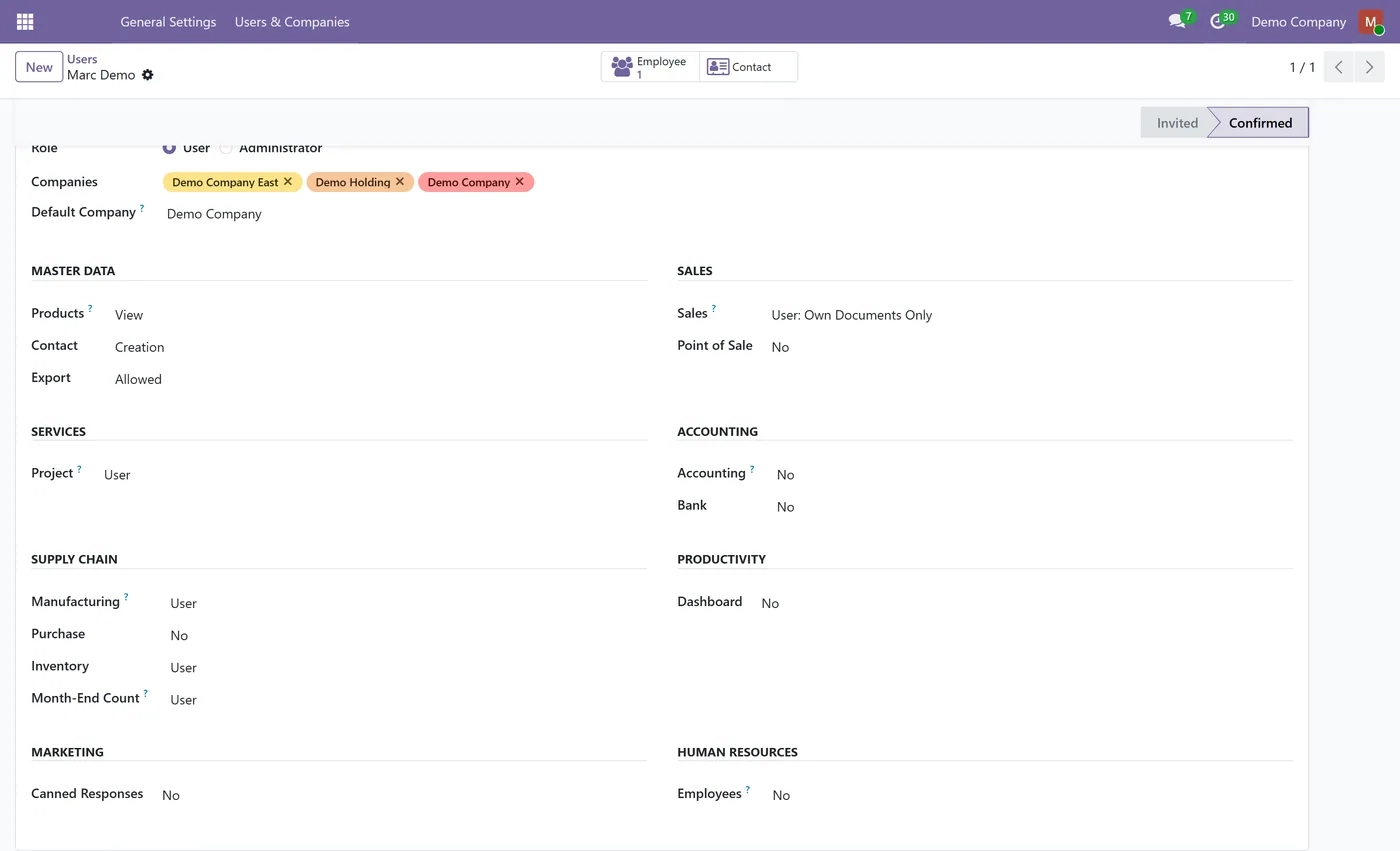
- Month-End Count User and Manager security groups
- Multi-company record rules
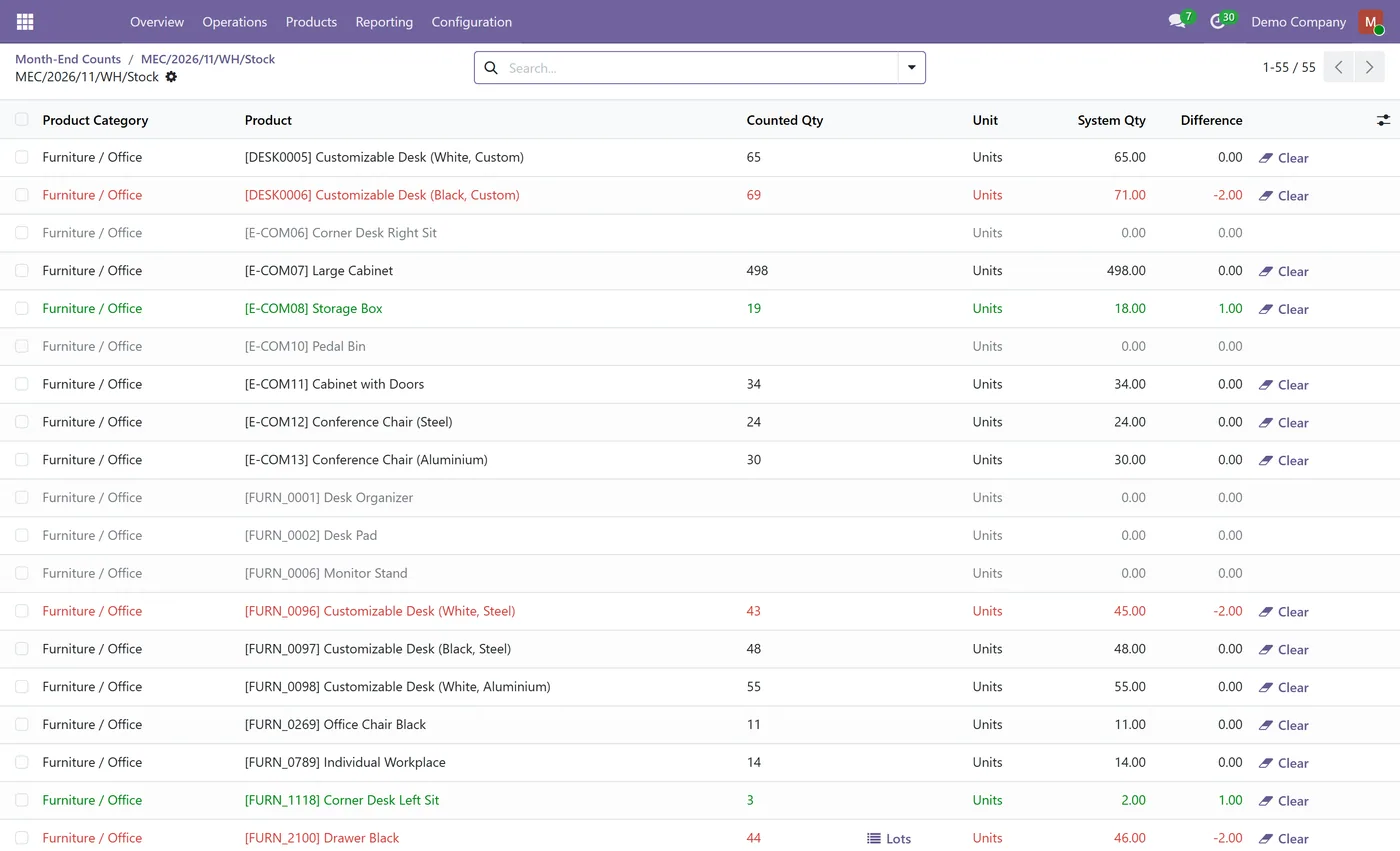
Every screen
The whole module, screen by screen.
The captures the walkthrough above did not use, in the order you meet them in the product.
What it does
Month-End Stock Count turns the monthly stock take into one count sheet per internal location per month. Pick the location and any date in the month, load the products, and counters type what is on the shelf while the sheet shows the live system quantity and the difference. Lot-tracked products are counted lot by lot with each expiry date in view, and lots expired by the month end stand out. Submit freezes the figures, a manager validates, and the standard Odoo inventory adjustment posts in the background, dated the last day of the month, so the month-end stock value matches what was physically there.
Who it's for
Retailers, distributors, cafes, restaurants and warehouses that close every month with a physical stock take per store or location, and want the counted figures posted on the right date without spreadsheets, re-keying, or wiping stock that simply was not counted.
Questions
About Month-End Stock Count.
How do I do a monthly stock take per location in Odoo?
Create a month-end count, pick the internal location and any date in the month, and click Load Products. The sheet lists every storable product plus anything currently stocked there. Counters type what they find, submit, and a manager validates.
Which date does the inventory adjustment post on?
The adjustment's accounting date is always the last day of the count's month, whatever day the count was taken, so a count dated the 3rd still lands in that month's books.
What happens to products nobody counted?
Nothing. A blank line means not counted and is left out of the adjustment, so stock you did not check is never set to zero. Type 0 to record that a product really is out of stock.
Can I count products tracked by lot or with an expiry date?
Yes. Open Lots on the line to count each lot with its expiry date shown, add another lot of that product found on the shelf, or record stock that carries no lot. Lots expired by the month end are highlighted, and the line total is the sum of the lots.
What if stock moves between Submit and Validate?
Validate shows the lines whose stock changed after Submit and asks you to confirm. Only the counted difference is posted, so a delivery or receipt made in between is not undone.
Who can validate a count?
Members of the Month-End Count Manager group. Users can create counts, load products, enter quantities and submit, but cannot validate, and only managers see the value of the gains and losses.
Does it work with locked accounting periods?
Yes. Validation refuses a count whose month is locked in accounting and says which lock date applies, so an adjustment never lands in a closed period.
Which Odoo versions and editions are supported?
It is maintained for current major Odoo versions and works on both Community and Enterprise. Each Odoo Apps Store listing shows the exact version it supports.
On the Odoo Store
Get Month-End Stock Count on the Odoo Store.
Pick your Odoo version and install it in a click, with free updates and real support behind it.
Get it on the Odoo StoreReady to make Odoo work the way your business does?
Book a free call CODEerts
 is a team of certified Odoo partners and full-stack engineers. We implement, customise and support Odoo ERP, then build the software around it.