 CODEerts
Manufacturing app for Odoo
BoM Consumption Control
Allow, warn about or block component consumption that differs from the bill of materials.
Overview
BoM Consumption Control.
BoM Consumption Control brings back the Flexible Consumption setting on bills of materials. Each BoM is set to Allowed, Allowed with warning or Blocked. Allowed closes a manufacturing order whatever was consumed, Allowed with warning shows the consumption differences before closing, and Blocked lets only a manufacturing administrator close an order whose consumption does not match the BoM. Operators can still correct the quantities to the BoM and validate in one click. Confirming a Blocked warning is checked on the server, not only hidden in the screen.
New to Odoo Manufacturing? Read our practical guide to how it works
How it works
Built around what you actually do.
Every screen below is the module running in Odoo, not a mockup.
01
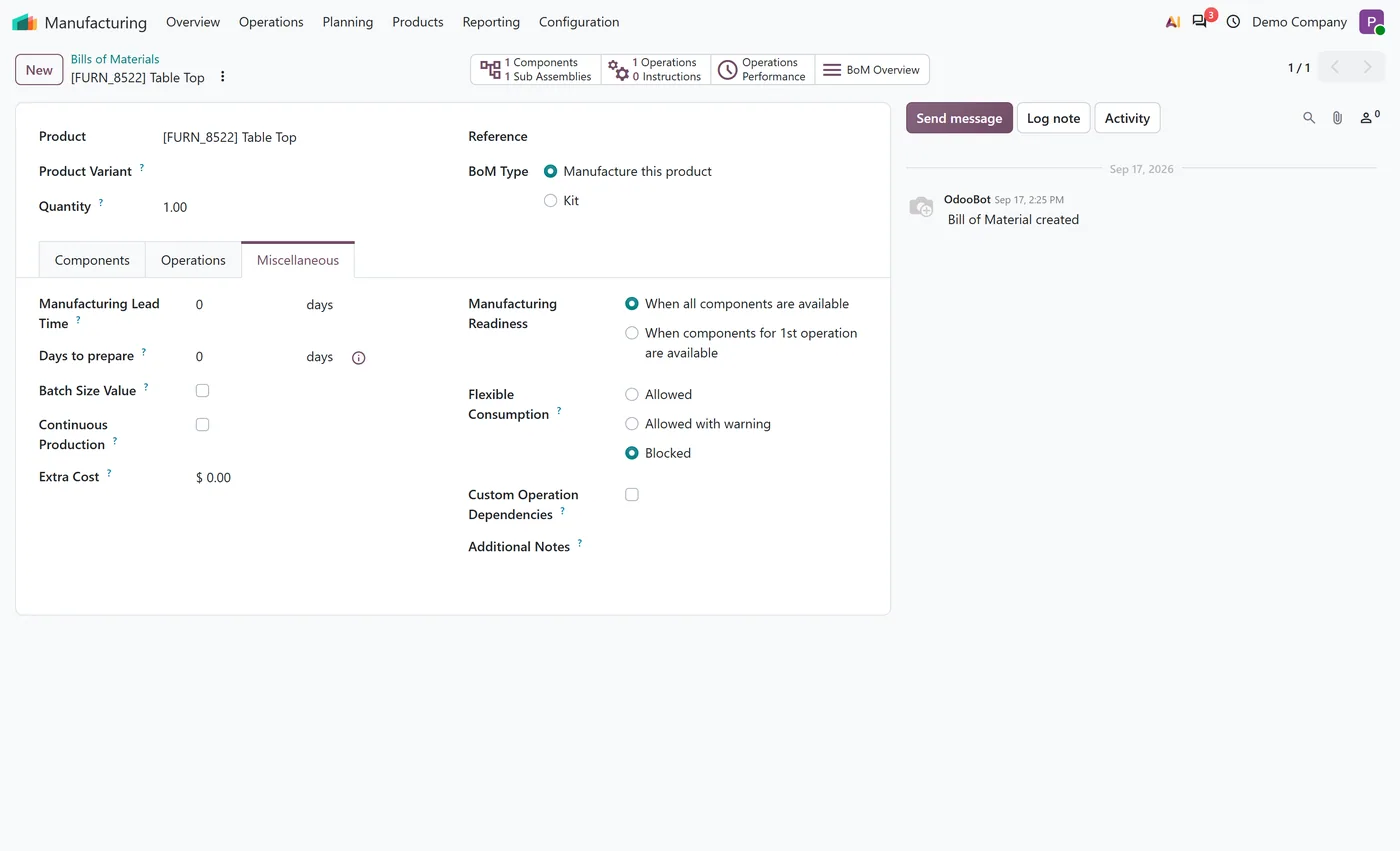
Flexible Consumption setting on every bill of materials: Allowed, Allowed with warning or Blocked
- Allowed closes the manufacturing order without a consumption warning
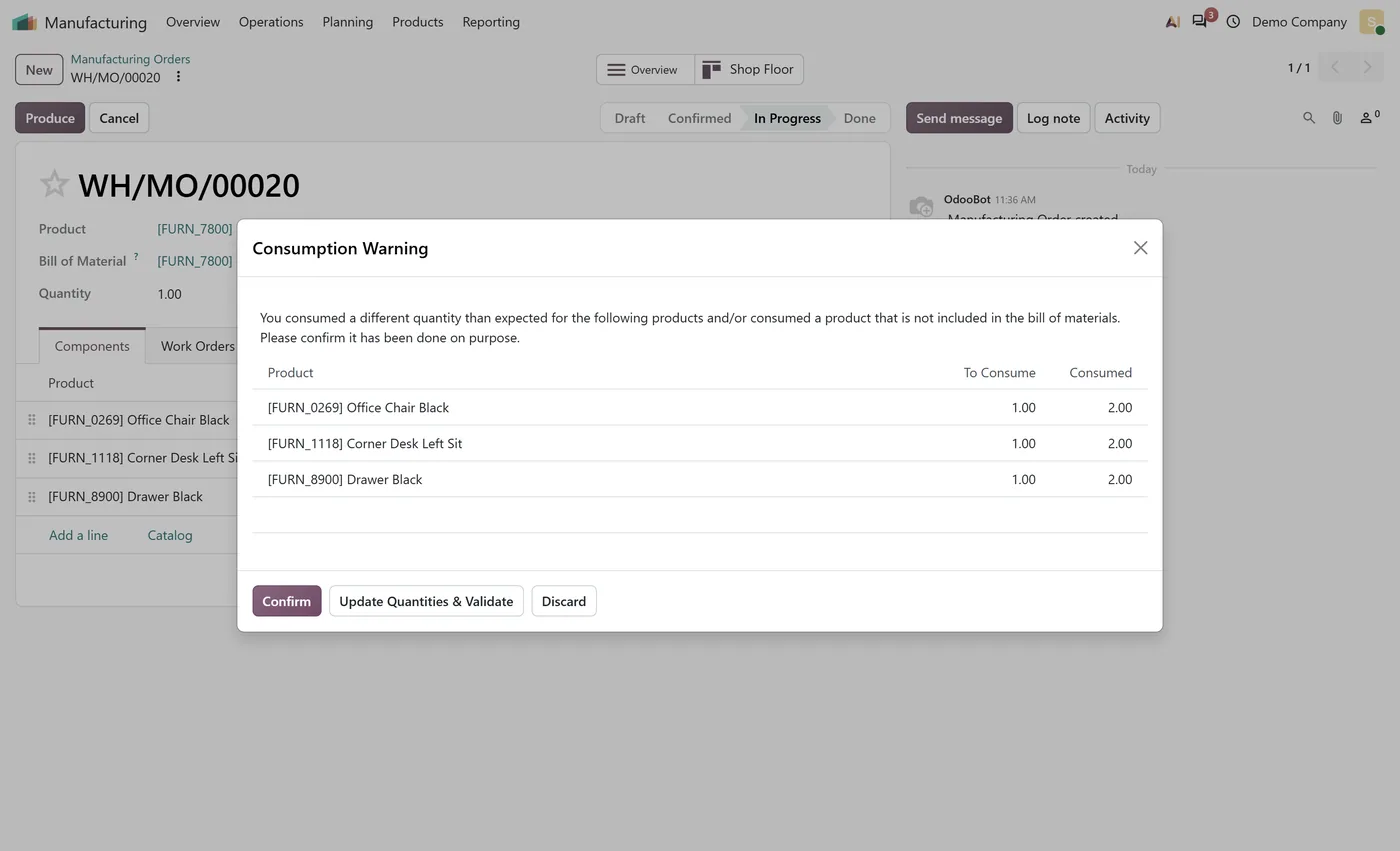
- Allowed with warning shows expected and consumed quantities before closing, as Odoo does by default
02
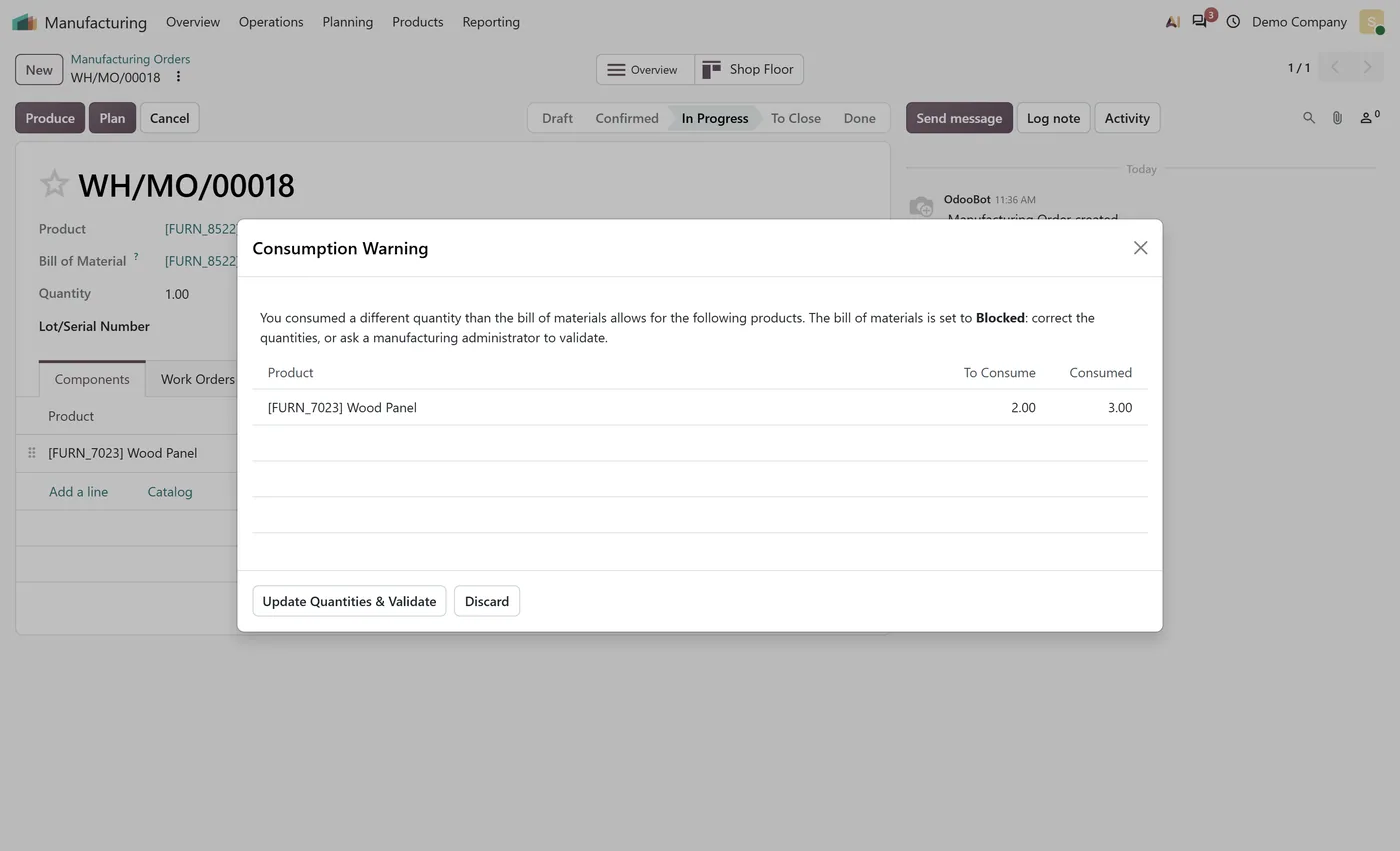
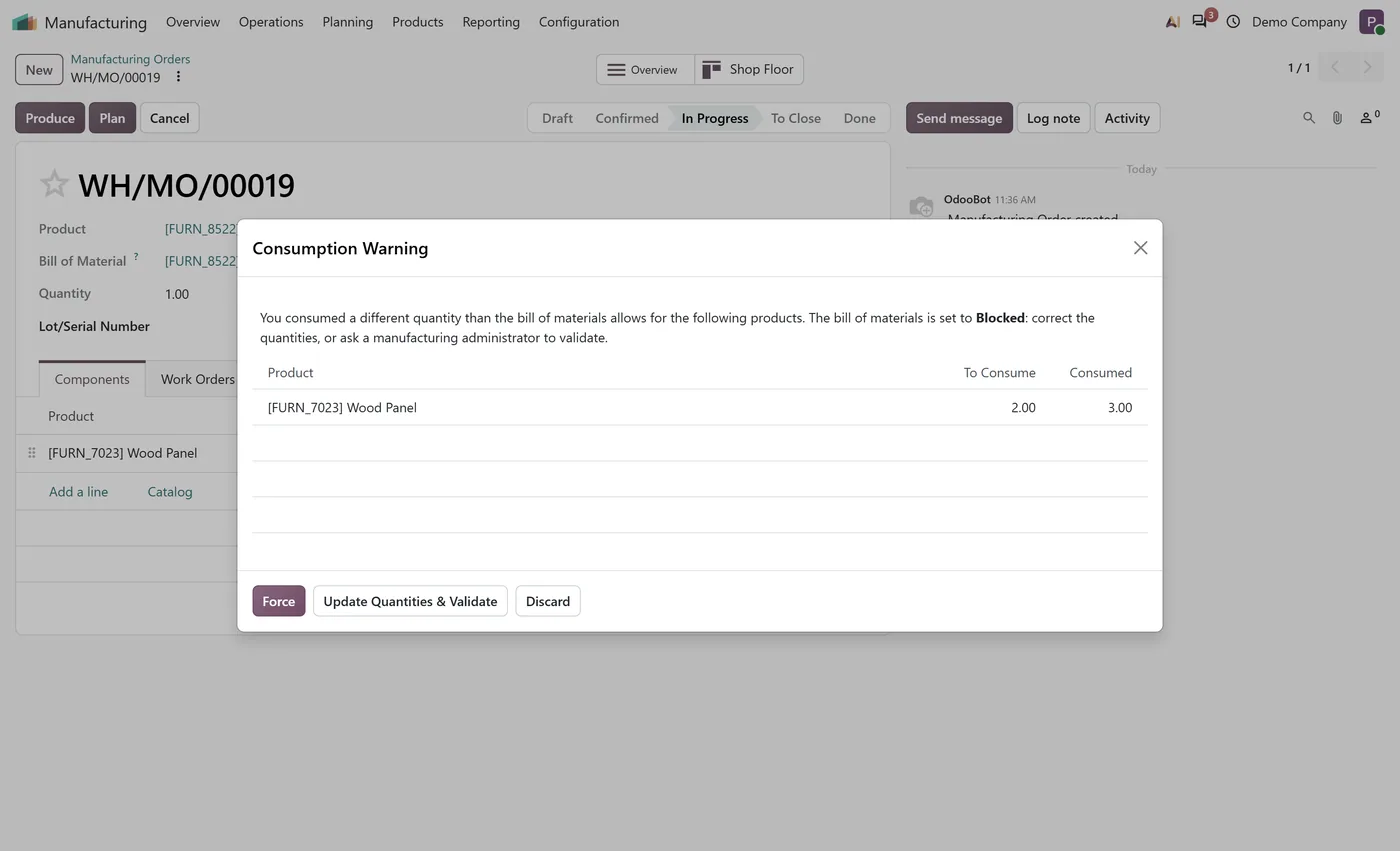
Blocked lets only a manufacturing administrator close an order whose consumption differs from the BoM
- Operators can still bring the consumption back to the BoM and validate in one click
- Confirming a Blocked warning is checked on the server, not only by hiding a button
03
Each manufacturing order keeps the mode it was confirmed with
- Installing it changes nothing until a BoM is switched to Allowed or Blocked
- Works on Odoo Community and Enterprise, including the shop floor
What it does
BoM Consumption Control brings back the Flexible Consumption setting that bills of materials had before Odoo 20. Open a BoM, go to Miscellaneous, and choose how strictly its components must be consumed: Allowed, Allowed with warning, or Blocked.
With Allowed, a manufacturing order closes whatever was consumed. With Allowed with warning, the order shows the expected and the consumed quantities before it closes, as Odoo 20 does for every order today. With Blocked, an order whose consumption differs from the BoM can only be forced through by a manufacturing administrator. Operators can still set the consumption back to the BoM and validate in one click, and confirming a Blocked warning is checked on the server, so it holds whichever screen closes the order, the shop floor included.
Who it's for
Manufacturers who controlled component usage with Blocked bills of materials and lost that guardrail when they moved to Odoo 20, and production managers who want operators to follow the BoM without having to check every order themselves.
Questions
About BoM Consumption Control.
Where did Flexible Consumption go in Odoo 20?
Odoo 20 removed the Flexible Consumption field from bills of materials and manufacturing orders. Every order now shows the consumption warning and anyone can confirm it. This module brings the field back with its three options.
How do I block over-consumption of components in Odoo?
Open the bill of materials, go to the Miscellaneous tab and set Flexible Consumption to Blocked. When an order consumes more or less than the BoM, a manufacturing user can only correct the quantities; a manufacturing administrator can force it through.
Does installing it change how my orders close today?
No. Every bill of materials starts on Allowed with warning, which is how Odoo 20 already behaves. Nothing changes until you switch a BoM to Allowed or Blocked.
Can an operator still finish an order on a Blocked BoM?
Yes, by pressing Update Quantities and Validate, which sets the consumption back to what the BoM expects and closes the order. Only closing with a different consumption needs a manufacturing administrator.
Does it work on Odoo Community and on the shop floor?
Yes. It needs only the Manufacturing app, so it runs on Community and Enterprise, and the Enterprise shop floor shows the same Blocked dialog when an order is closed there.
What happens to orders already in progress when I change a BoM?
Each manufacturing order keeps the mode its BoM had when the order was confirmed, so changing a BoM affects new orders, not the ones already running.
On the Odoo Store
Get BoM Consumption Control on the Odoo Store.
Pick your Odoo version and install it in a click, with free updates and real support behind it.
Get it on the Odoo StoreReady to make Odoo work the way your business does?
Book a free call CODEerts
CODEerts is a team of certified Odoo partners and full-stack engineers. We implement, customise and support Odoo ERP, then build the software around it.

