 CODEerts
Accounting app for Odoo
Pakistan Distribution Tax
Automatic FBR further tax, 236G and 236H advance income tax, and Third Schedule retail-price sales tax on Odoo quotations and invoices for Pakistan.
Overview
Pakistan Distribution Tax.
Pakistan Distribution Tax adds the FBR levies that a Pakistani distributor, dealer or wholesaler has to charge on every sale but that the standard Pakistan localization does not calculate. It applies the 4 percent further tax on supplies to unregistered buyers under Section 3(1A), it withholds 236G advance income tax from distributors, dealers and wholesalers and 236H from retailers at the correct filer or non-filer rate, and it charges sales tax on the printed retail price for Third Schedule goods under Section 3(2)(a) instead of the trade price. Every levy is picked automatically from the buyer profile and the product profile as soon as a line is added, with no fiscal position to maintain and no tax to select by hand. Rates live in an effective-dated FBR rate card, so when a Finance Act changes a rate you add a new dated row and every earlier document keeps the rate it was actually charged.
New to Odoo Accounting? Read our practical guide to how it works
How it works
Built around what you actually do.
Every screen below is the module running in Odoo, not a mockup.
01
4 percent further tax on supplies to unregistered buyers, applied automatically under Sec 3(1A)
- 236G advance income tax for distributors, dealers and wholesalers, with a separate fertilizer rate
- 236H advance income tax for retailers, at the filer or non-filer rate
02
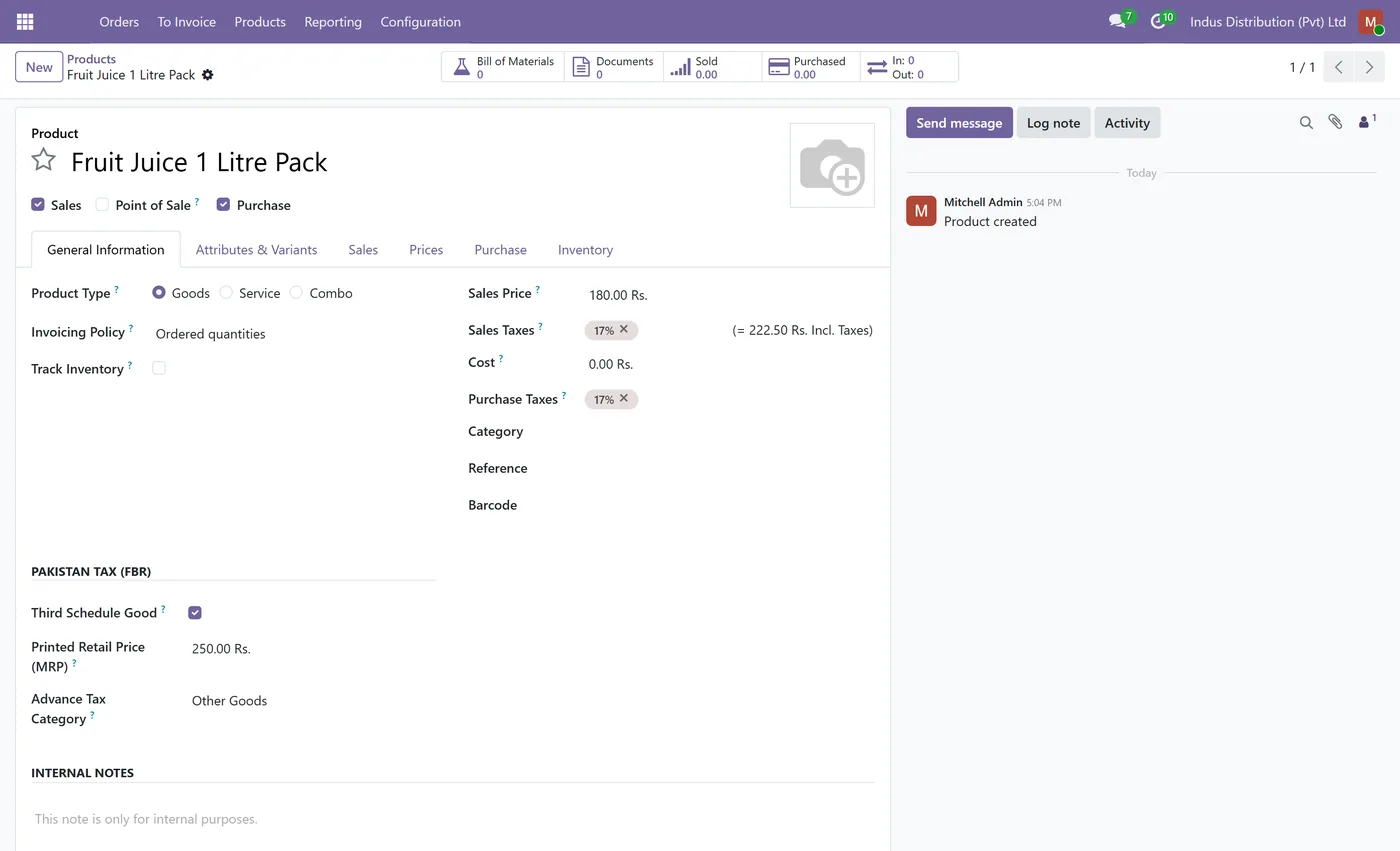
Third Schedule goods taxed on the printed retail price (MRP) instead of the trade price
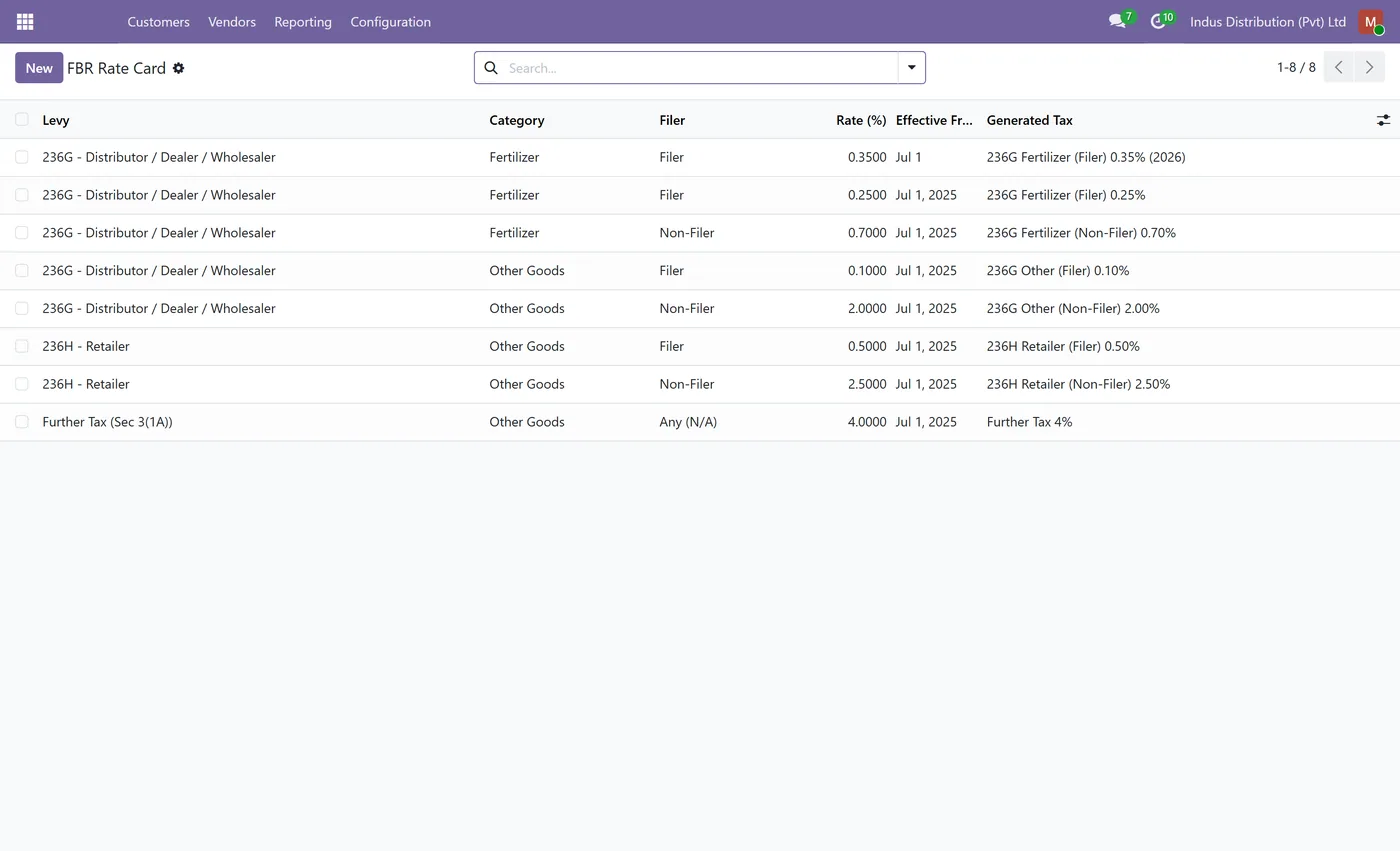
- Effective-dated FBR rate card, so a Finance Act change never rewrites historical documents
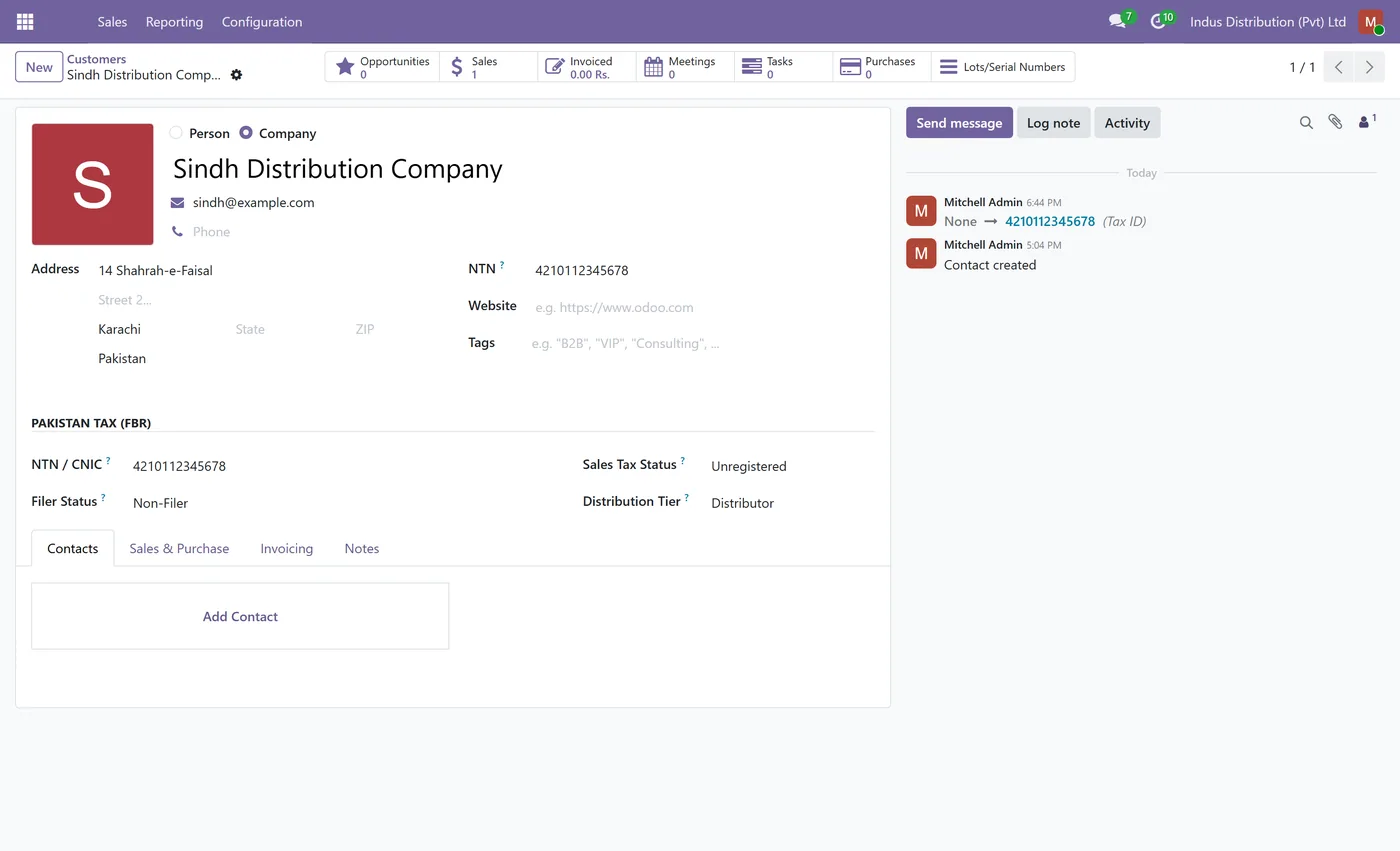
- Buyer tax profile on the contact, order and invoice header - NTN or CNIC, sales tax status, filer status, distribution tier
03
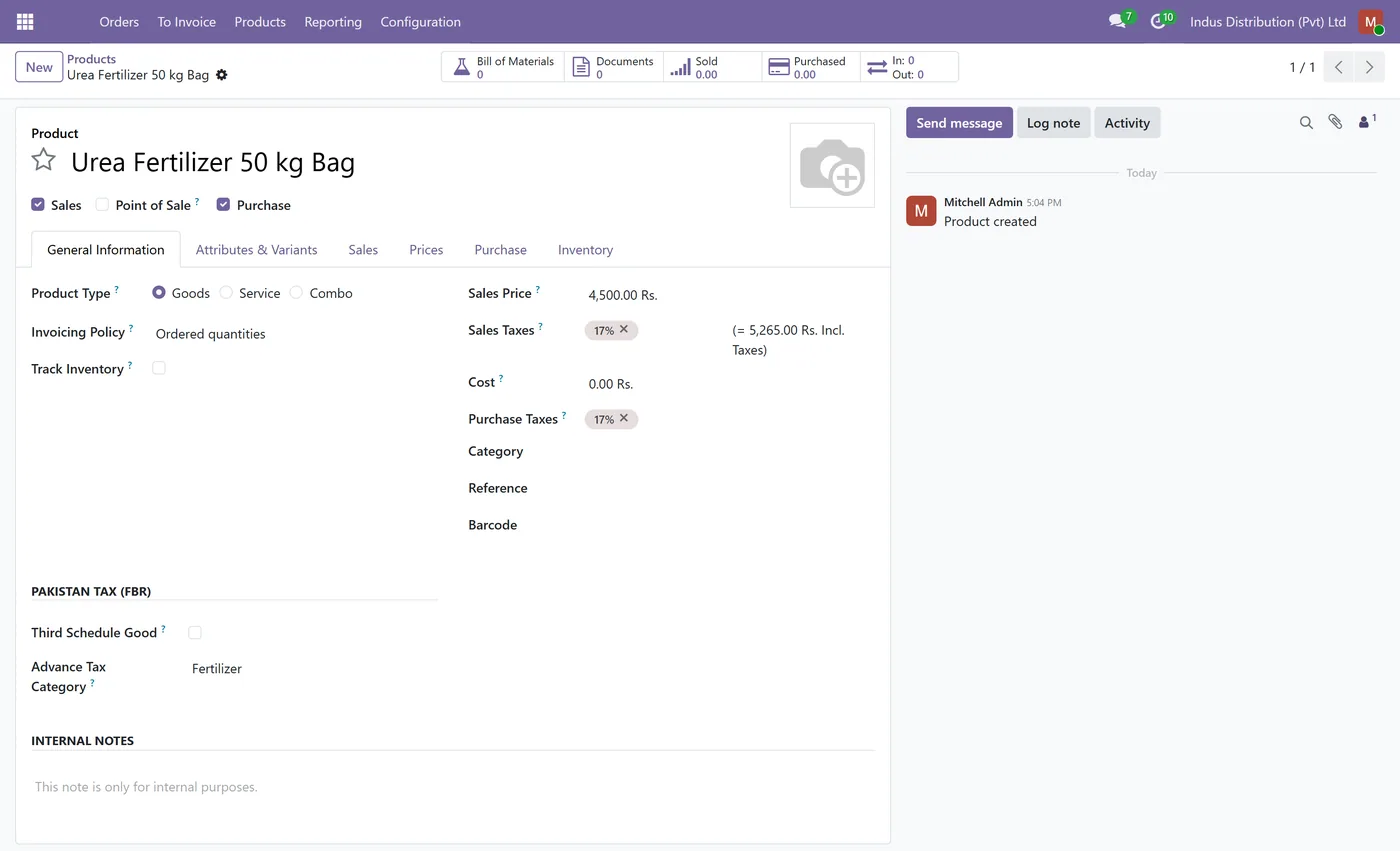
No fiscal position to maintain, the taxes are resolved from the buyer and the product on every line
Every screen
The whole module, screen by screen.
The captures the walkthrough above did not use, in the order you meet them in the product.
Pakistan Distribution Tax is the FBR compliance layer for Odoo distributors, dealers and wholesalers. It calculates the levies that the standard Pakistan localization leaves to you, and it calculates them automatically, from the buyer and the product, on every quotation and invoice line.
What it does
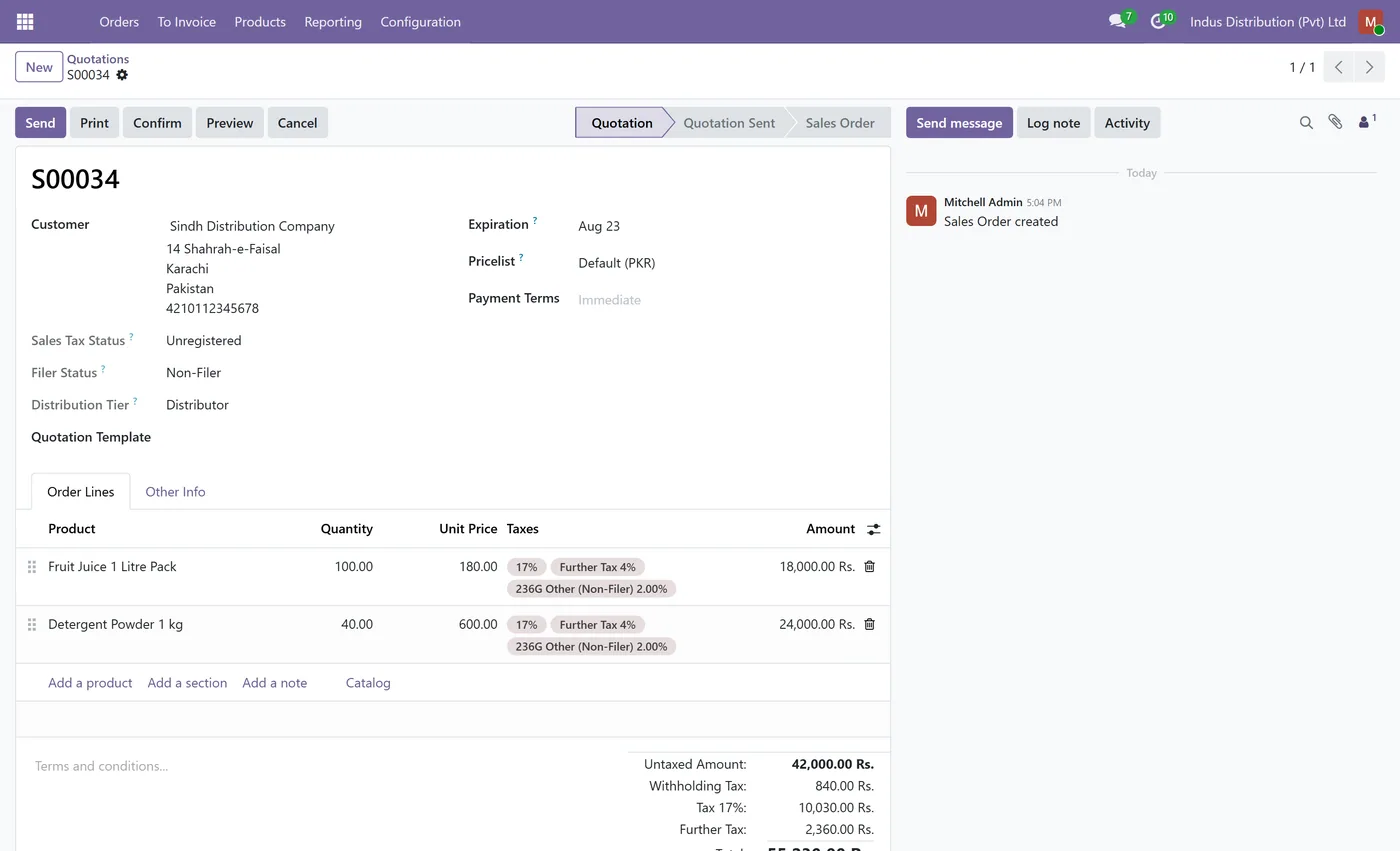
You describe the buyer once on the contact form, in the customer information block: NTN or CNIC, sales tax status, filer status and distribution tier. You describe the goods once on the product: advance tax category, and for Third Schedule items the printed retail price. From then on the module resolves the correct taxes on its own. An unregistered buyer picks up the 4 percent further tax under Section 3(1A). A distributor, dealer or wholesaler picks up 236G advance income tax and a retailer picks up 236H, at the filer or non-filer rate, with fertilizer withheld at its own 236G rate. A Third Schedule product is taxed on its printed retail price under Section 3(2)(a), so the sales tax base is the MRP while the line still invoices at the trade price and any discount you gave.
All of this happens without a fiscal position. A fiscal position maps taxes by partner and cannot see the product, so it cannot express a rate that depends on both the buyer's tier and the goods being sold. This module resolves each line from both, and it does it on the order date or the invoice date, not on today's date.
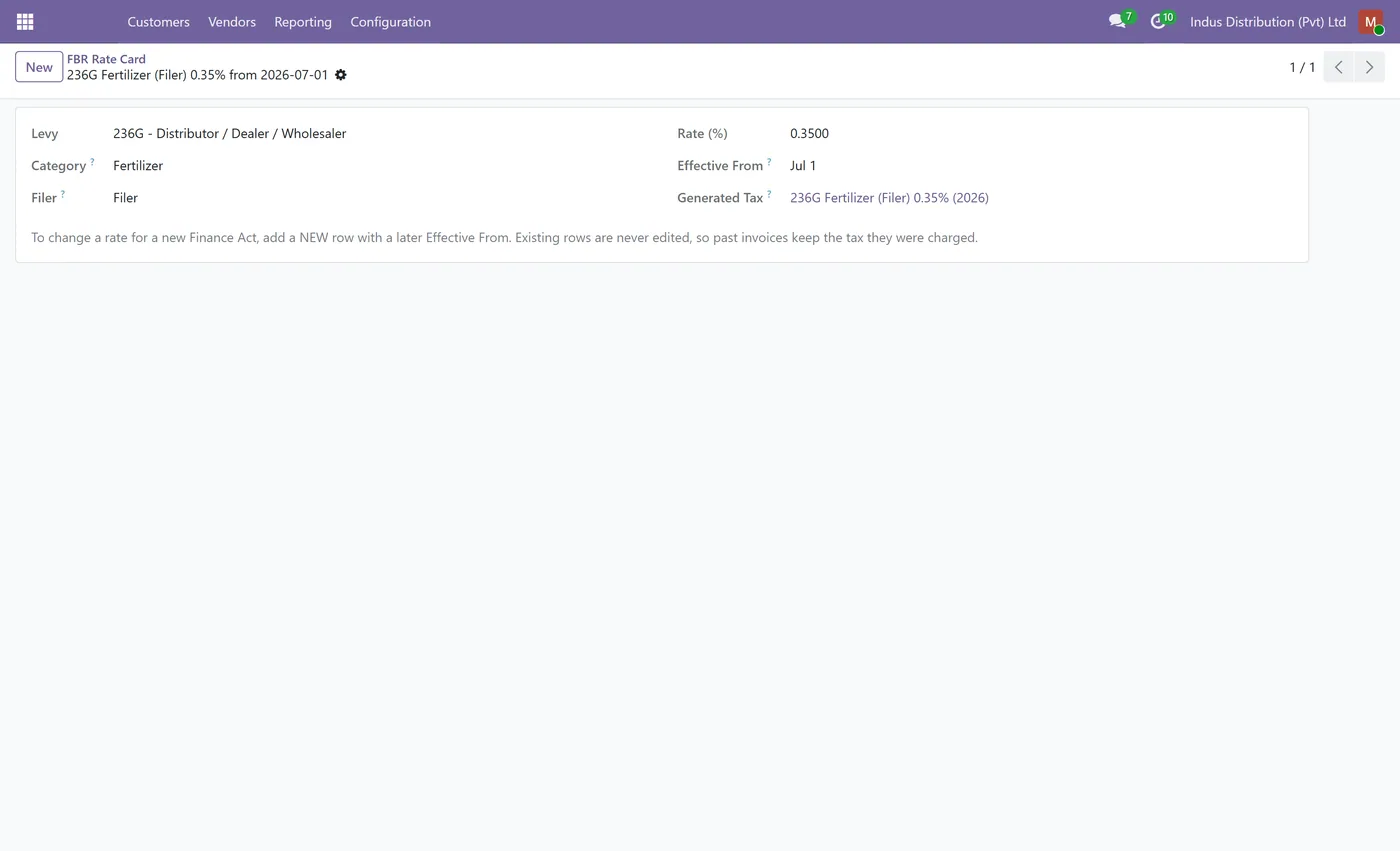
Rates are not hardcoded. They live in an effective-dated FBR rate card, seeded with the current Finance Act values and then owned by your accountants. When a rate changes you add a new row with the date it takes effect, and the module creates the new tax and starts using it from that date. Nothing edits an existing tax percentage, so documents you posted last year still show the rate they were actually charged and your reports and audit trail stay correct.
Who it's for
Pakistani distributors, dealers, wholesalers and manufacturers who sell into the trade and have to charge further tax and withhold 236G or 236H on top of sales tax, and who sell Third Schedule goods that must be taxed on the printed retail price. It suits any business already running the Pakistan localization that is currently adding these levies by hand, per invoice, and wants them applied correctly and consistently by the system instead.
Questions
About Pakistan Distribution Tax.
How do I charge the 4 percent further tax to unregistered buyers in Odoo?
Set Sales Tax Status to Unregistered on the customer. From then on every quotation and invoice line for that customer carries the further tax under Section 3(1A) alongside the normal sales tax, with its own tax group and its own liability account, so the further tax is reported separately from output sales tax.
How is 236G or 236H advance income tax calculated automatically?
Set the Distribution Tier on the customer. A distributor, dealer or wholesaler gets 236G and a retailer gets 236H. The rate is then picked from the buyer's filer status and, for 236G, from the product's advance tax category, so fertilizer is withheld at its own rate and other goods at the general rate. Nothing is selected by hand.
What happens if I do not know whether a buyer is on the Active Taxpayer List?
The buyer defaults to Non-Filer, which is the higher rate. Withholding at the higher rate and refunding later is the compliance-safe direction, so an unverified buyer is never under-withheld. Change the field to Filer once you have confirmed the buyer on the ATL.
How does the module tax Third Schedule goods on the printed retail price?
Tick Third Schedule Good on the product and enter the Printed Retail Price. Sales tax and the further tax are then computed on the MRP instead of the trade price, while the line still invoices at your trade price and any discount. A Third Schedule product without a positive MRP is refused, so the base can never silently fall back to the trade value.
What do I do when the government changes a tax rate?
Open the FBR Rate Card and add a new row for that levy with the new rate and the date it takes effect. The module builds a new tax for it and uses it from that date forward. The old row and its tax stay untouched, so every posted document keeps the rate it was actually charged and your audit trail stays intact. Editing a live tax percentage is never required.
Does this replace the Pakistan localization?
No. It extends it. The Pakistan localization (l10n_pk) chart of accounts and its 17 percent sales tax stay exactly as they are, and this module adds the distribution levies on top and posts them to their own accounts.
On the Odoo Store
Get Pakistan Distribution Tax on the Odoo Store.
Pick your Odoo version and install it in a click, with free updates and real support behind it.
Get it on the Odoo StoreReady to make Odoo work the way your business does?
Book a free call CODEerts
CODEerts is a team of certified Odoo partners and full-stack engineers. We implement, customise and support Odoo ERP, then build the software around it.

