 CODEerts
Point of Sale app for Odoo
Product Multi Barcode
Give a product any number of additional barcodes and scan any of them in the point of sale, sales, purchase, invoicing and inventory. The core Odoo barcode stays authoritative.
Overview
Product Multi Barcode.
Odoo allows exactly one barcode per product variant, and real stock does not work that way. The same item arrives from two suppliers with two EANs, a carton carries a different code to the unit, and an old label stays in circulation for years after the code changes. Product Multi Barcode lets a variant carry as many additional codes as it needs, sitting beside the barcode Odoo already knows about rather than replacing it, so labels, reports and integrations reading product.barcode are unaffected. Alternates resolve when scanned at the till and when searched in sale, purchase, invoice and stock lines, because they extend the standard barcode search rather than any single view. The codes travel with the point of sale session, so scanning works while the till is offline. A core match always wins, so this module can never shadow a product's own barcode or a packaging code, and duplicates are refused in the database.
New to Odoo Point of Sale? Read our practical guide to how it works
How it works
Built around what you actually do.
Every screen below is the module running in Odoo, not a mockup.
01
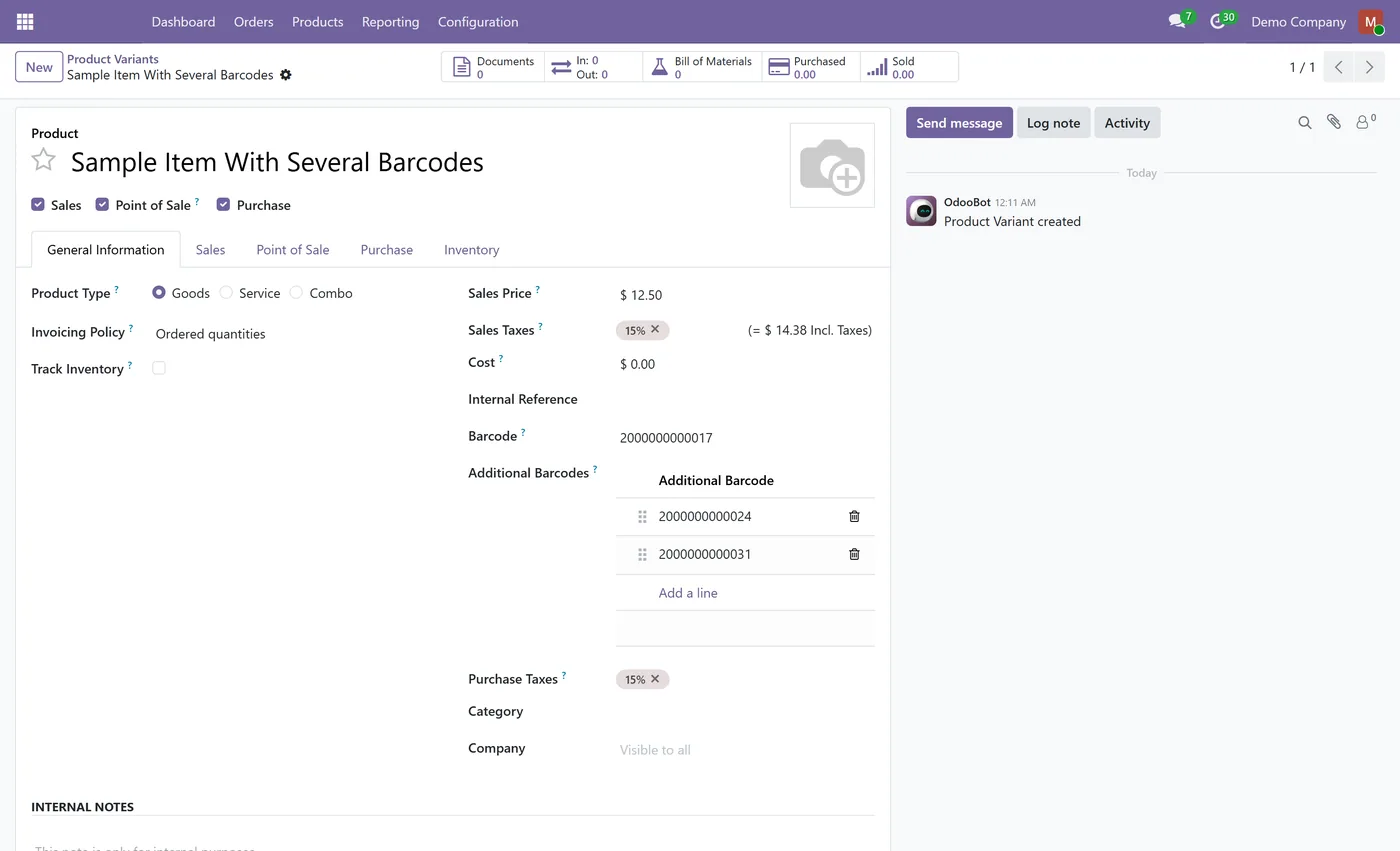
Unlimited additional barcodes per product variant
- Core Odoo barcode untouched and still authoritative
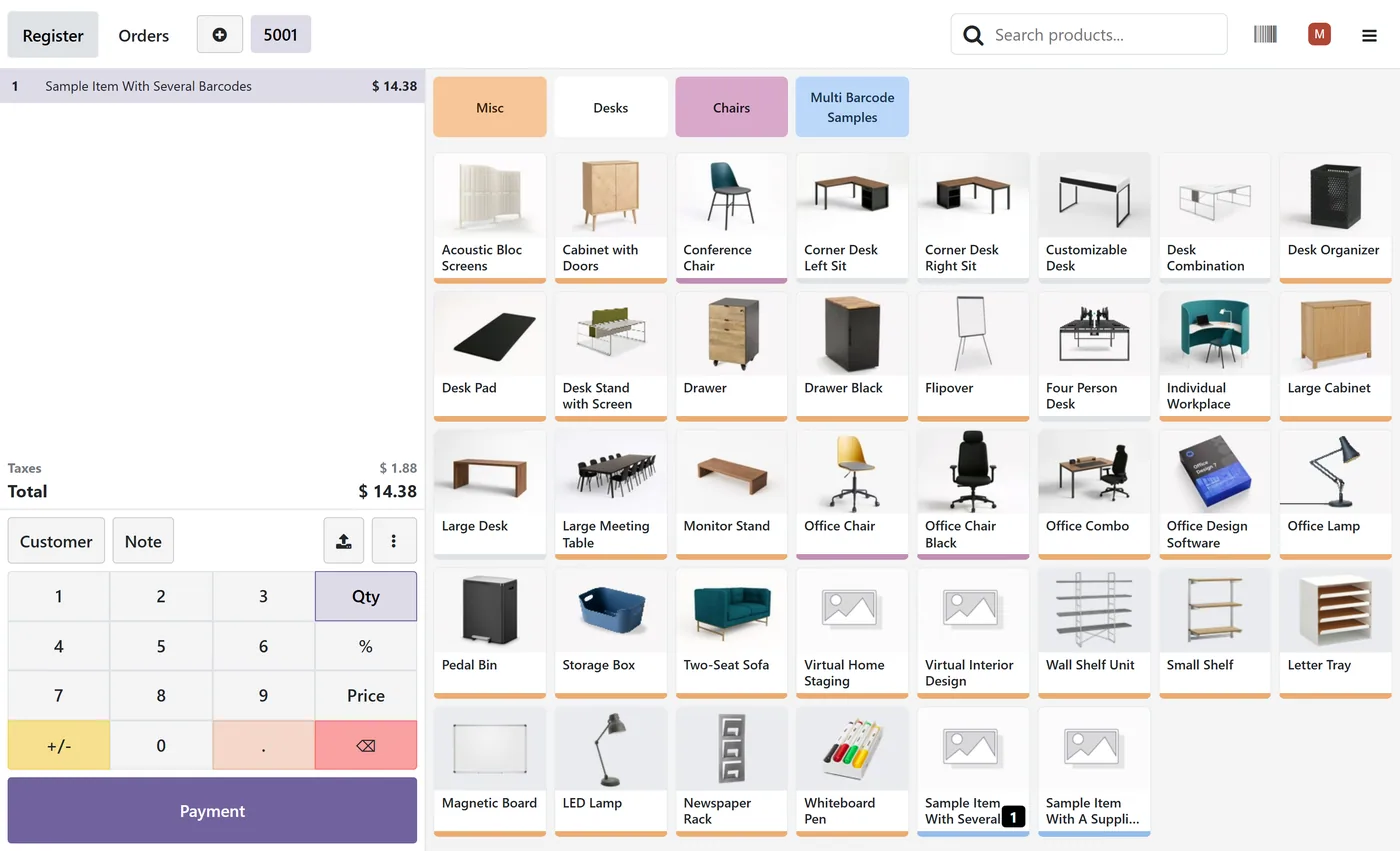
- Scans resolve in the point of sale
- Scans work offline, codes ship with the session
- Resolves in sale, purchase, invoice and stock lines
- Core barcode match always takes priority
02
GS1 zero padded GTINs handled like core barcodes
- Duplicates refused in the database
- Collision with another product's main barcode refused
- Barcodes deleted with their product, no orphans
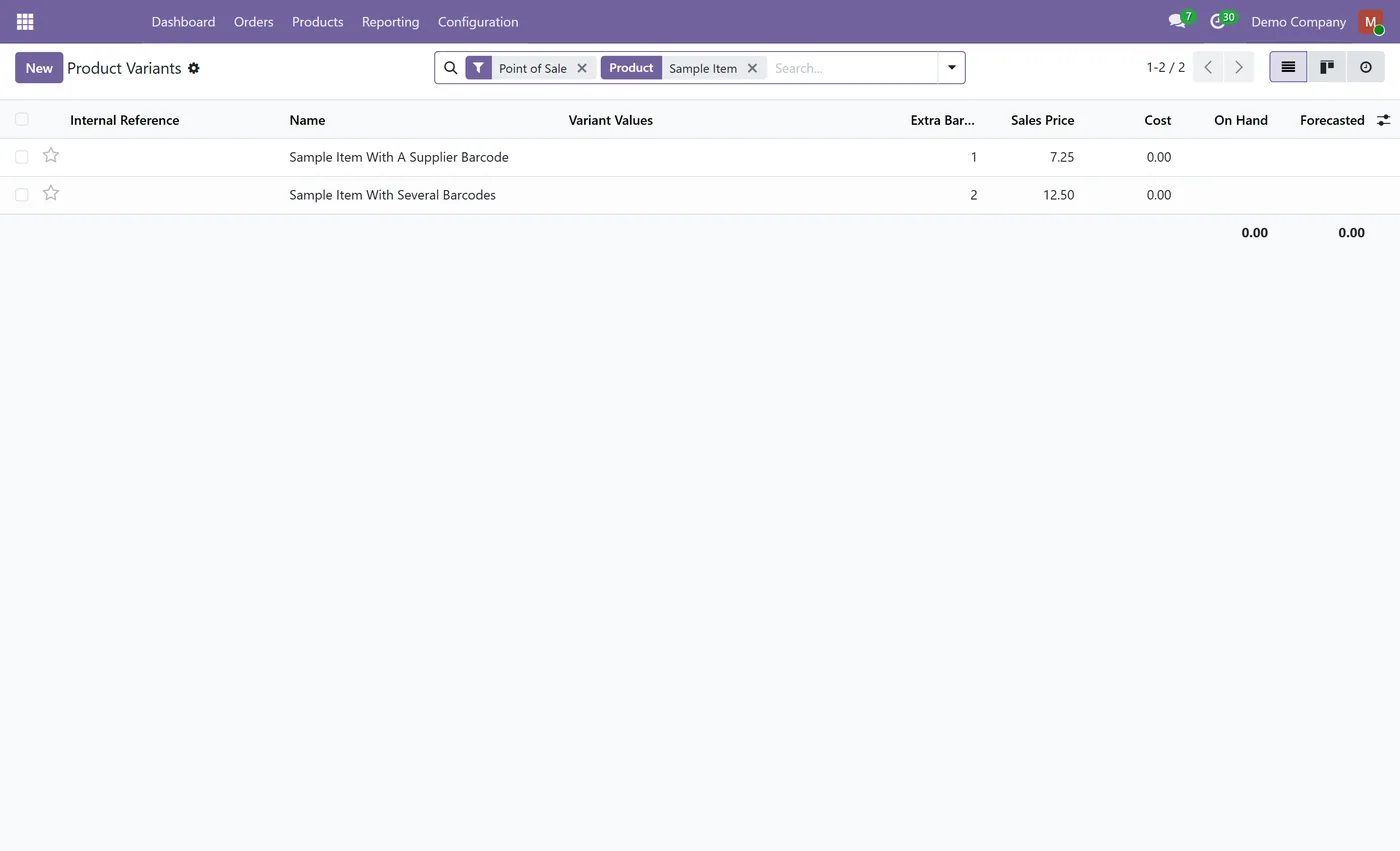
- Extra barcode count as a column on the product variants list
What it does
Odoo allows exactly one barcode per product variant, and real stock does not work that way. The same item arrives from two suppliers with two EANs. A carton carries a different code to the unit. A code changes and the old labels stay in circulation for years.
Today the cashier scans, nothing happens, and they hunt for the product by name while the queue builds.
Product Multi Barcode lets a variant carry as many additional codes as it needs. They sit beside the barcode Odoo already knows about rather than replacing it, so labels, reports and anything reading the standard barcode field keep working untouched.
- Unlimited codes per variant. Supplier codes, carton codes and retired labels, ordered however you like. - The core barcode stays authoritative. Alternates are only consulted when Odoo finds nothing, so this can never shadow a product's own barcode or a packaging code. - Scans work offline. The codes travel with the point of sale session, so resolution happens locally with no server round trip. - Not just the till. Alternates extend the standard barcode search, so sale orders, purchase orders, invoices and stock operations find them with no per-view work. - GS1 padding handled. Zero-padded GTINs fall back exactly the way Odoo's own barcodes do. - Duplicates refused. Uniqueness is enforced in the database, and a code already used as another product's main barcode is rejected with a message naming that product. - Cleans up after itself. Delete a product and its codes go with it, leaving nothing behind to block that number later.
Who it's for
Retailers and wholesalers who buy the same item from multiple suppliers, anyone handling both unit and carton barcodes, and businesses carrying stock through a barcode change where both old and new labels are in circulation.
On the Odoo Store
Get Product Multi Barcode on the Odoo Store.
Pick your Odoo version and install it in a click, with free updates and real support behind it.
Get it on the Odoo StoreReady to make Odoo work the way your business does?
Book a free call CODEerts
CODEerts is a team of certified Odoo partners and full-stack engineers. We implement, customise and support Odoo ERP, then build the software around it.

