 CODEerts
Point of Sale app for Odoo
POS Service Modes
Track dine in, take away and home delivery on point of sale orders, with a fee product per mode and a delivery address enforced before an order is accepted.
Overview
POS Service Modes.
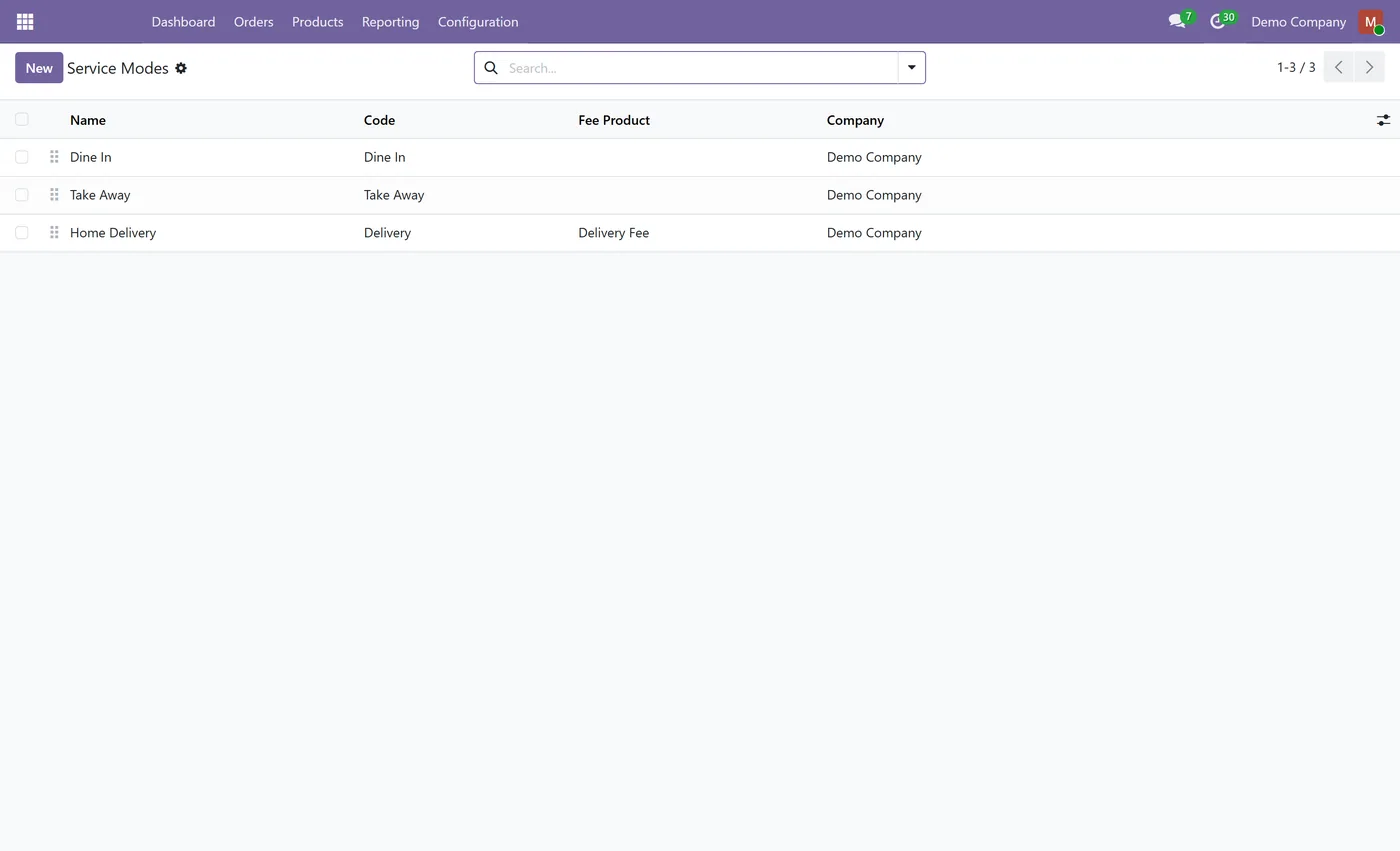
A counter that also delivers runs three different businesses through one till, and Odoo's point of sale treats an eat in ticket and a delivery exactly the same. POS Service Modes puts the service mode on the order record itself. Dine in, take away and delivery arrive ready to use and you can add your own, each naming the fee product used for its charge so delivery fees report against a real product rather than a manual line. Modes are enabled per point of sale, so a counter that does not deliver never sees the option. A delivery order that reaches the server without a delivery address is refused, because a delivery with nowhere to send it cannot be fulfilled. The orders list gains dine in, take away and delivery filters, so the split between counter and delivery trade is visible without exporting anything. It depends on Point of Sale and Inventory only, so installing it does not pull unrelated apps into your database.
New to Odoo Point of Sale? Read our practical guide to how it works
How it works
Built around what you actually do.
Every screen below is the module running in Odoo, not a mockup.
01
Dine in, take away and delivery ready to use
- Add your own service modes
- A fee product per mode
- Modes enabled per point of sale
02
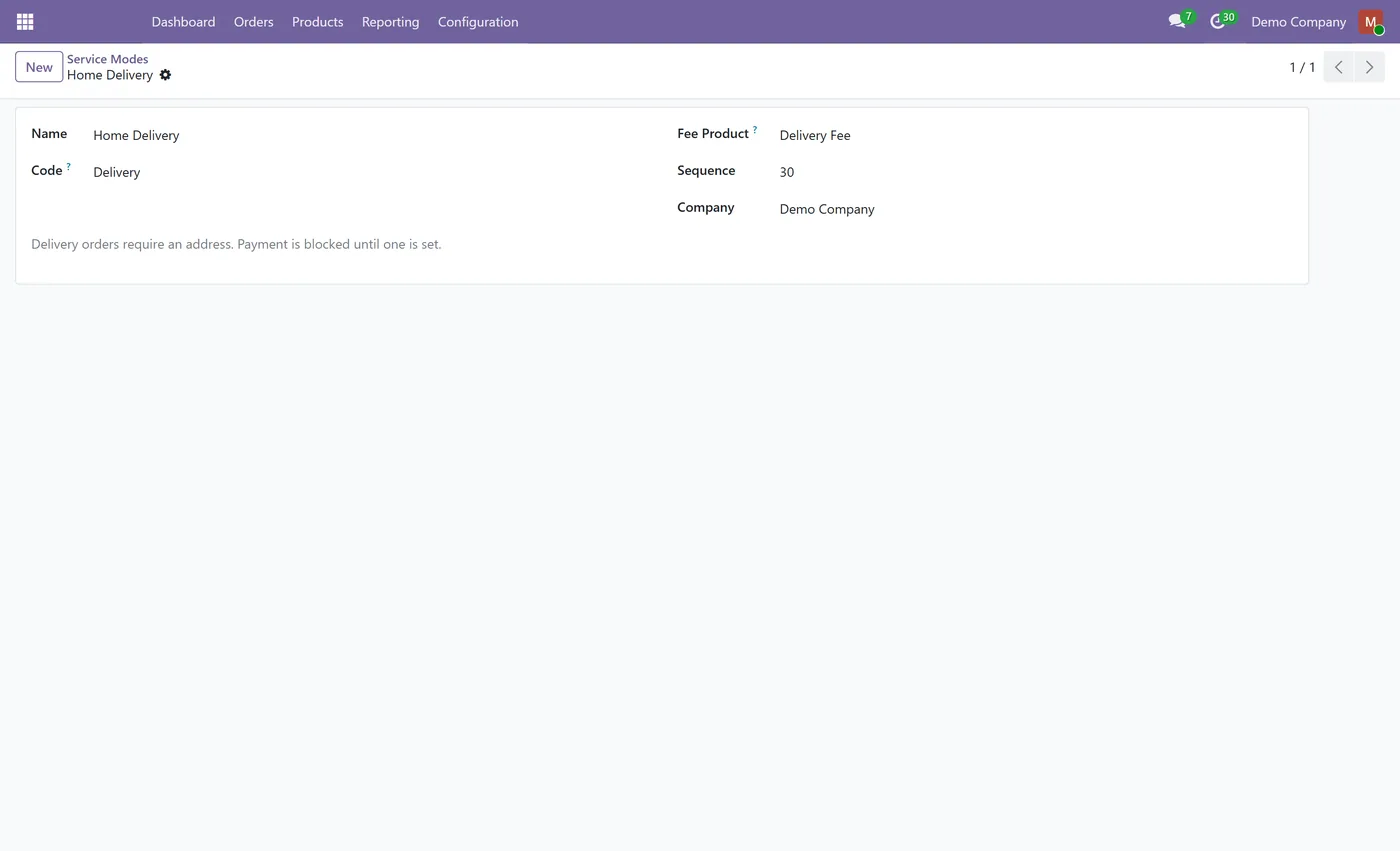
Delivery orders refused without an address
- Delivery address stored on the order
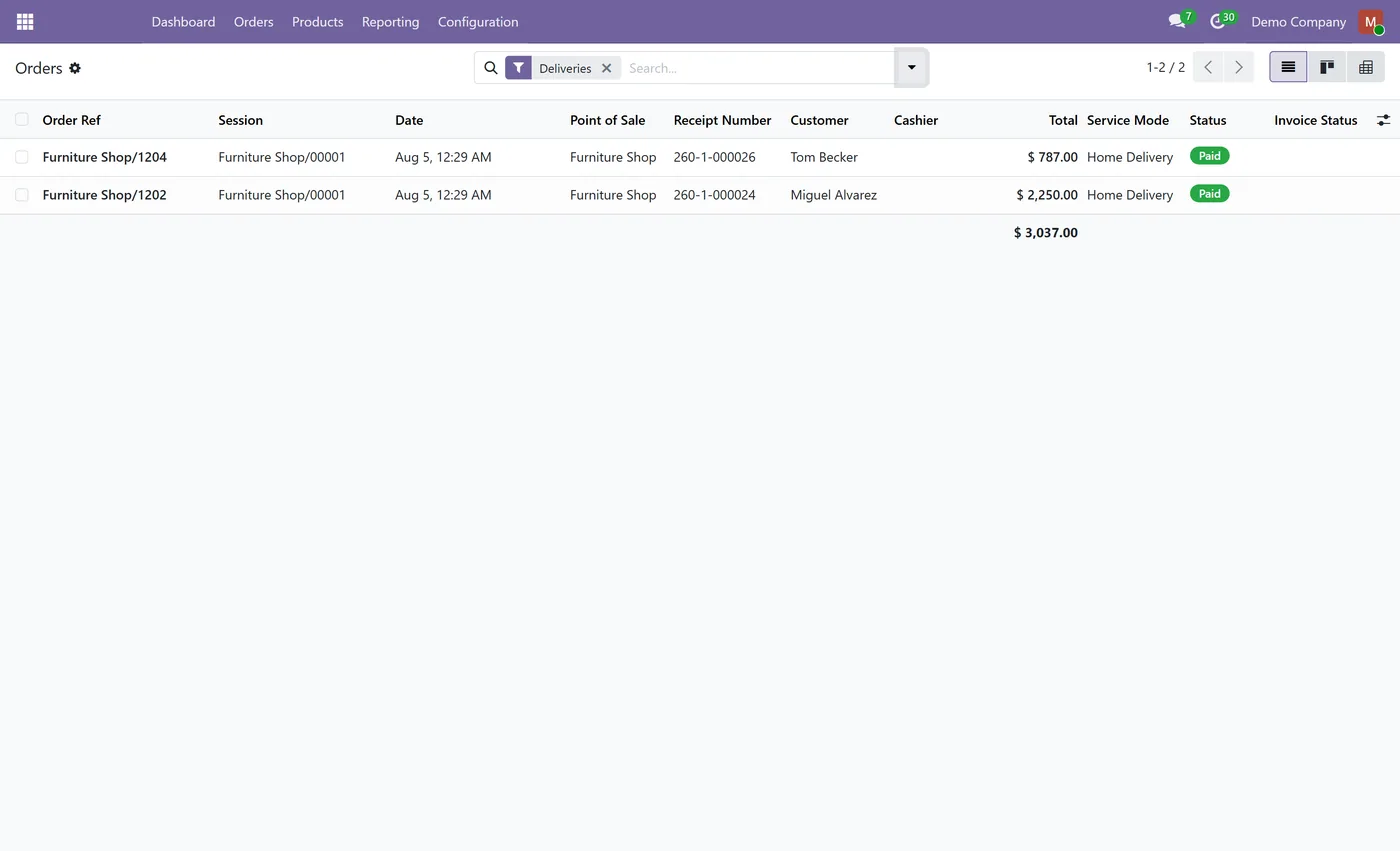
- Filter orders by dine in, take away or delivery
- Service mode shown as a column on the point of sale orders list
03
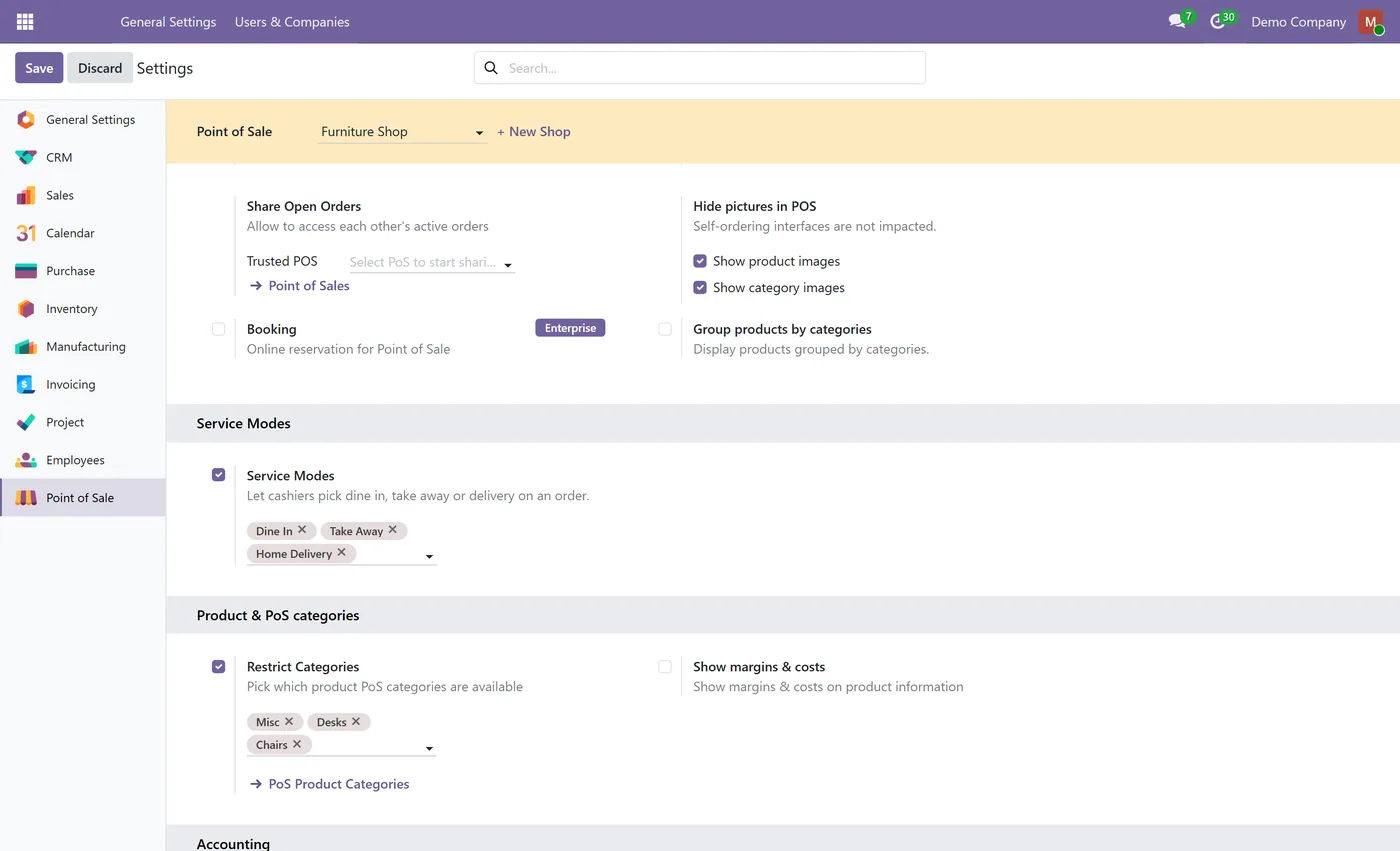
Fee product validated as available in the point of sale
- Multi company aware
- No Loyalty dependency
What it does
A counter that also delivers runs three different businesses through one till, and Odoo's point of sale treats an eat-in ticket and a delivery exactly the same. So the delivery charge gets keyed in by hand, the address lives on a sticky note, the kitchen cannot tell one ticket from another, and at month end nobody can say how much of the trade was delivery.
POS Service Modes puts the service mode on the order record itself. Dine in, take away and delivery arrive ready to use, each naming the fee product used for its charge so delivery fees report against a real product rather than a manual line.
A delivery order that reaches the server without a delivery address is refused. A delivery with nowhere to send it cannot be fulfilled, so recording it only creates work for somebody later.
- Modes you define. Three ready to use, and add your own with any name and behaviour. - A fee product per mode. Charges post and report like everything else in the catalogue. - Enabled per register. A counter that does not deliver never sees the option. - Address enforced on delivery. Refused at the server, so it never lands in the kitchen incomplete. - Reporting filters. Filter the orders list by dine in, take away or delivery and see the split without exporting anything. - Fee product validated. A product the point of sale cannot load is rejected on save rather than silently never charging. - No Loyalty dependency. It needs Point of Sale and Inventory only, so installing it does not pull unrelated apps into your database.
Note that the fee is not yet inserted into the cart automatically at the till; each mode names the product used for the charge and the line is added normally. Automatic insertion is planned.
Who it's for
Restaurants, takeaways and cafés running eat-in and delivery through one till, and retailers who deliver alongside counter trade and want the split visible in reporting.
On the Odoo Store
Get POS Service Modes on the Odoo Store.
Pick your Odoo version and install it in a click, with free updates and real support behind it.
Get it on the Odoo StoreReady to make Odoo work the way your business does?
Book a free call CODEerts
CODEerts is a team of certified Odoo partners and full-stack engineers. We implement, customise and support Odoo ERP, then build the software around it.

