 CODEerts
Point of Sale app for Odoo
POS Zero Price Block
Block point of sale lines priced at zero or below, enforced in the browser and again on the server so orders taken offline cannot slip through. Combo and loyalty lines are exempt.
Overview
POS Zero Price Block.
A product saved before anyone set a price sells for nothing, and a mistyped discount sends a line negative. Neither stops the sale, and neither shows up until somebody reconciles the till and finds revenue missing. POS Zero Price Block refuses those lines at the counter, highlighting the offending line the moment it is added and naming the products at fault when payment is attempted. It checks again on the server order sync path, which is the only way to cover an order created while the point of sale was offline. Those orders are recorded and flagged rather than refused, because the goods have already changed hands, and a Blocked Price Line filter shows managers exactly what got through. Combo parent lines, which Odoo leaves at zero by design, and loyalty rewards and discounts, which are negative by construction, are both exempt.
New to Odoo Point of Sale? Read our practical guide to how it works
How it works
Built around what you actually do.
Every screen below is the module running in Odoo, not a mockup.
01
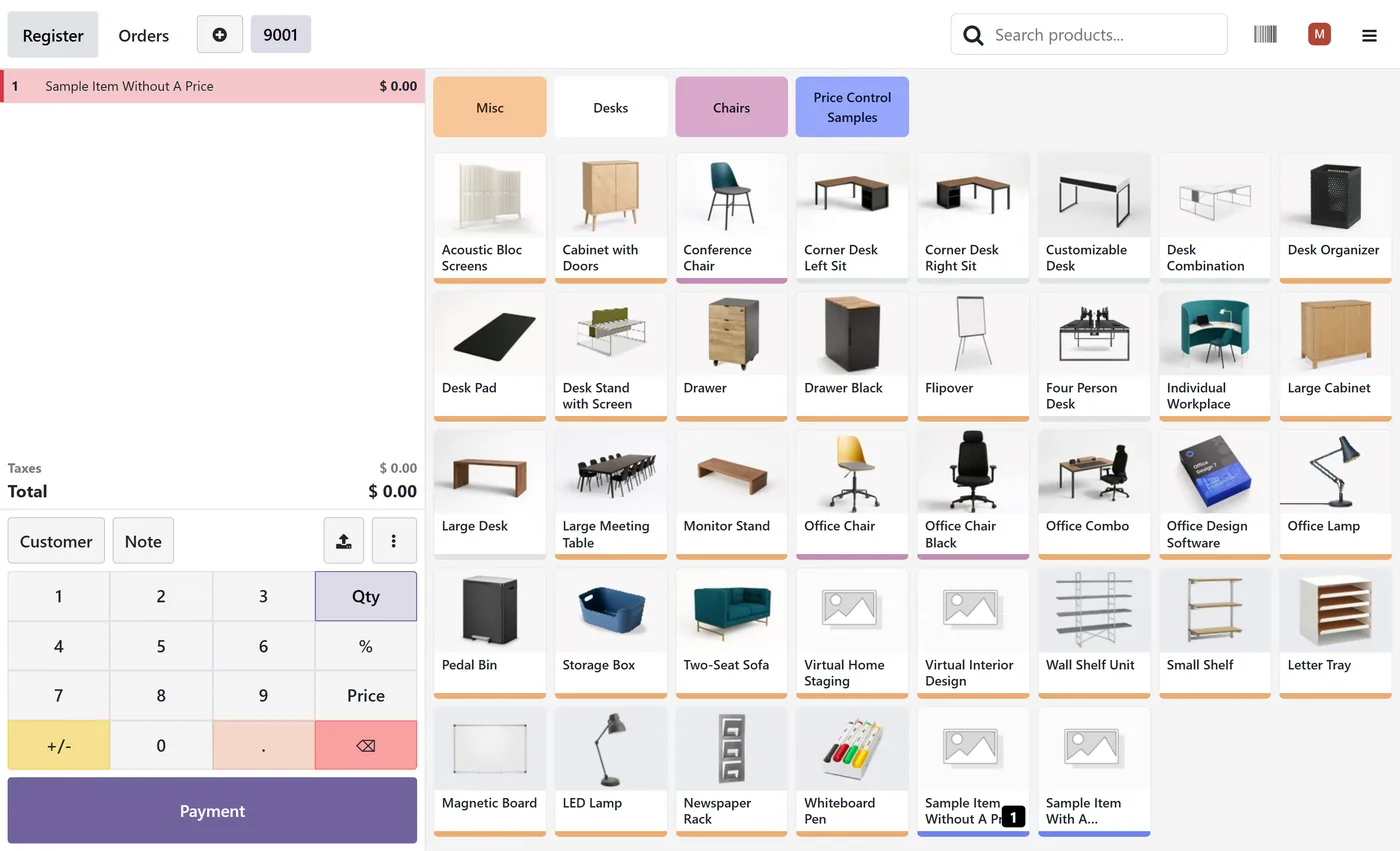
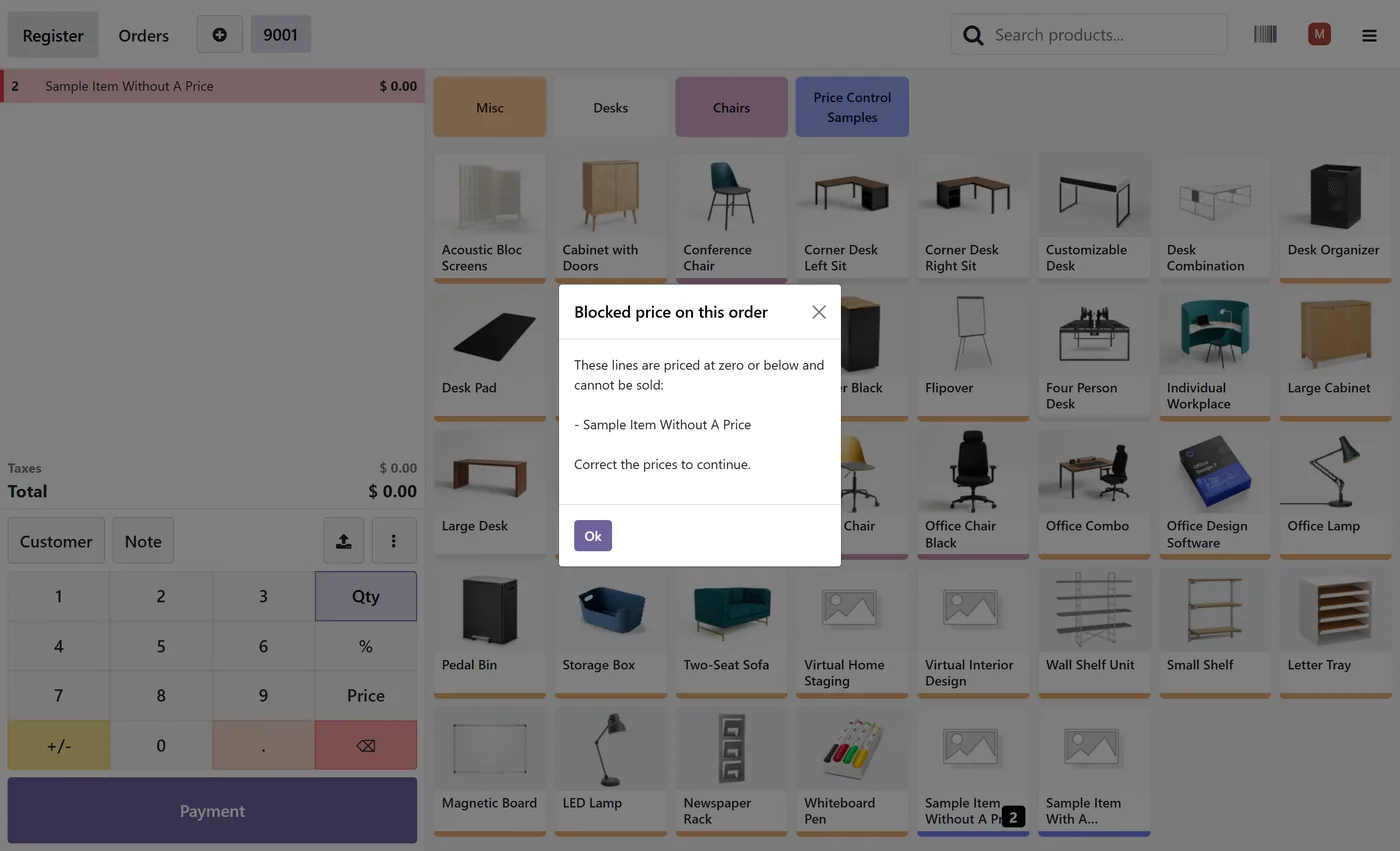
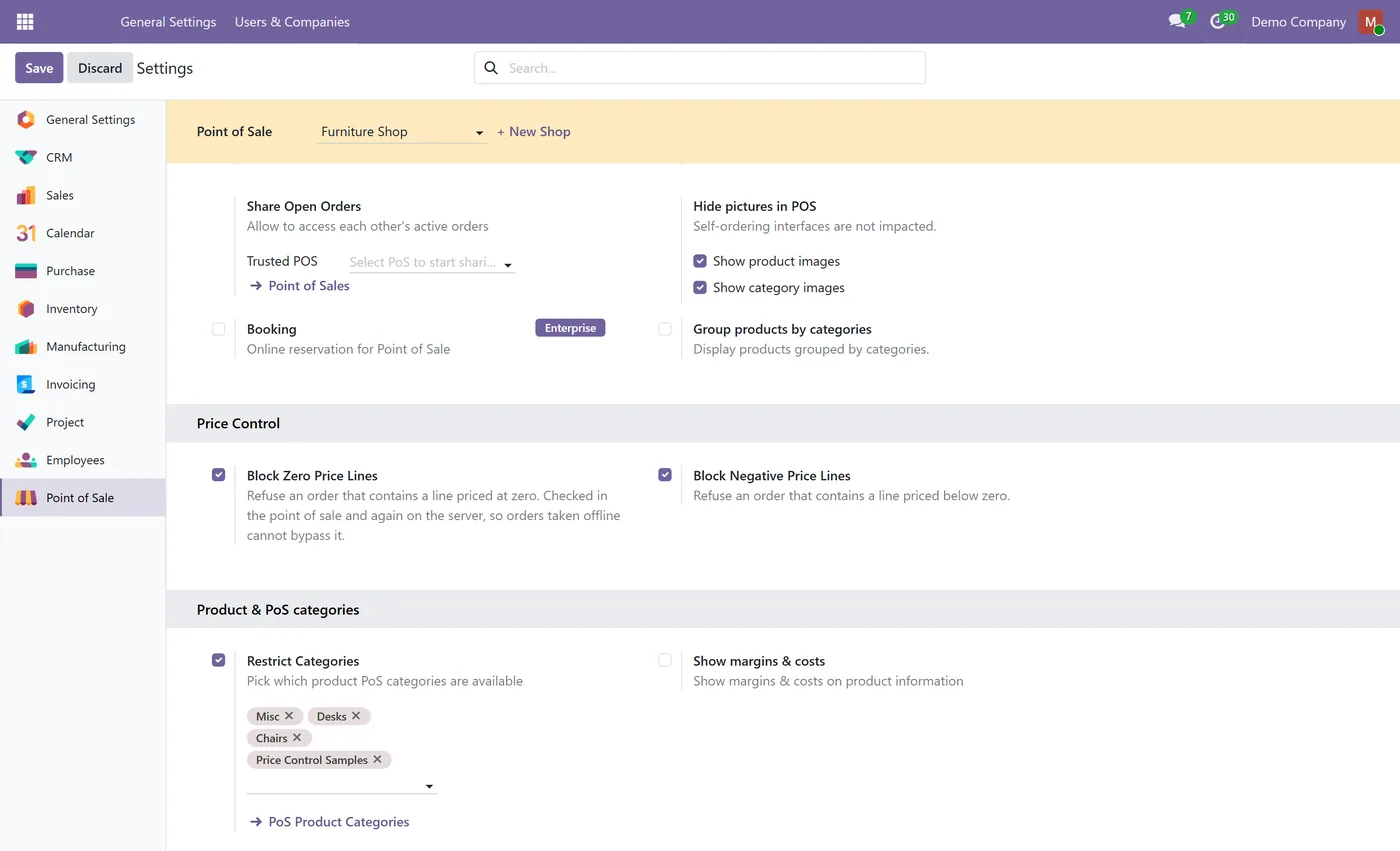
Block zero priced lines, block negative priced lines, or both
- Offending line highlighted in the cart before payment
- Payment refused with the products at fault named
- Enforced on the server, so offline orders are covered
02
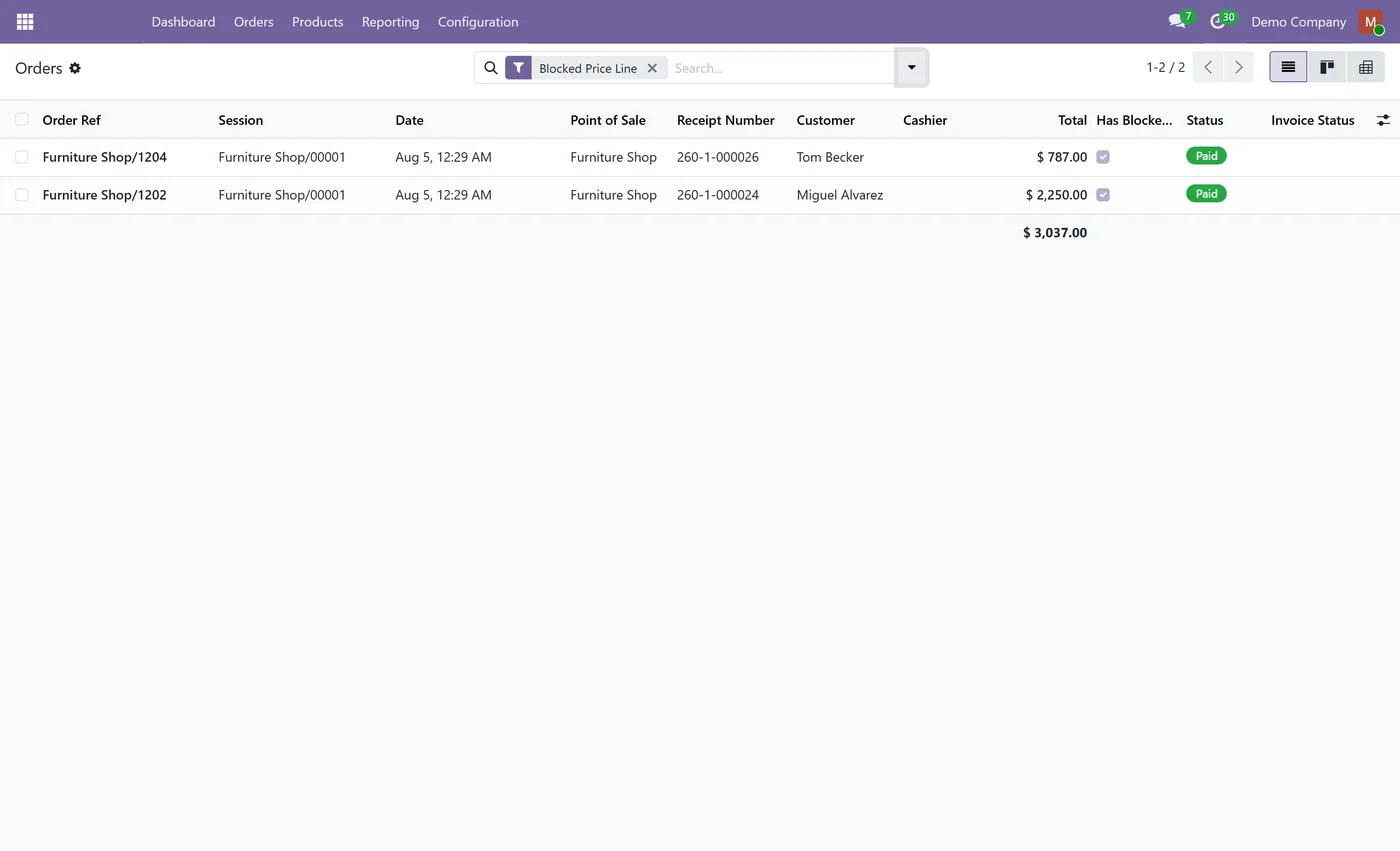
Offline orders are flagged for review, never destroyed
- Blocked Price Line filter on the point of sale orders list
- Combo parent lines exempt
- Loyalty rewards and discounts exempt
03
Set per point of sale
- Compared against currency rounding, not a raw float
What it does
A product saved before anyone set a price sells for nothing, and a mistyped discount sends a line negative. Neither stops the sale, and neither surfaces until somebody reconciles the till and finds revenue missing with no way to tell which sale caused it.
POS Zero Price Block refuses those lines at the counter. The offending line is highlighted the moment it enters the cart, and payment is refused with the products at fault named, so the cashier knows what to fix rather than simply being told no.
It then checks again on the server order sync path. That second check is the point: a browser side rule cannot see an order created while the point of sale was offline, and those orders reach the database later, long after the customer has left.
- Two independent switches. Block zero priced lines, block negative priced lines, or both. - Set per point of sale. A till that hands out zero priced samples can still refuse negative lines, and different registers can behave differently. - Enforced on the server too. Offline orders are inspected when they sync, not just at the till. - Offline sales are flagged, never destroyed. The goods have already changed hands, so the sale is recorded and marked rather than refused, and a Blocked Price Line filter shows managers exactly what got through. - Combo and loyalty safe. Combo parent lines sit at zero by Odoo's own design and loyalty rewards are negative by construction. Both are exempt, so nothing legitimate is blocked. - Currency aware. Prices are compared against the point of sale currency rounding rather than a raw float, so rounding artefacts never trigger it.
Who it's for
Retailers and hospitality operators whose catalogue changes often enough that products occasionally reach the till without a price, and anyone running tills that work offline, where a browser-only check leaves a real gap.
On the Odoo Store
Get POS Zero Price Block on the Odoo Store.
Pick your Odoo version and install it in a click, with free updates and real support behind it.
Get it on the Odoo StoreReady to make Odoo work the way your business does?
Book a free call CODEerts
CODEerts is a team of certified Odoo partners and full-stack engineers. We implement, customise and support Odoo ERP, then build the software around it.

