 CODEerts
Sales app for Odoo
Dynamic Pricelist Calculator
Price a product from its attribute values and typed measurements: area, weight, linear metre, size bands and quantity breaks, with a full breakdown on every line.
Overview
Dynamic Pricelist Calculator.
A new pricelist rule type for Odoo that computes the price instead of looking it up. Declare the measurements a product is sold by, build the price book from ten operations, and every quotation line shows the waterfall that produced its figure. Nine of the ten operations need no formula at all, so a sales manager can build a made to measure price book without writing an expression, and none of the five preset packs uses one. It composes with the quantity breaks, date windows, customer pricelists and cost-plus bases already in Odoo, because it is a rule type rather than a replacement engine.
New to Odoo Sales? Read our practical guide to how it works
How it works
Built around what you actually do.
Every screen below is the module running in Odoo, not a mockup.
01
A new Price Type on the pricelist rule, so it composes with everything Odoo pricelists already do
- Formula: arithmetic over the inputs you declare, validated when you save it rather than when a customer hits it
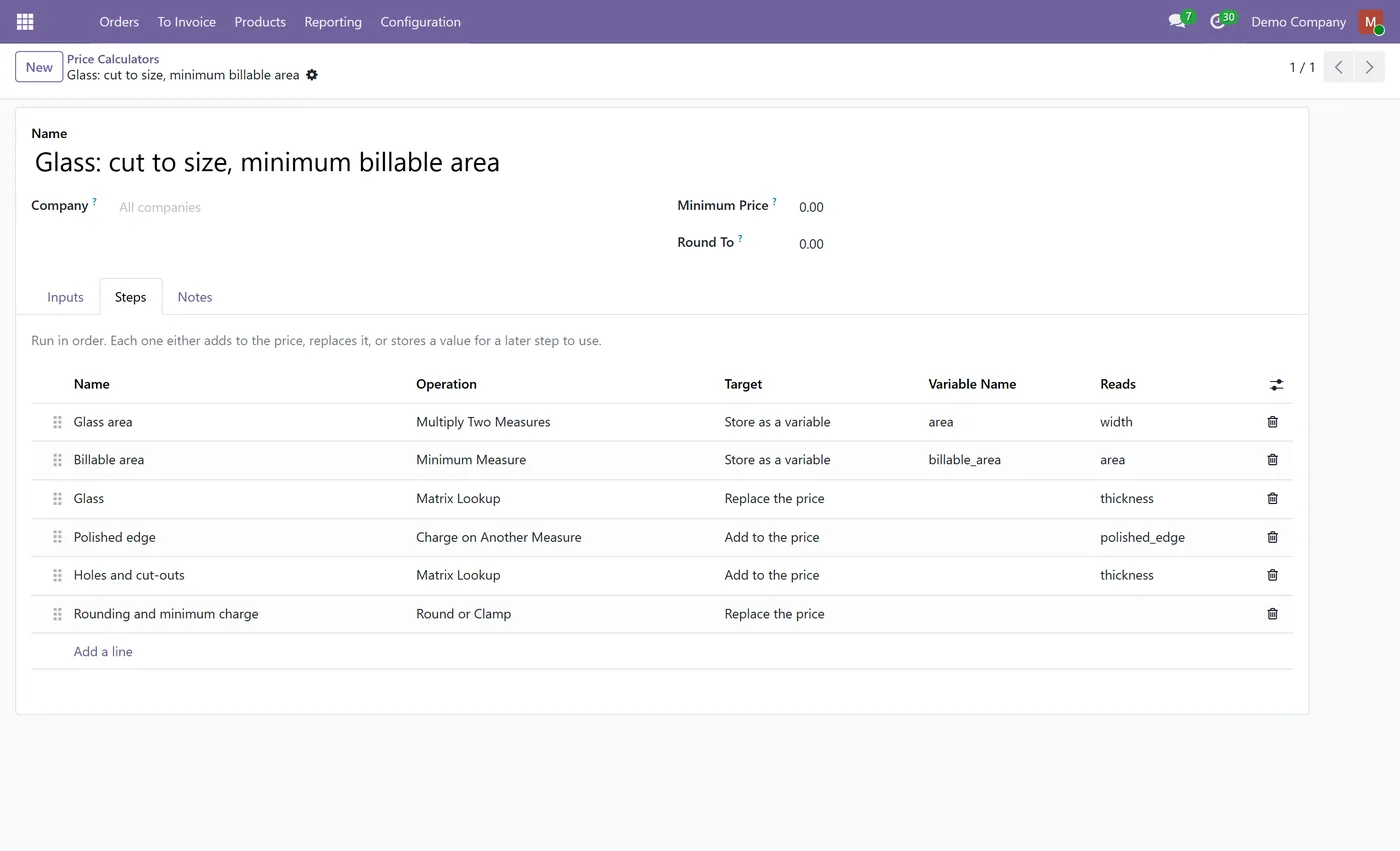
- Multiply Two Measures: width by height for an area, with a factor for density or a unit conversion
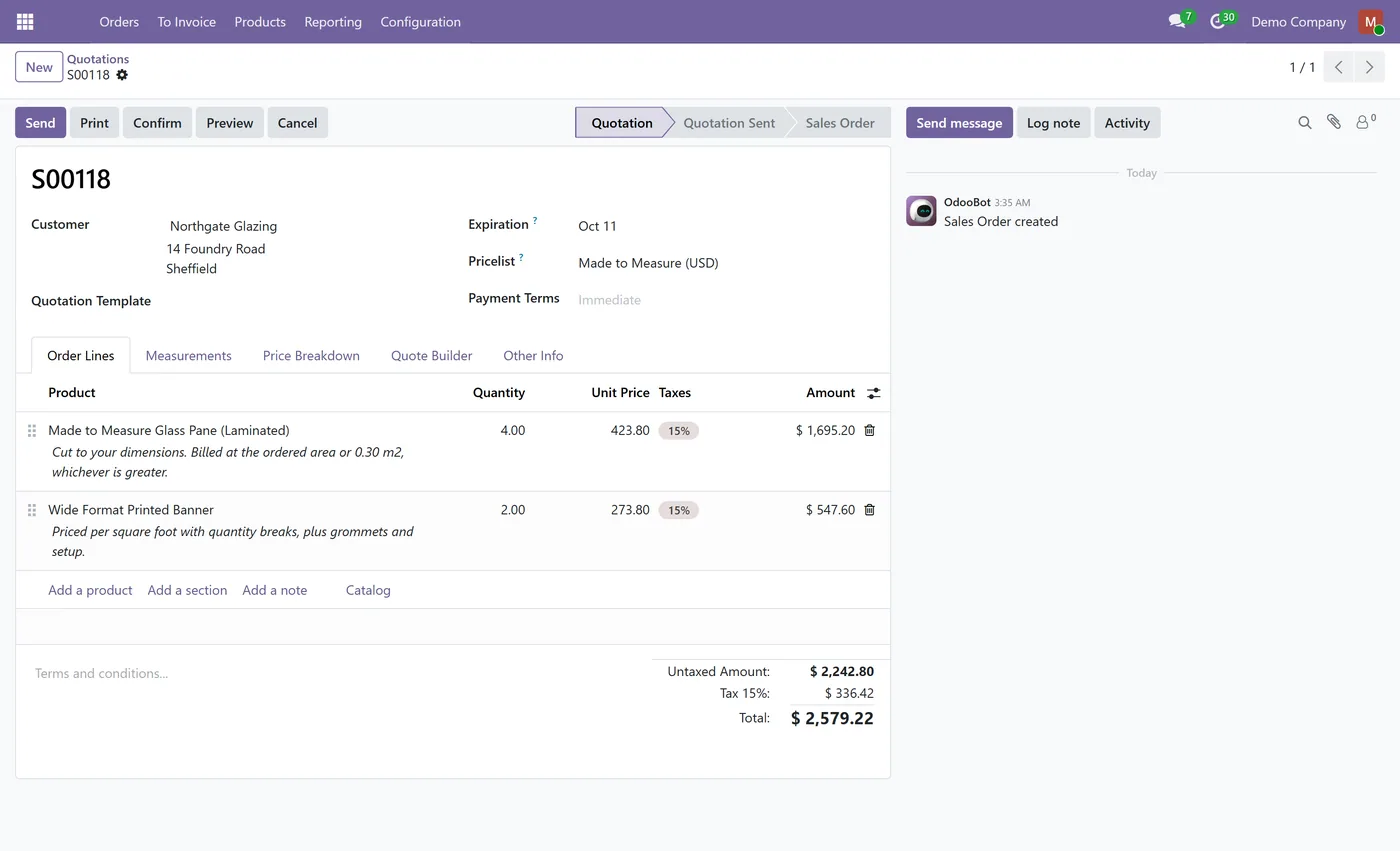
- Minimum Measure: bill a minimum area while still cutting to the exact size ordered
- Charge on Another Measure: perimeter or edge length alongside area, with no formula needed
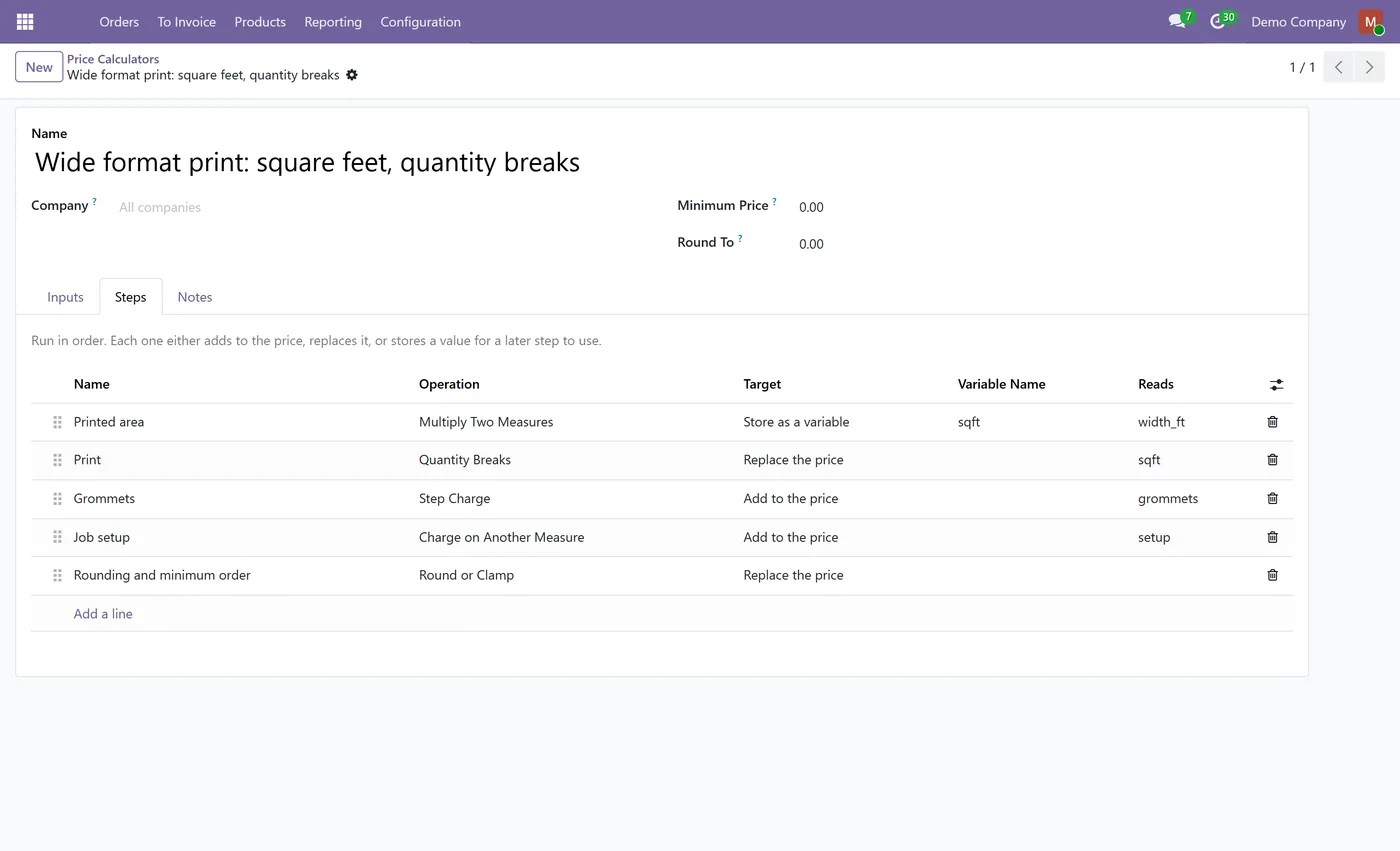
- Step Charge: free-then-blocks pricing, such as ten cuts included then a charge per five
- Range Lookup: a rate that changes by size, multiplied by the measure
02
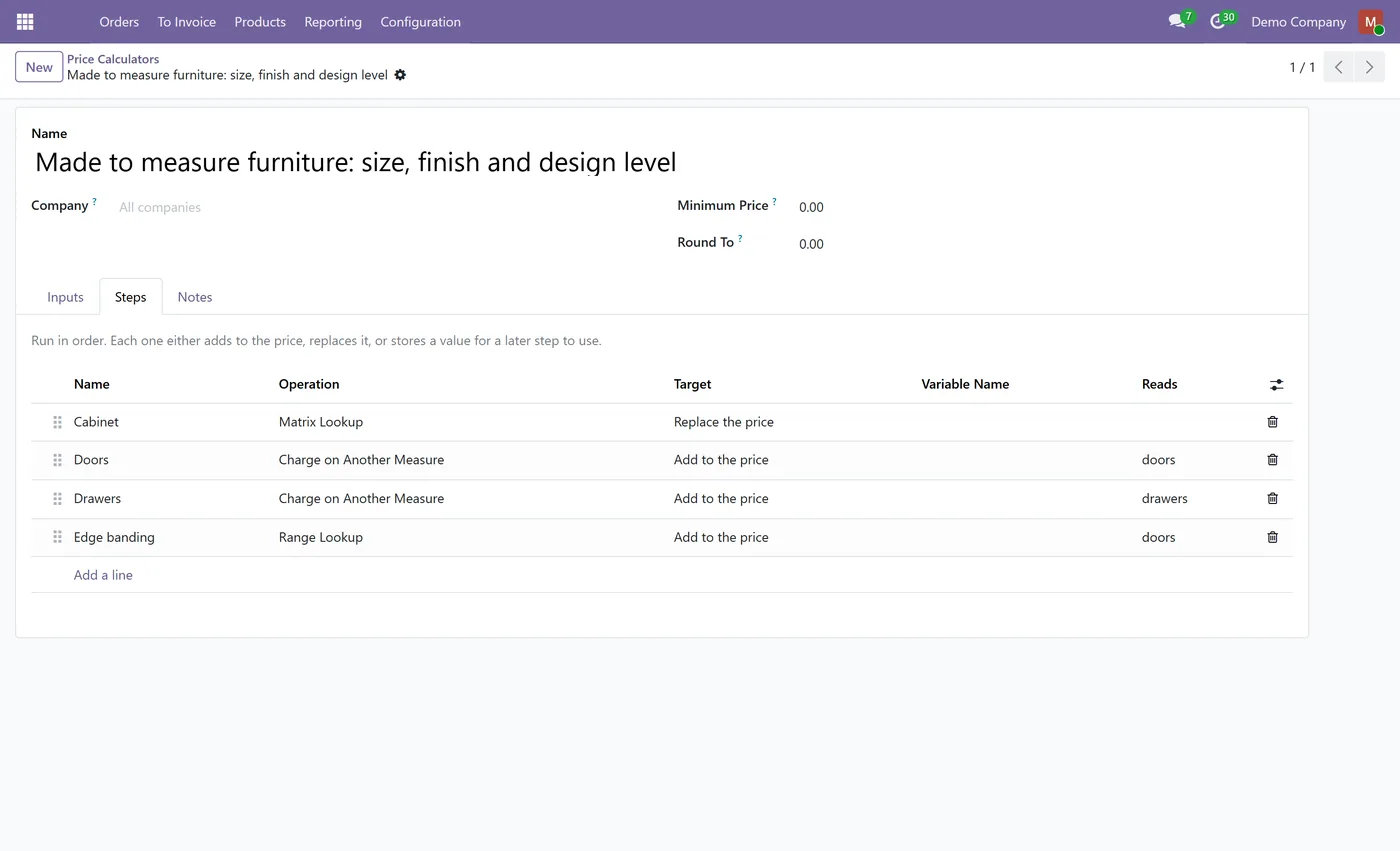
Matrix Lookup: one rate keyed on several attributes at once, one price book cell per combination
- Quantity Breaks with the tiered versus volume distinction made explicit, not assumed
- Switch Basis: change how you charge above a threshold, such as billing whole rolls
- Round or Clamp: increments, and a fixed amount or a percentage, whichever is greater
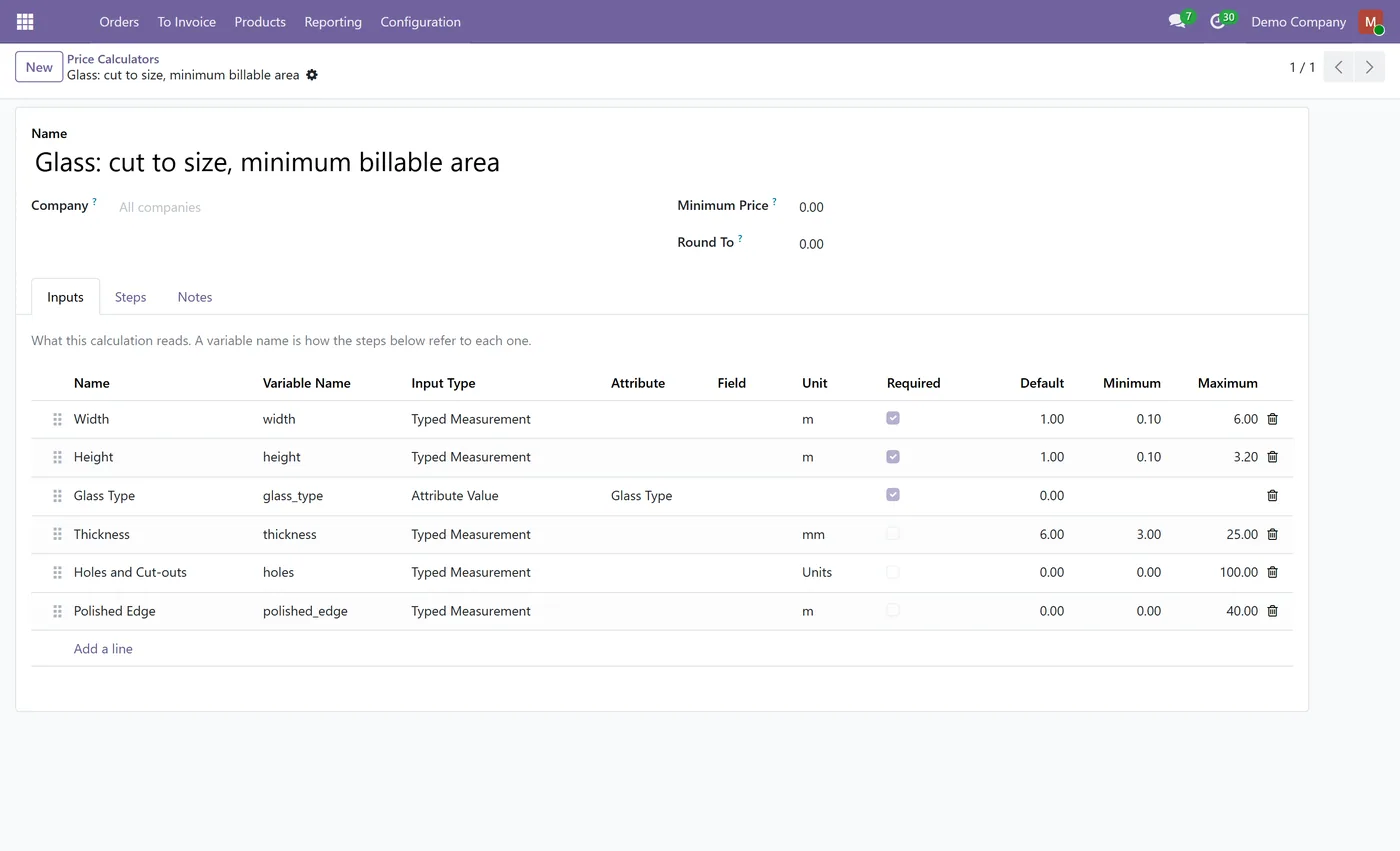
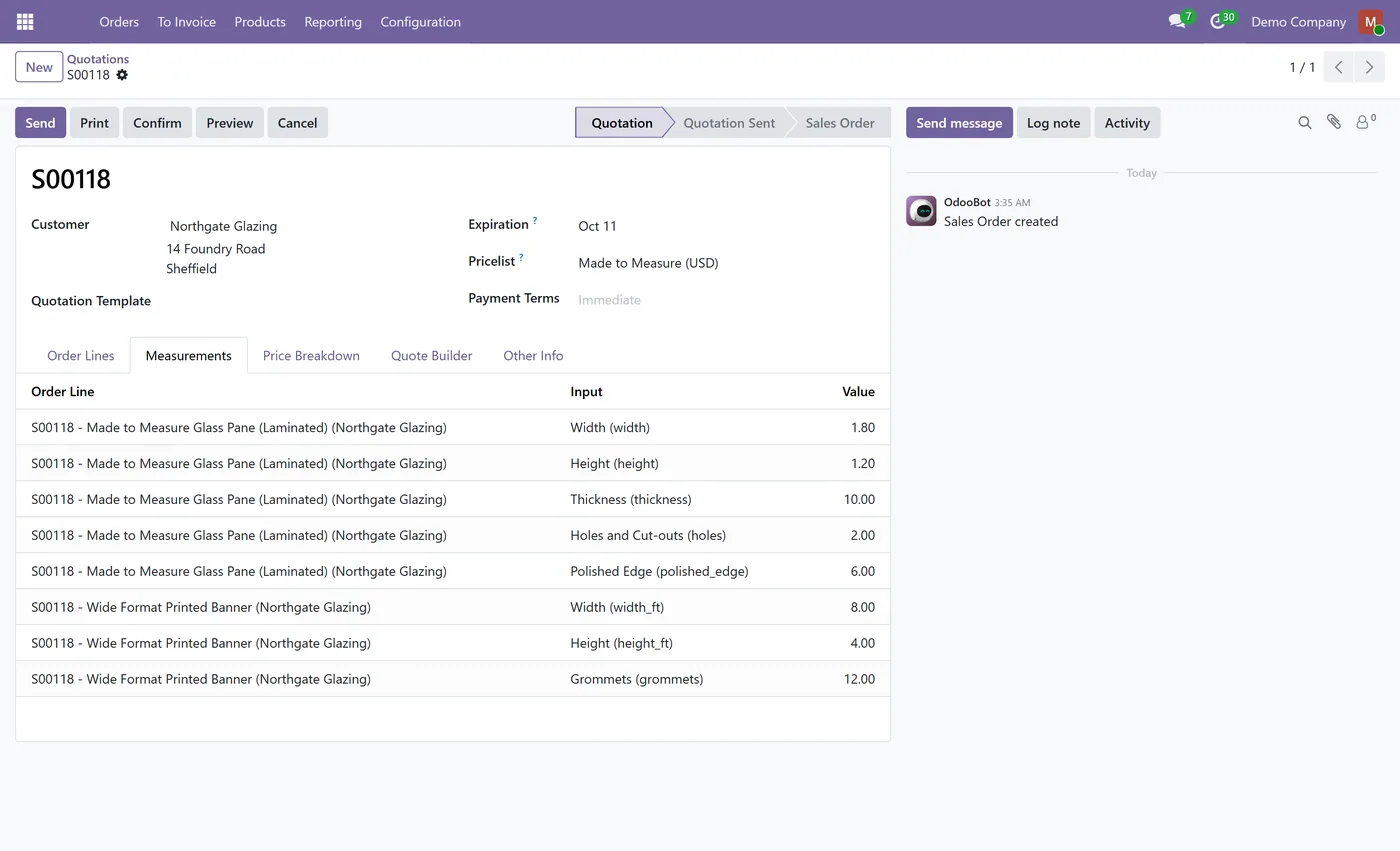
- Inputs from three sources: typed measurements, product attribute values and product fields
- Units of measure on every measurement, converted before the price book runs
- Bounded inputs: a value above the maximum is refused, never quietly reduced to fit
03
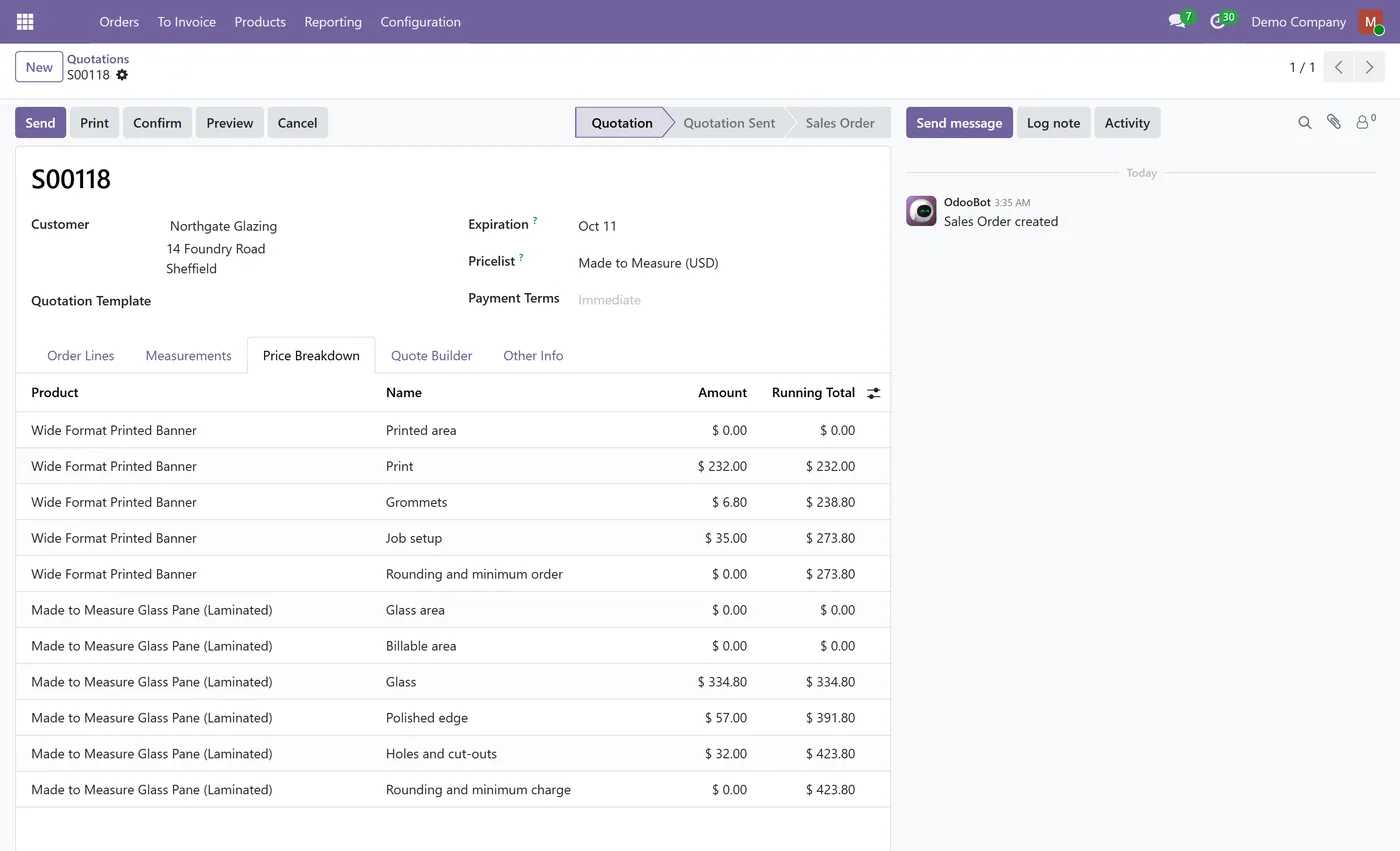
A Price Breakdown tab on the quotation showing every step and what it contributed, line by line
- Full price breakdown stored on the line, with cost derived steps collapsed so margin is never published
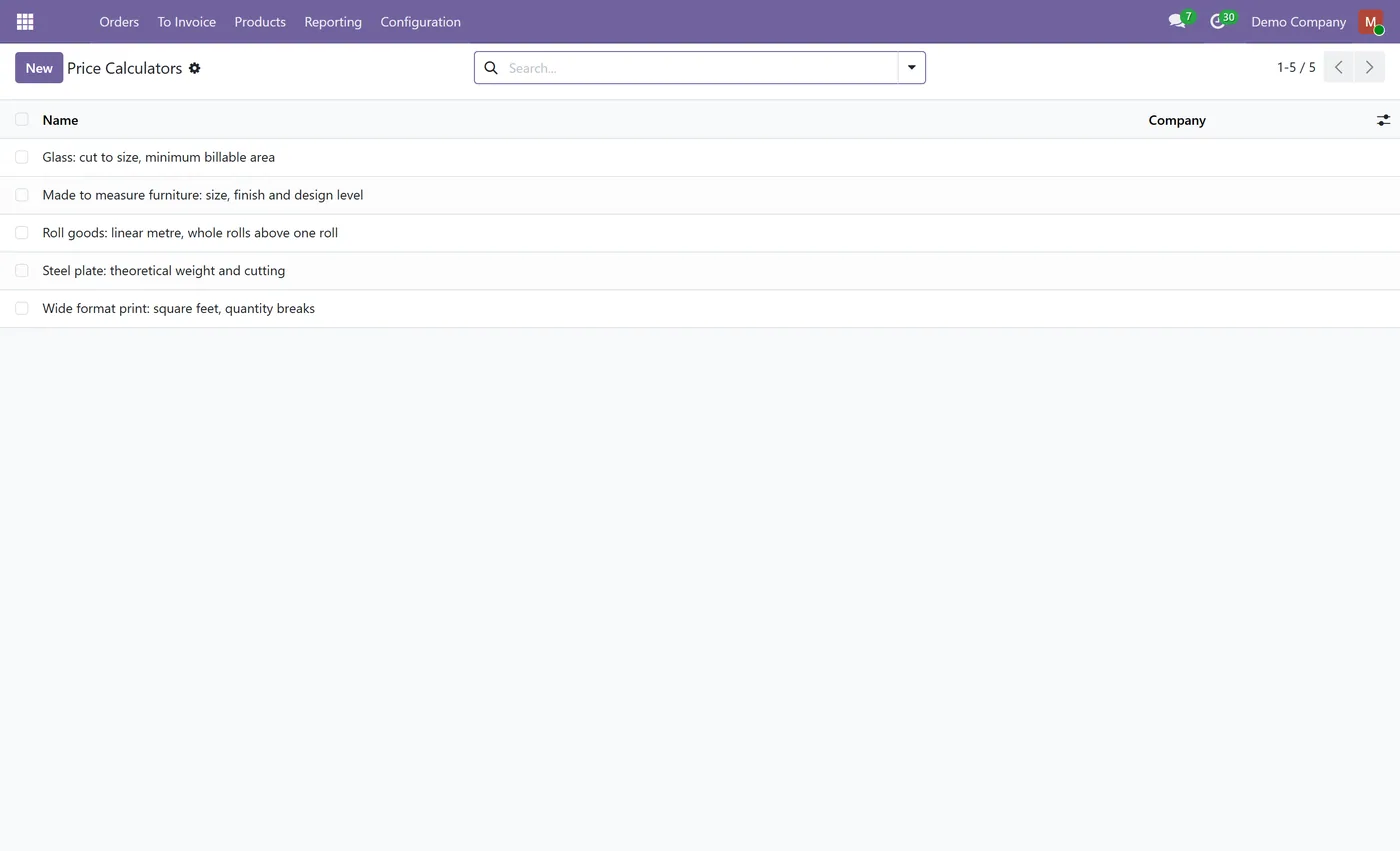
- Five industry preset packs installed ready to edit: glass, print and signage, steel, roll goods, furniture
- A quotation cannot be confirmed while a measurement is still blank
- Restricted formula editing: only the engineer group sees the expression field
Every screen
The whole module, screen by screen.
The captures the walkthrough above did not use, in the order you meet them in the product.
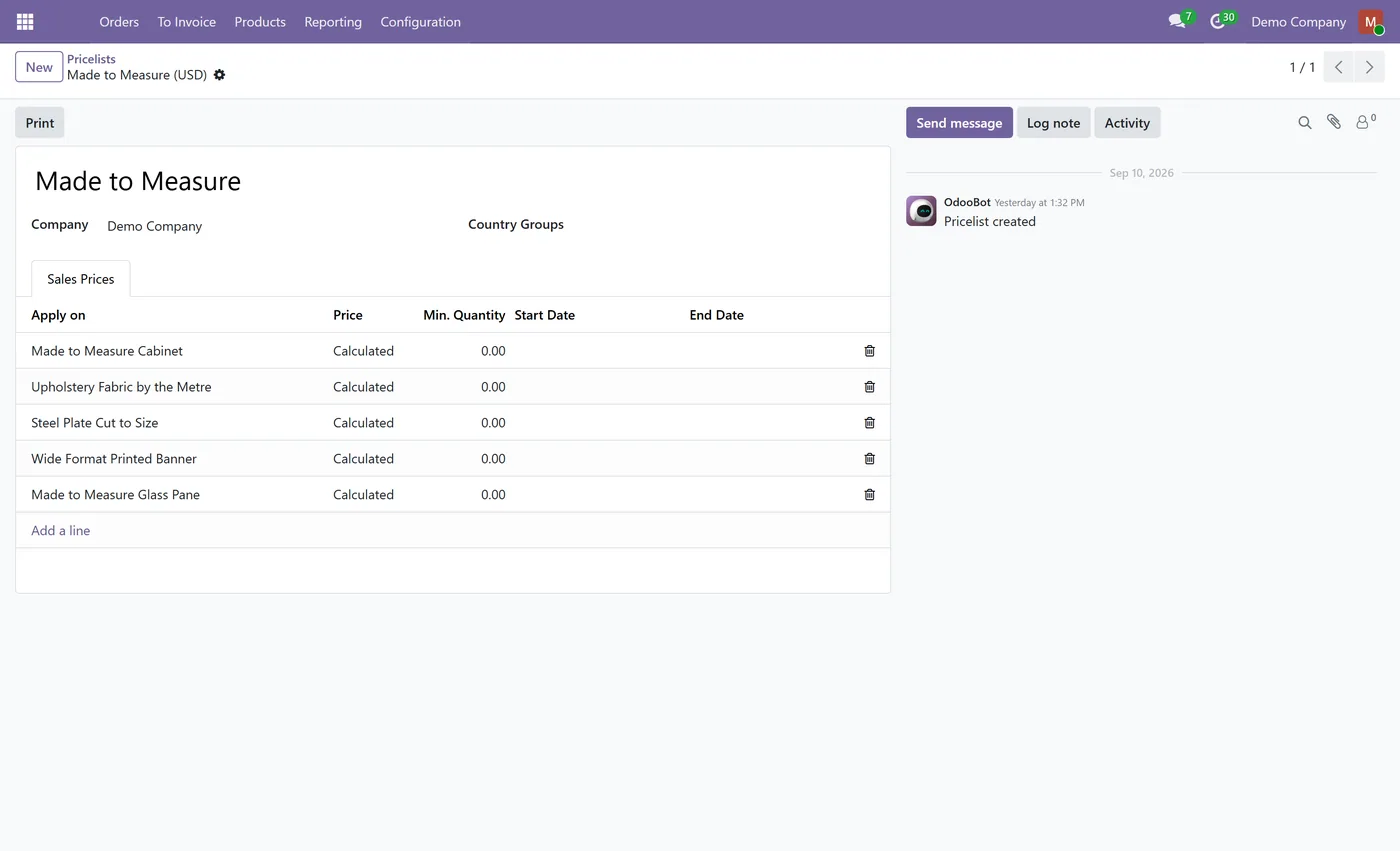
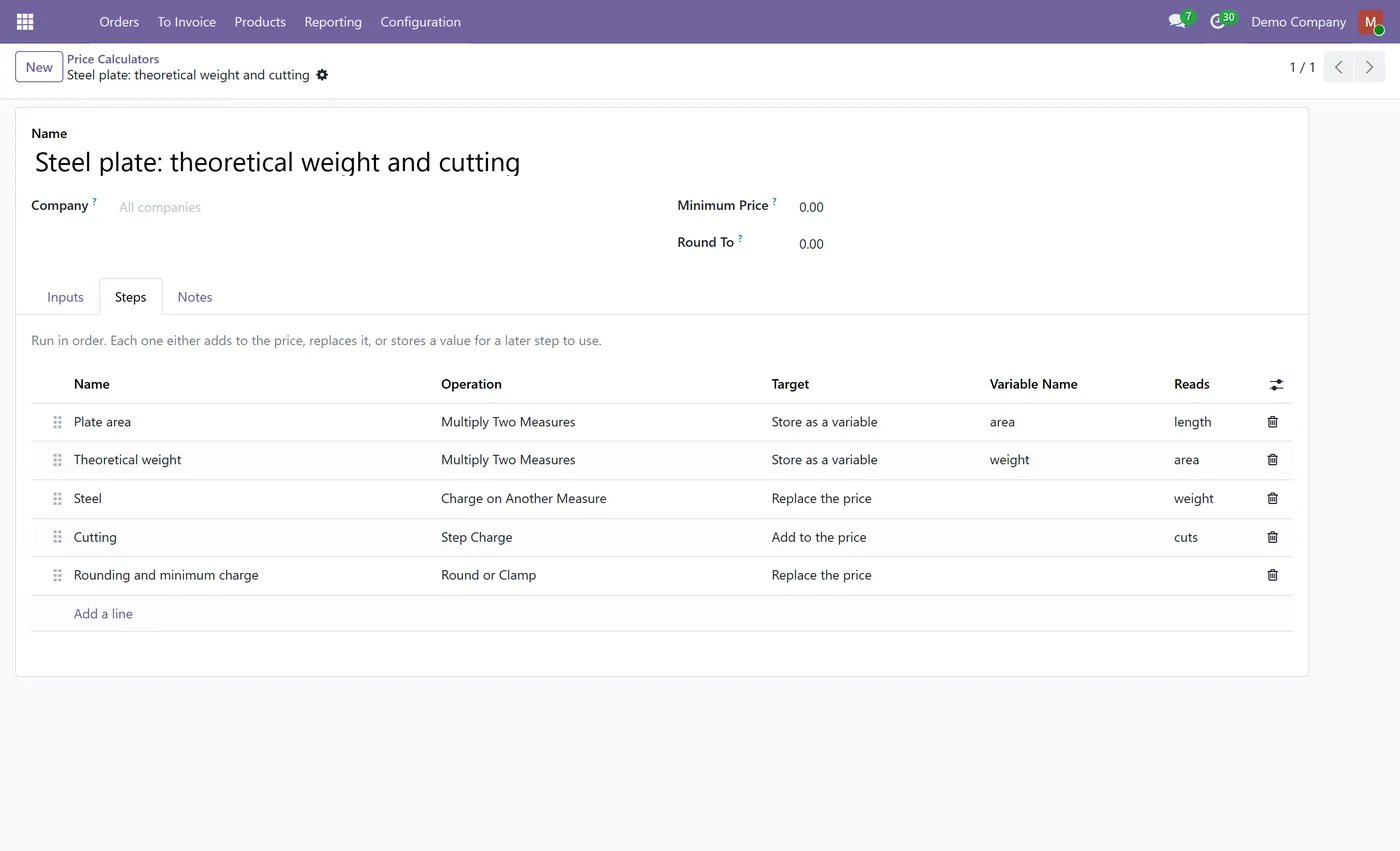
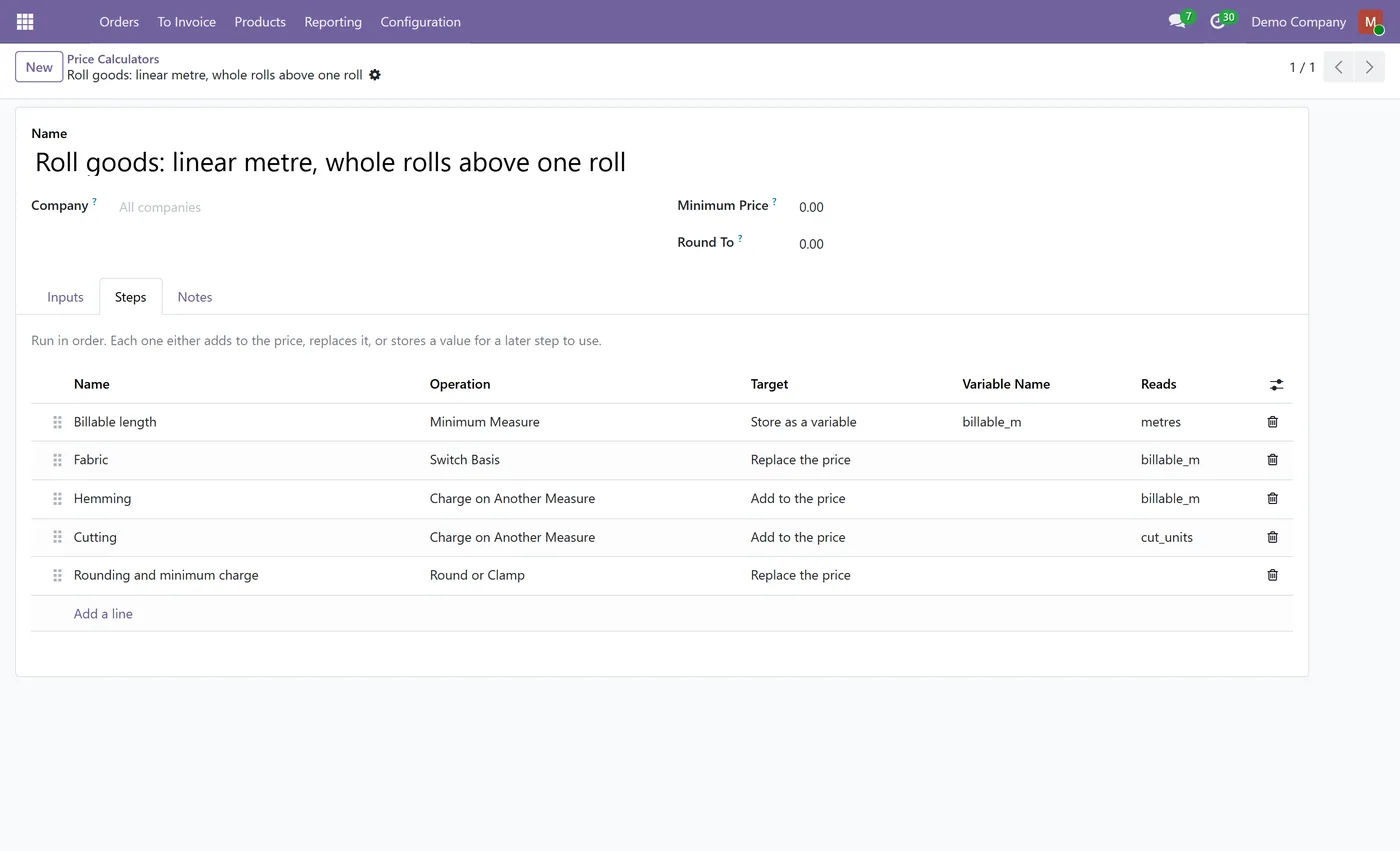
What it does
Dynamic Pricelist Calculator prices a product from what it actually is. You declare the measurements it is sold by, such as width, height, thickness or a cut count, and the attribute values that change its rate, then build the price book from ten operations that cover how real trades quote: an area from width by height, a minimum billable area, a charge on a second geometry, free-then-blocks cutting fees, size band rates, multi-key price book cells, quantity breaks in both flavours, a change of basis above a threshold, and a minimum charge expressed as a fixed amount or a percentage.
It is a new Price Type on an ordinary pricelist rule, so nothing about your existing pricing changes. The same rule still respects its date window, its minimum quantity and the customer pricelist it belongs to. What changes is that the rule computes a figure instead of looking one up, and stores the waterfall that produced it on the line.
The engine never falls back. A rule that cannot calculate says so and names the step, because a pricelist rule that quietly reprices at the list price is the single most expensive thing a pricing module can do.
Who it's for
Anyone who sells something that has no single price. Glass and glazing, sign and wide format print, steel and metal service centres, fabric and roll goods, blinds and shutters, worktops, made to measure furniture and joinery, packaging converters, and any manufacturer quoting to a customer's dimensions rather than from a catalogue.
Questions
About Dynamic Pricelist Calculator.
Can Odoo price a product by square metre or by dimensions?
Not on its own. Odoo offers one flat extra amount per attribute value, and when a customer types a value into a custom attribute it is stored as text with no price field at all. This module adds a pricelist rule type that reads those measurements as numbers and computes the price from them.
Do I have to write formulas?
No. Nine of the ten operations are configured from ordinary fields and tables, and none of the five preset packs uses a formula, so a made to measure price book can be built without ever opening an expression. The formula operation exists for the cases that genuinely need arithmetic, and it is restricted to a separate engineer group.
How do I bill a minimum area but still cut to the size ordered?
Use the Minimum Measure operation. It raises the billable measure to your minimum while the product is still made to the dimensions on the order, which is how flat glass is sold everywhere. The breakdown on the line shows both figures.
What is the difference between tiered and volume quantity breaks?
Volume applies the rate that matches the total to all of it, so crossing a break can make the whole order cheaper. Tiered charges each range at its own rate and adds the slices. The same table and the same quantity give different totals, so the choice is an explicit setting on every row rather than an assumption.
Can the price depend on more than one attribute at the same time?
Yes. A Matrix Lookup row can carry as many conditions as your price book has dimensions, so a cabinet keyed on size, finish and design level together is one cell per combination. Chaining separate lookups only gives the same answer when the book is separable, and cell based books are not.
What happens if the price book has no row for what someone ordered?
It refuses, and the message names the step. A missing cell contributing nothing would price a real order at a real looking number with an entire charge silently missing, which is the failure this module is built to prevent.
Can a customer see how the price was calculated?
Yes. Every calculated line stores the waterfall that produced it and shows each step and its amount. Steps derived from cost are collapsed into one labelled remainder, so the breakdown still adds up to the price without publishing your margin.
Does it work with my existing pricelists and customer pricelists?
Yes. It is a new Price Type on a pricelist rule, not a separate engine, so date windows, minimum quantities, customer pricelists and cost-plus bases all keep working exactly as before. Installing it also switches on Odoo's Pricelists feature if it is off, because a pricelist rule cannot apply while that is disabled.
On the Odoo Store
Get Dynamic Pricelist Calculator on the Odoo Store.
Pick your Odoo version and install it in a click, with free updates and real support behind it.
Get it on the Odoo StoreReady to make Odoo work the way your business does?
Book a free call CODEerts
CODEerts is a team of certified Odoo partners and full-stack engineers. We implement, customise and support Odoo ERP, then build the software around it.

