CODEerts
Sales app for Odoo
Margin on Products, Sales & Invoices
See cost, margin amount and margin percentage on products, sale orders and invoices, with loss-making lines flagged in red and margin measures built into the sales and invoice analysis.
Overview
Margin on Products, Sales & Invoices.
Margin on Products, Sales and Invoices shows the money you actually make, right where you work. It adds a margin percentage on every product, a Cost and Margin Amount column on sale order and invoice lines, and a margin total on the order and invoice. Lines that sell below cost turn red so a loss never slips through, and a Margin Total measure is added to the Sales Analysis and Invoice Analysis reports so you can pivot and graph profitability by product, customer or period. It reads your existing cost and price, needs no configuration and changes none of your data.
New to Odoo Sales? Read our practical guide to how it works
How it works
Built around what you actually do.
Every screen below is the module running in Odoo, not a mockup.
01
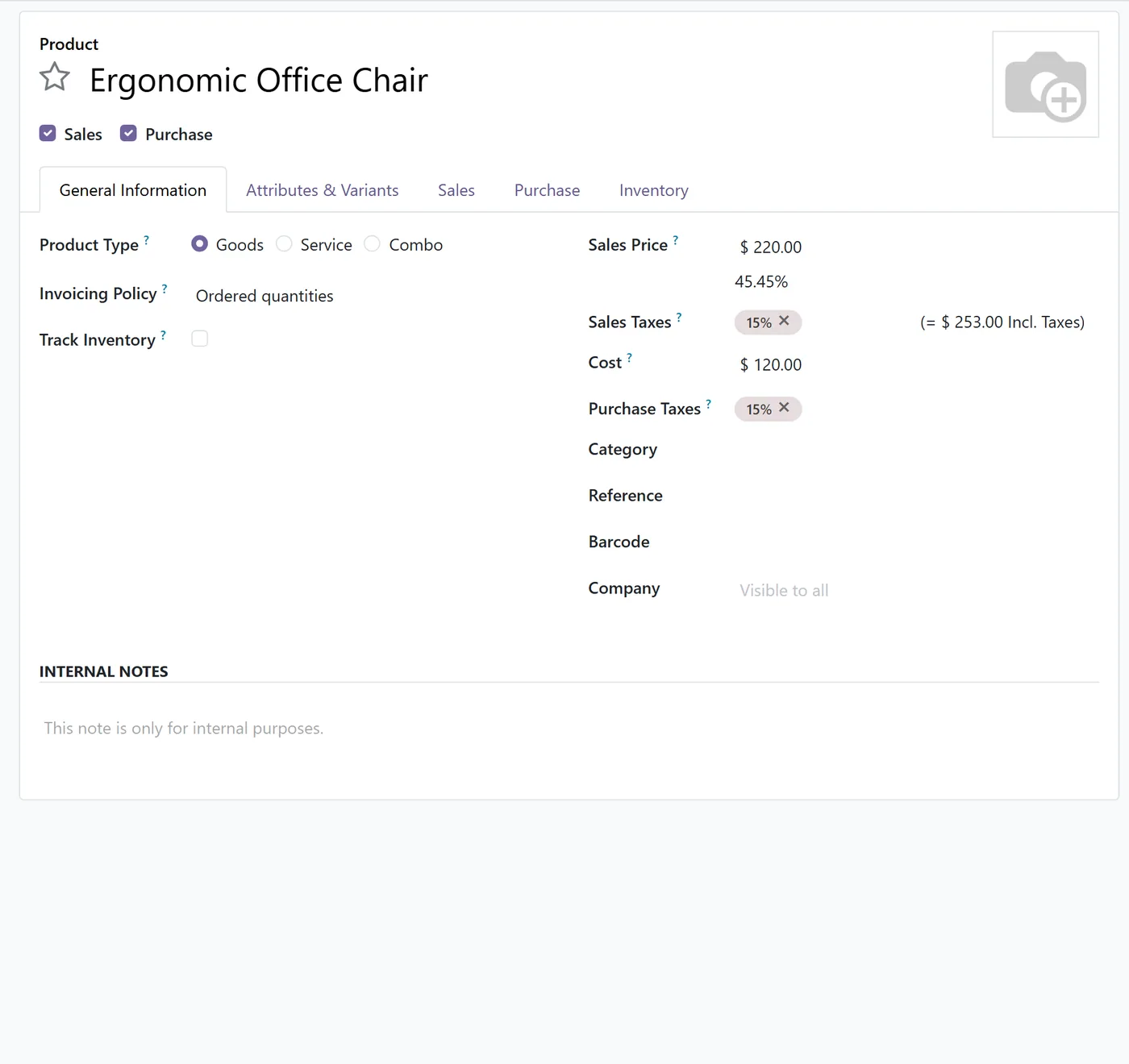
Margin percentage shown on every product (sales price versus cost)
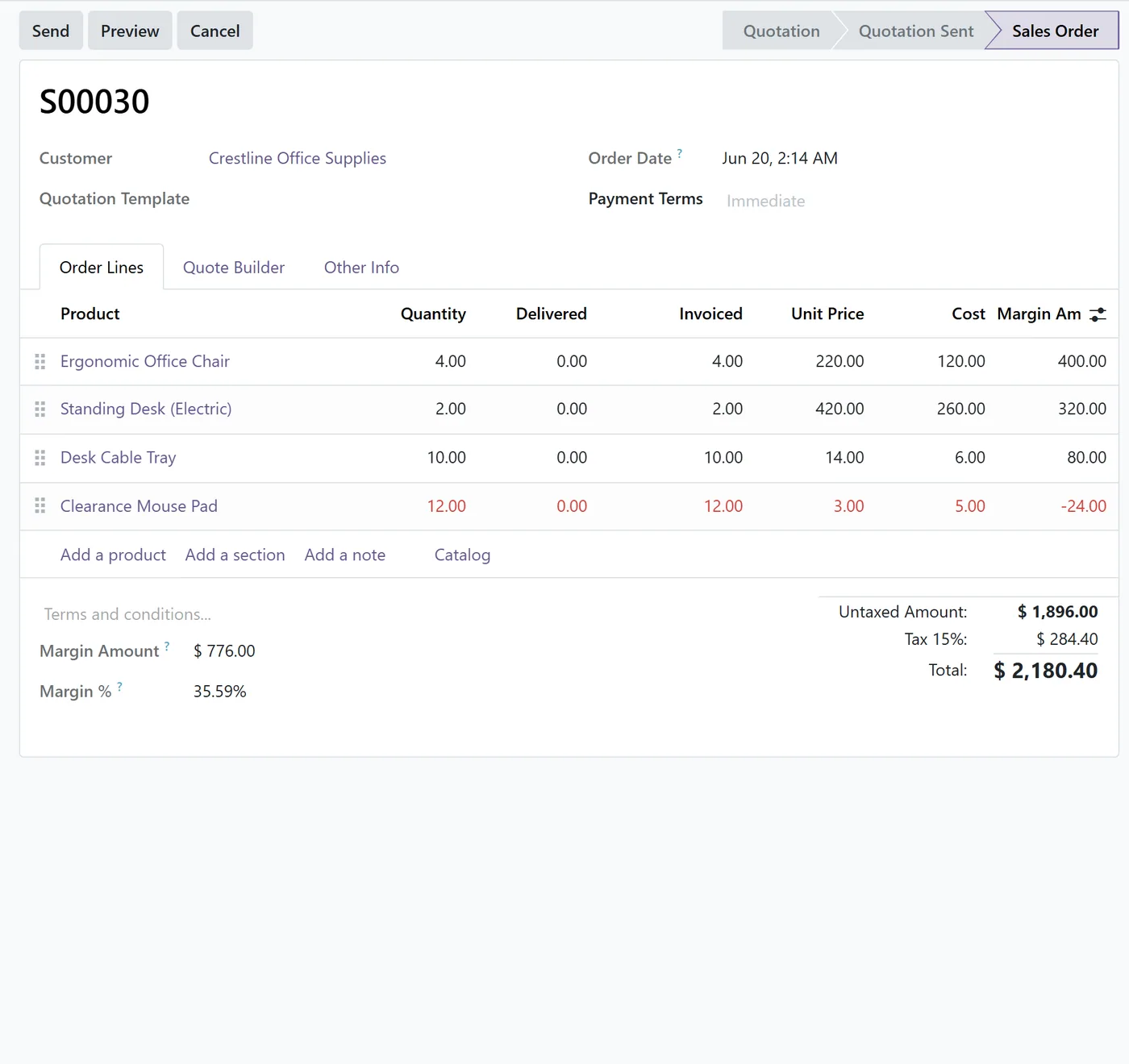
- Cost and Margin Amount columns on each sale order line
- Total Margin Amount and Margin percentage on the sale order
02
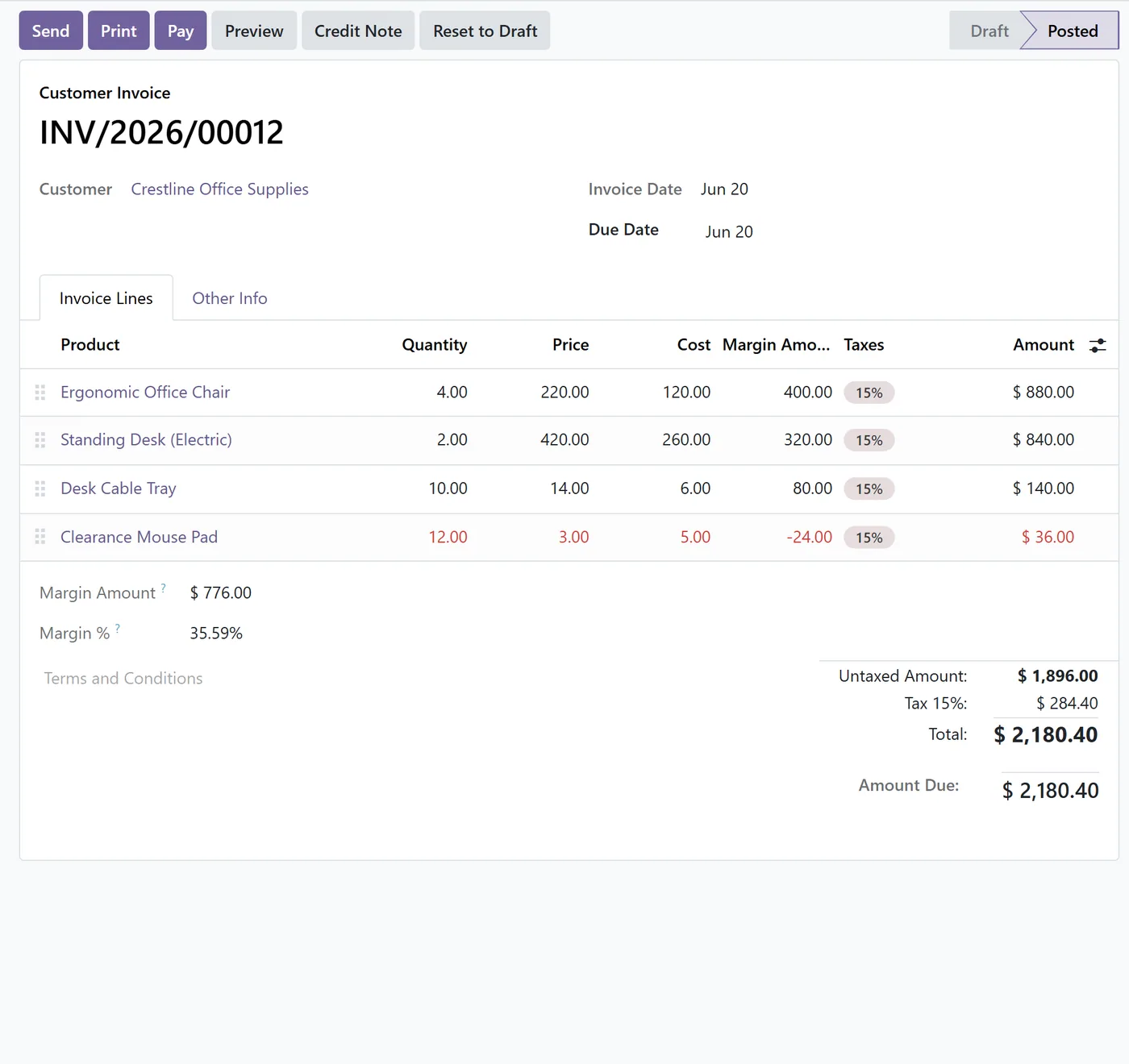
Cost and Margin Amount columns on each customer invoice line
- Total Margin Amount and Margin percentage on the invoice
- Loss-making lines (margin below zero) highlighted in red so they stand out
03
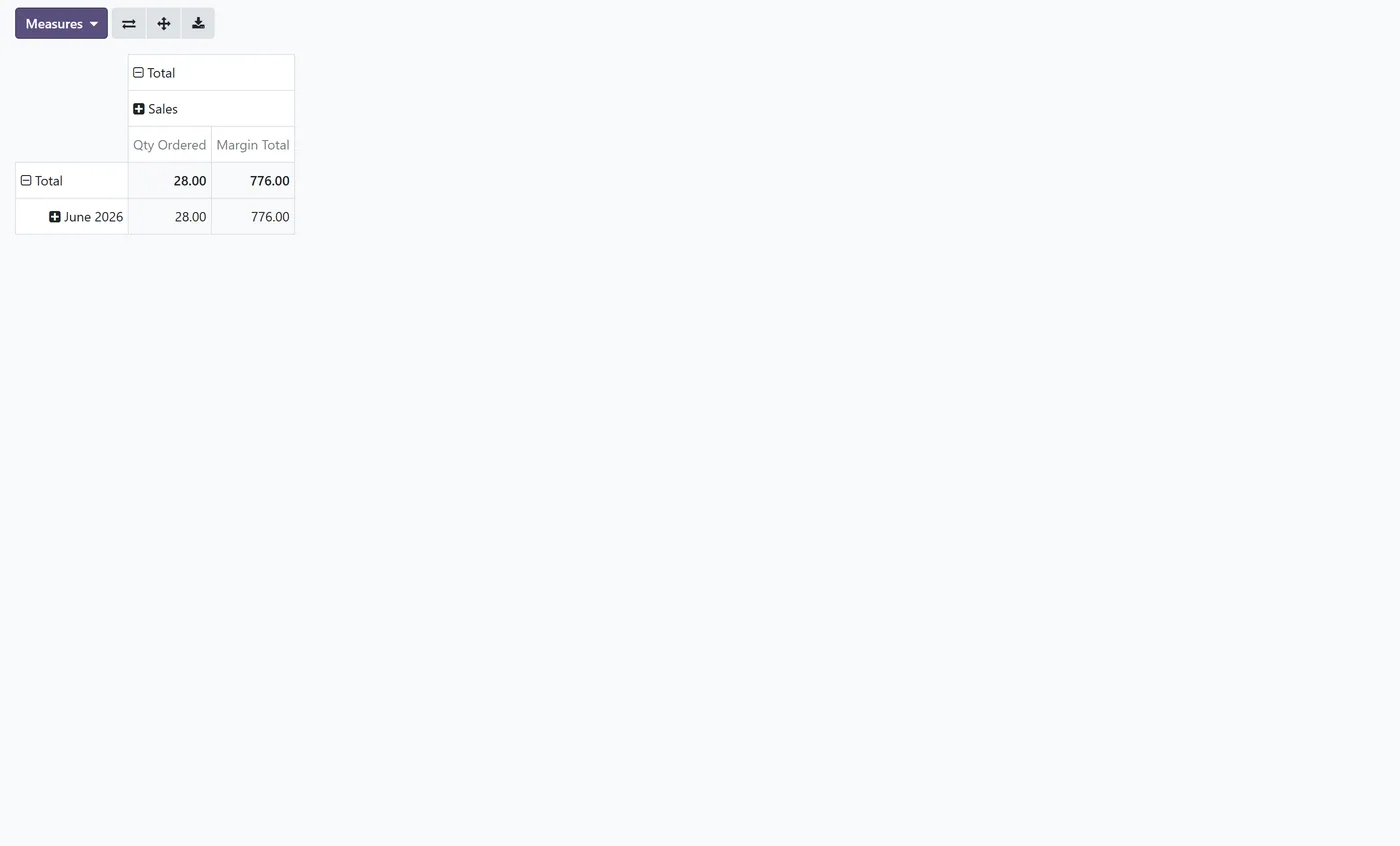
Margin Total measure added to the Sales Analysis pivot and graph
- Margin Total measure added to the Invoice Analysis pivot
- Reads existing cost and price, no configuration and no change to your data
Every screen
The whole module, screen by screen.
The captures the walkthrough above did not use, in the order you meet them in the product.
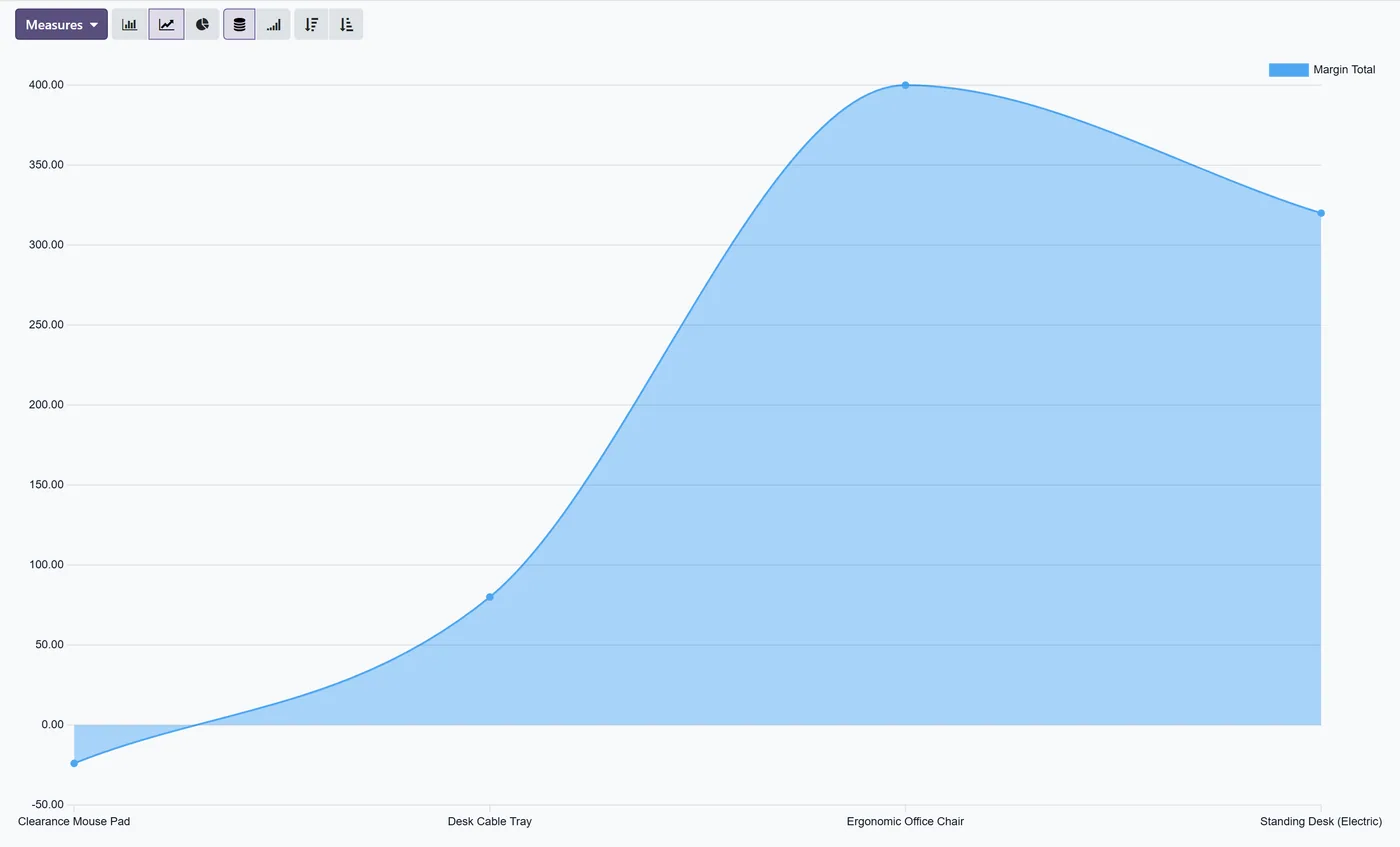
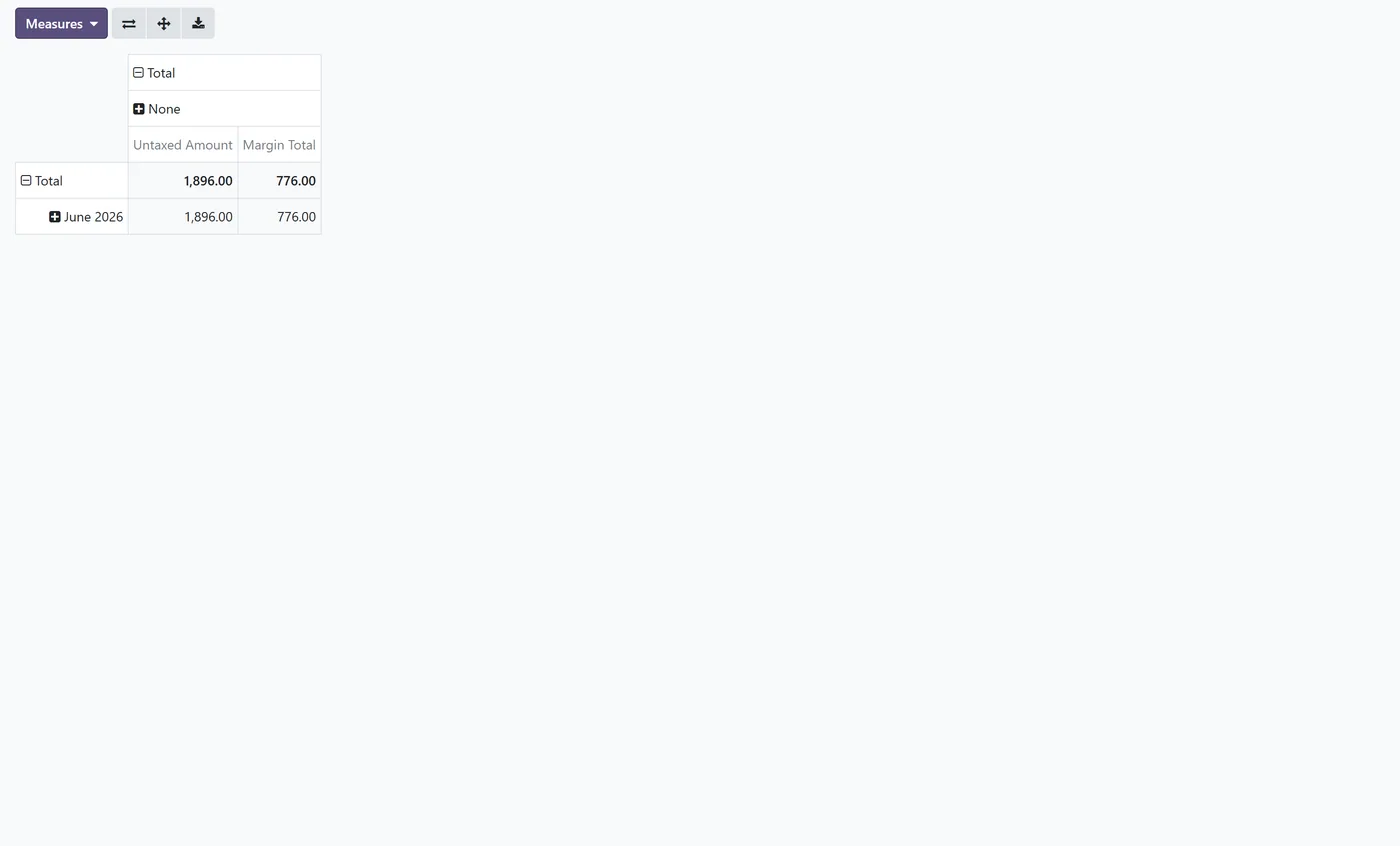
Margin on Products, Sales and Invoices puts the number that matters, your margin, right next to the price you are quoting and the invoice you are issuing, so profitability is something you see while you work instead of something you reconstruct in a report later.
What it does
The module reads the cost and price you already keep in Odoo and turns them into clear margin figures across the sales flow. Every product shows a Margin percentage next to its sales price. Every sale order line gains a Cost column and a Margin Amount column, and the order footer adds a total Margin Amount and a Margin percentage. The same Cost and Margin Amount columns appear on customer invoice lines, with a total Margin Amount and Margin percentage on the invoice. Any line that would sell below cost is highlighted in red, so a loss never slips through unnoticed. Nothing about your data is changed; the module only reads cost and price and displays the result.
Who it's for
Sales managers, business owners and finance teams who want to protect their margin at the point of sale, not discover a thin or negative margin after the fact. It suits any company that sells products with a known cost and needs quotations, invoices and analysis to show profit alongside revenue.
Questions
About Margin on Products, Sales & Invoices.
How do I see the profit margin on a sale order in Odoo?
Once installed, every sale order line shows a Cost and a Margin Amount column, and the order shows a total Margin Amount and Margin percentage. The figures use the product cost and the line price, so you see profitability while you build the quotation.
How do I show the margin percentage on a product in Odoo?
The product form gains a Margin percentage field next to the sales price. It is computed from the sales price and the cost, so each product shows its own margin without any manual entry.
Can I see the margin on a customer invoice too?
Yes. Customer invoice lines show a Cost and a Margin Amount column, and the invoice shows a total Margin Amount and Margin percentage, so you can confirm profitability at invoicing as well as at quotation.
How can I spot a sale line that is sold below cost?
Any line whose margin falls below zero is highlighted in red on the sale order and on the invoice, so a loss-making line is impossible to miss before you confirm.
Can I analyse margin by product or customer over time?
Yes. A Margin Total measure is added to the Sales Analysis pivot and graph and to the Invoice Analysis pivot, so you can group and chart margin by product, customer, salesperson or period like any other measure.
Which Odoo versions does this support?
Use the version selector at the top of this page to pick your Odoo release. Each Odoo Apps Store listing is published per version and shows exactly which release it supports.
On the Odoo Store
Get Margin on Products, Sales & Invoices on the Odoo Store.
Pick your Odoo version and install it in a click, with free updates and real support behind it.
Get it on the Odoo StoreReady to make Odoo work the way your business does?
Book a free call CODEerts
CODEerts is a team of certified Odoo partners and full-stack engineers. We implement, customise and support Odoo ERP, then build the software around it.