 CODEerts
Project app for Odoo
Agile Scrum & Sprints for Project
Run Scrum and Kanban on Odoo Project with sprints, a product backlog, story points, a sprint board, WIP limits on kanban columns, epics with story-point rollup, a velocity chart and Jira-style task links.
Overview
Agile Scrum & Sprints for Project.
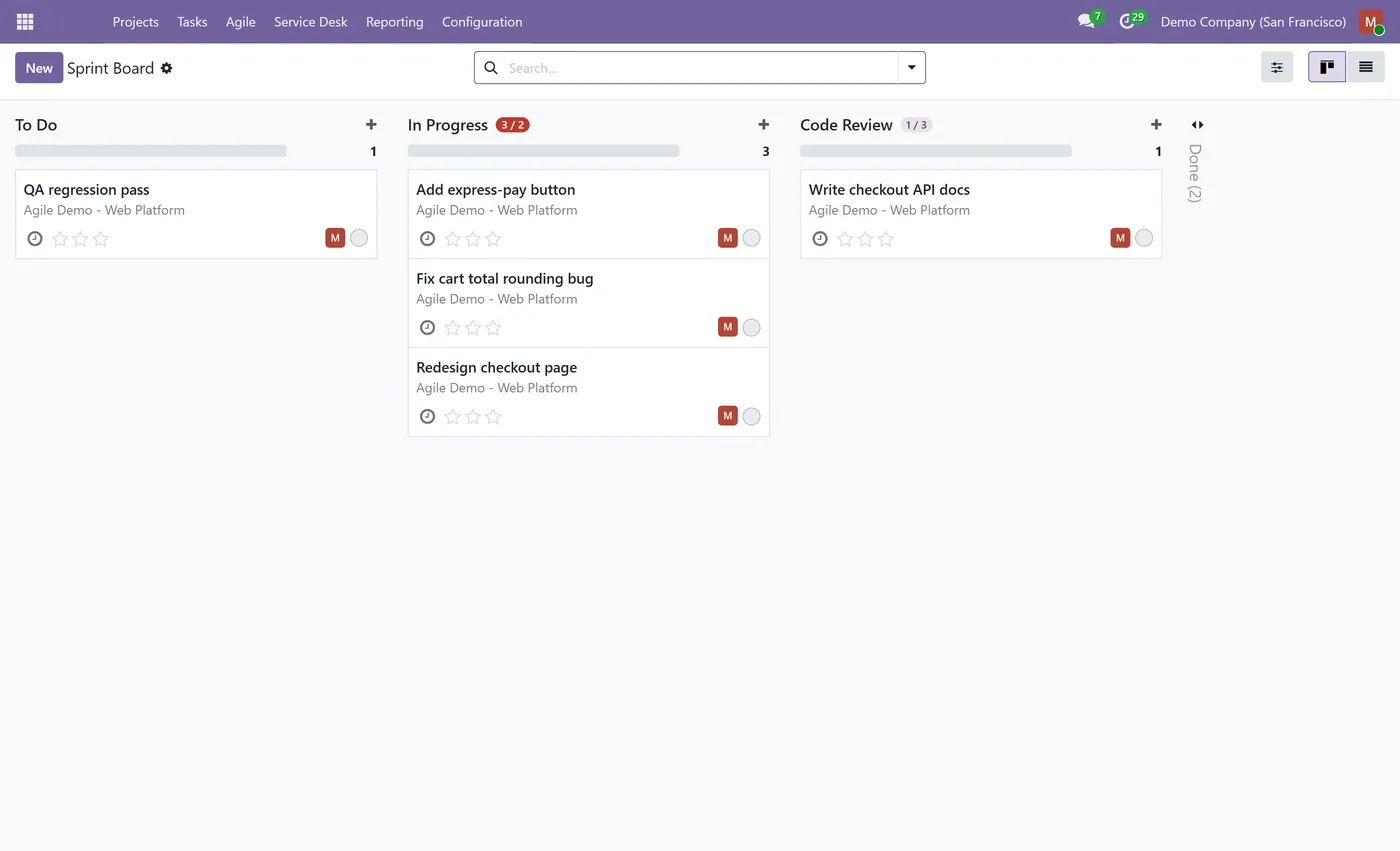
Agile Scrum & Sprints turns Odoo Project into a full Scrum and Kanban tool. Group backlog tasks into time-boxed sprints, estimate them in story points, and run a sprint board that carries unfinished work back to the backlog when a sprint closes. Kanban columns enforce WIP limits with a live count badge that turns red when a stage is overloaded. Epics group related stories and roll up their points and completion progress automatically, a velocity chart compares committed against delivered points across past sprints so you can forecast capacity, and tasks link to each other as relates, duplicates or causes. It builds on the standard Project app and needs no Enterprise edition.
New to Odoo Project? Read our practical guide to how it works
How it works
Built around what you actually do.
Every screen below is the module running in Odoo, not a mockup.
01
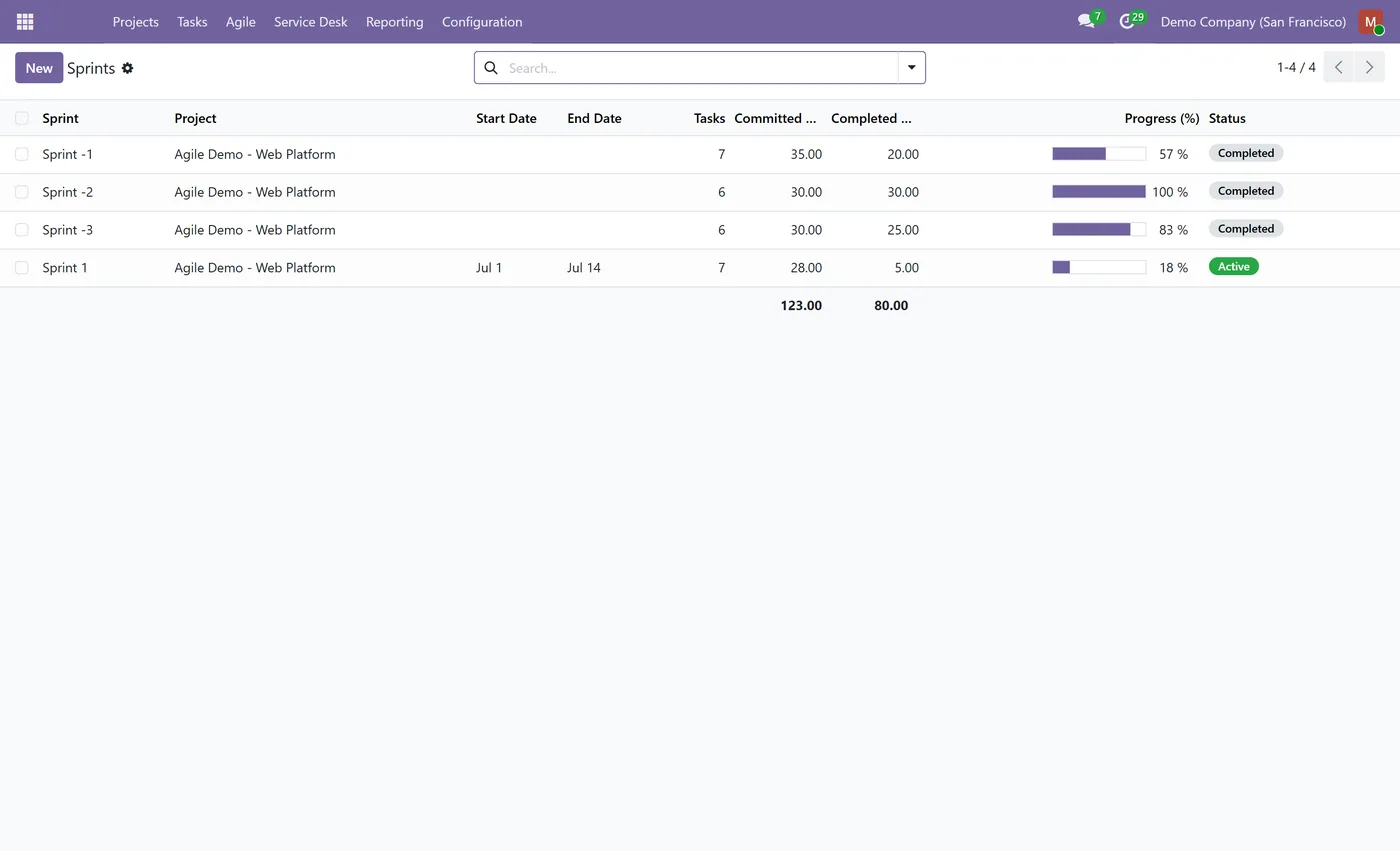
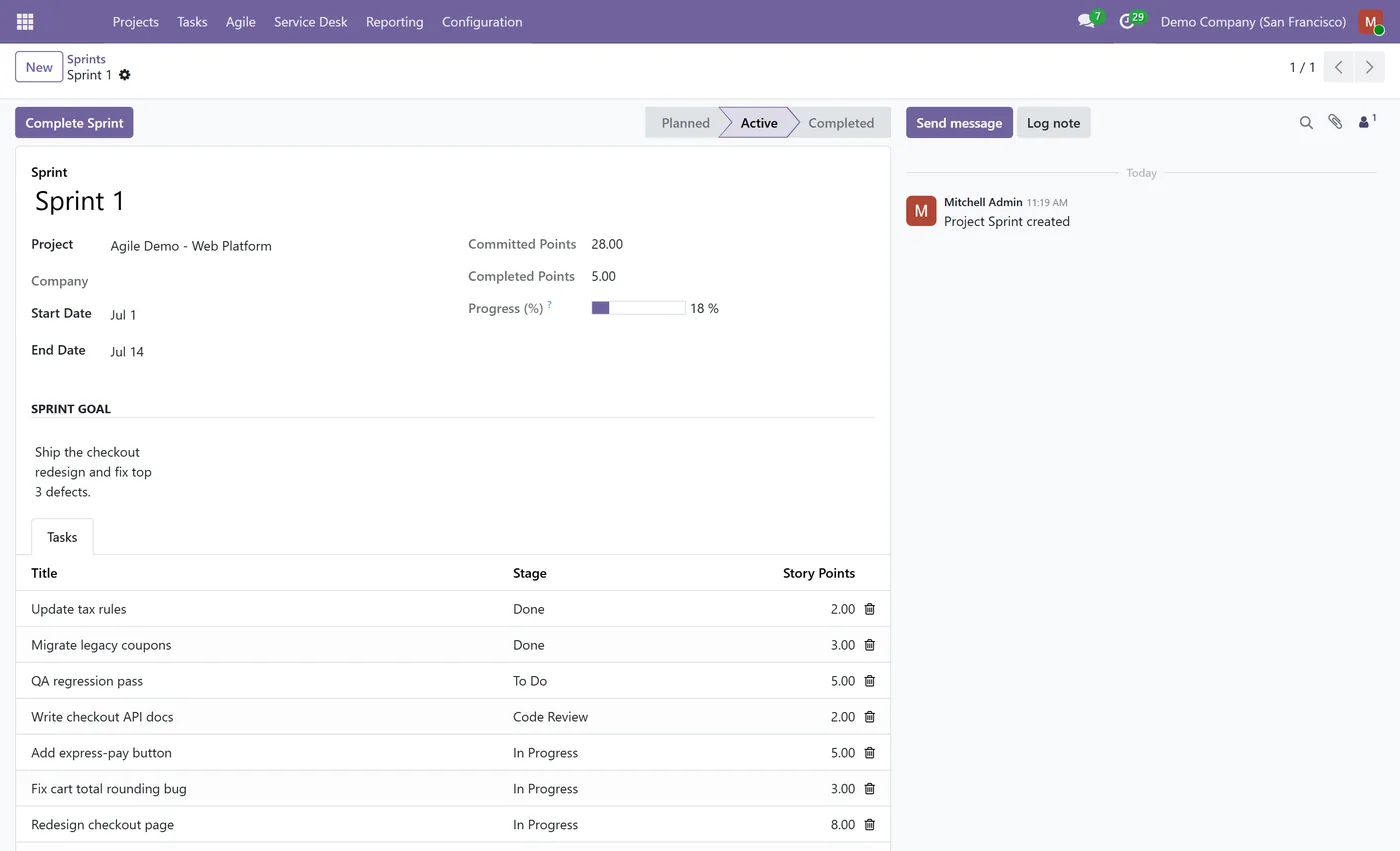
Sprints with plan, start and complete, carrying unfinished tasks back to the backlog
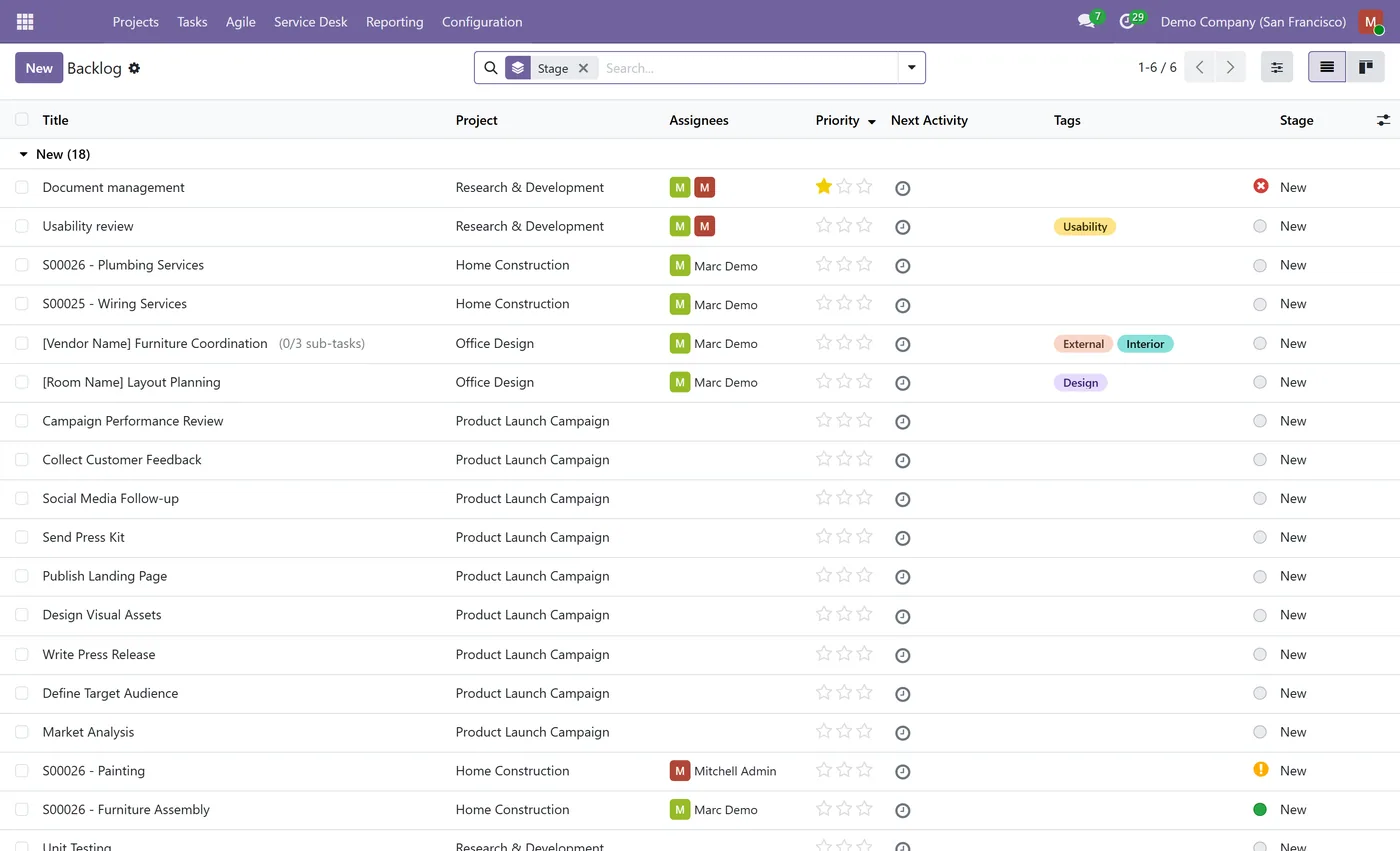
- Product backlog view of every task not yet committed to a sprint
- Story points on tasks, independent of the allocated hours
02
Sprint board (Scrum board) of the tasks in active sprints
- WIP limits per kanban stage with a live count badge that turns red when exceeded
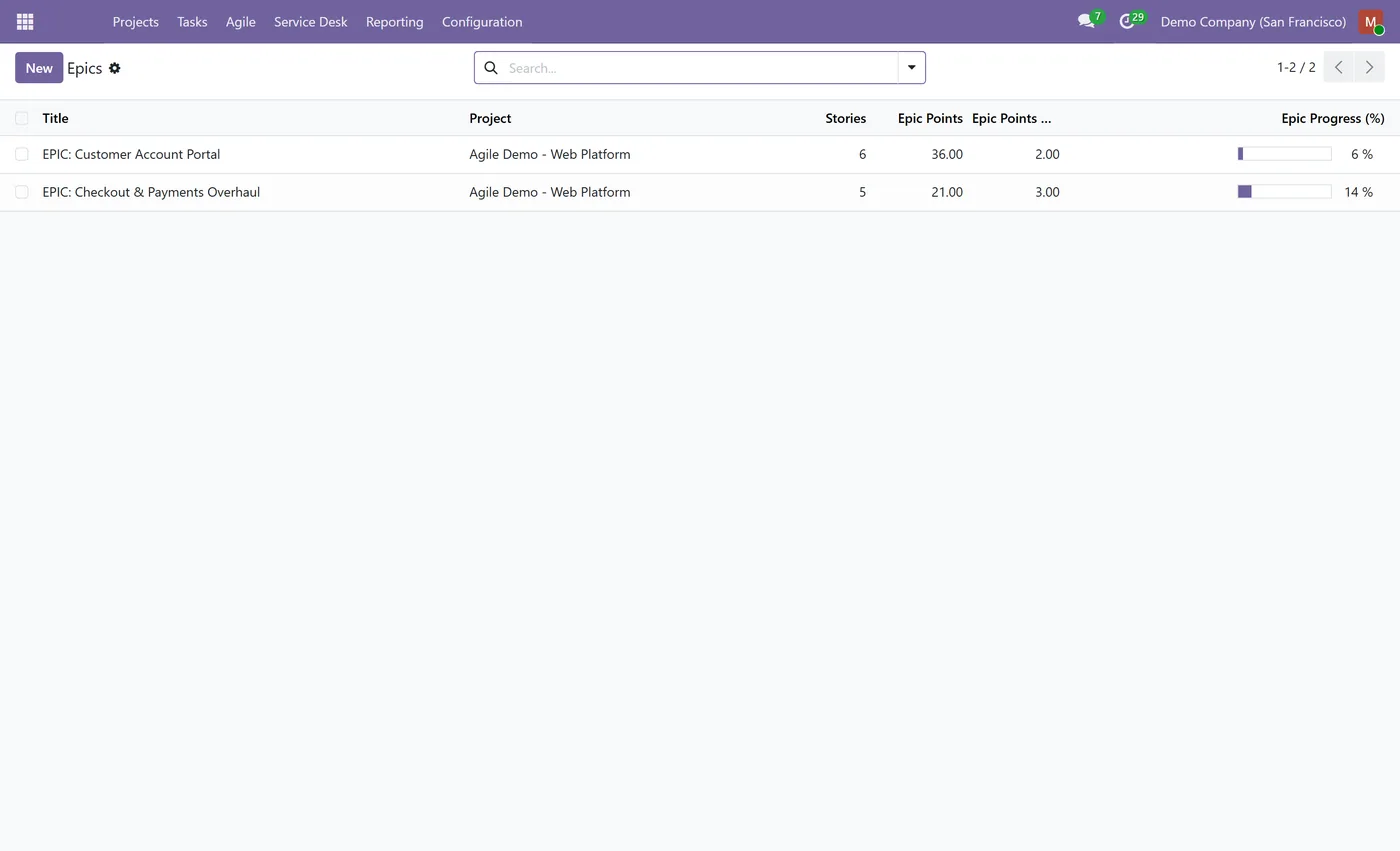
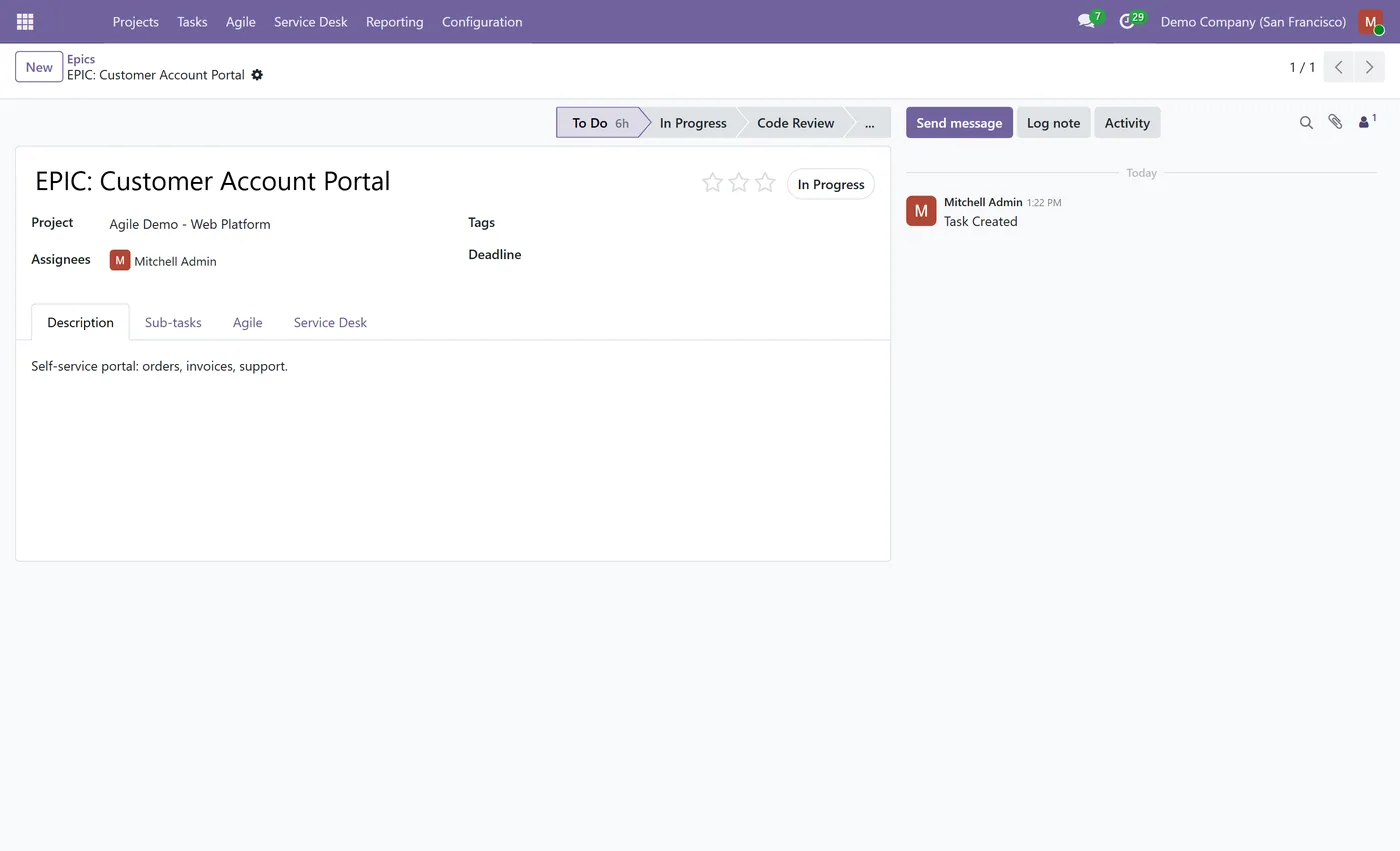
- Epics that group related stories with automatic story-point and progress rollup
03
Velocity chart comparing committed against delivered points across completed sprints
- Task links (relates to, duplicates, causes) between tasks, Jira style
- Builds on standard Project, Community friendly, no Enterprise dependency
Every screen
The whole module, screen by screen.
The captures the walkthrough above did not use, in the order you meet them in the product.
What it does
Agile Scrum & Sprints brings a complete Scrum and Kanban workflow to Odoo Project. Plan work in sprints, estimate in story points, run a sprint board, and keep every column inside its WIP limit, without leaving Odoo or paying for Enterprise.
Who it's for
Delivery teams, software and product teams, and agencies who want Jira-style Scrum and Kanban inside Odoo Project without a separate tool.
Questions
About Agile Scrum & Sprints for Project.
How do I run Scrum sprints in Odoo Project?
The module adds a Sprints model and an Agile menu. Create a sprint, pull backlog tasks into it, estimate them in story points and start the sprint. When you complete it, unfinished tasks move back to the backlog automatically, just like Jira.
Can I set a WIP limit on a kanban column in Odoo?
Yes. Each project stage gains a WIP limit field. On the task kanban a small badge shows the current count against the limit and turns red when a column holds more tasks than its limit, so overloaded stages are obvious at a glance.
What are epics and how do the story points roll up?
Mark any task as an Epic, then link stories to it. The epic shows the number of stories, total story points, points already done and a progress bar, all computed automatically from the stories that sit in a closed stage.
How does the velocity chart help planning?
The velocity chart plots committed versus delivered story points for each completed sprint, so you can see your team's real throughput and use it to forecast how much to commit to the next sprint.
Which Odoo versions and editions are supported?
Use the version selector at the top of this page to pick your Odoo release. The module builds on the standard Project app and runs on Community as well as Enterprise.
On the Odoo Store
Get Agile Scrum & Sprints for Project on the Odoo Store.
Pick your Odoo version and install it in a click, with free updates and real support behind it.
Get it on the Odoo StoreReady to make Odoo work the way your business does?
Book a free call CODEerts
CODEerts is a team of certified Odoo partners and full-stack engineers. We implement, customise and support Odoo ERP, then build the software around it.

