 CODEerts
Odoo 19
Project Dashboard for Odoo 19
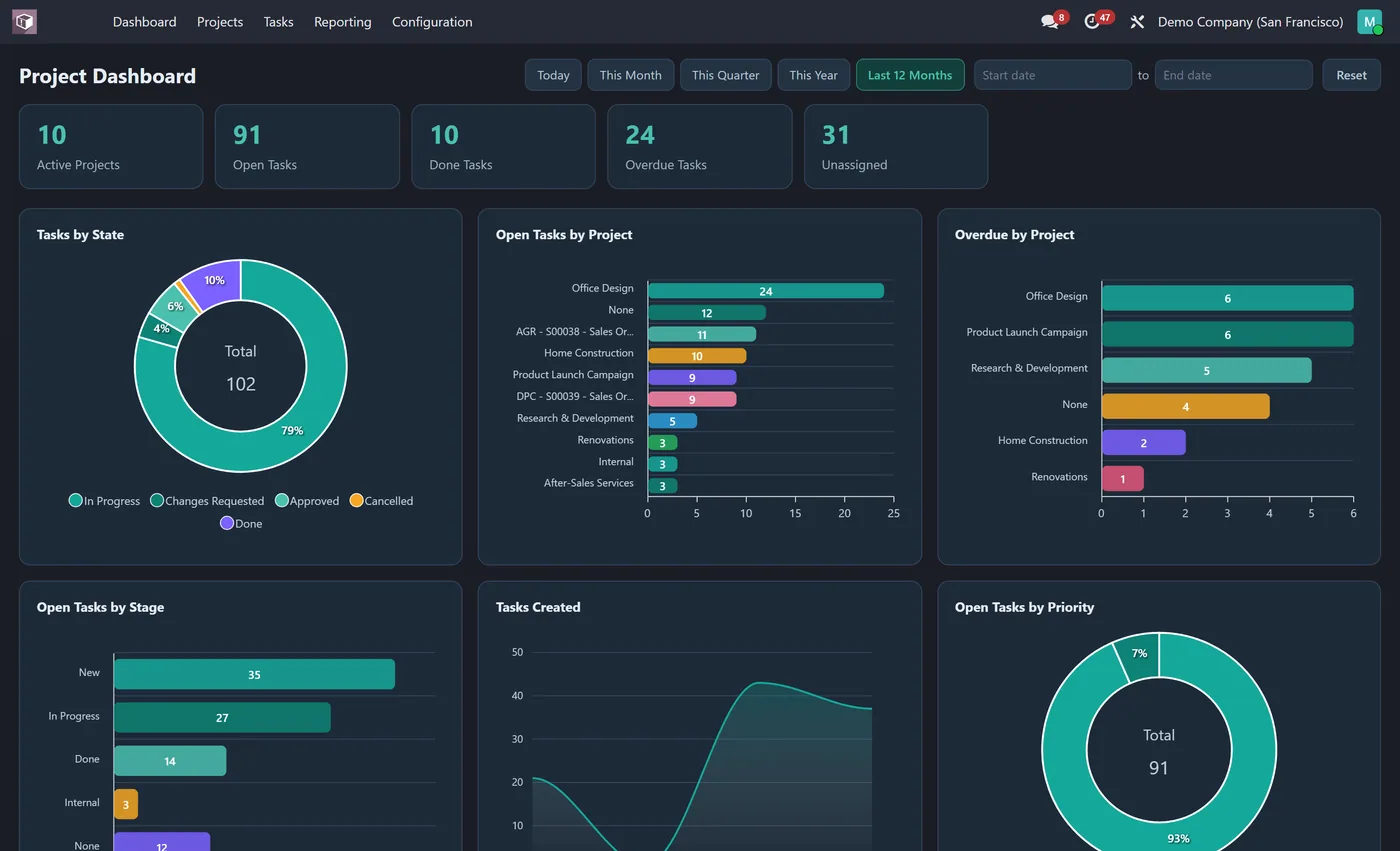
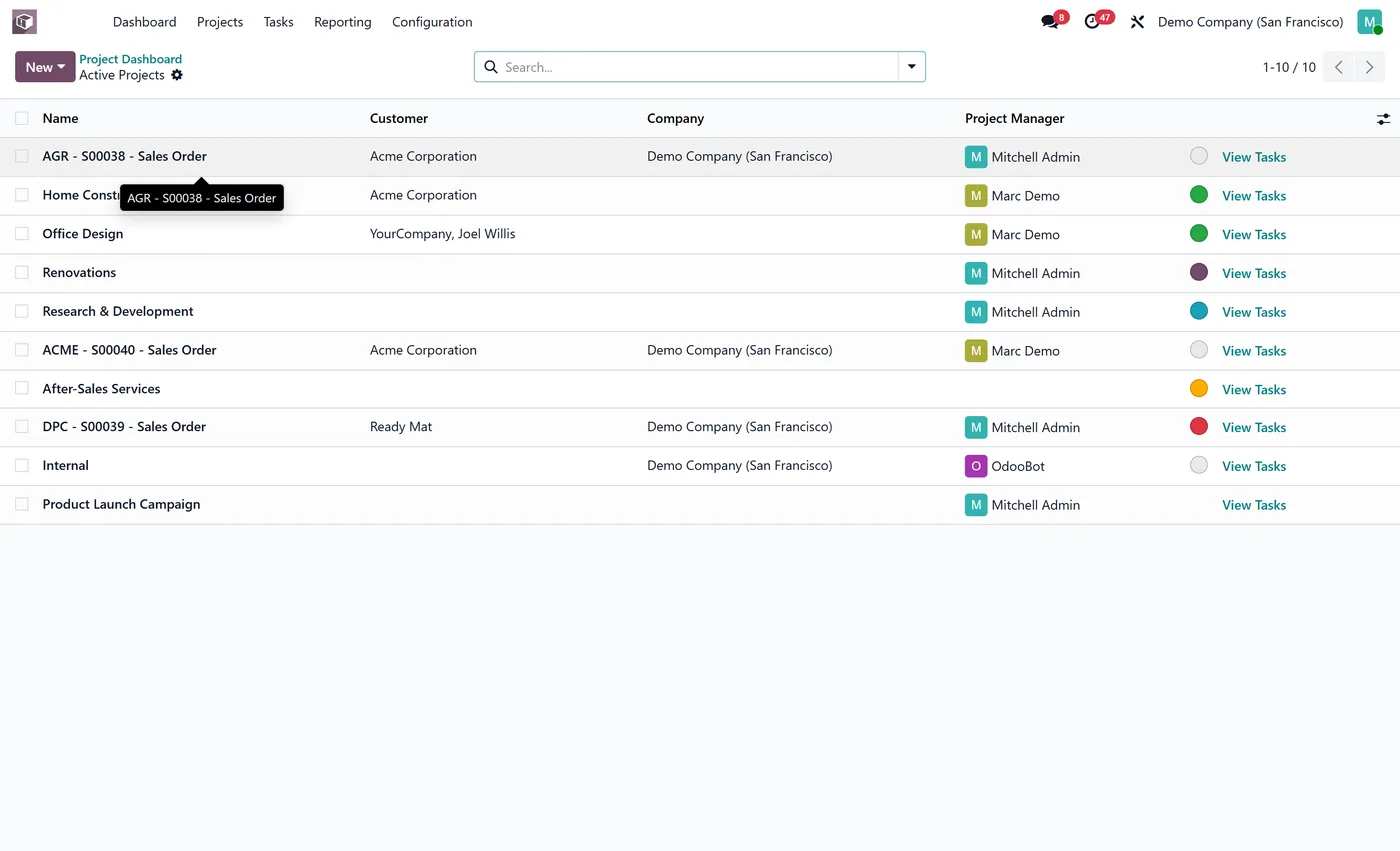
Interactive Project dashboard inside the Project app: active projects, open and done tasks, overdue and unassigned tasks, tasks by state, project and assignee with dynamic filters.
Availability on Odoo 19
Which versions this module supports.
Project Dashboard runs on Odoo 19. This page covers availability, licensing and how to install it on 19 specifically. For the full feature breakdown, see the main Project Dashboard page.
| Odoo version | Status | Available |
|---|---|---|
| Odoo 20 | Supported | Yes |
| Odoo 19 | Supported (this page) | Yes |
| Odoo 18 | Supported | Yes |
| Odoo 17 | Supported | Yes |
In short
What it does.
A summary for Odoo 19. The full breakdown is on the main Project Dashboard page.
- Live KPI tiles for active projects, open tasks, done tasks and more
- 8 interactive charts including tasks by state, open tasks by project and overdue by project
- Click any KPI tile or chart segment to open the exact Odoo records behind it, already filtered
- One-click date ranges (Today, This Month, This Quarter, This Year, Last 12 Months or custom) re-query every chart at once
Other Odoo versions
Running something else?
The same module, published per version.
Questions
About Project Dashboard on Odoo 19.
Does Project Dashboard work on Odoo 19?
Yes. Project Dashboard is published for Odoo 19 on the official Odoo Apps Store, and we maintain it across the versions listed above.
How do I install it on Odoo 19?
Buy or download it from the Odoo Store listing for 19, add it to your addons path or install it directly on Odoo.sh or Odoo Online where supported, then update the apps list and install. We can do the install for you if you would rather not.
What happens when I upgrade Odoo?
We maintain the module across current major versions, so an upgrade path exists as long as the target version is listed above. Tell us before you upgrade and we will confirm.
Full details
Everything Project Dashboard does.
Features, screenshots, setup and FAQs on the main module page.
Open the Project Dashboard pageReady to make Odoo work the way your business does?
Book a free call CODEerts
CODEerts is a team of certified Odoo partners and full-stack engineers. We implement, customise and support Odoo ERP, then build the software around it.

