 CODEerts
Project app for Odoo
Project Dashboard
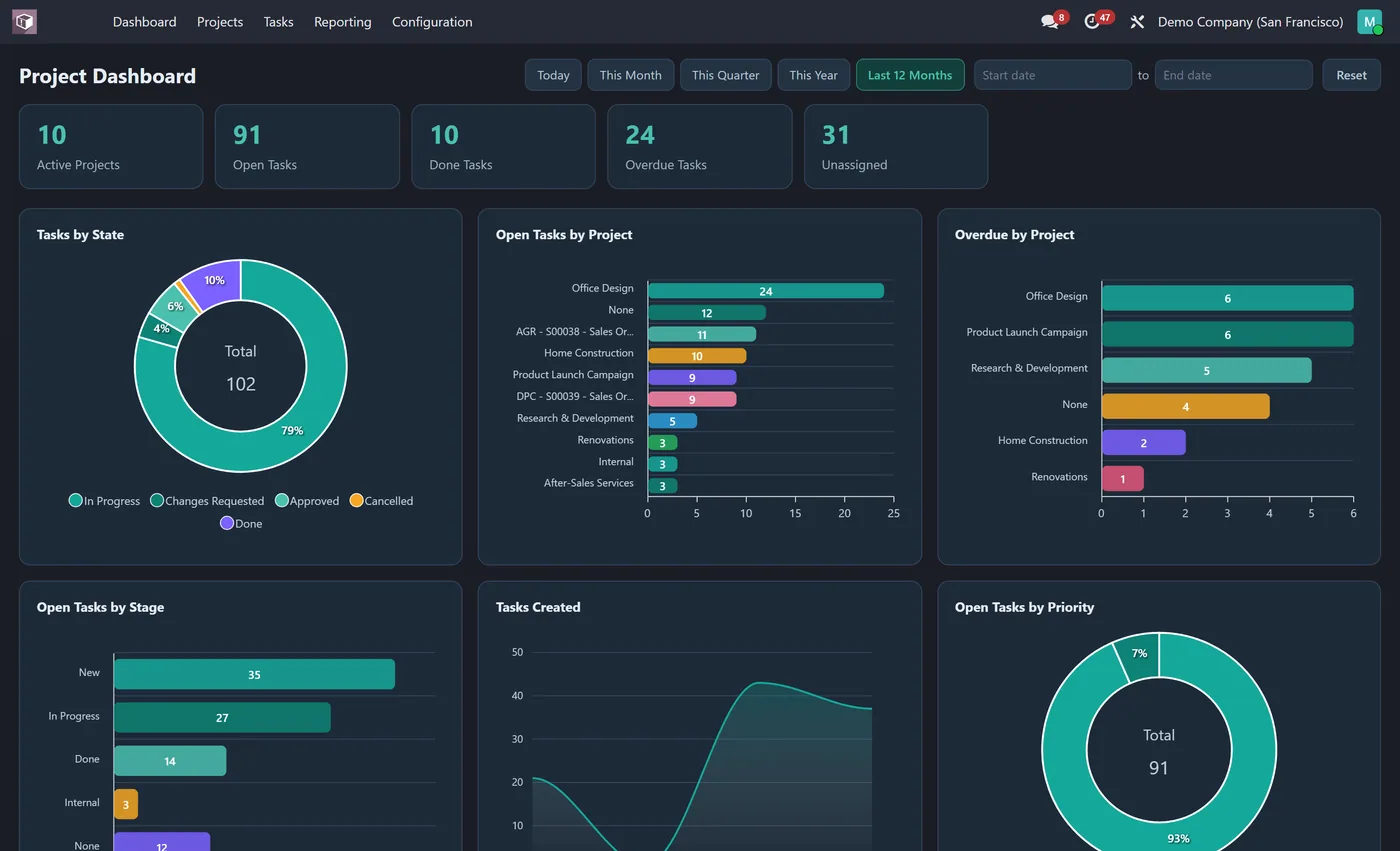
Interactive Project dashboard inside the Project app: active projects, open and done tasks, overdue and unassigned tasks, tasks by state, project and assignee with dynamic filters.
Overview
Project Dashboard.
Project Dashboard puts your delivery picture on the first screen of the Project app. Active projects, open and done tasks, overdue tasks and unassigned work sit across the top as clickable KPI tiles. Eight interactive charts show tasks by state and stage, open and overdue tasks by project, tasks created over time, and open tasks by priority, customer and assignee. Spot bottlenecks and unassigned work at a glance.
New to Odoo Project? Read our practical guide to how it works
How it works
Built around what you actually do.
Every screen below is the module running in Odoo, not a mockup.
01
Live KPI tiles for active projects, open tasks, done tasks and more
- 8 interactive charts including tasks by state, open tasks by project and overdue by project
Standard across the suite
How every CODEerts dashboard behaves.
These are not this module's selling points, they are the baseline every dashboard we publish shares. Listed so you know what you get, not to pad the page.
Tasks, deadlines and workload, live, the moment you open Project.
What it does
Project Dashboard puts your delivery picture on the first screen of the Project app. Active projects, open and done tasks, overdue tasks and unassigned work sit across the top as clickable KPI tiles.
Eight interactive charts show tasks by state and stage, open and overdue tasks by project, tasks created over time, and open tasks by priority, customer and assignee. Spot bottlenecks and unassigned work at a glance.
Overdue and unassigned, before anything else
Two tiles here describe risk rather than volume. Overdue tasks is work that has already broken a date. Unassigned work is worse, because nobody has picked it up and therefore nobody is going to raise it. A delivery team can be busy, on budget and still failing on both.
Open tasks by project shows where effort is concentrated, and overdue by project separates a project that is generally late from one that has a single stuck task. Those need different conversations, and the aggregate count cannot tell them apart.
Who it's for
Delivery managers, PMOs and anyone running several client or internal projects at once in Odoo Projects. It suits an environment where the risk is not any one project but losing sight of one among many. If your status meeting starts with someone reading out a task list, this replaces the reading.
Questions
About Project Dashboard.
How do I see open and overdue tasks on one screen in Odoo Project?
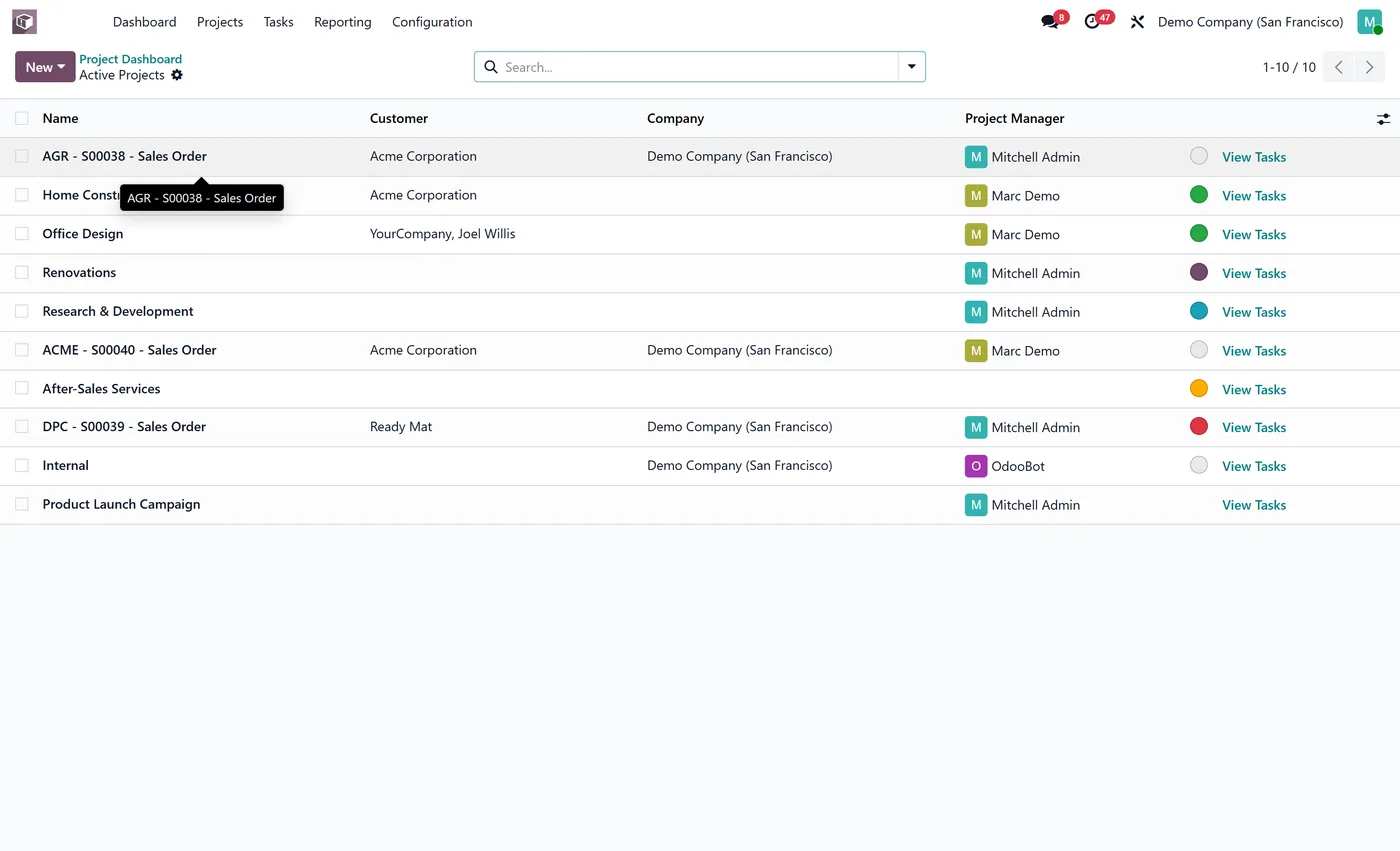
Install Project Dashboard. It adds a Dashboard as the first item in the Project app with live KPIs for active projects, open, done, overdue and unassigned tasks, plus eight charts by project, stage, priority and assignee.
How do I find overdue and unassigned tasks in Odoo Project?
Dedicated KPI tiles count overdue tasks and unassigned work, and charts break open and overdue tasks down by project, priority and assignee. That surfaces bottlenecks and gaps at a glance, and clicking a tile opens the exact tasks already filtered.
Does the project dashboard respect who can see which projects?
Yes. Every figure is read as the logged in user, so your normal Project access rules apply. Each person sees only the projects and tasks they are allowed to, while a delivery lead sees the full portfolio.
Can I run the Odoo Project dashboard on Community, or does it need Enterprise?
It works on both. Odoo's Project app ships in Community, so the dashboard runs on a standard Community install with no Enterprise subscription. It is maintained for the current major Odoo versions; use the version selector on this page to pick your release.
Why are overdue and unassigned tasks separate tiles?
They are different risks. Overdue work has already broken a date and somebody usually knows. Unassigned work is worse, because nobody has picked it up and therefore nobody is going to raise it. A team can be busy, on budget and failing on both.
On the Odoo Store
Get Project Dashboard on the Odoo Store.
Pick your Odoo version and install it in a click, with free updates and real support behind it.
Get it on the Odoo StoreReady to make Odoo work the way your business does?
Book a free call CODEerts
CODEerts is a team of certified Odoo partners and full-stack engineers. We implement, customise and support Odoo ERP, then build the software around it.

