 CODEerts
Project app for Odoo
GitHub Integration for Project
Create a GitHub branch straight from an Odoo task and see it on the task. Developers branch from the work item they are already looking at, and never see the access token, because the credential stays with the administrator.
Overview
GitHub Integration for Project.
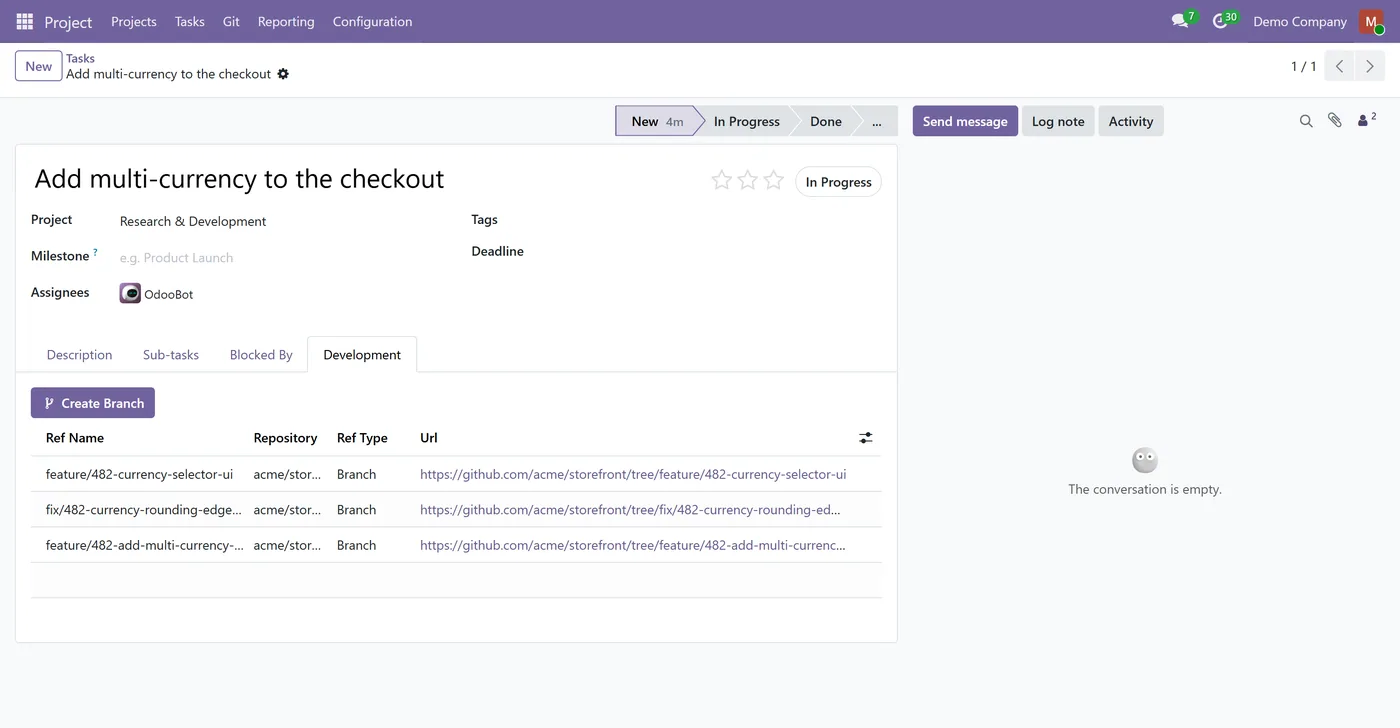
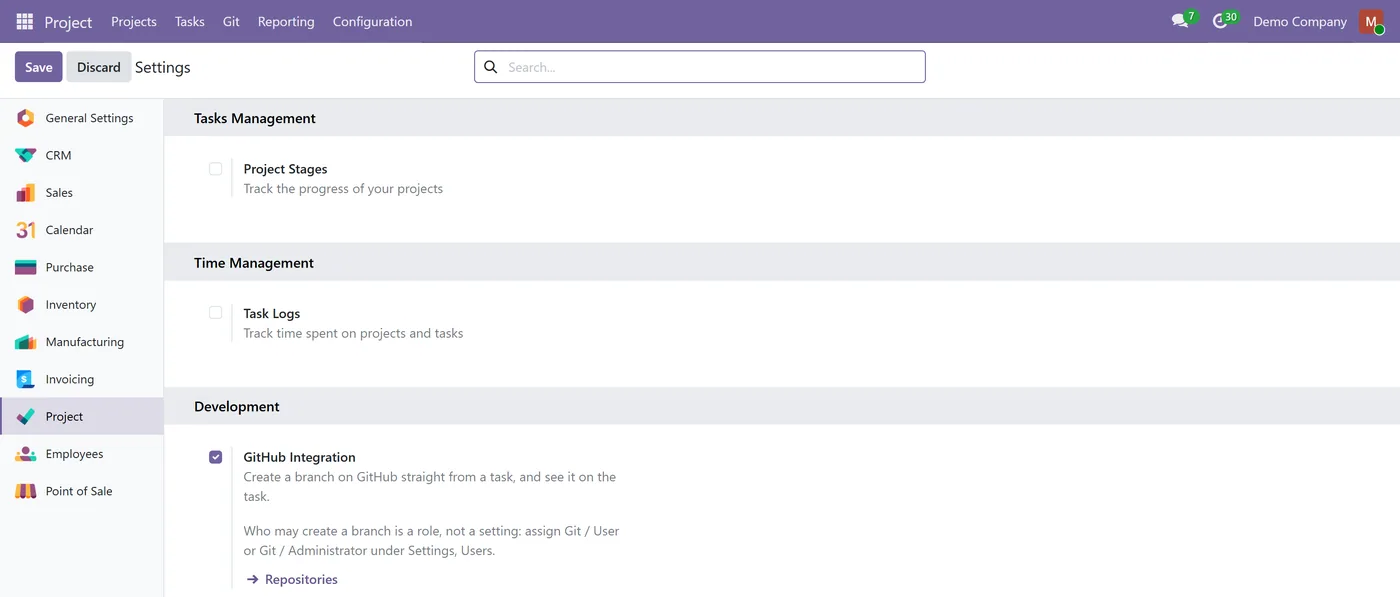
GitHub Integration for Project puts a Create Branch button on the Odoo task form. Pick the repository, accept or edit the suggested branch name, and the branch is created on GitHub and recorded on the task with a link anyone can click. The branch name is generated from the task itself, so naming stays consistent without anyone policing it. Access is split into two roles: a Git User can create branches, and only a Git Administrator can read the stored access token, so you can give a whole delivery team the feature without handing out a write-scope credential. Repositories are scoped to the projects allowed to use them, everything is multi-company aware, and the Development section can be switched off in Project Settings.
New to Odoo Project? Read our practical guide to how it works
How it works
Built around what you actually do.
Every screen below is the module running in Odoo, not a mockup.
01
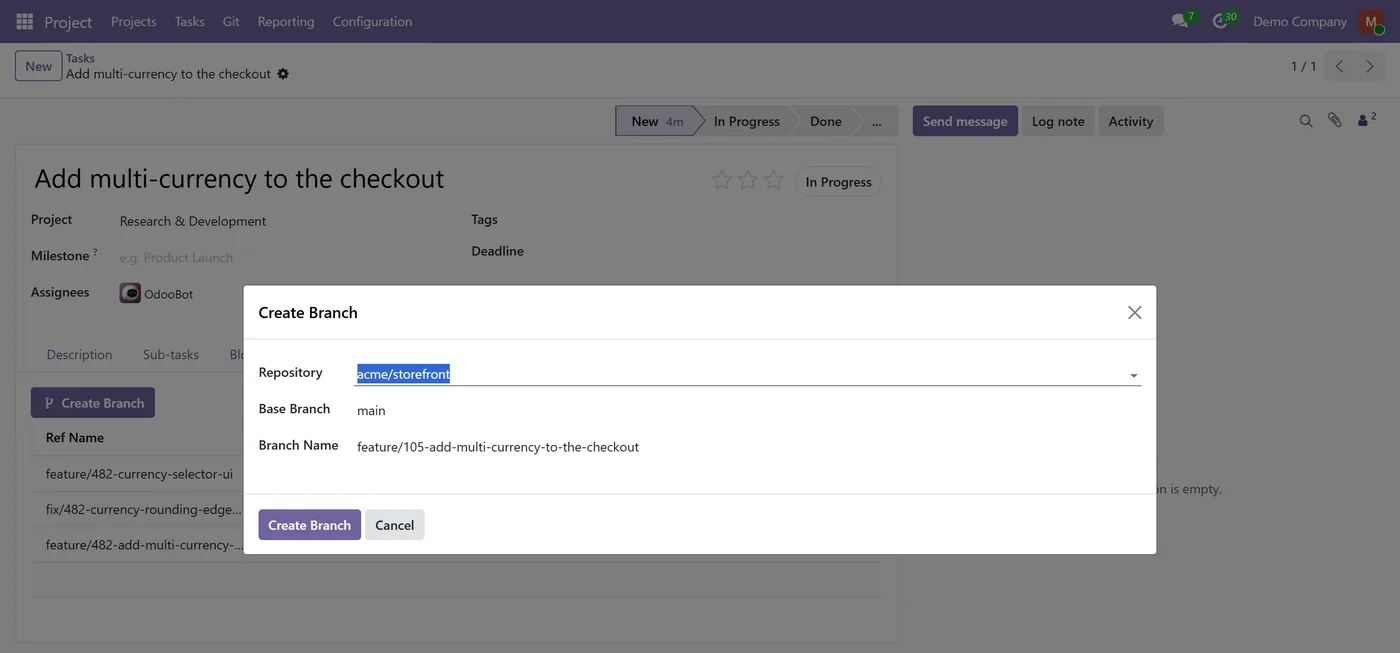
Create Branch button on the task form, with the repository picked from a scoped list
- Branch names generated from the task, so naming is consistent without a policy document
- The branch appears on the task with a clickable link to GitHub
- Two roles: Git User creates branches, only Git Administrator can read the token
02
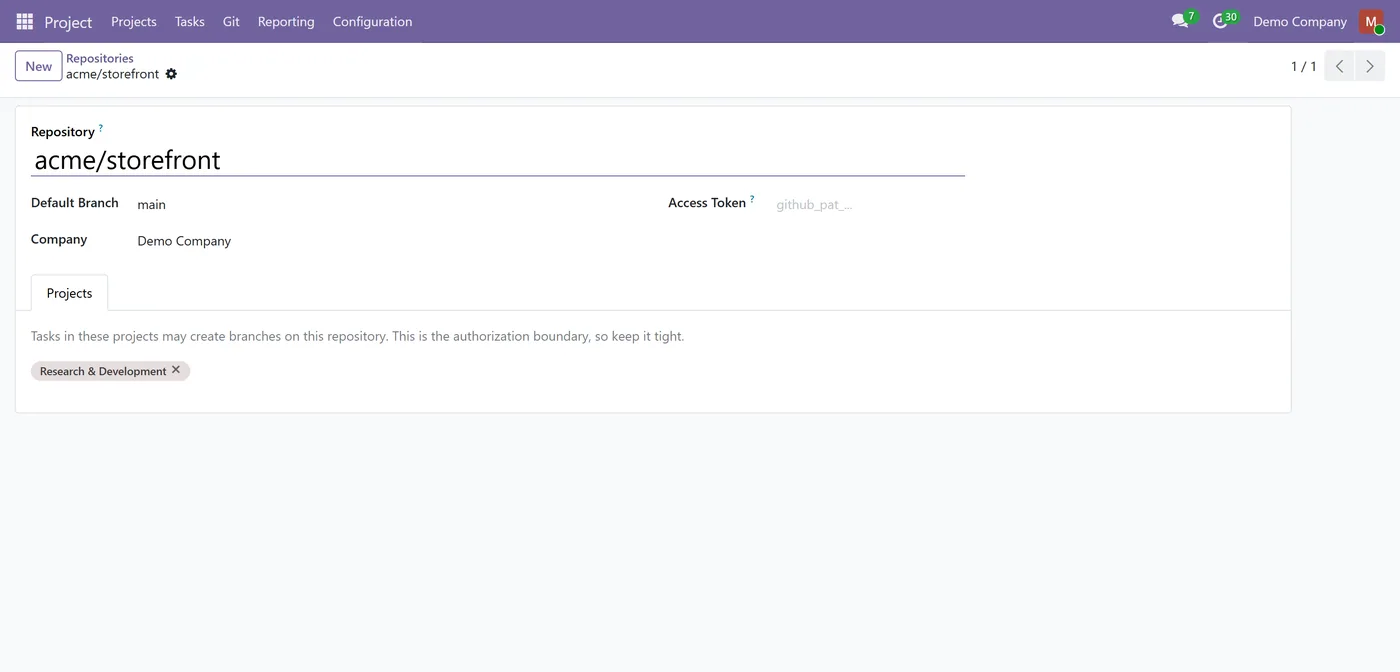
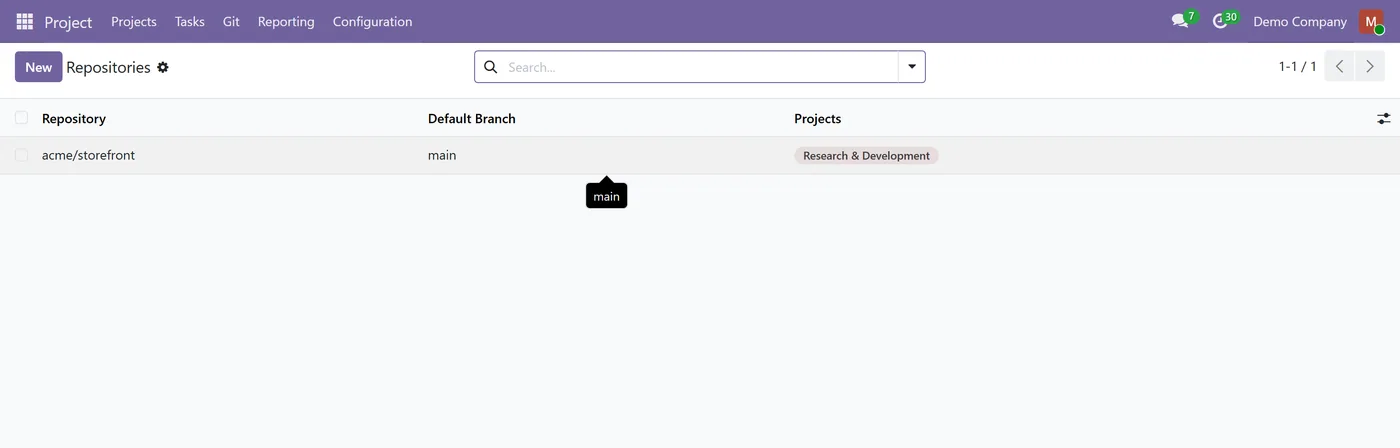
Repositories are scoped to the projects allowed to branch them
- A duplicate name is caught locally before any call is made to GitHub
- Clear messages for a revoked token, a renamed repository, or a repository with no commits
- Multi-company throughout, with each company seeing only its own repositories
03
Switch the Development section off in Project Settings without uninstalling
- Builds on standard Project, no Enterprise dependency
Every screen
The whole module, screen by screen.
The captures the walkthrough above did not use, in the order you meet them in the product.
What it does
GitHub Integration for Project adds a Development section to the Odoo task form. Open a task, press Create Branch, pick the repository, and the branch is created on GitHub and recorded on the task with a link that opens it in the browser.
The branch name is suggested from the task itself, so the convention holds without anyone having to enforce it. Everything happens from the task the developer is already reading, which is the whole point: no switching tools to do the one thing that starts the work.
Who it's for
Software and product teams running delivery in Odoo Project who already keep their code on GitHub, and who want the branch to start from the task rather than from someone's terminal. It suits teams where the people writing code should not be holding the repository credential.
Questions
About GitHub Integration for Project.
What does this actually do?
It adds a Development section to the Odoo task form with a Create Branch button. You choose a repository, confirm the branch name, and the branch is created on GitHub and listed on the task with a link. The point is that the developer branches from the task they are already reading, instead of switching tools and inventing a name.
Do my developers need the GitHub token?
No, and that is the main reason to use this rather than sharing a credential. The access token is stored on the repository record and is readable only by a Git Administrator. A Git User can create branches all day and can never read the token, because the module reads it internally after checking the user's rights.
What kind of GitHub token do I need?
A fine-grained personal access token with Contents set to Read and write on the repositories you want to use. Metadata read-only is added automatically by GitHub and is required. Nothing else needs enabling.
Which repository can a task branch?
Only a repository whose Projects list contains that task's project. That list is the authorization boundary, not a convenience filter, so it is re-checked on the server when the button is pressed rather than trusted from the form.
What happens if the branch name already exists?
It is caught locally before any request is sent to GitHub, and you get a clear message naming the branch. That ordering matters: it avoids creating a branch remotely and then failing to record it locally.
Does it update automatically if the branch is renamed or merged?
No. A link is a snapshot taken when the branch was created. This version does not listen for changes on GitHub, so a branch that is later renamed, merged or deleted leaves the recorded name and link as they were.
Is it multi-company?
Yes. Repositories carry a company and are filtered by multi-company record rules, so one company cannot read another company's repositories or its access token.
Which Odoo versions are supported?
Use the version selector at the top of this page to pick your Odoo release. Each supported version is published as its own listing and builds on the standard Project app.
On the Odoo Store
Get GitHub Integration for Project on the Odoo Store.
Pick your Odoo version and install it in a click, with free updates and real support behind it.
Get it on the Odoo StoreReady to make Odoo work the way your business does?
Book a free call CODEerts
CODEerts is a team of certified Odoo partners and full-stack engineers. We implement, customise and support Odoo ERP, then build the software around it.

