 CODEerts
Project app for Odoo
Project Dashboard Panel
Task progress, milestones you tick off and budgets, in a panel beside the project updates.
Overview
Project Dashboard Panel.
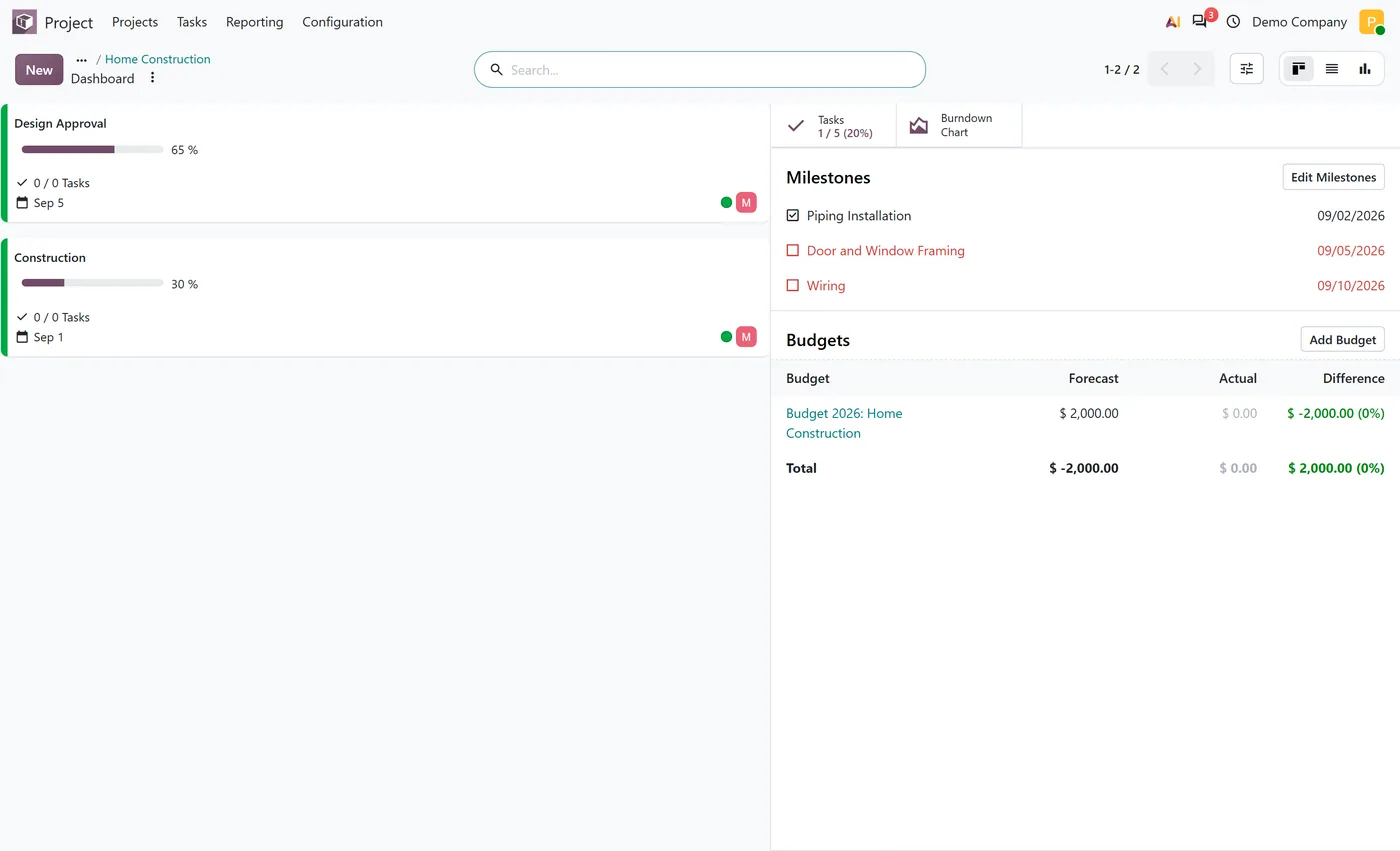
Project Dashboard Panel restores the right side panel that the project Dashboard used to have. Open a project's Dashboard and the panel sits beside its project updates, in kanban and in list: task progress, average rating and the burndown chart as stat buttons, the project's milestones with a checkbox to mark each one reached, and, on Odoo Enterprise with the Budget app, the project's budgets with forecast, actual and difference. The Dashboard name comes back on the project menu and the project card.
New to Odoo Project? Read our practical guide to how it works
How it works
Built around what you actually do.
Every screen below is the module running in Odoo, not a mockup.
01
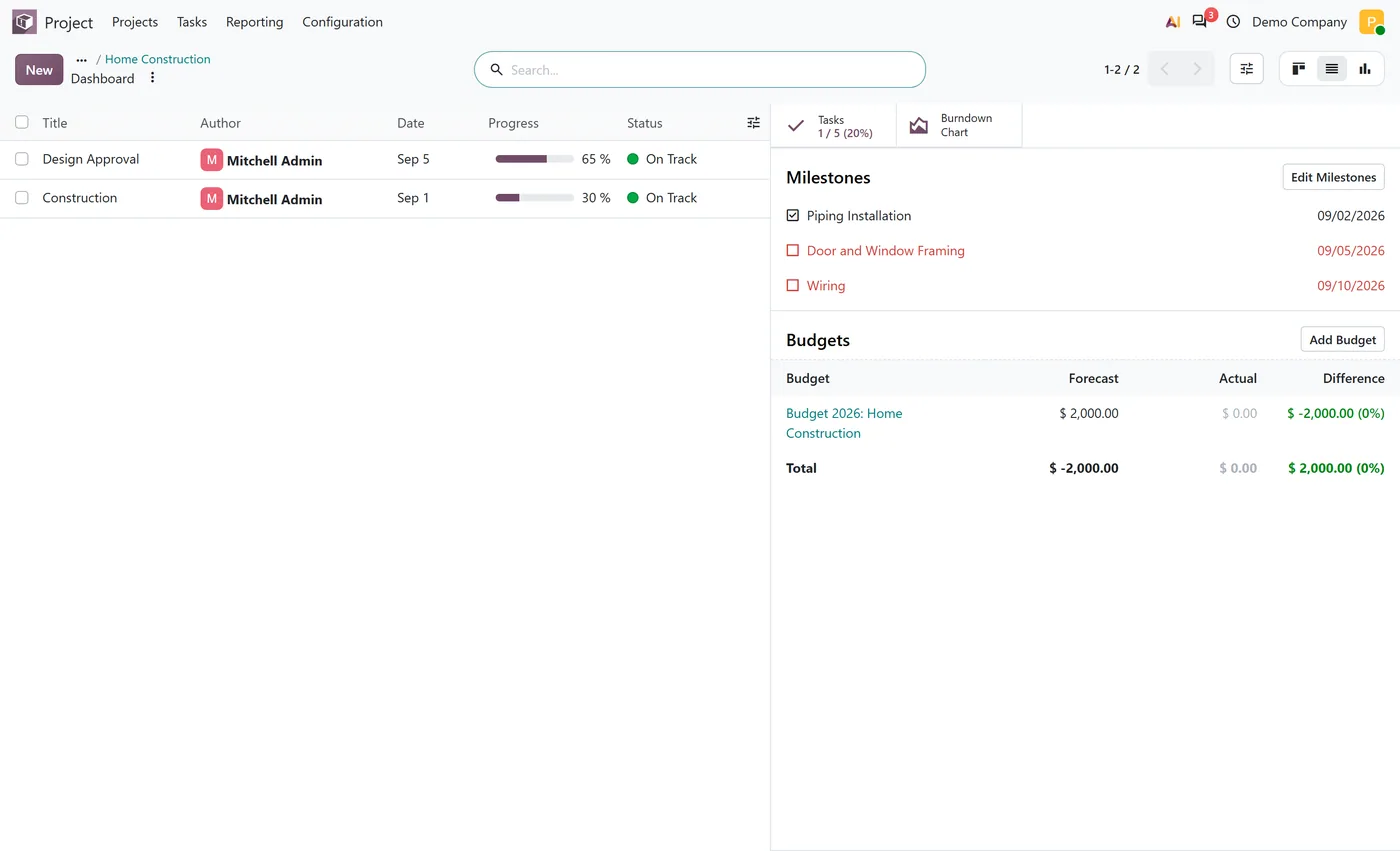
The project Dashboard opens with a side panel beside the project updates, in kanban and in list
- Stat buttons for task progress, average customer rating and the burndown chart
- Milestones listed with their deadline, marked reached or not reached with one click
- Overdue milestones shown in red so the late ones stand out
02
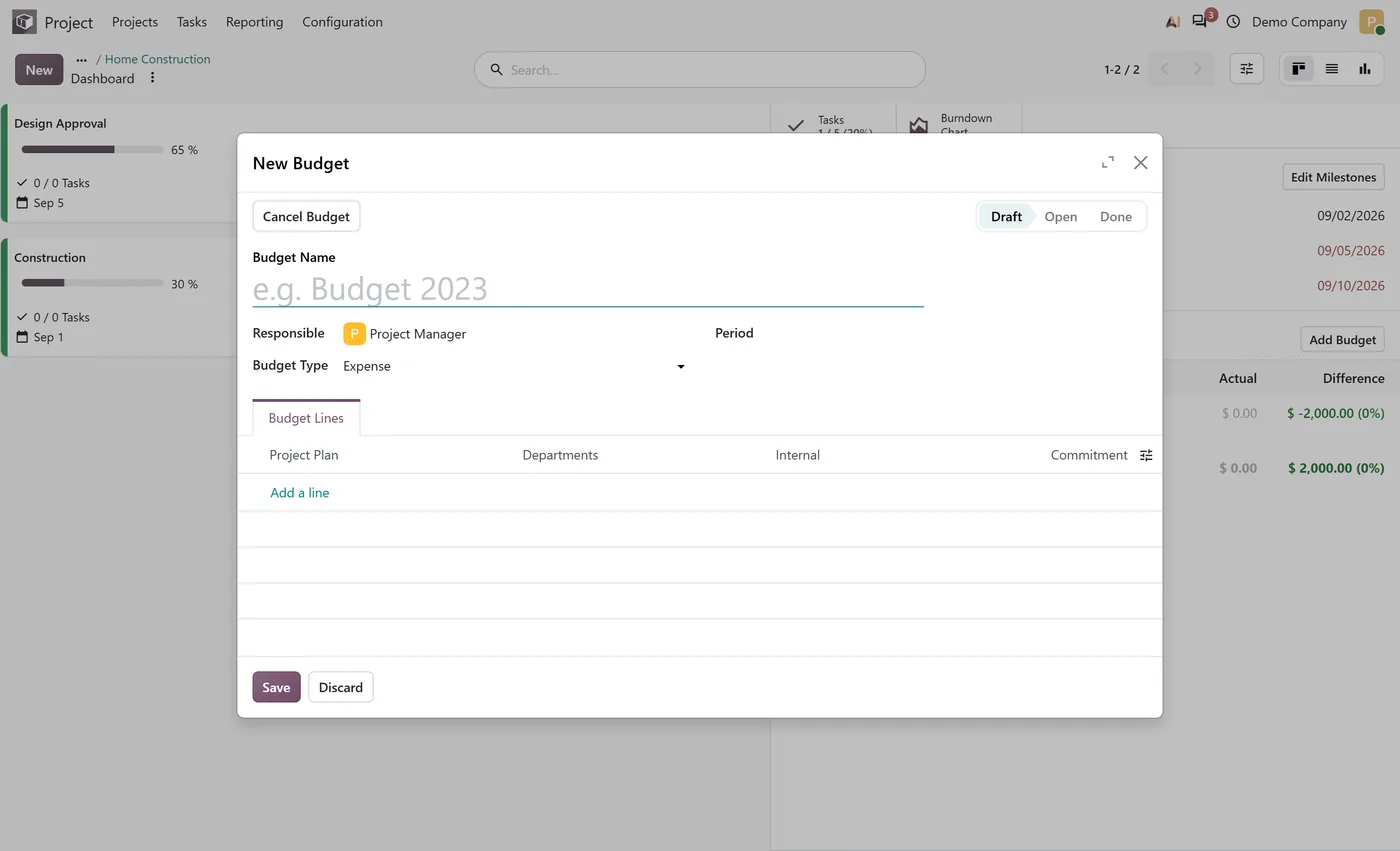
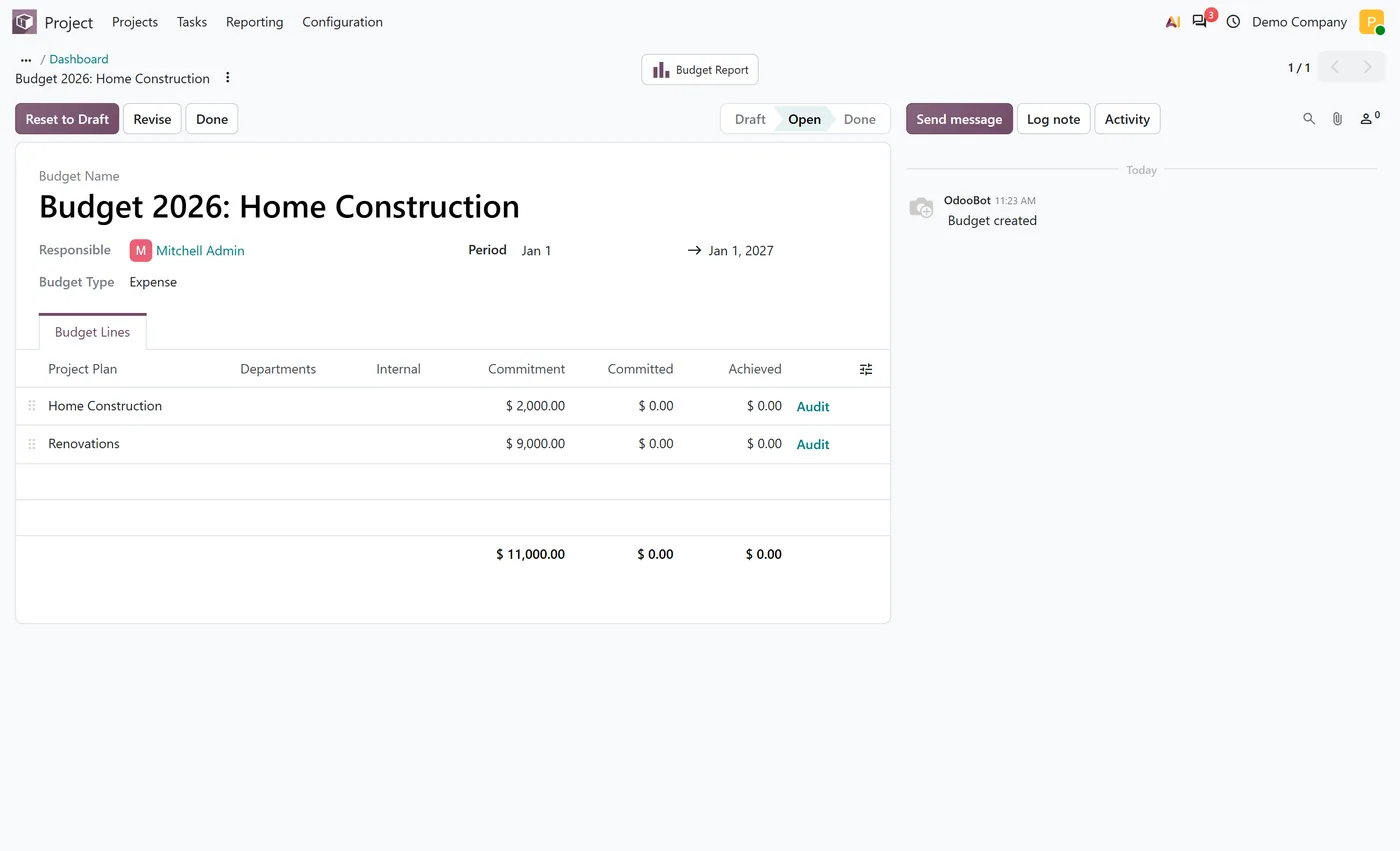
Budgets section with forecast, actual and difference per budget, on Odoo Enterprise with the Budget app
- Add Budget opens the budget form for the project without leaving the dashboard
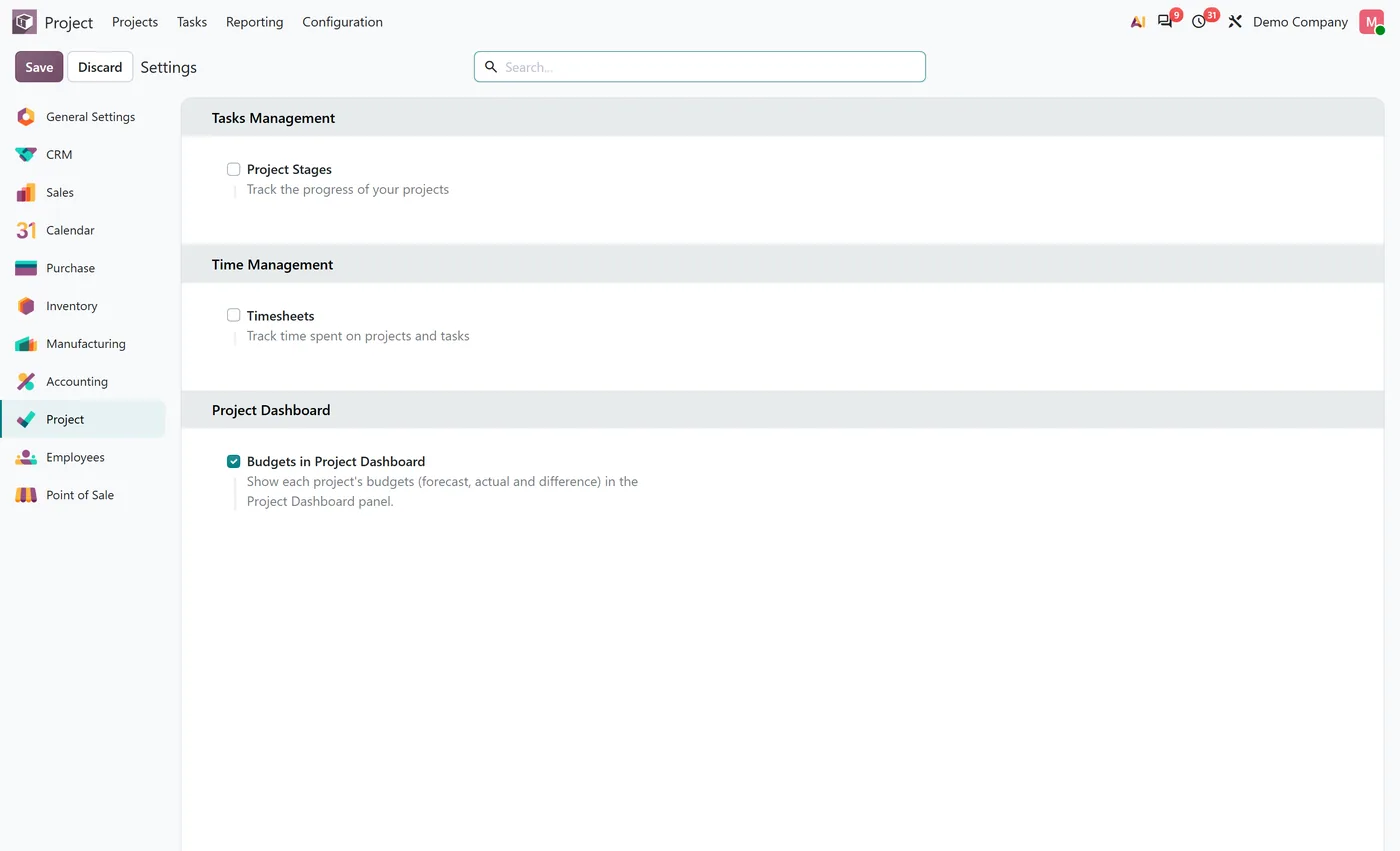
- A Project setting decides whether budgets appear in the panel
- The Dashboard name comes back on the project menu, the project card and the window title
03
Shown to project users, with budget figures limited to users with accounting access
- Add the Project Profitability Panel to see invoiced, to invoice, costs and margins in the same panel
Every screen
The whole module, screen by screen.
The captures the walkthrough above did not use, in the order you meet them in the product.
What it does
Project Dashboard Panel brings back the side panel of the project Dashboard. Open a project, choose Dashboard, and the panel is docked to the right of the project updates, whether you read them as cards or as a list.
The top of the panel holds stat buttons: task progress as closed out of total with the percentage, the average customer rating when ratings are enabled, and the burndown chart. Below them come the project's milestones with their deadlines, each with a checkbox to mark it reached, and late ones in red. On Odoo Enterprise with the Budget app, a Budgets section lists every confirmed budget of the project with its forecast, its actual and the difference, and an Add Budget button opens the budget form for the project right there.
Who it's for
Project managers who used the project Dashboard to read a project at a glance and want it back in Odoo 20, and teams that track milestones and budgets per project and would rather see them next to the status updates than in three separate menus.
Questions
About Project Dashboard Panel.
Where did the project dashboard side panel go in Odoo 20?
Odoo 20 no longer shows the right side panel on a project's updates. This module brings it back: open a project, choose Dashboard, and the panel appears beside the project updates with the stat buttons, milestones and budgets.
How do I mark an Odoo project milestone as reached from the dashboard?
Each milestone in the panel has a checkbox. Click it to mark the milestone reached, click it again to mark it not reached. Milestones past their deadline are shown in red.
Can I see project budgets on the Odoo project dashboard?
Yes, on Odoo Enterprise with the Budget app installed. Tick Budgets in Project Dashboard in the Project settings and the panel lists each budget with its forecast, actual and difference, plus an Add Budget button. Odoo Community has no Budget app, so there the setting is shown as unavailable.
Does it work on Odoo Community?
Yes. The panel, the stat buttons and the milestones work on Community and Enterprise. Only the budgets section needs Odoo Enterprise, because the Budget app is an Enterprise app.
Who can see the panel and the budget figures?
Project users see the panel. Budget figures are shown only to users with accounting access, and only accounting users get the Add Budget button.
How do I see invoiced amounts and margins on the project dashboard?
Install the Project Profitability Panel add-on. It adds invoiced, to invoice and expected revenue, the costs booked and the realized and expected margin to the same panel.
On the Odoo Store
Get Project Dashboard Panel on the Odoo Store.
Pick your Odoo version and install it in a click, with free updates and real support behind it.
Get it on the Odoo StoreReady to make Odoo work the way your business does?
Book a free call CODEerts
CODEerts is a team of certified Odoo partners and full-stack engineers. We implement, customise and support Odoo ERP, then build the software around it.

