 CODEerts
Project app for Odoo
Project Profitability Panel
Invoiced, still to invoice, costs and the realized and expected margin of every project, in its dashboard panel.
Overview
Project Profitability Panel.
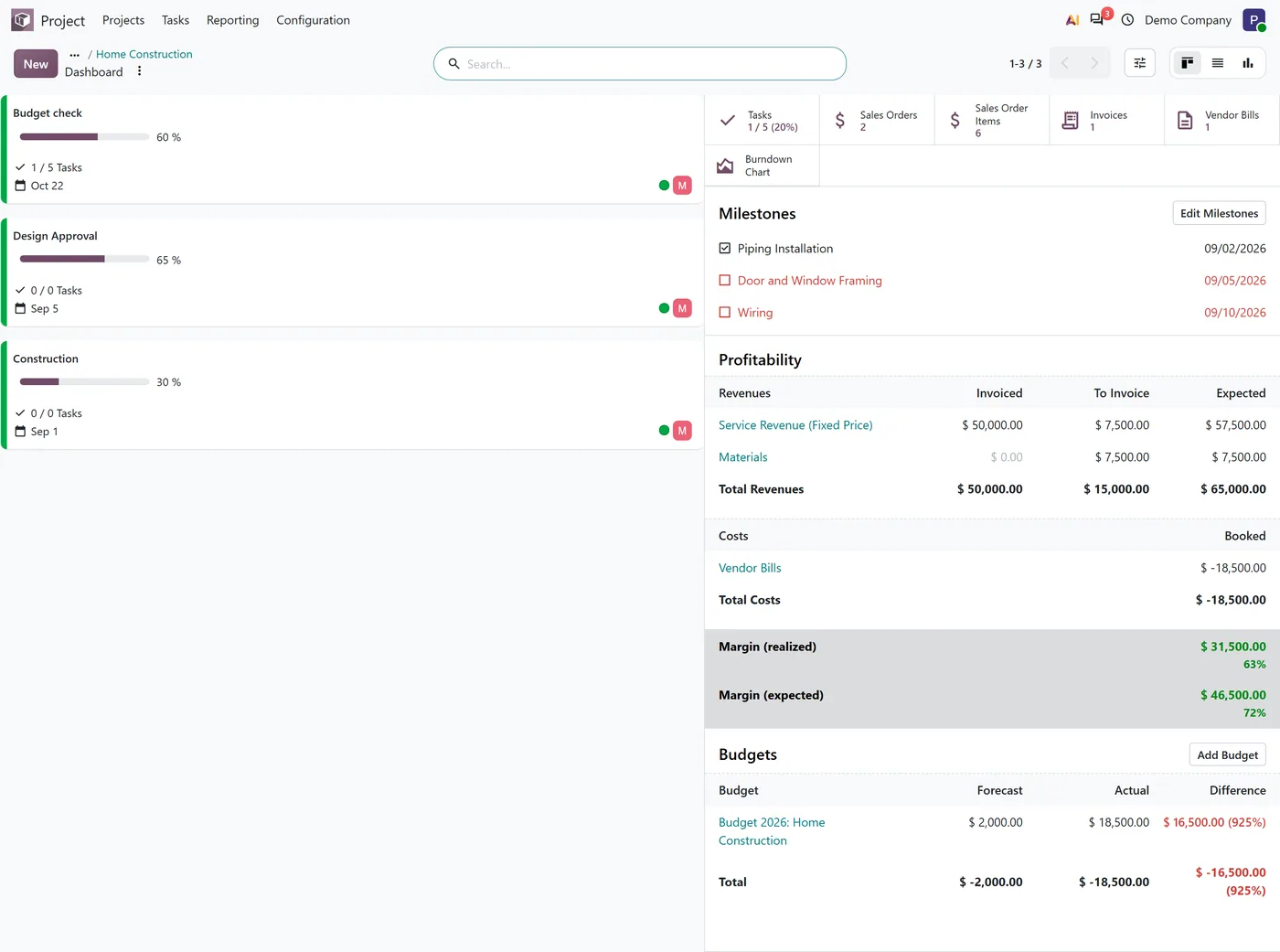
Project Profitability Panel adds a Profitability section and sales stat buttons to the Project Dashboard Panel. Revenues are listed per type with what is invoiced, what is still to invoice on the project's confirmed sales orders and the expected total. Costs are listed per type, and the panel closes with the realized and the expected margin. Every amount is converted to the project currency, and every row opens the lines behind it. It is an add-on to the Project Dashboard Panel, which it requires.
New to Odoo Project? Read our practical guide to how it works
How it works
Built around what you actually do.
Every screen below is the module running in Odoo, not a mockup.
01
Profitability section on the project dashboard, for Project Managers
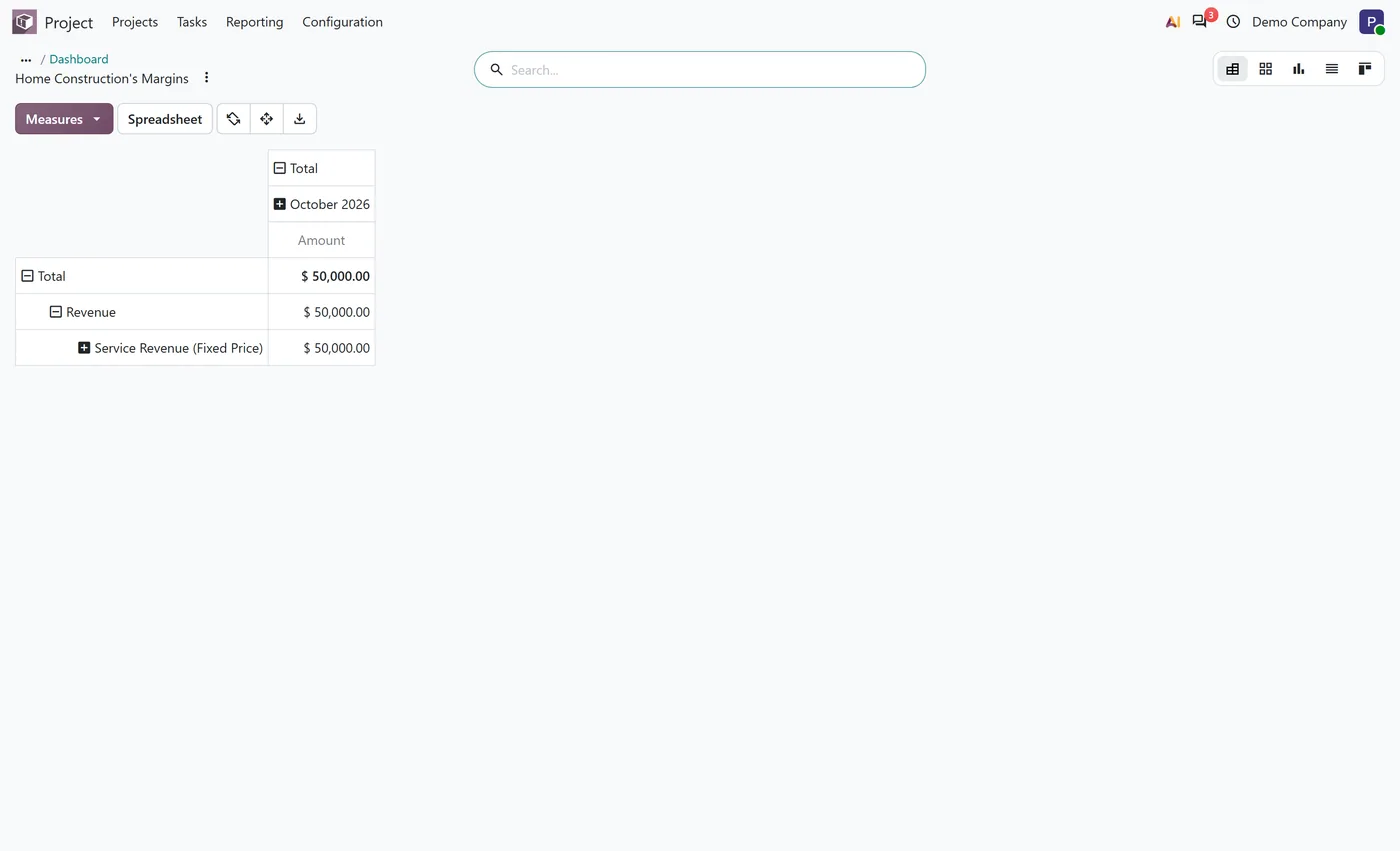
- Revenues per type with invoiced, still to invoice and expected amounts
- What is left to invoice is read from the project's confirmed sales order lines
02
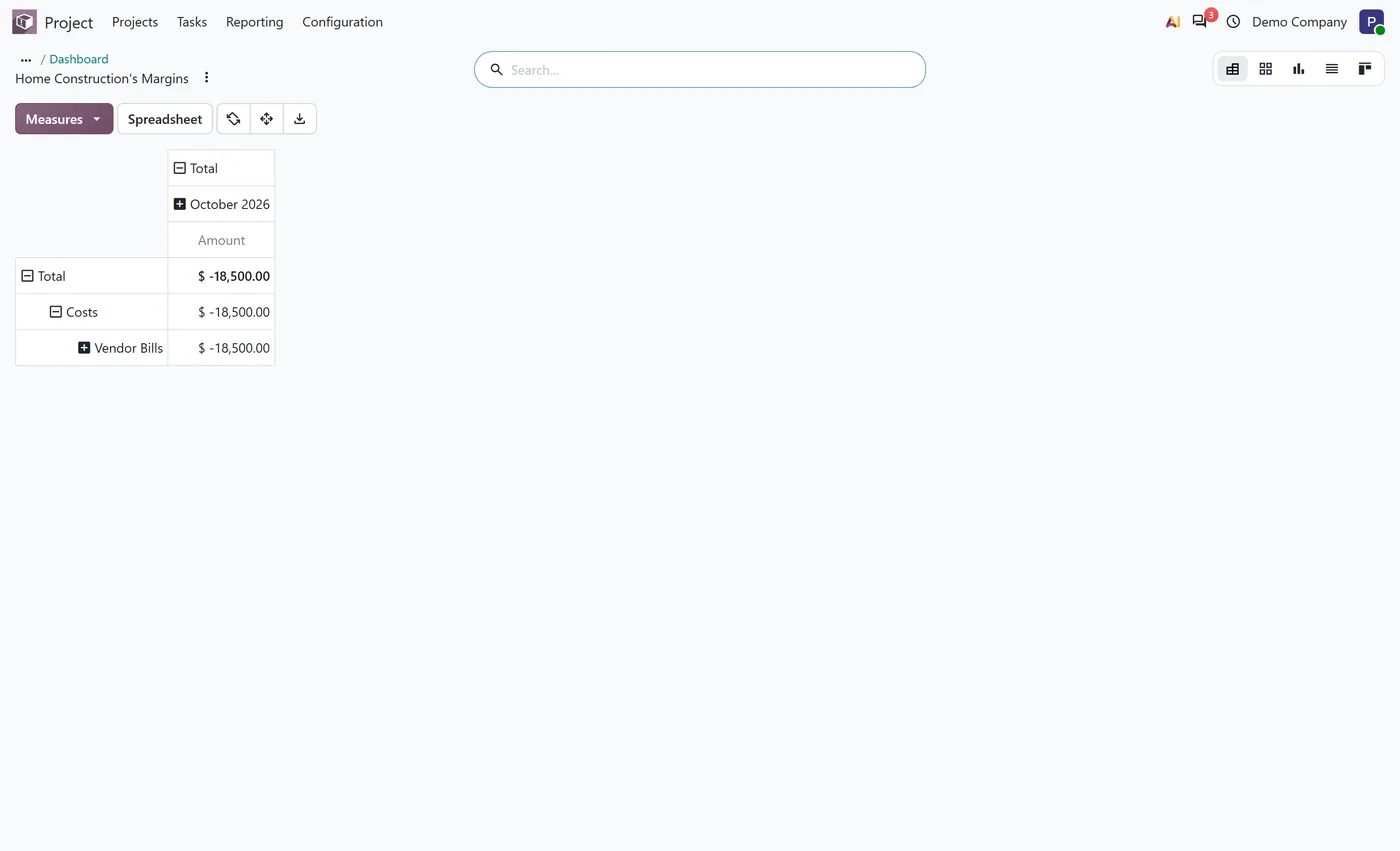
Costs per type, from vendor bills and the other analytic lines of the project
- Realized margin and expected margin, each with its percentage
- Every amount converted to the project currency, so orders in other currencies add up
03
Each revenue and cost row opens the lines behind it in Odoo's margins report
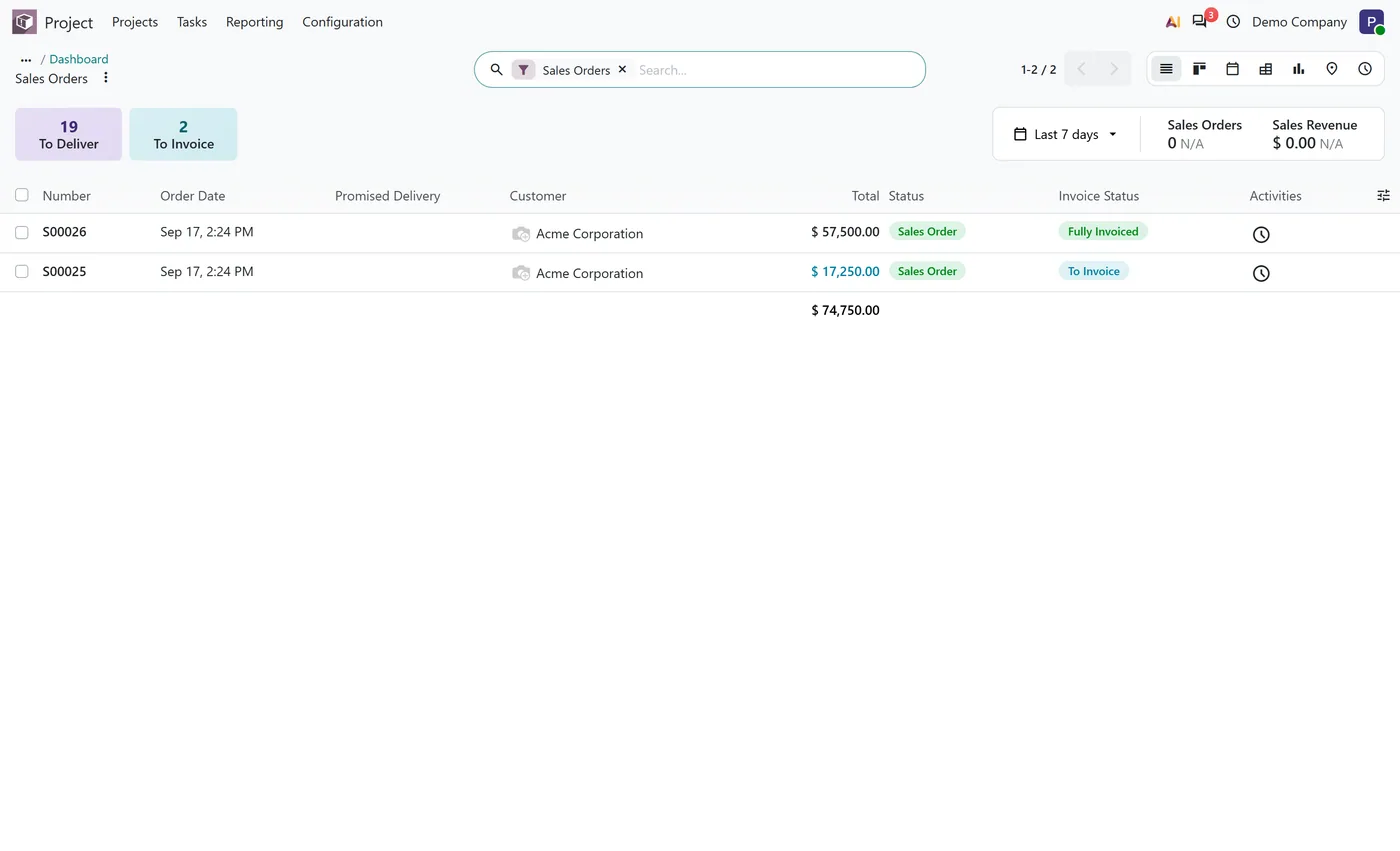
- Stat buttons for sales orders, sales order items, invoices and vendor bills
- Add-on to the Project Dashboard Panel, installs itself once Sales and the panel are both present
Every screen
The whole module, screen by screen.
The captures the walkthrough above did not use, in the order you meet them in the product.
What it does
Project Profitability Panel adds the money to the Project Dashboard Panel. Open a project's Dashboard and, below the milestones, a Profitability section lists the project's revenues per type: what is already invoiced, what is still to invoice on its confirmed sales orders, and the expected total. Costs follow, per type, and the section closes with the realized margin and the expected margin, each with its percentage.
Every figure is converted to the project currency before it is added, and every row opens the analytic lines behind it in Odoo's own margins report, so the panel and the report never disagree. The add-on also puts sales orders, sales order items, invoices and vendor bills on the panel as stat buttons.
Who it's for
Project managers and service companies that sell projects through Sales and want to know, from the project itself, how much has been billed, how much is still to come and what is left as margin once the costs are in.
Questions
About Project Profitability Panel.
How do I see the profitability of a project in Odoo 20?
Open the project's Dashboard. With this add-on the panel shows a Profitability section: revenues per type with invoiced, to invoice and expected, costs per type, and the realized and expected margin.
How is the amount still to invoice calculated?
It comes from the confirmed sales order lines linked to the project, using Odoo's own untaxed amount to invoice. Invoiced down payments are deducted, as the original project panel did.
Are amounts in other currencies included?
Yes. Every amount is converted to the project currency at today's rate before it is added, so a project billed in several currencies still totals correctly.
Who can see the margins?
Project Managers. Project users still see the panel, its milestones and its stat buttons, but not the margins, which matches how Odoo 20 restricts project margins.
Can I open the lines behind a revenue or cost figure?
Yes. Each row of the Profitability section opens Odoo's margins report filtered to that row, so the figure in the panel and the lines behind it always match.
Do I need anything else?
Yes. This is an add-on to the Project Dashboard Panel, which holds the panel itself. Install the panel and Sales, and this add-on installs itself.
On the Odoo Store
Get Project Profitability Panel on the Odoo Store.
Pick your Odoo version and install it in a click, with free updates and real support behind it.
Get it on the Odoo StoreReady to make Odoo work the way your business does?
Book a free call CODEerts
CODEerts is a team of certified Odoo partners and full-stack engineers. We implement, customise and support Odoo ERP, then build the software around it.

