CODEerts
Manufacturing app for Odoo
Quality Events Manufacturing: Deviations from Manufacturing Orders
Connect Quality Events to Odoo Manufacturing. Raise a deviation from a manufacturing order with the order, its product and the source operation filled in, name the work order, and see the quality events of every order.
Overview
Quality Events Manufacturing: Deviations from Manufacturing Orders.
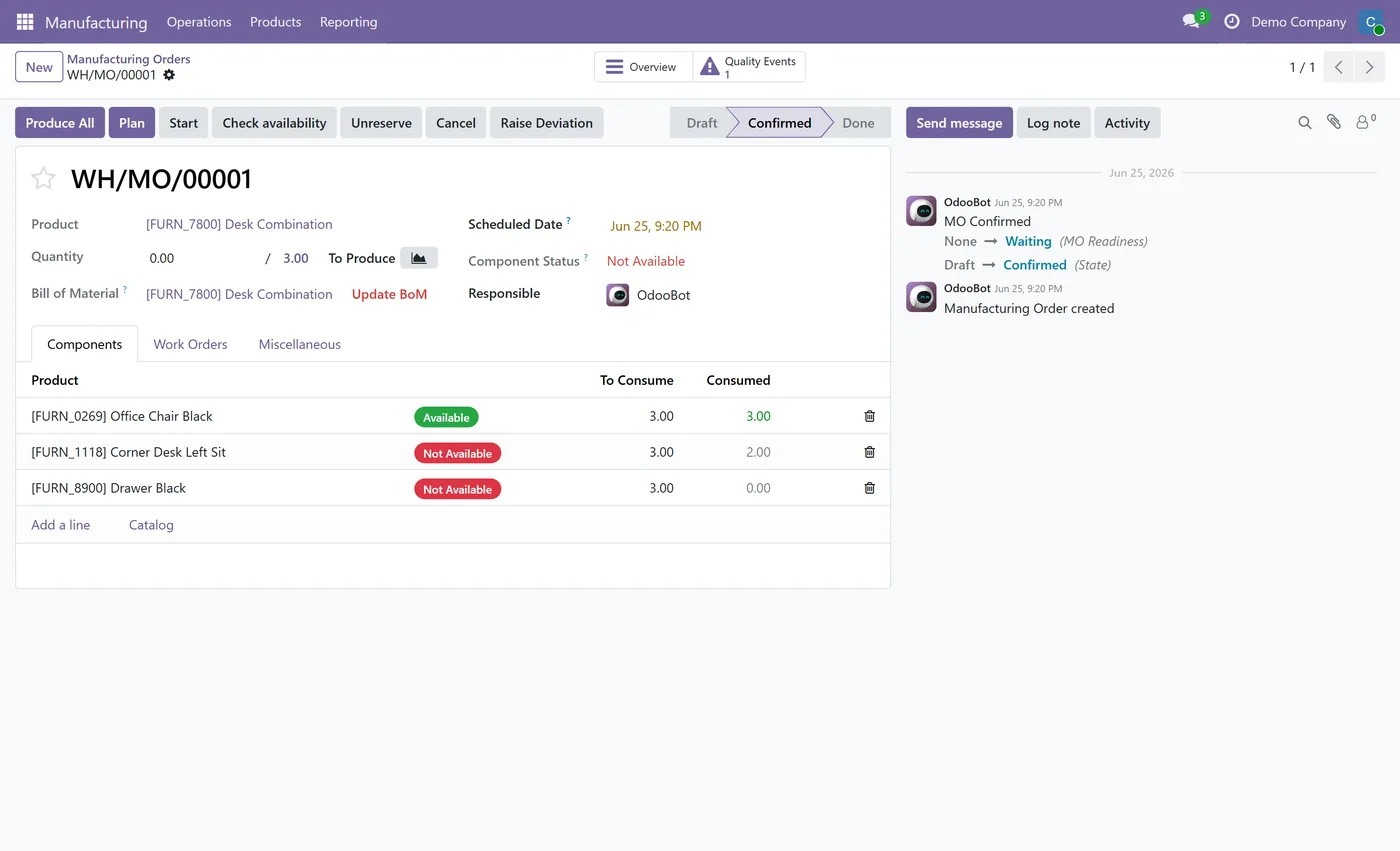
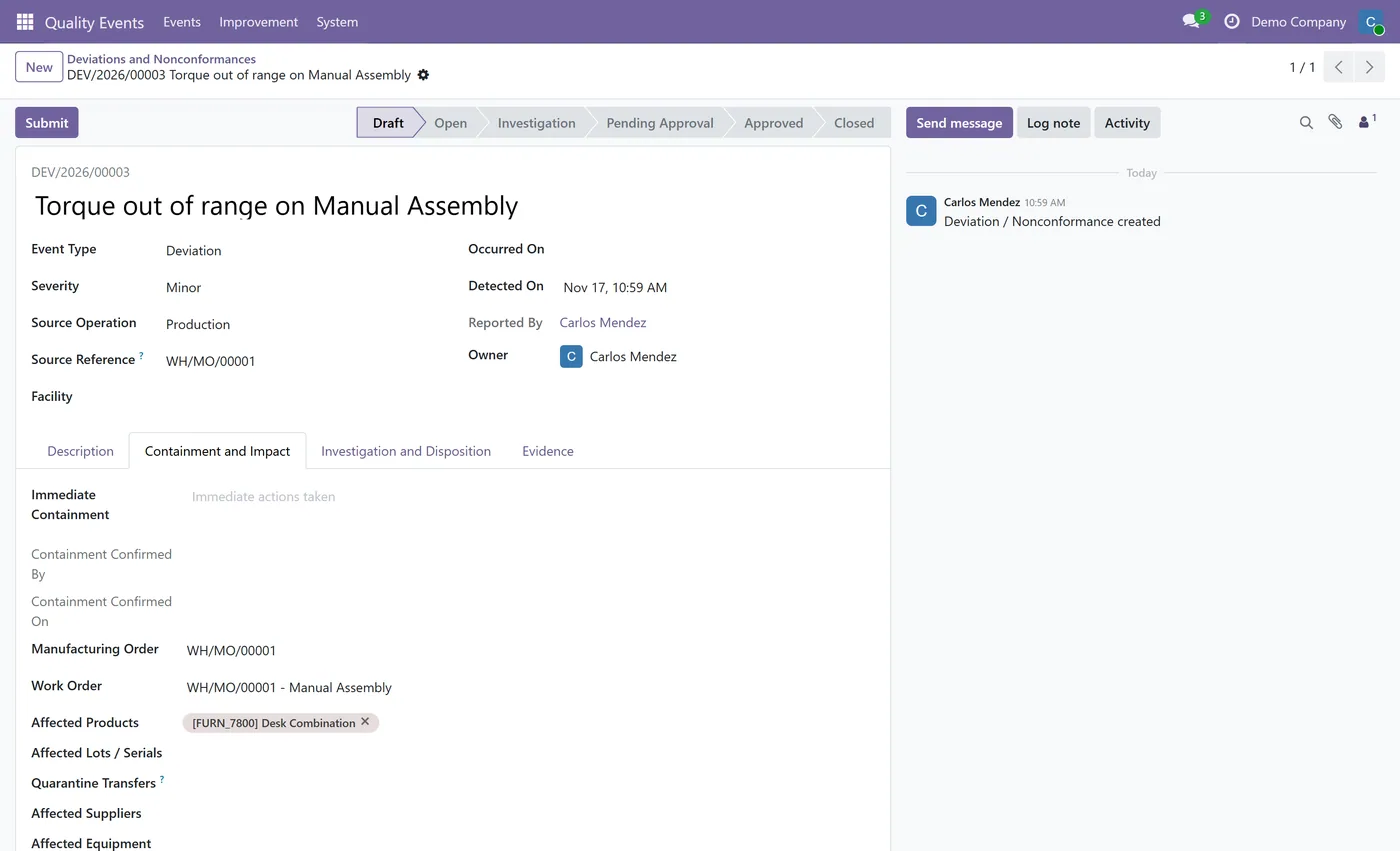
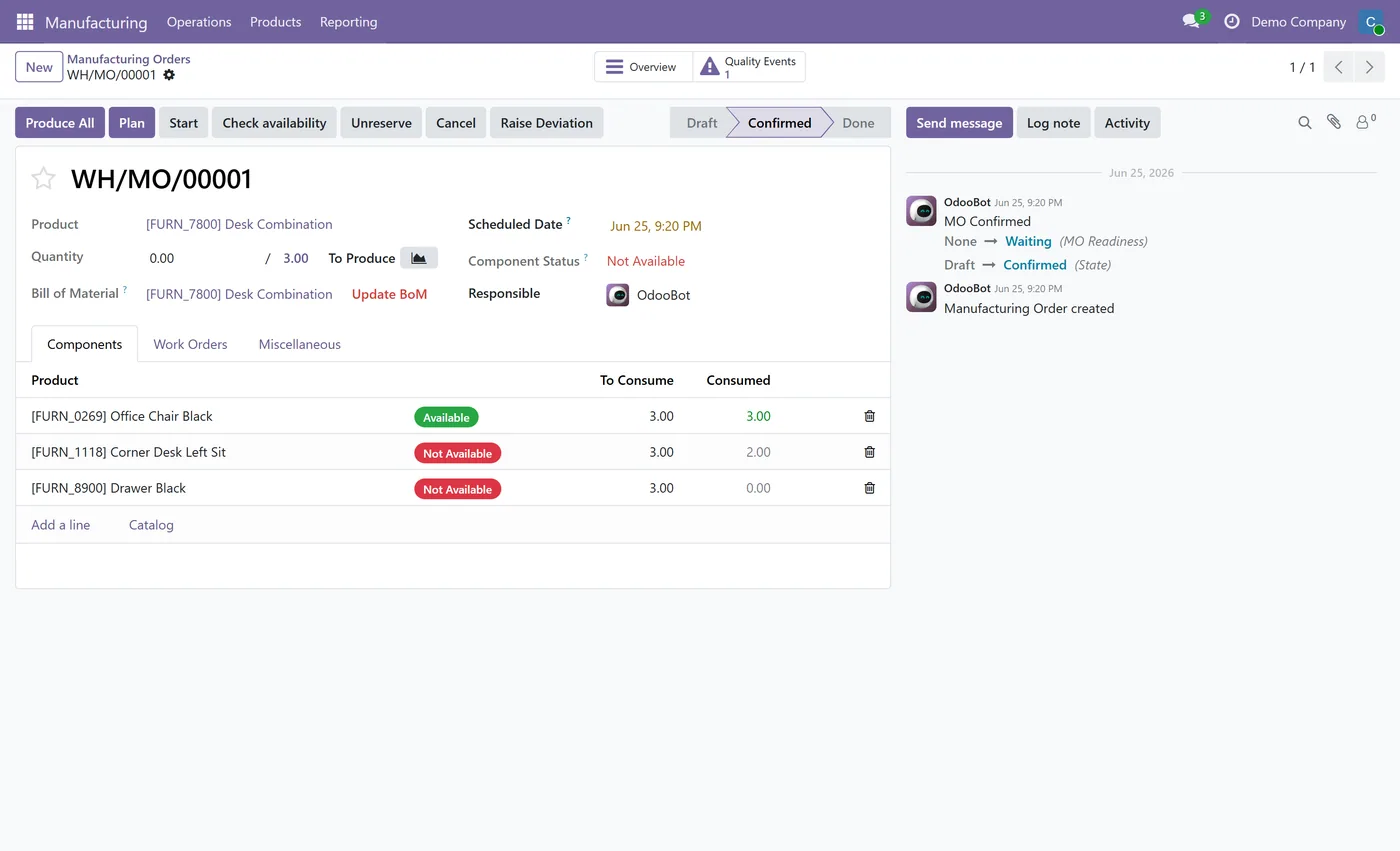
Quality Events Manufacturing links the deviations and nonconformances of CODEerts Quality Events to Odoo Manufacturing. A Raise Deviation button in the header of every manufacturing order past draft opens a new deviation with the manufacturing order, its product, the source operation Production and the order as source reference already filled in. A deviation can also name the work order; choosing a work order fills its manufacturing order, and a work order that belongs to another order is refused. On the manufacturing order, a Quality Events smart button counts the deviations that name it and opens them. The manufacturing order and work order are part of the signed content of the deviation. The order fields are only shown to users who also hold Manufacturing rights, and quality users without them keep the full Quality Events workflow. The bridge requires Quality Events, a separate paid app, and installs itself when Quality Events and Manufacturing are both present. It provides traceability that supports applicable obligations; compliance depends on your intended use, configuration, procedures and verification.
New to Odoo Manufacturing? Read our practical guide to how it works
How it works
Built around what you actually do.
Every screen below is the module running in Odoo, not a mockup.
01
Raise Deviation button on manufacturing orders past draft
- Manufacturing order, product, Production source and source reference filled in
- Work order on the deviation, checked against its manufacturing order
02
Quality Events smart button with the count of deviations per order
- Order and work order included in the signed content of the deviation
- Visible only to users with both Quality Events and Manufacturing rights
Quality Events Manufacturing lets the shop floor raise a deviation straight from the manufacturing order, so the quality record always knows which order, product and operation it came from.
What it does
A Raise Deviation button on every manufacturing order past draft opens a new deviation with the order, its product, the source operation and the source reference filled in. The deviation can also name the work order, checked against the order. A Quality Events smart button on the order counts and opens its deviations, and the order and work order become part of the signed content of the deviation.
Who it's for
Manufacturers using CODEerts Quality Events and Odoo Manufacturing who want every production deviation tied to its order without retyping references.
Questions
About Quality Events Manufacturing: Deviations from Manufacturing Orders.
What happens when I press Raise Deviation?
A new deviation opens with the manufacturing order, its product, the source operation Production and the order as source reference already filled in. You add the title and description, and the work order if it applies, then save.
Can I link a deviation to a work order?
Yes. Choosing a work order fills in its manufacturing order, and a work order that belongs to another order is refused.
Where do I see the deviations of an order?
The manufacturing order shows a Quality Events smart button with the number of deviations that name it, and opens them in one click.
What else do I need?
Quality Events from CODEerts, a separate paid app with its own dependencies, and the standard Manufacturing app. The bridge installs itself once both are present.
Which Odoo versions are supported and does it work on Community?
It works on both Community and Enterprise. Use the version selector at the top of this page to pick your Odoo release, since each branch is published as its own listing for that exact version.
On the Odoo Store
Get Quality Events Manufacturing: Deviations from Manufacturing Orders on the Odoo Store.
Pick your Odoo version and install it in a click, with free updates and real support behind it.
Get it on the Odoo StoreReady to make Odoo work the way your business does?
Book a free call CODEerts
 is a team of certified Odoo partners and full-stack engineers. We implement, customise and support Odoo ERP, then build the software around it.