 CODEerts
Manufacturing app for Odoo
Quality Control for Manufacturing
Extends quality control points to manufacturing orders and work orders, and blocks Mark as Done while a mandatory inspection is pending or failed.
Overview
Quality Control for Manufacturing.
The manufacturing companion to Quality Control & Inspections. Control points can trigger on manufacturing orders and work orders, inspections are generated against the order and its finished product, and Mark as Done refuses while a mandatory inspection is still pending or has failed. Installs itself automatically as soon as both Quality and Manufacturing are present.
New to Odoo Manufacturing? Read our practical guide to how it works
How it works
Built around what you actually do.
Every screen below is the module running in Odoo, not a mockup.
01
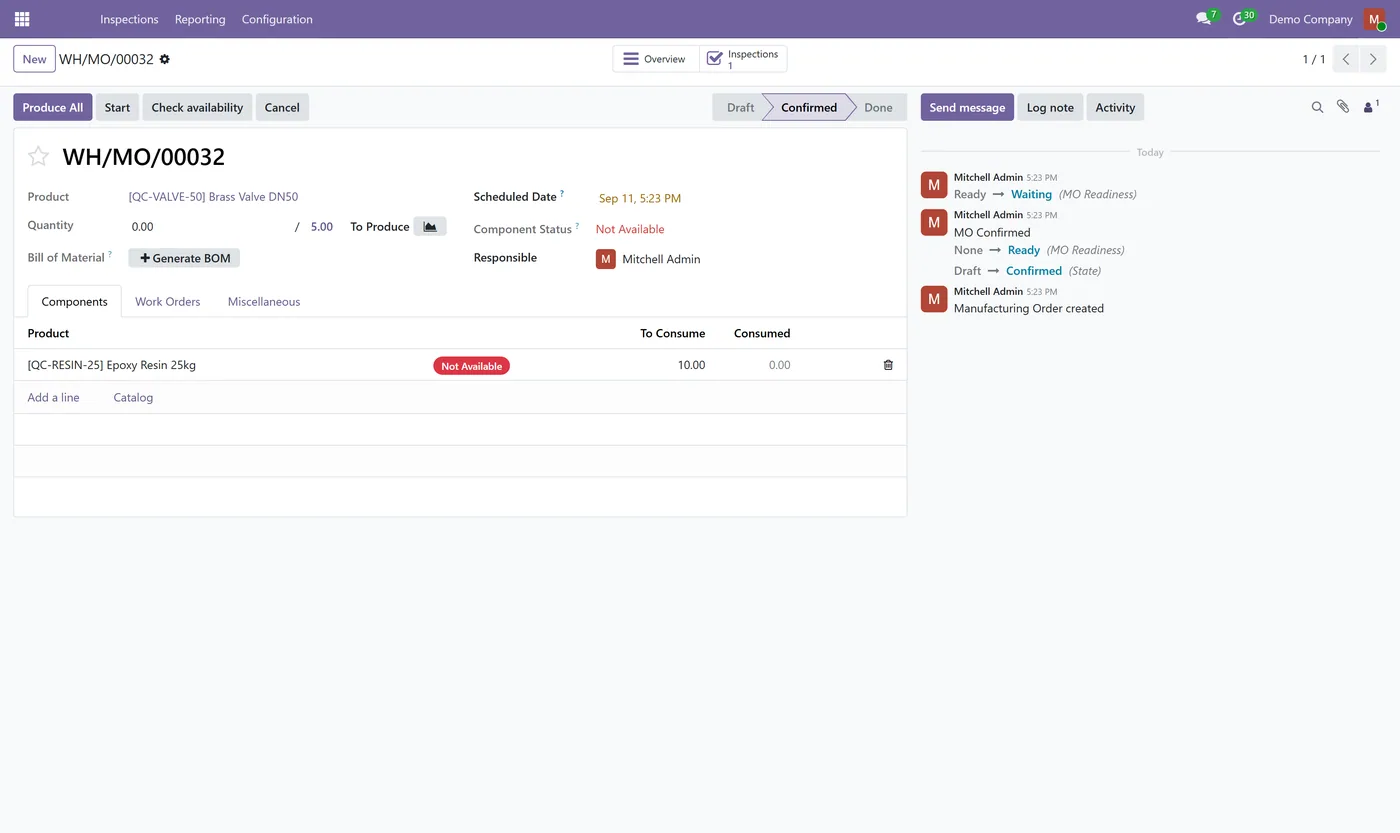
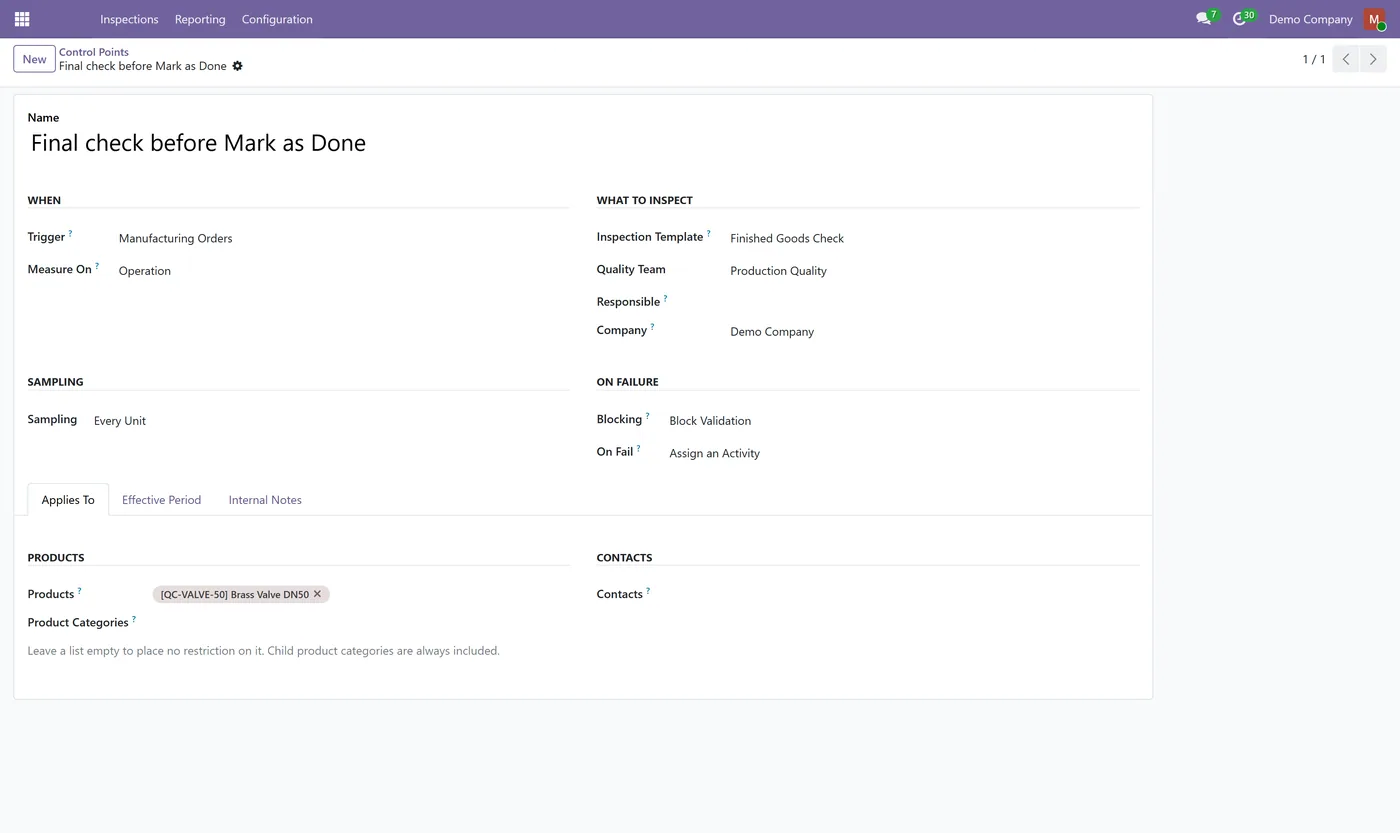
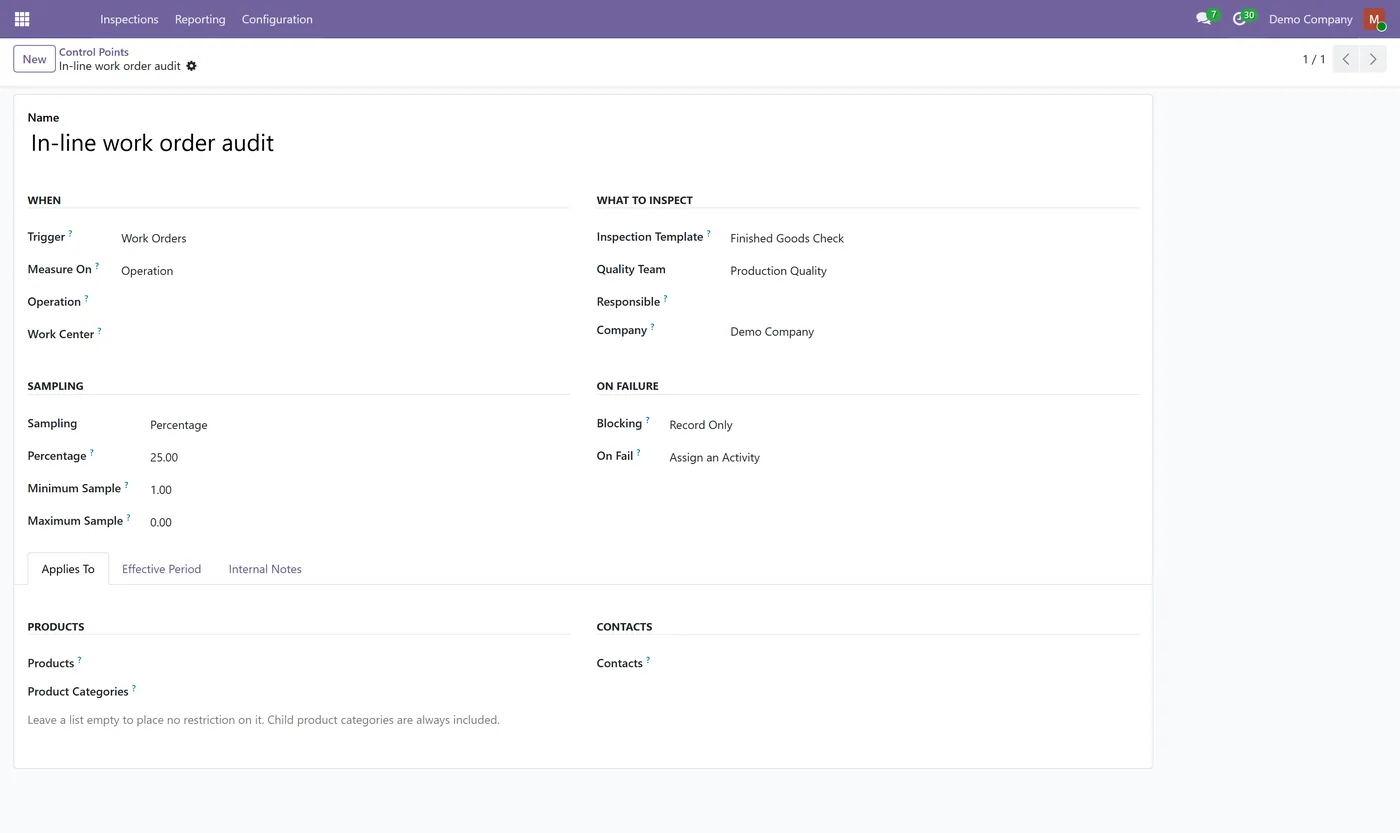
Control points that trigger on manufacturing orders and on work orders
- Inspections generated against the order and its finished product
- Mark as Done blocked while a mandatory inspection is pending or failed
02
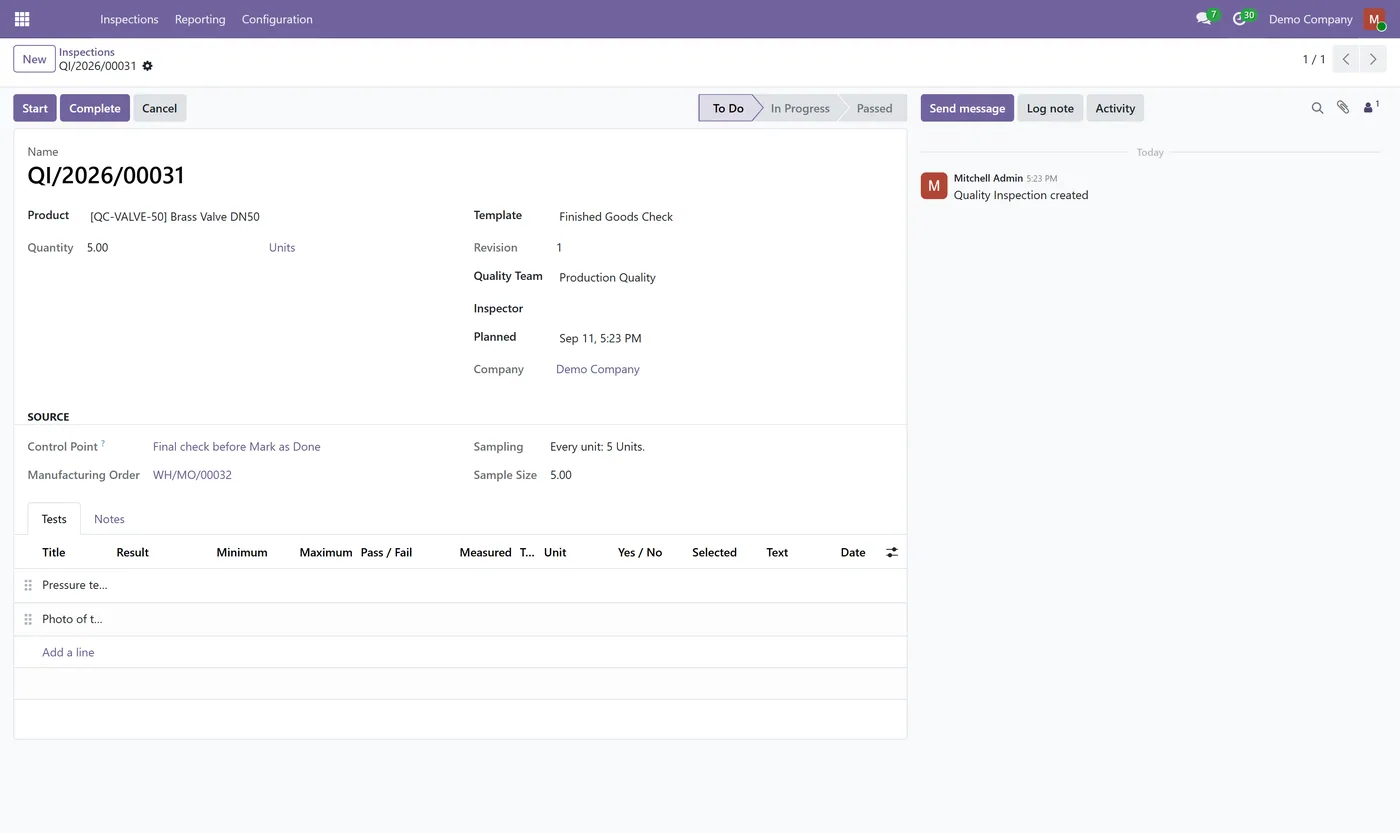
The blocking inspection is opened for the user instead of a dead end
- Work order support follows Odoo's own Manage Work Order Operations setting
- Cancelling a manufacturing order clears its ungraded inspections and preserves the graded ones
03
A recorded failure survives cancellation, because that failure is often the reason for it
- Installs automatically when Quality Control & Inspections and Manufacturing are both present
What it does
Quality Control for Manufacturing extends control points to the production side of Odoo. A control point can trigger on a manufacturing order or on a work order, and the inspection it generates is linked to that order and its finished product. When the point is set to blocking, Mark as Done refuses while a mandatory inspection is still pending or has failed, and the inspection is opened for the operator rather than leaving them with an error and nowhere to go.
Cancellation is handled with the audit record in mind. Inspections that were never graded are cancelled alongside the order. Inspections that carry a result are kept, failures included, because a failed check is often precisely why the order was cancelled.
Who it's for
Manufacturers running Odoo Community who already use Quality Control & Inspections for incoming goods and want the same control over production: in-process checks on work orders, a final check before a manufacturing order can be closed, and a record of both.
Questions
About Quality Control for Manufacturing.
Do I need to install this separately?
No. It installs itself as soon as both Quality Control & Inspections and Odoo Manufacturing are present, so there is nothing extra to find or configure.
Can an inspection block Mark as Done on a manufacturing order?
Yes. Set the control point to Blocking and Mark as Done refuses while a mandatory inspection is pending or failed, opening the inspection so the operator can complete it.
Does it work with work orders?
Yes, when Odoo's Manage Work Order Operations setting is enabled. That setting is off by default in Community, and work order control points follow it rather than overriding it.
What happens to inspections when a manufacturing order is cancelled?
Inspections that were never graded are cancelled with the order, because there is no verdict to keep. Inspections carrying a result are preserved, including failures, since a recorded failure is frequently the reason the order was cancelled and deleting it would destroy the evidence.
Is this a standalone quality module?
No. It is the manufacturing companion to Quality Control & Inspections and depends on it. The control points, templates, tolerances and inspection records all live in the main module.
On the Odoo Store
Get Quality Control for Manufacturing on the Odoo Store.
Pick your Odoo version and install it in a click, with free updates and real support behind it.
Get it on the Odoo StoreReady to make Odoo work the way your business does?
Book a free call CODEerts
CODEerts is a team of certified Odoo partners and full-stack engineers. We implement, customise and support Odoo ERP, then build the software around it.

